

Quick Answer: What It Is and Who Should Use It
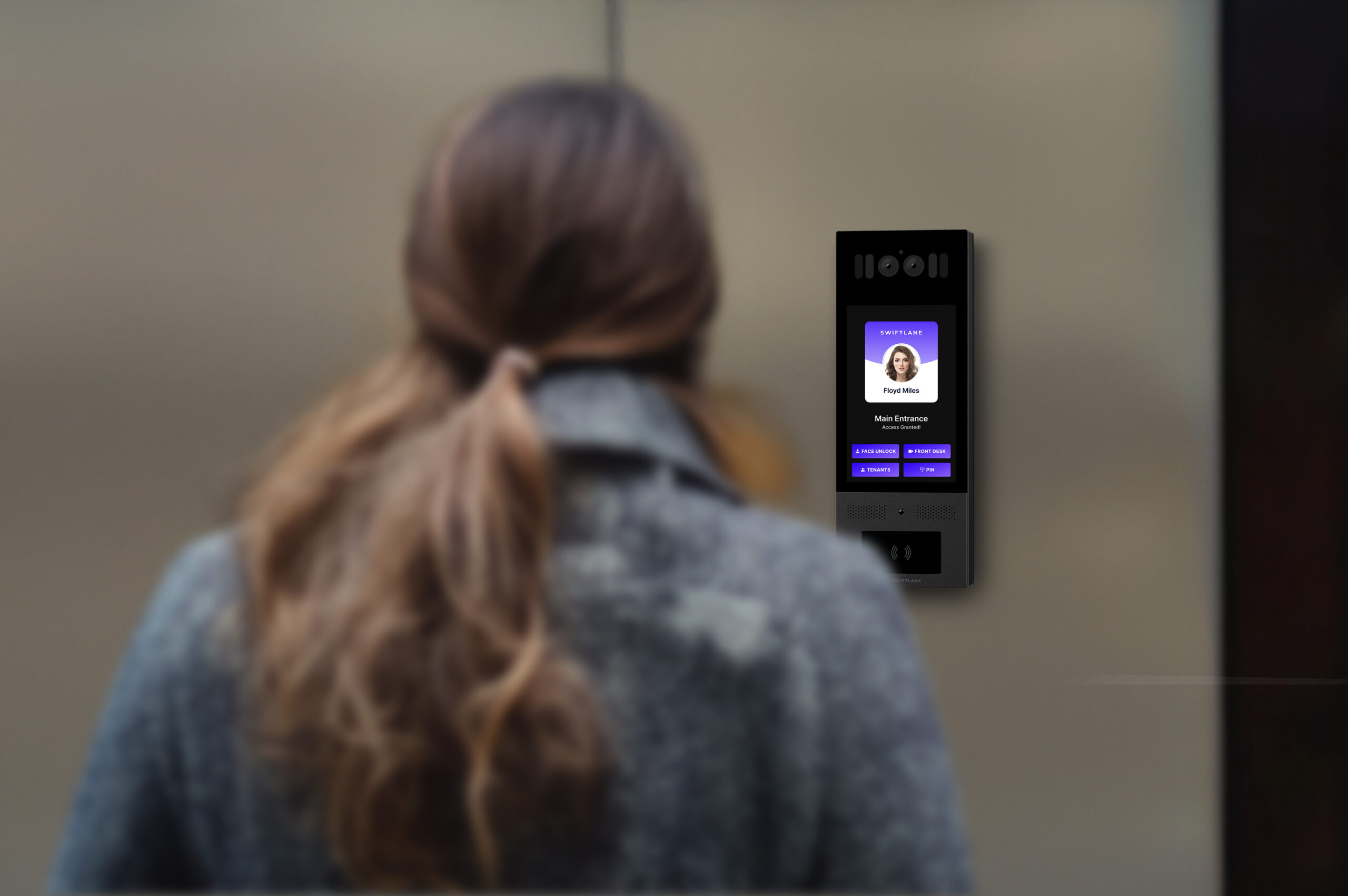
A face recognition door lock system uses a camera-based biometric reader to verify an enrolled person’s identity and unlock a controlled door. A building-grade system typically combines the facial recognition reader with an access controller, electronic door hardware, and management software.
Best for: Multifamily apartment buildings, commercial offices, gated or controlled building entrances, amenity spaces, and other properties where operators need centralized access management for multiple users and doors.
When it can beat fobs or mobile access: Facial recognition provides hands-free entry and eliminates the need to carry a physical credential. It can also reduce the administrative work associated with issuing, replacing, and deactivating fobs. Compared with mobile access, it can provide entry without requiring a resident or employee to take out a phone.
When it may not be the right fit: Facial recognition requires biometric enrollment and introduces additional privacy, consent, data-retention, and security considerations. It may not be appropriate for properties with limited access control needs, users who don’t want biometric authentication, or doors where a simpler credential provides sufficient security. A well-designed system should support alternative credentials such as mobile access, fobs, cards, or PINs.
Bottom line: Facial recognition is most useful when a property wants hands-free, identity-based access without relying exclusively on physical credentials or smartphones. For multifamily and commercial buildings, the best solution combines facial recognition with backup credentials, centralized management, audit logs, and appropriate biometric data controls.
Compare face recognition, mobile access, PINs, and intercom workflows for your building – get a Swiftlane quote.
How we researched this
This guide draws on Swiftlane’s experience supporting face recognition access control deployments in multifamily and commercial buildings in the U.S., published benchmarks from the NIST Face Recognition Vendor Test (FRVT), ISO/IEC 30107 presentation attack detection (PAD) standards, and available guidance on biometric privacy compliance. Where we cite performance figures, we identify whether they come from vendor testing, third-party benchmarks, or Swiftlane’s own deployment observations.
Table of Contents
- What Are the Components of a Face Recognition Door Lock System?
- Building Face-Recognition Access Control vs. Consumer Face-Recognition Smart Locks
- How a Face Recognition Door Unlock System Works: The Step by Step Process
- Face Recognition vs. Fobs vs. Mobile Access vs. PINs
- Security: Anti-Spoofing and Accuracy
- Best Facial Recognition Access Control Systems for Buildings
- Privacy and Compliance for Biometric Access Control
- Cost: What a Face Recognition Door Lock System Typically Includes
- Best Use Cases: Multifamily and Commercial
- Buyer Checklist: What Request For Proposal Questions Should You Ask
- Why Choose Swiftlane
- FAQs
Related Posts
- Biometric Access Control for Modern Properties
- Building Access Control Systems: A Complete Guide for Multifamily and Commercial Properties
- Door Access Control: A Complete Guide
What Are the Components of a Facial Recognition Door Lock System?
A building-grade facial recognition access control system isn’t a single device. It’s an integrated stack. Understanding each component prevents expensive mismatches at procurement time.
Camera/Reader: 2D vs. 3D vs. IR
The reader is the most consequential hardware decision. Consumer-grade cameras capture a standard 2D RGB image. That’s fine for smartphones at close range, but vulnerable to spoofing with printed photos or video playback at an unmanned door. Building-grade readers add one or more of the following:
- Near-infrared (NIR) illumination for consistent performance in low-light lobbies, parking garages, and covered entryways.
- Depth sensing (structured light or time-of-flight) to build a 3D facial map. This is the same category of technology Apple describes in its Face ID security documentation. It’s a system that “projects and analyzes over 30,000 invisible dot patterns” to create a depth map that a flat photograph can’t replicate.
- Dual-camera (RGB + IR) configurations that run liveness checks in parallel with the match decision.
For exterior or unstaffed doors, 3D or dual-sensor readers are a stronger choice because they can support liveness or PAD. 2D-only readers may be appropriate in lower-risk or staffed environments, particularly when paired with additional verification controls.
2D vs. 3D/IR/Liveness Detection
Not all facial recognition readers use the same sensing technology. A 2D camera captures a conventional image, while 3D depth sensing, infrared illumination, and PAD can add security and improve performance in challenging environments.
| Technology | How it works | Main benefit | Main limitation | Best fit |
| 2D camera | Captures a conventional RGB image and compares facial features against an enrolled profile | Lower hardware cost and simpler installation | More vulnerable to photo and screen-replay attacks without additional anti-spoofing measures | Lower-risk or staffed environments with additional security controls |
| 3D/depth sensing | Uses depth information to build a three-dimensional representation of the face | Makes flat photo and screen-based spoofing more difficult and can improve separation between a real face and a 2D presentation | More specialized hardware and potentially higher cost | Unstaffed building entrances and higher-security access points |
| Infrared (IR/NIR) | Uses infrared illumination and/or sensors to capture facial information under varying lighting conditions | More consistent performance in low-light or changing ambient-light conditions | IR alone doesn’t necessarily provide 3D depth or complete spoof protection | Exterior entrances, parking areas, covered lobbies, and variable-light environments |
| Liveness detection / PAD | Analyzes whether the presentation is from a live person rather than an attack artifact such as a photo, video, or mask | Adds a dedicated defense against presentation attacks | Effectiveness depends on the specific implementation and attack types tested | Unstaffed entrances and applications where spoof resistance is a priority |
| 3D + IR + liveness/PAD | Combines depth sensing, controlled illumination, and PAD | Provides multiple layers for authentication, lighting consistency, and spoof resistance | Higher hardware and system complexity than a basic 2D reader | Multifamily, commercial, and other building entrances where security and reliability are priorities |
Important: These technologies can overlap. A reader can use both 3D depth sensing and IR illumination, while liveness/PAD is a separate security capability that may use information from those sensors. When comparing vendors, ask for the specific sensors and presentation-attack tests used rather than treating “3D,” “IR,” or “AI-powered” as proof of spoof resistance.
Access Controller + Cloud Software
The controller is the decision-making hardware. It receives the match result from the reader, checks the access rules (time schedules, group permissions, credential status), and triggers the door release. Modern building deployments run the controller in one of two modes:
- Cloud-managed: Access rules and audit logs sync to a hosted platform. Credential revocation is instant. An administrator can revoke a fired employee’s face credential from any browser, and the change propagates to every door on the property within seconds.
- Edge/hybrid: The match decision happens on the device (important for latency and offline resilience), while audit logs and administration sync to the cloud when connectivity is available.
The software layer is where operational ROI lives: bulk enrollment workflows, integration with property management systems (PMS) or HR platforms, visitor pre-registration, and exportable audit logs for insurance or legal review.
Door Hardware: Electric Strike vs. Maglock vs. Mortise
The face reader authenticates. The door hardware actually opens the door. The right choice depends on door type, fire code, and fail-safe requirements:
- Electric strike replaces the strike plate in the frame. It releases the latch when energized (or de-energized, depending on the model). Compatible with many standard commercial door frames and often a practical retrofit option.
- Magnetic lock (maglock) mounts at the top of the door frame and holds the door closed electromagnetically. Maglocks are fail-safe, meaning the lock releases when power is removed, but their use on egress doors is subject to specific fire and life-safety requirements and release configurations.
- Mortise lock integrates the latch and bolt into a single chassis inside the door edge. More common in commercial hollow metal doors and higher-security applications.
For electrically locked egress doors, fail-safe behavior is a code requirement in applications covered by the applicable IBC provisions, not simply a design preference. In the 2024 IBC, Section 1010.2.10, Door Hardware Release of Electrically Locked Egress Doors, addresses electrified locks released by door-mounted hardware and requires, among other things, immediate unlocking when the hardware is operated and automatic unlocking upon loss of power. Section 1010.2.11, Sensor Release of Electrically Locked Egress Doors, addresses sensor-release systems and includes requirements for a manual release device, fire-alarm release, power-loss release, and a minimum 30-second unlocked period after manual release.
These requirements apply to specific electrically locked egress configurations; not every access-controlled door is subject to the same special-locking provisions. For additional interpretation, I Dig Hardware’s guidance on the 2021 IBC explains the distinction between ordinary access-controlled doors that provide free egress and systems using sensor or door-hardware release.
Check the applicable adopted code and consult your AHJ (Authority Having Jurisdiction) before specifying door hardware.
Network/Power, Offline Behavior, and Backup Entry
Building-grade readers commonly use Power over Ethernet (PoE), which delivers network connectivity and electrical power over a single Ethernet cable. This can simplify installation by reducing separate power runs to the reader and minimizing low-voltage wiring work.
Offline behavior is a critical evaluation criterion buyers often overlook. Ask every vendor: what happens when the internet is down? Best-in-class systems store a local copy of enrolled templates and access rules on the edge controller, so doors continue to operate during an outage. Systems that require a cloud round-trip for every authentication decision are a liability in buildings with inconsistent connectivity.
Backup entry methods (mobile app, PIN pad, or key fob reader) should be standard, not optional add-ons. No biometric system should be the sole path into a building.
Building Face-Recognition Access Control vs. Consumer Face-Recognition Smart Locks
| Criteria | Building-grade face recognition system | Consumer face-recognition smart lock |
|---|---|---|
| Target environment | Multi-tenant, commercial, multifamily properties | Single-family home |
| Anti-spoofing | ISO/IEC 30107 PAD, 3D depth sensing | Varies by model; some newer locks use 3D depth sensing or IR |
| Audit log | Full timestamped log, cloud-synced | Limited or no export |
| Credential revocation | Instant, remote, cloud-managed | Manual per device |
| Multi-door management | Centralized dashboard, unlimited doors | 1 to 2 doors, no central management |
| Privacy compliance tools | BIPA/GDPR tooling, DPAs available | Limited / not designed for building-scale compliance workflows |
| Installation | Professional, PoE, structured cabling | DIY, battery-powered |
| Backup entry | Mobile access, PIN, fob | PIN, physical key |
Consumer smart locks with face recognition aren’t interchangeable with building-grade systems. The hardware, software, compliance tooling, and operational workflows are entirely different categories. Deploying a consumer lock on a commercial or multifamily building entrance is an insurance and liability risk, not a cost saving.
How a Face Recognition Door Unlock System Works: The Step by Step Process
Understanding the authentication pipeline helps buyers ask better questions and spot weaknesses in vendor demos.
1. Enrollment
A A tenant, employee, or authorized visitor completes a one-time enrollment. It’s a 15- to 30-second process where the system captures multiple angles of the face under controlled lighting to build a robust template. Quality enrollment directly predicts authentication accuracy. Remember that rushed or poorly lit enrollment photos are the leading cause of false rejections in the field.
What causes enrollment to fail in practice
Across live deployments, the most common enrollment issues aren’t hardware problems, but environmental and procedural.
- Poor lobby lighting (backlighting from glass entrances, or dim evening conditions) is a big driver of failed or low-confidence enrollments.
- Enrolling residents too quickly, without capturing multiple angles, is another common cause.
- Move-in-day enrollment stations set up facing a window or under mixed lighting can see higher re-enrollment rates than stations with consistent, front-facing light.
2. Template Extraction and Storage
The system converts the face image into a mathematical vector: a compact numerical representation of facial geometry. Depending on vendor configuration, systems may store only templates (preferred) or may also retain images for troubleshooting. Buyers should confirm retention and access controls in writing.
3. Match Decision
When a person presents at the reader, the system extracts a live template and computes a similarity score against enrolled templates. If the score exceeds a configurable threshold, access is granted. NIST’s Face Recognition Vendor Test (FRVT) is the most widely cited independent benchmarking program for face recognition performance. In FRVT results, top-performing algorithms can achieve very low error rates under controlled test conditions, but real-world building performance still depends on enrollment quality, lighting, camera placement, and operating thresholds.
4. Audit Log
Every transaction (grant, deny, override, or enrollment change) is timestamped and logged with a user ID, door ID, and match confidence score. For property managers, this log is evidence: it answers “who entered the package room at 2 AM?” in seconds.
Face Recognition vs. Fobs vs. Mobile Access vs. PINs
Facial recognition is one of several credential options available for building access. The right choice depends on the property’s security requirements, resident or employee preferences, administrative workload, and need for backup access.
| Factor | Face recognition | Key fob/card | Mobile access | PIN |
| User experience | Hands-free entry after enrollment | Tap or present credential at reader | Unlock with phone or app | Enter code at keypad |
| Physical credential required | No | Yes | No, but requires a compatible phone | No |
| Lost credential risk | Low; no physical credential to lose | Higher; fobs/cards can be lost, shared, or stolen | Phone can be lost or replaced | No physical credential, but codes can be shared |
| Credential sharing | Difficult compared with shared physical credentials | Possible if users share fobs/cards | Possible if users share phones or credentials | High risk if PINs are shared |
| Administrative workload | Enrollment and biometric lifecycle management | Issuing, replacing, and deactivating fobs/cards | Mobile enrollment, device changes, and credential management | Creating, changing, and revoking codes |
| Access auditability | Strong when tied to an individual user profile | Strong if each user has a unique credential | Strong when credentials are individually assigned | Depends on whether each user has a unique PIN |
| Privacy considerations | Highest; biometric data requires additional privacy and security controls | Lower | Lower, although personal/device data may still be processed | Lower |
| Backup access needed | Yes; use mobile, fob/card, PIN, or another supported method | Recommended | Recommended | Recommended for higher-security applications |
| Best fit | Multifamily and commercial buildings seeking hands-free, identity-based access | Buildings prioritizing familiar, proven credential technology | Properties seeking convenient touchless access without biometrics | Secondary access, temporary access, or lower-security areas |
| Main tradeoff | Requires biometric enrollment, privacy controls, and appropriate anti-spoofing technology | Physical credential management creates ongoing replacement and revocation work | Depends on users carrying compatible phones and maintaining battery/connectivity | Codes can be forgotten, observed, or shared |
For most multifamily and commercial properties, these credentials don’t have to be mutually exclusive. A building can use facial recognition as the primary credential while keeping mobile access, fobs, or PINs available for residents and employees who prefer not to enroll or need an alternative method.
Security: Anti-Spoofing and Accuracy
Liveness Detection (PAD)
The core security question buyers should ask isn’t “is it accurate?” but “can it be fooled?” ISO/IEC 30107 defines the standard framework for Presentation Attack Detection (PAD). Commonly called liveness detection, PAD specifically tests whether a system can distinguish a live face from a photograph, video replay, 3D mask, or deepfake presentation.
Building-grade systems should, at minimum, demonstrate defenses against:
- Printed photo attacks
- Screen replay attacks (a face video on a phone/tablet)
- 3D mask or high-quality mannequin-style attacks (where relevant)
You should ask vendors to show documented presentation-attack testing aligned to the ISO/IEC 30107 framework (and to describe what attack types they test against).
Depth-sensing hardware raises the bar because a 2D presentation (printed or on a screen) lacks the z-axis data the sensor expects. This doesn’t mean 3D systems are infallible (for example, sophisticated silicone masks can defeat depth sensors). Multi-factor authentication (face + mobile credential, or face + PIN for high-security doors) is the appropriate mitigation for highest-risk access points.
Accuracy in Real-World Conditions
Controlled benchmark accuracy and real-world building performance diverge in predictable ways. Factors that degrade accuracy in the field:
- Lighting changes: Direct sunlight backlighting a face, fluorescent flicker, or a lobby that transitions from bright day to dark evening can materially reduce match confidence. NIR illumination mitigates this by providing a consistent light source independent of ambient conditions.
- Masks and PPE: Post-pandemic, mask-wearing remains common in many buildings. Some systems support periocular recognition (matching on eyes and brow region alone), though accuracy drops. Operators should define a policy: mask-compliant authentication or a secondary credential prompt.
- Throughput at busy doors: A main building entrance must process a face fast enough to avoid queues during morning rush periods. Test throughput under realistic conditions. A vendor demo in a quiet conference room isn’t the same as 40 people entering between 8:45 and 9 AM.
- Tailgating: Face recognition authenticates the person in front of the camera. It doesn’t prevent a second person from following through an open door. Video-based anti-tailgating sensors or lobby mantrap configurations are separate layers for high-security doors.
Best Facial Recognition Access Control Systems for Buildings
If you’re comparing facial recognition for a multifamily property, commercial office, or mixed-use building, the right choice depends on more than face-matching accuracy. Look at the entire access control stack: door hardware, credential options, offline behavior, administration, visitor workflows, integrations, and biometric data handling.
Here are the main categories worth evaluating in 2026:
| System | Best for | What stands out | Potential limitation |
| Verkada | Enterprise security teams and organizations already using Verkada | AF64 combines Face Unlock, a 3D infrared depth sensor, video camera, access controller, touchscreen, and multiple credential types; cloud-based management and edge processing support offline operation | Strongest fit for organizations already invested in the Verkada ecosystem |
| Swiftlane | Multifamily and commercial building access | Face recognition, mobile access, PINs, video intercom, cloud management, multi-door administration, and visitor workflows in one platform | Best value comes when multiple doors, users, or access workflows need centralized management |
| ZKTeco / Hikvision-style terminals | Cost-conscious deployments and organizations wanting dedicated biometric terminals | Broad selection of standalone face-recognition terminals, credential options, access control integrations, and hardware configurations | Often requires more integration and system design around the terminal |
| NoahFace | Offices and facilities that prefer an iPad-based interface | Runs facial recognition on a mounted iPad, supports liveness detection, offline operation, access rules, photographic logs, and integration with existing door controllers | iPad-based architecture may not be ideal for large multifamily deployments |
| Consumer smart locks | Single-family homes and very small-scale applications | Lower upfront cost, simple installation, and familiar consumer interfaces | Not designed for centralized, building-scale access management |
Best for Enterprise Security Ecosystems: Verkada
Verkada’s AF64 Access Station Pro takes an integrated hardware approach. It combines Face Unlock with a 3D infrared time-of-flight sensor, access controller, video camera, touchscreen, and support for cards, PINs, and mobile credentials. Facial authentication is performed locally on the device, while the system connects to Verkada Command for centralized management.
This makes Verkada particularly compelling for organizations already standardizing on Verkada’s broader physical security platform. Its access control system also uses edge processing to maintain door operation during network outages.
But for a property manager choosing a standalone access platform, the more important question is whether the surrounding ecosystem matches the building’s existing security, property management, and visitor management requirements.
Best Overall for Multifamily and Commercial Buildings: Swiftlane
Swiftlane is the strongest fit when facial recognition is part of a broader building access strategy rather than a standalone biometric terminal.
The platform combines facial recognition with mobile access, PIN entry, video intercom, visitor management, and centralized cloud administration. That matters for properties where the main entrance, amenity spaces, elevators, parking areas, and staff-only doors all need different access workflows.
It also gives property teams multiple ways to authenticate users. Residents or employees can use facial recognition where appropriate, while mobile credentials, PINs, or other supported credentials provide alternatives for users who don’t enroll biometrically.
But for a single door or very small deployment, a full building access platform may provide more functionality than the property needs. The value becomes clearer as the number of doors, users, sites, and access workflows increases.
Dedicated Biometric Terminals: ZKTeco and Hikvision
ZKTeco and Hikvision offer dedicated facial-recognition terminals that can work as part of an integrator-led access control deployment. ZKTeco has a broad portfolio of facial-recognition and hybrid biometric terminals, while Hikvision’s MinMoe line includes facial-recognition terminals designed for different access control scenarios.
These products may make sense when a property already has an access control platform, integrator, or security infrastructure capable of supporting dedicated biometric terminals. The tradeoff is that buyers may need to assemble more of the overall solution themselves, including the biometric reader, controller, door hardware, management software, integrations, and visitor workflows.
Procurement and security considerations
Before specifying a dedicated biometric terminal, evaluate the vendor’s current cybersecurity posture and whether the equipment is eligible for your particular deployment.
ZKTeco: In a 2024 analysis, Kaspersky researchers identified 24 vulnerabilities in a ZKTeco biometric terminal, including SQL injection, command injection, buffer overflow, and arbitrary file read/write vulnerabilities. The research demonstrated scenarios involving authentication bypass and access to sensitive device data. This doesn’t mean every ZKTeco product is vulnerable, but it makes model-specific firmware, patching, vulnerability disclosure, and network security important procurement considerations.
Hikvision: Hikvision is listed on the FCC Covered List, and FCC rules prohibit authorization of covered Hikvision equipment for certain specified purposes. Procurement teams should verify whether those restrictions apply to the proposed equipment, deployment, funding source, and jurisdiction before specifying the product.
Before buying, verify: current firmware and security support, vulnerability response, procurement eligibility, network architecture, management software, integrations, and applicable life-safety requirements.
For multifamily and commercial buildings, compare the complete installed solution, rather than the upfront price of the facial-recognition terminal alone. A lower-cost reader may still require additional controllers, software, door hardware, installation, and integration work.
Best for iPad-Based Deployments: NoahFace
NoahFace takes a different approach: facial recognition runs on a mounted iPad next to the door. The platform supports liveness detection, offline operation, time-based access rules, photographic event logs, and integration with existing door controllers.
This approach can be attractive for offices and facilities that want a familiar touchscreen interface or need to integrate facial recognition into an existing access control environment.
For multifamily operators, evaluate the hardware and management model carefully. A residential portfolio with numerous exterior doors, amenity spaces, elevators, and shared entrances may benefit more from purpose-built access hardware designed around building access workflows.
Best for Homes: Consumer Smart Locks
Consumer facial-recognition smart locks are a different category altogether. They can be appropriate for single-family homes or small applications where there’s little need for centralized credential administration.
They’re not a substitute for a building-grade access control system when you need centralized user management, audit trails, multiple credential types, professional installation, offline behavior, visitor workflows, or portfolio-wide administration.
What to Compare Before Choosing
Don’t choose a facial recognition system based on recognition speed alone. For a building deployment, compare:
- Anti-spoofing: Does the system use depth, infrared, liveness detection, or other presentation-attack defenses?
- Credential flexibility: Can users choose face, mobile, PIN, card, or fob access?
- Offline operation: Does the door continue authenticating authorized users if the internet connection fails?
- Multi-door management: Can one administrator manage users and permissions across the entire property or portfolio?
- Visitor workflows: Can the platform handle guests, deliveries, contractors, and temporary access?
- Integrations: Does it connect with the property’s PMS, HR platform, intercom, or existing access control infrastructure?
- Biometric data governance: Where are facial templates stored, who can access them, and how are they deleted?
- Installation: Does the system work with existing door hardware and network infrastructure, or require a full replacement?
- Support: Who installs, maintains, and troubleshoots the system after deployment?
For multifamily and commercial buildings, the best facial recognition system is rarely the one with the lowest-cost reader or the highest headline recognition rate. It’s the platform that combines reliable biometric authentication with the access, visitor, administrative, privacy, and backup workflows the property actually needs.
For that use case, Swiftlane is the best fit when you want facial recognition as part of a broader building access platform rather than as a standalone biometric terminal.
Privacy and Compliance for Biometric Access Control
This section is informational, not legal advice. Biometric privacy requirements vary by jurisdiction, so building owners and operators should consult qualified legal counsel before deploying facial recognition.
For property managers, the privacy questions are practical: Was consent obtained? Where are facial templates stored? How long are they retained? Who can access them? What happens when someone opts out or leaves the property?
Consent and Notice
Before enrolling residents, employees, or other users, operators should determine what notice and consent requirements apply in their jurisdiction. Some state biometric privacy laws impose specific requirements for collecting or using biometric identifiers or information.
Illinois is a particularly important example. The Illinois Biometric Information Privacy Act (BIPA) requires written notice and consent before collecting biometric identifiers or biometric information, along with a publicly available retention and destruction policy. BIPA also restricts disclosure and requires organizations to handle biometric information according to specified safeguards.
Requirements differ by state, so don’t assume that a consent process designed for one jurisdiction will satisfy another.
Biometric Template Storage
Ask vendors exactly what biometric information the system stores and where it resides.
A facial recognition system may create a biometric template (a mathematical representation used for matching) rather than retaining a conventional facial photograph. That distinction matters, but a template should still be treated as sensitive biometric data.
Ask vendors:
- Are templates stored on the reader, on an on-premises server, in the cloud, or in multiple locations?
- Are templates encrypted at rest and in transit?
- Can vendor personnel access customer biometric data?
- Are facial images retained, or only templates?
- What systems, administrators, and integrations can access the data?
On-device storage can limit the number of systems that hold biometric information, while cloud storage can simplify centralized administration and multi-door management. Neither approach automatically makes a system compliant; the appropriate choice depends on the deployment, security controls, and applicable law.
Retention and Deletion
Operators should have a documented policy explaining how long biometric templates are retained and when they’re deleted.
For example, when a tenant moves out or an employee is terminated, the operator should know:
- When the user’s access is revoked.
- When the associated biometric template is deleted.
- Whether backups or secondary systems retain the template.
- Who can verify that deletion occurred.
- How the deletion event is recorded for audit purposes.
Ask vendors whether deletion can be automated as part of credential deactivation and whether administrators can produce an audit record showing when the biometric data was removed.
Opt-Out and Alternative Credentials
Facial recognition shouldn’t necessarily be the only way to enter a building.
Operators should establish a process for residents, employees, or other authorized users who decline biometric enrollment or can’t successfully enroll. Depending on the system, alternatives may include:
- Mobile credentials
- Key fobs or key cards
- PINs
- Other supported non-biometric credentials
Providing an alternative credential also helps prevent lockouts when facial recognition fails because of lighting, camera positioning, temporary appearance changes, or enrollment problems.
Why backup credentials matter in practice, not just in theory
In multifamily deployments, backup credentials get used more often than operators expect, not because facial recognition fails frequently, but because of ordinary building life: a resident enrolls but a roommate or guest hasn’t yet, a delivery or maintenance worker needs one-time access, or a resident’s appearance changes enough (a new beard, a medical mask, sunglasses at dusk) that a second authentication path avoids a lockout.
State Privacy Laws and BIPA-Style Requirements
State biometric privacy laws can impose requirements that go beyond general consumer privacy laws. Illinois BIPA is one of the most important laws for building operators to consider because it specifically addresses biometric identifiers and biometric information and includes requirements around notice, consent, retention, disclosure, and security.
Other states, including Texas (CUBI) and Washington (RCW 19.375.020), also have biometric privacy requirements. California’s privacy framework separately treats certain biometric information as sensitive personal information.
The practical takeaway is simple: don’t assume that facial recognition is subject to the same rules as ordinary access credentials. Before deployment, determine which state and local requirements apply to the property and document the organization’s consent, retention, deletion, and disclosure practices accordingly.
Security Logs and Administrator Permissions
Biometric privacy isn’t only about where templates are stored. Operators also need to control who can administer the system and who can access biometric data.
A building-grade platform should provide role-based permissions so that an administrator responsible for routine access management doesn’t automatically receive unrestricted access to sensitive biometric information.
Look for:
- Role-based access control (RBAC): Limit administrative capabilities according to job responsibilities.
- Administrative audit logs: Record enrollment, credential changes, deletions, permission changes, and other sensitive actions.
- Access reviews: Make it possible to identify and remove former employees or unnecessary administrator accounts.
- Authentication controls: Require strong authentication, ideally including multi-factor authentication, for privileged administrative accounts.
- Exportable records: Allow operators to retain evidence of relevant administrative and biometric-data actions when required for internal review or compliance purposes.
When evaluating vendors, ask to see the administrative audit trail, not just a demonstration of the door unlocking. A system should make it possible to determine who changed a user’s access, who enrolled or deleted a biometric credential, and when the action occurred.
Questions to Ask Before Deployment
Before approving a facial recognition deployment, confirm in writing:
- What consent and notice process does the vendor recommend for our jurisdiction?
- Where are biometric templates stored?
- Are facial images retained in addition to templates?
- How long are biometric records retained?
- What happens to biometric data when a tenant moves out or an employee leaves?
- Can users opt out and use a non-biometric credential instead?
- Who within the vendor and our organization can access biometric information?
- Does the platform support role-based administrative permissions?
- Are enrollment, deletion, permission changes, and other sensitive actions recorded in audit logs?
- What security controls protect biometric data in transit, at rest, and during administration?
The goal isn’t simply to find a system that offers facial recognition. It’s to choose a system that gives the property clear control over consent, biometric data, retention, access permissions, and deletion throughout the credential’s lifecycle.
Cost: What a Face Recognition Door Lock System Typically Includes
Pricing for building-grade face recognition access control is driven by the number of controlled doors, the reader and locking hardware selected, site conditions, and ongoing software fees. The ranges below are benchmarks rather than quotes for a specific building.
Typical Budget at a Glance
| Cost category | Typical budget | What it includes |
| Reader hardware only | $150 to $1,200+ per door | Advanced biometric readers can cost more |
| Biometric access control | $2,000 to $8,000+ per door* | Ackerman’s published biometric access control benchmark |
| Installed system + first-year software | $3,000 to $5,000 per door† | Hardware, installation, labor, and first-year licensing |
| Ongoing cloud software | $7.50 to $30+ per door/month | Cloud access control; enterprise and feature-rich platforms can cost more |
- *Ackerman describes its $2,000 to $8,000+ range as the cost per door for a biometric access control system. The source doesn’t provide a detailed breakdown of what’s included in that figure, so treat it as a published benchmark rather than a like-for-like installed-system quote.
- †The $3,000 to $5,000 installed figure is a broader access control planning benchmark from BTI, not a face-recognition-specific benchmark. Biometric access control projects can fall outside this range depending on hardware, installation complexity, and software.
Per-Door Hardware
Reader cost varies by sensor and feature set. Basic access control readers can start around $150, while more advanced biometric readers can cost substantially more. For example, Hampton Roads Communication Technologies’ 2026 pricing breakdown puts advanced biometric readers at roughly $150 to $600, while Get Safe and Sound’s 2026 guide reports advanced biometric readers at $300 to $1,200 or more.
For a biometric-specific benchmark, Ackerman Security’s published guide reports $2,000 to $8,000+ per door for biometric access control. Because Ackerman doesn’t provide a detailed cost breakdown for this range, treat it as a published benchmark rather than a like-for-like comparison with an installed-system quote.
As a named-vendor comparison point, Kisi’s installer/reseller pricing lists a $599 wall-mounted reader, a $699 outdoor reader, and an $899 controller, with door licenses priced at $20 per door. These are Kisi access control products rather than face-recognition readers, so they’re useful primarily as a reference for commercial access control hardware costs.
Installation
Installation costs depend heavily on whether existing locks and wiring can be reused. BTI Group’s cost breakdown estimates $1,200 to $2,500 per door when existing locks aren’t usable, compared with $500 to $1,500 per door when existing working locks can be reused.
For cloud-managed systems specifically, Lock and Tech USA’s 2026 guide estimates $1,000 to $3,000 per door for installation, including labor, mounting, and low-voltage wiring. Actual quotes can vary substantially based on door type, cable pathways, electrical work, and site conditions.
Software Licensing
Software fees vary by platform, features, and deployment size. The published benchmarks in the table above span several types of cloud access control systems rather than face-recognition software specifically.
BTI’s 2025 pricing guide lists cloud licenses at approximately $20 to $30 per door per month for the systems it benchmarks. It also lists basic door licenses at $200 to $400 per door per year.
Get Safe and Sound’s 2026 pricing guide gives a lower benchmark of approximately $7.50 to $13.50 per door per month for cloud management of smartphone access control systems. Its broader estimate for standard cloud access control tiers is $3.50 to $15 per door per month, while feature-rich enterprise platforms can cost substantially more.
For budgeting, ask vendors to separate recurring software or licensing fees from hardware, installation, and integration costs so proposals can be compared on a like-for-like basis.
Ongoing Administration: Credential Replacement Cost
The operational cost advantage of face recognition over physical credentials comes partly from eliminating the need to issue and replace key cards or fobs. There’s no physical credential to distribute, replace, or deactivate.
Swiftlane’s 2026 cost guidance estimates approximately $5 to $25 per replacement physical credential, depending on credential type. At a property with regular resident or employee turnover, eliminating some physical credential replacements can reduce recurring material costs and the administrative work associated with issuing and deactivating credentials.
What changes for property administrators day-to-day
The workflow shift shows up most clearly in staff time, not just security posture. Onsite teams that move from physical fobs to cloud-managed facial recognition can replace a multi-step process (locating a spare fob, programming it, logging the assignment, and following up on returns) with a dashboard action for each resident or employee. Move-out processing, in particular, can shift from waiting for a physical credential to be returned to deactivating access on the move-out date.
Case Study: Atlas Property Group
Atlas Property Group transitioned Swiftlane across a 10-property multifamily portfolio in San Francisco, ranging from boutique buildings to 120+ unit communities. Before the rollout, the team faced recurring access system outages, inconsistent reliability across legacy infrastructure, and slow support response times that created operational friction for both residents and staff.
After deploying Swiftlane, Atlas saw immediate improvements in system uptime, fewer support escalations, and simplified access management through facial recognition and PIN-based entry across all properties. From an ownership perspective, the transition is estimated to generate approximately $21,000 in annual cost savings across the portfolio, with an associated ~$400,000+ increase in asset value driven by NOI improvement.
“Most importantly, it’s given us the confidence to manage our properties without constant back-and-forth with support,” noted Atlas leadership.
Real-World Scenario: Credential Revocation After Termination
A commercial office with 120 employees terminates a staff member on a Friday afternoon. With a traditional key fob system, the security team must physically collect the fob or re-key if it isn’t returned. And they have to hope the terminated employee hasn’t shared their code with anyone. With a cloud-managed face recognition system, the administrator opens the dashboard, locates the employee profile, and clicks “deactivate.” The credential is revoked across all doors on the property within seconds, the biometric template is flagged for deletion per the retention policy, and the audit log records the revocation event. The entire process takes under two minutes with no physical interaction required.
Best Use Cases: Multifamily and Commercial
Main Building Entrance
The highest ROI door. High traffic, visitor management integration, intercom pairing, and the primary brand experience for residents and tenants.
Amenity Spaces
Gym, rooftop, coworking lounge, package room. Face recognition eliminates fob-sharing and gives operators granular time-based access scheduling (gym: 5 AM to 11 PM and residents only; rooftop: seasonal access groups).
Staff-Only and Back-of-House Doors
Maintenance corridors, mechanical rooms, management offices. Face recognition + audit logs provide accountability that PINs can’t.
Delivery Areas
Paired with a video intercom for unrecognized visitors, a face recognition reader at a package or loading dock door can grant access to enrolled building staff while logging all entries.
Office-Specific Use Cases
For offices, the biggest operational win is offboarding: access changes can be applied across multiple doors quickly, and audit logs can support periodic access reviews and compliance requirements.
When Not to Use It
High-humidity outdoor environments without weatherized readers, doors with extremely high throughput (stadium-style), or any application where a significant portion of the user population is unable to enroll (certain medical conditions affecting facial geometry). Always maintain an alternative credential method.
Buyer Checklist: RFP Questions
Use these questions when evaluating vendors for a building-grade face recognition access control deployment. Ask vendors to provide documentation where possible rather than relying solely on verbal claims during a demo.
| Evaluation area | Questions to ask vendors |
| Anti-spoofing and accuracy | • What presentation-attack testing have you completed, and does it align with ISO/IEC 30107? • Which attack types were tested? • What are the published false match and false non-match rates at the recommended operating threshold? • Are those results from NIST testing, independent testing, or internal testing? • How does performance change with glasses, masks, facial hair, or other appearance changes? |
| Biometric data and privacy | • Where are facial templates stored: on the device, on-premises, in the cloud, or a combination? • Are facial images retained in addition to templates? • How are biometric records encrypted? • What’s the retention and deletion policy? • Can users opt out and use a non-biometric credential instead? • What documentation or tools do you provide to help customers meet applicable biometric privacy requirements? |
| Security and administration | • Does the platform support role-based administrative permissions? • Are multi-factor authentication and other controls available for privileged administrator accounts? • Which administrative actions are recorded in audit logs? • Can administrators see when a biometric credential was enrolled, changed, revoked, or deleted? • How long are security and administrative logs retained? |
| Infrastructure and reliability | • What happens when the internet connection is lost? • How long can authorized users continue authenticating offline? • Where are access rules and biometric templates cached during an outage? • What happens during a power failure? • What network, PoE, and door-hardware requirements must the property meet? |
| Throughput and user experience | • What’s the typical authentication time? • What’s the maximum recommended throughput per door? • How does the system perform during peak entry periods? • What happens when a user’s face can’t be matched? • Can users authenticate using mobile, fob/card, or PIN as a backup? |
| Integrations | • Does the system integrate with the property’s PMS, HRIS, visitor management platform, video intercom, or existing access control system? • Are integrations included in the quoted price or priced separately? • Can access permissions be automatically created, updated, and revoked through integrations? |
| Enrollment and onboarding | • How does enrollment work for residents, employees, and contractors? • How long does a typical enrollment take? • Can users enroll remotely or through a mobile app? • What workflow do you recommend for a large move-in or onboarding event? • What happens when enrollment fails? |
| Installation and support | • What existing door hardware can the system reuse? • Does installation require new cabling, controllers, power supplies, or locks? • Do you provide installation support or a certified installer network? • What’s the standard hardware replacement SLA? • Who provides first-line support after installation? |
| Pricing and total cost | • What hardware, installation, software, support, and integrations are included in the quote? • Are there recurring per-door, per-user, or biometric licensing fees? • What costs apply to adding doors or users later? • Are replacement readers or other hardware covered under warranty? |
| Vendor security and lifecycle management | • Is the platform SOC 2 Type II certified (based on AICPA Trust Services Criteria) or covered by another independent security assessment? • How are vulnerabilities reported and patched? • What’s the product’s expected support lifecycle? • What happens to customer data and biometric templates if the contract ends or the property changes vendors? |
Before signing
Ask each shortlisted vendor to provide written answers, relevant certifications or test results, a data-flow description, and a complete quote. The goal is to compare the entire access control deployment, not just the facial-recognition reader.
Why Choose Swiftlane
Swiftlane’s face recognition access control system was built specifically for multifamily and commercial buildings, not retrofitted from a consumer smart lock. It combines 3D depth-sensing readers with a cloud-based access control platform that supports real-time administration, audit logs, and integrations with leading PMS solutions. The platform also provides tools that support consent, retention, deletion, and audit workflows for biometric data.
The platform also includes video intercom functionality for visitor management and mobile access control for residents, providing multiple secure entry options across every door.
Together, these tools streamline credential management, reduce operational overhead, and improve visibility across properties at scale.
Explore Swiftlane’s solutions:
Get a quote for your building.
FAQs
Can a face recognition door lock system be spoofed with a photo or video?
A photo or video replay attack can defeat many 2D-only camera readers without strong liveness detection. Building-grade systems with depth sensing and ISO/IEC 30107-compliant liveness detection reject flat presentations because they can’t produce the three-dimensional facial map the sensor expects. No system is unconditionally spoof-proof. For instance, silicone masks can defeat some 3D sensors. But the attack complexity and cost required make opportunistic spoofing effectively impractical for most building access scenarios. Multi-factor authentication (face + mobile) is recommended for highest-security doors.
Does a face recognition door lock system work in low light?
Building-grade readers with near-infrared illumination operate independently of ambient light. NIR LEDs embedded in the reader provide consistent, controlled illumination regardless of lobby lighting conditions, time of day, or seasonal light variation. Test any reader in your specific environment, especially at exterior doors with backlit conditions during daytime.
What happens to the face recognition door lock system if the internet goes down?
Systems with edge processing store enrolled templates and access rules on the local controller. Doors continue to operate during an outage. Changes made in the cloud dashboard (new enrollments, revocations) sync to the edge device when connectivity is restored. Confirm this behavior explicitly with any vendor before signing a contract because it can vary across platforms.
Is facial data stored in the cloud?
It depends on the system and configuration. Some platforms store templates exclusively on the edge device. Meanwhile, others sync encrypted templates to cloud servers for redundancy and multi-door consistency. Ask vendors for a written data flow diagram and confirm where templates reside, who can access them, and what encryption protects them in both states.
Is it legal to use face recognition for tenants or employees?
In the US, legality varies by state. Illinois, Texas, and Washington have explicit biometric privacy statutes. Several other states have introduced or are considering similar legislation. GDPR applies to EU/UK subjects regardless of where the system is deployed. The short answer: get legal counsel specific to your jurisdiction before deploying. At minimum, provide written notice, obtain consent, offer an alternative credential, and have a documented deletion policy.
How long does enrollment take?
A typical self-service enrollment (capture, template extraction, and profile creation) takes 15 to 30 seconds per person. Bulk enrollment for a move-in weekend (20+ residents enrolling on the same day) is a real operational event. You should ask vendors for their recommended workflow. Some platforms support pre-enrollment via a mobile app before move-in day, which dramatically reduces lobby congestion.
Can we keep key fobs or PINs as a backup?
Yes, and you should. A well-designed building access system supports multiple credential types simultaneously. Residents or employees who can’t or choose not to enroll biometrically should always have an alternative. This is both a regulatory prudence and a practical necessity. Some faces (due to lighting conditions, enrollment quality, or appearance changes) will occasionally fail to authenticate, and a backup credential prevents a locked-out situation.
Does the face recognition door lock system integrate with visitor management or intercom?
Building-grade platforms offer integrations with video intercom systems (for visitor access at the main entrance) and visitor management platforms (for pre-registering guests, delivery personnel, or contractors). Confirm specific integration compatibility with your existing or planned intercom vendor before purchase.
Can face recognition systems handle appearance changes over time (beards, aging, glasses)?
Yes, most building-grade systems are designed to handle gradual changes in appearance using updated facial templates and adaptive matching thresholds. Glasses, facial hair, and normal aging don’t cause issues once a user has been properly enrolled. That said, extreme or sudden changes, such as heavy disguise or significant weight change, can reduce match confidence and may require re-enrollment.
What should property managers look for when choosing a vendor?
Focus less on features and more on real deployment performance. Ask for documented results on false match rates, spoof resistance, and uptime in live buildings, not just lab tests. You should also verify offline behavior, data retention policies, and how quickly credentials can be revoked across multiple doors. If a vendor can’t clearly explain those in operational terms, that’s a red flag.
Need More Info?
Still have questions about face recognition access control for your facility? Contact a Swiftlane expert to navigate your options and the best solution.


