


Quick Answer
In 2026, the best office intercom systems are IP-based, support mobile answering, and integrate with access control and visitor workflows, so offices can operate without a full-time front desk.
Decision in 30 seconds
- No front desk, prioritize mobile answering, and fallback call routing.
- For multi-tenant or multi-floor deployments, prioritize directory logic, flexible routing, and integrated access control.
- Regulated environment, prioritize audit logs, defined data retention, and SSO with MFA.
How We Researched This
This guide was prepared by the Swiftlane team using common office intercom deployment workflows covering hybrid staffing, deliveries, and contractors, reviewing vendor product documentation for the listed systems, and gathering customer and installer feedback on what breaks most often in day-to-day operations.
Cost ranges should be reviewed annually as vendor pricing and installation conditions change.
Key Takeaways
- There is no single best office intercom system. The right choice depends on visitor volume, staffing model, and how you manage access credentials.
- If your office doesn’t have a staffed reception all day, prioritize mobile answering, fallback call routing, and remote unlock with audit logs.
- For multi-tenant or multi-floor offices, prioritize flexible call routing, directory logic, and integrated access control.
- The budget is mainly driven by the number of entry points, wiring, and whether you choose a cloud-managed platform. Small offices can land in the low thousands, and multi-tenant buildings can reach $25,000 or more.
- A modern intercom should fit your day-to-day workflows: deliveries, contractors, after-hours visitors, and emergency lockdown.
Table of Contents
- What Is an Office Intercom System?
- Types of Office Intercom Systems
- Quick Comparison: Popular Office Intercom Options (2026)
- The 10-Point Buying Checklist
- Real-World Office Workflows
- Cost Guide: What an Office Intercom System Costs in 2026
- What Breaks in Offices: The Five Most Common Failure Modes
- Security and Compliance Considerations
- Installation and IT Requirements
- How to Evaluate a Quote
- FAQs
Also, read
- Best Video Intercom Systems
- Apartment Intercom Buyer’s Guide
- Best Apartment Intercom Systems
- Apartment Intercom System with Door Release
What Is an Office Intercom System?

An office intercom system is a communication and entry-control tool installed at one or more entry points, such as a front door, a loading dock, a garage, or a side door. It lets visitors call the office and lets staff answer, verify the visitor, and unlock the door remotely. Modern systems often combine intercom, access control, and visitor management in a single platform.
How Does an Office Intercom System Work?
- A visitor arrives at an entry point and presses the call button on the door station.
- The system routes the call to the designated contact, whether a front desk, a mobile device, or a shared group.
- The staff member sees and hears the visitor via audio or video and decides whether to grant access.
- If approved, the staff member unlocks the door remotely from their phone, computer, or desk phone.
- The system logs the event, recording who unlocked which door and when, for audit and security purposes.
Types of Office Intercom Systems
Office intercom systems come in four main types, each suited to different office sizes, staffing models, and security needs.
- Audio Intercom (traditional): Voice-only. Lower cost, but limited verification and fewer remote workflow options.
- Video Intercom: Provides visual verification, helping reduce tailgating and improving security for deliveries and vendors.
- IP-Based Intercom: Network-connected. Easier to scale, centrally manage, and integrate with other software.
- Mobile-First Intercom: Routes calls to phones or tablets so offices can operate without a full-time front desk.
Quick Comparison: Popular Office Intercom Options (2026)
Not every intercom system is built for the same office. The table below compares widely used options across the factors that matter most in day-to-day operations.
| System | Best for | Mobile answering | Call routing flexibility | Cloud management | Directory | Install complexity | Integrations | Ideal office size |
| Aiphone | Enterprise offices | Varies by model | High | Varies by model | Yes | High | Broad, often integrator-led | Mid-size to enterprise |
| Alphatouch | Mid-size offices with simple visitor needs | Limited | Low to medium | Limited | Yes | Low to medium | Limited | Small to mid-size |
| Swiftlane | Hybrid offices, multi-tenant commercial | Yes | High | Yes | Yes | Low to medium | Access control, visitor management, and cameras | Small to large |
| Doorking | Traditional offices prioritizing proven hardware | Limited | Low | Limited | Limited | Medium | Limited | Small to mid-size |
Vendor Notes
Aiphone: One of the most established intercom hardware manufacturers, with a broad product line covering simple audio systems to complex multi-tenant video configurations. Capabilities vary significantly by model, so mobile answering and cloud management depend on which system you specify. Typically requires an integrator for scoping and installation.
Alphatouch: A touchscreen-focused system suited to straightforward visitor communication needs. Easier to deploy than enterprise-grade options, but limited in advanced routing, integrations, and scalability. A reasonable fit for single-entry, mid-size offices that don’t require extensive workflow customization.
Swiftlane: Built as a mobile-first platform, meaning calls, unlocks, and access management all run through a cloud dashboard and mobile app. Best for offices that don’t have a staffed front desk all day and want intercom, access control, and visitor workflows in one system. Not ideal for organizations that prefer a fully on-premise infrastructure.
Doorking: A long-standing option in traditional office and commercial environments with a track record for hardware reliability. Limited mobile-first capabilities and fewer native integrations make it less suited to hybrid work environments or to offices looking to consolidate access control and intercom into a single platform.
The 10-Point Buying Checklist
Choosing the right office intercom system comes down to how your office actually operates day-to-day. Use this checklist to evaluate any system before you buy.
In office deployments, the issues that cause the most friction aren’t usually hardware failures. They are configuration gaps: call routing that doesn’t align with staffing patterns, credentials that outlive their purpose, and delivery workflows that weren’t mapped before go-live.
- Visitor volume and arrival patterns — what mix of clients, deliveries, and vendors are you managing?
- Who answers the door when reception isn’t staffed — does the system support mobile answering and fallback call routing?
- Directory and call routing — can you route by team, floor, tenant, and time of day?
- Remote unlock and audit logs — can you see who unlocked which door, and when?
- Credential strategy — does it integrate with your existing access control, cards, fobs, or mobile credentials?
- Delivery workflows — can you handle loading dock, package rooms, and after-hours drop-off without interrupting staff?
- Security posture — does it support video verification, anti-tailgating awareness, and defined data retention?
- IT and network requirements — what are the PoE, VLAN, and uptime expectations?
- Integration needs — does it connect with visitor management, cameras, SSO, HR systems, or elevator control?
- Support model — who owns the system internally, and what does ongoing support, firmware updates, and monitoring look like?
Real-World Office Workflows
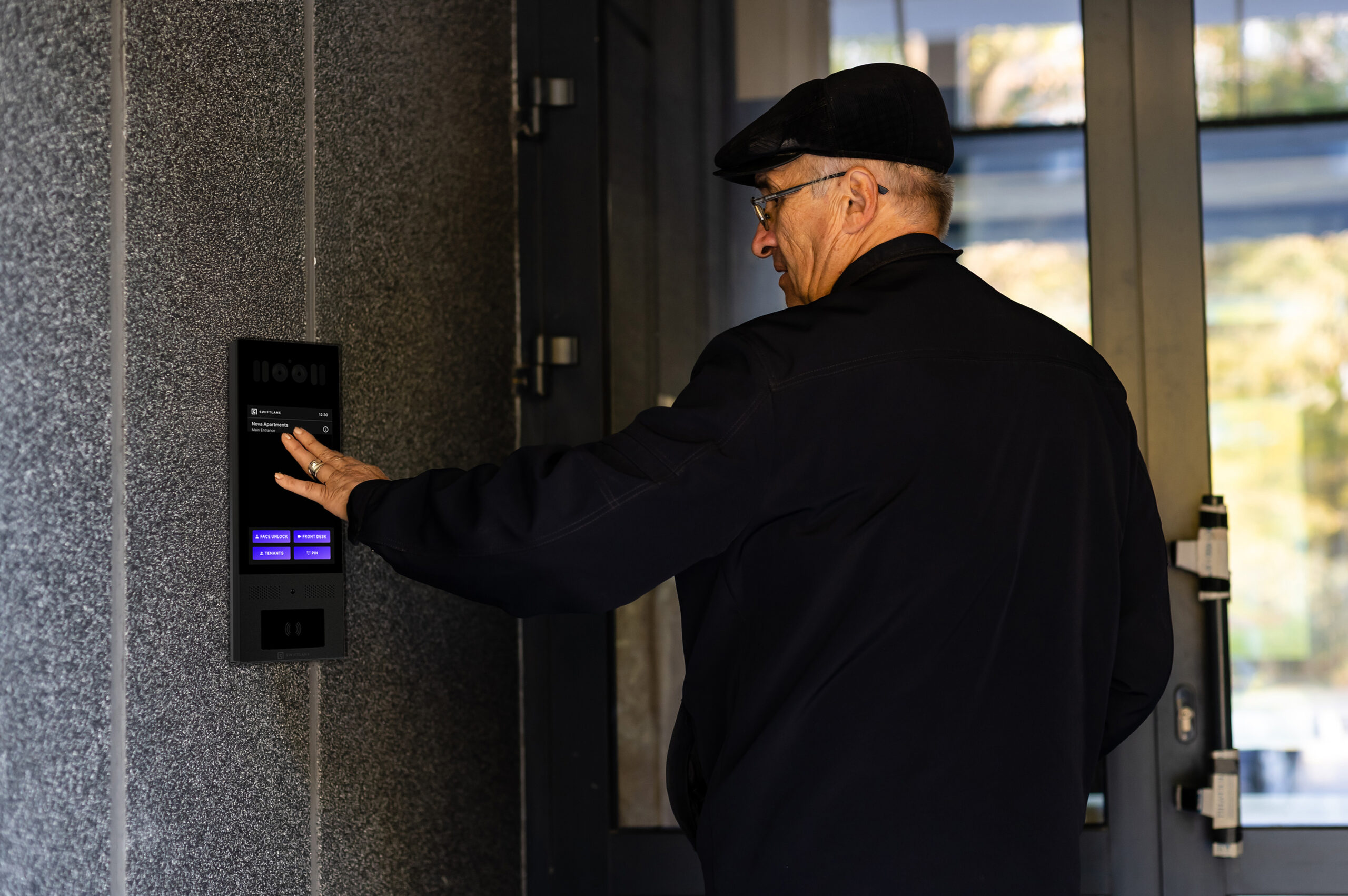
The best way to sanity-check an intercom system is to run it against how your office actually operates. Here are three common scenarios worth testing against any system you evaluate.
Hybrid Office, No Front Desk
Consider a mid-size technology company with 80 employees and no dedicated receptionist, missing roughly 30 percent of visitor calls because they’re routed to a single contact who isn’t always available. After configuring a shared front door group with a 15-second escalation to a backup team, missed calls could drop to under 5 percent.
Visitors call the intercom; the call routes to the group, and if no one answers within 15 seconds, it automatically escalates. Approved visitors get a remote unlock, and every event is logged.
Delivery-Heavy Office
Consider a professional services firm receiving 20 to 30 deliveries per day, where routing all delivery calls through the main intercom line interrupts staff an average of 4 times per hour. Separating delivery routing to a facilities-only group and issuing time-bound PINs to repeat couriers could reduce interruptions by over 60 percent while maintaining a full audit trail.
Multi-Tenant Building with Contractors
Consider a commercial property manager overseeing a 12-tenant office building who is issuing physical keys to contractors, with no reliable way to revoke access after work is completed. Moving to time-bound digital credentials, valid only for specific dates and hours, could eliminate key handoffs entirely and reduce the number of active credentials that need manual auditing by over 80 percent.
Cost Guide: What an Office Intercom System Costs in 2026
Pricing varies widely based on the number of entry points, whether you need video, and the complexity of call routing and integrations. Use these ranges to sanity-check quotes. Your installer will scope final pricing.
What drives cost
- Hardware: door stations, mounting, and any directory or touchscreen components.
- Installation: wiring, conduit, PoE, network readiness, and door hardware integration.
- Software: if cloud-managed, expect monthly fees for platform management, logs, and mobile answering.
| Office Type | Entry Points | Typical Scope | Hardware (est.) | Installation (est.) | Software (est., annual) | Year 1 Total* |
| Small Office | 1 to 2 | 1 main door, basic routing | $1,000 to $3,000 | $1,000 to $3,000 | $0 to $1,200/yr | $2,000 to $7,200 |
| Mid-Size Office | 2 to 5 | Main door, side door, delivery | $3,000 to $10,000 | $3,000 to $8,000 | $1,200 to $3,600/yr | $7,200 to $21,600 |
| Multi-Tenant or Multi-Floor | 5 to 15+ | Advanced routing, integrations | $10,000 to $20,000+ | $8,000 to $15,000+ | $3,600+/yr | $21,600+ |
*Year 1 Total = hardware + installation + one year of software. Software is a recurring annual cost, not a one-time fee — budget for it again in Year 2 and beyond, separate from the hardware/install spend.
What Breaks in Offices: The Five Most Common Failure Modes
Even well-chosen intercom systems run into predictable problems. These are the five most common failure modes in office deployments.
- Wi-Fi dead zones and network gaps. Door stations installed far from network infrastructure intermittently lose connectivity. PoE-wired connections are more reliable than Wi-Fi for entry points.
- Missed calls with no fallback. If the primary contact doesn’t answer and there’s no backup group configured, visitors are left waiting. Define escalation paths before go-live.
- Tailgating at high-traffic entries. An intercom grants one-time access but can’t prevent a second person from following through. Video verification and anti-tailgating awareness features reduce this risk.
- Directory errors and stale routing. When staff change roles or leave, intercom directories and call routing rules often aren’t updated. Assign a named owner for directory maintenance.
- No outage plan. If the internet goes down, cloud-managed systems may lose remote unlock capability. Confirm whether your system supports local failover or a degraded offline mode before you commit.
Security and Compliance Considerations
Security requirements vary by office type, but a few principles apply broadly. Before committing to a system, work through these with your IT or security lead.
- Prefer video verification for high-traffic entries to reduce unauthorized access and improve incident response – a principle drawn from CISA’s ISC Best Practices for Facility Access Control, written for federal facilities but broadly applicable, and reflected in the private-sector ASIS International Facilities Physical Security Measures Guideline, which lists physical entry and access control among its core commercial security measures.
- Confirm access control hardware is listed to UL 294 (Standard for Access Control System Units), the industry certification standard for access control equipment used in commercial buildings, covering power-loss behavior, tamper resistance, and performance under four defined security levels.
- Require audit logs with defined retention, covering who unlocked, when, and from which door, the same audit-record content and retention principles used in NIST SP 800-53’s Audit and Accountability (AU) control family.
- For regulated environments, ask vendors for their security posture documentation, including SOC 2 or ISO status, patching cadence, and incident response process.
- Clarify where data is stored, who can access it, and how admin access is secured, ideally with SSO and MFA.
Installation and IT Requirements
Installation complexity is often underestimated. Before finalizing a system, align with both IT and facilities on the following.
- Network: Plan for stable internet and LAN, ideally with PoE to door stations. A dedicated VLAN for building systems is worth considering to isolate access control and intercom traffic from general office network activity.
- Redundancy: decide what happens during an internet outage, whether the system fails over locally or operates in a degraded mode.
- Door hardware: confirm compatibility with your existing electric strike or maglock, and request a wiring diagram as part of any proposal.
- Fail-safe egress on power loss: Under IBC 1010.2.12 (2021) / 1010.2.11 (2024), electromagnetically locked egress doors must release on power loss, fire alarm activation, and via a listed egress-side release device — no key or credential required. This is a code requirement, not a configuration choice; confirm compliance with your installer and local AHJ.
- Operations: define who internally owns the system (IT, facilities, or security) and what day-to-day support looks like.
How to Evaluate a Quote
When you receive proposals from installers, use this checklist to compare them consistently.
- PoE and VLAN scope: Is PoE wiring to each door station included, and is a dedicated VLAN for building systems part of the proposal?
- Wiring and conduit: Does the quote cover all conduit runs, or are there exclusions for existing infrastructure?
- Door hardware compatibility: Has the installer confirmed compatibility with your electric strike or maglock, and is a wiring diagram included?
- Ongoing software costs: are monthly or annual platform fees itemized separately from hardware and installation?
- Support terms: What is the response time for support issues, and are firmware updates included?
- Handover and training: Is staff training and system handover documentation included in the scope?
FAQs
What is an office intercom system?
A door-entry tool that lets staff communicate with visitors and unlock doors remotely, usually with video verification and audit logs. Modern systems often combine intercom, access control, and visitor management in a single platform.
Do offices need video intercoms?
Not always, but video improves verification and reduces uncertainty for deliveries, vendors, and after-hours visitors. For high-traffic offices or those without a staffed front desk, video is worth the added cost.
Can calls be answered remotely?
Yes. Many modern intercoms route calls to mobile devices, allowing offices to operate without a full-time front desk. Fallback routing ensures calls are still answered if the primary contact doesn’t respond.
How do I compare intercom options?
Focus on call routing, mobile answering, access control integration, and the support model rather than feature lists alone. Running each option against your actual workflows is the most reliable way to evaluate fit.
What should I budget?
It depends on entry points and installation complexity. Small offices typically land in the low thousands, while multi-tenant buildings can reach $25,000 or more. Get at least two installer quotes to double-check ranges.
Swiftlane Intercom Demo & Quote
Please fill the form to require more information about the product, pricing or demo of the Swiftlane intercom systems.


