

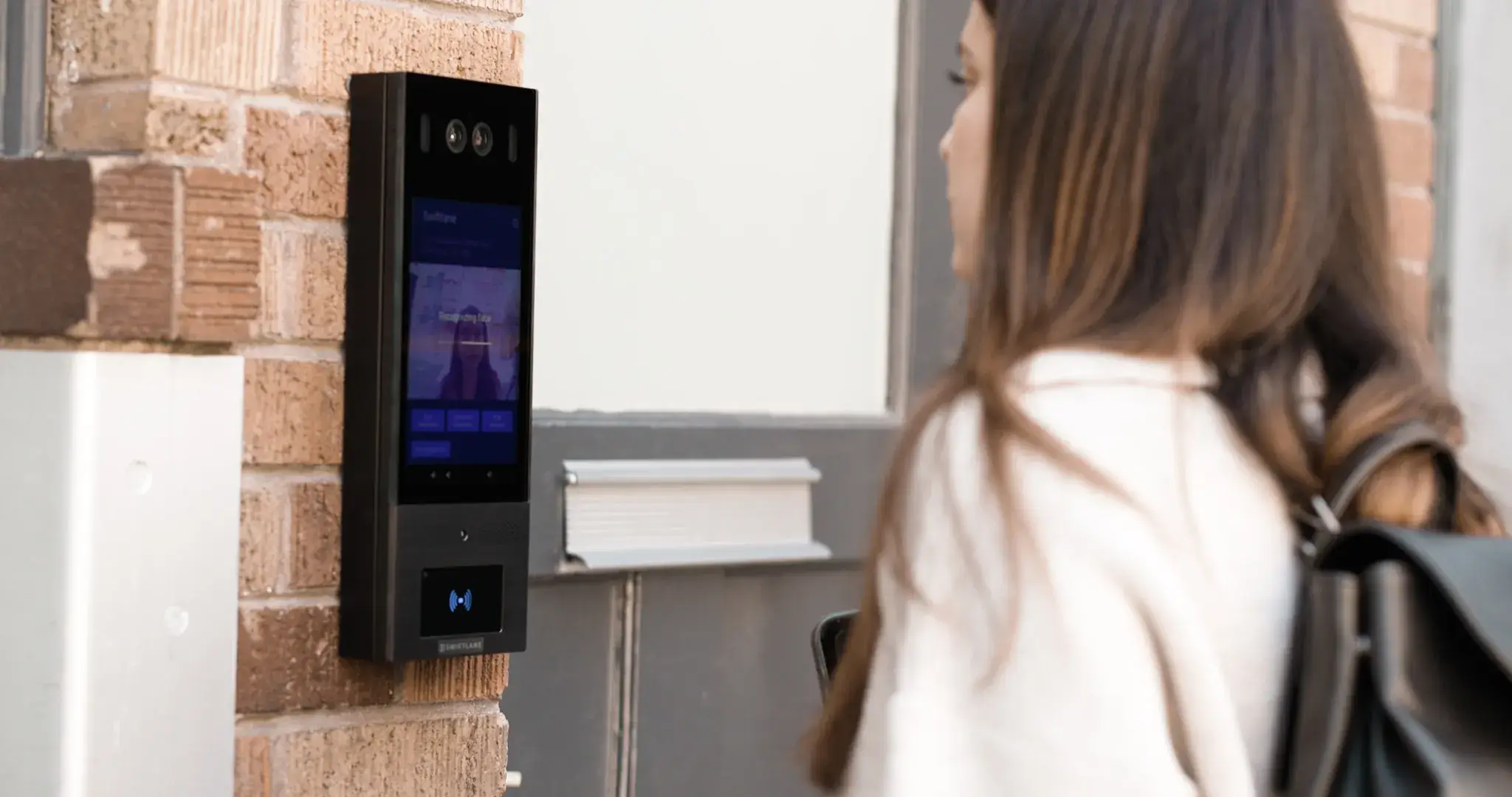
The best video intercom system for a multifamily or commercial building depends on building size, existing wiring, entry-point count, resident turnover, delivery volume, and how much remote management the property team needs, not just camera quality or price. Multifamily buyers should prioritize mobile answering, cloud directory management, and delivery workflows. Commercial buyers should prioritize admin roles, staff routing, and access-control integration. Gate and perimeter entries need hardware built for outdoor use and relay-based door or gate release.
This guide compares video intercom systems built for managed buildings, not consumer video doorbells, and breaks down costs, retrofit considerations, and the tradeoffs to expect by vendor and category.
Quick Recommendation Table
| Building Type / Need | Best-Fit Category | Why It Matters |
| Multifamily retrofit | Cloud-managed video intercom with mobile access | Reduces rewiring, supports resident turnover, enables remote admin |
| Commercial office | Video intercom with access control and admin roles | Supports staff routing, visitor policy, audit logs |
| Gate or perimeter entry | Gate-compatible video intercom or telephone-entry replacement | Needs outdoor hardware, gate relay, cellular/LTE or reliable cabling |
| Small building | Simpler video intercom or lower-cost IP system | Avoids overbuying enterprise hardware |
| Multi-building portfolio | Cloud-managed platform with centralized dashboard | One admin workflow across doors, buildings, and users |
How We Evaluated These Systems
This guide was developed by reviewing official vendor documentation, current installer and property manager feedback, and published industry research on access control adoption and building-entry practices. Systems were evaluated against a consistent set of criteria:
- Multifamily and commercial fit
- Retrofit readiness and wiring compatibility
- Door and gate release support
- Mobile answering and remote unlock reliability
- Directory and resident management
- Visitor and delivery workflows
- Access logs and incident review
- Admin roles and permissions
- Integration and API support (PMS, access control, SSO where relevant)
- Offline behavior and backup access
- Total cost of ownership, not just hardware price
Product feature claims were verified against official vendor documentation for Swiftlane, Aiphone, 2N, DoorBird, and DoorKing. Access control adoption data referenced in this guide is drawn from ASIS International’s 2023 Access Control Research Report.
Cost estimates in this guide are market-range planning figures only and should be verified with vendor quotes and local installer pricing before budgeting.
Key Takeaways
- Best picks at a glance: Swiftlane (cloud-managed, multifamily and commercial), Aiphone IX/IXG (structured IP deployments), 2N (modular, IT-led environments), DoorBird (small building retrofits), DoorKing (gate and telephone-entry replacement).
- The best video intercom system for a managed building is the one that fits the property’s wiring, entry points, resident turnover, delivery flow, and admin model, not just specs or price.
- Multifamily buyers should prioritize mobile access, cloud directory management, delivery/visitor workflows, and access logs.
- Commercial buyers should prioritize admin roles, staff routing, access-control integration, and security policy alignment.
- Retrofit projects should confirm power, mounting, network or cellular coverage, and door-release hardware before choosing a vendor.
- Compare total cost of ownership, not just hardware price. Get itemized vendor quotes before budgeting.
- Cloud-managed systems are strongest for multi-building portfolios but require proper internet/cellular connectivity planning.
Table of Contents
- Quick Recommendation Table
- How We Evaluated These Systems
- Top Picks for 2026
- Video Intercom System Comparison Table
- What Is a Video Intercom System?
- Best Video Intercom Systems for Apartments
- Best Video Intercom Systems for Commercial Buildings
- Video Intercom with Door Release: What to Confirm
- Video Intercom System Cost
- Features to Compare
- Retrofit Checklist for Existing Buildings
- Questions to Ask Before Signing With a Vendor
- FAQs
Top Picks for 2026
Swiftlane — Best Overall for Multifamily Retrofits and Cloud-Managed Building Access


Best for: Multifamily, mixed-use, and commercial buildings and portfolios that want video intercom, mobile access, visitor management, access control, and cloud administration in one platform.
Strengths:
- Mobile video calling and remote unlock reduce dependence on staff being physically present to answer the door, which cuts down on missed deliveries and after-hours support calls.
- Cloud-based directory management means move-ins, move-outs, and permission changes happen in a browser instead of reprogramming an on-site panel, which lowers admin time per unit turnover.
- Access logs and visitor/delivery workflows give property staff a searchable record to resolve disputes (a missing package, an unauthorized entry claim) without relying on memory or a manual sign-in sheet.
- Multi-entry and multi-building administration from one dashboard keeps portfolio-level admin from scaling linearly with property count, since one admin workflow covers multiple sites instead of a separate login or config per building.
- Support for multiple credential types (mobile, PIN, fob/card, and face recognition where configured) lets a property phase in different access methods for different resident preferences without swapping hardware, which matters for total cost of ownership over time.
Limitations: Not the cheapest fit for a building that only needs a basic standalone audio call box. Because it’s cloud-connected, it also requires proper internet or cellular connectivity planning. An outage at the entry point affects call routing unless backup connectivity is in place.
Who should avoid it: Small single-entry buildings with no need for centralized, multi-property admin, or buyers who specifically want a simple offline/local audio-only system.
Aiphone IX/IXG — Best for Structured IP Deployments


Best for: Buildings with strong installer/integrator support and structured network planning, often larger or multi-site commercial installations.
Strengths:
- Established commercial intercom hardware brand with a long track record
- IP video intercom with mobile answering and remote door release via the IXG app
- Modular architecture that scales across large or multi-site installations
Limitations: Cloud and remote management may require additional components and integrator setup. Credential options (PIN, QR) vary by configuration and aren’t all built in by default.
Who should avoid it: Buyers who want an out-of-the-box cloud experience with minimal integrator involvement.
2N IP Verso 2.0 — Best for Modular Hardware and IT-Led Environments


Best for: Properties that want modular, IP-based intercom hardware with multiple credential options and a clear integration plan.
Strengths:
- Modular design supporting PIN, RFID, QR, NFC, and mobile credentials depending on configuration
- Open API and weather/vandal-resistant hardware
- Strong fit when there’s already a defined plan for how the intercom integrates into a broader access or visitor workflow
Limitations: Module selection, licensing, and ongoing admin tend to require stronger IT or integrator involvement than a fully packaged cloud platform.
Who should avoid it: Buyers without in-house IT support or an integrator relationship who want a simpler, less configuration-heavy setup.
DoorBird — Best for Small Building Retrofits


Best for: Smaller multifamily buildings that want an IP video door station with app-based answering and unlocking.
Strengths:
- App-based video and audio calls with remote unlock
- RFID and keypad add-ons available depending on model
- Weather-resistant hardware, generally retrofit-friendly for single or few-entry buildings
Limitations: Centralized multi-entrance administration and directory management vary by model. Confirm capabilities before purchasing if visitor volume or unit count is high.
Who should avoid it: Larger multifamily properties or multi-building portfolios needing centralized, cross-property admin.
DoorKing — Best for Gate and Telephone-Entry Style Access
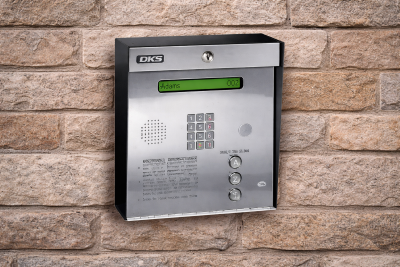
Best for: Gates, vehicle entrances, and properties replacing or extending an existing telephone-entry system, particularly where a gate relay or vehicle-entry workflow is central to the property.
Strengths:
- Long-standing gate operator and telephone-entry hardware line, widely used in vehicle-gate and perimeter-access settings
- Newer eVolve Video Entry series adds video with a dedicated mobile Resident App for remote answering and unlocking
- Flexible connectivity: cellular, VoIP/Ethernet, or legacy phone line, which suits retrofit and legacy-wiring scenarios
Limitations: Video and mobile-app capability is limited to the eVolve product line, not the company’s full catalog. Confirm which model you’re being quoted. Directory management, audit-log depth, and PMS integration are less documented publicly than the other vendors here, so confirm these directly with DoorKing or your installer before purchasing.
Who should avoid it: Buyers prioritizing a mobile-first resident experience with deep directory/audit tooling as the primary need, rather than gate/vehicle access as the core use case.
Video Intercom System Comparison Table
Here’s how the top video intercom systems for multifamily and commercial buildings compare across the features that matter most for day-to-day management:
| Feature | Swiftlane | Aiphone IX/IXG | 2N IP Verso 2.0 | DoorBird | DoorKing (eVolve) |
| Mobile App (call answer + unlock) | Yes | Yes (IXG app) | Yes, varies by module/config | Yes | Yes (Resident App, eVolve series only) |
| Directory/ Resident Management | Yes, cloud dashboard | Yes, integrator-configured | Yes, integrator-configured | Varies by model | Not publicly documented; confirm with vendor |
| Access/Call Logs | Yes | Yes | Yes | Varies by model | Not publicly documented; confirm with vendor |
| PMS/Access Control Integration | Selected PMS/access-control integrations; confirm current integration list | Via integrator, varies | Open API, integrator-led | Limited, model-dependent | Not publicly documented; confirm with vendor |
| Offline/Backup Behavior | Cloud-dependent; needs connectivity plan | Local fallback varies by config | Local fallback varies by config | Local video/audio may function without app connectivity; confirm per model | Cellular, VoIP, or POTS options support; connectivity redundancy |
| Retrofit Fit | Strong for cloud-managed retrofits | Moderate, IT/integrator-led | Moderate, IT/integrator-led | Strong for small, single/few- entry retrofits | Strong for gate/legacy telephone-entry retrofits |
| Best For | Multifamily/commercial cloud-managed portfolios | Structured IP deployments | Modular, IT-led environments | Small building retrofits | Gate and vehicle-entry replacement |
What Is A Video Intercom System?
A video intercom system lets people at a building entrance be seen, heard, and verified, using a live camera feed, before a door or gate is unlocked. It typically includes an entrance panel with a camera and microphone, a call-routing layer to a smartphone app or console, a door release mechanism, and an admin interface for managing directories, permissions, and access logs.
Some platforms combine intercom and access control in a single cloud-based access control system, while others integrate with a separate access control platform.
Best Video Intercom Systems for Apartments
Apartment buildings have different daily pressures than commercial properties. Resident turnover is frequent, delivery volume is high, and most properties no longer have a staffed front desk to manage visitor flow. The best apartment video intercom system must handle these realities without adding administrative overhead.
Resident Onboarding and Offboarding
When residents move in or out, access permissions must be updated promptly and completely. Systems that integrate with your property management software can automate this. If you’re evaluating a full system swap, this apartment intercom replacement guide walks through when to upgrade and how to choose the right system.
Delivery and Package Access
Delivery drivers are now among the most frequent visitors at most apartment buildings. Look for apartment intercom systems with video and time-limited PIN or QR code support that you can share with carriers without granting permanent access or requiring staff involvement each time.
After-Hours and Mobile-First Expectations
Most resident entry requests happen outside business hours. For an apartment video intercom system, mobile call answering and remote unlock aren’t optional; they’re the baseline. Confirm app reliability and what happens when a resident’s phone is unavailable or offline.
What This Could Look Like in Practice
At Gateway Park Apartments, a 436-unit community in Denver managed by Apartment Management Consultants, the property ran on a traditional key fob and shared access code system.
“We were always rekeying,” said Brenda Santamaria, Community Manager at Gateway Park Apartments. “Someone would lose a fob, or we’d have to replace locks when residents moved out. It was nonstop. We had one master code that everyone used, residents, vendors, even people who didn’t live here anymore. It took hours to handle move-ins or vendor access, and it added up every week.”
This is a common failure pattern with legacy fob and shared-code systems: codes outlive the people they were issued to, and every move-out becomes a manual rekeying task rather than a permissions update. After switching to a cloud-managed system, AMC’s team could manage access and onboarding remotely instead of physically reprogramming hardware at each building.
Which vendors fit apartment buildings best: For most apartment communities, Swiftlane and DoorBird are the two strongest fits from this guide. For a deeper look at apartment-specific picks, see The Best Apartment Intercom Systems.
Best Video Intercom Systems for Commercial Buildings

Commercial buildings have access requirements that go beyond a simple door-and-directory setup. Multi-tenant layouts, varying staff schedules, vendor access, and security policy obligations all shape what the best video intercom system for a commercial building needs to do.
Door Release and Security Policy Alignment
In commercial settings, door release is rarely a single decision. Different doors may require different authorization levels, different times of day may carry different rules, and certain entry points may be subject to compliance requirements around who can enter and when.
Look for a commercial video intercom system that supports door-level scheduling, time-based access rules, and role-based permissions that can be consistently enforced without manual intervention whenever policies change.
Multi-Tenant Rules and Staff Routing
Office buildings and mixed-use commercial properties often house multiple tenants with separate directories, visitor flows, and administrative needs. A system that forces a single shared directory across all tenants creates both security and privacy problems. Confirm whether the system supports tenant-level separation, and how incoming visitor calls are routed to the right person or team within a multi-tenant setup.
Guard Desk and Reception Workflows
Where a guard desk or reception is part of the workflow, the video intercom system needs to support desk-station answering alongside mobile answering, with clear call-priority rules and fallback routing when no one answers at the primary station.
Compliance and Safety Considerations
Depending on the building type and jurisdiction, requirements around access logging, data retention, or visitor credentialing may affect which systems are viable. This is particularly relevant for healthcare, financial, and government-adjacent tenants. Confirm with vendors whether their systems support audit-ready logging and whether their data-handling practices meet any applicable standards your tenants require.
Which vendors fit commercial buildings best: Aiphone and 2N are typically the strongest fit for structured, IT-led commercial deployments, while Swiftlane suits commercial properties that want cloud-managed, multi-tenant administration in the same platform as intercom. See the full comparison table above for feature-by-feature detail.
Video Intercom with Door Release: What to Confirm
A video intercom’s door release is only as good as the hardware and power behind it. For a closer look at how release mechanics work in commercial settings specifically, see this commercial intercom system with door release guide.
Before choosing a system, confirm the following with a licensed installer or your local authority having jurisdiction:
- Door hardware match: electric strike, maglock, or gate operator, tied to the right relay and power supply. Remote unlock is a software feature, but it only works if the door hardware supports it.
- Fail-safe vs. fail-secure behavior: whether the door unlocks or stays locked on power loss, and whether that matches fire and life-safety code for that door.
- Request-to-exit and fire alarm interface: required on most fire-rated or life-safety doors, and often overlooked in retrofit quotes.
- Backup power: battery or otherwise, and how long it holds the door in its required state during an outage.
- Offline behavior: what the system does if internet or cellular connectivity drops. Most systems fall into one of three patterns:
| Behavior | What Happens | Best For |
| Fail-safe (unlocked) | Door unlocks during outage or power loss | Doors where life-safety egress outweighs security risk |
| Fail-secure (locked) | Door stays locked during outage; may block remote unlock until connectivity returns | Higher-security doors where unauthorized entry is the bigger risk |
| Cached credentials | Local credentials (fob, PIN, card) keep working offline; cloud features pause until reconnected | Buildings that need day-to-day access to continue during outages |
Common security gaps to close regardless of setup: tailgating (a second person following an authorized entrant before the door closes), shared or reused access codes, and unmonitored side entrances that bypass the main intercom. Audit logs, timed door-close confirmation, and multi-entrance coverage address these.
Video Intercom System Cost
Costs vary widely by building size, entry-point count, wiring conditions, and whether the system is cloud-managed. Use these as planning ranges, and confirm exact pricing with vendor quotes.
| Cost Component | Typical Range | What Changes the Price |
| Hardware | $1,000–$7,000+ per entry point | Camera/display quality, weather rating, touchscreen, access-control support |
| Installation | Varies by wiring and building | Retrofit vs. new construction, number of entry points, local labor rates |
| Software/connectivity | Monthly subscription or quote-based | Cloud admin, mobile app, access logs, integrations |
| Door hardware | Varies | Electric strike, maglock, or gate operator requirements |
A six-unit apartment building installing a new IP intercom panel with door release typically runs $2,000–$6,000 all-in, including hardware and installation, according to Northbridge Services. Larger or multi-entry commercial properties generally cost more, scaling with entry-point count and integration complexity.
These are planning figures only. For a fuller breakdown by unit count and building scenario, see this apartment intercom installation cost guide, or get an itemized quote from your installer before budgeting.
Features to Compare

Specs matter, but workflow fit matters more. The more useful question is how well a system supports your building’s day-to-day operations.
Mobile Answering and Remote Unlock Reliability
Confirm the app works consistently across iOS and Android, check store ratings, and ask about phone fallback for residents who don’t use the app. After-hours reliability matters most, since most entry requests happen outside business hours.
Directory and Resident Management
Look for bulk resident imports, easy add/remove on move-in and move-out, multi-building directory support if you manage more than one property, and search or privacy controls for who can view resident information.
Delivery and Visitor Workflows
Require one-time PINs or time-limited access windows for carriers, contractors, and guests, ideally self-serve for residents rather than requiring admin involvement each time. Confirm the system keeps a guest audit trail tied to each visit.
Access Logs and Incident Review
Logs should be searchable and timestamped, showing who called, who answered, and who unlocked each door. Confirm whether logs are exportable for admin review, and whether video clips are retained alongside entry events.
Offline Behavior and Backup Plans
See Video Intercom with Door Release: What to Confirm above for what happens during an internet or power outage and which credentials keep working.
Integration Needs
Confirm what the system connects to: access control platforms, property management software, and, for commercial buildings, SSO/MFA or admin-role support. Ask whether integrations use an open API or require vendor-side setup.
Retrofit Checklist for Existing Buildings
How a video intercom system gets installed affects cost, timeline, and long-term reliability. Before choosing a system, confirm the following with your installer:
- Number of doors or gates needing coverage
- Current wiring: CAT5/6, legacy two-wire, analog, phone line, or none. Some systems are designed to work with existing two-wire wiring, which can significantly reduce installation cost, but confirm compatibility before purchasing hardware
- Available power at the entrance, including whether PoE (Power over Ethernet) is an option
- Mounting surface and weather exposure at each entry point
- Network or cellular coverage at the entrance, especially for cloud-managed systems
- Door hardware type already in place (electric strike, maglock, gate operator)
- Fire and life-safety requirements for that specific door
- Resident directory data quality, since a messy or outdated directory adds setup time regardless of the system chosen
- Delivery and vendor access needs, so the system is configured for real visitor volume from day one
- Onboarding plan for training staff and residents on the new system
Questions to Ask Before Signing With a Vendor
Comparing features is only half the decision. These questions surface the details that often only show up after installation:
- What happens if the internet goes down?
- What happens if power goes out?
- Does the system support phone fallback if residents don’t use the app?
- How are residents added and removed, and can it be done in bulk?
- Can admins manage multiple entrances or buildings from one dashboard?
- Are access logs exportable for admin or incident review?
- What door hardware is required for remote unlock to work?
- Does the quote include installation, wiring, door hardware, software, and support, or are any of these separate?
- What ongoing subscription or connectivity fees apply, and how do they change if you add doors or buildings later?
- Who supports the system after installation: the vendor, the installer, or both?
Installation timelines vary significantly by building size, wiring condition, and entry-point count. Get a site-specific timeline estimate from your installer rather than relying on general benchmarks.
FAQs
What is the best video intercom system for apartment buildings?
For most apartment buildings, the best fit is a system with reliable mobile answering, cloud directory management, and self-serve delivery access. Swiftlane and DoorBird are common picks depending on portfolio size.
What is the best video intercom system for commercial buildings?
The best system supports multi-tenant directories, role-based permissions, and centralized admin across entry points. Swiftlane, Aiphone, and 2N are commonly evaluated for commercial deployments.
How much does a video intercom system cost?
A small apartment building installing a new IP video intercom system with door release typically costs $2,000–$6,000 all-in for hardware and installation, according to Northbridge Services. Larger or multi-entry commercial properties cost more, scaling with entry-point count, wiring condition, and whether cloud management is included. See the cost breakdown above for a full component-by-component range.
Can a video intercom unlock a door or gate remotely?
Yes, through a relay connected to an electric strike, maglock, or gate operator. The door hardware must support remote unlock, not just the app.
Do video intercom systems work during internet outages?
It depends on the system: some fail open, some fail closed, and some keep local credentials working during an outage. Confirm this with your vendor before purchasing.
Can residents answer video intercom calls from their phones?
Yes, most modern systems support mobile call answering and remote unlock, with phone fallback options if the app is unavailable.
What is the difference between a video intercom and a video doorbell?
A video intercom is built for managed buildings and supports multiple users, directories, and door release. A video doorbell is a consumer product for a single household, without multi-user admin or code-compliant door release. See this doorbell intercom system guide for a closer comparison.
Can video intercoms integrate with access control?
Yes. Many systems include access control functionality or integrate with a separate platform to manage credentials, permissions, and audit logs.
What should multifamily buildings look for in a video intercom system?
Mobile-first answering, cloud directory management, and delivery workflows that don’t require staff involvement for every visitor.
How long does video intercom installation take?
It varies by wiring condition and entry-point count. Ask your installer for a site-specific estimate rather than relying on general benchmarks.


