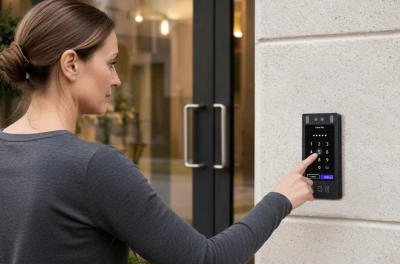
The best apartment intercom systems in 2026 are cloud-based video intercoms that route visitor calls directly to resident smartphones over cellular or internet connections, eliminating the need for expensive in-unit hardware while supporting mobile tap-to-unlock, temporary delivery PINs, and remote property management.
Why Buildings Are Replacing Legacy Entry Systems
Many apartment buildings still rely on analog telephone-entry callboxes and hardwired pushbutton panels. Several pressures are pushing owners to replace them.
The first is the phone line itself. AT&T stopped accepting new copper plain old telephone service (POTS) orders in October 2025 and aims to exit most of its copper operations by 2029, and in March 2026 the Federal Communications Commission (FCC) removed regulatory hurdles that had slowed carriers from retiring legacy networks. Callboxes that dial out over copper will need a new connection either way.
The second is deliveries. Apartment and condo residents are more than three times as likely to have packages stolen as people in single-family homes, which makes the front entrance the building’s delivery point.
Residents also increasingly expect keyless, phone-based entry. Operators running several buildings need to update directories and permissions remotely instead of reprogramming each panel on-site.
How We Evaluated These Systems
We reviewed spec sheets, integration documentation, and published pricing for each vendor, informed by Swiftlane’s experience across 3,000+ multifamily deployments. Criteria: video and camera quality, resident app experience, cloud reliability and offline behavior, retrofit cabling compatibility, and total cost of ownership.
Key Takeaways
- Modern apartment intercoms replace in-unit hardware with mobile app video calling. They can significantly reduce installation costs, since there’s no per-unit monitor hardware or riser wiring.
- Multifamily systems must support multiple credential types: mobile Near Field Communication (NFC)/Bluetooth Low Energy (BLE), PIN codes, encrypted key fobs, and touchless facial recognition. If you’re considering biometric authentication, be sure your deployment complies with applicable biometric privacy laws and consent requirements (see “Multiple Credential Options” below).
- Delivery management is one of the most frequent day-to-day workflows; top systems provide timed delivery PINs and delivery vestibule release.
- Retrofitting an older building doesn’t require rewiring units; systems operate over single Cat6 PoE+ (Power over Ethernet Plus) runs, cellular modems, or existing 2-wire copper adapters.
Table of Contents
- 2026 Apartment Intercom System Comparison Matrix
- How Modern Apartment Video Intercoms Work
- Key Features to Look for in an Apartment Intercom: Buyer’s Checklist
- 2026 Apartment Intercom Pricing and Total Cost of Ownership
- Retrofit Readiness: How to Upgrade Older Buildings Without Rewiring
- Top Apartment Intercom System Picks for 2026: Vendor Evaluation
- Where Swiftlane Fits In: The Unified Building Access Solution
- FAQs
Related Articles
- Apartment Intercom Installation Cost: Full Price Breakdown for Multifamily Buildings
- Wireless Apartment Intercom System: 14 Vendor Questions to Ask & How to Choose
- Apartment Intercom System with Door Release Cost: What Impacts Pricing
2026 Apartment Intercom System Comparison Matrix
Apartment building entry systems fall into four main classes. The biggest differences between them are how they connect, where residents answer, and how much wiring a retrofit requires.
| System Class | Primary Connection | Answering Endpoint | Video Quality and Type | Retrofit Cable Needs | Best Suited Property Profile |
| Cloud-Based Video Intercom (e.g., Swiftlane) | Cat6 PoE+ or 4G/5G cellular | Resident smartphone app (iOS / Android) + phone voice backup | Two-way HD video | Single cable to front door; zero in-unit wiring | Modern multifamily, luxury condos, garden-style communities, mixed-use |
| Internet Protocol (IP)-Based Hardwired Intercom (e.g., 2N IP Style, Aiphone IXG) | Dedicated Ethernet / Cat6 to all stations | Dedicated in-unit touchscreen monitors + app | Two-way HD video | Cat6 homerun cables to every apartment unit | Class A high-rises, senior living, properties where tenants lack smartphones |
| 2-Wire IP Retrofit System | Reuses legacy 2-wire / multiconductor copper | In-unit digital stations or hybrid mobile bridge | One-way video / two-way audio | Existing 2-wire twisted pair | Historic walk-ups, co-ops with intact riser wiring avoiding drywall work |
| Telephone Entry System (e.g., DoorKing 1830 Series) | Cellular voice bridge or POTS line | Telephone landline or cell phone audio call | Audio only (no video) | Line power at door; telephone line | Gated communities, low-budget perimeter gates needing basic dialer |
Specifications vary by model, installer, and configuration. Confirm exact capabilities in a written proposal for your property.
How Modern Apartment Video Intercoms Work
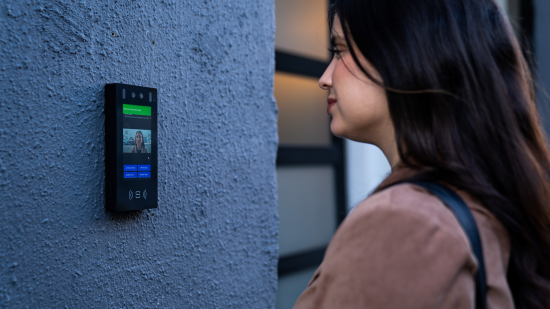
Most apartment building video intercoms work the same way from end to end. A visitor calls from the door, the call is routed to the resident, the resident verifies the visitor, and the door hardware releases. Each step depends on one of the four components below.
1. The Exterior Door Station
The door station is the entrance panel visitors interact with. Modern units are commercial touchscreen or push-button panels built for outdoor exposure, typically rated IP65 for dust and water resistance and IK08 or higher for impact resistance. A standard door station includes three things:
- a wide-angle camera, so residents can see visitors clearly, including groups and couriers with packages
- a digital resident directory that visitors can search by name or unit
- a multi-credential reader for residents entering by PIN, key fob, mobile credential or facial recognition
2. The Cloud Routing Engine
When a visitor finds a resident in the directory and starts a call, the door station sends the request to the vendor’s cloud platform. The platform connects the call to the resident’s mobile app, typically using WebRTC or SIP protocols. The door station reaches the cloud over the building’s internet connection or a cellular connection. Because calls go to a smartphone rather than a wired in-unit station, the resident can answer from anywhere.
3. Resident Verification and Remote Release
The resident sees the visitor on live video, speaks with them, and decides whether to let them in. Tapping an unlock button in the app sends a command back through the cloud to the door station, which triggers its door release relay. The event is also recorded in the system’s access log, so staff can later check who was let in and when.
4. Door Hardware and Lock Relay Integration
The door station’s low-voltage relay controls the physical locking hardware:
- Electric strike: releases the door latch so the door can be pushed or pulled open
- Magnetic lock (maglock): cuts power to the magnet holding the door closed
- ADA automatic door opener: can be triggered by the same relay, so residents and visitors with mobility needs don’t have to pull the door open
How the hardware behaves during a power loss or emergency is a life-safety decision, not a feature choice.
- Fail-safe hardware unlocks when power is lost. Maglocks work this way by design.
- Fail-secure hardware stays locked from the outside when power is lost, but still allows free exit from the inside.
For electrically locked egress doors, NFPA 101 (the Life Safety Code) requires the locks to release when the fire alarm or sprinkler system activates. It also requires them to release on loss of power and to provide a manual release for occupants. The exact requirements depend on the code edition your jurisdiction has adopted and on your local authority having jurisdiction (AHJ). Your installer should confirm the lock type and fire alarm interface during system design.
The 4 Core Types of Apartment Intercom Systems
Most apartment intercom systems fall into one of four architectures. The right one depends mainly on your existing wiring, your residents, and where the entry points are.
1. Cloud-Based Mobile Video Intercoms: The 2026 Standard
Cloud-based intercoms send visitor calls to residents’ smartphones instead of in-unit stations, so there’s no in-unit hardware to buy, install or maintain. Residents can answer and unlock the door from anywhere with a data connection. Property teams manage directories and permissions from a web dashboard.
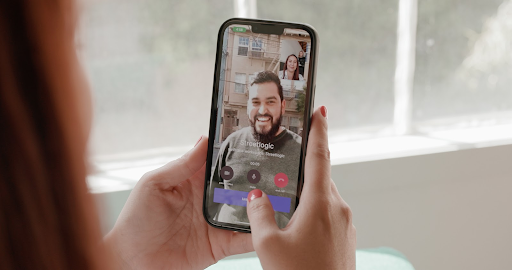
Removing per-unit monitors and riser wiring can substantially lower upfront hardware and installation costs. The main tradeoff is ongoing software subscription fees, which should be included in any total cost comparison. Residents without smartphones can receive calls on a regular phone line instead.
For cellular and Wi-Fi deployments in particular, see our guide to the best wireless intercom systems for apartments.
- Best for: most existing and new multifamily buildings, especially portfolios managed remotely
2. Hardwired IP Intercoms With In-Unit Monitors
Hardwired IP systems install a dedicated wall-mounted screen in every apartment, connected over Ethernet. They suit luxury properties where an in-unit screen is treated as an architectural fixture, and senior housing where smartphone adoption is lower. Many also offer a companion mobile app.
The tradeoff is installation scope. Running Cat6 to every unit is expensive in existing buildings, and the monitors add hardware to maintain and eventually replace.
- Best for: new construction, Class A high-rises, and senior living
3. 2-Wire Video Retrofit Systems
2-wire retrofit systems use IP-over-2-wire encoders to carry digital video, and in some systems power, over existing copper buzzer wiring. That lets older buildings add video entry without opening walls or running new cable to each unit.
How well this works depends on the condition of the existing wiring, which should be tested before committing. Features and video quality can also be more limited than in fully IP-based systems. If your current system is failing, our guide on what to do with an old intercom system covers the repair-or-replace decision and legacy wiring diagnostics.
- Best for: historic walk-ups and co-ops with intact riser wiring
4. Cellular Telephone Entry Callboxes
Cellular callboxes are audio-only dialers that call residents’ phones over a carrier network. They’re a reliable choice for vehicle gates and perimeter entrances where trenching data cable is impractical or too expensive. They also replace callboxes that depend on retiring copper phone lines.
The tradeoffs are that there’s no video verification, and there are ongoing cellular service fees.
- Best for: gated communities, HOAs, and remote perimeter gates
What Actually Matters Day-to-Day: Visitor and Delivery Workflows
Hardware specs matter less day-to-day than how a system handles deliveries and guests. Those workflows decide how often staff get interrupted, how many packages go missing, and how much residents rely on the system.
The Delivery Influx
Larger apartment buildings can receive hundreds of packages a week, from parcel carriers, food delivery and grocery services. Without a controlled way to let couriers in, packages pile up in lobbies or sit outside the door, which creates clutter and makes them easy targets for theft. A good intercom setup gives couriers a secure way in without anyone having to buzz them through.
Delivery PINs and One-Time Passes
Most modern systems let residents or staff create temporary access passes instead of sharing a permanent building code:
- Single-use passes that expire after one entry, for a one-off delivery or visitor
- Scheduled passes that only work during a set time window, such as a grocery delivery or a guest arriving that evening
- Recurring passes for regular visitors like cleaners, dog walkers or caregivers
Couriers from any carrier or delivery app, whether Amazon, UPS, FedEx or DoorDash, can enter with a code or QR pass the resident sends them. Every entry is still logged.
Real-world example: Replacing shared building codes
A 29-unit historic apartment building in Jersey City replaced a legacy intercom after management found that the building’s shared entry code had become widely known to former residents, contractors and other visitors. Residents can now issue individual guest passes and answer video calls from their phones. New residents are added remotely instead of someone reprogramming the panel on-site.
Delivery Vestibule Airlocks
Many buildings use the entry vestibule as a secure drop-off zone. A delivery pass releases only the exterior door, so couriers can leave packages in the vestibule or an adjoining package room. The interior doors, elevators, and residential corridors stay locked. The building stays secure without staff on-site, including for after-hours deliveries. As with any access-controlled door, the vestibule setup should keep free egress for people inside and meet local fire code.
Visual Audit Trails
Many video intercoms record a photo or short video clip with each entry event, alongside a log of:
- who entered
- which credential they used
- which door they came through
- when they entered
When a package goes missing or a resident reports an unfamiliar visitor, staff can check the record instead of relying on memory or searching separate camera footage.
Real-world example: Using access logs to resolve incidents
After upgrading the entry system at a 206-unit apartment community in Ohio, staff began using access logs and visitor records to investigate package issues, resident complaints and guest activity. Missed deliveries also dropped, because staff could answer video intercom calls remotely instead of needing to be in the leasing office.
Key Features to Look for in an Apartment Intercom: Buyer’s Checklist
Feature lists look similar across vendors. The differences show up in how well each feature works at a busy entrance, in bad weather, and for residents with different needs. Use these five as a baseline when comparing proposals.
1. Two-Way Audio with HD Video Verification
Residents should be able to clearly identify visitors before letting them in. Look for three camera features:
- HD video with a wide-angle lens: shows visitors standing off-center, groups, and couriers holding packages
- Infrared night vision: keeps faces visible after dark or at poorly lit entrances
- Wide dynamic range (WDR): stops faces turning to silhouettes when the visitor is backlit by sun or bright lobby lights
Pair these with clear two-way audio, so residents can speak with visitors without repeating themselves.
Ask vendors: Can we see sample footage from a real entrance at night and in direct sunlight?
2. Multiple Credential Options
Avoid systems that only support intercom calling. Residents, staff and vendors need different ways in, and the entry panel should support them all without add-on hardware:
- Mobile tap-to-unlock over BLE or NFC
- PIN codes for guests, deliveries and residents without smartphones
- Encrypted RFID key fobs and cards, ideally 13.56 MHz MIFARE DESFire rather than older 125 kHz proximity cards, which are easy to copy
- Touchless facial recognition, for hands-free entry
Ask vendors: Which credentials are built into the panel, and which need extra readers or licenses?
Biometric compliance note
If you plan to use facial recognition, make sure your deployment complies with biometric privacy laws. Several states regulate how biometric identifiers are collected, stored and used, including:
- Illinois, under the Biometric Information Privacy Act (BIPA)
- Texas, under the Capture or Use of Biometric Identifier Act (CUBI)
- Washington, under RCW 19.375
Depending on your jurisdiction, you may need to give notice, obtain consent, and keep data retention and security policies. Consult legal counsel before enabling biometric authentication.
3. Property Management Software (PMS) Integrations
A PMS integration keeps the intercom directory and resident access in step with your leasing records. When a resident moves in, their access is set up automatically, and when they move out, it’s removed, with no double-entry. Common PMS platforms include Yardi, RealPage, Entrata and AppFolio.
“Integration” can mean anything from a one-way directory sync to fully automated credential setup and removal.
Ask vendors: What data syncs, in which direction, how often, and what triggers an update?
4. Phone Call Fallback
Not every resident will answer through an app. If a resident’s smartphone has no data connection, or they use a basic phone, the system should automatically redirect the call to their regular phone number. They can still speak with the visitor and unlock the door by pressing a key on their phone.
Ask vendors: Is phone-call fallback automatic, and are there per-minute or per-line fees?
5. Weather and Vandal Resistance
Exterior panels face rain, dust, temperature swings and occasional abuse. Look for an IP65 weather rating or higher, and IK08 or higher impact resistance. Garages, service entrances and street-facing doors may call for a higher impact rating, such as IK10.
Ask vendors: Are the ratings independently certified for the exact model being quoted?
2026 Apartment Intercom Pricing and Total Cost of Ownership

Apartment intercom costs depend mainly on the number of entrances, the condition of existing wiring, and whether the system needs in-unit hardware. For modern IP and video systems, most multifamily projects budget $1,000 to $7,000 per entry door, or $5,000 to $50,000 for the full project. Actual quotes vary by labor market, site conditions and system scope.
Upfront Costs
| Cost Item | Typical Range | Notes |
| Entry panel hardware (standard IP or wireless video) | $1,000 to $3,000 per entry door | |
| Entry panel hardware (cloud-managed video with access control) | $2,000 to $5,000+ per entry door | Includes remote admin, visitor logs and access control features |
| In-unit monitors or tenant stations (optional) | $150 to $700 per unit | $0 for mobile-first cloud systems; installation labor is extra |
| Door release and access hardware | About $750 to $3,000 per entry | Electric strikes or maglocks, controllers and power supplies |
| Installation labor and wiring | About $1,500 to $6,000 per entry | Depends on retrofit complexity and wall or conduit conditions |
| Network setup and configuration | $1,000 to $4,000 per project | Directory setup, testing and staff training |
For systems with in-unit stations, running new cable to each apartment is often the largest and least predictable cost, especially in occupied buildings or where walls must be opened. It’s quoted per project.
Ongoing Software Subscriptions
Cloud-based systems typically charge $5 to $15 per residential unit per month, or $15 to $100 per door per month, depending on the platform and feature tier. Subscriptions cover the resident app, cloud management, software updates and support. Some hardwired systems also charge for mobile app or remote management add-ons.
5-Year Total Cost of Ownership: In-Unit Monitors vs. Cloud Mobile Intercom
Entry panels, door hardware and door labor cost about the same for both architectures. The real difference is what happens inside the building. Here’s how the costs that differ compare for a 50-unit building over 5 years:
| 5-Year Cost Item (50 Units) | In-Unit Monitor System | Cloud Mobile Intercom |
| In-unit stations (50 × $150 to $700) | $7,500 to $35,000 | $0 |
| In-unit installation labor and any new cabling | Quoted per project | $0 |
| In-unit repairs and replacements | Ongoing, as needed | $0 |
| Software subscription (50 units × $5 to $15 × 60 months) | Varies; often lower or none | $15,000 to $45,000 |
On hardware and subscriptions alone, the two can come out close, and a cloud system can cost more over 5 years. The cloud system wins on total cost when the in-unit system would need:
- new cabling
- significant labor to install stations in occupied units
- ongoing repairs as monitors age
Those are the costs most retrofit buildings face. The subscription also covers remote management, software updates and support, which cut staff time and service calls.
The practical takeaway: get quotes for both architectures that include in-unit labor and wiring, then compare them over 5 to 10 years, not on upfront price.
For itemized labor, conduit and wiring costs, see our apartment intercom installation cost guide and IP intercom system pricing guide. For a property-specific estimate, request a quote.
Retrofit Readiness: How to Upgrade Older Buildings Without Rewiring
In most cases, you can upgrade an old apartment intercom without replacing everything. Cloud-based systems only need power, a network connection and compatible door hardware at the entrance. The wiring inside the building can stay in the walls.
There are three common retrofit paths:
- a single PoE+ Ethernet run to the door
- a cellular-connected panel
- a 2-wire retrofit system that reuses existing copper (see 2-Wire Video Retrofit Systems above)
Which one fits depends on what’s already at your entrance.
Evaluating Existing Infrastructure
A site review should confirm three things before you commit to a system.
Power at the Entrance
Many legacy buzzer systems run on low-voltage AC, typically 16V or 24V from a transformer. Most modern entry panels need 12V or 24V DC, or are powered over Ethernet (PoE). Some panels accept both AC and DC input, but many can’t run on the old transformer. In that case, a dedicated DC power supply or a PoE connection is needed at the door. Your installer should check the new panel’s power specs against what’s already there.
Network Availability
The panel needs a reliable connection to reach the cloud:
- PoE+ over Cat6 Ethernet from the telecom or IT closet delivers power and data over a single cable. It’s the most stable option where a cable run to the door is practical. Ethernet runs are limited to about 100 meters (328 feet) without extra equipment.
- Integrated commercial 4G LTE or 5G cellular modems avoid cable runs entirely. They’re useful where the telecom closet is far from the entrance or where trenching and drilling would be costly. Cellular service adds a recurring data fee, and signal strength at the door should be tested first.
Door Locking Mechanism
Existing electric strikes and magnetic locks can often be reused, but they need to be checked on two fronts:
- Electrical compatibility: The lock’s voltage and current draw must match what the panel’s relay or access controller can switch.
- Code compliance: Under NFPA 101, occupants must always be able to exit freely. Maglocks and other electrically locked egress doors typically also need a request-to-exit device, fire alarm release, and release on power loss.
The panel’s mounting height should also put its controls within the reach ranges in the 2010 ADA Standards for Accessible Design.
Handling the Old In-Unit Buzzers
With a mobile-first system, the old in-unit handsets and buzzers are no longer needed. Most properties disconnect them at cutover so residents aren’t confused by a dead device. How they’re removed can be phased:
- Blanking plates: Remove the old station and cover the opening with a clean architectural plate. It’s quick, low-cost, and can be done in occupied units with minimal disruption.
- Drywall patching at turnover: For a fully finished look, patch and paint the wall when the unit turns over, so occupied units aren’t disturbed.
Many buildings combine the two, using blanking plates at cutover and patching as units turn over.
If your existing system is failing or you’re unsure what can be kept, our guide on what to do with an old intercom system covers the repair-or-replace decision and legacy wiring checks.
Want help confirming retrofit readiness?
A quick assessment can confirm power, network and door hardware requirements, and the best deployment path for your building.
Top Apartment Intercom System Picks for 2026: Vendor Evaluation
Each vendor below leads a different category. The right choice depends on your architecture, your entrances, and how you want to manage the property.
Disclosure: Swiftlane publishes this guide. We’ve listed our own limitations alongside other vendors’ so you can compare them fairly.
2N (Axis Communications): Best for Hardwired Enterprise Specs
- Strengths: Robust industrial hardware, extensive SIP/VoIP PBX interoperability, and a high degree of customization.
- Limitations:
- High hardware costs and complex configuration.
- The full feature set is often built around dedicated 2N in-unit answering units. Confirm mobile app capabilities and licensing.
- Best for: High-rise and enterprise buildings with multiple entrances, concierge operations, and existing IP infrastructure.
Swiftlane: Best Overall Multifamily Cloud Platform
- Strengths: Integrated video intercom, touchless facial recognition, mobile access, visitor PINs, unified elevator and gate access, and automated PMS sync on one cloud platform.
- Limitations:
- Premium platform pricing compared with basic intercoms, with recurring software fees.
- Cloud-dependent features pause during an internet outage. Local credentials keep working, and cloud features resume when connectivity returns.
- Best for: Class A and B multifamily, historic retrofits, mixed-use buildings, and properties looking for lower total cost of ownership than in-unit monitor systems, plus modern mobile convenience.
Explore Swiftlane’s apartment intercom system
DoorKing (DKS): Best for Legacy Perimeter Gates
- Strengths:
- Rugged construction and wide installer familiarity for vehicle gates.
- The 1830 Series can be programmed through DoorKing’s browser-based cloud account manager from any internet-connected device.
- Its telephone entry systems work with POTS, cellular and VoIP lines.
- Limitations:
- 1830 Series telephone entry systems are audio-only, with cameras available only as optional third-party add-ons.
- DoorKing’s video entry model, the 2112 eVolve, is designed for single-family residential use rather than multifamily directories.
- Best for: Gated apartment communities, HOAs, and vehicle gates where telephone entry is enough.
Aiphone: Best for Zero-Subscription Proprietary Systems
- Strengths:
- Decades of hardware reliability.
- Closed-loop systems that don’t use Aiphone’s cloud services run with no monthly software fees.
- Limitations:
- The zero-fee advantage only applies to closed systems.
- On the IXG Series, cloud features come through the IXGW-TGW Cloud Gateway, which carries a subscription. These include the tenant mobile app, remote management and visitor QR or PIN codes.
- Aiphone is a hardware-first platform, and PMS integration options should be confirmed with your dealer.
- Best for: Properties that want dependable dedicated hardware and are willing to trade cloud features for no recurring fees.
Where Swiftlane Fits In: The Unified Building Access Solution
A video intercom handles the front door, but most multifamily properties have several other entry points to manage. When each one runs on a separate system, staff end up updating residents in several places, tracking credentials across disconnected tools, and piecing together incidents from multiple logs.
Swiftlane brings these entry points into a single cloud dashboard:
- Front door: video intercom calling, mobile unlock, facial recognition, and visitor PINs
- Package room: delivery-specific access that keeps couriers out of residential areas
- Parking gates: vehicle and pedestrian gate access under the same credentials residents use at the door
- Elevator floor access: restricting elevator floors by resident or credential
Because everything runs on one platform, a single change applies at every door, gate and elevator. That includes a move-in, a move-out, a lost fob, or a new vendor schedule. With PMS integration, resident changes sync from your leasing records automatically.
In practice, this reduces three recurring headaches for property teams:
- In-unit maintenance: There are no monitors or handsets to repair.
- Lost fobs: They can be deactivated remotely in seconds, and many residents stop relying on fobs once they use mobile or face unlock.
- Manual tenant updates: These are handled through PMS sync.
See how it works for your building. Explore Swiftlane Apartment Intercom Solutions or book a live product demo.
FAQs
What is the best apartment intercom system for multifamily buildings?
Cloud-based video intercoms are the leading choice for multifamily properties in 2026. They route calls to resident smartphones and support mobile credentials, visitor PINs and elevator integration. The best fit for a specific building still depends on its wiring, its entrances, and how it’s managed.
How much does an apartment video intercom system cost?
Modern IP and video intercoms typically cost $1,000 to $7,000 per entry door installed, or $5,000 to $50,000 for a full multifamily project. Cloud software subscriptions usually add $5 to $15 per unit per month. Systems with in-unit monitors add $150 to $700 per unit in hardware, plus installation labor and any new cabling.
Can you upgrade an old apartment intercom without replacing in-unit wiring?
Yes, cloud-based systems need power and a network connection only at the building entrance, and they route calls to resident phones over internet or cellular connections. The old interior copper wiring can be left in place.
Do residents need a smartphone to use a modern apartment intercom?
No, leading systems can forward intercom calls to a landline or basic mobile phone, so residents can speak with visitors and unlock the door by pressing a key on their phone. Many systems also support PIN codes, key fobs or cards for entry.
How do delivery drivers gain access through an apartment intercom?
Couriers can enter with a temporary delivery PIN, a scheduled access code, or a QR pass sent by the resident. They can also place a video call to the resident or property manager, who can unlock the door remotely. Every entry is logged.
What is the difference between wired and wireless apartment intercoms?
Wired intercoms need physical cabling from the door station to a monitor in every apartment. Wireless or cloud intercoms need power and data only at the entrance, and residents answer on their smartphones through a mobile app. That makes wireless systems much easier to retrofit into existing buildings.
What happens if the building loses internet connection?
Systems with cellular backup can switch to a 4G or 5G connection automatically. Depending on the system, local credentials like PINs, key fobs and cached mobile credentials keep working offline, and cloud features resume when the connection returns. Confirm exactly what works during an outage before you buy.
Can an apartment intercom integrate with PMS?
Yes, many cloud platforms sync resident information with PMS platforms such as Yardi, RealPage, Entrata and AppFolio, which makes move-ins and move-outs easier. What syncs, and how often, varies by vendor, so confirm the details in writing.
How long does it take to install an apartment video intercom?
A standard front-door retrofit typically takes one to two days, covering low-voltage cabling, mounting, lock integration and cloud setup. Properties with multiple entrances, gates, elevators or wiring upgrades can take longer.
Can apartment intercom systems control vehicle gates and elevators?
Yes, controllers with multiple relays let one intercom platform operate vehicle gates, pedestrian gates and elevator floor access. Elevator integration depends on the elevator controller, so it should be confirmed during a site review.


