

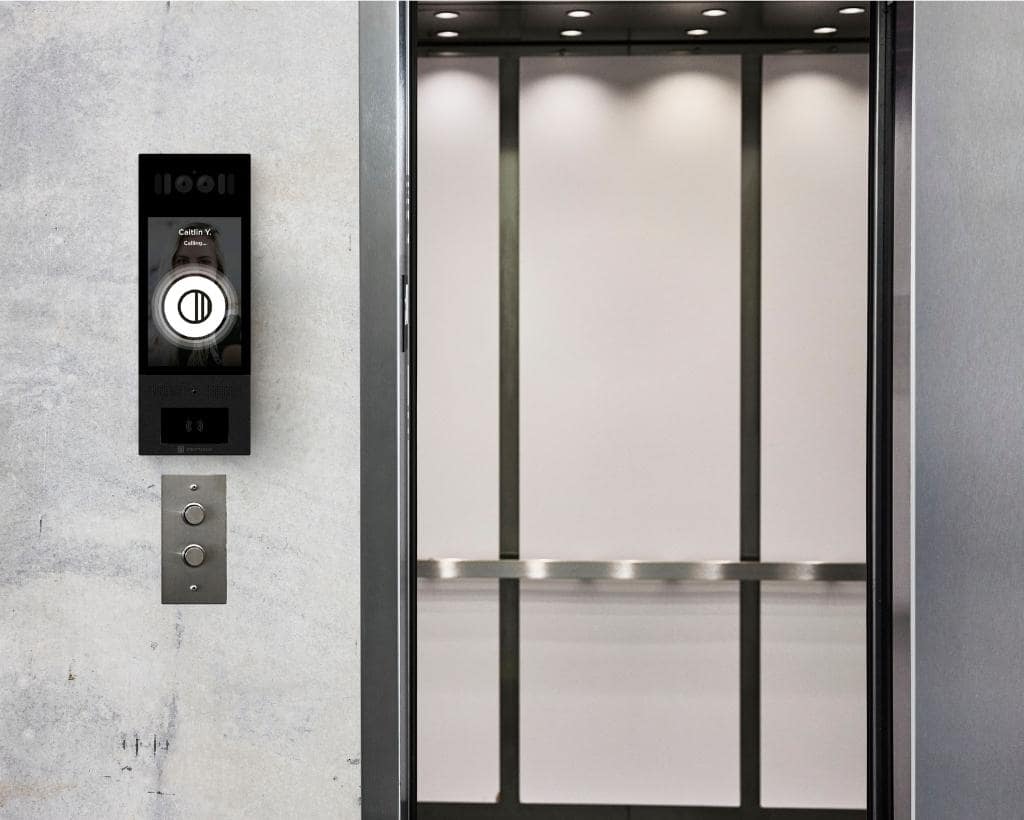
An elevator access control system regulates cab movement and floor button activation using credential readers, relay controllers, and cloud-based software. By restricting access to authorized floors through mobile apps, key fobs, PINs, or biometric credentials, it prevents unauthorized visitors from moving freely between building levels.
This guide helps you understand what actually works, so you can choose a system that fits your building without adding operational friction.
It draws on vendor documentation and real-world experience in retrofit deployments across 3,000+ multifamily and office buildings annually in the U.S. You’ll learn how these systems work, which credential strategies scale, what impacts cost, and what to verify before choosing a vendor.
How We Researched This
This guide was developed using vendor documentation, low-voltage engineering specifications, and elevator safety codes including ASME A17.1/CSA B44, combined with deployment experience across commercial high-rise and multifamily tower retrofit projects in the U.S. It also incorporates common implementation issues seen during elevator modernization, including controller compatibility, credential management, visitor workflows, and coordination between elevator contractors and access control vendors.
TL;DR
- Elevator access control closes a major security gap by restricting floor access based on credentials, permissions, and schedules, not just building entry.
- Mobile credentials reduce long-term overhead and improve user experience, but you still need fallback options for edge cases like dead phones or non-smartphone users.
- Retrofit projects are possible but unpredictable. Your elevator model, controller, and integration method will drive complexity more than the access control system itself.
- Access control relays disable floor button activation inside the Car Operating Panel. They don’t affect the elevator’s mechanical operation.
- ASME A17.1 Phase I and II Fire Recall overrides all access control during emergencies, without exception.
- Don’t evaluate vendors on features alone. Focus on how they handle your building’s workflows, integration constraints, and compliance requirements.
Elevator Access Control: Quick Picks by Credential Type
| Mobile | Fob / Card | PIN | |
| Best Fit | Multifamily and modern office buildings going mobile-first | Office environments and buildings needing a non-smartphone-dependent option | Temporary or one-time access (guests, deliveries, vendors), not a standalone primary method |
| Upfront Cost | Higher upfront (mobile-capable readers cost more to install) | Lower upfront, but costs accumulate over time | Low: no physical credential needed |
| Admin Overhead | Low: instant provisioning and revocation, no physical credentials to issue or replace | Higher: lost or stolen credentials mean reissuing and tracking | Low to issue, but little control once a code is shared |
| Security and Audit Strength | Strong: audit trails tied to individual users | Moderate: reliable, but lower-end systems carry cloning risk | Weak: PINs aren’t tied to individual identities, so audit trails are limited |
Table of Contents
- What is an Elevator Access Control System?
- 2026 Architecture Comparison Matrix
- How an Elevator Access Control System Works: The 4-Part Architecture
- Credential Options: Mobile vs Fob vs Card vs PIN
- Multifamily vs Office: Workflows That Matter
- Destination Dispatch and Elevator Access Control
- Retrofit vs New Install: What to Expect
- Safety and Compliance: The Non-Negotiables
- Cost and Pricing: What Drives the Budget
- Vendor Selection Checklist
- Where Swiftlane Fits In
- FAQs
Related Posts
- Key Fob Systems for Condos (2026): Costs, Security, and HOA Buyer’s Guide
- Apartment Buzzer Systems: Types, Costs, and Replacement Guide
- Gate Key Fob Systems: How They Work, Costs, and When to Switch
What is an Elevator Access Control System?
An elevator access control system restricts access to specific floors based on a user’s credentials.
Instead of freely pressing any floor button, users must first authenticate. That could be through a mobile app, key fob, access card, or PIN. Once verified, the system enables only the floors they’re allowed to access.
Technically, the system controls the signals behind the floor buttons. If a floor isn’t authorized, the button won’t respond or won’t be selectable at all in more advanced setups like destination dispatch.
This matters most in buildings where different users need different levels of access.
Examples:
- Multifamily: Residents access their home floor and selected amenities. Guests get time-limited access. Deliveries may be restricted to the lobby or package room.
- Office buildings: Employees are limited to their company’s floors. Contractors get scheduled access. Visitors are tied to reception workflows.
Elevator access control works best when it’s part of a broader system that includes building entry, visitor management, and audit logging. Securing the front door without securing the elevator leaves a gap.
2026 Architecture Comparison Matrix
Elevator access control isn’t one architecture. It’s four distinct approaches, each with different wiring requirements, credential support, and ideal building profile. Understanding which one fits your elevator setup will shape both your cost and your integration timeline more than any single vendor’s feature list.
| Architecture | Integration Method | Credential Types | Traveling Cable Requirements | Best Suited Property Profile |
| Relay Floor Lockout | Physical dry contacts on COP buttons | Mobile, Fob, PIN | Needs 1 to 2 spare conductors | 2 to 15 story apartments and offices |
| Cab Reader with Stationary Controller | In-car reader with controller in the machine room | Mobile, Fob | 2 to 4 shielded conductors via traveling cable (OSDP) | Standard retrofits |
| Destination Dispatch Integration | Software API / BACnet link to elevator group controller | Mobile, Badges, Turnstiles, Face Recognition | Zero in-cab wiring | Class A high-rises and enterprise HQs |
| Landing Hall-Call Lockout | Restricts hall call buttons on specific floors | Key switch, wall reader, keypad | No traveling cable required | Private penthouses, executive floors, basement parking |
How an Elevator Access Control System Works: The 4-Part Architecture
Elevator access control isn’t a single device. It’s four components working together, from the reader a user touches to the software that governs who’s allowed where and when.
1. Credential Reader
Mounted in-cab at the Car Operating Panel (COP), the reader authenticates mobile, fob, card, or PIN credentials. Modern systems communicate via encrypted OSDP (RS-485) rather than legacy Wiegand, which transmits credential data unencrypted and is more vulnerable to interception.
2. Traveling Cable
A flexible umbilical cable runs between the elevator cab and the machine room, carrying power and data, including the reader’s connection back to the controller. Because this cable’s conductor count is fixed at installation, checking for spare conductors is typically the first step in any retrofit scoping call, before deciding whether new cable runs or a wireless integration path is needed.
3. Controller and Relay Boards
The controller receives the credential, checks permissions, and, if authorized, triggers a relay board. The relay closes a dry-contact circuit that energizes the corresponding floor button for a brief dwell window, allowing the user to make a selection before the circuit opens again.
4. Cloud Software and Directory
This is where permissions are configured and monitored: floor-level scheduling (for example, locking an amenity deck after 10 PM or limiting a commercial suite to business hours), user and credential management, and real-time audit logs showing who accessed which floor and when.
Credential Options: Mobile vs Fob vs Card vs PIN
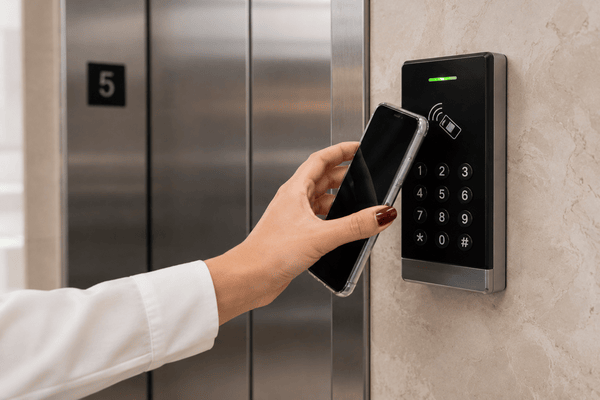
Your credential strategy has a direct impact on resident experience, admin workload, and long-term cost.
Mobile Credentials (Best Overall Experience)
Mobile access uses smartphones as the credential. Users tap, wave, or automatically unlock based on proximity, depending on the setup.
Pros:
- No physical credentials to issue or replace
- Instant provisioning and revocation
- Strong audit trails tied to individual users
- Better user experience for residents and tenants
Cons:
- Requires user adoption and basic phone compatibility
- You’ll need a fallback option for edge cases (lost phone, dead battery)
For most multifamily and modern office buildings, mobile-first is becoming the default (here are 10 reasons why).
In our experience deploying mobile credentials across multifamily properties, the biggest adoption barrier isn’t technology. It’s resident habit change. Properties that communicate the switch 30 days in advance see significantly higher adoption rates.
Key Fobs and Access Cards
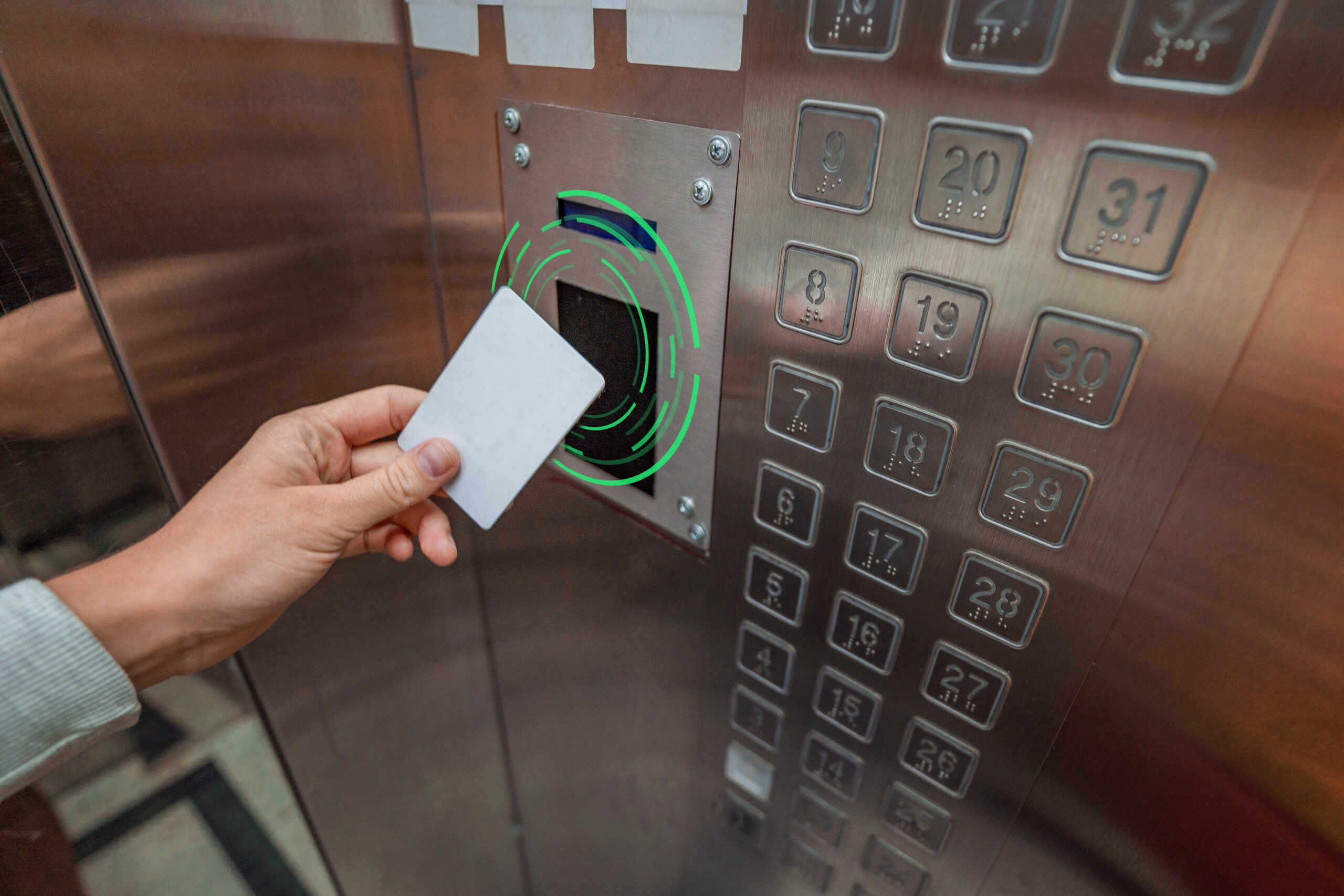
Key fobs and access cards are still widely used, especially in office environments.
Pros:
- Familiar and reliable
- Works without a smartphone
- Easy to understand for all user types
Cons:
- Lost or stolen credentials create overhead
- Re-issuing and tracking adds admin work
- Potential cloning risks with lower-end systems
They’re a safe choice, but not always the most efficient long-term.
PIN Codes
PIN-based access can be used for specific scenarios rather than as a primary method.
Pros:
- No physical credential required
- Useful for temporary or shared access
Cons:
- Easy to share or reuse
- Weak auditability compared to user-based credentials
PIN codes are best suited for short-term or one-time access scenarios rather than as a primary credential method. Because PINs aren’t tied to individual identities, they produce weaker audit trails, which is a meaningful limitation if incident documentation is a priority.
Recommendation
- Multifamily: Mobile credentials with temporary guest passes. Add key fobs as backup.
- Office: Mobile or badge-based systems, depending on tenant requirements and IT policies.
Multifamily vs Office: Workflows That Matter
The same elevator access control system behaves very differently depending on your building type. The workflows are what define success, not the hardware.
Multifamily Workflows
Multifamily buildings deal with constant movement: residents, guests, deliveries, and vendors. The system needs to stay flexible without creating daily friction.
Residents
Access should be simple and predictable. Residents get their home floor and selected amenities, with permissions updated instantly during move-ins, move-outs, or unit changes.
Guests
Access can be time-limited and tied to a specific unit or floor. In practice, systems that let residents manage guest access themselves can reduce front desk workload.
Deliveries
Most buildings restrict deliveries to the lobby or package room. Some allow elevator access during defined windows, but this requires tight control to avoid misuse.
Staff
Your staff may need broader access, but not all the time. Scheduling matters. For example, cleaning crews may only need access during specific hours, not 24/7.
The goal is balance. Strong control, but minimal disruption to daily living. Systems that are too rigid tend to get bypassed.
Office / Commercial Workflows
Office environments prioritize strict separation between tenants and clear, reliable audit trails. Unlike multifamily, convenience is secondary to control and accountability.
Employees
Access is limited to assigned floors or zones and is often tied directly to HR or identity systems.
Provisioning should be automatic during onboarding, and deprovisioning must be immediate when someone leaves. Delays here are a real risk, especially in shared buildings.
Contractors
Access is temporary and tightly scheduled, especially if it’s for after-hours work. In practice, the biggest failure point is access that doesn’t expire on time. Systems should enforce end times automatically and log every access event for review.
Visitors
Access is managed through reception or a visitor system. Once checked in, visitors are granted access only to approved floors, often for a limited time window.
Here, control and accountability matter more than convenience. Systems should prioritize precision over flexibility.
Destination Dispatch and Elevator Access Control
Destination dispatch systems change how users interact with elevators.
Instead of pressing buttons inside the cab, users select their destination before entering. The system then assigns them to a specific elevator.
When access control is added, the system must determine which destinations are allowed before assigning an elevator.
That requires tighter integration between the access control system and the elevator’s dispatch logic.
What to watch for:
- Permissions must sync correctly with destination options
- Not all systems support all integrations
- Vendor-specific interfaces can limit flexibility
If your building uses destination dispatch, ask both your elevator provider and access control vendor what integrations are supported, and what limitations exist.
Retrofit vs New Install: What to Expect
Retrofitting elevator access control into an existing building is possible. But it’s not always straightforward.
Retrofit reality check
Not every elevator supports the same integration methods. The controller model, age of the system, and available interfaces all matter.
Also, note that Firefighters’ Emergency Operation (Phase I recall and Phase II in-car operation) is defined by elevator safety codes such as ASME A17.1/CSA B44. Any access control integration mustn’t interfere with those modes.
You’ll likely need coordination between:
- Your access control vendor
- Your elevator service provider
- Possibly the original elevator manufacturer
Installation may require after-hours work to reduce disruption. And in some cases, upgrades to the elevator controller are needed before access control can be added.
Before you start, check with the vendor:
- What elevator controller model is installed and which integration methods are available?
- What integration options are available (relay-based, API, proprietary interface)?
- Will this require hardware upgrades?
- What’s the installation timeline?
- When will elevators be unavailable during installation?
- How are emergency modes handled during and after installation?
A good vendor should answer these clearly and involve your elevator contractor early.
Safety and Compliance: The Non-Negotiables
Elevators are regulated systems. Access control can’t interfere with safety functions. This isn’t an area for assumptions.
Core Principles
- Emergency overrides must always work. Fire service modes and emergency operations take priority over access control.
- Fire service (Phase I/II). Elevators must behave according to fire service requirements. Access control can’t block firefighter operation modes. Your fire alarm system interface matters, too. Elevator recall and related signaling functions are coordinated through the building fire alarm system, which is governed by standards like NFPA 72.
- ADA considerations. Systems must remain accessible. That includes reader placement, alternative access methods, and usability for all occupants. ADA compliance isn’t optional. Elevator call buttons and in-car controls must meet accessibility requirements for reach ranges, tactile markings, and operable parts (see the 2010 ADA Standards for Accessible Design).
- Fail-safe behavior. In certain failure scenarios, systems may default to allowing access to ensure safe egress. This must be clearly defined.
Compliance Checklist (Ask Your Vendors)
- How does the system behave during fire service mode?
- What happens during a power outage?
- What happens during a network outage?
- Has this setup been deployed in similar buildings?
- What needs to be verified with the AHJ (Authority Having Jurisdiction)?
- How is ADA compliance addressed?
Always verify final implementation with your elevator contractor and AHJ. Don’t rely on assumptions or generic claims.
Cost and Pricing: What Drives the Budget
Pricing varies widely. As a rough benchmark, small buildings may see $3,000 to $8,000 per elevator for mobile-enabled access, mid-size buildings fall around $5,000 to $12,000 per elevator, and large or highly integrated buildings can reach $10,000 or more per elevator, especially with destination dispatch or complex retrofits.
Note: Cost ranges above are based on Swiftlane’s review of installer quotes and vendor specifications across multifamily and commercial retrofit deployments in the U.S. (2023 to 2026). Actual costs vary by elevator model, integration complexity, and regional labor rates. Confirm current pricing with vendors during scoping.
Don’t anchor on the range too early. In practice, these numbers move quickly once you factor in your specific elevator model, wiring constraints, and how much integration is required. The real goal is understanding what’s driving the number because that’s what vendors will adjust during scoping.
Key Cost Drivers
Number of Elevator Cars
Each cab will need its own reader and interface hardware. Costs scale quickly once you move beyond 2 to 3 elevators.
Number of Controlled Floors
More floors means more wiring, more permissions, and more testing. This is where “simple” projects get complex fast.
Credential Type
Mobile-capable readers cost more upfront, but reduce long-term overhead. Fob-based systems look cheaper initially but add ongoing admin work.
Integration complexity
Destination dispatch and proprietary elevator systems often require custom integration. This is one of the biggest cost swing factors.
Retrofit Conditions
This is where budgets get unpredictable. Older controllers may require additional hardware or may limit what’s possible entirely.
Across the retrofit projects Swiftlane has supported, the most common surprise isn’t the hardware. It’s discovering that the elevator controller is older than expected and requires an interface upgrade. We recommend getting a controller model check before budgeting.
Software and Licensing
Includes credential management, audit logs, and remote admin. Some vendors bundle this, while others charge per user or door.
Installation Labor
After-hours work to avoid tenant disruption is common. It’s also where labor costs can quietly double.
Based on our experience with installer partners across the U.S., labor costs are consistently the most underestimated line item in elevator access control budgets. After-hours installation requirements can add 25% to 40% to base labor quotes.
Ongoing Operations
Lost credentials, onboarding/offboarding, and support all add up over time. This is often underestimated.
Budgeting Framework
| Building Size | Expectations |
| Small buildings (1 to 2 elevators) | Lower hardware costs Straightforward installations Fewer integration issues |
| Mid-size buildings (3 to 6 elevators) | More coordination requiredHigher labor and configuration efforts |
| Large buildings (7 or more elevators | Costs rise with scale Integration, permissions, and ongoing management all become more complex |
New Installation vs Retrofit
New construction is cleaner. Retrofits depend heavily on what’s already in place, and that’s where most surprises happen.
A good vendor won’t give you a generic estimate. They’ll ask about your elevator model, workflows, and constraints, then give you a realistic range based on that.
Vendor Selection Checklist

| Must-haves | Questions to ask |
| • Supports your credential strategy (mobile, fob, card, PIN) • Easy credential provisioning and revocation • Per-floor access levels and schedules • Visitor management or temporary access workflows • Detailed audit logs (who accessed which floor, when) • Clearly defined emergency override behavior • Proven integration with your elevator setup | • Which elevator controller models do you support? • What architecture do you recommend for our building? • How do you handle destination dispatch (if applicable)? • What’s the installation timeline and disruption plan? • What happens during power or network outages? • What support SLAs do you offer? |
Pro Tip
Don’t just compare features. Compare how each vendor handles your specific building constraints.
Where Swiftlane Fits In
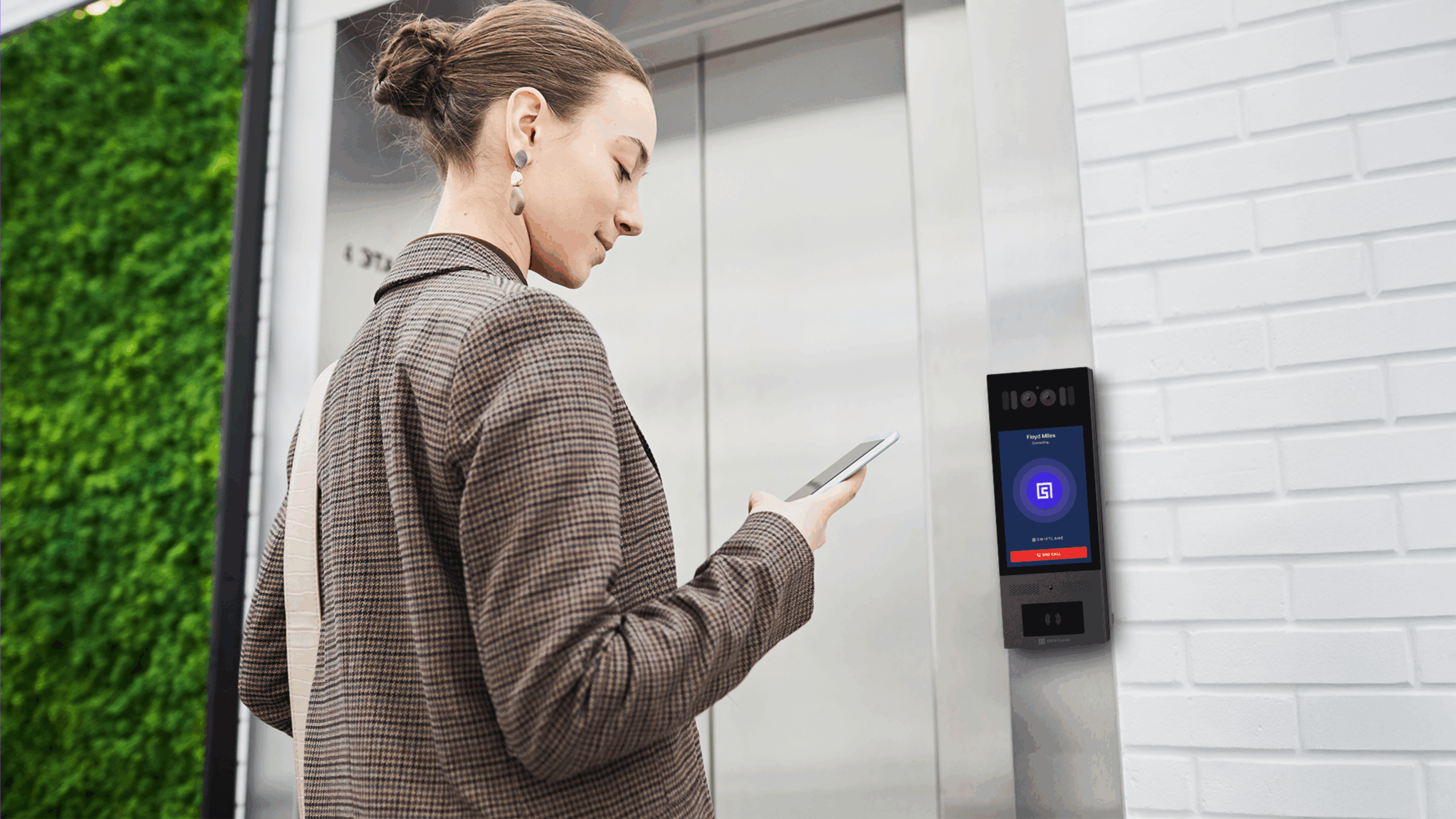
Elevator access control works best when it’s part of a unified system.
Swiftlane combines mobile access, video intercom, and cloud-based management into a single platform. That means elevator access isn’t managed in isolation. Instead, it’s tied directly to building entry, visitor workflows, and user credentials.
Per-floor permissions and scheduling: Floor access is configured per user type with time-based rules, supporting the staff, contractor, and visitor access patterns described in the workflow section.
Audit trails: All access events are logged in real time and accessible through a dashboard designed for property management staff, not just IT administrators.
Visitor and guest workflows: Residents can issue time-bound guest access directly from the mobile app. Deliveries can be restricted to lobby or package room levels without staff involvement.
Multi-building management: A single dashboard covers access across buildings and elevator banks for portfolio operators.
If you’re evaluating elevator access control, it’s worth looking at how a unified platform compares to a standalone solution.
FAQs
Can elevator access control restrict amenity floors?
Yes, it can. You can control access to amenities like gyms or pools by assigning permissions based on user type and time of day.
How does an elevator access control system handle guests and deliveries?
Guests can be given time-limited access tied to a specific floor, often managed through a mobile app or visitor system. Deliveries can be restricted to the lobby or package room unless additional access is granted.
Can an access control system work with major elevator brands?
Compatibility depends on the specific model and interface. It’s possible to integrate with most major manufacturers, but to be sure, you should always verify with your vendor and elevator contractor.
What happens to my elevator access control system during a power or network outage?
System behavior depends on the setup, but safety comes first. Elevators must still allow safe operation and emergency access, which may mean defaulting to open access in certain scenarios. Always confirm failure modes with your vendor and elevator contractor.
Can an access control system be retrofitted into older elevators?
Yes, it can. But it depends on the elevator controller and available integration methods. Unlike newer installations, some older systems may require upgrades because of their limited functionality.
How do I keep my elevator access control system code-compliant for emergency operations?
Access control must never interfere with emergency functions like fire service modes. These overrides take priority and must work at all times. Final configurations should always be verified with your AHJ and elevator contractor.
Do mobile credentials work without cell service?
In most cases, yes. Mobile credentials often use Bluetooth or NFC, so users can still authenticate without an active cellular connection. But initial setup, credential updates, or remote management features may still require internet access.
What’s the ongoing admin workload for elevator access control?
That depends largely on your credential strategy. Mobile systems can reduce manual work because credentials can be issued and revoked remotely, while fob- or card-based systems can create more overhead from replacements and tracking.
Can elevator access control integrate with visitor management systems (VMS)?
Yes. Many systems can connect with VMS or intercom platforms so guest access is automatically tied to approved floors and time windows. This is especially useful in multifamily buildings with frequent deliveries and guest traffic.
Is elevator access control worth it for smaller buildings?
It can be, especially in buildings with amenity floors, shared spaces, or recurring unauthorized access issues. Smaller properties may have lower installation complexity, which can make the investment easier to justify operationally.


