


Physical keys create ongoing operational headaches for apartment communities. Lost keys, rekeying after move-outs, lockouts, and unmanaged vendor access all add cost and risk. That’s why many property managers are replacing traditional keys with cloud-managed keyless entry systems for apartments that let them control access remotely, issue temporary credentials, and monitor activity from a single dashboard.
This guide explains how apartment keyless entry systems work, compares the different technologies, outlines typical costs, and helps you choose the right setup for your property.
Quick Answer: What is the Best Keyless Entry System for Apartments?
For most apartment buildings, the best option is a cloud-managed access control system that supports mobile credentials, PIN codes, key fobs or cards, visitor access, and video intercom integration, all managed from one dashboard.
The important nuance: the best systems are mobile-first, not mobile-only. Mobile access is convenient and easy for property staff to manage remotely, but no building should rely on smartphones alone. Residents without smartphones, dead batteries, spotty cell coverage, accessibility needs, and staff emergencies all require reliable backup access.
Here’s a quick summary by building type:
- Small apartments: keypad or smart reader with PIN or fob backup
- Mid-size buildings: mobile access plus PIN or fob backup
- Large multifamily: cloud access control plus video intercom and visitor management
- Luxury buildings: mobile access plus video intercom, with optional facial recognition
- Best overall: a hybrid system managed from a single dashboard
How We Researched This
This guide combines product research, multifamily operational experience, and publicly available industry guidance.
We reviewed current apartment access control technologies, retrofit and deployment considerations, and published best practices for multifamily properties. We also compared the guidance against building code and life-safety resources for electrically locked doors, biometric privacy guidance from the U.S. Federal Trade Commission (FTC), facial recognition evaluation materials published by the U.S. National Institute of Standards and Technology (NIST), and multifamily resident preference research from the National Multifamily Housing Council (NMHC).
Where building code, privacy, or life-safety requirements may vary by jurisdiction, we’ve noted that property teams should confirm project-specific requirements with qualified professionals and their local Authority Having Jurisdiction (AHJ).
Table of Contents
- What is an Apartment Keyless Entry System?
- How Apartment Keyless Entry Works
- Apartment Entry Points That Need Keyless Access
- Can You Upgrade Without Replacing Every Door?
- Types of Keyless Entry Systems for Apartments
- Best Keyless Entry Setup by Apartment Building Size
- Mobile-First, Not Mobile-Only
- Visitor, Delivery, and Vendor Access
- Security Checklist for Apartment Keyless Entry Systems
- Failover, Fire/Life Safety, and Reliability
- Privacy and Resident Trust
- Apartment Keyless Entry Cost and ROI
- 30/60/90-Day Implementation Checklist
- Vendor Comparison Checklist
- Why Swiftlane for Apartment Keyless Entry
- FAQs
What is an Apartment Keyless Entry System?
An apartment keyless entry system lets residents, staff, guests, and vendors get into authorized areas without a traditional metal key. Access is granted instead through smartphones, PIN codes, key fobs, access cards, QR codes, intercom calls, smart locks, or biometric credentials.
“Keyless entry” isn’t limited to the front door. It can apply to:
- Main building entrances
- Unit doors
- Parking garages
- Gates
- Elevators
- Package rooms
- Amenity spaces
- Staff-only areas
It also helps to understand how the pieces relate to each other, since vendors often use these terms loosely:
- Smart locks secure individual doors or units.
- Access control systems centrally manage multiple doors and users across a property.
- Video intercoms handle visitor communication and remote unlock.
- Visitor management systems (VMS) issue temporary access for guests, vendors, and deliveries.
A full apartment keyless entry solution combines several of these, not just one.
How Apartment Keyless Entry Works
The basic workflow is the same regardless of credential type:
- A resident or visitor presents a credential: a phone tap, PIN, fob, card, or QR code.
- The system checks whether that credential is authorized for that door, at that time.
- If approved, the door, gate, elevator, or lock releases.
- The access event is logged in the management dashboard.
- Staff can add, remove, schedule, or revoke access remotely, without touching hardware.
Behind that simple flow, a few components work together:
- Door reader or smart lock
- Electric strike, maglock, or other lock hardware
- Cloud dashboard for management and logs
- Mobile app or physical credential
- Internet or cellular connection
- A backup access method
- Optional video intercom
- Optional elevator or gate integration
Your installer will handle the technical details, but understanding the basic components makes it easier to compare proposals and ask informed questions.
Apartment Entry Points That Need Keyless Access
Apartment access isn’t limited to the front door. Most communities have multiple entry points, each with its own security, convenience, and operational requirements. A well-designed keyless entry system should support all of them from a centralized platform.
| Entry Point | Typical Keyless Entry Requirements | Why It Matters |
| Main Building Entrances | Mobile credentials, PIN or key fob backup, visitor access, and a complete audit log | The primary access point for residents, guests, and deliveries, making it the highest priority for both security and convenience. |
| Unit Doors | Smart locks, PIN-enabled locks, or integrated access control | The right solution depends on your budget, building type, and whether you want centralized management across multiple units. |
| Gates and Parking Garages | Mobile access, vehicle credentials, visitor access, and support for deliveries and vendors | Helps prevent entry bottlenecks while ensuring only authorized vehicles and visitors can enter the property. |
| Elevators | Floor-based permissions integrated with the access control system | Common in high-rise and mixed-use buildings where residents should only access authorized floors. |
| Package Rooms | Time-limited delivery access and resident pickup credentials | When package rooms are properly set up, they allow couriers to complete deliveries without granting unrestricted access to the building. |
| Amenity Spaces | Scheduled or permission-based access for gyms, pools, lounges, coworking spaces, storage rooms, and rooftops | Restricts access to eligible residents while supporting amenity schedules and usage policies. |
| Staff and Service Areas | Role-based credentials, restricted permissions, and detailed audit logs | Protects maintenance rooms, leasing offices, electrical rooms, and other operational spaces by limiting access to authorized personnel. |
Can You Upgrade Without Replacing Every Door?
One of the biggest misconceptions about apartment keyless entry is that upgrading requires replacing every lock, door, or access point. In many cases, that’s not necessary.
Modern access control systems can often be retrofitted onto existing buildings by reusing compatible door hardware, wiring, or locking mechanisms. The exact approach depends on your property’s current infrastructure, but a well-planned upgrade can minimize both costs and disruption.
Here are a few factors to discuss with potential vendors:
Existing Wiring
If your building already has low-voltage wiring for an intercom or access control system, it may be possible to reuse portions of that infrastructure instead of running new cable throughout the property.
Existing Locking Hardware
Many properties can keep compatible electric strikes, magnetic locks, or door hardware while replacing only the readers or controllers. Reusing existing hardware (when it’s in good condition and meets the new system’s requirements) can reduce installation costs and shorten deployment timelines.
Retrofit Readers
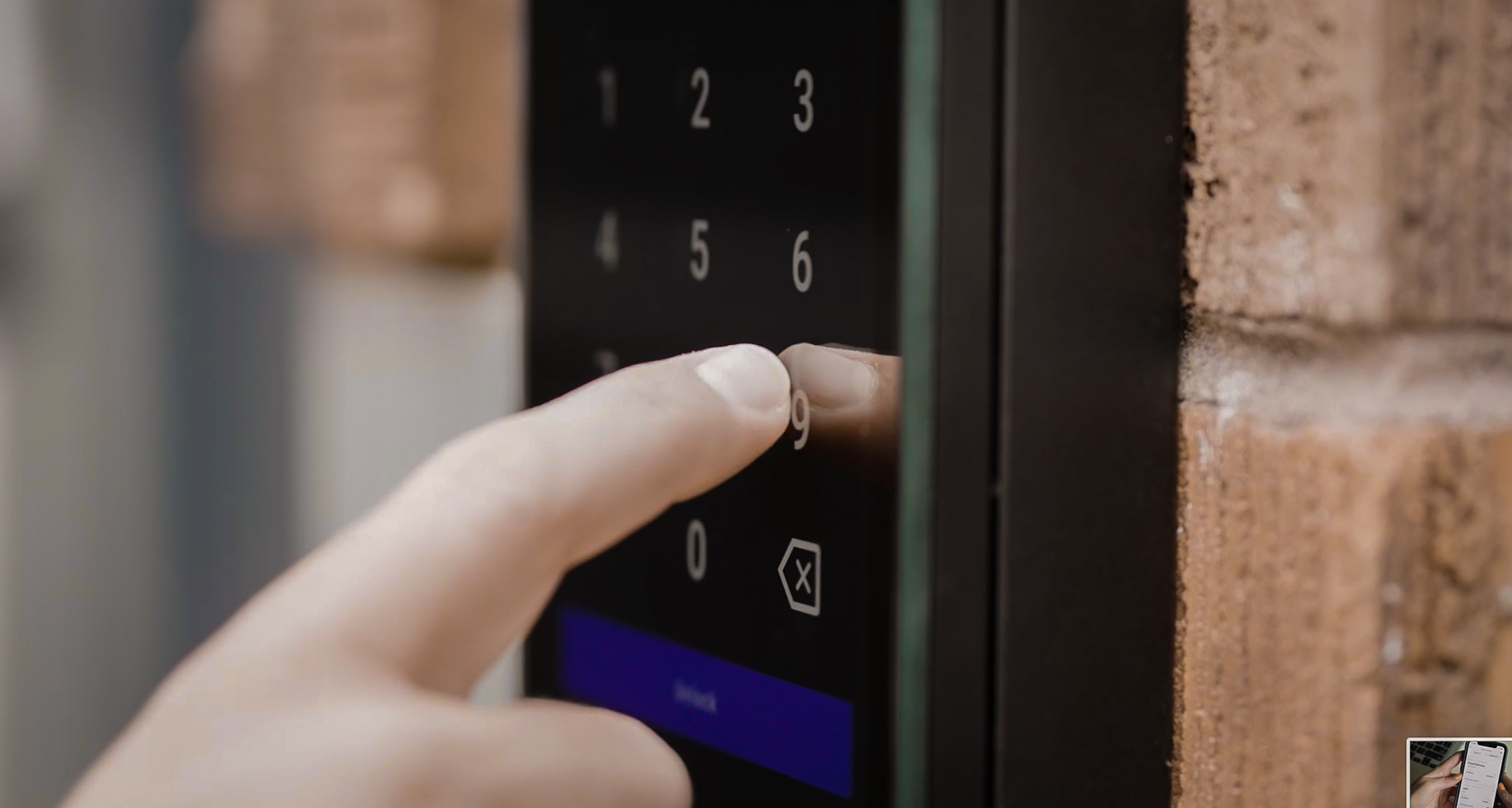
Many modern readers are designed to replace older keypads, card readers, or fob systems without major modifications to the door itself. This can make it easier to modernize an aging access system while preserving much of the existing infrastructure.
Phased Rollouts
Large apartment communities don’t always need to upgrade every entrance at once. Many properties begin with the main entrance or leasing office, then expand to garages, amenities, and residential buildings over time. A phased deployment lets staff test workflows, train residents, and spread costs across multiple budget cycles.
Mixed Credential Support
During a transition, residents may use different credentials depending on where they are in the rollout. Look for systems that can support mobile credentials alongside PINs, key fobs, or access cards so existing residents aren’t forced to change overnight.
Resident Experience
Technology upgrades are often judged less by the hardware than by how smoothly they’re introduced. Clear resident communication, simple onboarding, and temporary fallback options help minimize confusion during the transition. The goal should be to improve convenience without disrupting daily routines.
Not every existing system can be upgraded in place, and older buildings may require additional hardware or wiring. A site assessment can identify which components can be reused and which should be replaced, helping you build a realistic implementation plan before work begins.
Types of Keyless Entry Systems for Apartments
| System type | Best for | Pros | Cons |
| Mobile app access | Modern multifamily, managed apartments, luxury properties | Convenient, remotely managed, easy to revoke | Requires phone access, app adoption, and backup options |
| PIN code / keypad access | Small buildings, staff areas, backup access | Simple, no physical credential needed | Codes can be shared, reused, or forgotten |
| Key fobs and access cards | Backup access, residents without smartphones, older buildings | Familiar and reliable | Can be lost, shared, or need replacement |
| QR code access | Guest access, short-term access, self-guided tours | Temporary and easy to expire | Should be time-limited to prevent misuse |
| Video intercom with remote unlock | Lobbies, gates, visitor entry, package deliveries | Improves visitor management and security | Requires hardware and resident onboarding |
| Smart locks (unit-level) | Short-term rentals, student housing, smaller multifamily, premium units | Convenient for unit-level access | Harder to manage at scale without centralized software |
| Facial recognition / biometric | Luxury buildings, touchless access | Convenient, hard to lose | Requires strong privacy controls, consent, backup options |
| Hybrid systems | Most apartment buildings | Flexible and resilient | Requires careful setup and policy management |
For most properties, the answer isn’t picking one row from this table. Instead, it’s combining two or three, with a hybrid system as the connective tissue.
Best Keyless Entry Setup by Apartment Building Size
The right keyless entry system depends on your property’s size, layout, and operational needs. While every community is different, the following recommendations provide a good starting point for evaluating the technologies and features that work best for each property type.
| Property Type | Recommended Keyless Entry Setup | Why This Setup Works |
| Small Buildings (Under 20 units) | Keypad or smart reader, PIN access, optional key fob or card backup, and a basic cloud management dashboard | Keeps costs manageable while giving owners or small property teams a simple way to manage access without physical keys. |
| Mid-Size Buildings (20 to 100 units) | Mobile credentials as the primary method, key fob or card backup, PIN access for staff, cloud-based access management, and visitor access at the main entrance | Reduces administrative work around move-ins, move-outs, lost credentials, and day-to-day access requests. |
| Large Multifamily (100 to 300+ units) | Cloud-managed access control, mobile access, key fob or card backup, video intercom, visitor management, and integrations for elevators, garages, and package rooms | Centralizes access management across a larger resident population while providing detailed audit trails and operational efficiency. |
| High-Rise or Elevator Buildings | Lobby video intercom, mobile or key fob access, elevator access control, floor-based permissions, and structured visitor workflows | Limits residents and visitors to authorized floors while streamlining visitor entry and improving building security. |
| Gated Communities | Gate intercom, mobile credentials, visitor QR codes or PINs, and scheduled access for vendors and deliveries | Balances security with convenient vehicle, visitor, and service access without creating entry bottlenecks. |
| Luxury Apartments | Mobile access, video intercom, optional facial recognition, amenity access controls, and privacy-focused resident communications | Delivers a premium resident experience while supporting high-security amenities and modern access preferences. |
Mobile-First, Not Mobile-Only
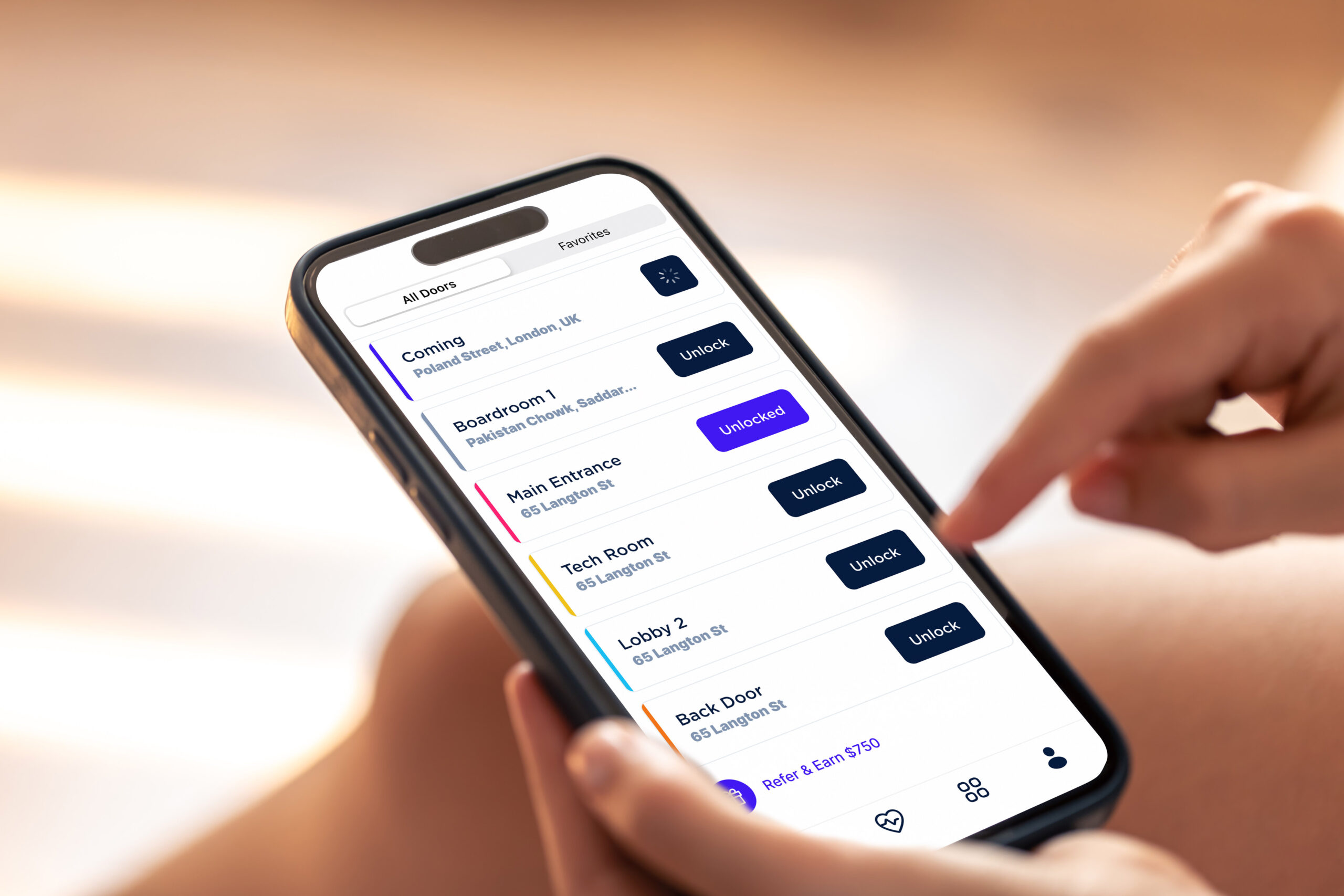
This is one of the most important decisions a property manager makes when rolling out keyless entry, and it’s worth being deliberate about.
Mobile access is often the best primary credential. It’s convenient, easy to provision, and easy to revoke. But no apartment building should depend on a single access method. Consider how often these situations come up:
- A resident’s phone battery dies
- A resident doesn’t own a smartphone
- Cell service near the entrance is poor
- The resident hits an app login issue
- An elderly or accessibility-sensitive resident needs a simpler method
- A resident has privacy concerns about an app
- Staff need an emergency override
- Maintenance teams need scheduled, recurring access
- A guest needs one-time, temporary access
These scenarios are exactly why the industry’s shift toward mobile access doesn’t mean abandoning every other credential. According to HID’s 2026 State of Security and Identity Report, 74% of organizations have already deployed or plan to deploy mobile credentials. But mobile adoption isn’t replacing physical credentials outright: 84% of end users maintain a mix of mobile and physical credentials, and only 8% expect to operate in a fully mobile environment within five years. That suggests the direction of travel is mobile-first, not mobile-only.
For apartment communities, that means making smartphone access the default while retaining reliable alternatives for residents, staff, and visitors. The goal isn’t to replace every credential with an app; it’s to give people a convenient primary option without leaving them stranded when that option isn’t practical.
| Mobile-Only | Mobile-First |
| • Phone battery dies • App outage • Resident has no smartphone • Poor reception | • Mobile credentials • PIN backup • Key fob backup • Staff override |
Visitor, Delivery, and Vendor Access
Many apartment keyless entry systems succeed or fail based on how well they handle people who aren’t residents. While resident access is relatively predictable, guests, delivery drivers, contractors, and prospective tenants all need different levels of access.
A system that makes these workflows simple and secure can reduce staff interruptions while improving the resident experience.
For many apartment communities, visitor management becomes one of the biggest operational time-savers. Residents no longer need staff to buzz in expected guests, and property teams can issue temporary credentials instead of coordinating physical keys or manually unlocking doors throughout the day.
Resident Guests
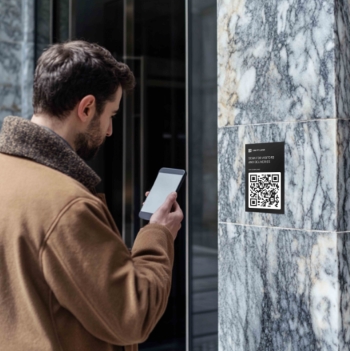
Residents need a secure, convenient way to let in family, friends, dog walkers, cleaners, caregivers, and other short-term visitors.
Instead of sharing permanent credentials or leaving doors unlocked, modern systems can issue temporary mobile credentials, PINs, or QR codes that automatically expire after the visit.
Real-World Example
Visitor management can improve everyday convenience as much as it improves security. At one 12-story apartment community in Denver, residents use a video intercom to let in guests and food deliveries directly from their phones instead of traveling to the lobby each time someone arrives. For high-rise buildings, that can save time while giving residents more control over who enters the property.
Package Deliveries
Delivery drivers often require limited access to lobbies, package rooms, or smart package lockers without granting unrestricted access to the rest of the property. Time-limited credentials help ensure deliveries can be completed efficiently while reducing unnecessary building access.
Vendors and Maintenance
Property managers frequently need to provide scheduled access for cleaners, contractors, maintenance technicians, inspectors, landscapers, and leasing staff.
Assigning credentials that are restricted by door, time, and user role makes it easier to coordinate recurring work while maintaining a complete audit trail of who entered and when.
Leasing and Self-Guided Tours
Temporary PINs, mobile credentials, or QR codes allow prospective residents to tour available units without requiring on-site staff or creating long-term security risks. Access can be configured to expire automatically after the scheduled tour window.
Best practices for managing non-resident access include:
- Use temporary credentials instead of permanent ones.
- Set expiration times for every guest and vendor credential.
- Avoid shared master codes whenever possible.
- Log every access event for accountability.
- Restrict access by door, time window, and user role.
- Use video verification to confirm unknown visitors before granting entry.
Security Checklist for Apartment Keyless Entry Systems
- Unique credentials for every resident, staff member, and vendor
- Ability to revoke access instantly after move-out
- Temporary visitor access with built-in expiration
- Admin permission levels for staff
- Access logs and audit trails
- Door-held-open alerts
- Lost fob or card deactivation
- PIN code rotation policies
- Encrypted mobile credentials
- Anti-tailgating policies
- Separate access rules for residents, staff, vendors, and guests
- Integration with video intercom for visual verification when needed
Failover, Fire/Life Safety, and Reliability
Convenience can’t come at the expense of emergency egress or code compliance. This is where otherwise good keyless entry rollouts can run into trouble, and it deserves attention before installation, not after.
Building codes permit several types of electrically locked door systems, but each has different requirements for emergency egress, power loss, and life safety. Rather than assuming one approach fits every opening, property teams should evaluate each door individually and coordinate system design with qualified installers, fire/life safety professionals, and the local Authority Having Jurisdiction (AHJ).
Because access-controlled doors may also serve as part of a building’s means of egress, each opening should be evaluated against the applicable building code requirements. The 2024 International Building Code (IBC), Section 1010.2.12 addresses access-controlled egress doors, while Section 1010.2.13 addresses electromagnetically locked egress doors. These provisions establish specific conditions for locking arrangements, egress, power loss, and related life-safety functions.
This is why fail-safe versus fail-secure should not be treated as a simple design preference for egress doors. The appropriate locking arrangement depends on the applicable code requirements and the specific door. Always confirm the requirements for each opening with qualified professionals and your local AHJ.
Similarly, NFPA life-safety guidance emphasizes that access control systems managing ingress should not interfere with required egress.
In practice, apartment access control projects should involve qualified installers, fire/life safety professionals, and the local AHJ early in the design process to review locking hardware, power-loss behavior, fire alarm integration, and emergency override requirements before installation.
Emergency Egress and Code Compliance
Every access control deployment should prioritize safe, unobstructed emergency egress. Residents must be able to exit the building during an emergency regardless of how access is managed for entry.
For egress doors, fail-safe or fail-secure behavior is not simply a preference to select during procurement. The required locking arrangement depends on the door, occupancy, application, and applicable code provisions. The IBC specifically addresses access-controlled egress doors in Section 1010.2.12 and electromagnetically locked egress doors in Section 1010.2.13. Confirm which requirements apply to each opening with qualified professionals and your local AHJ.
Depending on the system and applicable requirements, emergency egress provisions may also involve free egress from the occupied side, fire alarm integration, power-loss behavior, and other release mechanisms. Manual or mechanical overrides may be required for authorized personnel if electronic systems become unavailable.
Power and Network Resilience
A reliable access control system should continue operating even when something goes wrong. Ask vendors how the system handles power outages, internet disruptions, and hardware failures.
Depending on the property, useful resilience features include backup power for controllers and readers, battery backup for smart locks, offline access modes that allow authorized credentials to continue working during network outages, and cellular backup for critical entrances where available.
Maintenance and Operational Planning
Reliability isn’t just about hardware. It’s also about ongoing maintenance and operational readiness.
In practice, many access control issues stem from deferred maintenance or configuration changes rather than hardware failures, which is why routine testing is just as important as selecting the right equipment.
A documented maintenance schedule should cover battery replacement, firmware updates, hardware inspections, and routine testing to help prevent unexpected downtime. During vendor evaluations, ask how emergency procedures are documented, who’s responsible for system maintenance, and what happens if internet connectivity is lost.
Work With Qualified Professionals
Building code and life safety requirements vary by jurisdiction, occupancy type, and even individual doors within the same property.
Coordinate with your access control installer, fire/life safety professionals, and your local AHJ early in the project to confirm that the proposed system meets applicable requirements.
This guide provides general planning considerations rather than legal or code advice. Always verify hardware selections, emergency egress requirements, fire alarm integration, and other life safety considerations with qualified installers, fire/life safety professionals, and your local AHJ before finalizing an apartment keyless entry system.
Privacy and Resident Trust
Mobile credentials, cloud-managed access, and facial recognition can improve both convenience and security, but they also raise legitimate privacy questions.
Residents want to know what information is being collected, how it’s used, and who has access to it. Properties that address these questions early (before deployment begins) experience smoother rollouts and fewer resident concerns.
Be Transparent About Access Data
Residents should understand what the system actually records. Most apartment access control systems log information such as the credential used, the door accessed, and the date and time of each entry event.
Property managers should also establish clear internal policies defining who can view access logs, under what circumstances they may be reviewed, and how long access records are retained.
Limiting access to authorized personnel helps protect resident privacy while preserving the audit trail needed for security and operational purposes.
Treat Biometrics as an Opt-In Feature
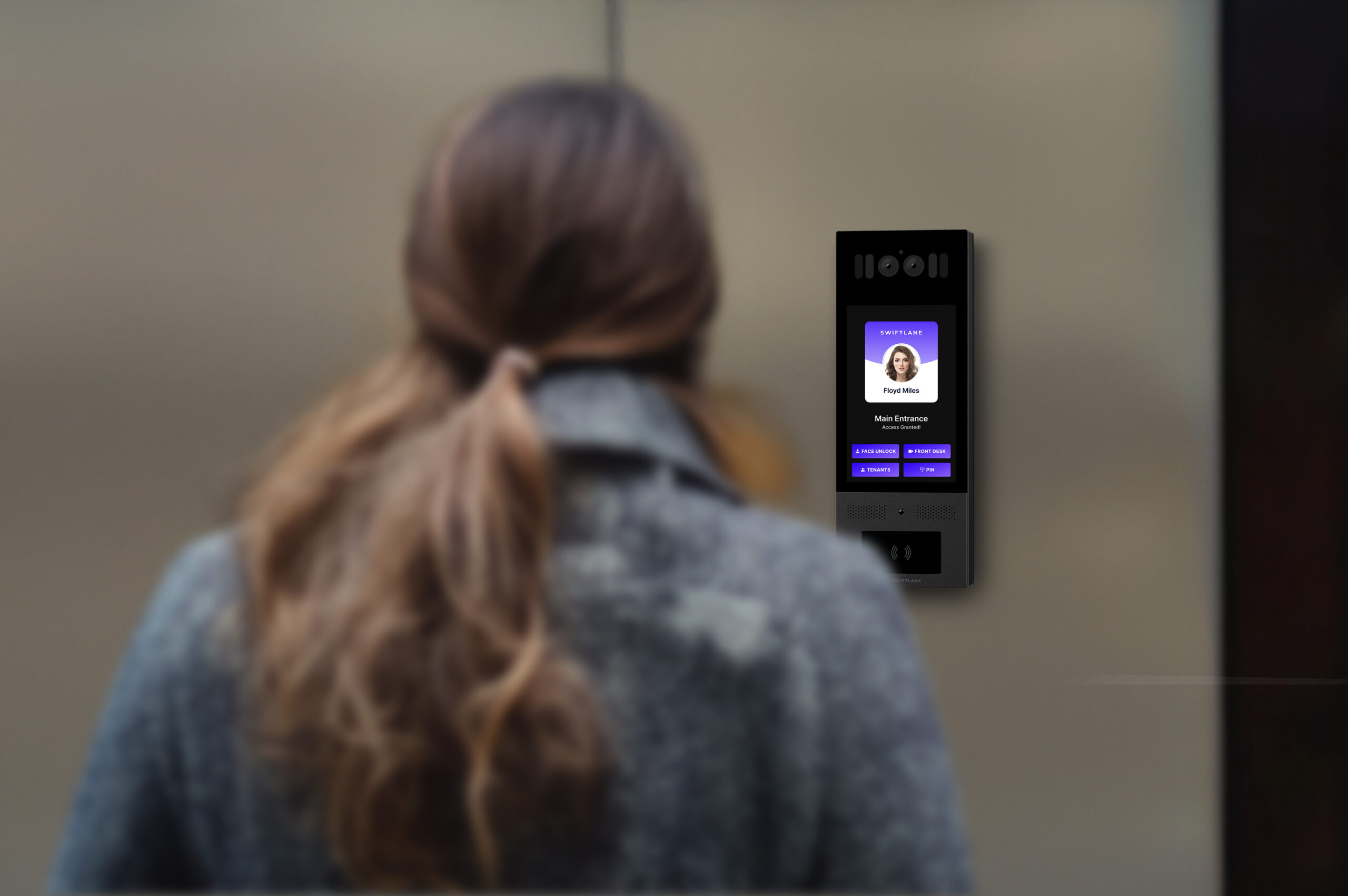
If your property plans to offer facial recognition or another biometric credential, explain how the technology works, what biometric information is collected (if any), how it’s processed or encrypted, and whether it’s retained.
Consent requirements for biometric technologies vary by jurisdiction, so consult qualified legal counsel and applicable regulations before implementation.
Biometric requirements can also vary by state. For example, Illinois’ Biometric Information Privacy Act (BIPA), Texas’ Capture or Use of Biometric Identifier Act (CUBI), and Washington’s biometric privacy law impose requirements that may apply to the collection, use, or handling of biometric information. Property teams considering facial recognition should review applicable state and local requirements with qualified legal counsel before deployment.
Just as importantly, provide residents with non-biometric alternatives such as mobile credentials, PINs, key fobs, or access cards.
If facial recognition or another biometric credential is offered, treat it as a privacy-sensitive feature rather than a default access method. The U.S. Federal Trade Commission (FTC) has warned that deceptive or unfair practices involving biometric information can create consumer protection risks, particularly around how biometric data is collected, used, retained, secured, and represented to users.
Before enabling biometric access, property managers should understand how their access control provider collects, secures, retains, and deletes biometric information.
Property teams should also ask vendors to provide current third-party testing, accuracy, and performance documentation for any facial recognition technology they deploy.
Evaluations published by the U.S. National Institute of Standards and Technology (NIST) have found that performance can vary across facial recognition algorithms and demographic groups. Ask vendors to provide current third-party testing and explain how their deployed algorithm performs under real-world conditions.
For that reason, biometric access should remain an optional credential, supported by clear resident consent and reliable non-biometric alternatives such as mobile credentials, PINs, or access cards.
Build a Resident Communication Plan
A successful rollout depends as much on communication as it does on technology.
Resident adoption should be treated as an operational rollout, not just a hardware upgrade. Property teams should plan onboarding, training, and credential options around the needs of their resident population rather than assuming everyone will prefer the same access method.
Before launching a new system, explain why the upgrade is happening, how residents will use it, and what support will be available during the transition.
Position the system as a way to improve convenience, security, and day-to-day property operations, not as a tool for monitoring residents. Clear communication, straightforward onboarding, and responsive support can build trust, encourage adoption, and reduce support requests during rollout.
A strong apartment keyless entry rollout includes both a technical implementation plan and a resident communication plan. Skipping the latter can turn an otherwise successful deployment into an avoidable source of resident confusion and pushback.
Apartment Keyless Entry Cost and ROI
Cost Factors
What actually drives the price of a system:
- Number of doors
- Type of credential (mobile, fob, PIN, biometric)
- Reader or smart lock hardware
- Electric lock hardware
- Intercom hardware
- Elevator or gate integration
- Installation complexity
- Software subscription
- Ongoing support
- Backup credentials
Typical Cost by System Type
| System type | Typical upfront cost | Notes |
| Keypad locks | $150 to $400 per door | Lowest upfront cost, limited management features |
| Smart locks (unit-level) | $100 to $400 for a single lock | Per-door pricing adds up across many units |
| Mobile access control system | $1,000 to $3,500 per door | Typical installed cost; actual pricing depends on hardware and installation |
| Fob / card systems | $1,500 to $3,500 per door (hardware + installation) | Traditional credential systems; credentials and software licensing may add to the ongoing cost |
| Video intercom systems | ~$1,000 to $7,000+ per door (typical hardware + installation range) | Larger or complex multifamily deployments can cost more |
| Biometric / facial recognition | ~$950 to $2,500+ per door (hardware + installation) | Includes biometric reader, access controller (if separate), door hardware, and typical retrofit installation; cloud software is usually priced separately |
| Elevator / gate integrations | Elevators (hardware + installation): Small buildings ($3,000 to $8,000 per elevator), mid-size buildings ($5,000 to $12,000 per elevator), and large buildings ($10,000+ per elevator) Gates: ~$2,000–$10,000 per gate (hardware + installation) | LPR cameras, multi-elevator or multi-gate deployments, and property management software (PMS) integrations can increase costs; cloud software is typically priced separately |
| Cloud software subscriptions | ~$5 to $15 per dwelling unit per month or ~$4 to $20 per controlled door per month for standard door-based platforms (Sources: Brivo; RemoteLock) | Recurring cost varies by vendor and feature set |
Cloud-based access control typically adds a recurring software cost on top of hardware and installation. For budgeting purposes, multifamily platforms may run around $5 to $15 per dwelling unit per month, while door-based access control licenses commonly fall around $4 to $20 per controlled door per month.
Exact pricing depends on your property’s hardware, door count, vendor, and project requirements. Wiring, integrations, code upgrades, and other site-specific work may be quoted separately. Treat these figures as planning ranges, not vendor quotes.
What Does Keyless Entry Cost Over Five Years?
Upfront hardware and installation are only part of the budget. For cloud-managed systems, recurring software fees can become a significant part of total cost of ownership (TCO) over time.
For example, a 200-unit property paying $10 per unit per month for cloud software would spend $24,000 over five years before accounting for hardware replacement, support, or other recurring charges. If the initial access-control installation cost $40,000, the five-year cost would be at least $64,000, or about $320 per unit over five years.
This is why property teams should compare keyless entry systems on five-year TCO rather than hardware price alone. A lower-cost system may have higher recurring software, replacement, support, or integration costs, while a higher upfront investment may reduce ongoing operational expenses.
For a realistic five-year budget, include:
- Hardware and installation
- Cloud software and licensing
- Credential replacement
- Battery and other consumables
- Maintenance and support
- Network or cellular connectivity, if required
- Integrations and future expansion
- Hardware replacement or upgrades
ROI Drivers
The return on a keyless entry investment tends to come from several places at once:
- Fewer rekeying events after resident move-outs
- Fewer lockouts and after-hours maintenance calls
- Faster resident onboarding and move-ins
- Simplified vendor and contractor access
- Less time spent issuing, collecting, and replacing physical keys
- Improved resident convenience and satisfaction
- Better audit trails for security, compliance, and investigations
- Added value as a modern resident amenity
While the exact return varies by property, the biggest gains often come from reducing administrative work and simplifying day-to-day operations.
Case Study: Simplifying Access Management at Paddlers Point
Property: Paddlers Point
Location: Matamoras, Pennsylvania
Community: 132 units across five buildings
When Paddlers Point evaluated apartment keyless entry systems, the goal wasn’t simply to replace physical keys. The property needed a platform that could support remote management across five buildings while simplifying resident onboarding and credential management.
After adopting a cloud-based access control system with mobile credentials, facial recognition, video intercom, and centralized management, resident onboarding was reduced from several hours to less than one minute.
Property managers could also issue or revoke credentials remotely instead of traveling onsite to program key fobs or coordinate key exchanges.
The centralized activity log also allowed staff to review access history in seconds rather than traveling to the property to check onsite records, making incident investigations and routine audits more efficient.
“The time savings is unbelievable. The whole management is really why we like the system.” — James Maione, Property Manager, Paddlers Point
The deployment demonstrates how cloud-managed keyless entry can deliver measurable operational improvements beyond security alone, particularly for properties managing multiple buildings or supporting remote staff.
30/60/90-Day Implementation Checklist
First 30 Days: Audit and Plan
- List every access point in the building
- Identify resident, staff, guest, vendor, and delivery workflows
- Decide which credentials each user group needs
- Review fire/life safety requirements
- Confirm internet/power requirements at each door
- Choose pilot doors to start with
Days 31 to 60: Install and Pilot
- Install access control readers, locks, or intercom hardware
- Configure the admin dashboard
- Test mobile, PIN, fob or card, and visitor access
- Test failover scenarios, including power and internet loss
- Train property staff
- Run a pilot with a small group of residents or staff
Days 61 to 90: Roll Out and Optimize
- Launch resident onboarding
- Distribute backup credentials
- Retire old keys where appropriate
- Monitor access logs and support tickets
- Adjust access schedules and permissions based on real usage
- Document emergency access procedures
- Collect resident feedback and address issues
Vendor Comparison Checklist
Use this when evaluating vendors side by side:
Credentials and Access
- Does the system support multiple credential types (mobile, PIN, key fobs or cards, and visitor credentials) so residents without smartphones have reliable alternatives?
- Can managers revoke or modify credentials remotely, and how quickly do those changes take effect?
- Does it support temporary visitor and vendor credentials with automatic expiration?
- Does it provide detailed audit logs?
Property Coverage
- Does it support video intercom?
- Can it manage gates, garages, elevators, package rooms, and amenity spaces from the same platform?
- Does it integrate with your PMS?
Reliability and Security
- How does the system operate during internet, cloud, or power outages? Are offline access modes or cellular backup available?
- How does it handle resident privacy, access logs, and biometric consent?
- Who owns the access data?
Implementation and Support
- What installation support is provided?
- What’s the typical implementation timeline?
- How are software updates deployed?
- What training is included for property staff?
- What’s your average support response time?
Platform Fit
- Is the platform designed specifically for multifamily properties, or is it a single-family smart lock adapted for apartment communities?
That last question matters more than it might seem. A lot of smart lock products are designed for single households, not for buildings with dozens or hundreds of residents, rotating vendors, and staff turnover.
Why Swiftlane for Apartment Keyless Entry

For apartment communities, the challenge is rarely choosing a single credential. It’s bringing resident access, visitor entry, amenity access, and property management together without relying on multiple disconnected systems.
Swiftlane was designed around that requirement, combining access control, video intercom, visitor management, and multiple credential types into a single cloud-managed platform.
Instead of stitching together separate systems for the front door, the garage gate, the package room, and visitor management, Swiftlane gives property teams one platform to run resident access, visitor entry, video intercom, and property-wide access management, with the audit trail and remote control that larger buildings especially need.
If you’re evaluating a keyless entry upgrade, it’s worth getting a plan built around your specific doors, gates, elevators, amenities, and visitor workflows rather than a generic package.
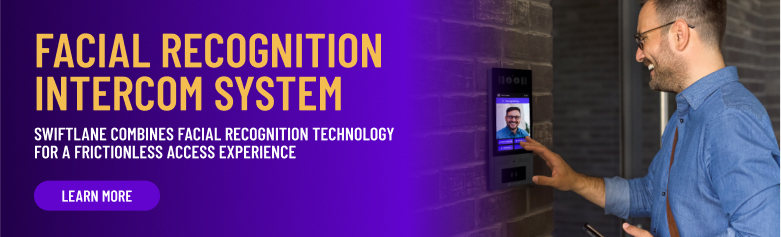
Get a keyless entry plan for your apartment building, or see how Swiftlane can support your doors, gates, elevators, amenities, and visitor access.
FAQs
What is the best keyless entry system for apartments?
The best keyless entry system for most apartments is a cloud-managed access control system that supports mobile credentials, PINs, key fobs or cards, visitor access, and remote management. Larger buildings should also consider video intercom, elevator access, gate access, and package room access.
How much does apartment keyless entry cost?
Apartment keyless entry systems can range from a few hundred dollars for a basic keypad or smart lock to $5,000 to $30,000+ for a larger multifamily access control or video intercom system, depending on the number of doors, hardware, installation complexity, software, and integrations. The dedicated cost section below breaks down the major cost drivers and system types in more detail.
Can apartments require residents to use an app?
Some buildings use mobile apps as the primary access method, but property managers should provide reasonable backup options such as PINs, fobs, cards, or staff override. This supports residents without smartphones, dead phones, accessibility needs, or privacy concerns.
What happens if a resident’s phone dies?
A well-designed apartment keyless entry system includes backup access methods such as PIN codes, key fobs or cards, temporary credentials, front-desk override, or another approved fallback method.
Are key fobs considered keyless entry?
Yes. Key fobs and access cards are a common form of keyless entry because residents unlock doors without a metal key. That said, fobs can still be lost or shared, so many apartment buildings pair them with mobile access and cloud-based credential management.
Is facial recognition safe for apartments?
Facial recognition can be convenient, but it should be optional, privacy-forward, and supported by clear resident consent, data policies, and non-biometric alternatives. Property managers should also review local laws and requirements before adopting biometric access.
Can keyless entry work for gates, garages, and elevators?
Yes. Many apartment keyless entry systems can be configured for gates, parking garages, elevators, package rooms, and amenity spaces. The best setup depends on the property layout, existing hardware, integrations, and access policies.
How do property managers revoke access after move-out?
With a cloud-managed access control system, property managers can deactivate a resident’s mobile credential, PIN, fob, card, or visitor access directly from the admin dashboard. It’s faster and more secure than collecting physical keys or rekeying locks.
Can I upgrade my existing apartment building without replacing every door?
Often, yes. Many apartment keyless entry systems can be retrofitted using compatible existing wiring, electric strikes, or door hardware, reducing installation costs and disruption. The exact upgrade path depends on your building’s infrastructure, so a site assessment can determine which components can be reused and whether a phased rollout makes sense.
Do apartment keyless entry systems work during power or internet outages?
They can, but it depends on the system design. Many modern platforms support features such as battery backup, backup power for controllers, offline access modes, cellular failover, or mechanical overrides to help maintain access during outages. Before choosing a system, ask vendors how it handles power loss, internet disruptions, and emergency egress requirements for your property.
Contact Swiftlane for a Quote and Consultation
Contact us for a free quote of our keyless entry system for apartments


