
Amenity Booking for Apartments
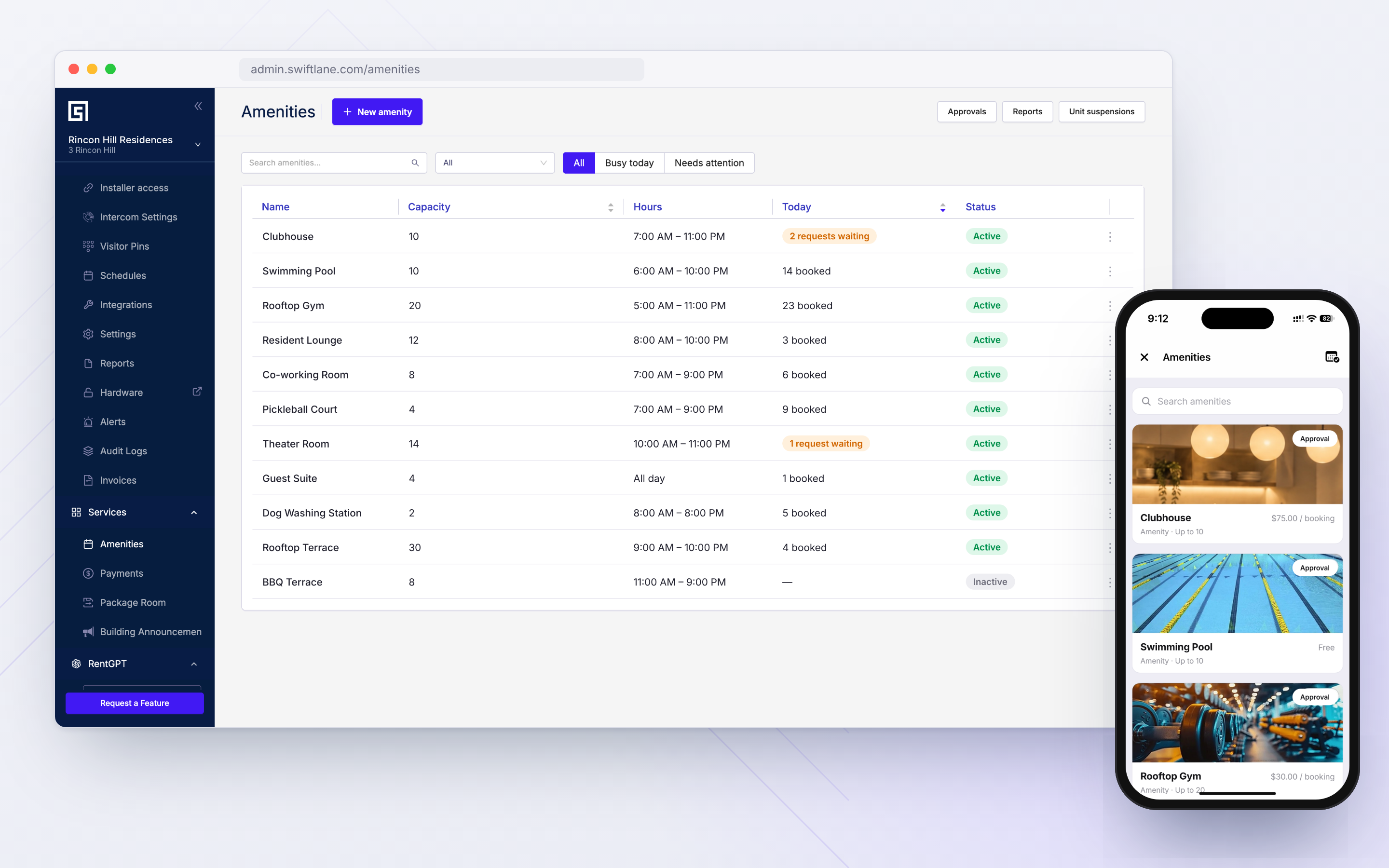
Every Amenity, Managed From One Dashboard
Replace spreadsheets, front-desk calendars, and back-and-forth calls with one amenity booking system for multifamily properties.
- Property managers set booking rules, fees, and access windows for every amenity – free or paid.
- Residents check availability, book amenities like clubrooms or the spa, and enter using their preferred entry method. Guests enter using time-limited PINs.
- Owners track amenity usage and revenue to plan future amenity investments.
Works within your existing Swiftlane dashboard and mobile app – no new login required.
Trusted by 8 of the Top 10 Property Management Teams

















































Every Amenity Booking Means Another Spreadsheet Update
The front desk is the booking hotline
Constant back and forth between residents and the reception consumes staff time. The day is spent answering availability questions for club houses or fitness centers instead of running the building.
Bookings overlap across disconnected systems
Delays in updating spreadsheets and front-desk calendars make it hard to track availability in real time. Two residents end up double-booked for the same slot.
Residents can’t tell what’s open or what it costs
A resident planning a Saturday birthday party has no way to see if the club room is available, whether there's a fee, or what the cancellation policy is until someone at the desk gets back to them.
Payments create additional administrative work
Offline collections, separate confirmations, and lost receipts make it harder to track payments against individual bookings.
Every guest requires a separate entry
When access isn't linked to a reservation, staff must provide access individually for every guest.
No visibility into amenity performance
Without usage and revenue data, property teams struggle to understand demand and identify underused amenities.
Set Up Amenity Booking at Your Property in Minutes
Manage amenities at any Swiftlane property in three simple steps.

How Amenity Booking Works
- 01.
Set Up An Amenity
Create amenities like pool, gym, clubhouse, or rooftop in the Swiftlane dashboard. Configure availability, pricing, booking rules, approval requirements, and access settings.
- 02.
Let Residents Book
Residents browse available amenities, select an open time slot, review the booking terms, and pay where required.
- 03.
Automate Guest Access
Post confirmation, Swiftlane automatically issues PINs for registered guests, allowing them to enter during the reserved time without a separate access handoff.
Amenity Booking, Payments, and Door Access Live In One Place
Swiftlane connects amenity reservations, payments, and access permissions through the mobile app and dashboard your property already uses.
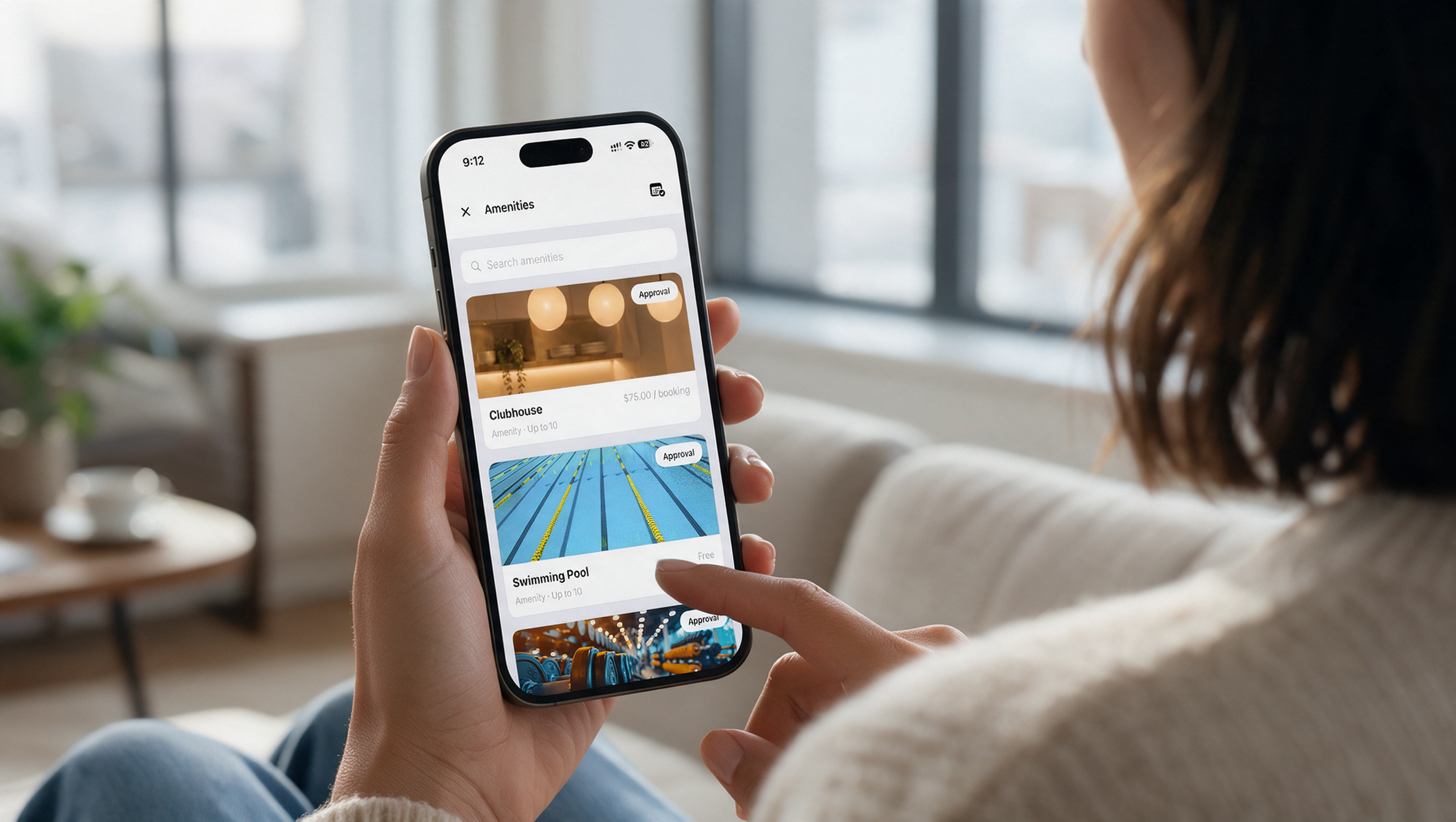
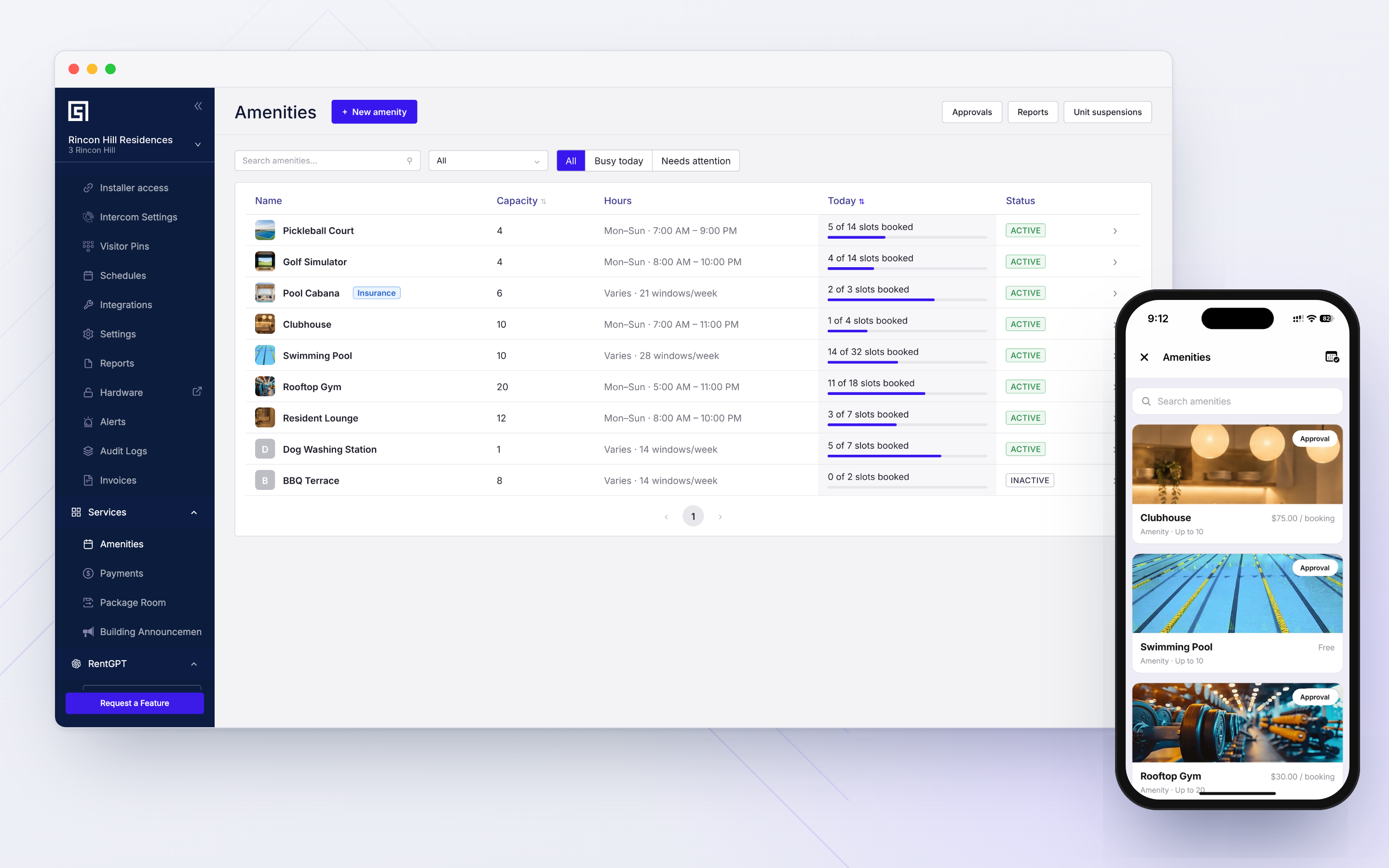
Residents can find slots for clubhouses, co-working rooms, fitness centers, and other amenities, check if they are free or paid, and book directly from the mobile app.
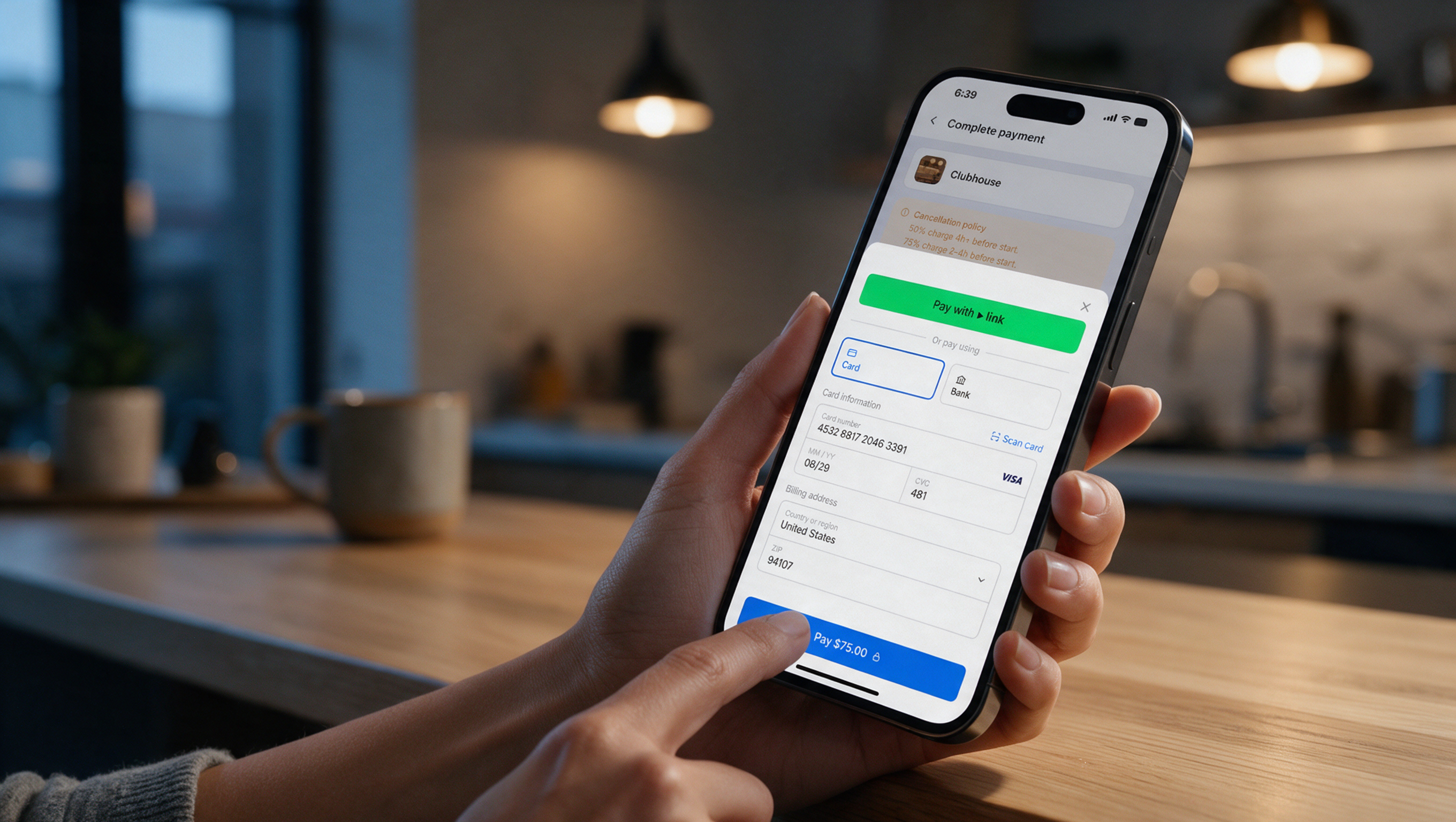
For paid amenities, like golf simulators and pool cabanas, residents pay for themselves and their guests within the app. No separate follow-ups needed.
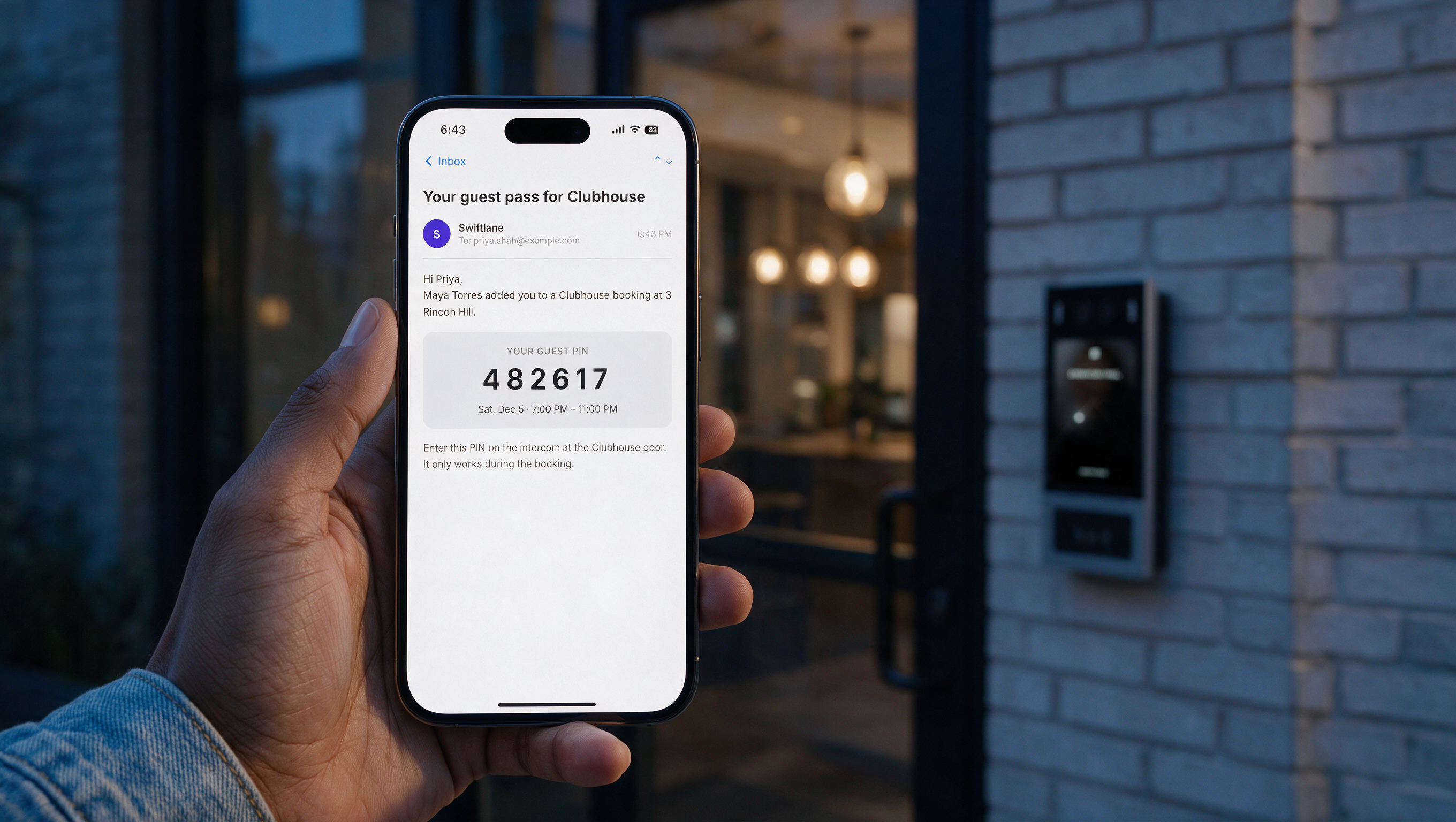
Once the club room is booked for a party, Swiftlane sends each registered guest their own PIN. Residents enter with their preferred method. When the slot ends, guest access ends too.
A Better Amenity Booking Experience for Everyone
Already on Swiftlane? Connect with your account manager to enable amenity booking on your property.
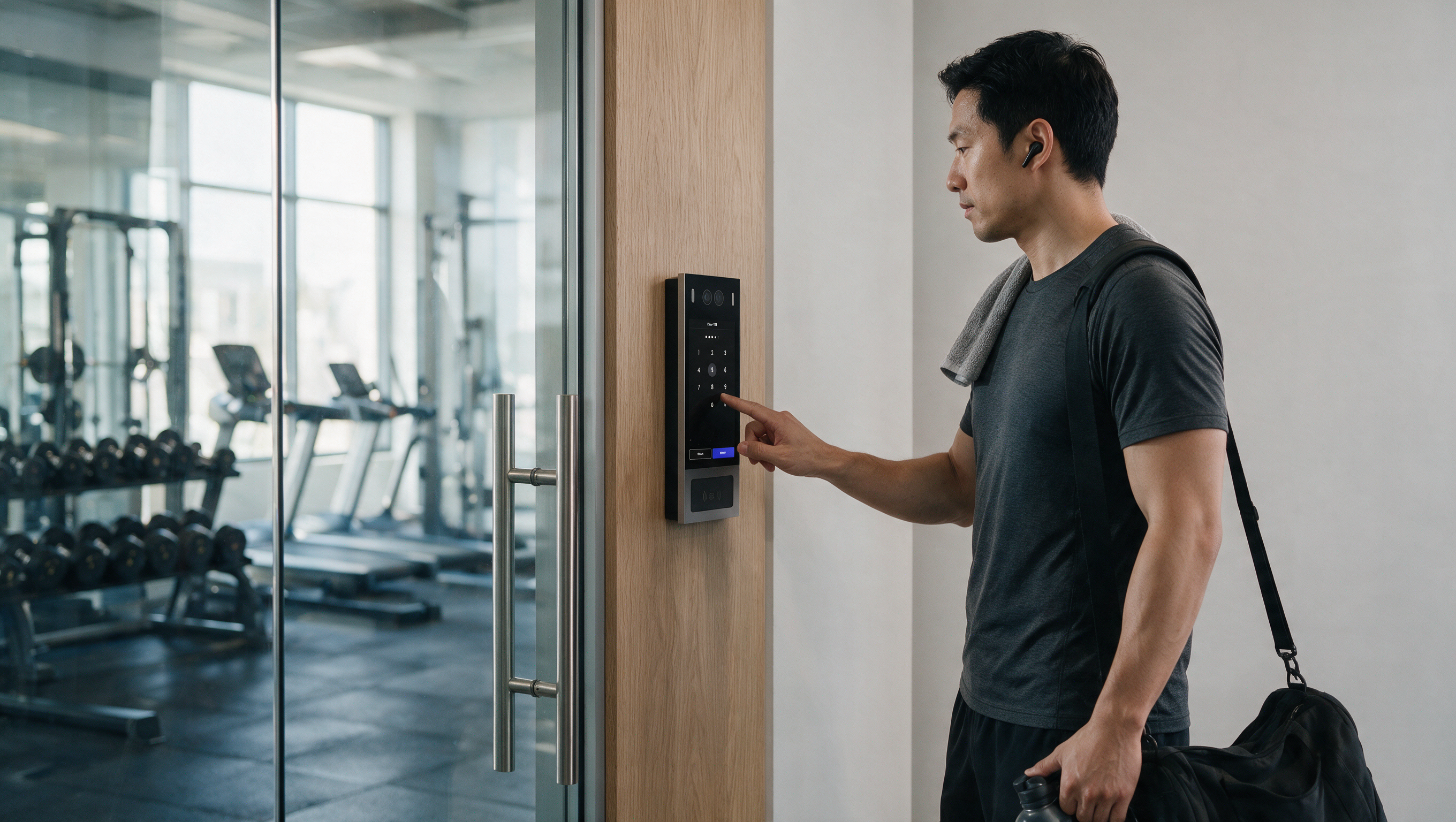
• Browse amenities, check real-time availability, and if they are free or paid. • See pricing, rules, and cancellation policies before booking. • Pay directly through the Swiftlane app. • Add guests by email and provide them with a time-limited PIN.
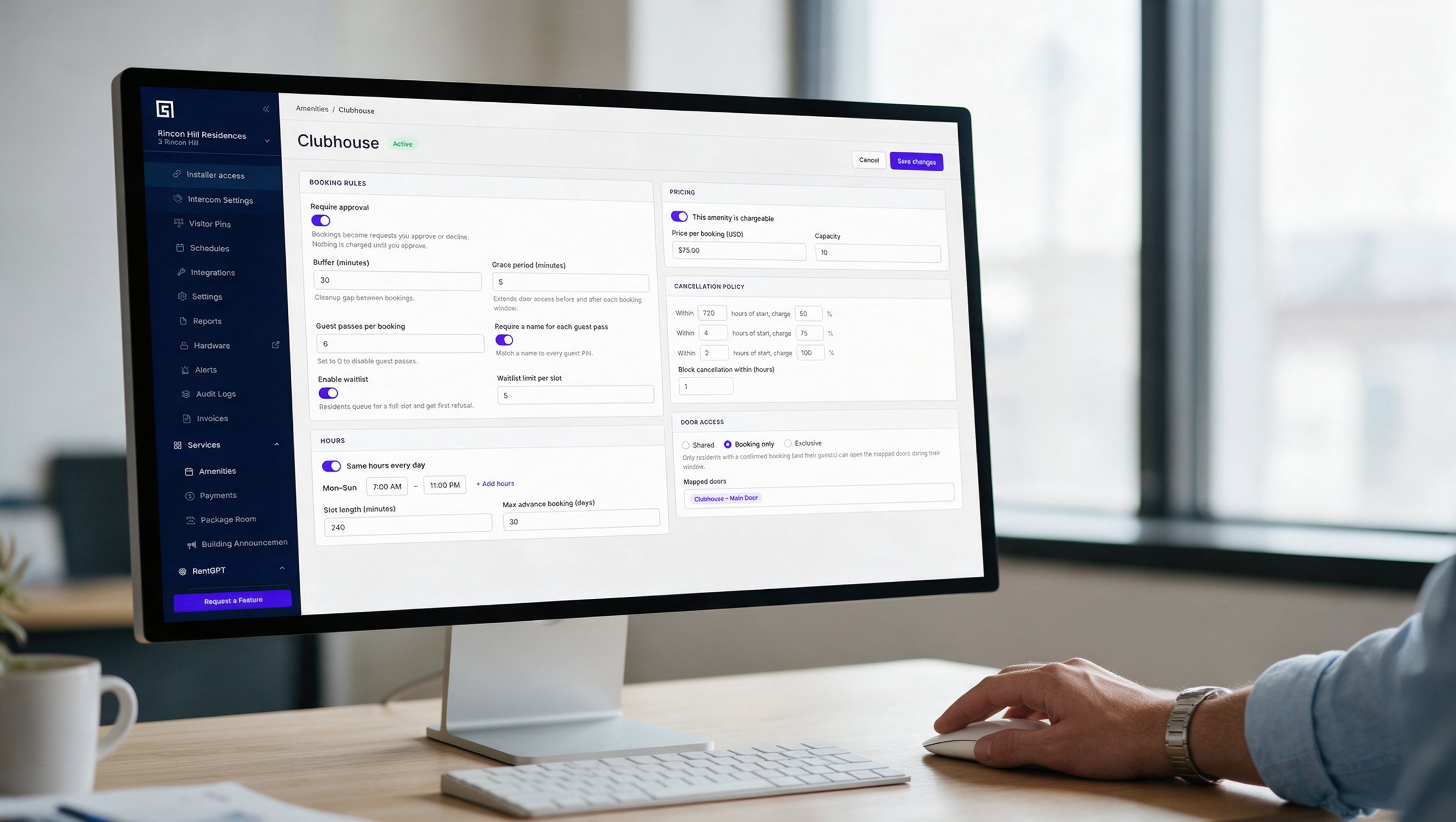
• Create amenities and configure their booking rules. • Manage approvals, cancellations, and booking changes remotely. • Set pricing, waitlists, cleanup buffers, and access restrictions. • Track booking activity without maintaining spreadsheets, paper trails, or calendars.
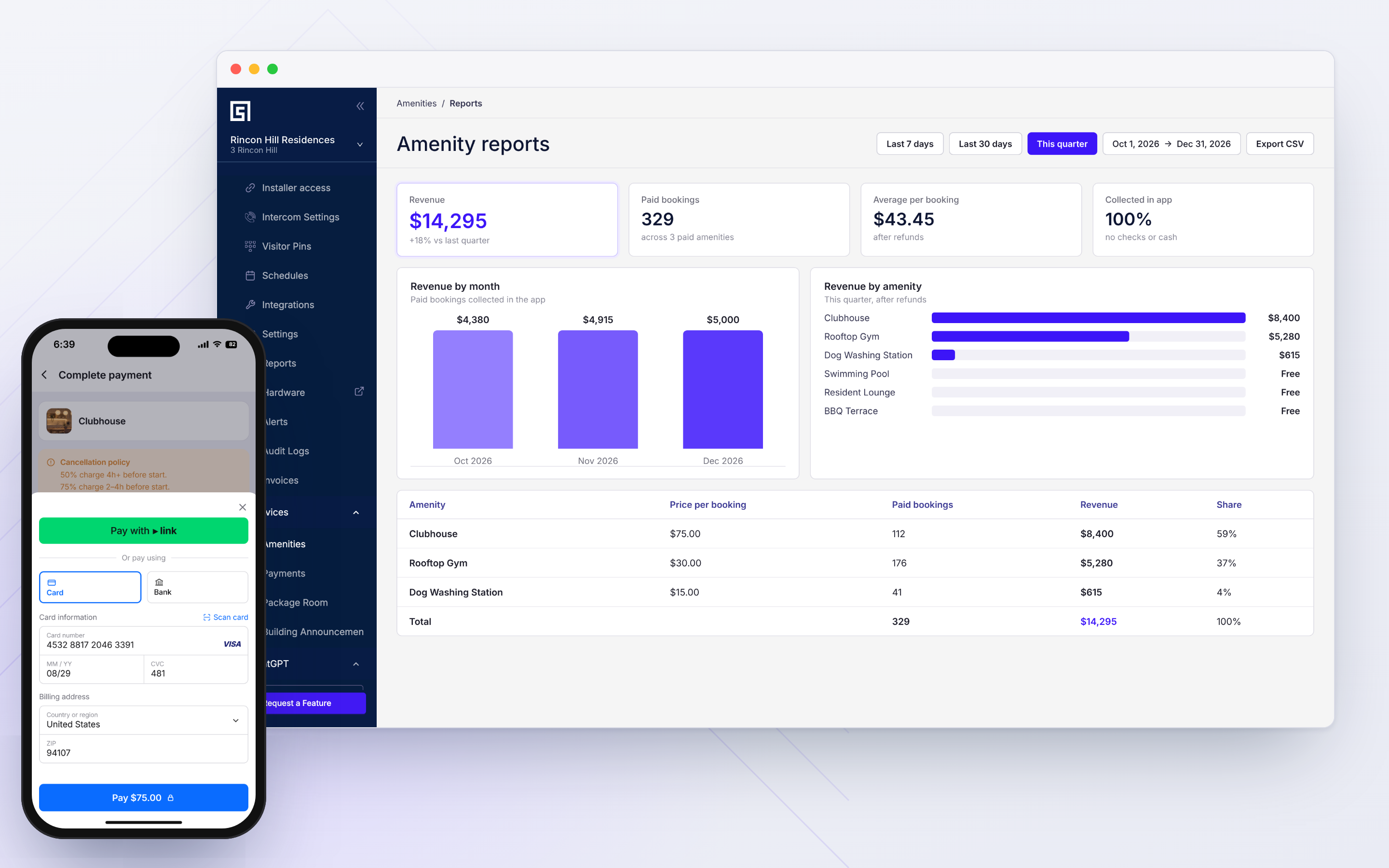
• Track utilization, unmet demand, cancellations, and revenue per amenity. • Monitor collections, deposits, and refunds in the dashboard you already use. • Maintain centralized booking and payment records for reporting and dispute resolution.
Get More Control Over Every Amenity
- Real-Time Availability Status
Booking changes sync across the property, preventing overlapping reservations and keeping availability accurate.
- Configure Amenities as Free, Paid, or Approval-Required
Every amenity’s status is independent so you can run each as required across the building.
- Booking-Based Access
Issue individual PINs to registered guests, with access limited to the reservation window.
- Rules and Approvals, Set Your Way
Configure approval requirements, per-slot waitlists, cancellation policies, and cleanup buffers for individual amenities.
- Usage and Revenue Reporting
Monitor amenity utilization, unmet demand, cancellations, and revenue through dashboard reports.
Collect Revenue Without the Reconciliation Hassle
Choose how your property collects and manages amenity booking payments.
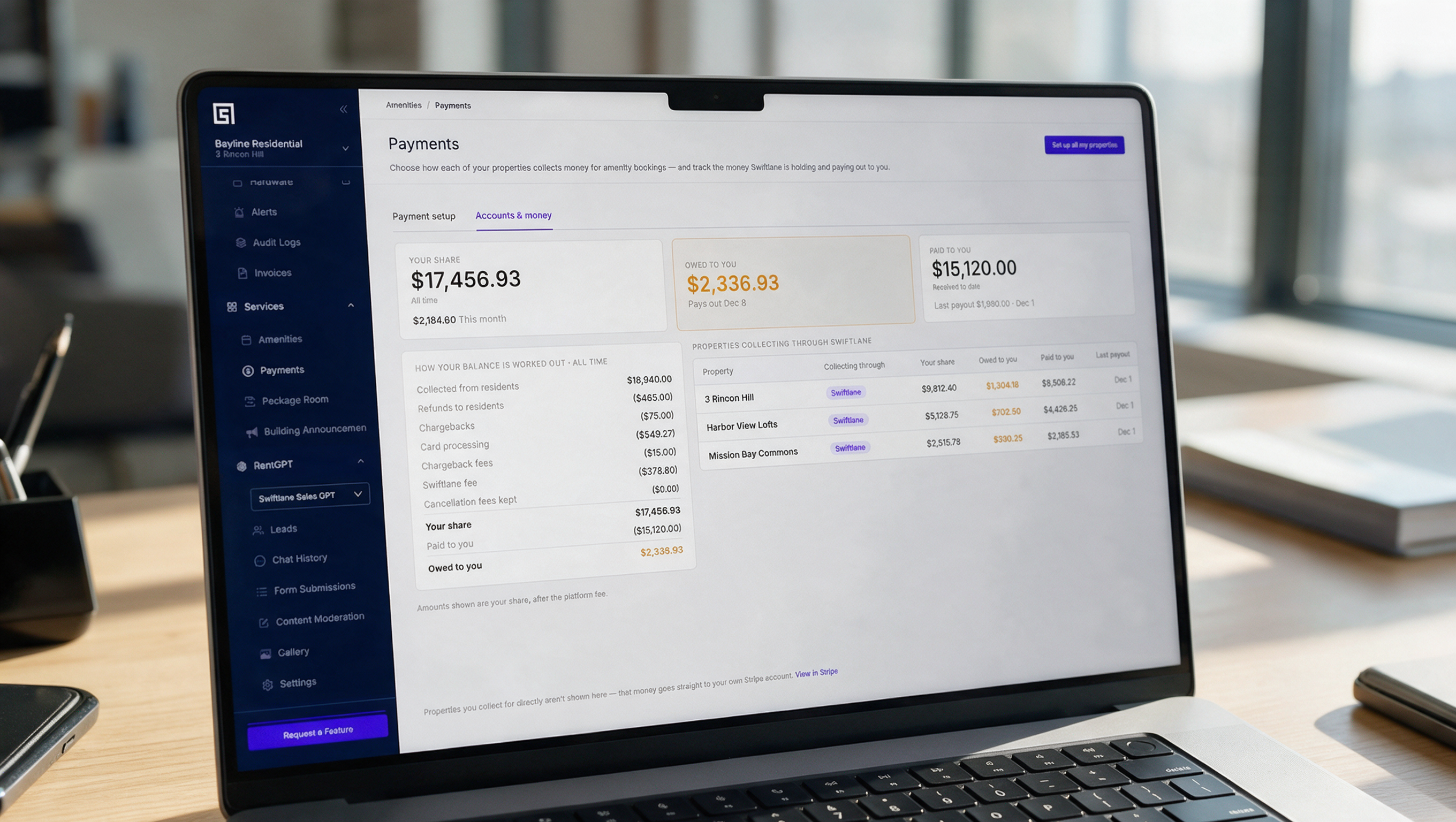
Connect Your Own Stripe Account Use one Stripe account across your portfolio or configure separate accounts for individual properties. Payments go directly to the designated account.
Let Swiftlane Manage CollectionsHave Swiftlane collect booking payments on your property's behalf and reconcile them with your property's account, without setting up your own Stripe account.
Keep Every Transaction ConnectedTrack payment status against bookings, manage deposits and refunds, and view collection reports from one place.


Ready to Take Amenities off the Spreadsheet?
Give residents a straightforward way to book shared spaces and give your property team a better way to manage them. See how Swiftlane’s amenity booking can work for your property.
Frequently Asked Questions
Do I need a Stripe account to collect booking payment?
No. You can let Swiftlane collect payments and reconcile them to the property's account, or connect your own Stripe account – one for the whole portfolio or a separate one per site.
Does this require Swiftlane access control to already be installed?
Swiftlane’s amenity booking software issues access for each booked slot through the same Swiftlane system that manages your building's doors, so it's built to work alongside an existing Swiftlane deployment.
What happens if a resident cancels?
Cancellation charges are set per amenity: for example, a partial charge if someone cancels a few hours out, and a full charge closer to the start time. Residents see the policy before they book, not after.
Can a resident bring guests who aren't on the lease?
Yes. On a multi-seat booking, the resident adds guests by email, and each guest gets their own PIN via email that works for the length of the booked slot.
Can I offer both free and paid amenities?
Yes. Each amenity is configured independently as free, paid, or approval-required. A building can run a mix of all three.
Can I restrict who books an amenity?
Yes. Admins can suspend a specific unit from booking any amenity for a set period, or hide a single amenity from specific residents or units with Swiftlane’s amenity booking software.
Can I require approval before a booking is confirmed?
Yes. Configure approval requirements for individual amenities. You can require proof of insurance or a signed liability waiver where applicable.
What reports are available?
The dashboard provides reports on amenity utilization, unmet demand, cancellations, and revenue, along with booking records that can support audits and damage disputes.