

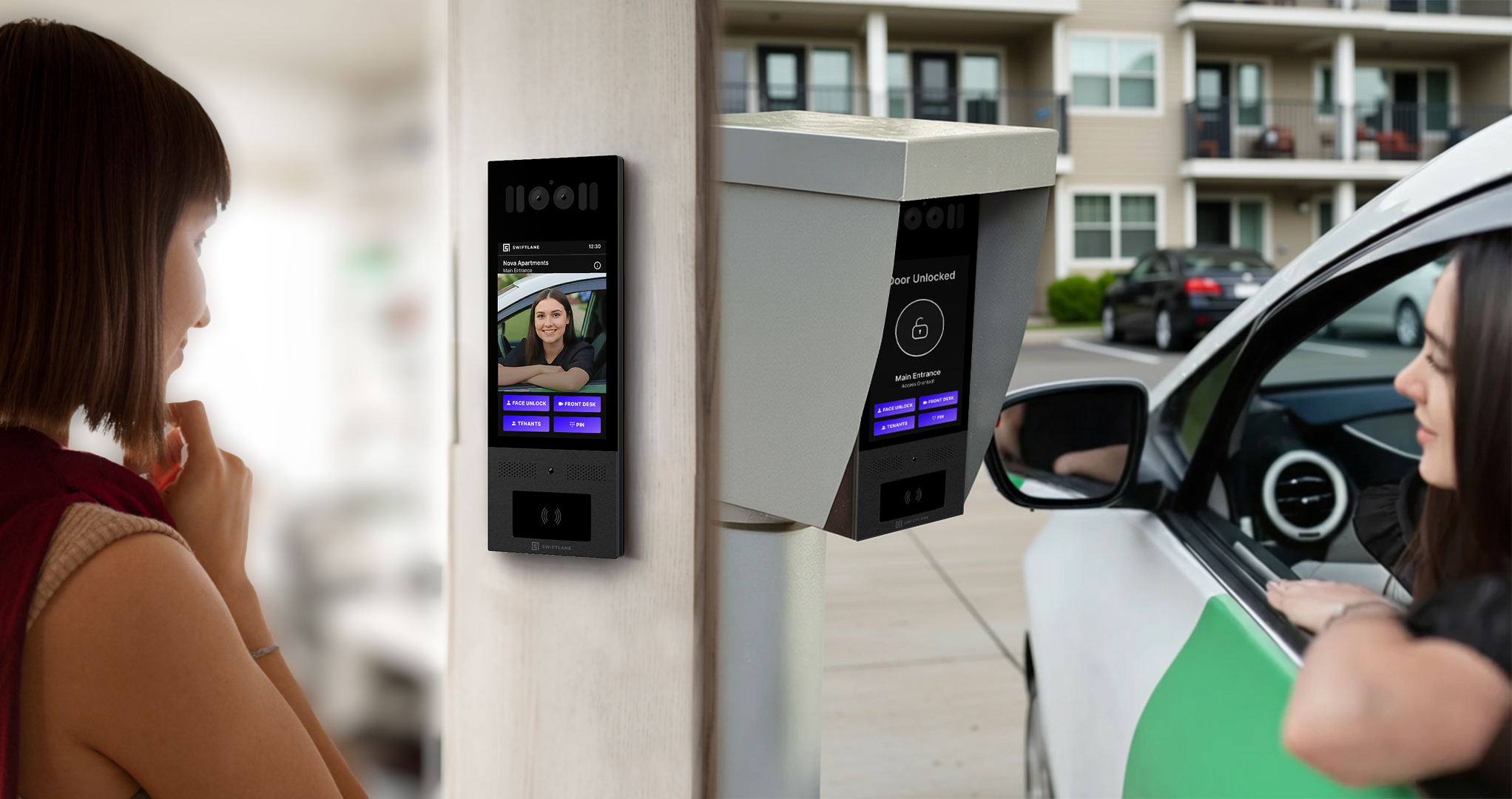
A gate intercom system lets visitors call a resident or staff member from a gate or entry point and be granted access remotely. It combines a call panel with a door or gate release, and can connect over WiFi, cellular, or existing building wiring.
Gate intercom systems have evolved far beyond legacy call boxes. Today, they help properties verify visitors, manage deliveries, reduce unauthorized access, and let staff or residents grant entry remotely.
For apartments, HOAs, commercial lots, and gated communities, the right system can improve security and daily operations. The wrong one can create delays, dropped calls, expensive trenching, or constant management headaches.
The Swiftlane team has seen these challenges firsthand through deployments across 3,000+ buildings annually in all 50 states. Across multifamily, gated residential, and commercial properties, the biggest issues may come down to infrastructure mismatches, unreliable connectivity, and systems that become difficult to manage over time.
This guide explains how gate intercom systems work, which type fits your property, what installation really costs, and how to avoid common buying mistakes.
Quick Decision: Which Gate Intercom System Fits Best?
Use this simple decision tree to narrow your options fast.
Is your gate far from the building or is Wi-Fi unreliable?
Choose cellular. It’s often the best starting point for remote gates, retrofit projects, and properties where network coverage at the entrance is inconsistent.
Do you already have strong Wi-Fi at the gate and want the lowest monthly cost?
Choose Wi-Fi. If signal strength is stable and the network is professionally managed, Wi-Fi can be a cost-effective option without recurring cellular fees.
Do you want maximum stability and can support trenching or conduit work?
Choose wired. Wired systems can offer the most consistent long-term performance and are a strong fit for new construction or sites with existing infrastructure.
Is trenching or running cable too expensive?
Choose wireless with cellular failover. This can lower installation costs while still giving you backup connectivity if the primary network goes down.
Does visitor verification matter?
Choose a gate intercom with camera. Video helps staff or residents confirm deliveries, guests, and unknown visitors before opening the gate.
Will multiple admins need to manage access?
Choose a cloud-managed system. Centralized dashboards make it easier to manage users, permissions, logs, and multiple entrances without on-site hardware.
Want help choosing the right setup for your gate and property type?
Fast Buyer Snapshot
| Property Type | Best Fit | Typical Cost Range | Install Requirements |
| Multifamily | Video + mobile app + cloud admin | $3,000 to $12,000+ | Power, network/cellular, gate integration |
| HOA / Residential Community | Cellular + keypad + guest access | $2,500 to $9,000+ | Power, mounting, signal check |
| Commercial Lot | Wired or cellular + audit logs | $4,000 to $15,000+ | Power, operator relay, access policies |
| Industrial Site | Ruggedized + multi-admin + credentials | $5,000 to $20,000+ | Power, long-range connectivity, weather planning |
Actual costs vary based on trenching, labor, wiring distance, gate operator compatibility, and software model.
How We Researched This
This guide is based on a structured review of how gate intercom systems are actually specified, installed, and operated across multifamily, HOA, and commercial properties.
- Evaluated common gate intercom system deployment models (cellular, Wi-Fi, wired) across retrofit and new construction scenarios
- Reviewed real-world installation constraints including power availability, trenching requirements, and gate operator integration limits
- Analyzed buyer decision factors from property management workflows, including visitor handling, admin workload, and audit logging needs
- Cross-checked pricing structures (hardware, installation, and ongoing fees) to reflect total cost of ownership rather than just upfront cost
- Incorporated common failure points reported in field deployments, including signal dead zones, poor camera placement, and weak PIN management practices
- Verified connectivity and signal-reliability claims against neutral third-party references, including FCC coverage data, carrier coverage disclaimers, and established network site-survey standards, rather than relying on vendor marketing claims.
This approach prioritizes how gate intercom systems perform in real operational environments, not just how they’re marketed.
Table of Contents
- Gate Intercom Systems: What They Are and What They Are Not
- How Gate Intercom Systems Work
- Wi-Fi Gate Intercom vs Cellular Gate Intercom vs Wired: How to Choose Connectivity
- Wireless Gate Intercom Systems: What “Wireless” Actually Means
- Gate Intercom Systems With Camera: When Video Matters
- Gate Intercom Keypad Systems: PINs, Directories, Visitor Workflows
- Must-Have Features Buyers Expect in 2026
- Installation and Infrastructure: What Your Property Must Support
- Cost Guide: Hardware, Installation, and Ongoing Fees
- Best Gate Intercom Systems by Property Type
- Buyer Checklist: Questions to Ask Vendors and Installers
- Swiftlane Fit: When Swiftlane Is the Right Choice
- Frequently Asked Questions
Related Posts
- Residential Gate Access Control Systems: A Complete 2026 Guide
- RFID Gate Access Control System: What Property Managers Should Know
- 7 Tips to Update Gate Access Control
Gate Intercom Systems: What They Are and What They Are Not
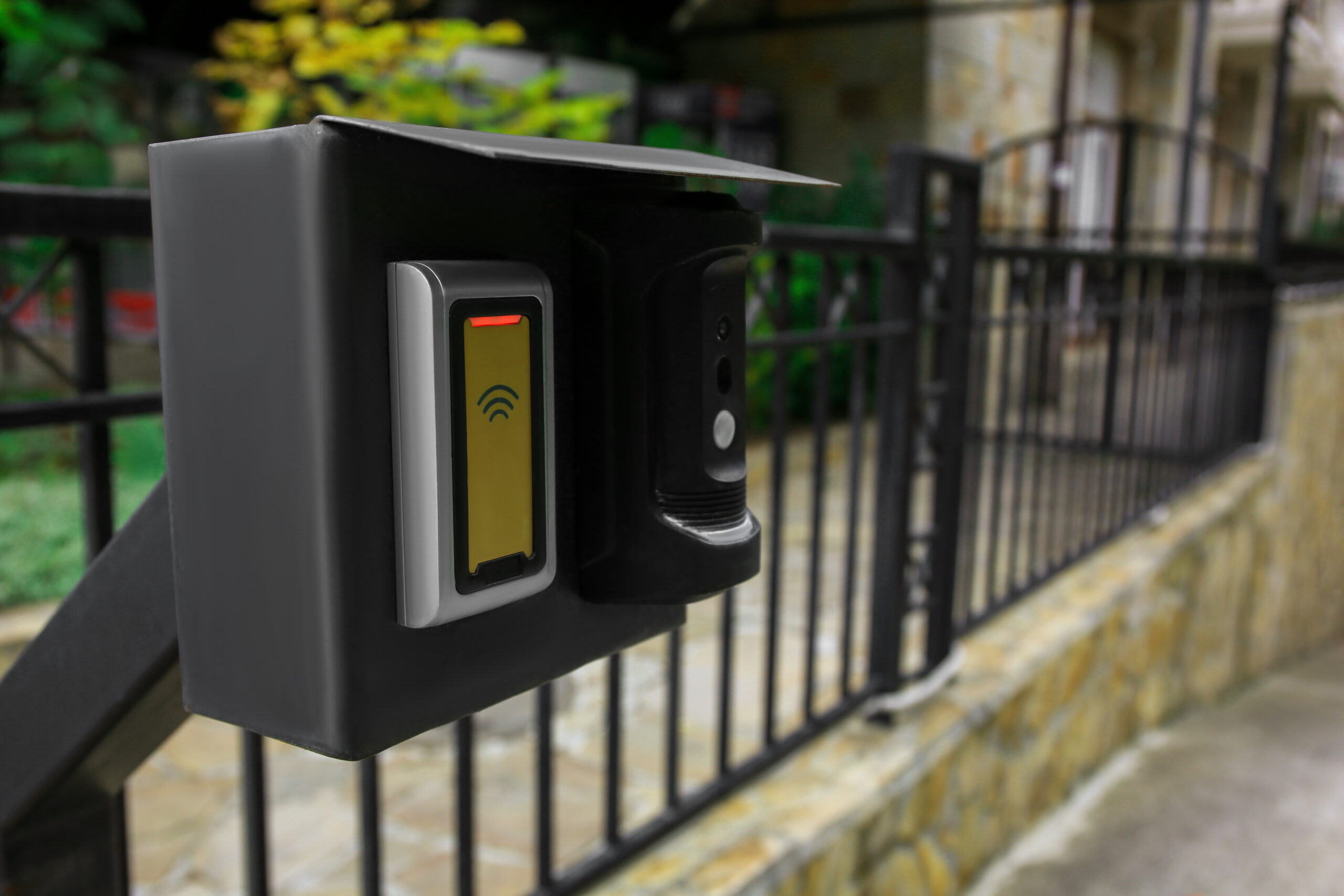
A gate intercom system lets visitors request entry at a gate, routes the request to a resident or staff member by phone, mobile app, or desk station, and triggers the gate operator when access is granted. It’s the communication and approval layer at the entrance, not the gate motor itself.
Gate intercom systems are commonly installed at:
- Vehicle gates
- Pedestrian gates
- Driveways
- Parking garage entrances
- Private community entrances
Typical features may include:
- Call button or touchscreen directory
- Audio or video calling
- Mobile app or phone answering
- Keypad / PIN entry
- Credential access (fob, card, mobile credential)
- Remote gate release
- Entry activity logs
What It Is Not
A gate intercom isn’t the same as the gate operator, which is the mechanical equipment that physically opens and closes the gate. It’s also not automatically a full access control platform.
The intercom handles visitor communication and approval workflows. A broader gate access control system may also include:
- Gate operator hardware
- Credential readers
- Cameras and surveillance
- Time-based schedules
- Resident or tenant databases
- Door and elevator controls
- Centralized reporting across multiple entrances
This distinction matters because many properties try to solve larger operational problems with a basic call box. If the real issue is credential management, auditability, or multi-entry administration, upgrading only the intercom may not fix the root problem. Buyers should evaluate whether they need a standalone gate intercom or a larger access control platform that includes gate entry as one part of the system.
How Gate Intercom Systems Work
Most gate intercom systems follow the same basic workflow. What changes from one system to another is how calls are routed, how quickly users can respond, and how much administrative work is required to keep the system updated.
Visitor Initiates Access
A visitor arrives at the gate and requests entry. Common methods include:
- Searching a directory and selecting a resident or unit
- Entering a PIN or access code
- Pressing a call button on the intercom panel
This first step should be fast and intuitive, since slow entry workflows can create backups at busy gates.
Call Is Routed
Once a request is made, the system routes it to the appropriate person or team. Depending on the property setup, that may be:
- A resident’s phone or mobile app
- Front desk or leasing office staff
- On-site security personnel
- A centralized management office
Many modern systems support multiple routing paths at once, which helps prevent missed calls and delayed entry.
Verification and Access
The recipient verifies the visitor through audio, video, or existing context such as a guest list or scheduled delivery. If approved, they remotely trigger the gate to open.
What Changes in Modern Systems
The biggest differences today are routing flexibility, response speed, and visibility. Some systems route calls intelligently based on schedules or availability, while others still rely on fixed hardware or desk phones. Modern systems reduce on-site admin by moving directories, permissions, and logs into a cloud dashboard, so updates don’t require a technician visit. Real-time access logs and searchable audit trails also improve accountability and make it easier to manage multiple gates or properties from one platform.
Wi-Fi Gate Intercom vs Cellular Gate Intercom vs Wired: How to Choose Connectivity
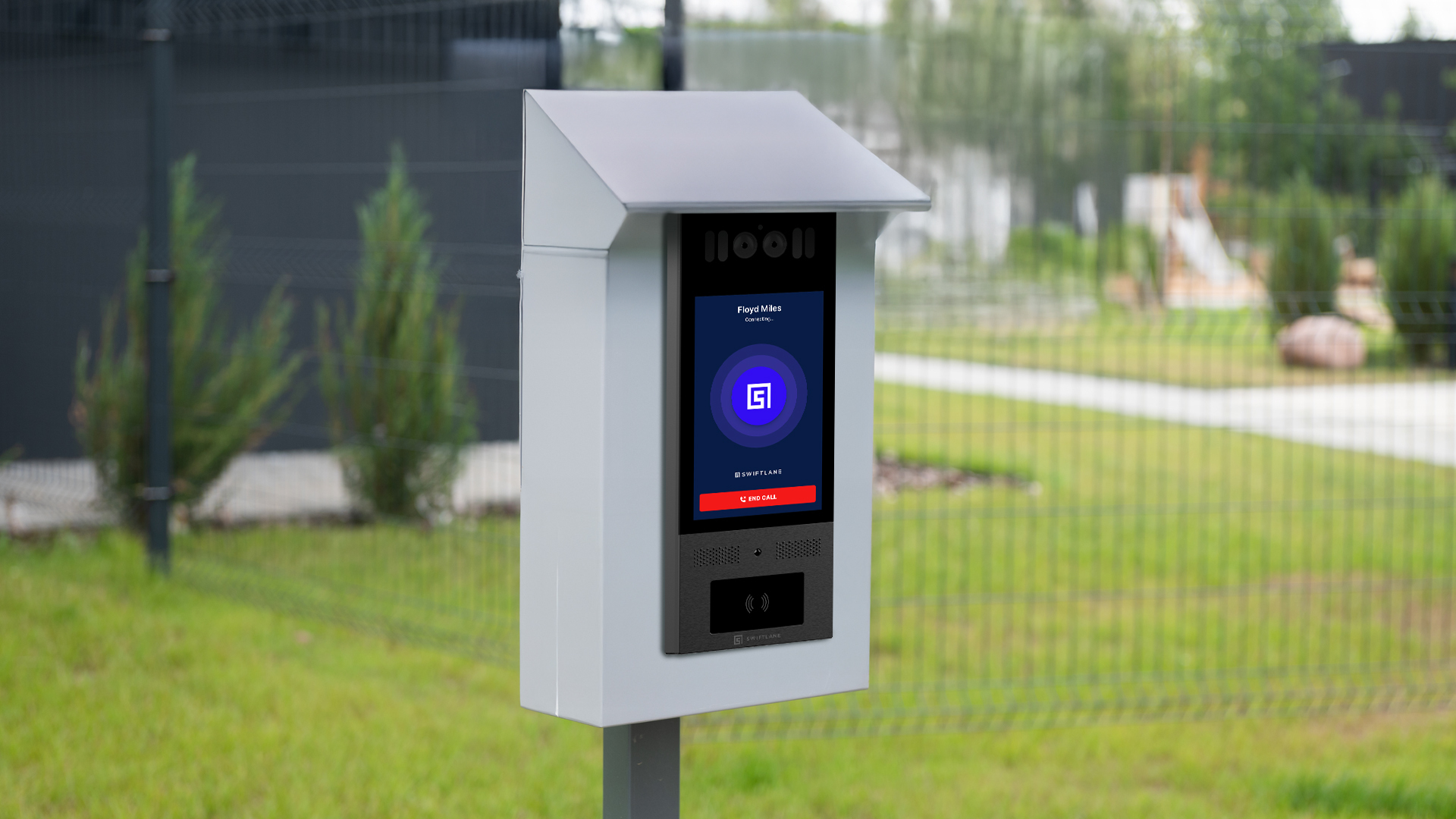
Choosing between a Wi-Fi gate intercom, cellular gate intercom, and wired/PoE gate intercom should start with the site conditions at the gate, not the hardware brochure. The right connection depends on distance from the building network, trenching feasibility, verified outdoor signal quality, carrier coverage, and how much downtime the property can tolerate.
Choosing the wrong connectivity model causes many gate intercom projects to underperform. A system can have great features and still fail if the network at the gate is unreliable or too expensive to build out.
Connectivity Comparison Matrix
| Type | Best For | Main Advantage | Common Failure Mode | Typical Tradeoff |
| Cellular/LTE/5G | Remote gates, retrofits, long driveways, sites where trenching/network buildout is expensive | Avoids relying on site Wi-Fi or long network cable runs | Weak carrier signal, dead zones, congestion, terrain/enclosure interference | Monthly data/service cost; carrier dependency |
| Wi-Fi | Gates near buildings or managed outdoor APs with verified signal quality | Can use existing network and reduce recurring cellular costs | Poor outdoor range, interference, dropouts, unmanaged consumer-grade Wi-Fi | Requires proven signal quality and network ownership |
| Wired/PoE/Ethernet | New construction, existing conduit, high-traffic/video heavy entrances | Most predictable long-term connectivity when infrastructure is feasible | High trenching/cabling; damaged/blocked conduit | Higher upfront installation complexity |
What to Verify Before Choosing Each Type
Before committing to cellular, confirm carrier coverage at the exact gate location with an onsite signal test, not just a coverage-map check, and account for enclosure placement, terrain, and whether a backup or monitoring plan is needed.
For Wi-Fi, run an outdoor RF survey at the panel location itself, checking RSSI/SNR and throughput, congestion, and interference, along with proper access-point placement and weatherproofing.
For wired or PoE, verify the conduit path and cabling distance, confirm the switch/PoE budget can support the install, and check for surge protection and installer scope before committing to trenching.
Cellular Gate Intercom Systems
Cellular systems use LTE or 5G connectivity instead of depending on the property’s local network. A cellular gate intercom can be a strong fit for remote gates, long driveways, retrofit projects, or properties where trenching network cable is expensive, but it is not automatically more reliable in every location.
Before choosing cellular, verify LTE/5G coverage at the exact gate location, account for terrain and enclosure placement, and confirm the carrier path can support the system’s calling/video requirements
Best For
- Remote gates
- Long driveways
- HOA entrances
- Sites without strong network
- Infrastructure
- Retrofit projects
Strengths
- Fast deployment
- No trenching for data lines in many cases
- Independent of local Wi-Fi outages
Watchouts
- Monthly service fees
- Carrier signal quality matters
- Metal enclosures, walls, or terrain can weaken reception
- Coverage dead zones can create inconsistent performance
Wi-Fi Gate Intercom Systems
Wi-Fi systems connect through the property’s wireless network. A Wi-Fi gate intercom can work well when the gate is close to a properly managed outdoor access point, and the signal has been verified at the panel location. The risk is assuming indoor or clubhouse Wi-Fi will perform at a perimeter gate without an RF check.
Best For
- Gates close to buildings
- Strong enterprise Wi-Fi environments
- Smaller properties
Strengths
- Lower recurring connectivity costs
- Can use existing network
Watchouts
- Weak signal at gates is common
- Congestion and dropouts can hurt call quality
- Consumer Wi-Fi setups often underperform outdoors
- Range limits are frequently underestimated
Wired Gate Intercom Systems
Wired systems use Ethernet or low-voltage cabling. Wired or PoE is often the most predictable option when the infrastructure is feasible. A strong fit for new construction, planned conduit, high-traffic gates, or sites with strict uptime needs. The higher upfront installation cost can be worth it when the gate is critical infrastructure, and a hybrid setup can pair wired internet with cellular backup.
Best For
- New construction
- Existing conduit runs
- High-traffic sites needing maximum consistency
Strengths
- Stable connectivity
- Lower recurring fees
- Strong performance for video
Watchouts
- Higher install cost if trenching is needed
- Longer deployment timeline
- Damaged or blocked conduit can add unexpected cost
Do You Need Cellular?
If you can’t prove stable Wi-Fi at the gate, consider cellular, wired, or a hybrid setup, then verify the final path onsite.
Outdoor LTE/5G performance can vary based on terrain, enclosure materials, carrier coverage (AT&T/T-Mobile/Verizon), and distance from nearby infrastructure, which is why on-site signal testing matters before deployment.
Carrier and FCC coverage maps are a useful starting point, but they model expected coverage rather than guarantee it at a specific gate. Use them as a planning input, then validate signal on-site before committing, using the FCC National Broadband Map alongside your carrier’s own coverage map.
Site Survey Checklist Before Choosing
Before finalizing a connectivity choice, verify the following at the gate itself:
- Test Wi-Fi signal at the exact mounting point, not in the leasing office or clubhouse
- Test cellular signal at the gate for the supported carrier(s)
- Confirm where power is coming from
- Confirm whether trenching or conduit already exists
- Ask what happens during an internet or cellular outage
- Ask whether local credentials — PINs, fobs, manual override — still work during an outage
- Ask about total recurring fees: software, cellular, and support
- Confirm who owns ongoing network troubleshooting: the property team, installer, or vendor
For Wi-Fi specifically, an outdoor RF survey — checking signal strength, interference, and access-point placement at the panel location — is the standard way network installers validate a site before relying on it for a gate, per Cisco’s WLAN site survey guidance.
If you’re still deciding between cellular gate intercom systems and Wi-Fi intercom systems, Swiftlane can help evaluate the right connectivity for your gate, building, and access-control workflow.
Wireless Gate Intercom Systems: What “Wireless” Actually Means
“Wireless gate intercom” is one of the most misunderstood terms in access control. Many buyers assume it means a fully self-contained system that installs without wiring or infrastructure work.
In gate intercoms, “wireless” means the system uses wireless data (cellular or Wi-Fi) to communicate, not that it installs without power or infrastructure.
In practice, wireless describes the communication method, not a zero-install setup. The system may avoid long network cable runs, but it still needs the basics to operate reliably.
Most wireless gate intercom systems still depend on core site requirements such as:
- Electrical power at the gate location
- A secure mounting point for outdoor hardware
- Internet connectivity or a cellular data connection
- Integration with the gate operator to trigger entry
So while wireless systems can reduce or eliminate long data cable runs between buildings and gates, they don’t remove the need for planning. Power and connectivity still determine whether the system performs well day-to-day.
A quick site check for power, signal strength, and gate compatibility should always come before product selection. Wireless reduces complexity, but it doesn’t replace infrastructure planning.
Gate Intercom Systems With Camera: When Video Matters
A gate intercom with camera is often worth the upgrade because it changes how access decisions are made. Audio alone forces guesswork. Video adds context, which reduces mistakes and speeds up approvals.
For properties with frequent visitors or vehicle traffic, that difference often shows up in fewer delays, better accountability, and smoother entry operations.
Useful for:
Video-enabled gate intercom systems are especially helpful in situations where identity matters, or traffic is unpredictable:
- Delivery drivers arriving during busy hours
- Rideshare pickups where names and timing can vary
- Unknown or first-time visitors
- Tailgating concerns at vehicle gates
- Remote property teams managing access off-site
In each case, visual confirmation helps staff or residents make faster, more consistent decisions.
What Matters More Than Megapixels
At gate entrances, image quality isn’t just about resolution. Many systems underperform because they’re not designed for outdoor conditions.
Focus on practical camera performance:
- Wide Dynamic Range (WDR): Helps balance bright sunlight and deep shadows, especially when vehicles approach from a sunny street into a shaded gate lane.
- Strong Night Performance: Clear low-light visibility matters for evening traffic, winter hours, and poorly lit entrances.
- Proper Placement Height and Angle: The camera should capture the driver window area without glare, obstructions, or awkward upward angles.
- Smooth motion handling for moving vehicles
- Weather resistance for year-round outdoor use
A high-resolution camera with poor placement will still produce weak results.
Vehicle Camera Placement Tips
For vehicle lanes, placement should be deliberate. The goal is clear identification at the point of decision.
A properly placed camera should capture:
- Driver face area through the window
- Front seat visibility for context
- Plate area if license plate recognition is used
- Lighting changes across day and night conditions
Small angle adjustments can improve recognition and reduce false approvals.
Privacy and Signage
If cameras are used at entrances, clear signage is often a smart operational practice. It helps set expectations for visitors and residents while reinforcing that the gate area is monitored. Properties should also define who can access footage and how long recordings are retained.
Gate Intercom Keypad Systems: PINs, Directories, Visitor Workflows
Keypad systems remain one of the most common gate entry setups because they’re familiar, straightforward, and easy for visitors to understand. For many properties, a keypad still handles daily access needs without requiring every user to download an app or carry a credential. The real issue isn’t the keypad itself. It’s how PINs are managed over time.
They Allow:
Most gate intercom keypad systems support practical workflows such as:
- PIN codes for residents or authorized users
- Temporary guest codes for visitors
- Delivery access windows with time-limited entry
- Directory calling so guests can contact a resident or office
- Vendor or contractor codes for recurring service access
This flexibility makes keypad systems popular for apartments, HOAs, and front gate entrances with regular visitor traffic.
Best Practices
A keypad system is only as secure as the policies behind it. Many access issues come from weak PIN management rather than weak hardware.
Use these best practices:
- Avoid shared permanent PINs across multiple households or staff members
- Rotate long-term PINs periodically
- Set guest and vendor codes to expire automatically after use or after a defined time window
- Review audit logs regularly to see which codes were used and when
- Remove former residents, employees, or vendors quickly
- Use unique codes for recurring service providers
- Change default or installer-set admin codes immediately
These steps reduce unauthorized access and make incidents easier to investigate.
PIN Risks + Mitigations
Common keypad risks include code sharing, forgotten old users, and static PINs that stay active for years. The best mitigations are time-bound PINs, scheduled code rotation, and searchable audit logs tied to specific users.
Red Flag
The vendor can’t show you how PINs are created, expired, and audited.
If that workflow is unclear, the property may end up relying on shared codes and manual spreadsheets. For most sites, the better approach is unique user PINs, short-term guest credentials, and clear access records. A keypad can still be highly effective in 2026, but only if it’s actively managed.
Must-Have Features Buyers Expect in 2026
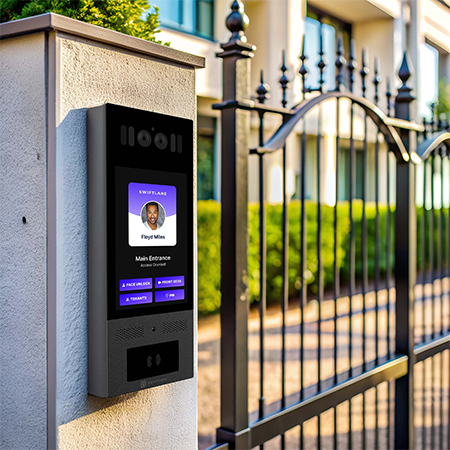
Not every feature carries the same weight. Some capabilities directly improve operations, security, and resident experience. Others are useful upgrades but not essential for every property. The best buying decisions come from matching features to outcomes, not chasing the longest spec sheet.
Must-Have Features
These features can deliver the biggest day-to-day value.
- Mobile answering via app or phone — Improves visitor throughput by letting residents or staff respond from anywhere.
- Cloud management dashboard — Reduces admin time by making updates, permissions, and directories easier to manage.
- Audit logs — Improves security and accountability by showing who accessed the gate and when.
- Multiple credential types — Supports convenience with mobile access, PINs, fobs, or cards for different user groups.
- Temporary guest access — Speeds up visitor entry while reducing the need for manual approvals.
- Role-based admin permissions — Improves control by limiting who can change users, schedules, or settings.
- Remote unlock controls — Helps staff handle deliveries, vendors, and after-hours access without traveling to the gate.
- Cybersecurity basics — Encrypted traffic, secure admin access, and modern authentication practices help reduce exposure to common web and credential attacks identified in frameworks like the OWASP Top 10.
Nice-to-Have Features
These can add value depending on property type and complexity.
- Video calling — Strongly recommended for higher-security sites or frequent visitor traffic.
- Scheduled access rules — Useful for vendors, cleaners, shift workers, or recurring deliveries.
- Multi-property management — Valuable for portfolios managing multiple communities or sites.
- Integrations with doors, elevators, cameras, and access systems — Helpful when gate entry is part of a broader building security strategy.
How to Prioritize
If your biggest pain point is admin workload, prioritize cloud tools and permissions management. If traffic backups are the issue, focus on mobile answering and guest workflows. If security is the concern, prioritize logs, video, and stronger access controls.
Installation and Infrastructure: What Your Property Must Support
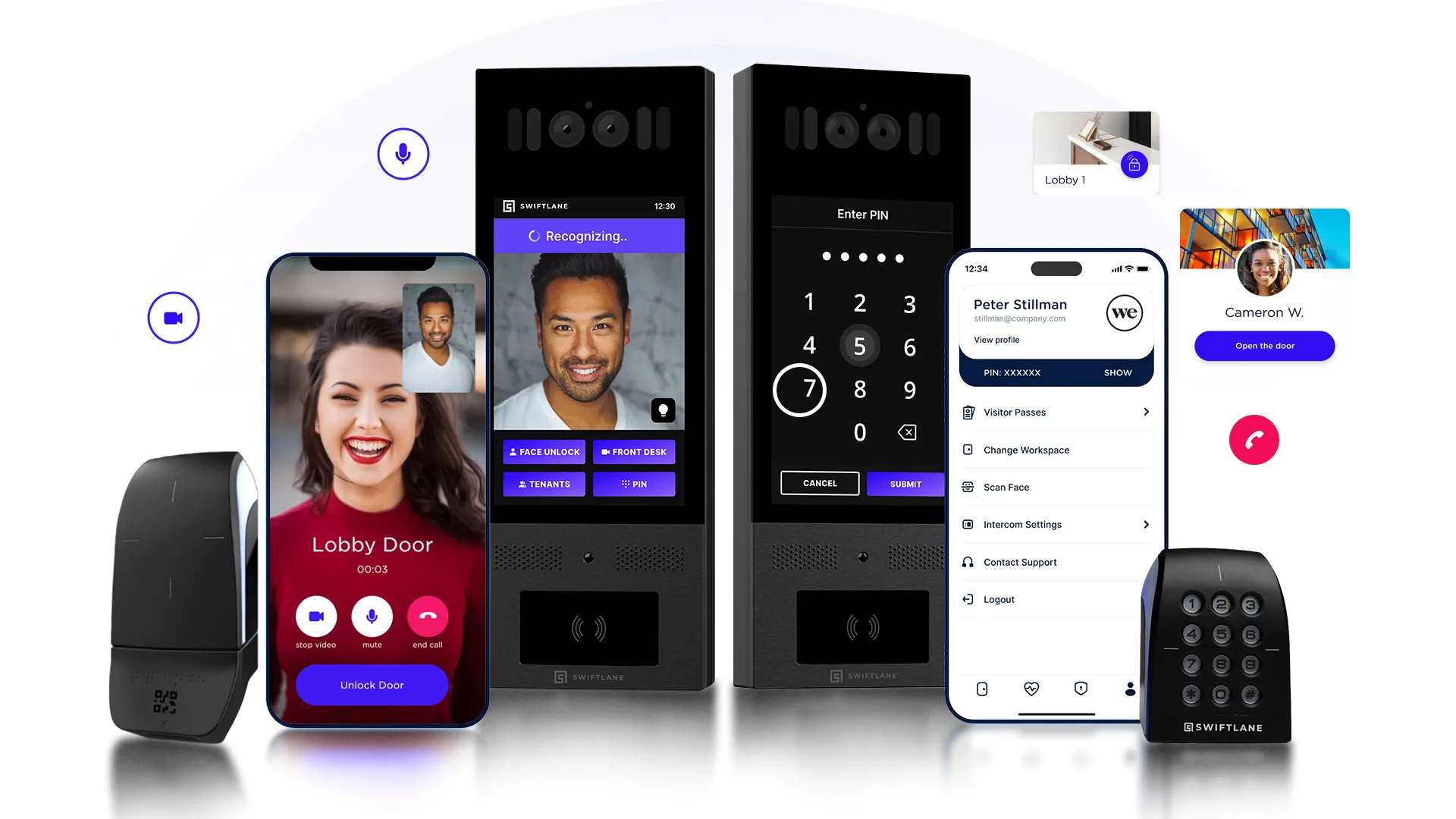
Many gate intercom projects run into trouble before the hardware is even mounted. The issue may not be the product itself. It’s incomplete site validation. Buyers choose a system first, then discover weak signal, missing power, incompatible gate controls, or unexpected trenching costs. A short pre-install review prevents most of these problems.
Required Checks
Every property should confirm a few basics before approving equipment or signing an install quote.
Power
Start with power. Is stable electrical service available at the gate location? If not, the project may require new circuits, trenching, solar options, or battery backup planning. Power gaps can quickly change both cost and timeline.
Connectivity
Confirm what’s realistically available at the gate. See the site survey checklist above for the full verification steps. Don’t assume signal quality based on the main building: gate locations are often farther away and more exposed to interference.
Gate Operator Integration
The intercom must safely communicate with the gate operator. Confirm relay compatibility, opening logic, safety devices, and whether any legacy hardware needs replacement.
Automated vehicle gates should also be evaluated against common industry safety standards such as UL 325 for gate operator safety and ASTM F2200 for automated gate construction requirements, especially in commercial and multifamily environments.
Compatibility
Before purchase, confirm gate operator compatibility, including relay type and interface requirements. A mismatch here is one of the most common reasons installations stall or require unexpected rework.
Physical Conditions
Outdoor hardware performance depends heavily on placement and environment:
- Direct sun exposure
- Rain and drainage
- Vehicle impact risk
- Mounting height and visibility
- ADA considerations where applicable: for public-facing or multifamily properties, mounting height, reach range, and keypad operability may also need to align with ADA accessibility requirements
Good placement improves reliability and reduces long-term maintenance issues.
Conduit / Wiring
Existing conduit can reduce labor costs. If conduit is damaged, blocked, or missing, installation becomes more complex and expensive.
Outage Behavior
This is often overlooked but critical. See the site survey checklist above for the specific questions to ask. Clear answers here prevent security gaps or lockout situations.
Installer Scope Checklist
Your quote should clearly define:
- Hardware included
- Mounting hardware
- Wiring distance assumptions
- Trenching assumptions
- Power work responsibility
- Carrier setup (if cellular)
- Gate operator integration
- Software onboarding
- Training
- Warranty and support
A well-defined scope reduces change orders and avoids disputes after installation begins.
Not sure what your site needs? We’ll scope it. Get a quote now.
Cost Guide: Hardware, Installation, and Ongoing Fees
Gate intercom pricing is rarely just the sticker price of the device. Total cost depends on hardware, site conditions, labor, and ongoing operational needs. A lower upfront quote can look attractive, but it doesn’t always translate into lower total cost over time.
Ranges vary by site conditions and system type:
| Cost Component | Typical Range | What Drives Cost | Key Risk Factor |
| Hardware | $1,500 to $8,000+ | Video vs audio, credentials, cloud features, enclosure rating | Overpaying for features not needed |
| Installation | $1,000 to $10,000+ | Trenching, electrical work, gate distance, labor rates | Underestimating site complexity |
| Ongoing Fees | $20 to $150+ per month | Software, cellular data, support, extra users/sites | Long-term budget creep |
These ranges reflect common multifamily and commercial deployments, but actual totals can shift materially with trenching, power availability, and connectivity choice.
Assumptions Behind Pricing
Costs vary widely based on a few core site assumptions:
- Distance from building to gate (affects trenching and wiring)
- Whether conduit already exists or needs to be installed
- Availability of stable power at the gate location
- Choice of connectivity (cellular vs Wi-Fi vs wired)
- Gate operator integration complexity
Two properties with similar unit counts can have very different total costs if one requires trenching and the other doesn’t.
Installation
Projects increase quickly when trenching, concrete work, or electrical upgrades are required, and labor rates vary by region and contractor availability.
Ongoing Fees
Common recurring costs include:
- Software subscriptions (cloud management, mobile access, updates)
- Cellular data plans (for LTE/5G-connected units)
- Support or maintenance plans (optional, varies by vendor)
- Additional users, sites, or advanced features (varies by plan)
These costs can replace legacy line items such as phone lines/landlines and some on-site administration, depending on what your current system requires.
Key Reality
The cheapest hardware can become the most expensive option over a three-year period if it leads to repeated service calls, manual directory updates, or early system replacement. Total cost of ownership is the only meaningful comparison metric for long-term planning.
Best Gate Intercom Systems by Property Type
The best gate intercom system depends less on brand and more on how the property actually operates. Traffic volume, staffing levels, visitor behavior, and infrastructure constraints all shape what “good” looks like. A system that works well for a small apartment building can fail under the demands of a commercial yard or a high-traffic gated community.
Multifamily Apartments
Multifamily properties need a balance of security, convenience, and low admin overhead.
Look for video intercoms, mobile answering, and cloud-based admin tools that make move-ins and directory changes fast. Delivery traffic is also a daily factor, not an edge case.
Best fit connectivity: Wi-Fi or cellular (depending on gate distance and network strength)
Illustrative Example: A resident forgets their phone is dead. If the system requires app-only access, they get locked out, and staff must intervene manually, slowing down gate traffic.
HOA / Gated Community
HOAs prioritize smooth vehicle flow and simple resident management across many households.
Guest access, temporary codes, and reliable remote opening are key. Gates are often far from central buildings, which makes connectivity a major design factor.
Best fit connectivity: Cellular
Scenario: A vendor arrives for scheduled maintenance but the Wi-Fi at the gate drops. Without cellular backup, entry delays quickly build up at the entrance.
Commercial Lots
Commercial sites need tighter control and clearer accountability for every entry.
Audit logs, staff workflows, and scheduled access rules matter more than convenience features. These properties often deal with contractors and delivery vehicles throughout the day.
Best fit connectivity: Wired or cellular
Scenario: A contractor enters after hours, but there is no audit trail. Without logging, it becomes difficult to verify entry timing or resolve disputes.
Industrial Sites
Industrial environments prioritize durability, uptime, and operational visibility.
Look for rugged hardware, shift-based access control, and strong reporting tools. Traffic often includes trucks, vendors, and rotating staff schedules.
Best fit connectivity: Wired with cellular backup
Scenario: A shift change overlaps with a system outage. Without backup connectivity or local failover, gate access becomes a bottleneck during peak movement.
Low-Staff Properties
These sites depend heavily on automation and remote management.
The system should reduce workload, not add new admin tasks. Simple workflows and remote access control are essential.
Best fit connectivity: Cellular
Scenario: No one is on-site during deliveries. Without remote answering, drivers are left waiting or repeatedly calling residents.
Staffed Gates
Staffed entrances rely on speed and clarity of workflows.
Fast approvals, clear call handling, and strong logging are more important than resident-facing features.
Best fit connectivity: Wired or Wi-Fi (if enterprise-grade)
Scenario: A security guard must process multiple vehicles at once. If the interface is slow or fragmented, queues build up at the gate, reducing throughput.
Buyer Checklist: Questions to Ask Vendors and Installers
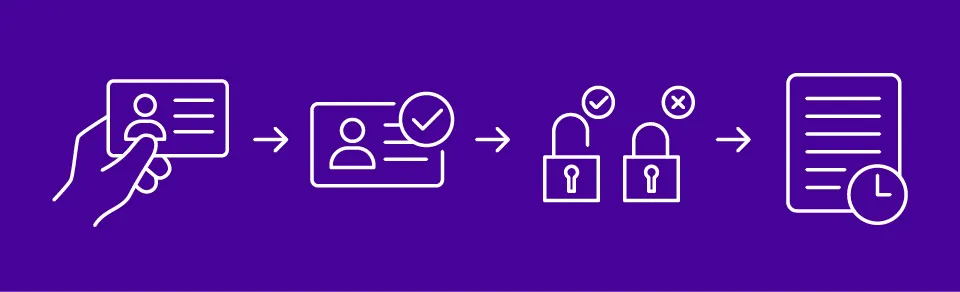
Most gate intercom demos look strong when they stay at the feature level. The real differences may appear when you ask about deployment, admin workload, outage behavior, and long-term cost. Use the questions below to compare vendors on real-world fit, not just marketing claims.
Core Questions to Ask
Copy and paste these into demos or proposal reviews:
- What happens during internet outages?
- Is cellular backup available?
- How are calls answered: app, phone, or desk station?
- Can we manage multiple gates in one dashboard?
- Are audit logs searchable?
- How are guest codes managed?
- What credentials are supported?
- How long does installation take?
- What gate operators integrate natively?
- Who handles electrical work?
- What are recurring fees?
- How are software updates delivered?
- What support hours are included?
- How quickly can admins remove users?
- Can the system scale to more entrances later?
Trap Questions Competitors Often Avoid
These questions often expose hidden costs, weak workflows, or infrastructure assumptions.
- Can you show me a signal test at the gate? Don’t accept “coverage should be fine.” Verify actual performance on-site.
- What’s the total monthly cost (software + cellular)? Ask for the full recurring number, not partial pricing.
- How do you handle outage behavior? Ask what happens during internet or cellular failure, including fail-open, fail-closed, and manual override options.
- How do audit logs work, and who can see them? Confirm whether logs are searchable, exportable, and permission-controlled.
- What does a directory update workflow look like, and who owns it? If updates require technician visits or support tickets, admin costs rise quickly.
What Good Answers Sound Like
Strong vendors answer clearly, show workflows live, and explain tradeoffs honestly. If responses are vague, overly technical, or constantly “it depends,” expect friction after purchase.
Swiftlane Fit: When Swiftlane Is the Right Choice
Choose Swiftlane if you want one system to manage gate entry alongside doors, credentials, elevators, and broader building access. The platform is designed for properties that want cloud administration, audit trails, and scalable resident and visitor workflows across multiple entry points.
Best Fit Scenarios
Swiftlane can be a strong fit for:
- Multifamily portfolios managing multiple buildings or gates
- Properties that need remote management without on-site dependency
- Teams focused on reducing manual admin work (directory updates, access changes, credential management)
- Buildings replacing legacy call boxes or fragmented intercom systems
- Operators who need centralized visibility across entrances, doors, and shared spaces
In these environments, the value tends to come less from individual hardware features and more from operational control, such as reducing site visits, speeding up updates, and improving access history, which are kinds of operational gains that typically matter most for ROI in these environments.
Not Ideal If
Swiftlane may be less suitable if:
- You only need a basic standalone keypad with no video or cloud management needs
- Your site has a single gate and no plans to expand access points
- You prefer fully isolated, non-networked systems with no remote administration
- You’re not planning to manage users, credentials, or multiple entry points over time
In those cases, a simpler, hardware-only solution may be more appropriate and cost-efficient.
Bottom Line
For many operators, the real value isn’t just gate access. It’s reducing admin burden, improving visitor flow, and gaining visibility into who accessed the property and when. Systems like Swiftlane are built for that operational layer, not just entry control.
If you want one system for gates + building access, see what Swiftlane looks like on your property:
Frequently Asked Questions
What is a gate intercom system?
A gate intercom system lets visitors request access at a gate and allows authorized users to remotely grant or deny entry. It acts as the communication layer between visitors and the property.
Details: It doesn’t control the gate directly; it triggers the gate operator once access is approved.
How do gate intercom systems work?
Visitors initiate a call or enter a code, and the gate intercom system routes the request to a resident, staff member, or security team for approval. Once verified, the gate is opened remotely.
Details: Modern systems may route calls to mobile apps, desk stations, or cloud dashboards depending on configuration.
Is a Wi-Fi gate intercom better than cellular?
Not universally. It depends on the site. A WiFi gate intercom works well when the gate has verified, managed network coverage nearby, while cellular is typically the better choice for remote or hard-to-wire gates. Neither is more reliable by default without checking the actual conditions at the gate.
Details: The best choice depends on signal strength at the exact gate location, not just the building’s overall network.
Do gate intercoms need Wi-Fi?
Not necessarily. Many gate intercoms use cellular connectivity instead of Wi-Fi, and some support both with cellular as a backup. Wi-Fi is only required if the system is specifically configured to rely on the property’s network.
Details: Checking which connectivity type a system supports — Wi-Fi-only, cellular-only, or both — should happen before installation, not after.
Can a cellular gate intercom work without Wi-Fi?
Yes. A cellular gate intercom connects through LTE or 5G using a built-in SIM, so it doesn’t depend on the property’s Wi-Fi network to function.
Details: Cellular signal strength at the gate still needs to be verified on-site, since coverage can vary by carrier and location.
What’s the difference between a gate intercom and a gate entry system?
A gate intercom is the communication device, while a full gate entry system includes the intercom plus operators, credentials, schedules, and broader access control.
Details: Think of the intercom as “talking to the gate,” and the system as “managing the entire access policy.”
Can a gate intercom be wireless?
Yes, a wireless gate intercom refers to how it connects (cellular or Wi-Fi), not a system that installs without infrastructure.
Details: Most wireless systems still require power and proper mounting at the gate.
Do wireless gate intercoms still need power and internet?
Yes, even a wireless gate intercom system requires electrical power plus either internet or cellular connectivity.
Details: Without both, remote calling and access control features won’t function reliably.
What should I look for in a gate intercom with camera?
A gate intercom with camera should have strong glare handling, night vision performance, weather resistance, and the correct mounting angle for vehicles.
Details: Placement often matters more than resolution for vehicle visibility.
Where should a gate intercom camera be mounted for vehicles?
A gate intercom camera should be mounted to clearly capture the driver window and entry lane without glare or obstruction.
Details: Proper height and angle reduce blind spots and improve identification accuracy.
What’s the best gate intercom system for a residential driveway or HOA?
The best gate intercom system for residential driveways or HOAs may be a cellular or hybrid system with keypad access and guest management tools.
Details: It should support remote access so residents can manage visitors without being on-site.
How much does a gate intercom system cost to install and operate?
A typical gate intercom system costs between $2,500 and $15,000+ depending on hardware, installation complexity, and ongoing fees.
Details: Cellular gate intercom subscriptions, trenching, and electrical work are the biggest cost drivers.


