

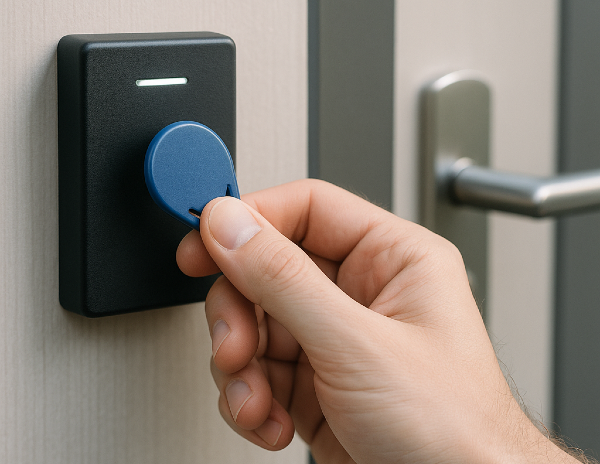
If you haven’t installed a key fob system for offices before, you’re probably still dealing with physical keys and the hassles that come with them.
Keys don’t get returned. Rekeying costs add up. Tenants change suites. Cleaning crews need access after hours. And there’s no easy way to know who can get into what.
Swiftlane has worked with office property managers juggling multiple buildings, legacy hardware, and manual updates. We’ve seen what works, what causes headaches, and how a centralized key fob system can make life easier.
This guide walks you through what key fob systems are and how to choose the right system that aligns with your office property needs.
Key Takeaways
- Choose a centralized key fob system instead of managing disparate door controllers.
- Consider a system that supports both key fobs and mobile credentials for more flexibility.
- Invest in encryption to reduce the risk of duplication.
- Manage access remotely so that you can revoke permissions immediately when employees leave.
- Integrate access control with video, visitor management, and elevators. Doing so helps eliminate blind spots.
- Plan for scalability now so that your system grows with your tenants and portfolio.
Table of Contents
- Why Offices Are Moving Away From Traditional Keys
- What Is a Key Fob System for Offices?
- Types of Key Fob Systems for Offices
- Key Benefits of Key Fob Systems in Office Environments
- What Are the Limitations of Key Fob Systems for Offices?
- Special Features to Look for in Office Key Fob Systems
- Office Use Cases
- How to Assess Your Office Property’s Access Needs
- Installation and Maintenance Considerations
- Choosing the Right Key Fob System for Your Office
- Integrating Key Fobs into a Centralized Access Control Platform
- Swiftlane: A Modern Access Control System for Offices
Related Posts
- Key Fob Entry Systems – A Complete Guide
- What Is a Fob System and How to Choose One
- Key Card Entry Systems
Why Offices Are Moving Away From Traditional Keys
Managing office access with traditional keys can be a hassle:
- Keys get lost or stolen.
- Keeping track of who has which key among tenants and employees quickly becomes messy.
- There’s no way to see who’s coming and going.


A key fob system solves these issues by providing electronic credentials that are easy to manage, track, and update. You can grant or revoke access instantly, monitor entry logs, and ensure tenants, employees, and service personnel have the right access at the right time.
Modern office environments are evolving. You’re no longer managing simple multi-tenant buildings. You might also have to oversee coworking spaces or campuses with sensitive areas. With a key fob system in place, you can combine security and convenience for all kinds of office-based users.
What Is a Key Fob System for Offices?
A key fob system is an electronic access control solution that lets you unlock doors using a small device, often the size of a keychain.
Unlike traditional locks, these systems use radio frequency identification (RFID), near field communication (NFC), or Bluetooth Low Energy (BLE) to authenticate.
Here’s how it works in practice:
- Each fob is given a unique digital ID that acts as your “key.”
- When someone taps or waves their fob at a door reader, the reader checks the ID.
- The system instantly verifies if that person is allowed to enter.
- Every entry and exit is logged, so you can see who came and went and when.
Some modern systems also support mobile credentials to allow employees or tenants to use their smartphones as a digital key. To add an extra layer of security, many combine fobs with biometric or facial recognition technology.
Types of Key Fob Systems for Offices
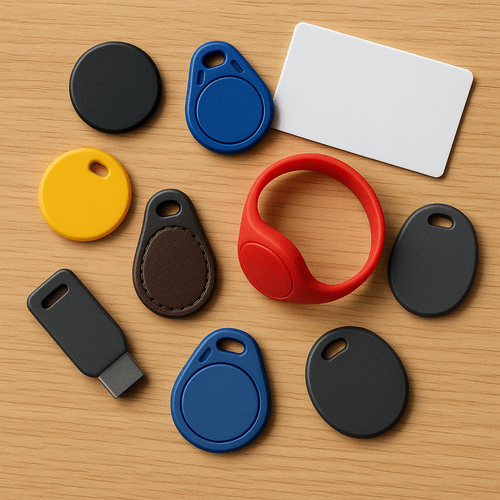
Key fob systems vary depending on your office’s size, access requirements, and other security considerations. Here are the most common options:
| Key Fob Type | How They Work | Benefits |
| Proximity key fobs | They use RFID technology to transmit a unique ID when waved near a reader. | They’re quick and convenient. No need to remove fob from pocket or bag. You can easily manage multiple access points. They’re cost-effective for small or mid-size office properties. |
| Smart key fobs | They integrate Bluetooth Low Energy (BLE) or NFC, sometimes paired with a mobile app. | The mobile app integration allows remote access control. Two-factor authentication adds an extra security layer. They’re ideal for offices with a flexible or hybrid workforce. |
Key Benefits of Key Fob Systems in Office Environments
A well-implemented key fob system can have a huge impact in terms of security, operations, and tenant experience.
Enhanced Security
Key fob systems prevent unauthorized entry by assigning unique credentials to every employee or tenant. If someone loses a fob or leaves the company, access can be deactivated instantly. You don’t have to rekey doors anymore.
If you integrate key fobs with video intercoms and alarms, you can monitor entry points to prevent tailgating, which sometimes happens in high-traffic lobbies.
Efficiency in Operations
If you’re dealing with hundreds of tenants, access control is easier when you have a centralized dashboard. Your front desk can focus on high-value tasks instead of constantly tracking keys.
You can also remotely program access across multiple doors or even multiple floors. Even when there are office layout changes (which might require moving or removing doors), you can quickly reprogram key fobs as needed.
Smoother Employee and Visitor Access
Employees can gain seamless entry to offices or conference rooms with a single fob. As for visitors, they can be handed fobs with temporary access or restricted to non-sensitive areas inside the office.
Cost Savings
No more replacing lost keys and rekeying doors, which incur costs every time. Also, you won’t rely on additional security hiring, even when expanding your office property. Access permissions can be managed centrally through software. So you can issue or revoke credentials and manage after-hours access without needing personnel physically stationed at each entry point.
Over time, this reduces operational overhead while still maintaining strong security across the building. Your investment can yield significant ROI even as you scale your operations.
Scalability
As your office portfolio grows, you can easily program key fobs for new access points as well as new users. Planning to invest in CCTV, alarm systems, and visitor management platforms? You can integrate key fobs with those without overhauling your existing system.
What Are the Limitations of Key Fob Systems for Offices?
Recognizing the limitations of key fob systems can help you choose the right system and implement additional safeguards where necessary.
Lost or Stolen Credentials
Key fobs are physical objects that can be misplaced, stolen, or shared between employees. If a lost fob isn’t quickly reported and deactivated, it may allow unauthorized access to the building or restricted areas.
Fortunately, most modern access control platforms allow administrators to remotely deactivate lost credentials and issue replacements quickly.
Credential Management Overhead
Managing large numbers of key fobs can become an administrative task, particularly in buildings with multiple tenants or high employee turnover.
You have to constantly keep track of issued credentials, deactivate those belonging to former employees, and replace damaged or lost fobs.
Cloud-based management tools can reduce this burden by allowing administrators to manage credentials from a centralized dashboard.
Limited Identity Verification
If an employee lends their fob to someone else, the system can’t automatically distinguish the difference.
Some buildings address this limitation by adding additional authentication factors such as PIN codes, biometrics, or facial recognition.
Replacement and Hardware Costs
Although key fobs are relatively inexpensive, replacement costs can accumulate over time, especially in larger offices where many employees require credentials. You should factor these costs into your long-term access control planning.
Dependence on Physical Credentials
Traditional fob-based access requires users to carry a physical device. Employees who forget their fob may be unable to enter the building or certain areas without assistance.
For this reason, many modern office access systems now support multiple credential types, including mobile access, to provide additional flexibility.
Special Features to Look for in Office Key Fob Systems
Modern systems offer more than basic door access. Here are the features you should look for:
Mobile App Integration
Mobile app integration lets you grant, revoke, or modify access from anywhere, which is useful for office buildings with multiple tenants. For example, if an employee loses their fob, you can update credentials instantly without taking too much of your time and resources. Mobile alerts can also notify you of unusual activity, such as unauthorized entry attempts.
Cloud-Based Dashboards
With a centralized cloud-based dashboard, you can control access across floors or multiple buildings. Plus, audit-ready access logs let you verify who entered which areas and when. Lastly, you won’t need an on-site server because it’s all cloud-based. You won’t have to deal with local server failures or hire more IT staff.
Visitor Management Integration
You can issue temporary access to contractors, delivery personnel, or clients without creating permanent credentials.
Many systems allow you to generate one-time PINs or time-limited credentials for guests and service providers. This is especially useful for deliveries or package drop-offs, as drivers can access designated entry points without requiring a staff member to unlock the door.
Because one-time credentials automatically expire after use or after a time period, they can reduce the risk of unauthorized access.
Two-Factor Authentication With Key Fobs and Biometrics
Some office access control systems support biometric verification, such as facial recognition, as a second authentication factor alongside key fobs. In these setups, employees may need to present their fob and then verify their identity using a biometric method before access is granted.
This two-factor authentication approach adds an extra layer of security for sensitive areas such as server rooms or research labs. Even if a key fob is lost or stolen, unauthorized individuals can’t gain access without the biometric verification tied to the authorized user.
Office Use Cases
Different types of office spaces have unique access control requirements. Here’s how key fob systems can be applied:
| Office Use Case | How Key Fobs Are Used | Real-World Impact |
| Multi-Floor Offices | Control access by floor. Restrict sensitive areas like executive offices or server rooms. Give after-hours access for employees working late. | Protect critical areas. Ensure only authorized staff enter. Support flexible working hours. |
| Coworking Spaces | Provide flexible access to multiple tenants. Issue temporary fobs to short-term tenants. Manage visitor access to conference rooms. | Reduces front desk workload. Support short-term leases. |
| IT Server Rooms | Manage high-security credentials (optionally with biometrics). Track entries for auditing purposes. | Protect sensitive systems. Create audit trails for compliance. |
| After-Hours Access | Allow access for night shift staff or cleaners. Avoid risks from lost or shared physical keys. | Ensure security after normal business hours. Prevent unauthorized entry. |
How to Assess Your Office Property’s Access Needs
Here’s how to review your office property’s specific requirements:
1. Identify Security Zones
Map the office and determine sensitive areas. Then assign access levels for employees, visitors, and contractors. You can also consider whether two-factor authentication or biometric verification is necessary.
2. Think About Scalability
Do you anticipate growth in employee numbers or rapid tenant changes? Check if the key fob system can support multiple sites and access points. If you have existing building technologies, check if they’re compatible with key fobs.
3. Plan The Installation
Lay out the different door access points and prepare floor plans for the installation team. Don’t forget to provide timelines and training to your staff.
4. Train Tenants
Provide instructions (in writing, to be more clear) to all users, including tenants and their employees. Prepare guidelines on how to report lost or damaged key fobs. If you’re integrating biometrics or mobile apps, offer hands-on training.
Installation and Maintenance Considerations
A. Upfront Costs
- Key fobs/credentials: $10 to $50 per user. In larger office buildings with 300 or more employees, credential costs can add up if turnover is high and fobs aren’t returned.
- Hardware: Installation of basic single-door readers can cost around $1,000. For multiple doors or fully integrated systems, they can reach $5,000 per door. Moreover, historic properties with older wiring may face additional retrofit expenses.
- Labor: Costs can vary depending on how complex the installation is. For instance, multi-floor offices or buildings with existing legacy systems might require more integration work. That means more labor time and costs.
B. Recurring Costs
- Software update fees
- Cloud-based subscription fees
- Annual maintenance fees
- Professional check-ups
C. Maintenance Best Practices
- Regularly update software and firmware.
- Monitor access logs for unusual activity, such as repeated entry beyond office hours.
- Keep track of all the fobs you issued, while instantly revoking unused ones. This prevents former employees or contractors from gaining entry.
- Plan future upgrades if you’re expanding to additional floors or areas.
Choosing the Right Key Fob System for Your Office
You should evaluate providers based on:
- Security and Reliability: Strong encryption and integration with alarms or video systems.
- Scalability: Support for multiple doors, users, and locations.
- Ease of Use: User-friendly dashboard and simplified user onboarding.
- Integration: Compatibility with existing systems like visitor management platforms, elevator systems, or HVAC.
- Cost and ROI: Balance costs (initial and recurring) against long-term security and efficiency.
Integrating Key Fobs into a Centralized Access Control Platform
A basic key fob system can unlock doors. But for most office properties, that’s not enough anymore.
If you’re managing multiple floors, shared conference areas, parking garages, or even several buildings, things get complicated fast.
That’s where centralized access control changes the game.
Instead of managing each entry point separately, everything lives in one dashboard. You can:
- Revoke access instantly across the entire building
- Grant after-hours access to cleaning crews without handing out physical keys
- Adjust permissions when tenants expand into new suites
- See real-time activity logs without calling on-site staff
When key fobs plug into a cloud-based platform, they become part of a bigger ecosystem that also supports mobile credentials, video intercoms, elevator controls, and visitor management. It’s not just about access anymore. It’s about control and visibility.
Swiftlane: A Modern Access Control System for Offices
A smart, centralized key fob system should help you:
- Control and track access across every floor and entry point
- Reduce admin time spent issuing and replacing credentials
- Eliminate security gaps when employees or tenants leave
- Scale easily as your building or portfolio grows
- Add mobile or biometric access without replacing physical credentials, including key fobs
Swiftlane gives you a centralized platform that supports key fobs, PINs, mobile access, and facial recognition, and it’s all managed from one cloud dashboard. Instead of stitching together separate tools, you get one unified system designed for modern office properties.If you’re evaluating a key fob access system for your office building, see how a centralized approach works in practice.


