

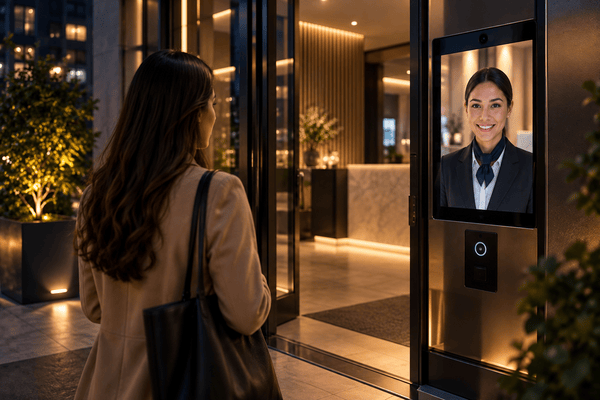
A virtual doorman solution is a remote building access system that replaces or supplements an on-site physical doorman using exterior video intercoms, electronic locks, and cloud software. Visitor entry is managed either by off-site human operators or automated resident smartphone calling.
Three pressures are pushing urban and mid-market multifamily buildings toward virtual doorman systems in 2026. The first is on-site staffing cost. New York City’s residential building workers ratified a four-year contract in 2026 that raises doorperson wages by $4.50 per hour over its term, with health care remaining fully employer-paid. These are New York City figures; union coverage and wage rates vary by market. The second is package volume. U.S. parcel shipments reached 23.1 billion in 2025, about 171 parcels per household, according to the Pitney Bowes Parcel Shipping Index. The third is resident expectation: in a 2025 national survey by SmartRent and Morning Consult, 58% of renters said smart door locks or keyless access were important in their next rental.
How We Researched This
This guide draws on current 32BJ Service Employees International Union (SEIU) contract terms, published parcel volume data, provider pricing and technical documentation, and building and fire code requirements for electrified locks.
Key Takeaways
- “Virtual doorman” covers two distinct operating models: off-site human operators who monitor cameras and buzz visitors in, and automated cloud video intercoms that route visitor calls to residents’ phones. Some providers combine both.
- In New York City, replacing a 24/7 on-site doorman post with a virtual system cuts front-door staffing costs by more than 95%.
- Package handling is a core test for any virtual doorman setup. The system needs a secure way to admit couriers, such as single-use delivery PINs or a relay-controlled package room.
- Every virtual doorman needs two things at the entry: a reliable internet connection at the door station, and electrified locking hardware such as magnetic locks or electric strikes. Magnetic locks on egress doors fall under the building code’s special locking rules: they must unlock if power is lost, and sensor-released setups must also unlock when the fire alarm activates.
Table of Contents
- How a Virtual Doorman System Works
- Virtual Doorman Cost in 2026: Hardware, Installation, and Monthly Fees
- Top Virtual Doorman Solutions and Providers Evaluated
- Package Management in Buildings Without a Doorman
- When a Virtual Doorman Makes Sense, and When It Doesn’t
- Buyer’s Checklist: 8 Questions to Ask Before Choosing a Provider
- Where Swiftlane Fits: An Automated Virtual Doorman Alternative
- FAQs
Related Posts
- Apartment Intercom vs Virtual Doorman: Key Differences and Examples
- Best Multifamily Security Guard Alternatives
- Apartment Security Systems for Buildings
Human Remote Doorman vs. Automated Cloud Systems
| Dimension | Traditional On-Site Doorman | Human Virtual Doorman Service | Automated Cloud Video Intercom |
| Annual operating cost | More than $470,000 per year in NYC (4.2 full-time staff at more than $112,000 each in wages and benefits, per building owners’ 2026 figures) | $6,000 to $18,000 per year ($500 to $1,500 per month per building, NYC installer pricing) | $1,800 to $9,000 per year for a 50-unit building ($3 to $15 per unit per month in software fees) |
| Visitor answering | Immediate while the doorman is at the post | Depends on operator availability; most providers don’t publish pickup times | Call reaches the resident immediately; entry depends on the resident answering, with calls ringing backup contacts or a front desk on some platforms |
| Package management | In-person receipt and storage | Operator verifies the courier and remotely releases the door to the lobby or package room | Residents or managers issue delivery PINs; package room access through a relay-controlled door |
| Resident privacy | On-site staff see residents and visitors in person | Off-site operators view live entry video | Visitor video goes to residents; entry logs and photos are stored in the vendor’s cloud |
| Access methods | Set by the building’s access control system (keys, fobs, or cards) | Set by the installed access hardware; commonly fobs and mobile unlock, plus operator remote release | Mobile (Bluetooth and remote), PIN, and fob or card |
| Best suited for | Luxury rentals and high-amenity condos or co-ops where residents expect in-person service | Buildings that want live visitor verification without on-site payroll | Multifamily, condo, and mixed-use or commercial buildings that prioritize resident self-service |
Read more via our apartment intercom vs virtual doorman comparison guide.
How a Virtual Doorman System Works
Every virtual doorman system, human-staffed or automated, uses the same basic physical setup at the door. The difference is who answers when a visitor calls.
1. Exterior Entry Station
A weather-rated touchscreen panel at the entrance, with an HD camera, microphone, speaker, and digital resident directory. Outdoor stations are commonly rated against water and dust under the Ingress Protection (IP) scale and against impact under the IK scale. Ratings vary by model, so check the datasheet against the entrance’s exposure. For example, Swiftlane’s SwiftReader X is rated IP65 against dust and water jets and IK10 for impact resistance.
2. Door Controller and Cloud Access Platform
A controller at the door connects the entry station and lock hardware to cloud software. That software stores resident credentials, access schedules, visitor passes, and entry logs. It’s what lets residents enter on their own using a mobile credential, PIN, fob or card, or face recognition, without anyone answering a call.
3. Electrified door hardware
The controller’s relay outputs release either an electric strike or a magnetic lock.
- Electric strikes come in fail-safe (unlocks on power loss) or fail-secure (stays locked on power loss) versions.
- Magnetic locks are fail-safe by design, and on egress doors they fall under the International Building Code (IBC)’s special locking rules. In a door hardware release setup (2024 IBC Section 1010.2.10), a switch in the door handle or push bar cuts power to the lock. In a sensor release setup (Section 1010.2.11), a sensor on the egress side unlocks the door as someone approaches; these systems also need a manual release and must unlock when the building’s fire alarm or sprinkler system activates, where one is installed. Both setups must unlock if power is lost. Local codes, including New York City’s, may number or amend these requirements differently.
- Where the entrance has an automatic door operator, the same relay can trigger it when access is granted.
4. Network Connection
Most modern entry stations draw power and data from a single Power over Ethernet (PoE) cable, usually Cat5e or Cat6, connected to the building’s internet service. A reliable connection matters more than raw speed, because video calls and cloud credential checks depend on it. Some vendors offer cellular backup as an add-on for buildings with unreliable service.
5. The Response Path

- Path A: human service. The visitor’s call is routed over Voice over Internet Protocol (VoIP) to an off-site operator. The operator reviews live video, verifies the visitor or courier, contacts the resident if needed, and triggers the door release remotely.
- Path B: automated. The call goes through the vendor’s cloud to the resident’s smartphone app or phone for two-way audio and video. The resident unlocks the door from the call. If the resident doesn’t answer, some platforms roll the call to a backup contact or front desk.
6. Package Delivery Route
A second relay can control a delivery vestibule or package room door. Couriers get access only to that space, through a delivery PIN or an operator release. This keeps couriers out of residential floors only if the package room is separated from the rest of the building by another secured door.
Virtual Doorman Cost in 2026: Hardware, Installation, and Monthly Fees
A virtual doorman has two cost layers: a one-time hardware and installation cost at each entrance, and a recurring monthly fee. The hardware is broadly the same whichever model a building chooses. The monthly fee is where human and automated services split apart.
Upfront Hardware and Installation (Per Entrance)
| Component | Typical range | Notes |
| Touchscreen video intercom panel | $2,500 to $5,000 | Chicago-area installer pricing puts an installed video panel at $1,800 to $5,000 per entry point |
| Electrified lock hardware | $150 to $1,800 | Electric strikes cost least; electrified mortise locks cost most |
| Door controller and power supply | $800 to $2,000 | Varies with how many doors the controller handles |
| Installation labor and cabling | $500 to $2,000 | Rises with long cable runs, masonry walls, and older buildings |
| Total per entrance | $3,950 to $10,800 |
These ranges come mostly from installer pricing in higher-cost markets such as New York, Chicago, and Southern California. Quotes in lower-cost regions may come in lower.
Monthly Fees: Where the Two Models Diverge
- Human virtual doorman service: $500 to $1,500 per month per building, depending on building size, unit count, and monitoring level, based on New York City installer pricing. Per-unit pricing is also common, but no provider publishes a verifiable range.
- Automated cloud video intercom: software fees typically run $3 to $15 per unit per month, according to dealer pricing, and Chicago-area installers quote $15 to $50 per controlled entrance per month for platforms priced by door.
5-Year Cost Comparison: 50-Unit Building
Upfront hardware is similar for both models, so this compares subscription costs only.
| Monthly | 5-year total | |
| Human virtual doorman service | $500 to $1,500 | $30,000 to $90,000 |
| Automated cloud video intercom | $150 to $750 | $9,000 to $45,000 |
| Difference | About $33,000 at the midpoints; up to about $81,000 |
On these figures, a 50-unit building saves about $33,000 over five years at typical pricing by choosing an automated platform, and up to about $81,000 at the extremes. At the low end of human-service pricing and the high end of automated pricing, the two can cost about the same, so compare actual quotes.
Top Virtual Doorman Solutions and Providers Evaluated
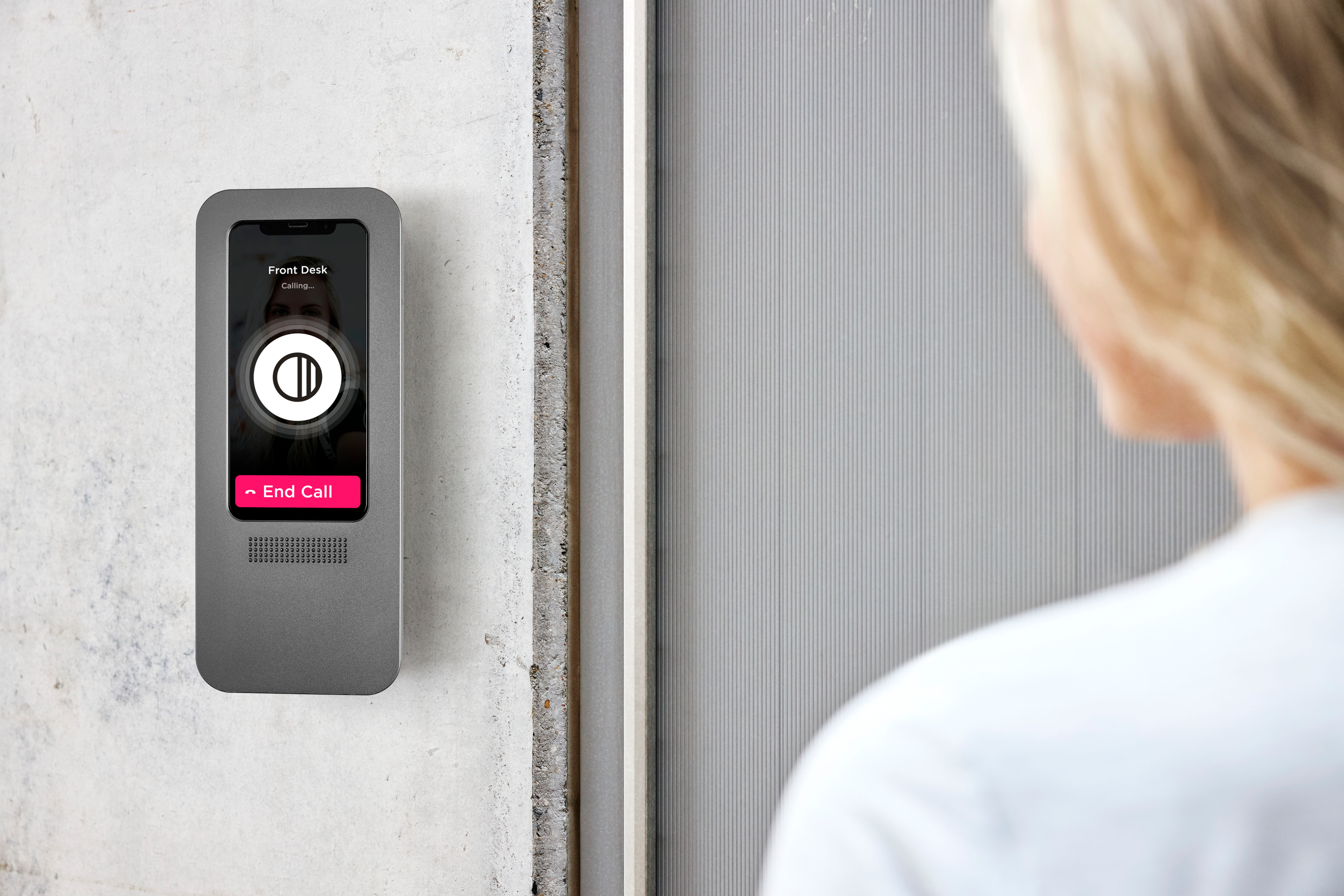
Each provider below is evaluated on the same five criteria: technology class, operating model, strengths, limitations, and ideal building profile.
Virtual Doorman
- Technology class: Human remote doorman service with proprietary hardware
- Operating model: Command Center operators verify visitors and couriers at the entry station, direct deliveries to a secure package room, and notify residents. Residents can pre-authorize guests and vendors through the Welcome app or online portal.
- Strengths: Long track record, having launched the first remote doorman system in 2000. Operators handle package intake and visitor verification 24/7. The company supplies its own entry station and smart lock.
- Limitations: As a staffed service, its recurring cost typically runs higher than automated platforms (see the cost comparison above). The service is built around its own entry station and smart lock, so buildings may need to replace existing intercom hardware; ask whether current equipment can be reused.
- Ideal building profile: NYC-area co-ops, condos, and rentals that want operator-handled visitors and deliveries without on-site payroll.
Swiftlane
- Technology class: Automated cloud video intercom and access control platform
- Operating model: No remote operators. Visitor calls go to residents’ phones and the app, and residents and managers handle entry themselves. Calls can ring several contacts at once, and front desk calls can follow a schedule with primary and secondary contacts.
- Strengths: A single entry reader supports face recognition, mobile unlock, PINs, and key cards or fobs. Residents or managers issue single-use or multi-use visitor and delivery PINs. Cloud dashboard for managing multiple buildings.
- Limitations: No live operator to deal with unexpected visitors or couriers when a resident doesn’t answer. Works best when residents actually use the app or answer calls. Nobody physically receives packages. Pricing is billed per unit; instant estimates available online.
- Ideal building profile: Multifamily and condo buildings that want resident self-service and lower recurring costs than a staffed service.
Carson Living
- Technology class: Resident app platform with a live remote doorman service
- Operating model: Carson’s own remote doorman team answers the building’s intercom. The Carson app handles door access, video intercom calls, visitor permissions, rent or common-charge payments, and service requests.
- Strengths: Works with a building’s existing intercom, cameras, electronic locks, and access control after a site visit confirms compatibility. Combines operator coverage with a broad resident app. Deployed across rentals, condos, mixed-use, commercial, and gated communities.
- Limitations: Because it depends on third-party hardware, performance hinges on how well the existing equipment integrates. As a staffed service, its recurring cost typically runs higher than automated platforms (see the cost comparison above).
- Ideal building profile: Unstaffed or partially staffed buildings that want live visitor and courier handling while keeping their current hardware. Read our review of Carson Living.
1VALET
- Technology class: Automated smart building platform
- Operating model: No remote operators. Video calls from the entry console go to residents through the 1VALET app. Staff manage the building through a web portal.
- Strengths: Patented package-scanning courier entry. Facial entry, mobile access, and PINs. Brings access control, communication, and amenity management into one platform, which suits portfolios running mixed hardware.
- Limitations: No live operator to handle visitors or couriers when a resident doesn’t answer. Pricing isn’t published on its website.
- Ideal building profile: Multifamily portfolios that want one platform across properties and prioritize courier access. The Canadian company serves properties across North America.
Package Management in Buildings Without a Doorman
Package handling is where buildings without a doorman feel the most pressure. U.S. carriers shipped about 171 parcels per household in 2025, or roughly three a week, according to the Pitney Bowes Parcel Shipping Index. Apartments also take a disproportionate share of theft: in Security.org’s 2025 survey, apartment residents reported packages stolen 3.5 times more often than homeowners over a three-month period.
Virtual doorman solutions deal with this in four main ways.
Carrier Access PINs and Programs
Buildings can create a separate PIN for each carrier and share it with drivers or with the carrier’s property support team. Because every driver on the route knows a static carrier PIN, it should be changed regularly. USPS carriers typically get in with a postal key, through a key keeper box or an electronic postal switch wired to the intercom. Amazon runs its own program, Amazon Key for Business, which is free for eligible properties and gives verified drivers one-time access to deliver packages inside.
One-Time Delivery Passes
Residents or managers can issue single-use PINs for a specific delivery or visitor and revoke them anytime. That limits how long any code stays valid.
Package Vestibules and Rooms
Where the layout allows it, the system unlocks only the exterior door into a secure vestibule or package room, while the interior door to residential areas stays locked to entry. Residents inside can still exit freely through both doors. Buildings without a separate package space may need construction work to set this up.
Entry Photo Logs
Automated platforms can photograph each entry and store it with a timestamp, and some human services can require an ID check or saved snapshot for each visitor. When a package goes missing, managers can see who entered and when.
Human virtual doorman services add a step that automated platforms don’t: an operator verifies each courier, directs them to the package area, and notifies the resident.
When a Virtual Doorman Makes Sense, and When It Doesn’t
Where Virtual Doorman Systems Work Best
- Small and mid-sized multifamily buildings. Round-the-clock doorman coverage takes about 4.2 full-time staff, so it costs the same whether it’s spread across 30 units or 300. In smaller buildings, the cost per unit gets prohibitive. In New York City, where a 24/7 doorman post costs more than $470,000 a year, that works out to roughly $1,300 per unit per month in a 30-unit building, $780 in a 50-unit building, and $390 in a 100-unit building.
- Brownstones and walk-ups without room for a front desk. A single entry station provides visitor screening and delivery access with no lobby space needed. In New York City, individual landmarks and buildings in historic districts need a permit from the Landmarks Preservation Commission (LPC) before installing an exterior intercom panel. Work that meets LPC’s rules for intercoms and similar equipment can be approved by staff without a public hearing.
- Co-ops and condos managing maintenance fees and common charges. The savings apply most directly to buildings adding coverage they don’t have today, or covering unstaffed overnight hours. Buildings with union doormen would need to work through their labor agreement before replacing staff.
- Mixed-use buildings. Access schedules can keep commercial tenants and visitors out of residential areas after business hours while residents keep round-the-clock entry.
When an On-Site Doorman Is Still the Better Fit
- Luxury buildings where residents expect personal service. A doorman who carries bags, hails cabs, and knows residents by name is part of what residents at these buildings pay for, through premium rents or higher common charges.
- Buildings where many residents are uncomfortable with apps. Automated systems depend on residents answering calls and managing guest access from their phones.
- Buildings that need a physical security presence. Remote operators can verify visitors and call for help, but they can’t step in physically.
- The middle ground. Some buildings keep a doorman during peak daytime hours and use a virtual system overnight and on weekends.
Buyer’s Checklist: 8 Questions to Ask Before Choosing a Provider
- Is your service run by live human operators, an automated cloud video platform, or a combination of both? The answer determines your cost structure, how visitors are handled, and who sees your entry video.
- How long does a visitor wait to be answered, and is that time guaranteed? For human services, ask whether the response time is a contractual guarantee or just an average. For automated platforms, ask what happens when a resident doesn’t answer, such as cascade calling to a backup contact.
- How does the system handle package couriers when the resident isn’t home? Look for carrier PINs, single-use delivery passes, operator verification, or access to a secure package room.
- What happens during an internet outage or power failure? Ask whether the doors stay locked or unlock, whether residents’ credentials keep working offline, and whether the provider offers battery or cellular backup.
- Does the entry station include built-in credentials, such as mobile, PIN, and fob or card, or does it need separate readers? Every separate device adds cost and another point where something can fail.
- Is the monthly fee billed per door or per unit, and who owns the hardware? Ask what the fee covers, how long the contract runs, and whether the hardware will work with another provider if you switch.
- How does the installation meet local fire codes and ADA reach requirements? Magnetic locks on egress doors must meet the building code’s special locking rules, such as unlocking on power loss and, for sensor-release setups, on fire alarm activation. Accessibility standards, including the 2010 ADA Standards for Accessible Design and the International Code Council (ICC) A117.1 standard, require operable parts such as the touchscreen or keypad to sit no higher than 48 inches and no lower than 15 inches above the floor.
- Does the software integrate with our property management software (PMS), such as Yardi, RealPage, or Entrata? Integration syncs move-ins and move-outs automatically, so former residents don’t keep access.
Where Swiftlane Fits: An Automated Virtual Doorman Alternative
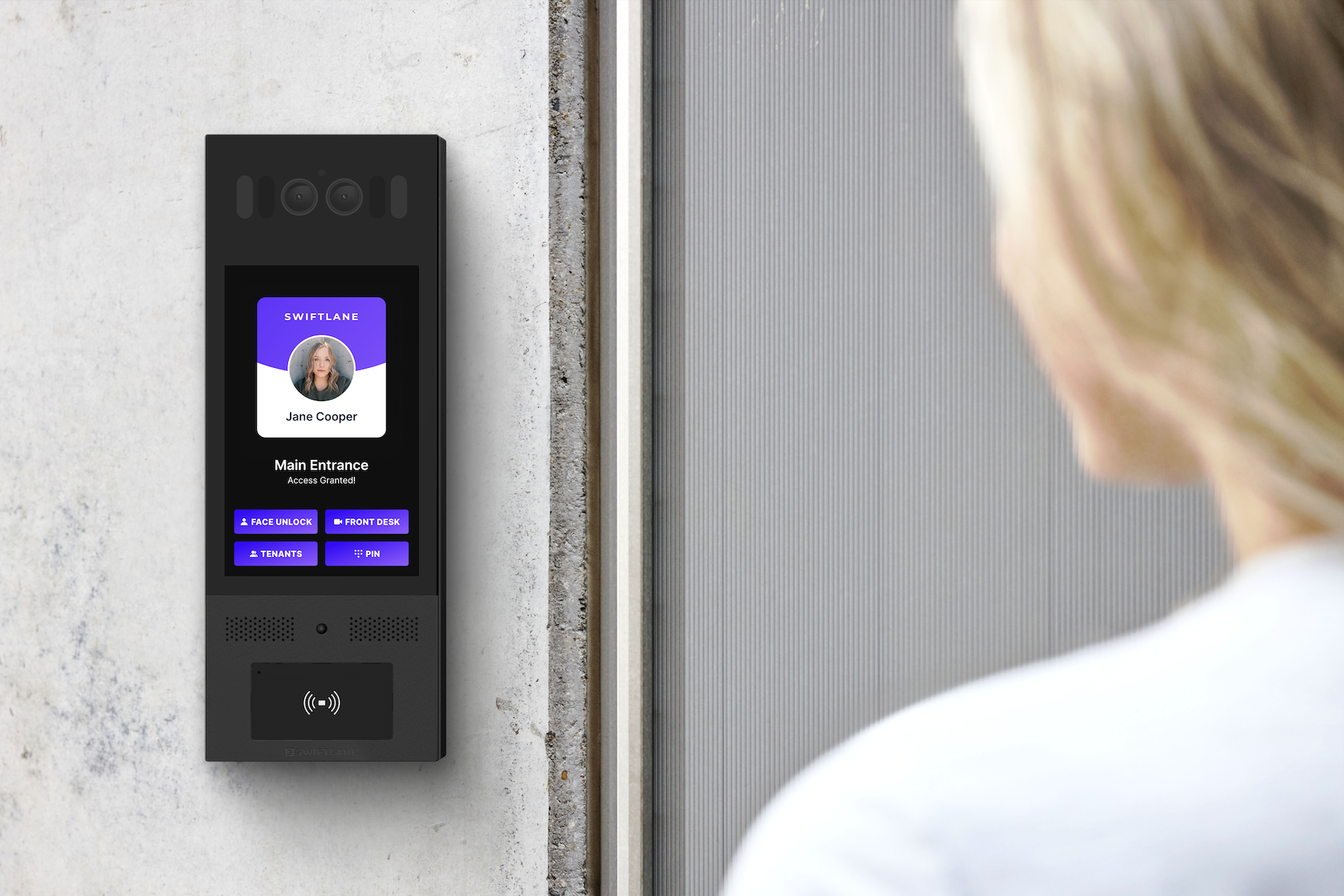
For buildings that want doorman-style visitor and delivery handling without a staffed service, Swiftlane provides an automated alternative built on a cloud video intercom and access control platform.
- No operator queue. Visitors call residents directly from the touchscreen directory, so nobody waits for a remote operator to pick up. The monthly subscription is billed per unit and covers software updates, cloud hosting, support, and warranty.
- 1080p HD video calling. Residents answer on the Swiftlane iOS or Android app, or as a regular phone call, and can unlock the door from anywhere.
- Multiple ways in from one device. Built-in face recognition, which is optional for residents, plus mobile unlock over Bluetooth or cellular, PIN codes, voice unlock, and compatibility with existing key card systems.
- Delivery management. Residents and managers issue temporary PINs for guests and couriers, unlock doors remotely for deliveries, and review a photo log of every entry. Amazon Key for Business integration is also available.
Explore Swiftlane’s apartment intercom and virtual doorman solution or book a live product demo.
FAQs
What is a virtual doorman, and what does the term mean?
A virtual doorman is a building entry system that uses a video intercom, electronic locks, and cloud software to manage visitor and delivery access without staff on site. Calls are answered by off-site human operators, by residents through an app or phone, or by a combination of both.
How much does a virtual doorman cost?
Hardware and installation typically cost about $4,000 to $11,000 per entrance. Monthly fees for human operator services run about $500 to $1,500 per building, while automated platforms typically charge $3 to $15 per unit per month in software fees.
What is the difference between a virtual doorman and a video intercom?
A video intercom is the entry hardware and calling software. “Virtual doorman” can mean an automated video intercom that residents answer themselves, or a service where remote operators answer calls for the building.
How do virtual doormen handle packages and food deliveries?
Couriers get in with a carrier or single-use PIN, a call routed to the resident or an operator, or a carrier-run program that gives verified drivers time-limited access. Where the building has one, access can be limited to a secure vestibule or package room.
Is a virtual doorman as safe as a physical doorman?
It depends on what the building needs. Virtual systems keep better records: every entry can be logged with a timestamp and photo, and access can be revoked instantly. But nobody is physically there, so remote operators can’t step in, and logs don’t stop tailgating on their own.
Can a virtual doorman be installed in an existing building?
Usually, yes. Modern entry stations typically need a single PoE cable at the entrance, with no wiring to individual units. The door also needs electrified lock hardware and power, and in New York City, landmarked buildings need LPC approval before exterior hardware is installed.
What happens if the internet goes down?
It depends on the provider. Some systems switch to a cellular backup automatically and keep credentials such as PINs and fobs working offline. Human operator services may lose their connection to the operator without a backup. Ask each provider how its doors and credentials behave during an outage.
Can residents grant access when they’re away from home?
Yes, on app-based systems, residents can answer video calls and unlock the door remotely from anywhere they have a phone connection.
Why are virtual doormen popular in New York City?
Round-the-clock doorman coverage in NYC runs through 32BJ SEIU union contracts, and the 2026 contract raises wages by $4.50 per hour over four years. Building owners put the full cost of a doorperson, including benefits, at more than $112,000 a year, so staffing one post around the clock costs more than $470,000. For smaller co-ops, condos, and brownstones without doormen, a virtual system offers doorman-style visitor and delivery handling at far lower cost. Buildings with union doormen would need to work through their labor agreement before replacing staff.
Do residents need smartphones to use a virtual doorman?
Not always. Many systems also ring regular phones or landlines and accept PINs and key fobs. Some platforms send calls only through their app, so confirm with the provider.
Who can install a virtual doorman system in New York?
Most providers install through local dealers or certified installers. In New York, anyone who installs, services, or maintains security or alarm systems that detect intrusion, movement, sound, or fire must be licensed by the New York State Department of State. Whether a specific intercom or access control job falls under that license depends on what’s being installed, so ask each installer whether they hold it, and ask about experience with your building type. Landmarked buildings in New York City also need an LPC permit for exterior work.
Is a remote doorman the same as a virtual doorman?
Yes, “remote doorman,” “virtual doorman,” “cyber doorman,” and “virtual concierge” all describe the same idea: managing a building’s front door off-site instead of with staff in the lobby. What varies is the operating model. Some services use live remote operators, some are automated systems that residents answer themselves, and some combine both.
What should I look for in virtual doorman reviews?
Look for reviews from residents and property managers on verified platforms, and focus on patterns rather than single complaints. The most useful signals are how reliably calls reach residents, how often the entry system goes offline, how quickly support responds, and, for human services, how consistently operators handle visitors and deliveries.
Get a Quote
Please share more details about your building so we can find the perfect solution for you!


