


Data center access control is a layered system that restricts entry to server halls, cages, and racks. It typically combines badge or biometric readers, mantraps, and audit logging, and must satisfy both physical security standards and life-safety egress code.
Data center access control is more than badge readers on exterior doors. Mid-size and large facilities need layered controls across the perimeter, lobby, mantraps, server rooms, tenant cages, racks, infrastructure rooms, and vendor paths. The strongest systems also preserve audit-ready logs, enforce least-privilege access, and account for life-safety code, biometric privacy law, and data center standards such as ANSI/TIA-942 and the Uptime Institute Tier framework.
Quick Answer: What Is the Best Access Control Setup for a Data Center?
The best data center access control setup uses layered, role-based physical controls: perimeter access; lobby and visitor verification; mantrap (also called an access-control vestibule) or anti-tailgating workflows; server room permissions; cage-level access; rack-level logging where required; and audit-ready records. Higher-security facilities should also evaluate dual-factor authentication, biometric privacy requirements, video and event correlation, fail-safe egress behavior, and whether the design aligns with ANSI/TIA-942, Uptime Institute Tier expectations, and locally adopted building and fire code.
- Core control: role-based access by person, zone, schedule, tenant, and door.
- High-security areas: dual-factor or multi-factor authentication.
- Compliance support: door-level logs, visitor records, credential history, admin changes.
- Life-safety requirement: controlled doors and mantraps must preserve code-compliant egress.
- Buyer takeaway: evaluate data center access control as a layered physical security architecture, not a reader-only project.
How We Researched This
This guide was built from primary and current sources rather than restating existing SERP content. Research included ANSI/TIA-942’s public certification and ratings pages, Uptime Institute’s own Tier classification materials, current IBC and NFPA public code references, the full text of Illinois BIPA (740 ILCS 14), Texas’s biometric identifier statute (Business & Commerce Code Ch. 503), and Washington’s RCW 19.375, Swiftlane’s current live product pages for hardware and certification claims, and Google Search Console query data to identify where the previous version underperformed relative to its ranking position.
Key Takeaways
- Data center access control means layered zones: perimeter, lobby, mantrap, server room, cage, rack, not a single reader-based system.
- ANSI/TIA-942 covers physical security as part of its infrastructure standard; Uptime Institute Tiers benchmark availability, not access-control specifics. They answer different questions.
- Mantraps and access-controlled doors on egress paths need a code review with the project’s AHJ before specification, not after installation.
- Biometric access improves identity assurance but triggers notice, consent, and retention obligations under laws like Illinois BIPA, Texas CUBI, and Washington’s biometric statute.
- No single vendor or system type covers every requirement. Most data centers layer card, mobile, biometric, and mantrap controls together, reporting to a single cloud-based platform for audit trails.
- Compliance frameworks (SOC 2, ISO 27001, HIPAA, PCI DSS, GDPR) often require evidence of documented, exportable access logs, depending on audit scope, not just locked doors.
Table of Contents
- Data Center Access Control Standards: ANSI/TIA-942 vs. Uptime Institute Tiers
- Data Center Access Control Requirements
- Mantraps, Controlled Egress, and Fire-Code Conflicts
- Biometric Access Control for Data Centers: Security Benefits and Legal Risks
- Key Areas to Secure in a Data Center
- Best Access Control Systems for Data Centers
- A Worked Example: Access Control in a Colocation Facility
- Compliance and Audit Readiness
- Data Center Access Control Best Practices
- How to Evaluate a Data Center Access Control Vendor
- Swiftlane for Data Center Access Control
- FAQs
Data Center Access Control Standards: ANSI/TIA-942 vs. Uptime Institute Tiers
Most guides to data center access control skip past the actual standards buyers benchmark against. Two frameworks come up most often, and they answer different questions.
ANSI/TIA-942 rating levels
ANSI/TIA-942 is a data center infrastructure standard. Its public materials describe rating levels and certification requirements; a secondary summary of the standard’s scope also references fire safety and physical security among the infrastructure domains it covers. Detailed specifications are in the paid standard itself.
| TIA-942 rating | TIA’s designation | TIA’s stated protection level | Our take: access-control implication |
| Rated-1 | Basic Site Infrastructure | Limited protection against physical events | Basic controlled entry and logging is typically sufficient for small or single-tenant facilities |
| Rated-2 | Redundant Capacity Component Site Infrastructure | Improved protection against physical events | Supports more formal access zoning and visitor/vendor controls as redundant systems add complexity |
| Rated-3 | Concurrently Maintainable Site Infrastructure | Concurrently maintainable, no disruption during planned service | Tends to call for stronger zone separation, documented access processes, and audit logs |
| Rated-4 | Fault Tolerant Site Infrastructure | Protection against almost all physical events | Typically pairs with the most rigorous physical segregation, redundancy, and audit-ready procedures |
The middle column is TIA’s own terminology, sourced from TIA’s certification and ratings page. The right column is our interpretation of how each rating tends to translate into access-control practice, not a requirement TIA specifies. TIA-942 sets infrastructure and resiliency criteria; it doesn’t mandate a specific door-hardware or credential stack for each rating.
Uptime Institute Tier I-IV
Uptime Institute’s Tier Classification System is a separate, widely recognized framework that data center buyers and operators use as shorthand for availability and performance, not access-control specifics.
Uptime Institute Tier III and Tier IV are often used as shorthand for higher-availability data centers. However, access-control design still needs a separate physical-security and life-safety review. Per Uptime Institute’s own tier classification page, its Tier standards focus on infrastructure topology, power, cooling, and fault capabilities, and the organization notes that factors like security and property usage vary by site and fall outside its topology and operational sustainability criteria.
Treat Tier status as context for risk level and operational expectations, not as a substitute for ANSI/TIA-942, local code, or a facility-specific security plan.
Data Center Access Control Requirements

Beyond standards frameworks, a practical access-control design needs to account for specific operational requirements. The table below breaks down what to specify and why it matters, from role-based permissions to biometric privacy controls.
| Requirement | Why it matters | What to specify |
| Role-based access | Limits each user to approved spaces | Permissions by role, tenant, door, cage, and schedule |
| Zone-based design | Data centers are layered environments | Perimeter, lobby, mantrap, server room, cages, racks, infrastructure rooms |
| Dual-factor options | Higher-risk areas may need stronger proof of identity | Card + PIN, mobile + PIN, biometric + card, guard verification |
| Visitor/vendor controls | Contractors and auditors need temporary access | Expiring credentials, approval workflows, escort rules, visitor logs |
| Door-level audit trails | Supports investigations and audits | Timestamped access events, denied attempts, admin changes |
| Video/event correlation | Helps prove who entered, not just whose credential was used | Link access events to video/intercom where possible |
| Anti-tailgating controls | Prevents piggybacking into secure areas | Mantraps, turnstiles, guards, sensors, alarms, video review |
| Egress compliance | Security cannot trap occupants | Fail-safe behavior, panic hardware, emergency release, AHJ review |
| Biometric privacy controls | Facial recognition/fingerprints trigger legal risk | Notice, consent, retention policy, disclosure limits, state-law review |
| Uptime/failover planning | Security must not create downtime or lockout | Offline credential behavior, power backup, emergency procedures |
Zone-based design is where most facilities underinvest. A single building-wide credential tier treats a lobby and a server hall as the same risk category. See how access control zoning works across facility types and how layered permissioning typically breaks down by area.
Biometric requirements deserve their own scrutiny before specification, not just a checkbox for “stronger security.” We cover the specific privacy statutes that apply, along with the hardware and compliance requirements involved in the biometric section below.
Mantraps, Controlled Egress, and Fire-Code Conflicts
This is where security and life-safety requirements can genuinely conflict, and it’s a gap most data center access-control content skips entirely.
Why Data Centers Use Mantraps (Access Control Vestibules)
Access-control vestibules, more commonly called mantraps, reduce tailgating by allowing one person or a small, controlled group to pass through a pair of interlocking doors. They’re common in higher-security facilities, colocation environments, and sensitive server-room entries. A mantrap can combine badge or mobile credential verification, biometric checks, guard approval, video review, and interlocking door hardware in a single choke point.
The Security Vs. Egress Problem
Security teams often want a door to stay locked during a threat. Building and fire code prioritizes safe egress from occupied spaces. On a door that’s both a security checkpoint and an exit, code doesn’t leave this as a judgment call.
Under NFPA 101 §7.2.1.6.2, Access-Controlled Egress Door Assemblies (2015 edition), and the equivalent access-controlled egress door provisions in the IBC, an electrified lock on an egress path generally must meet all of the following:
- A sensor on the egress side detects an approaching occupant and unlocks the door automatically, no credential or button needed to exit.
- Loss of power to the locking system automatically unlocks the door.
- A manual release device is mounted 40 to 48 inches above the floor, within 5 feet of the door, clearly marked “PUSH TO EXIT,” and unlocks the door directly, independent of the access control system’s electronics.
- Fire alarm or sprinkler activation automatically unlocks the door, which remains unlocked until the fire alarm system is manually reset.
- In assembly, business, educational, and mercantile occupancy groups, the door cannot be secured from the egress side while the building is open to the public.
This is code language, not a security team’s design preference. A door that fails any one of these conditions on an egress path isn’t a stricter security posture; it’s a non-compliant installation.
Fail-Safe Vs. Fail-Secure
- Fail-safe: unlocks when power is lost.
- Fail-secure: stays locked from the secure side when power is lost.
On an egress door, fail-safe behavior isn’t a preference between the two; it’s what the loss-of-power provision above requires. Fail-secure hardware is reserved for doors that aren’t on the egress path, such as some server vault or cage doors reachable only after the occupant has already passed through a compliant egress door, and even then it still needs its own review, since a fail-secure door still can’t trap someone with no other way out.
One important caveat on the numbers: the section numbers above have moved before and will likely move again. The IBC provision covering this same requirement was numbered 1008.1.9.8 in the 2012 edition and had shifted to Section 1010 by the 2016 edition; a current-edition citation traced separately listed it as 1010.2.10–1010.2.15 in the 2024 IBC.
NFPA 101’s numbering has remained at 7.2.1.6.2 across the 2012 and 2015 editions on UpCodes’ public tier, but confirming it against the currently adopted edition and with the project’s AHJ is still a required step before specification, not a substitute for citing the actual requirements above.
Beyond the Door: Redundancy and Failover
Lock behavior is only part of the reliability picture. A few points worth specifying alongside fail-safe/fail-secure decisions:
- Non-egress door hardware is selected deliberately, since fail-secure is available on cages, vaults, and interior partitions the way it isn’t on the exit path, so use it where it adds protection instead of applying fail-safe everywhere by default.
- Manual physical key overrides, so maintenance crews can get in during an emergency or access-control system failure.
- Redundant controllers and backup power supplies to keep systems running around the clock.
- Cloud failover to keep access management available even during a regional outage.
- Predictive maintenance powered by analytics to catch hardware failures before they cause downtime.
Biometric Access Control for Data Centers: Security Benefits and Legal Risks
Whenever facial recognition, fingerprint, retina, or iris-based access comes up, the legal exposure needs to come up alongside it, not as an afterthought.
Where Biometrics Fit
Higher-risk data center zones may use biometric authentication to provide stronger identity assurance than a card or PIN alone can. In practice, biometrics are usually one layer in a broader access strategy rather than the only control.
Common use cases include staff enrollment, contractor access, high-security cage or server room entry, and dual-factor workflows that pair a biometric check with a credential.
U.S. Biometric Privacy Laws to Know
If a data center uses facial recognition, fingerprints, iris scans, or similar biometric identifiers for enrolled employees, contractors, or tenants, review the access-control plan against applicable biometric privacy laws. Three of the most cited:
| Law | Scope | What it requires |
| Illinois BIPA, 740 ILCS 14 | Private entities collecting biometric identifiers or information in Illinois | Written notice before collection, a written release from the individual, a public retention/destruction schedule, and no sale or disclosure without consent (see Section 15) |
| Texas CUBI, Business & Commerce Code Ch. 503 | Capture or use of biometric identifiers for a commercial purpose | Notice and consent before capture, plus restrictions on sale, lease, or disclosure |
| Washington RCW 19.375 | Enrollment, disclosure, and retention of biometric identifiers | Notice and consent context, retention and disclosure limits, with a statutory carve-out for security purposes |
Biometric access can improve identity assurance, but it also creates notice, consent, and retention obligations. The access-control plan for any facility using biometrics should be reviewed against these statutes, as well as any applicable state, local, sector, or customer contract requirements.
For the hardware side of this tradeoff, see biometric hardware and compliance requirements.
What We’re Avoiding Here on Purpose:
- Not implying BIPA, CUBI, or the Washington statute applies everywhere. Scope varies by state and by whether the entity is private, commercial, or otherwise covered.
- Not citing penalty or damages figures. Litigation exposure under these laws is active and evolving, and any specific number should come from counsel or a verified, current source, not a blog post.
- Not saying biometric access is required for Tier III or Tier IV facilities. It isn’t, unless a specific customer contract or facility standard says so.
Key Areas to Secure in a Data Center
A data center isn’t one security zone. There are several, each with different risk levels and access requirements.
Perimeter and Vehicle Access
Gates, parking areas, loading docks, and exterior doors. Typically secured with mobile or card access, video coverage, logging, and a defined visitor/vendor workflow rather than a single shared gate code.
Lobby and Visitor Check-In
Identity verification, escort policies, temporary credentials, and visitor logs. This is also where a data center begins to differentiate itself from a general office building: visitors here enter a facility that houses other tenants’ infrastructure, not just meeting rooms.
Mantrap (Access Control Vestibule) or Anti-Tailgating Area
Dual authentication, interlocking doors, video review, and guard override where staffed. Any mantrap on an egress path needs the code review covered in the previous section before it’s specified, not after installation.
Server Rooms and Data Halls
Least-privilege access by team, role, and schedule. In a colocation environment, this is also where tenant separation starts to matter, since one operator’s staff generally shouldn’t have blanket access to another tenant’s equipment.
Tenant Cages and Cabinets
Cage-level access control for colocation environments, with rack-level logging where a tenant’s contract or security program requires it. This is often where generic single-tier access control breaks down fastest.
Infrastructure Rooms
Separate electrical, UPS, generator, cooling, network, and backup-system access from general employee access. These rooms rarely hold sensitive data, but they’re often where a mistake or unauthorized change causes the most downtime.
Best Access Control Systems for Data Centers
Rather than ranking specific vendors, it’s more useful to compare system types, since most data centers end up combining several rather than picking just one.
| System type | Best for | Strengths | Watch for |
| Card/fob access | Low-complexity zones | Familiar, low-cost, easy to train on | Shareable, cloneable; weak alone in high-security zones |
| Mobile credential | Staff, frequent contractors | Nothing physical to lose, revoke remotely | Needs a working phone; needs a fallback plan |
| Biometric (face, fingerprint) | High-security, dual-factor | Strong identity assurance, hard to share | Triggers privacy-law obligations; needs enrollment/fallback |
| Cloud-based access control | Multi-site, colocation operators | Centralized management, remote audit logs | Needs defined offline/failover behavior. See cloud vs. on-prem access control management |
| On-premise/legacy | Data-residency or air-gap needs | No internet dependency for daily ops | Slower multi-site updates, weaker remote visibility |
| Video-integrated access | Investigation-heavy zones | Confirms who used a credential, not just which credential | Adds storage/integration overhead |
| Mantrap/anti-tailgating | Server rooms, high-security cages | Directly stops tailgating, pairs with any credential type | Must clear egress-code review before install |
Most data centers layer two or three of these rather than choosing one: mobile or card access at the perimeter, biometric plus card at server-room entries, and a mantrap at the highest-security points, all reporting into a cloud-based platform for centralized logs.
A Worked Example: Access Control in a Colocation Facility
Standards and system types are easier to apply with a concrete example. Here’s how the pieces from this guide typically come together in a multi-tenant colocation facility.
The setup: A colocation provider leases cage space to multiple independent tenants within a single building. Staff, tenant employees, and approved tenant contractors all need access, but only to their own areas.
Lobby: Visitors and tenant staff check in at a staffed or semi-staffed lobby. Biometric enrollment plus a mobile credential verifies identity before anyone proceeds past the lobby. Visitor logs capture escort assignment and time in/out.
Mantrap: A single-person mantrap separates the lobby from the data hall floor. Entry requires the credential from the lobby step plus a second factor at the mantrap itself, reducing the chance of a tailgating attempt succeeding even if lobby verification is bypassed.
Cage level: Each tenant’s cage uses its own card-plus-PIN access, independent of other tenants’ cages. A tenant’s staff credential authorizes access only to their assigned cage and nowhere else in the building, including other tenants’ cages.
Rack level: Where a tenant’s security program or contract requires it, individual rack access is logged separately from cage-level entry, giving that tenant an audit trail down to which rack was opened and when, not just which cage.
Reporting layer: All of the above (lobby, mantrap, cage, rack) reports into a cloud-based platform, so the colocation provider can produce a single audit trail across every tenant and zone rather than reconciling logs from separate systems.
Why this matters: No single control in this example does the whole job. The lobby step establishes identity, the mantrap prevents piggybacking, the cage level enforces tenant separation, and the rack level supports tenants with stricter audit requirements. Removing any one layer creates a gap the others weren’t designed to cover.
Compliance and Audit Readiness
Regulators and auditors want more than locked doors. They want documented evidence that access controls actually work, and a way to prove it during an audit.
SOC 2 Type II
SOC 2 is an AICPA audit framework that evaluates the operational effectiveness of security controls, including physical access controls, over an extended period rather than at a single point in time. A SOC 2 Type II audit typically expects access control systems that can filter personnel by role and produce audit logs showing who accessed what, and when.
ISO 27001
ISO 27001 is an international information security standard that calls for controlled and monitored access to information processing facilities and is evaluated across a broad set of control categories, with an expectation of continuous improvement rather than a one-time certification.
HIPAA and PCI DSS
HIPAA (Health Insurance Portability and Accountability Act) and PCI DSS (Payment Card Industry Data Security Standard) are sector-specific requirements. HIPAA governs physical safeguards around healthcare data and systems; PCI DSS governs physical access to systems that handle payment card data.
Both often require evidence of restricted, logged physical access to the equipment and rooms where that data lives, depending on the specific audit scope and assessor, not just software-level controls.
GDPR
For data centers operating in or serving the EU, GDPR adds another layer of physical security expectations. It requires “appropriate technical and organizational measures” to protect personal data, including controlling and logging physical access to the hardware that stores or processes it, not just network-level protections.
What this means for access-control design
Exportable access logs, timestamped events, and admin-change history shorten audit cycles by giving auditors documented proof of control rather than a verbal description of a process. This same audit trail also supports broader risk mitigation.
Redundant systems that prevent lockouts protect uptime, and uptime protection is itself a core expectation in most of these frameworks.
Data Center Access Control Best Practices
Most of these connect back to sections above. This is the condensed, actionable version.
- Use multi-factor authentication in high-risk zones. A single credential type is rarely enough for server rooms or cages. Pair a card or mobile credential with a biometric check or PIN, especially at the points identified in the Requirements table above.
- Address tailgating directly, not just with signage. Mantraps, turnstiles, and video analytics close one of the most common and most exploited gaps, but only if you review them against egress code first.
- Layer access by zone, not by building. Perimeter, lobby, mantrap, server room, cage, and rack each warrant their own permission tier. A single building-wide credential defeats the purpose of zoning.
- Review access on a schedule, not just after an incident. Stale accounts and unused badges are a common source of unauthorized access. Periodic reviews catch what onboarding and offboarding processes miss.
- Treat contractor and visitor access as temporary by default. Time-limited credentials and required escorts prevent a one-time vendor visit from becoming standing access that nobody remembers granting.
- Correlate access logs with video where possible. A credential swipe alone confirms a credential was used. Tying it to video confirms who used it, which matters for both audits and incident response.
- Adopt a zero-trust approach at the door level. Being inside the building shouldn’t imply trust everywhere. NIST’s Zero Trust Architecture guidance frames this as verifying every access request rather than assuming trust based on network or physical location, and the same principle applies door by door in a data center.
How to Evaluate a Data Center Access Control Vendor
Once you define the requirements above, evaluating vendors comes down to a shorter list of practical questions.
- Compliance alignment. Does the system support SOC 2, ISO 27001, HIPAA, or PCI DSS audit requirements out of the box, with exportable logs rather than manual reporting? For EU-serving facilities, does it support GDPR’s access-logging expectations too?
- Physical durability. Hardware exposed to server rooms, loading docks, or outdoor perimeter points should carry a documented ingress and impact rating, commonly IP65 for dust/water resistance and IK10 for impact resistance, rather than a vendor’s own durability claim with no standard behind it.
- Scalability. Can the system expand across multiple sites and facilities without a separate management platform for each? Vendors should be able to state a concrete supported user/door count for their current deployments rather than a rounded marketing figure.
- Integration. Does it connect to existing surveillance, alarm, and facility management platforms, or does it require replacing systems that already work?
- Audit readiness. How quickly can the system produce access logs formatted for a regulator or third-party auditor, and can those logs be exported without a site visit?
- User experience. Is it usable by staff and contractors without extensive training, and can it be managed centrally without sending a technician to every door to push an update?
Weighing these against the requirements and standards covered earlier, rather than a features list alone, is what separates a system that passes an audit from one that just looks secure. For teams evaluating this at multi-site or enterprise scale, see office and enterprise security deployments for how these criteria typically play out across a larger footprint.
Swiftlane for Data Center Access Control
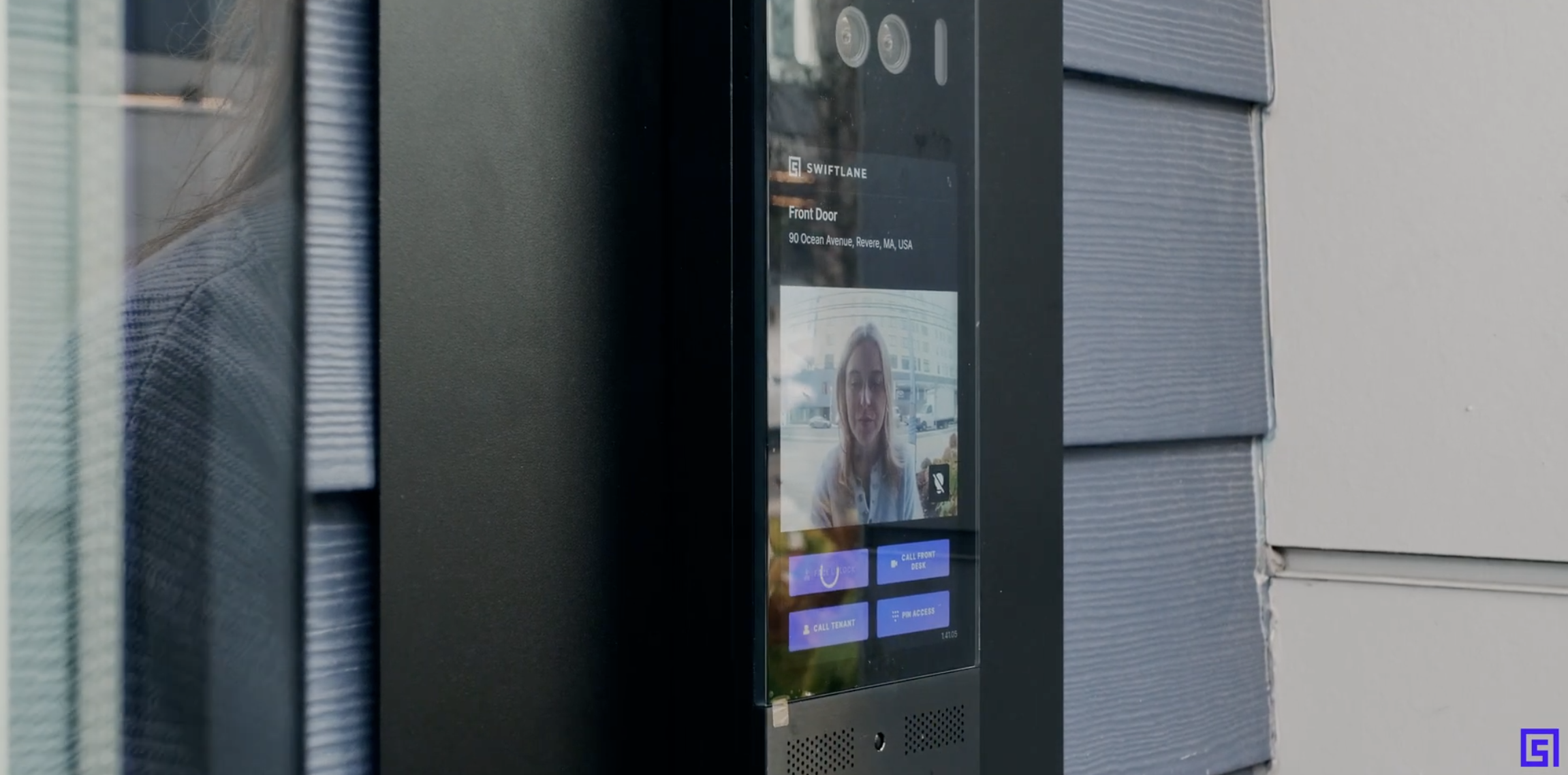
Swiftlane is best known for residential and commercial deployments, but the same architecture applies directly to data center requirements covered above. The platform is cloud-based, so credentials, permissions, and reporting can be managed across multiple facilities from a single dashboard rather than a separate system for each site.
Face recognition, mobile credential, PIN, and voice unlock options support the dual-factor patterns covered in the Requirements section, without requiring a card that can be lost or cloned. On the anti-tailgating side, the platform pairs a visual audit trail with tailgating alerts, addressing that requirement directly rather than relying on signage or policy alone.
On the compliance side, Swiftlane is SOC 2 Type II certified, with role-based admin controls, full audit logging, and encrypted data in transit and at rest. That supports, but does not by itself satisfy, SOC 2, HIPAA, and PCI DSS audit requirements, since compliance also depends on how the system is configured and operated on-site.
The platform is also built to scale, designed to add doors, cages, or entire sites without a forklift upgrade as facilities grow. Current hardware carries an IK10 impact rating on video intercom units, with access-control readers rated IK07 (Z10 model) or IK10 (Z20 model) and IP66 (Z10) or IP68 (Z20) ingress protection, depending on the model.
Swiftlane is one layer in a broader access-control architecture, best paired with the standards, code review, and biometric-law diligence covered earlier in this guide, not a replacement for them.
FAQs
Is data center access control physical security or IT security?
Physical security. It governs who can reach racks, cages, and infrastructure rooms, and works alongside cybersecurity rather than replacing it.
How much does data center access control cost?
It depends on facility size, door/zone count, and hardware choice (card, mobile, biometric). Multi-tenant cage- and rack-level logging costs more per door than single-tenant setups.
Is biometric access control required for data centers?
No, not by law or code, even for Tier III/IV facilities, unless a specific contract or standard requires it. It’s common for high-security zones but carries notice-and-consent obligations under laws like BIPA.
Does ANSI/TIA-942 or Uptime Institute Tier apply specifically to access control?
TIA-942 includes physical security as a standard domain, so it’s more directly relevant. Uptime Tiers benchmark infrastructure and availability, not access-control specifications.
Can a mantrap be installed on an egress route?
Sometimes, but only after a code review specific to the door’s function and occupancy class, conducted with the project’s AHJ, not a default yes-or-no. The same applies whether the installation is called a mantrap or an access control vestibule.
Data center access control decisions carry real legal, life-safety, and operational weight, from egress code to biometric privacy law to tenant separation in colocation environments. Getting the standards and the hardware right the first time avoids costly retrofits later.
Planning access control for a data center or colocation facility? Talk to Swiftlane about layered, audit-ready access control built for multi-site and enterprise deployments.


