

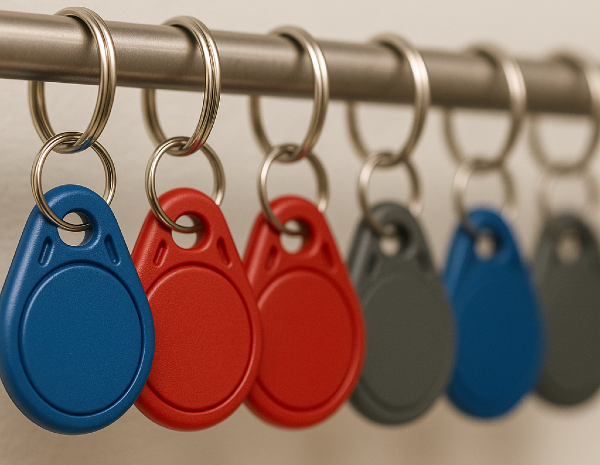
When it comes to building key fob replacement, property managers often run into the same problems: fobs go missing, get damaged, or need upgrading.
A lost or malfunctioning key fob isn’t just a small inconvenience. It can be a security risk and a source of tenant complaints.
Your goal as a property manager is to restore access quickly while maintaining security. Swiftlane knows the ins and outs of key fob systems, having deployed access control in thousands of communities nationwide. This guide provides a step-by-step process to understand building key fob replacement, as well as best practices to prevent future key fob issues.
Key Takeaways
- Prevent confusion by standardizing the process for key fob replacements.
- Lost or stolen fobs should be deactivated immediately.
- Every replacement should be properly logged to create an audit trail.
- All fob replacements should be tested before closing the request.
- The use of cloud-based systems can streamline the management of key fobs.
Table of Contents
- Step-by-Step Guide: How to Handle Key Fob Replacement
- Best Practices for Streamlining Key Fob Replacement
- A Smarter Way to Handle Building Key Fob Replacement
- Frequently Asked Questions
Related Posts
- Key Fob Entry Systems – A Complete Guide
- What Is a Fob System and How to Choose One
- Guide to Apartment Key Fob Systems
Step-by-Step Guide: How to Handle Key Fob Replacement
1. Verify the Tenant Request
The first step might seem obvious, but it’s one you can’t skip. Whenever a tenant requests a replacement key fob, your priority is to confirm the request is legitimate.
- Confirm the identity of the tenant. This should be a must-do for each case. Ask for the tenant’s full name, unit number, and any relevant lease information. This avoids issuing fobs to the wrong person.
- Log the request. Note it in your property management system, CRM, or even a spreadsheet. The details must include the date, reason for replacement (lost, damaged, or upgrade), and details of the staff member handling the request.
- Don’t blindly replace every time. Clarify the exact circumstances. If a fob was lost or stolen, you’ll want to deactivate it immediately to prevent unauthorized access. For damaged fobs, knowing the cause may help prevent future problems (e.g., repeated water damage or wear-and-tear).
2. Check the Compatibility with Your Building’s Access Control System


Not all fobs are created equal. When supplying new fobs, compatibility is key.
- Identify the type of fob. Is it an RFID, NFC, or proximity key fob? Some modern systems even support mobile-enabled credentials. Knowing the system type will dictate how replacements are issued and activated.
- Verify the system compatibility. A common mistake is ordering generic fobs that can’t be programmed properly. That easily leads to wasted time and frustrated tenants.
- Know your system. Cloud-based systems let you activate and deactivate fobs remotely. On-premise systems might require manual programming. Know the system so you can respond accordingly.
3. Authorize and Issue a Replacement
When authorizing a replacement, follow an SOP that makes sure there’s accountability.
- Use a clear request process. You can use an online portal, email, or an in-person request. Tenants should be informed about these options in case they need to report a missing fob.
- Be clear about a fee policy. If you’re charging a small fee for lost or damaged fobs, let your tenants know in advance.
- Assign the correct permissions. Review and make sure that the replacement fob is programmed with the right access levels for the tenant. This includes entrances, garages, elevators, and shared amenities they’re authorized to use.
4. Deactivate the Old or Lost Fob
Deactivating the old fob immediately prevents unauthorized access. This is particularly critical when you’re managing office properties with sensitive areas or high-end condos where security is a selling point.
Deactivation can be done remotely through a cloud-based dashboard or on-site via a terminal. Never forget to confirm the fob is no longer active before issuing the replacement. Finally, let the affected parties know the old fob has been disabled.
5. Test the Replacement Fob


It might be tempting to hand over the new fob and call it a day. But testing is a crucial step.
- Verify access at all points. Test the new fob at the main entrance, garage, and common areas.
- Document the testing. Record which doors were tested and the results.
- Troubleshoot early issues. If there are problems, double-check your programming. If it still doesn’t work, review the compatibility.
Best Practices for Streamlining Key Fob Replacement


Keep Replacement Fobs Ready
Maintain a small inventory of spare fobs so replacements can be issued immediately. Monitoring your stock and anticipating demand helps ensure you never run out of credentials when tenants need them most.
Use Cloud-Based Systems
They allow remote deactivation in seconds, saving you time and effort in manual re-programming.
Automating Audit Logs
Your system should automatically log who issued or disabled a fob, plus other information like the data and identity of the tenant.
Consider Mobile Access
Modern systems now let tenants use their smartphones as a backup key. In some cases, residents eventually prefer mobile access altogether, which can reduce the number of physical fob replacements over time. Download our quick guide now to explore the full benefits of mobile access.
Be Proactive in Minimizing Future Key Fob Issues
Prevention is key. Remind your tenants to keep their key fobs away from water, scratches, and magnets. For high-traffic users (those who access multiple doors frequently on a daily basis), you might consider issuing backups in advance because they’re more likely to lose them. Lastly, watch out for unusual activity in the access logs.
A Smarter Way to Handle Building Key Fob Replacement
With a clear building key fob replacement process, you can resolve access issues quickly, while keeping your building secure and your tenants happy. If managing credentials still feels overly manual or time-consuming, it may be a sign your system isn’t built for modern property management. Platforms like Swiftlane are designed to simplify credential management with remote activation, instant deactivation, and built-in audit trails. Explore what a more modern workflow looks like in practice.
Frequently Asked Questions
How do building key fob systems work?
Building key fob systems use RFID or NFC technology to control access. When a tenant presents a fob to a reader, the system checks permissions and grants or denies entry. Property managers can assign access to specific doors, garages, elevators, and shared amenities.
Can key fobs be copied?
Older or unencrypted key fobs can sometimes be cloned, but modern systems use secure credentials that make copying difficult. To maintain security, property managers should deactivate lost fobs immediately and issue replacements, minimizing the risk of unauthorized access.
What should I do when a tenant loses a key fob?
If a tenant loses a key fob, report it immediately, deactivate the old credential, and issue a replacement. Updating permissions ensures the tenant retains authorized access while preventing unauthorized entry.
How much does it cost to replace a key fob?
Replacement costs vary depending on the type of key fob and the building’s system. Physical fobs can range from a few dollars to more per unit. Some properties also charge an administrative fee for handling replacements.
Who is responsible for key fob replacement costs?
Typically, tenants pay for lost or damaged fobs. Some leases include one or two free replacements, while others require tenants to cover the full replacement fee. Property managers should clearly communicate the policy in the lease or resident handbook.
What are the advantages of key fob access systems?
Key fob systems offer secure, convenient building access. Property managers can easily grant or revoke permissions, track entry activity, and reduce reliance on physical keys that can be lost or copied.
What are the disadvantages of key fob access systems?
Key fob systems require ongoing management. Frequent replacements, inventory tracking, and immediate deactivation of lost fobs can be operationally demanding. Mobile credentials can help reduce the reliance on physical fobs while maintaining security.


![Guide to Apartment Key Fob Systems [2026]](/static/38e0e833c81a96186ffdb81ec5a99252/6bca5/keyfob-2.webp)


