

A commercial keyless entry system replaces metal keys with mobile credentials, key cards or fobs, PIN codes, biometrics, or cloud-managed access permissions. Property managers, office administrators, and commercial building owners use these systems to control who enters a building, when, and through which doors, without cutting or tracking physical keys.
If you manage a commercial building in 2026, the keyless entry decision usually comes down to a handful of recurring problems. Employees leave, and keys don’t get collected. Contractors need temporary access without a permanent credential. Multiple tenants or multiple sites need different access rules, and nobody wants to manage that by hand. Visitors need a way in that doesn’t involve propping a door open or waiting at a front desk.
A commercial keyless entry system is built to solve these problems directly. Instead of physical keys, the system authenticates people through something they carry (a fob or phone), something they know (a PIN), or something they are (a face or fingerprint), and it logs every entry so building staff can see who came and went.
This guide covers the main system types, what they cost, the hardware behind them, how to match a system to your building type, installation and retrofit considerations, common security mistakes, and how to evaluate vendors. Swiftlane’s approach to commercial keyless entry is covered later in this guide, once the buyer-side fundamentals are in place.
How We Researched This Guide
This guide is based on Google Search Console performance data for this page, a review of current search results for commercial keyless entry queries including Rhombus’s 2026 buyer’s guide as a benchmark, and pricing data from BTI Group.
Fire and egress guidance references the International Building Code, biometric privacy guidance references Illinois BIPA, Texas CUBI, and Washington RCW 19.375, and access control equipment references UL 294.
Key Takeaways
- A commercial keyless entry system replaces physical keys with mobile credentials, key cards or fobs, PINs, or biometrics, managed through a cloud or on-premise dashboard.
- Per-door costs typically range from $1,500 to $10,000+, depending on credential type, according to BTI Group’s 2026 pricing data.
- Mobile credentials cost more upfront but are cheaper to manage over time, since there are no physical cards to replace and access can be revoked instantly.
- The right system depends on building type. Multi-tenant and portfolio buildings need tenant-level permissions and centralized dashboards, while single offices can often work with a simpler setup.
- Cloud-managed systems allow remote access and multi-site management, while on-premise systems avoid recurring subscription fees but require local IT support.
- Most security failures stem from process gaps, shared PINs, delayed deactivation, and unmanaged fobs, not hardware failures.
- When comparing vendors, ask about credential support, offline behavior, data ownership, and installer support.
Table of Contents
- What Is a Commercial Keyless Entry System?
- Commercial vs Residential Keyless Entry
- Types of Commercial Keyless Entry Systems
- How Much Does a Commercial Keyless Entry System Cost?
- Core Hardware and Software Components
- Best System by Commercial-Building Type
- Cloud-Managed vs On-Premise Commercial Keyless Entry
- Installation and Retrofit Checklist
- Security Pitfalls and How to Avoid Them
- How to Choose a Commercial Keyless Entry Vendor
- How Swiftlane Supports Commercial Keyless Entry
- FAQs
What Is a Commercial Keyless Entry System?


A commercial keyless entry system is a way to grant, manage, and revoke access to a building without physical keys. Instead of a metal key, users authenticate with a credential such as a mobile phone, a key fob or card, a PIN code, or a face or fingerprint scan. A central system, usually cloud-based, checks that credential against a set of permissions and either unlocks the door or denies entry.
It helps to separate a few terms that often get used interchangeably, since they describe different scopes of the same underlying idea.
Keyless entry refers narrowly to unlocking a door without a physical key, using any of the credential types above.
Access control is the broader system that keyless entry sits inside. It covers not just unlocking doors, but who has access to which doors, when, and how that access is tracked and reported.
A door entry system typically refers to the hardware installed at a specific door: the reader, the controller, and the lock, which together carry out access decisions.
Intercom entry adds two-way audio or video communication so a visitor without a credential can be verified and let in remotely, often layered on top of an access control system rather than replacing it.
A commercial keyless entry system, in practice, combines all four: keyless credentials, access control logic, door hardware, and often an intercom for visitors, into one managed system.
Core components at a glance:
- Credential. What the user presents: a mobile app, a fob or card, a PIN, or a biometric scan.
- Reader. The device at the door reads the credential.
- Controller. The hardware that receives the reader’s signal and decides whether to unlock.
- Lock hardware. The electric strike, maglock, or smart lock that physically secures the door.
- Management software. The cloud dashboard or on-premises server where admins set permissions, view logs, and manage users.
Commercial vs Residential Keyless Entry
Commercial and residential keyless entry solve similar problems with very different requirements. A single-family home and a multi-tenant commercial building don’t need the same system, even though both might use a mobile app to unlock a door.
| Factor | Commercial | Residential |
| Number of users | Dozens to hundreds, often across multiple tenants or departments | Typically a handful, one household |
| Permission structure | Tenant-level or department-level groups, different access by role and schedule | Usually one shared permission level for the household |
| Admin turnover | Frequent, employees and tenants come and go regularly | Rare, mostly stable over years |
| Compliance requirements | Fire and egress code, sometimes biometric privacy law, audit trail expectations | Minimal, mostly manufacturer warranty and local building code |
| Visitor handling | Video intercom, delivery access, contractor credentials | Doorbell camera, shared code for guests |
| System management | Centralized dashboard, often multi-site | Single app, single property |
| Cost model | Per-door, per-user, or platform pricing, often with install and licensing costs | Mostly a one-time hardware purchase |
The distinction matters most for revocation and audit needs. A residential system rarely needs to answer “who entered which door at what time,” while a commercial building almost always does, whether for a security investigation, a compliance audit, or simply confirming a contractor left when scheduled.
Types of Commercial Keyless Entry Systems


Commercial buildings typically choose from five credential types, often combining more than one across a portfolio. Each comes with different tradeoffs in usability, revocation, speed, and risk of sharing or cloning.
Mobile credentials. Users unlock doors from a smartphone app, typically over Bluetooth, Wi-Fi, or cellular. Mobile credentials are easy to issue and revoke instantly since access lives on a phone rather than a physical object. The trade-off is dependence on the user’s device, battery, and app permissions, and security depends heavily on the building’s device and admin policies rather than on the credential itself.
Key cards or fobs. Small physical devices tapped or swiped at a reader. For a deeper look at this credential type, see our guide to commercial key fob door entry systems. Fobs are familiar to most tenants and cheap to issue, but they can be lost, shared, or cloned, and revocation depends on someone actually collecting or deactivating the physical card.
PIN or keypad access. Users enter a numeric code at the door. PINs are inexpensive and require no hardware to issue, but codes are easy to share informally between coworkers or tenants, and shared PINs make it hard to know exactly who entered at a given time.
Biometric or face recognition. Access is granted by scanning a face or fingerprint. Biometrics are harder to share or lend than a fob or PIN, since the credential is tied to the person rather than an object or code.
Trade-offs include higher hardware costs and privacy or data-handling questions that vary by state. Buildings using biometrics should confirm compliance with local biometric privacy laws, including Illinois BIPA, Texas CUBI, and Washington RCW 19.375, before rollout.
Video intercom with remote unlock. A visitor without any credentials calls a unit at the door, is verified via video or audio, and is let in remotely by staff or the tenant. This isn’t a replacement for the credential types above; it’s typically layered on top to handle visitors, deliveries, and guests who don’t have standing access.
Comparison table
| Credential Type | Best For | Security Considerations | Operational Burden |
| Mobile credentials | Employees and tenants with company-issued or BYOD phones | Security depends on device policy, app permissions, and revocation workflow, not the credential alone | Low, revoke instantly from the dashboard |
| Key cards or fobs | High turnover buildings needing a simple, familiar credential | Can be lost, shared, or cloned depending on the card technology used | Medium, requires physical collection or manual deactivation |
| PIN or keypad | Temporary or infrequent access, such as contractors or deliveries | Codes are easy to share informally, weakening the link between a PIN and a specific person | Medium, requires regular code rotation to stay secure |
| Biometric or face recognition | High security areas or buildings wanting to reduce credential sharing | Harder to share than a fob or PIN but raises data privacy questions depending on jurisdiction | Low day-to-day, higher upfront enrollment effort |
| Video intercom with remote unlock | Visitor, delivery, and guest access without standing credentials | Security depends on staff or tenant verification quality at the moment of the call | Medium, requires someone available to answer calls |
This table is ordered by buyer workflow, from standing employee credentials through to visitor access, not by vendor or product ranking.
How Much Does a Commercial Keyless Entry System Cost?
Commercial keyless entry pricing is usually quoted per door, and it varies with credential type, whether existing locks can be reused, and how many doors are in the rollout. Security integrator BTI Group publishes an itemized per-door cost breakdown that gives a useful baseline.
Hardware, By Tier
According to BTI Group’s breakdown, which separates pricing by system tier (entry-level, mid-range, enterprise-grade), card or mobile readers range from roughly $250 to $1,500 per door depending on tier, and locking hardware from $300 to $3,000 per door.
Installation
BTI Group cites installation at $1,500 to $2,200 per door, depending on wiring complexity and system tier. Reusing existing wiring and lock hardware lowers this figure meaningfully, since new conduit runs and hardware replacement are the main cost drivers within that range.
Software and Licensing
BTI Group cites cloud licensing at $20 to $30 per door, per month, with on-premises server licensing running $200 to $2,000 or more per door depending on tier.
Credential Type Cost, Per Door
| Credential Type | BTI Group Range |
| Key card or fob | $3,000 to $5,000 |
| Mobile access | $2,000 to $4,500 |
| Biometric | $3,500 to $10,000 |
| Hybrid (multi-credential) | $3,000 to $6,000 |
Total First-Year Cost Estimate
BTI Group estimates a first-year cost, including hardware, installation, and licensing, of $3,000 to $5,000 per door. Multi-door and multi-site rollouts typically see per-door costs decrease due to shared labor, mobilization, and licensing efficiencies, though BTI Group doesn’t quantify that discount precisely.
What Changes the Quote
Three factors move these ranges the most: the number of doors and entry points, whether existing locks and wiring can be reused, and the credential type chosen. Mobile and hybrid systems tend to cost more upfront but less to operate over time, since there are no physical credentials to replace. Fobs and PINs cost less upfront but carry ongoing costs in replacement cards, code resets, and administrative time.
Every building’s cost breakdown looks different once door count, wiring, and credential type are factored in. If you want a specific estimate for your building, talk to Swiftlane for a quote based on your actual door count and setup.
Core Hardware and Software Components
A commercial keyless entry system is built from a small set of components repeated at every door, plus one management layer that ties them all together.
Reader. The device mounted at the door that reads a credential, whether that’s a mobile signal, a card or fob, a PIN pad, or a biometric scan. Reader choice depends on which credential types the building supports.
Controller. Often called the brain of the system, the controller receives the reader’s signal, checks it against stored permissions, and sends the unlock command. Controllers vary in how many doors they can manage, which affects cost and wiring layout as a building scales.
Locking hardware. The physical mechanism that secures the door once the controller allows entry. Common options are electric strikes, electromagnetic locks, and standalone smart locks, chosen based on door type, fire code requirements, and whether the door needs to fail-safe or fail-secure during a power outage.
Power supply. A dedicated, reliable power source keeps the system running, typically with a battery backup so doors don’t lose access control during a power interruption.
Request to exit (REX). A sensor or button that lets someone exit without triggering an alarm or requiring a credential, usually required by fire and egress codes on the inside of a controlled door.
Door position sensor. Monitors whether a door is open, closed, or propped, which supports both security monitoring and code compliance around doors that shouldn’t be left open.
Network or cellular connectivity. Cloud-based systems need a reliable connection to sync credentials, permissions, and logs. Many commercial deployments add cellular backup so the system keeps working if the building’s internet connection drops.
Cloud dashboard. The management software where admins add and remove users, set door schedules, and view activity. This is the layer that makes remote, multi-site management possible.
Audit logs. A record of every entry event, who accessed which door and when, which supports both security investigations and compliance reporting.
What to confirm before install
Before scheduling installation, confirm the following for each door in scope:
- Door type and material, since some locking hardware isn’t compatible with every door
- Whether existing wiring or conduit can be reused
- Power availability near the door, or the distance to the nearest power source
- Network or cellular signal strength at the door location
- Fire and egress code requirements for that specific door
- Whether the door connects to an elevator or gate system that also needs integration
Best System by Commercial-Building Type
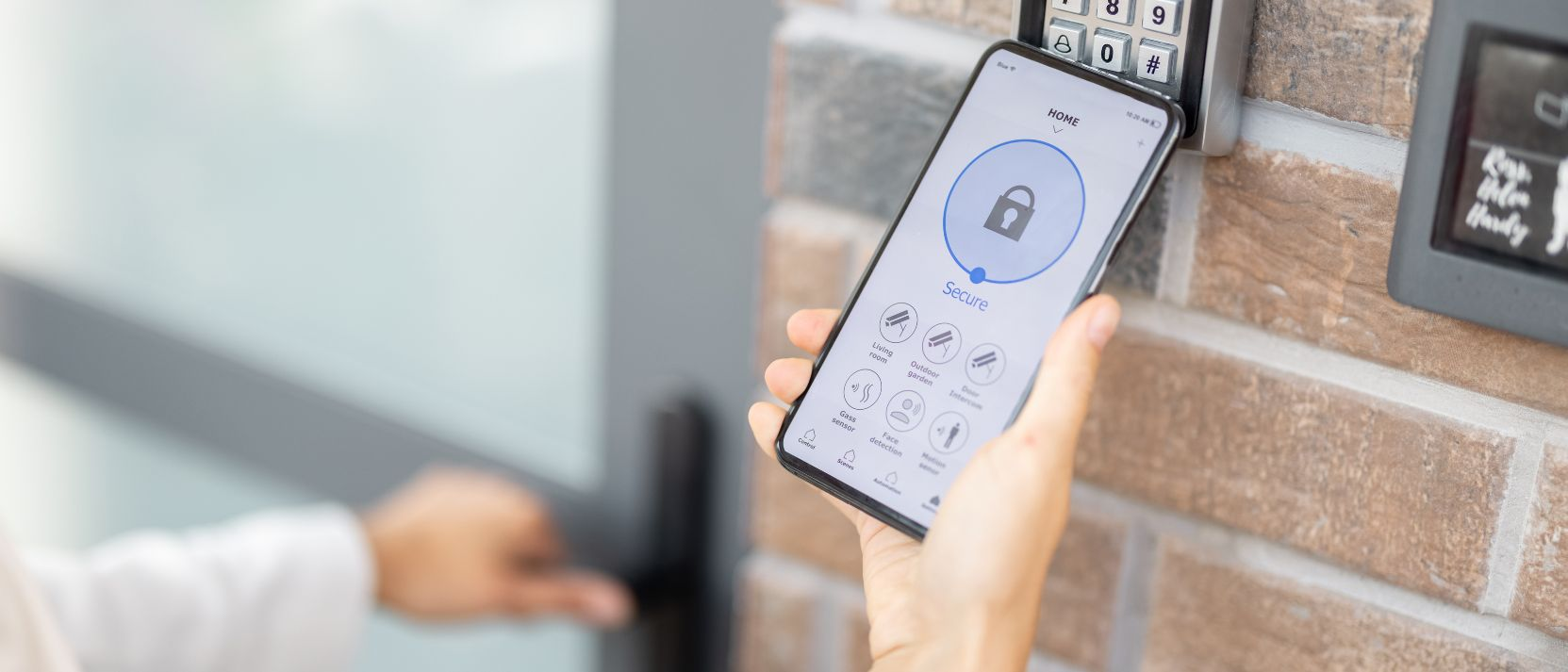
The right credential mix and management setup depends heavily on the type of commercial building. A single-tenant office has different needs than a multi-tenant property or a portfolio spread across sites, and the hardware requirements shift along with them.
Single Office
Usually one tenant, one set of employees, and a manageable number of doors. Mobile credentials or key fobs both work well here, since there’s a single admin group managing access and no need to separate permissions between unrelated tenants. A single door controller often covers the whole suite, so hardware needs stay simple.
Multi-Tenant Commercial Building
Multiple businesses share common entrances, elevators, and sometimes shared amenities, while each tenant needs control over their own suite. This setup typically needs a system that supports tenant-level permission groups, so building management can control common areas while each tenant manages their own space independently.
Elevator integration is common here, since tenants on different floors often need floor-specific access rather than open elevator access for the whole building.
Mixed-Use Building
Combines commercial and residential, or commercial and retail, under one roof, often with different access rules for each use type and different hours of operation. These buildings usually need flexible scheduling by door and by user group, since a retail tenant’s access needs look nothing like a residential tenant’s.
Retail entrances facing the street also tend to need higher-traffic-rated hardware than interior office or residential doors, since foot traffic volume and public exposure are both higher.
Coworking Space
High user turnover, frequent day passes or short-term memberships, and a need to issue and revoke credentials quickly without a physical handoff. Mobile credentials tend to fit well here, since access can be granted or revoked remotely as memberships start and end.
Credential churn is the defining hardware consideration. Systems built around physical fobs create a constant cycle of issuing and collecting cards as members rotate, while mobile-first systems avoid that overhead entirely.
Warehouse or Light Industrial
Larger door counts relative to occupants, sometimes including loading dock doors, gates, or overhead doors in addition to standard entries. These sites often need a system that can integrate with gate or dock equipment alongside standard door hardware; see our guide to commercial gate entry systems for gate-specific considerations.
Exterior and dock-facing doors typically need weatherized, IP-rated readers built to handle temperature swings and moisture, and vandal-resistant housings where equipment sits in exposed or low-supervision areas, unlike interior office doors, which don’t need that hardening.
Portfolio or Multi-Site Operator
Property managers or owners running several buildings need a single dashboard that spans all sites, rather than managing each building’s access separately. Centralized reporting, consistent permission policies across sites, and the ability to onboard or offboard staff across multiple properties simultaneously become priorities here.
Hardware standardization across sites also matters more than it does for a single building, since a mixed hardware fleet across a portfolio makes support and firmware updates harder to manage centrally.
Cloud-Managed vs On-Premise Commercial Keyless Entry
Commercial keyless entry systems are managed either through a cloud dashboard or through a server installed on-site. The choice affects cost structure, remote access, and how much IT support the building needs on an ongoing basis.
Cloud-managed systems host the management software off-site, with admins accessing permissions, logs, and user management through a web or mobile dashboard. This model typically has lower upfront costs, since there’s no local server to buy or maintain, but it comes with an ongoing subscription fee, usually billed per door or per user, per month.
On-premise systems run on a server installed at the building, with software licensed and maintained locally. This model usually has a higher upfront investment, since it requires server hardware and setup, but it avoids ongoing subscription fees. On-premise systems also typically require in-house IT staff or a maintenance contract to keep the server updated and running.
What Changes with Cloud Management
- Remote access. Admins can grant or revoke access, view live activity, and manage schedules from anywhere, without needing to be on-site or connected to a local network.
- User lifecycle. Adding a new employee or revoking a departing one’s access happens instantly through the dashboard, rather than requiring a visit to a local server or manual reconfiguration at the door.
- Multi-site management. A single dashboard can span every building in a portfolio, so permissions, reporting, and user management stay consistent across sites instead of living in separate, disconnected systems.
- Audit trails. Entry logs sync automatically to the cloud, making them available for review or compliance reporting without pulling data from an on-site server.
- Resilience and backups. Cloud systems typically back up data automatically and can often continue basic door operation locally if internet connectivity drops temporarily, syncing changes once the connection restores. Access control equipment is commonly tested against UL 294, the industry standard covering baseline construction and reliability requirements for access control system units. However, specific offline behavior still varies by vendor and is worth confirming during evaluation.
When On-Premise May Still Make Sense
On-premise systems can still be the right fit for buildings with strict data residency requirements, existing IT infrastructure already in place to support a local server, or a preference to avoid recurring subscription costs in exchange for a larger upfront investment. Buildings without reliable internet or cellular connectivity may also lean on-premise, though this is becoming less common as cellular backup options improve.
Installation and Retrofit Checklist
Retrofitting an existing commercial building for keyless entry involves more upfront assessment than a new construction install, since existing doors, wiring, and code requirements all factor into what’s possible and what it will cost.
✓ Door and Lock Audit
Walk every door in scope and record door material, frame type, and existing lock hardware. Some materials and frame types limit which locking hardware can be installed without modification.
✓ Existing Wiring
Check whether usable wiring already runs to each door. Reusing existing wiring significantly lowers installation costs, per the per-door cost breakdown in the pricing section above, while doors with no existing wiring require new conduit runs, which add labor and time.
✓ Fire and Egress Code Compliance
Confirm that any new locking hardware still allows free exit without a credential, per local fire code and the International Building Code. This typically means REX devices or hardware that unlock automatically on fire alarm activation, and it’s worth confirming with a local fire marshal or code official before finalizing the hardware choice, rather than assuming standard practice applies everywhere.
✓ Network and Cellular Coverage
Confirm signal strength at each door location for whichever connectivity the system requires. Doors in basements, stairwells, or interior locations sometimes need a cellular booster or additional network hardware.
✓ Elevator and Gate Integrations
If the building has elevators or vehicle gates that also require access control, confirm compatibility with the elevator control system or gate hardware early, as these integrations often require coordination with a separate vendor or the building system.
✓ Visitor Management Needs
Decide how visitors, deliveries, and contractors without standing credentials will be handled, whether that’s a video intercom, a front desk, or a temporary credential workflow, since this affects hardware choice at entry points versus interior doors.
✓ Tenant Communication
For multi-tenant buildings, plan how and when tenants will be notified about installation timing, temporary access changes, and any action needed on their end, such as downloading an app or picking up a new credential.
Common Mistakes to Avoid
- Assuming all existing wiring is usable without testing it first
- Overlooking fire and egress requirements until after hardware is already selected
- Treating elevator or gate integration as an afterthought rather than confirming compatibility during planning
- Rolling out to all doors and tenants at once instead of piloting on a smaller set of doors first
Security Pitfalls and How to Avoid Them
Most access control failures aren’t hardware failures; they’re process failures.
The following pitfalls recur in commercial buildings, along with what to do about each.
Shared PINs
When a PIN code gets shared informally between coworkers or tenants, it becomes impossible to tie a specific entry to a specific person, which defeats the purpose of an audit log.
Mitigation: Assign PINs to individuals rather than to doors or teams, and rotate codes on a set schedule rather than only after a known incident.
Unmanaged Fobs and Cards
Fobs that were never returned, never deactivated, or issued without a clear record of who holds them create standing access risk that’s easy to lose track of over time.
Mitigation: Maintain a current registry of every issued credential and its holder, and audit that registry on a regular schedule.
Delayed Deactivation
When an employee or tenant leaves, access should be revoked the same day. Still, in practice this step is often delayed or forgotten, especially in buildings without a single centralized system.
Mitigation: Tie credential deactivation directly to the offboarding process, so it happens automatically rather than depending on someone remembering to do it manually.
No Audit Logs
Some older or basic systems don’t log entry events at all, which means there’s no way to investigate an incident after the fact or confirm who was in the building at a given time.
Mitigation: Choose a system that logs every entry event by default, and check retention policies, since some systems only retain logs for a limited window.
Active Former Employees or Tenants
Related to delayed deactivation, this is specifically the case where someone who should no longer have access still does, sometimes for months, because no one checked.
Mitigation: Run a periodic access review, not just a one-time audit, comparing the current credential list against the current tenant or employee roster.
Lost or Cloned Credentials
Physical cards and fobs can be lost, and older card technologies can be cloned without the holder’s knowledge.
Mitigation: Report lost credentials immediately so they can be deactivated, and evaluate whether the building’s card technology is vulnerable to cloning as part of any system upgrade.
Unmanaged Contractors
Contractors and vendors are often given standing access for the duration of a project without a defined end date, which leaves access active long after the work is done.
Mitigation: Issue time-limited or date-bound credentials for contractors whenever the system supports it, rather than granting permanent access.
Weak Admin Controls
If multiple people can add or remove credentials without any approval step or record of who made the change, it becomes hard to know who authorized a given access change.
Mitigation: Limit admin permissions to a small, defined group and require that changes be logged with the person who made them.
How to Choose a Commercial Keyless Entry Vendor
Vendor selection usually comes down to a handful of criteria that matter more than any single feature. Use the checklist below to compare vendors on the same terms, since specs alone don’t tell the full story.
Decision Matrix
| Criteria | What to Ask |
| Credential Support | Does the system support mobile, fob, or card, PIN, and biometric credentials, or only one or two of these? |
| Cloud Dashboard | Is management cloud-based, on-premises, or both? Can permissions be updated remotely? |
| Audit Logs and Reporting | Are entry events logged by default? What’s the log retention period? |
| Integrations | Does the system integrate with existing video, visitor management, or building systems already in place? |
| Installer Network | Does the vendor have a network of qualified installers in your area, or does installation depend on a single regional partner? |
| Support and SLAs | What’s the response time commitment for support issues, and is that documented in a service level agreement? |
| Data and Security Posture | Where is data stored, how is it encrypted, and what’s the vendor’s policy on data access and retention? |
| Scalability | Can the system grow from a single building to a multi-site portfolio without a platform change? |
Shortlist Checklist
Before requesting a demo or quote, confirm each vendor on your shortlist can answer the following without hedging:
- Can you name your current customers in a comparable building type, and can we speak with one?
- What happens to door access during an internet or power outage?
- How long does a typical installation take for our door count?
- What’s included in the quoted price, and what counts as an add-on?
- How is pricing structured, per door, per user, or a flat platform fee?
- What’s your policy on data ownership if we ever switch vendors?
Vendors that answer these clearly and specifically are generally easier to work with long-term than vendors who default to marketing language instead of direct answers.
Illustrative Scenario: A Multi-Tenant Retrofit
Consider a multi-tenant building moving from keys and fobs to mobile credentials and a video intercom.
Before the retrofit, unreturned fobs are common after tenant turnover, and staff have no way to confirm who entered after hours. The retrofit follows the checklist above: a door and lock audit, fire and egress confirmation before hardware selection, and a pilot on common entrances before expanding to individual suites.
After the retrofit, tenants unlock doors from a mobile app instead of carrying a fob, staff revokes departing tenants’ access remotely instead of waiting on a returned fob, and a video intercom handles visitors and deliveries at the main entrance.
This reflects a common retrofit pattern, not a specific customer deployment.
How Swiftlane Supports Commercial Keyless Entry
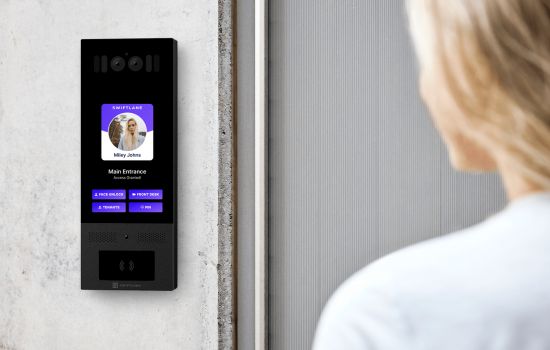
Everything above applies regardless of which vendor a building chooses. For buildings evaluating where Swiftlane specifically fits, here’s the practical picture.
Swiftlane is a cloud-based access control and video intercom platform built for commercial and mixed-use properties. It supports mobile credentials, key fobs, PIN codes, and face recognition as credential options, so a building isn’t locked into a single credential type as tenant needs change over time.
Where Swiftlane Tends to Fit Well
Multi-tenant and mixed-use commercial buildings that need tenant-level permission groups alongside shared common area access, managed from one dashboard rather than separate systems per tenant.
Portfolio operators managing multiple properties who want centralized reporting and consistent permission policies across sites, rather than logging into a separate system for each building.
Buildings with meaningful visitor or delivery traffic, since the video intercom is integrated into the same platform as access control rather than being a separate, disconnected system layered on top.
Buildings prioritizing remote management, where property staff need to grant or revoke access, review entry logs, or manage multiple doors without being on site.
Where to Evaluate Further
Buildings with highly specialized requirements, such as air-gapped on-premise systems with no cloud connectivity, or very large single sites with existing enterprise access control infrastructure already in place, should evaluate whether a cloud-based platform fits their specific IT and security policies before committing.
If your building matches the profile above- multi-tenant, mixed-use, portfolio, or visitor-heavy- schedule a demo to see how Swiftlane’s access control and video intercom platform would fit your specific property.
FAQs
What is the best keyless entry system for a commercial building?
There isn’t a single best system for every building, since the right choice depends on tenant turnover, building type, and how much remote management is needed. Multi-tenant and portfolio buildings tend to benefit from mobile credentials paired with a cloud dashboard, since access can be granted or revoked remotely.
Single-tenant offices with lower turnover sometimes do fine with key fobs alone. See the comparison table above for a fuller breakdown by credential type.
How much does a commercial keyless entry system cost?
Per-door costs typically range from about $1,500 to $10,000 or more depending on credential type, according to industry pricing data from BTI Group, with biometric systems at the high end and key fobs or PINs at the lower end. Installation, software licensing, and credential replacement are additional ongoing costs. See the pricing section above for a full breakdown by component.
Can keyless entry work with existing commercial doors?
In most cases, yes, though it depends on the door’s existing wiring, frame material, and lock hardware. Reusing existing wiring lowers installation cost significantly compared to running new wiring from scratch. A door and lock audit before installation, covered in the retrofit checklist above, confirms what’s reusable and what needs replacement.
Is mobile access more secure than fobs or cards?
Mobile access is generally harder to share informally than a fob or PIN, since it’s tied to a specific device rather than an object that can be handed off. That said, security still depends on the building’s device policy, app permissions, and how quickly access is revoked when someone leaves, not on the credential type alone. Fobs and cards carry their own risks, mainly loss and cloning, depending on the card technology used.
Can I manage multiple offices or buildings from one dashboard?
Yes, this is one of the main advantages of cloud-managed systems over on-premise setups. A single dashboard can span every building in a portfolio, with consistent permission policies and centralized reporting across sites, rather than managing each building’s access separately.
What happens during power or internet outages?
This varies by vendor, so it’s worth confirming directly during vendor evaluation rather than assuming. Many cloud-based systems can continue basic door operation locally during a temporary internet outage, syncing changes once connectivity restores, and battery backup typically keeps doors functioning through short power interruptions.
Ask any vendor on your shortlist to explain their specific offline behavior before signing a contract.
Do commercial keyless systems support visitors and contractors?
Yes, typically through a video intercom for visitors without a standing credential, and through time-limited or date-bound credentials for contractors. Buildings with meaningful visitor or delivery traffic should confirm intercom integration specifically, since not every access control system includes one natively.
Get a Swiftlane Quote
Tell us about your building and we'll help you find the best solution.


