

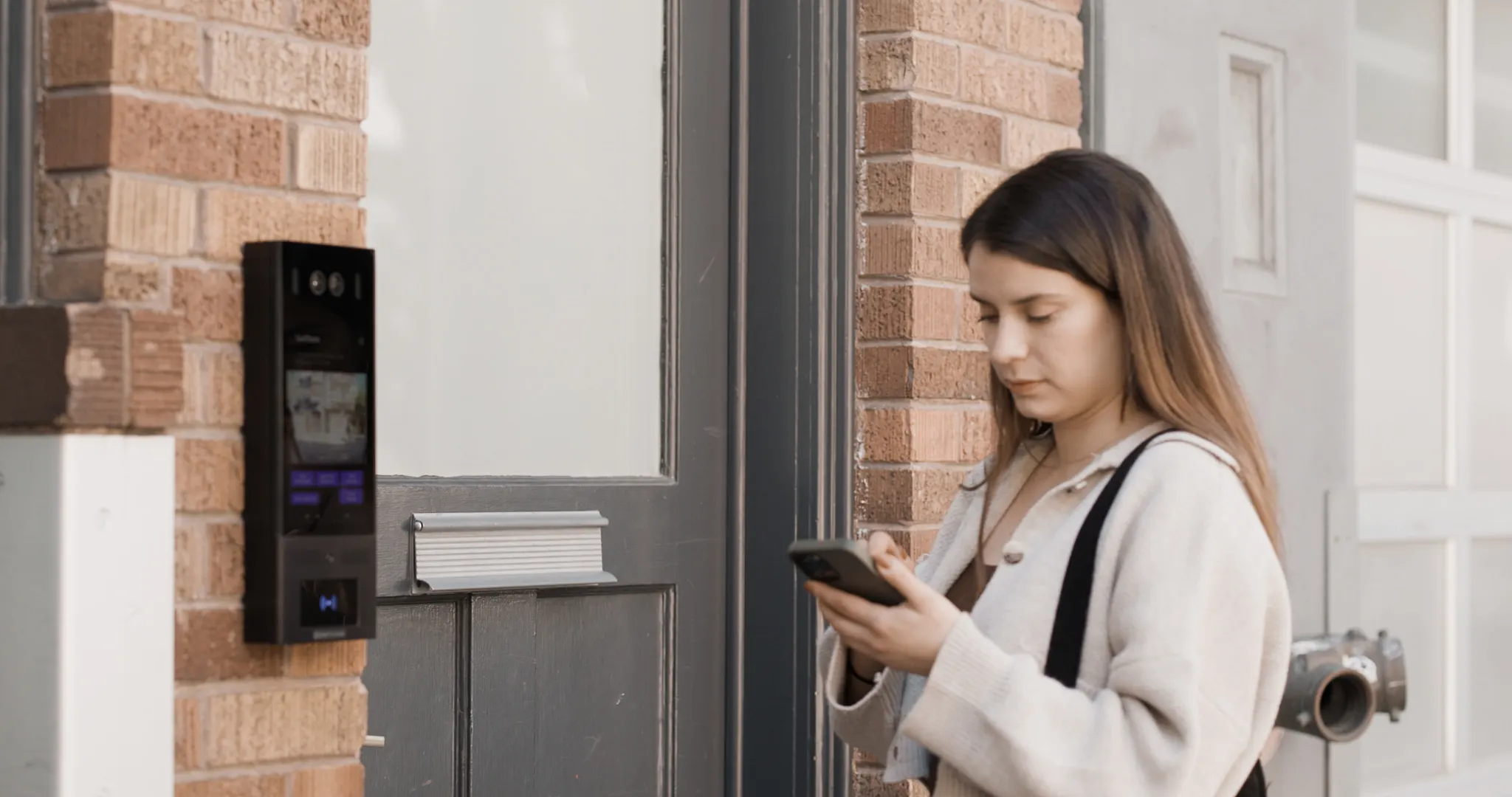
Door access control is the system that decides who can enter a door and when. Users present a credential such as a smartphone, card, fob, or PIN; the controller verifies it against stored permissions and releases an electronic lock to grant entry.
A door access control system replaces physical keys with a reader, lock, controller, and credential, plus software to manage permissions and log activity. Costs usually scale with how many doors you’re securing, what hardware each one needs, and whether you choose cloud or on-premises software. The right setup depends on your building. An office might need four doors and role-based schedules, while a multifamily property needs visitor access and resident turnover built in from day one.
This guide walks through the hardware, software, costs, and buying criteria so you can figure out what fits before you start requesting quotes.
How We Researched This
This guide draws on Google Search Console query data to identify what buyers are actually searching for, cross-referenced with Swiftlane’s own product and cluster pages for office and multifamily use cases. Definitions for access control models are sourced from NIST’s Computer Security Resource Center glossary.
Anywhere this guide touches fire code, egress, or fail-safe/fail-secure behavior, that language is flagged for confirmation with a licensed installer or your local Authority Having Jurisdiction (AHJ) rather than stated as settled fact.
Key Takeaways
- A door access control system combines a reader, lock, controller, and credential with software that manages permissions and logs activity.
- Costs depend on door type, wiring, lock hardware, and software licensing, not a flat per-door price.
- Office and multifamily buildings have different access needs, from role-based schedules to visitor turnover.
- Most existing doors can be retrofitted, but door condition, power, and code requirements affect scope.
- Access control and door entry (like video intercom) solve different problems and often work best together.
Table of Contents
- What Is a Door Access Control System?
- Door Access Control Hardware: What You Need Per Door
- Door Access Control Software: Cloud vs. On-Premise
- Door Access Control System for Offices
- Door Access Control for Apartments and Multifamily Buildings
- Reader and Credential Types Compared
- Door Access Control Cost Per Door
- Retrofit Checklist: Can You Add Access Control to an Existing Door?
- Best Door Access Control Systems: What to Compare Before Buying
- Door Access Control vs. Door Entry Systems
- Access Control Models Glossary: DAC, MAC, RBAC, ABAC
- FAQs
What Is a Door Access Control System?
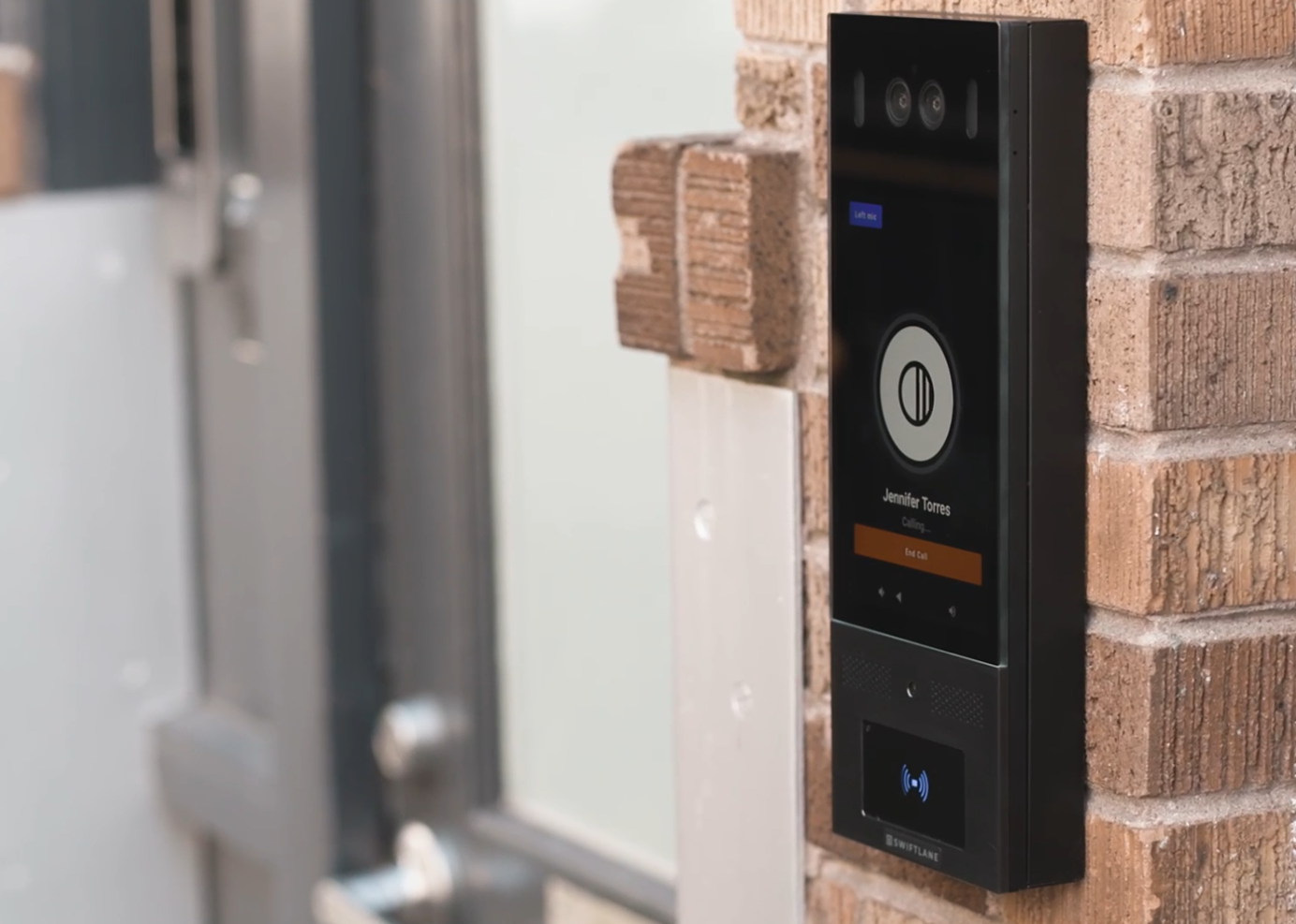
Door access control is a security system that replaces physical keys with digital credentials, allowing building managers to grant, restrict, or revoke entry permissions remotely and in real time.
A door access control system replaces physical keys with digital credentials, hardware, and software that decide who can open a specific door and when. At its core, it combines a reader, a lock, a controller, and a credential, like a fob, mobile app, or PIN, with software that manages permissions and logs every entry. Instead of rekeying a lock when someone leaves or loses a key, you update or revoke access from a dashboard in seconds.
These systems show up anywhere an organization needs to control entry without handing out physical keys: offices, multifamily buildings, commercial properties, mixed-use developments, and restricted areas like server rooms, equipment closets, and amenity spaces. The specific hardware and software you need depends on the building type and how many doors you’re securing, and this guide walks through it door by door.
Whether you call it a door access setup, an access control door system, or a controlled door access system, the buying decision comes down to the same three questions: what hardware each door needs, what the software needs to do, and what it will cost to install and maintain.
Door Access Control Hardware: What You Need Per Door
Before you compare software or vendors, it helps to know what’s actually installed at each door. Every access-controlled door needs a few core pieces working together, and understanding them makes it much easier to read a quote or spot what’s missing.
A reader sits on the wall next to the door and checks whatever credential someone presents, whether that’s a fob, a mobile phone, or a PIN. The reader talks to a controller, which is the decision-maker that checks the credential against your permissions and tells the door what to do. Access control system units, including controllers, are typically listed to UL 294, the standard covering construction, performance, and testing for this equipment. The right lock choice depends on the door type and any code requirements for that opening.
Most doors also need a request-to-exit device, which lets people leave freely from the secured side without needing a credential, and a door position sensor, which tells your software whether the door is open, closed, or propped.
Add a power supply with battery backup so the system keeps working during an outage, the credentials you issue to residents, staff, or visitors, and the software license that ties it all together.
Hardware Required Per Access-Controlled Door
| Component | What It Does | When You Need It | Buyer Note |
| Reader (keypad, fob, or mobile) | Checks a person’s credential at the door | Nearly every controlled door | Match the reader to who’s using it: staff, residents, visitors, or vendors |
| Electric strike, electrified lock, or maglock | Physically locks and unlocks the door | Every controlled door; type varies by door and code | Ask your installer which lock type fits your door and local code |
| Controller | Makes the access decision and stores permissions | Every access-controlled door needs one, whether it’s dedicated to a single door or serving several | Caches credentials locally, so doors keep working offline. See the software section above |
| Door position sensor | Flags whether a door is open, closed, or held open | Recommended for audit trails and alerts | Useful for catching propped or forced doors |
| Credentials | The fob, card, mobile app, or PIN each person uses | Every user group | Plan for lost credentials, staff turnover, and visitor access |
| Management software | Manages users, schedules, and access logs | Every modern system | Cloud-based software is usually easier to manage across multiple properties |
| Request-to-exit device | Lets people exit freely from the secured side | Common on electronically locked doors | Must support free egress under fire and life-safety code; confirm with installer/AHJ |
| Power supply with backup | Keeps locks, readers, and controllers running | Every electrified door | Egress doors must fail-safe (unlock on power loss). Strikes/levers with free mechanical egress are the exception. See request-to-exit row above; confirm your door with installer/AHJ. |
Door Access Control Software: Cloud vs. On-Premise
Once the hardware is in place, the software is what you’ll interact with day to day. This is where you grant access, pull up logs, and manage who can get into which doors, so it’s worth understanding the two main approaches before you commit.
Cloud-based software runs through an online platform, so you can add or remove access, check activity, and manage multiple properties from anywhere without being on-site or maintaining a local server. Updates and new features usually roll out automatically. This tends to work well for property teams managing more than one building, or anyone who wants to make changes remotely, like adding a new resident or revoking a departing employee’s access, without a site visit.
On-premises software runs on a local server in the building. It can offer more control over where your data lives, but changes, updates, and troubleshooting typically require someone on-site or remote access set up in advance. For a single building with dedicated IT staff, this can still make sense. For most multifamily and office portfolios, though, cloud-based systems tend to fit day-to-day operations.
What happens if the internet goes down?
Doors keep working. The controller at each door caches credentials and schedules locally, so people can still badge, tap, or enter their PIN as usual during an outage. What pauses is anything that depends on the connection: remote management, live alerts, and new credential changes wait until the connection comes back, then sync automatically.
Whichever direction you’re leaning, it’s worth asking a few questions before you sign anything:
- Can I manage access and pull logs from my phone, or do I need to be at an on-site computer?
- How are schedules and permissions updated when someone joins, leaves, or changes roles?
- Does the system integrate with intercoms, visitor management, or elevators if I need that later?
- How are firmware and security updates handled, and who’s responsible for them?
- Can I manage more than one property or building from the same account?
Door Access Control Systems for Offices
Office buildings usually need more than just a secured front door. A typical setup covers:
- Main entrance
- Individual suite doors
- Conference rooms
- IT or server rooms
- Parking and elevator access control interfaces tied to the building
Each door can carry different permissions depending on who needs to go through it and when.
A common scenario: a small office with four doors, a front entrance, a suite door, a server room, and a back entrance used mostly by staff.
- Front entrance: badge or mobile access during business hours; call or code after hours
- Suite door: open to anyone on staff
- Server room: limited to IT; every entry logged
- Back entrance: scheduled to staff shift hours
This is also where role-based schedules earn their keep. Assign permissions by role instead of by person, so a new hire in sales gets the same front-door and suite access as their team on day one, and someone leaving the company loses it all the moment HR processes their exit.
Audit logs then record who came through which door and when, which helps with security and everyday questions like confirming when a vendor showed up. For larger offices or multi-location businesses, a commercial and enterprise access control setup extends this same role-based logic across sites.
Door Access Control for Apartments and Multifamily Buildings
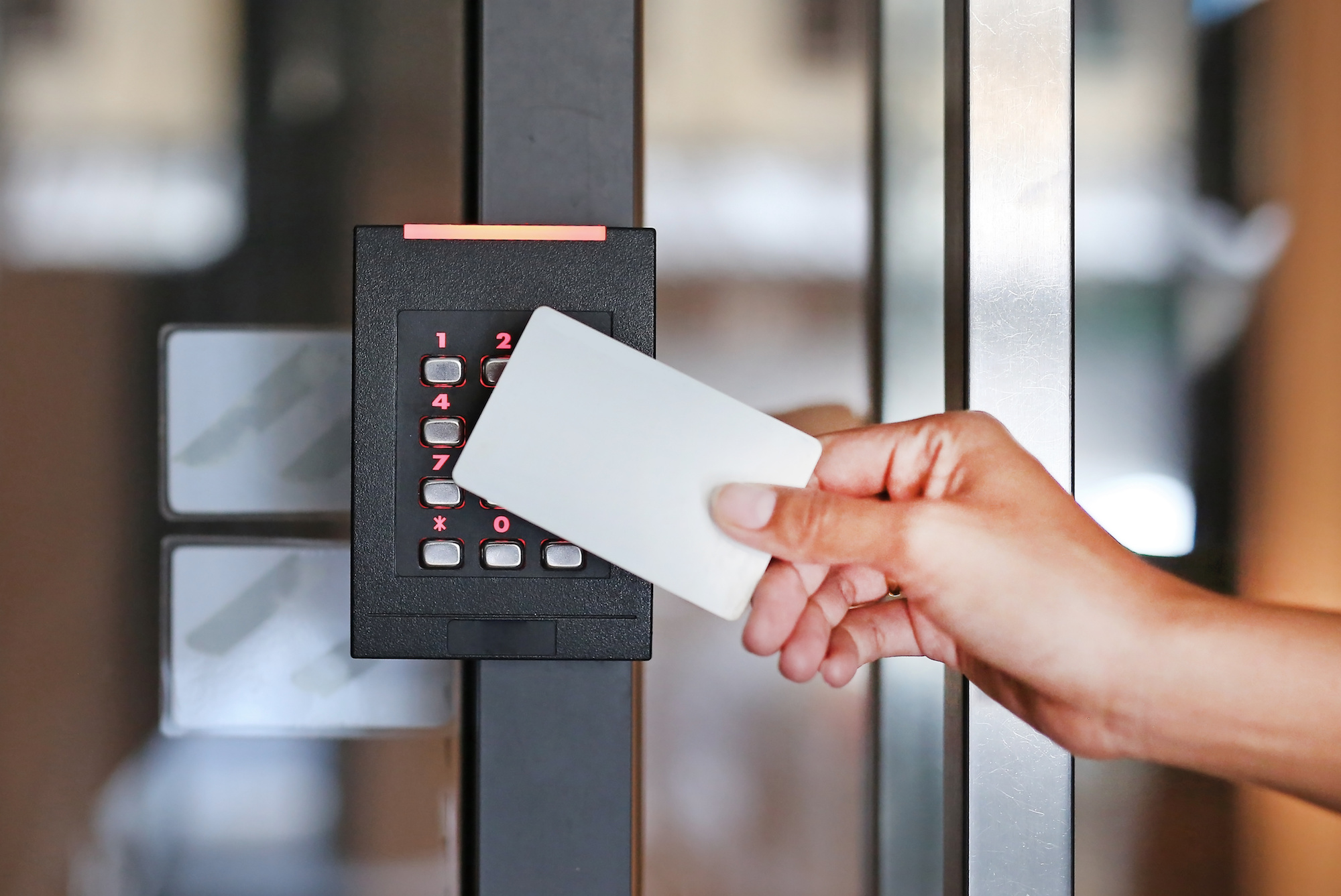
Multifamily properties face more entry points, higher turnover, and constant visitor and vendor traffic. Coverage typically spans exterior entrances, amenity spaces, package rooms, elevators, garages, the leasing office, and staff access.
Resident turnover is the biggest ongoing challenge. When someone moves out, access needs to be revoked the same day across every door they had access to. Cloud-based systems make this a quick dashboard fix instead of a physical rekey.
Visitor and vendor access works best with temporary PINs or QR codes that expire after a set window, so a dog walker or delivery driver gets in without a resident buzzing them in each time.
A dedicated visitor management system handles this at scale. Video intercom adds another layer, letting residents see and unlock remotely while giving staff a video log.
Face recognition can also fit resident entry where permitted and with appropriate notice and consent review. Before publishing biometric-access claims, confirm the positioning against applicable biometric privacy laws, including Illinois BIPA, Texas CUBI, and Washington RCW 19.375.
For properties with several common areas, the goal is one connected system: staff manages every door from one dashboard, residents get one app, and visitor activity logs automatically. This is the core of a multifamily residential access control setup.
Reader and Credential Types Compared
The reader is what people actually interact with at the door, and the credential is what they present to it. The right combination depends on who uses the door and how much convenience versus security you need.
Reader and Credential Comparison
| Reader Type | Best Fit | Pros | Tradeoffs |
| Keypad/PIN | Low-traffic doors, temporary access, vendors | No physical credential to lose; easy for visitors | PINs can be shared or forgotten |
| RFID card or fob | Offices, apartments, replacing older systems | Familiar, fast, widely supported | Lost fobs cost money to replace; can be shared |
| Mobile access | Modern offices and multifamily properties | Issue or revoke access remotely; no physical card | Depends on phone compatibility and resident/staff adoption |
| Biometric/face recognition | Resident or staff entry where policy allows | Hands-free; can’t be lost or handed off | Requires privacy notice and consent review; confirm compliance positioning per BIPA/CUBI/RCW 19.375 |
| Video intercom + access | Visitor entry, apartment and office front doors | Combines calls, video, and remote unlock | Doesn’t replace day-to-day resident or employee credentials |
Most buildings end up mixing two or three of these rather than standardizing on one. A common pattern: mobile access or fobs for residents and staff, a keypad or intercom for visitors, and biometric readers reserved for higher-security areas where the extra step is worth it.
Door Access Control Cost Per Door
Costs vary by door type, wiring path, lock hardware, labor market, software licensing, and local code requirements, so a single price per door rarely tells the full story. What matters more is knowing what drives the quote up or down, and what to ask an installer before you commit to a number. For buildings adding several doors at once, a multi-door access control setup often changes the cost math compared to pricing each door separately.
Cost Drivers by Scenario
| Scenario | Likely Scope | What Changes the Quote | What to Ask the Installer |
| 1-door retrofit | Reader, lock, controller, power supply, software | Existing door/frame condition, wiring distance, lock type | Is the existing door and frame compatible, or does hardware need replacing? |
| 4-door office | Front door, suite door, server room, back entrance | Controller capacity, number of schedules, employee turnover | Does the controller support adding doors later without replacing it? |
| 10-door commercial building | Exterior doors plus interior restricted areas | Multi-door controller and wiring, monitoring setup | Is pricing per door, per controller, or bundled as one system? |
| Multifamily common areas | Main entrance, amenity rooms, package room, garage or elevator tie-in | Resident turnover volume, visitor access needs, intercom integration | How is pricing structured across common areas versus individual units? |
A few places where surprise costs tend to show up:
- Wiring and retrofit work. Running new wiring through an existing wall or ceiling usually costs more than a straightforward new install.
- Software licensing. Some vendors price per door, others per user or per building, so ask how licensing scales as you add doors.
- Ongoing maintenance. Battery replacement, firmware updates, and support plans are sometimes quoted separately from the initial install.
- Integrations. Connecting to an intercom, visitor management, or elevator system can add cost depending on the vendor.
- Getting two or three quotes and asking each installer to break down hardware, labor, and software separately makes comparison much easier.
Retrofit Checklist: Can You Add Access Control to an Existing Door?
Most doors can be retrofitted with access control, but a few things determine how straightforward that install will be. Walking through this checklist before you request a quote can save a round trip or two with an installer.
What to check on the door itself:
- Door and frame condition, since a warped or damaged frame may need work before hardware goes in
- Existing power availability nearby, or how far power needs to run
- A network or wiring path from the door to your controller location
- Fire egress requirements for that specific door; confirm egress requirements with installer/AHJ before publishing]
- ADA and egress hardware compatibility; confirm ADA/egress compliance with installer/AHJ before publishing]
- Lock type currently installed, and whether it can be replaced or needs to be
- Reader mounting surface, especially for glass doors or metal frames
- Weather exposure, for any exterior-facing door
What to photograph before requesting a quote:
- The door and frame, from a few feet back
- The latch and strike area, close up
- The hinge side of the door
- The path from the door to the ceiling or nearest wiring run
- Any existing intercom or lock hardware already in place
- The nearest power or network closet
Sending these photos ahead of a site visit usually speeds up the quoting process and helps installers flag issues before they become change orders later.
Best Door Access Control Systems: What to Compare Before Buying
Rather than ranking vendors, it’s more useful to evaluate any system against the criteria that actually matter for your building.
Vendor Evaluation Checklist
- Credential options: Does it support mobile, card/fob, and biometric credentials, or just one or two?
- Cloud administration: Can you manage access and pull logs remotely, from any device?
- Video/intercom integration: Is it built in, or does it require connecting a separate vendor and dashboard?
- Audit logs: Are entry logs automatic, searchable, and exportable?
- Multi-site support: Can one account manage multiple buildings or properties?
- Retrofit capability: Does it work with your existing door hardware, or does it require full replacement?
- Offline/uptime behavior: Offline/uptime behavior: Does the controller cache credentials locally the way described above? Confirm any vendor-specific claims directly with that vendor.
- Pricing transparency: Is pricing quote-based, and does it scale clearly as you add doors or buildings?
Worth asking regardless of vendor: Does the system stay online if the internet goes down, how does pricing scale as you add doors or buildings, and does video/intercom integration come built in or require a separate vendor?
For multifamily front entrances that need video intercom alongside access control, built-in integration avoids managing two vendors and two dashboards. For office buildings without that need, any platform meeting the criteria above is a reasonable starting point. Swiftlane’s unified access control system is built around this combined approach.
Door Access Control vs. Door Entry Systems
These terms get used interchangeably, but they solve different problems. Door access control manages who can open a door using stored credentials and permissions, whether that’s staff badges, resident fobs, or mobile access. Door entry systems, like video intercoms, handle visitors without credentials. Someone rings the unit, a resident or staff member sees and talks to them, and unlocks the door remotely if it’s approved.
Smart locks sit somewhere in between. They add remote locking and mobile unlock to a single door, but typically don’t include the broader permissions, schedules, and audit logs that a full access control system manages across multiple doors.
Most buildings need access control and door entry to work together. Staff and residents use credentials to move through doors they’re authorized for, while visitors and vendors without credentials use the intercom to reach someone inside and get let in. A front entrance is the clearest example: staff badge in, and everyone else rings the intercom.
Access Control Models Glossary: DAC, MAC, RBAC, ABAC
Most property managers and office admins don’t need to think about these categories day to day, but they’re worth knowing if you’re comparing systems or reading vendor documentation.
- Discretionary Access Control (DAC): Individual users or a small group can grant or deny access to others, often managed locally.
- Mandatory Access Control (MAC): Permissions are set centrally through fixed rules, common in government and highly regulated environments.
- Role-Based Access Control (RBAC): Access is tied to a person’s role rather than their individual identity, so everyone in the same role gets the same permissions.
- Attribute-Based Access Control (ABAC): Adds factors like time of day, location, or device type on top of role, allowing more granular rules.
In practice, most multifamily and office buildings run on some version of role-based access, with schedules and credential-level rules layered on top. What matters more than the model name is whether your system lets you set permissions by role, adjust schedules easily, and keep a clear audit log, since those are the features you’ll actually use.
FAQs
What is a door access control system?
It’s a system that replaces physical keys with digital credentials, hardware, and software that decide who can open a specific door and when. Instead of rekeying a lock, you grant or revoke access from a dashboard.
How much does door access control cost per door?
Cost depends on door type, wiring path, lock hardware, labor, and software licensing, not a flat number. See the cost-driver breakdown above for what typically moves a quote up or down by scenario.
What hardware do I need for one access-controlled door?
At minimum: a reader, a lock, a controller, a power supply, credentials, and software. Some doors also need a request-to-exit device and a door position sensor. See the hardware table above for what each piece does.
What is door access control software?
It’s the platform you use to manage users, permissions, schedules, and access logs. It’s either cloud-based, meaning you manage it remotely from anywhere, or on-premises, meaning it runs on a local server at the building.
Can I add access control to an existing door?
In most cases, yes. The main factors are door and frame condition, power availability, a wiring or network path, and code requirements for locks and egress. Use the retrofit checklist above before requesting a quote.
What is the best door access control system for offices?
It depends on how many doors you’re securing and whether you need features like role-based schedules, mobile credentials, or video intercom. The vendor comparison above walks through what to check before choosing one.
What is the difference between door access control and door entry?
Access control manages credentialed entry for people already in your system, like staff or residents. Door entry systems, like video intercoms, handle visitors without credentials who need to be let in remotely.
What happens if internet or power goes out?
Doors keep working since controllers cache credentials locally, but remote management and live alerts pause until the connection returns. See the software section above for details.
Are key fobs, mobile access, or face recognition better for building doors?
Each has trade-offs. Fobs are familiar but can be lost or shared; mobile access can be issued and revoked remotely but depends on phone compatibility, and face recognition removes the credential entirely but comes with privacy and consent considerations. See the reader comparison table above for a full breakdown.
Do access-controlled doors need special fire or egress hardware?
Many do, depending on the lock type and local code. Confirm this with your installer and local AHJ before finalizing any door hardware.
Ready to Simplify Access Control at Your Property?
If you’re weighing hardware, software, and vendors for your building, Swiftlane brings access control, video intercom, and visitor management into one system, so you’re not managing separate dashboards for entry, visitors, and video. Talk to our team about the right setup for your building.
Upgrade Your Building Security
Get in touch with a Swiftlane specialist for more information on the best access control and video intercom solution for your building.


