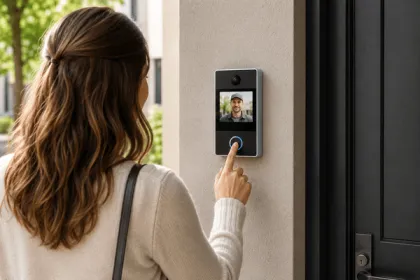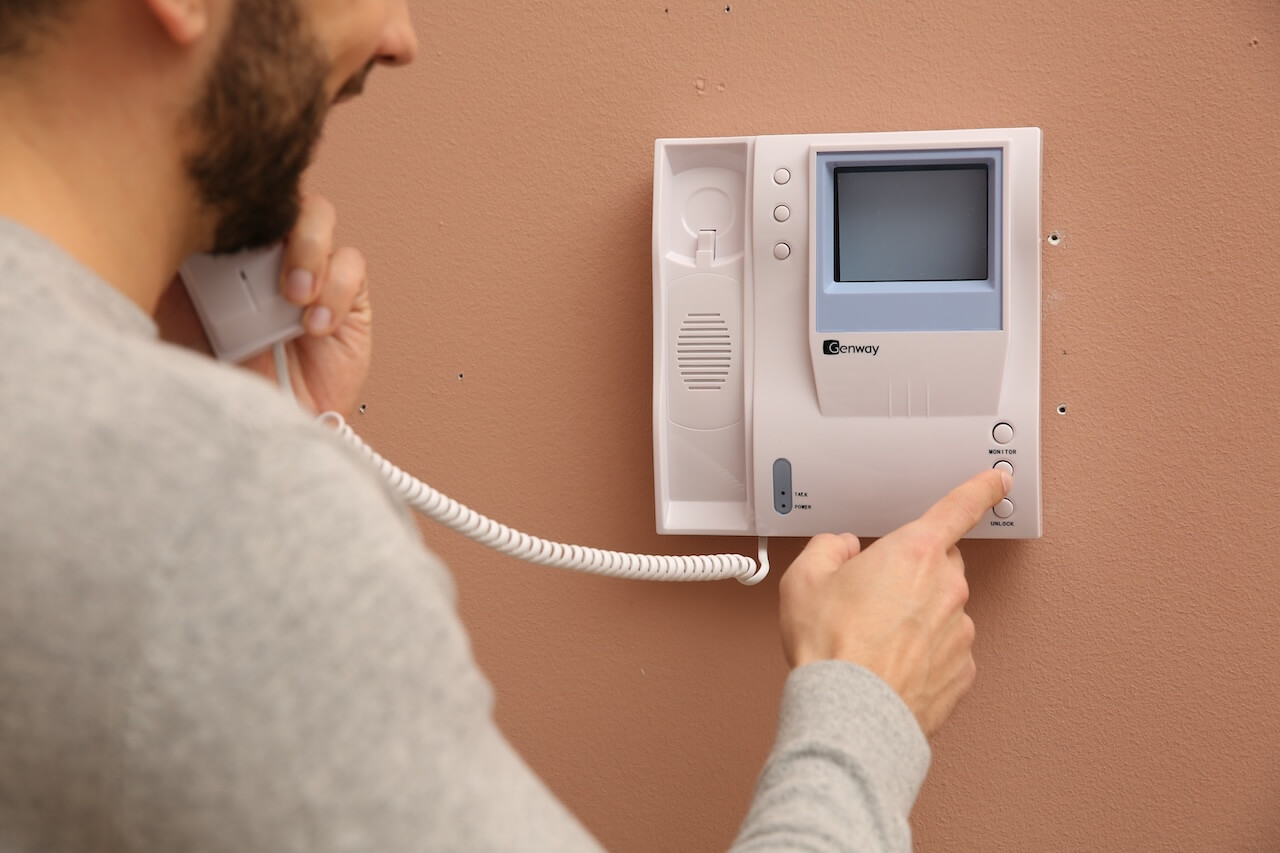
Most buyers focus on the hardware at the door. The questions that actually determine whether a system works in the long term are different: How does it handle after-hours calls? What happens when the internet goes down? Can IT put it on a VLAN? Who manages the directory when a tenant moves out?
A door phone intercom system lets visitors request entry at a building door, connects them via audio or video to a resident or staff member, and triggers an electronic door release when access is granted. But the panel at the door is only one part of the decision.
For this guide, we evaluated leading door phone intercom systems against criteria that matter at the property level: reliability during power and network failures, installation complexity, directory management, mobile access, and IT/security controls.
We reviewed vendor documentation, compared hardware specifications, and tested how each system type handles scenarios that expose real weaknesses, such as a tenant moving out, an after-hours delivery, a network outage, and a new entrance added mid-lease.
How We Researched This Guide
We reviewed product documentation, hardware specifications, and installation guides across leading door phone intercom vendors, including Swiftlane, Avigilon, Aiphone, and Doorking.
Cost data was cross-referenced against published installer pricing from Safe and Sound Security and Northbridge Services. IT and security requirements were validated against real deployment checklists used by low-voltage integrators and verified against vendor-published network documentation.
Where Swiftlane products are discussed, we’ve noted it explicitly. The evaluation criteria, comparison framework, and recommendations in this guide apply regardless of vendor.
Key Takeaways
- A door phone intercom system is more than the panel at the door. The real differentiators are directory management, after-hours call routing, and door release reliability under failure conditions.
- System type should follow your infrastructure: wired analog works for like-for-like replacements; IP/PoE is usually the right call for multi-entrance properties that need mobile access and centralized admin.
- Before you buy, confirm what happens during internet and power outages, and whether cellular failover is available and automatic — not manual.
- If IT or security must approve the system, validate VLAN support, PoE requirements, RBAC, audit log export, and data retention policy before the contract stage.
- Evaluate total cost over three to five years, not just hardware. Subscription pricing models vary significantly across vendors and compound quickly at scale.
Table of Contents
- What a Door Phone Intercom System Is
- How It Works
- Intercom System Types:
- Door Phone Intercom System Features to Compare
- IT/Security Approval Checklist
- Installation and Cost Drivers
- Vendor Evaluation Scorecard
- Where Swiftlane Fits in the Landscape
- FAQs
What a Door Phone Intercom System Is


A door phone intercom system is a two-way communication setup that lets visitors identify themselves at a building entrance and request access, while giving residents, staff, or administrators the ability to verify, speak with, and grant or deny entry from wherever they are.
The terminology gets used loosely, so it’s worth clarifying. A door phone is the entry-side device. The panel at the door has a call button, keypad, or directory. A door phone system includes everything connected to it: the wiring or network, the receiving endpoints, and the door release hardware. A door entry phone system is often used interchangeably with a door phone intercom system, though some vendors use it specifically for audio-only setups.
A telephone entry system is a closely related category. It uses the same entry panel and directory logic, but routes calls over PSTN/cellular voice rather than an IP network (Ethernet/PoE). The terms overlap significantly in the market, and many systems sold as telephone entry systems today are, in practice, full door-phone intercom systems.
Many manufacturers explain the practical differences between analog and IP intercom architectures (wiring, scalability, and remote management) in their technical buyer guides.
Core components of any door phone intercom system:
- Entry panel/directory — the visitor-facing hardware mounted at the door or gate. May include a keypad, touchscreen, camera, and resident/tenant directory
- Receiving endpoint — where the call lands: an indoor handset, a desk phone, a mobile app, or a SIP-connected device
- Door or gate release hardware — the electric strike, magnetic lock, or gate controller that physically opens when access is granted. Often described in searches as “intercom with door release,” the unlock function is built into the system, not a separate purchase
- Admin and management layer — onsite controller or cloud dashboard where administrators manage the directory, set call routing rules, pull access logs, and configure permissions
Where these systems are most commonly deployed:
- HOAs and gated communities — controlling vehicle and pedestrian entry, managing a large and frequently changing resident directory
- Apartment and condo buildings — front door, parking garage, package room, and amenity space access
- Offices and commercial properties — visitor management, after-hours access, multi-entrance coordination
Mixed-use and multi-building properties — where centralized admin across multiple entry points becomes a hard requirement, not a nice-to-have
How It Works
The core interaction takes about 30 seconds. What happens behind it determines whether a system is actually manageable at scale, and whether it holds up when the network drops, the power goes out, or no one is physically on-site to handle an after-hours arrival.
Step 1: Visitor Finds the Right Contact
The visitor searches the directory by name, unit number, or department. On modern systems, this is a touchscreen search; on legacy systems, it may be a physical button bank or numeric code entry.
Directory UX matters more than most buyers realize. A slow or hard-to-navigate panel creates friction at the door and increases the risk of tailgating.
Both a security issue and a liability one. At properties with high visitor volume, a directory that takes 20 extra seconds per interaction compounds across hundreds of uses per month.
Step 2: Call Routes to the Receiving Endpoint
The system places a call to wherever the resident, tenant, or staff member has configured it to ring, an indoor handset, a desk phone, or a mobile app. Better systems support sequential or simultaneous ringing across multiple numbers and allow schedule-based routing: office hours vs. after-hours, primary contact vs. backup.
Single-number-per-unit systems create real problems for properties with frequent turnover or after-hours coverage requirements. If the number on file is wrong or unanswered, the visitor has no path forward, and the call goes nowhere.
We’ve seen response time improve the most when calls route to a resident’s phone plus a backup workflow (front desk or property manager). Buildings that rely on a single in-unit device tend to miss more calls, which creates delivery issues and more ‘let me in’ support tickets.
Step 3: Two-Way Communication
The resident or staff member answers and speaks with the visitor. On video-enabled systems, they can also see the visitor in real time. Useful for verifying identity before unlocking, managing deliveries, or handling after-hours arrivals when no one is physically on-site.
Step 4: Access Decision and Door Release
If access is granted, the resident presses a key or taps a button in the app to release the door. The electric strike or magnetic lock disengages, the visitor enters, and the door re-secures automatically. One failure mode to confirm before you buy: what happens at this step if the network is down? Some systems are fail-safe (door stays locked, access denied). Others are fail-secure (door releases to allow egress). The right behavior depends on your property type and local fire and safety code requirements. This is covered in detail in the IT/Security Checklist section.
Intercom System Types


Here’s how the major categories break down.
Wired Legacy Analog Systems
Wired analog systems run dedicated two-wire or four-wire cabling from the entry panel to each indoor unit or handset. They’ve been the standard in residential buildings for decades and are still widely used in older multifamily and commercial properties.
Best for: Properties with existing analog wiring in good condition, where the primary goal is replacing hardware without a full infrastructure overhaul.
Tradeoffs: Adding new units or entrances means running new wire — expensive and disruptive in occupied buildings. In-unit hardware requires physical maintenance. Admin is largely manual, and the system does not support mobile credentials or app-based management without adding a separate IP layer.
Choose this if: You’re doing a like-for-like replacement in a building where rewiring isn’t in the budget, and residents are accustomed to handset-based answering.
Failover behavior: Generally, the most resilient during network outages since they don’t depend on internet connectivity. Power outages still affect door release hardware unless a UPS is in place.
Example: A 1970s apartment building replacing a failed intercom panel without touching the existing two-wire runs to each unit. The scope is hardware-only, the wiring is intact, and there’s no budget or appetite for a network infrastructure project.
IP / Networked Systems (PoE, SIP, VoIP)
IP-based systems run over your existing network infrastructure using Ethernet or Power over Ethernet (PoE). Many support SIP or VoIP protocols, meaning calls can be routed to desk phones, mobile apps, or hosted phone systems over the same network the building already uses.
These are also increasingly referred to as cloud-managed intercoms, since the admin layer, directory updates, access logs, and call routing rules live in a cloud dashboard rather than an on-site controller.
Best for: Modern properties, new construction, and any building where mobile access, centralized admin, and third-party integrations are requirements rather than nice-to-haves.
Tradeoffs: Requires a stable, well-segmented network at the entry point. Properties without network drops at their doors will need low-voltage work before installation. IT involvement during setup is necessary. Internet dependency also means failover planning is non-negotiable.
Choose this if you need app-based access, multi-entrance management from a single dashboard, or integrations with access control or camera systems.
Failover behavior: Internet outages affect cloud-managed features, including remote unlock and directory updates. Confirm whether the system supports cellular failover and whether it’s automatic or manual. Local credential caching, where the device retains access permissions offline, varies significantly by vendor and should be tested during evaluation.
Example: A mixed-use building with ground-floor retail and upper-floor residential, adding three new entry points and needing all of them managed from a single admin dashboard with mobile answering for residents.
Wireless Systems (Wi-Fi / LTE)
Wireless systems connect via Wi-Fi or cellular (LTE/4G) rather than hardwired Ethernet. They’re often marketed as easy retrofits because they don’t require network cabling at the entry point.
Best for: Single-entrance properties or retrofit situations where running cable to the door isn’t feasible.
Tradeoffs: Wireless reliability depends entirely on signal strength at the entry point, which is frequently poor in lobbies, garages, and exterior gates. LTE-dependent systems introduce a recurring carrier cost and a failure point outside your control.
Before committing to a wireless system, test the signal at every door during the site walk, not just in the main office.
Choose this if: A wired or PoE run to the entry point genuinely isn’t possible, and you’ve confirmed signal strength is sufficient at that exact location.
Failover behavior: LTE systems lose connectivity when the carrier network is down or the signal degrades. Wi-Fi systems fail with the access point or ISP. Neither has a reliable local fallback without additional hardware.
Example: An HOA managing a single vehicle gate in an area with confirmed strong LTE coverage is a reasonable wireless candidate. That same HOA, adding a pedestrian entrance and a package room two years later, will likely outgrow a wireless-only setup.
Audio-Only vs. Video Door Phone Intercom Systems
Audio-only systems handle the call and door release. Video systems add a camera at the entry panel and stream live footage to the answering endpoint, whether that’s an indoor monitor, a desk phone with a screen, or a mobile app.
When video is worth the added cost:
- Staff or residents need to visually verify a visitor before unlocking, particularly in after-hours scenarios
- The property has had issues with unauthorized access, tailgating, or package theft
- Remote management is a requirement, and the person answering can’t physically be on-site
When audio-only is sufficient:
- Access is primarily self-managed (residents answering their own calls)
- Budget is a constraint, and the property has separate camera coverage at entry points
- The use case is simple: confirm who’s there, release the door
For most commercial properties and any HOA or multifamily building with after-hours access requirements, video is worth budgeting for from the start. Retrofitting video into an audio-only system later is rarely straightforward.
System Type Comparison
| System Type | Installation Requirement | Mobile Access | Admin Complexity | Internet Dependency | Failover Options |
| Wired Analog | Existing 2/4-wire runs | No (without IP layer) | Manual, on-site | None | Strong (no internet needed) |
| IP / PoE | Network drop at door | Yes | Cloud dashboard | High | Cellular failover (vendor-dependent) |
| Wireless (Wi-Fi) | Wi-Fi coverage at door | Yes | Cloud dashboard | High | Limited |
| Wireless (LTE) | None | Yes | Cloud dashboard | High (carrier) | None without backup |
Door Phone Intercom System Features to Compare
Hardware at the door is the easy part. The features that determine whether a system holds up at the property management level lie in the software, admin controls, and integrations. The difference between a feature that works in a demo and one that works at scale usually shows up in edge cases: a tenant who never answers, a vendor who needs recurring access, a move-out that happens on a Friday afternoon.
Use this list during vendor evaluation to understand how it behaves under real operating conditions.
Directory UX
The directory is the first thing every visitor interacts with. It should be fast to search, readable in direct sunlight and low light, and straightforward to update from the admin dashboard without requiring an on-site visit.
A slow or hard-to-navigate directory compounds across hundreds of visitor interactions per month. At the property level, it’s also a tailgating risk: visitors who can’t find who they’re looking for will often wait for someone else to open the door rather than leave. Evaluate this during the demo with a timed search, not just a walkthrough of the interface.
Call Routing Rules
The system should support multiple forwarding numbers per unit, time-based schedules, and fallback routing to a backup contact when the primary doesn’t answer.
Single-number-per-unit systems are a real operational problem for properties with frequent turnover, shared units, or after-hours coverage requirements. If the number on file is wrong or unanswered, the visitor has no path forward.
Example: A commercial office with after-hours cleaning crews and occasional late-arriving staff needs schedule-based routing that rings a security desk during business hours and a manager’s cell after 6 pm, with a fallback if neither answers. A single forwarding number won’t cover it.
Mobile Answering and Remote Unlock
Standard on IP and cloud-managed systems, but execution varies significantly. What matters in practice: call connection speed, unlock reliability on both iOS and Android, and the delay between tapping unlock and the door actually releasing.
Test this during evaluation on the device the actual end user will have, not on the sales rep’s phone over a strong Wi-Fi connection. A one-second unlock delay in a demo can be a four-second delay in a lobby with a marginal signal.
Multi-Entrance and Multi-Building Support
All entry points should be manageable from a single dashboard. Separate logins per entrance create admin overhead, lead to inconsistent access changes across doors, and create audit gaps when you need to pull a report after an incident.
Confirm this is native functionality, not an add-on tier. Some vendors advertise multi-entrance support but require separate licenses or admin accounts per location.
Guest and Vendor Access
Time-bound PIN codes or virtual keys that expire automatically without requiring manual removal. Managing guest access through the main directory, adding and removing entries by hand, is both an admin burden and a security risk.
For properties with frequent deliveries, recurring service vendors, or short-term rentals, confirm the system supports recurring access schedules (e.g., every Tuesday 9 am–5 pm).
Audit Logs and Reporting
Every access event should be logged: who, which door, what time, and whether access was granted or denied. Logs should be searchable, filterable, and exportable. Ideally, to a SIEM if IT requires it.
The practical test: how quickly can you produce a complete access report for a specific door over a specific 48-hour window? If it takes more than two minutes, the system will work against you after an incident.
Role-Based Access Control (RBAC)
Defined roles with specific permissions, not a single shared admin login. A property manager should not have the same level of system access as a security lead, and a security lead should not have access to another building’s data in a multi-site deployment.
Confirm that RBAC is available at the feature tier you’re actually buying, not just on enterprise plans.
Privacy and Data Retention Controls
Know what is recorded, where it’s stored, how long it’s retained, and who can access it. This covers call metadata, video snapshots, full video clips, and audio recordings, depending on the system.
In jurisdictions subject to GDPR, CCPA, or local privacy regulations, video and audio retention at building entry points is a legal review item, not just a compliance checkbox. Confirm whether your team can configure or shorten the default retention window, and whether deletion requests can be fulfilled at the individual record level.
Integrations
Confirm which integrations connect natively and which require custom API work. The gap between “we support an API” and “this works out of the box with your existing system” is where implementation projects stall.
Priority integrations to evaluate:
- Access control platforms
- IP camera systems and VMS
- Property management software (for directory sync on move-in/move-out)
- SSO providers for enterprise environments
Durability and Serviceability
Check the IP rating for weather resistance and the IK rating for impact resistance. IK10, the highest rating on the IEC 62262 scale, certifying resistance to 20 joules of impact energy, is the standard specified for environments where vandalism and accidental impact are expected. Most building entry points qualify.
Hardware that doesn’t meet IK10 will cost more to maintain over time than the upfront price difference suggests. Factor in replacement frequency and parts availability when calculating the total cost of ownership, not just the purchase price.
AI-Assisted Features
An emerging category worth evaluating if you’re buying for a three-to-five-year horizon. Current implementations include face recognition for touchless resident access, delivery detection at the entry panel, and voice-enabled unlock. These features require a camera at the entry point, regardless of whether video calling is used.
Confirm hardware compatibility before ruling them in or out.
IT/Security Approval Checklist
If IT or security must sign off, bring this list to the vendor before the contract stage. These are the questions that stall approvals when they surface late.
In real building rollouts, IT teams usually care less about the touchscreen specs and more about network and security controls: VLAN support, PoE standard (802.3af/at), TLS/encryption, firmware update cadence, and clear audit logs. If those are weak, approval slows down even when the product demo looks great.
- Network requirements. Ethernet and PoE specs at each entry point, minimum Wi-Fi requirements if wireless, and expected bandwidth per device. No network drop at the door means pre-installation work outside the original scope. Confirm this during the site walk.
- Network segmentation. Can the device be assigned to a dedicated VLAN? Get a documented list of required ports, protocols, and domains before IT reviews the architecture. A vendor that can’t provide this in writing before the sale wasn’t designed with enterprise network requirements in mind.
- Admin security. Role-based access control, MFA enforcement for admin accounts, and a full audit trail of admin actions. Confirm these are available at the tier you’re actually purchasing, not only on an enterprise plan.
- Access event logging. Confirm logs are captured at the device level, not just the cloud layer. Ask about the default retention period, whether it’s configurable, and whether logs can be exported to a SIEM in a standard format without vendor assistance.
- Fail-safe vs. fail-secure behavior. What happens if the internet goes down? What happens if the power goes out? Is cellular failover automatic or manual? Confirm the system’s failure behavior aligns with your local fire and safety code before signing anything.
- Data and privacy. Know exactly what’s stored: call metadata, video snapshots, full video, audio. Where it lives, how long it’s retained, and whether your team can configure or shorten that window. For properties subject to GDPR or CCPA, confirm whether a data processing agreement is available and whether individual record deletion requests can be fulfilled.
- Vendor security posture. Request SOC 2 Type II documentation or an equivalent. Ask for their vulnerability disclosure process and patch release history. A vendor that can’t produce security documentation on request is a disqualifying gap for most IT teams operating under a compliance framework.
- Physical security of the device. What is the IK rating of the entry panel? Can it be tamper-locked to prevent removal without tools? An entry panel that can be physically bypassed undermines every software control above it.
- Integrations and data flows. Which third-party systems does the intercom connect to, and what data moves between them? Understand the data flow before approving the architecture, particularly for integrations that sync resident or employee directory information.
- Contractual controls. What happens to your data if you end the subscription? Confirm data export rights, portability provisions, and SLA remedies before signing, not when you’re trying to migrate off the platform later.
Installation and Cost Drivers
Door phone intercom systems are installed by low-voltage or security integrators. Complexity increases with the number of entry points, the condition of existing wiring, and the network infrastructure at the door.
The three mistakes that create the most post-install problems are: no network drop or PoE switch at the entry point confirmed before installation begins; no UPS or surge protection on the door release hardware; and poor mounting location with direct glare or inadequate lighting. A good installer catches all three during the site walk.
In Swiftlane deployments, the most common surprise cost isn’t the intercom hardware. It’s the retrofit work. Older buildings often need new Cat5e/Cat6 runs, PoE switch upgrades, or door hardware fixes (electric strike/maglock wiring) before a door phone intercom can work reliably.
What does it cost?
Based on Safe and Sound Security, audio-only systems typically run $500 to $2,500 installed. Wireless systems generally fall between $1,500 and $3,000, while wired systems range from $2,500 to $7,000. Video intercom systems with smart features range from $5,000 to $15,000.
For larger properties, costs scale significantly. Mid-size multifamily properties typically fall between $5,000 and $30,000, while large or mixed-use buildings can reach $50,000 or more, depending on entry points, infrastructure, and installation complexity.
The variable that moves cost most significantly, according to Northbridge Services, is retrofit versus new construction. Cabling in an older building with thick concrete walls is considerably more labor-intensive than new construction, where conduit is already in place. Number of doors, video versus audio, and unit count all compound from there.
On ongoing costs, cloud-managed systems carry software fees that vary by platform and feature tier. Calculate the total cost of ownership over three to five years, not just the upfront hardware cost.
Vendor Evaluation Scorecard
Most vendors look comparable on a feature sheet. The differences surface when you ask operational questions that they weren’t expecting. Use these during a demo or vendor call.
| Category | What to Ask |
| Failure behavior | What happens if the internet goes down? If the power goes out? Is cellular failover automatic or manual? |
| Scale and multi-site | Can multiple entrances and buildings be managed from a single dashboard without duplicating admin work? |
| Directory management | How are move-ins and move-outs handled? Can residents self-manage forwarding numbers, or does every change require an admin? |
| Admin controls | Is role-based access control available? Can MFA be enforced for admin accounts? Is there an admin audit trail? |
| Logging and reporting | What events are logged, for how long, and can logs be exported? How quickly can you produce a report after an incident? |
| Guest and temporary access | Is temporary access time-bound and self-expiring, or does it require manual removal? |
| Integrations | What connects natively? What requires custom API work? Confirm compatibility with existing access control, cameras, and property management software. |
| Total cost of ownership | Hardware, installation, subscription fees, and how pricing scales with additional doors or users. Get warranty and support SLAs before comparing final numbers. |
Where Swiftlane Fits in the Landscape


Swiftlane is a cloud-based IP video intercom and access control platform built for multifamily, commercial, and mixed-use properties. Hardware runs on a single PoE cable, handling both power and network connectivity.
Key capabilities from one platform:
- Mobile unlock, face recognition, video intercom, key card, and voice-enabled unlock
- PIN codes for guest and delivery access
- Cloud dashboard for directory updates, access changes, and log pulls from anywhere
- Residents without the app can answer on any phone and press 9 to unlock
The SwiftReader panel is IK10-rated, certifying resistance to 20 joules of impact energy under IEC 62262, the standard used across industrial, transit, and high-traffic environments. That rating translates directly to reduced downtime, lower maintenance costs, and extended equipment lifespan.
It fits best for properties moving off legacy analog systems that need centralized admin without a complex enterprise deployment. Single-entry retrofits typically take 3 to 5 hours. Multi-entry buildings usually take one to two days.
One thing to confirm during evaluation: failover behavior when the internet or power is lost. That question applies to any IP system, Swiftlane included.
Ready to Find the Right Door Phone Intercom System?
Swiftlane works with properties of all sizes to find the right fit based on your number of doors, entrances, users, and retrofit constraints. If you’re evaluating systems or replacing something that isn’t working, the next step is a live demo.
FAQs
What’s the difference between a door phone and a door phone intercom system?
A door phone is the entry-side device. A door phone intercom system includes everything connected to it: the network or wiring, receiving endpoints, door release hardware, and the admin layer that manages it all.
Do door phone systems require a landline?
No. Modern IP and cloud-based systems route calls over the internet to a mobile app or any phone number.
Can a door entry phone system call a cell phone?
Yes. Most systems forward calls to any number the resident or tenant configures, including cell phones. App-based systems also support video calls directly to a smartphone.
Can you unlock doors remotely, and is it secure?
Yes. Remote unlock is standard on IP and cloud-managed systems, secured through encrypted connections. Every unlock event is logged with a timestamp and a user record.
Wired vs. wireless: which is more reliable?
Wired and PoE systems are generally more reliable. Wireless performance depends entirely on RF or cellular coverage at the exact entry point, which is frequently poor in lobbies, garages, and exterior gates.
What should IT review before approving an IP door phone system?
Network segmentation, PoE requirements, documented ports and domains, admin security controls, access event logging, data retention policies, and vendor security documentation.