

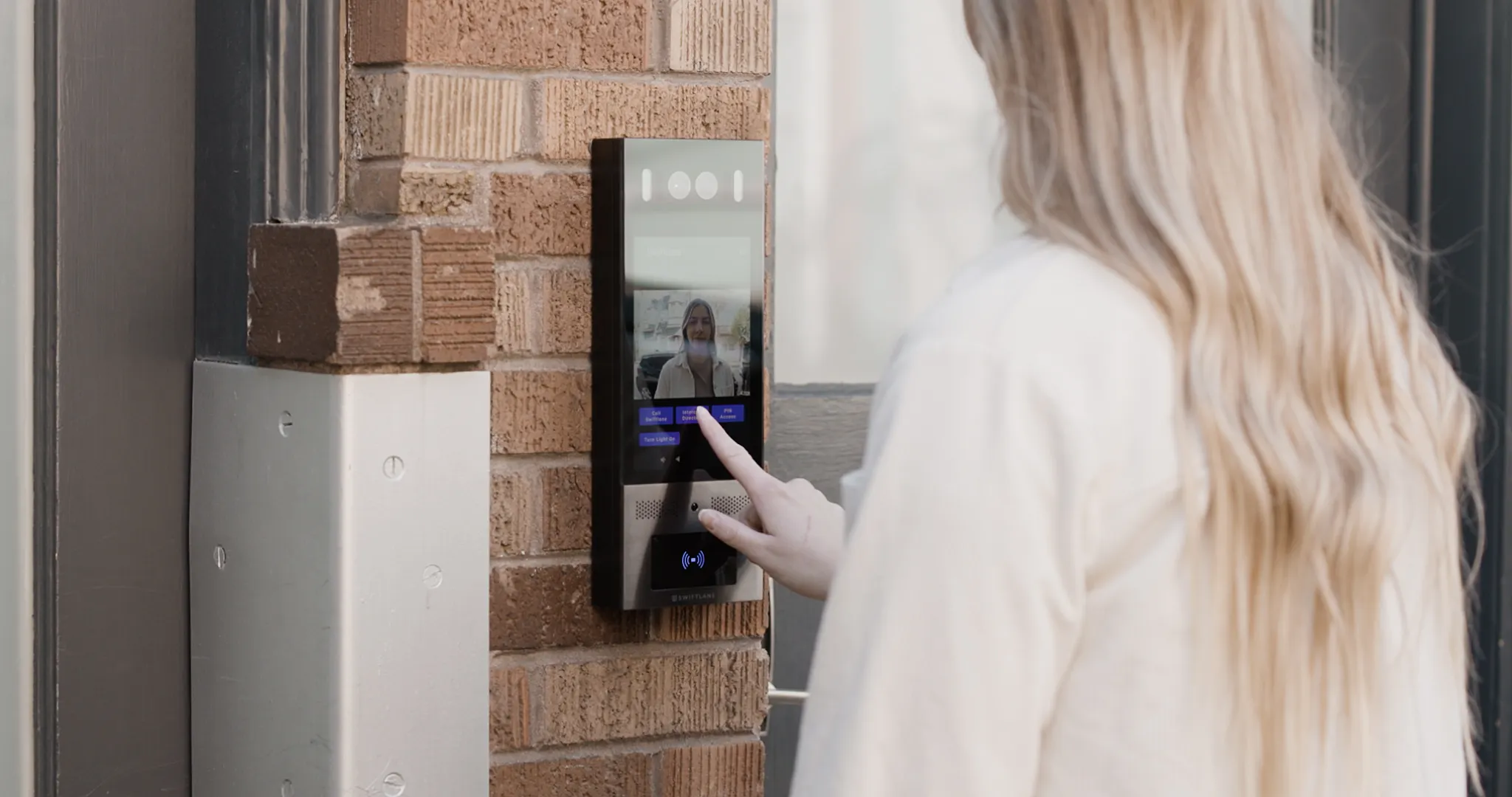
Touchscreen video intercoms have become a core part of modern access control and visitor entry strategies. Today’s buyers expect more than a basic audiovisual connection at the front door. They want systems that streamline visitor management, integrate with mobile workflows, and scale easily across multiple properties.
To ground this guide in real-world and up-to-date insight, we reviewed recent industry reports, product documentation, and customer deployments, and spoke with property managers actively implementing video intercom systems in multifamily and commercial buildings.
In 2026, the global video intercom market is expected to continue growing as demand increases for stronger security, remote management, and tighter integration with smart building and access control ecosystems. For example, Grand View Research forecasts the market will expand at a compound annual growth rate (CAGR) of over 13.6% through 2030.
This guide is written for property managers, owners, and security teams evaluating an intercom upgrade. You’ll learn why touchscreen video intercoms matter, which features buyers prioritize today, how leading models compare, and what to evaluate before making a purchase.
Key Takeaways
- A modern system should support visitor management, mobile access, and remote operations, not just door entry.
- Usability matters more than long feature lists because it shapes daily workflow friction.
- Cloud-based management is now standard for multi-tenant buildings, including updates and mobile credentials.
- Hardware specs matter most when they improve reliability and scalability (durability, screen visibility, connectivity).
- The best intercom is the one that matches how your building actually runs—not just what looks good.
Table of Contents
- Quick Summary: Top Picks for Touchscreen Video Intercoms
- Why Touchscreen Video Intercoms Are Replacing Legacy Call Boxes
- Touchscreen Video Intercom Key Features
- Top Touchscreen Video Intercom Models (2026)
- Free Touchscreen Video Intercom Buyer Checklist (2026)
- Swiftlane Touchscreen Video Intercom: A Future-proof Selection for Your Building
- Let’s Wrap Up
- FAQS
Quick Summary: Top Picks for Touchscreen Video Intercoms
| Best For | Model | Quick Summary |
| In-Unit Tenant Stations | Aiphone IXG Series | Best if you want in-unit tenant stations (not just smartphone calling). Supports multi-tenant workflows and dedicated in-unit hardware options. |
| Built-In Facial Recognition | Swiftlane SwiftReader X | Built for touchless entry options with two-way video + facial recognition, plus strong durability (IP65 / IK10) and mobile access workflows. |
| Biometric Add-Ons | Akuvox R29CT | Stands out for fingerprint + facial recognition, plus video calling and support for remote door control via compatible clients/integrations. |
| Compact / Budget | Swiftlane SwiftVision | Compact touchscreen video intercom for smaller buildings or secondary entrances, designed for modern visitor entry and mobile-friendly workflows. |
| Large Screen / High-Feature | 2N IP Style | Premium option with a large touchscreen and advanced video features, best for high-traffic properties and commercial settings. |
Why Touchscreen Video Intercoms Are Replacing Legacy Call Boxes


Touchscreen video intercoms provide significant upgrades compared to legacy call boxes and basic intercom systems. They combine visual verification with interactive interfaces that enhance both security and usability.
Benefits of Video Intercoms
- Enhanced security: Video intercoms allow staff and tenants to visually verify visitors before granting access, an important deterrent against impersonation or unauthorized entry. This aligns with broader surveillance evidence: a 2019 systematic review and meta-analysis spanning 40 years found CCTV is associated with a significant (though modest) reduction in crime, supporting the idea that visible monitoring helps deter opportunistic threats.
- Two-way video communications: Modern devices allow visitors and residents to see and interact with each other, which improves clarity and reduces miscommunication at entry points.
- Hands-free entry methods (e.g., mobile credentials, facial recognition): Many systems now include proximity-based access or integration with mobile credentials, eliminating the need to touch shared surfaces while fulfilling modern hygiene standards.
- Improved first impressions: In commercial properties premises, touchscreen intercoms indicate a technologically advanced, well-managed workplace.
These benefits remain fundamental in 2026, bolstered by trends such as remote management and analytics.
Touchscreen Video Intercom Key Features


Size of the touchscreen
Touchscreens vary widely, from compact models for small buildings to large interfaces that support complex directories and optional features. These remain important because screen size impacts usability and impression.
- Small: The touchscreen is 5” or less, smaller than the typical smartphone. It may only offer a numeric keypad and a small video display. It can be good for compact spaces but usually only good for smaller buildings. If you’re looking for a compact option designed for modern multifamily workflows, Swiftlane’s compact touchscreen intercom may be a good reference point: Swiftlane SwiftVision
- Medium: Touchscreens between 5” and 8”, similar to many smartphones, which can display a range of keyboard types and on-screen information.
- Large: Touchscreens of 8” or larger, similar in size to many small tablet devices. These can offer exceptional two-way video calls and various onscreen tools for visitors and tenants. These make a lasting impression on your building’s primary entrance.
Touchscreen Durability and Weatherproofing
Durability matters most for outdoor or high-traffic entrances. When comparing touchscreen intercoms, look closely at IP and IK ratings:
- IP rating (Ingress Protection): measures how well the device seals against dust and water.
- IK rating (Impact Protection): measures resistance to physical impact and vandalism.
For most outdoor installations, IP65 or higher is a strong baseline to protect against rain, dust, and environmental exposure. In locations prone to vandalism abuse, such as public-facing lobbies, busy entrances, or unsecured areas, IK10 is typically preferred for maximum impact resistance.
Connectivity and Platform Integrations
Beyond basic features, buyers now expect seamless connectivity:
- Cloud-based access and intercom platforms with remote device management
- Integration with access credentials (mobile, card, or biometric) and mobile apps
- Support for firmware updates without requiring an on-site technician
Cloud connectivity also ties into broader building management systems, a trend repeatedly cited in industry analyses.
Practical AI-Assisted Features
While true AI automation is still emerging, intercoms with smart video analytics (e.g., motion detection prioritizing relevant calls, automated call filtering, or enhanced visibility in varying light) are increasingly common. These assist with day-to-day management but still require operator oversight.
Top Touchscreen Video Intercom Models (2026)
Below are frequently evaluated touch screen video intercom models across main use cases:
Best For In-Unit Tenant Stations: Aiphone IXG Series


A scalable option for properties where in-unit substations (tenant stations) provide deeper tenant engagement and support more complex workflows.
The Aiphone IXG Series is designed for multi-tenant buildings, offering an IP video intercom system with touchscreen entrance stations and video calling. One entrance station option is the IXG-DM7-HID (7″ touchscreen), though availability may vary. Unlike app-only intercoms, the IXG system can also be deployed with in-unit tenant stations for properties that want dedicated in-unit hardware.
Best Intercom with Built-In Facial Recognition: Swiftlane Swiftreader X

Offers two-way video and built-in facial recognition, strong durability ratings, and mobile access control, useful for hands-free entry workflows.
The SwiftReader X offers a highly durable intercom with two-way video and a touchscreen display, plus hands-free facial recognition and mobile access control for fast entry.
Learn more about SwiftReader X and how touchscreen video intercoms with built-in access control are used in modern multifamily and commercial buildings.
Best with Fingerprint Access: Akuvox R29CT


Akuvox R29CT combines fingerprint access with strong durability ratings, and mobile access control, useful for biometric preferred entry workflows.
The Akuvox R29CT stands out for offering fingerprint biometric access, plus audio/video calling and support for remote door control, along with supported integrations.
Best Compact, Robust Design- Budget Model: Swiftlane Swiftvision


Compact form factor and modern video entry features make it a strong fit for smaller buildings or secondary entrances that want a touchscreen upgrade without a large display footprint.
Swiftvision is a compact touchscreen video intercom designed for streamlined visitor entry, clear video verification, and mobile-friendly access workflows.
Best Large Screen, High-Feature Intercom: 2N IP Style Intercom


Larger display and advanced video features appeal to properties with high visitor volume or commercial settings.
The 2N IP Style is a high-end intercom system featuring a large touchscreen display and advanced video capabilities.
Touchscreen Video Intercom Buyer Checklist (2026)
Use this checklist to evaluate touchscreen video intercoms based on how your building actually operates today, and how it may need to scale in the future.
Property managers evaluating a replacement system, owners planning a portfolio-wide upgrade, or security teams standardizing access across multiple sites.
1. Building Type & Use Case Fit
- Does the intercom support multi-tenant directories (residential, office, or mixed-use)?
- Can it handle high visitor volume during peak hours without delays or dropped calls?
- Is the system appropriate for 24/7 access or after-hours entry management?
Why it matters: A system designed for a small office may struggle in large multifamily or commercial environments.
2. Visitor Experience & Usability
- Is the touchscreen large and readable in direct sunlight and low-light conditions?
- Can visitors easily find tenants or offices without staff assistance?
- Does the interface support clear instructions, accessibility needs, or branding if required?
Why it matters: Confusing entry experiences increase tenant complaints and staff intervention.
3. Access Methods & Credentials
- Does the system support mobile credentials (smartphone-based access)?
- Are touchless access options available (e.g., facial recognition, proximity-based entry)?
- Can credentials be issued, revoked, or updated remotely?
Why it matters: Flexible credential management reduces operational overhead and improves security.
4. Remote Management & Cloud Capabilities
- Can administrators manage users, permissions, and devices remotely?
- Are software and firmware updates delivered without on-site service calls?
- Does the platform provide activity logs or audit trails for entry events?
Why it matters: Cloud-based management is now critical for scaling across multiple buildings or locations.
5. Hardware Durability & Installation
- Is the intercom rated for outdoor use with appropriate IP (Ingress Protection) and IK (Impact Resistance) ratings?
- Can it withstand vandalism, weather exposure, and heavy daily use?
- Does installation align with existing power, wiring, and network infrastructure?
Why it matters: Hardware failures create downtime and unexpected maintenance costs.
6. Platform Integration & Ecosystem Compatibility
- Can the intercom integrate with existing access control systems, mobile apps, or property management tools?
- Does it support future integrations as building technology evolves?
- Is the intercom part of a broader access control platform, or a standalone device?
Why it matters: Siloed systems limit long-term flexibility and increase total cost of ownership.
7. Scalability & Long-Term Viability
- Can the system scale across multiple entrances or properties?
- Is the vendor actively maintaining and improving the platform?
- Are licensing, support, and expansion costs clear and predictable?
Why it matters: Intercoms are long-term infrastructure decisions, not short-term gadgets.
8. Security, Privacy & Compliance Considerations
- Are video feeds and access data securely stored and transmitted?
- Does the vendor provide clarity on data retention and privacy practices?
- Are biometric features optional and configurable based on local regulations or tenant preferences?
Why it matters: Security tools must align with both compliance requirements and resident expectations.
Swiftlane Touchscreen Video Intercom: A Future-proof Selection for Your Building
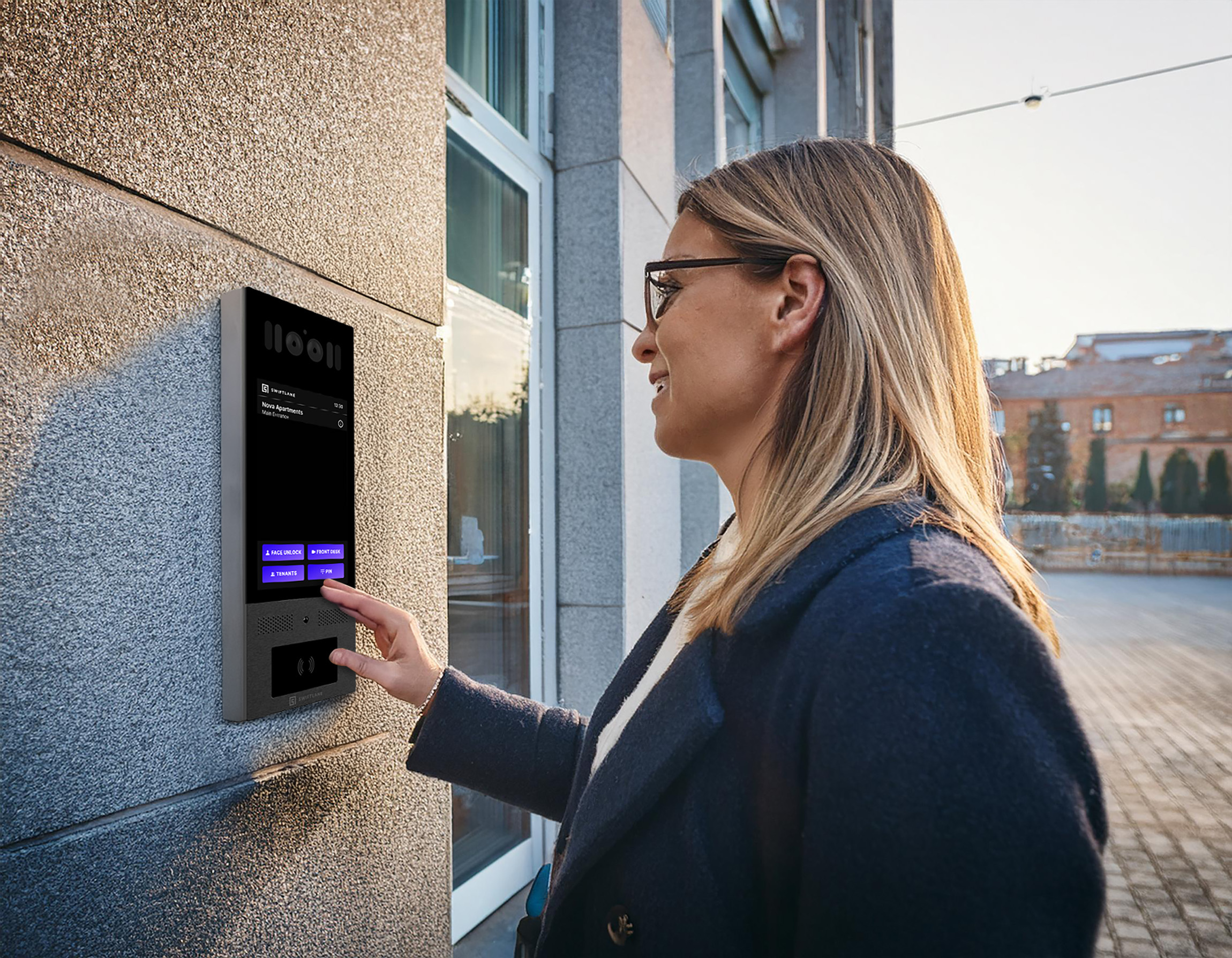
Swiftlane provides cloud-based touchscreen video intercoms and access management designed for multifamily and commercial buildings that may need to adapt their access systems over time. The platform supports remote management, mobile credentials (smartphone-based access), and configurable features such as facial recognition, depending on building policies and applicable local regulations.
For property teams overseeing multiple entrances or properties, Swiftlane is built around centralized management and software-based updates rather than systems that rely solely on fixed, hardware-limited functionality. This design approach may appeal to buildings planning phased access control upgrades or seeking flexibility as their operational or technology requirements evolve.
If you’re evaluating touchscreen video intercoms and want to understand how Swiftlane compares based on your specific building type and operational needs, you can request a demo or quote as part of your vendor evaluation process.
Let’s Wrap Up
Touchscreen video intercoms continue to evolve alongside how buildings manage access. While the core purpose remains the same, verifying visitors and granting entry, modern systems now play a larger role in operational efficiency, security, and resident experience.
For 2026 buyers, the most reliable way to choose a system is to look beyond surface-level features and focus on how an intercom will be used day to day. Considering factors like connectivity, durability, management tools, and integration with broader access control systems helps ensure the investment remains effective over time.
FAQs
What makes a touchscreen video intercom different from standard video intercoms?
Touchscreen video intercoms use interactive displays rather than physical buttons or keypads. This allows for dynamic, software-driven directories, clearer instructions for visitors, and support for additional features like access prompts, mobile integration, or branding, depending on the system.
Are touch screen video intercoms suitable for outdoor installations?
Yes, many touchscreen video intercoms are designed for outdoor use. Buyers should check ingress protection (IP) and impact resistance (IK) ratings to ensure the device can withstand weather exposure and physical wear in their specific environment.
Do touchscreen video intercoms require a cloud connection?
Not all touchscreen video intercoms require cloud connectivity, but many modern systems use cloud platforms to support remote management, software updates, and mobile access. Whether cloud connectivity is necessary depends on how the property plans to manage access and scale over time.
How long do touchscreen video intercoms typically last?
Hardware lifespan varies based on environment, usage, installation quality. Many modern touchscreen intercoms are built for long-term use, and cloud-based platforms can extend system life by delivering ongoing software updates without requiring full hardware replacement.


