

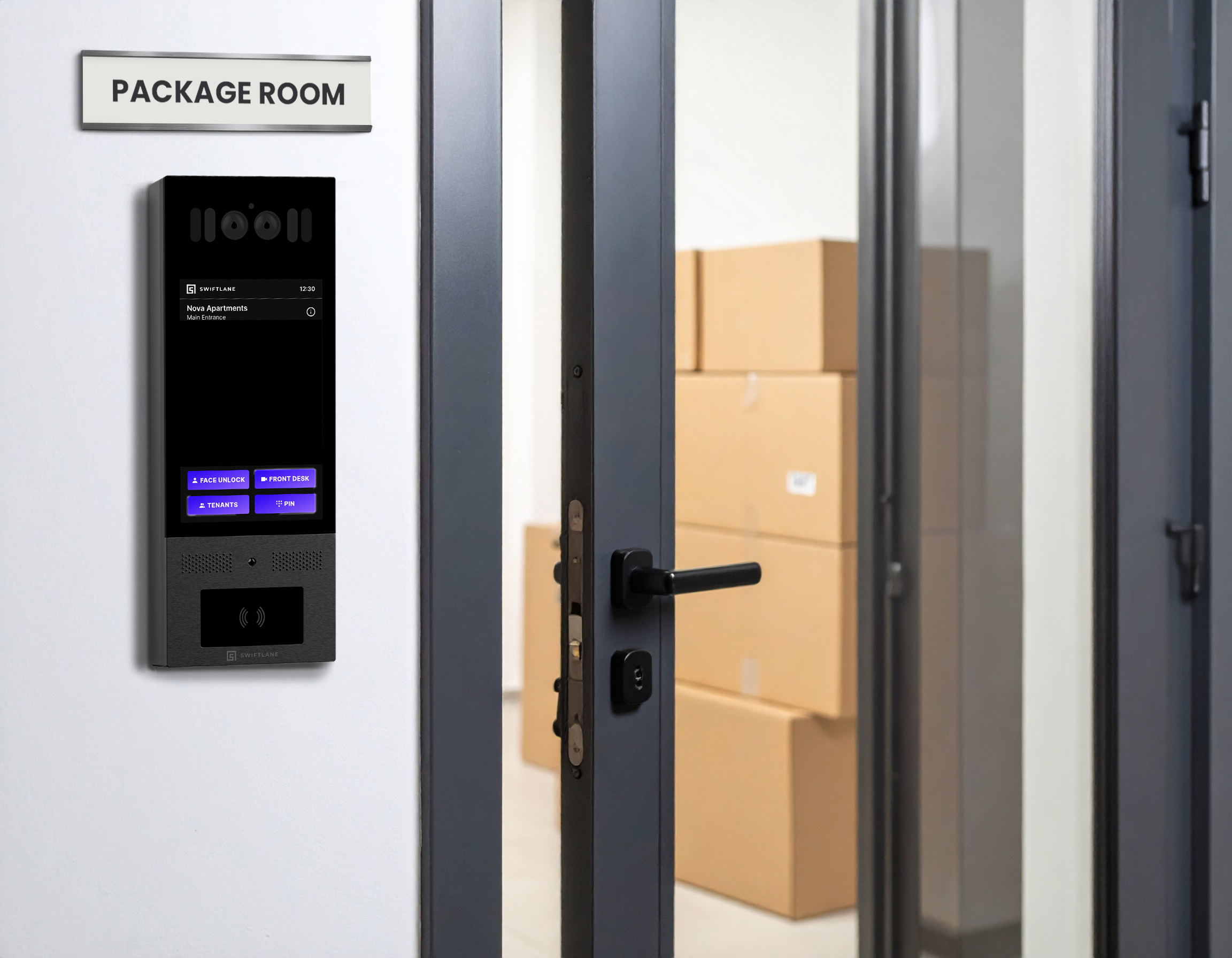
A package room, also called a parcel room, is a secured space in an apartment or office building where carriers drop off deliveries, and residents pick them up on their own schedule. A smart package room adds credential-based entry and access logs that record who entered and when.
An estimated 24.6 billion packages are projected to ship within the United States in 2026, according to SellersCommerce. In apartment buildings, that volume ends up in lobbies, leasing offices, and hallways unless there is a dedicated place for it. Theft adds to the pressure. SafeWise’s 2025 Package Theft Report estimates that 104.3 million packages were stolen nationwide over the prior 12 months, and 31% of Americans surveyed said they had a package stolen in that time.
This guide covers the physical side of a package room: how to size it, lay out its zones, secure the door, and set up carrier access at launch. It also includes a 10-step setup checklist, guidance for modernizing a room that can no longer keep up, notes for office and commercial buildings, and a look at cost and complexity.
How We Researched This Guide
We built this guide from publicly available sources, tracing each figure to its origin before inclusion.
- Search demand: We reviewed top-ranking results and People Also Ask questions for package room setup, design, and modernization to identify the decisions property teams research most.
- Delivery and theft data: Parcel volume figures come from SellersCommerce, and theft figures come from SafeWise’s 2025 Package Theft Report.
- Design guidance: Sizing guidance is drawn from architect commentary published in Building Design + Construction.
- Cost data: Access control pricing is based on LockandTech’s per-door installation guide.
- Vendor figures: When the only available figures came from companies that sell package rooms or lockers, we either attributed them or left them out.
Content is reviewed by the Swiftlane team for technical accuracy.
Key Takeaways
- Size by wall area and plan for peak. Architect guidance on package room shelving grew from one to three square feet of wall area per unit as delivery volume rose, with the newest buildings at the top of that range. Plan for the busiest delivery weeks, not an average week.
- Organize the room into zones. Standard shelving, an oversized floor area, cold storage, a returns shelf, and a clear courier drop area keep deliveries from piling up.
- Secure the door with credentials, not a shared key. Credential-based entry allows per-user revocation and records who entered. Cameras show what happened inside.
- Set up carrier access once, at launch. Decide the credential type, drop zone, signage, and how carrier PINs are created and expired before the room opens.
- Rooms and lockers solve different problems. Package rooms accept any package size, while lockers offer per-package accountability but cannot hold oversized items. Larger properties often combine both.
- Door access is the core cost. Card, fob, or mobile access on a controller typically runs $1,500 to $4,500 per door, according to LockandTech, before shelving, cameras, and software.
Table of Contents
- What Is a Package Room?
- How Package Rooms Work
- Sizing the Room
- Layout and Zones
- Access and Security Configuration
- Package Room vs. Package Lockers
- Setup Checklist: 10 Steps
- Modernizing or Fixing an Overrun Package Room
- Office and Commercial Package Rooms
- Cost and Complexity
- How Swiftlane Fits Into a Package Room Setup
- Frequently Asked Questions
What Is a Package Room?
A package room is a locked, dedicated space where delivery carriers leave parcels for the people who live or work in a building. Some properties call it a parcel room or a package center. Unlike a mailroom, which holds letters and small items in assigned mailboxes, a package room is built for parcels of varying sizes, from small envelopes to furniture boxes.
Most package rooms share three traits: a secure door, organized storage such as shelving or floor space, and a way for carriers and residents to enter without staff letting them through each time.
A smart package room adds technology to that setup. Credential-based entry replaces physical keys, and access logs record who entered and when. Some properties also connect the room to software that logs deliveries and notifies residents. Those software options are covered in the package management solutions guide.
How Package Rooms Work
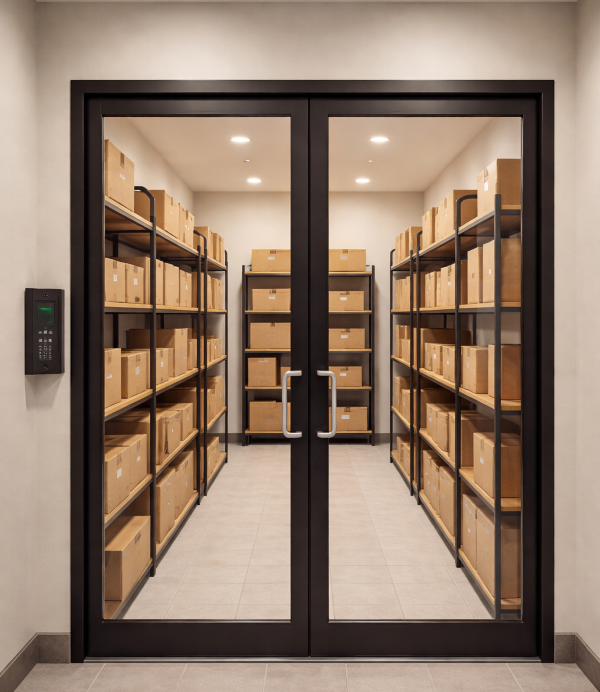
Most package rooms follow the same basic flow: a carrier drops off a delivery, the system records it, notifies the resident, and the resident picks it up.
Carriers enter through a controlled entry point, typically with a time-limited PIN code, a video intercom call answered remotely by staff or a resident, or a carrier-specific credential. Once inside, they leave packages in the drop area or on shelves according to the room’s organization system, without needing staff on site. How that access gets set up is covered in Step 9 of the setup checklist.
Residents retrieve packages using their own building credentials, such as a mobile app, key fob, or PIN. Because entry doesn’t depend on staff, a credential-based room can stay available around the clock, not just during office hours.
Between drop-off and pickup, three operational steps keep the room running:
- Intake and logging: Staff or software records each delivery when it arrives.
- Resident notification: Residents receive an email, text, or app alert that a package is waiting.
- Ongoing management: Property teams handle unclaimed packages, long-term storage, and periodic cleanups so shelves don’t back up.
Each of these is covered in detail in the package delivery management guide.
Sizing the Room
No single code-based standard exists for package room size. Architects have typically sized these rooms by wall area per unit, since shelving along the walls holds most parcels.
In a 2017 interview with Building Design + Construction, Rohit Anand of KTGY Architecture + Planning said the firm had once allocated about one square foot of wall area per unit. It later doubled that to two square feet and was setting aside three square feet per unit in some of its newest residential communities. Parcel volume has kept growing since that interview, suggesting we should treat the range as a floor.
Applied to a 100-unit building, that guidance works out to roughly 100 to 300 square feet of shelving wall area. Wall area is only part of the footprint, though. The room also needs floor space for:
- Oversized deliveries that won’t fit on shelves
- A clear courier drop area near the door
- Cold storage, if the property plans to add it
- Enough aisle room for carriers and residents to move through at the same time
Size for the busiest delivery weeks of the year, not an average week. Properties that can’t find enough space for a full room often pair a smaller room with lockers, covered in Package Room vs. Package Lockers below.
Layout and Zones
Good package room design gives every type of delivery a defined place: shelving for standard parcels, a floor zone for oversized items, cold storage for groceries, a returns shelf, and a clear courier drop area by the door. Organizing the room this way keeps packages off the floor and makes them easier for residents to find. Each zone is covered below.
Standard Package Shelving Zone
This is the main storage area and takes up most of the wall space. Organize shelves by unit number or resident last name, with clear labels so residents can find packages without help. Adjustable wire or metal shelving lets the layout change as package sizes and volume shift over time. When setting shelf heights, keep packages within reach for residents with disabilities and confirm the layout against the accessibility standard that applies in the building’s jurisdiction.
Oversized and Floor Zone
Large boxes, furniture, appliances, and bulk orders need a marked floor area, ideally near the entrance. Without one, oversized packages end up in aisles or wedged onto shelves, slowing everyone down.
Cold Storage Zone
Grocery and meal kit deliveries need refrigeration. This typically means one or two lockable commercial refrigerators or freezers, accessed with building credentials or managed by staff. Even if you don’t install cold storage on day one, planning for floor space and a dedicated electrical circuit makes it easier to add later.
Returns and Outbound Zone
A labeled shelf or bin near the door gives residents a place to stage outgoing returns for carrier pickup. Keeping outbound packages separate prevents mix-ups with incoming deliveries.
Courier Drop Zone
Keep the area just inside the door clear so carriers can set down deliveries before sorting them onto shelves. Even a few square feet of open floor prevents bottlenecks when several packages arrive at once.
Access and Security Configuration
How the door is secured shapes day-to-day operations. Most package rooms use one of three configurations, and each works best alongside cameras. Access logs show who entered the room, while cameras show what happened inside it.
Basic Access-Controlled Room
The door uses credential-based entry, such as key cards, fobs, mobile credentials, or PIN codes. Carriers and residents each get their own credentials, and property teams can revoke either one without rekeying the door. The system records each entry, but delivery logging and resident notifications require separate software.
Best for: Smaller properties with moderate delivery volume and some staff availability.
Intercom-Secured Room
A video intercom at the package room entrance lets carriers call staff or a resident, who can unlock the door remotely after seeing who is there. Many intercoms also support carrier PIN codes, so regular drivers can enter without a call each time. Time-stamped entry records build an audit trail without someone watching the door.
Best for: Properties that want carrier accountability and remote visibility without staff on site for every delivery.
Automated Package Management
Some properties connect access control to package scanning, resident notifications, and property management software in a single system. These platforms are covered in the package management solutions guide.
Package Room vs. Package Lockers
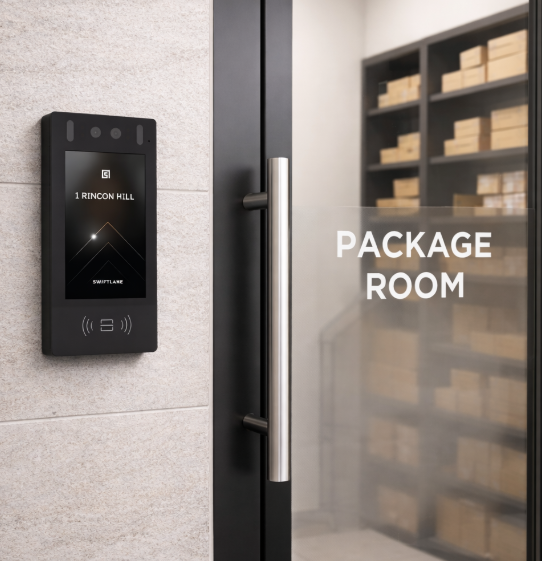
Package rooms and package lockers solve the same problem in different ways. The right choice depends on the building’s space, delivery mix, and how much per-package tracking the property needs.
A package room is the more flexible option. It accepts deliveries of any size, and you can adjust capacity by changing shelving or adding floor space rather than buying new hardware. The tradeoff is that packages share one secured space, so accountability comes from access logs and cameras rather than individual compartments.
Lockers assign each delivery to its own compartment, and residents receive a code or credential to open it. That gives stronger per-package accountability, but capacity is fixed by the number and size of compartments, and oversized items still need somewhere else to go.
| Factor | Package Room | Package Lockers |
| Package sizes | Any size, including oversized | Limited to compartment sizes |
| Accountability | Access logs and cameras | Individual compartment per delivery |
| Capacity changes | Adjust shelving or floor space | Add locker units |
| Oversized items | Handled in the room | Need a separate space |
Locker-Based Room
Locker banks are installed inside or next to a secured room. Carriers place each package into an assigned compartment, and residents retrieve it with a code. This setup suits properties with predictable delivery patterns and limited staff involvement.
Hybrid Room and Locker Setup
Lockers handle standard daily parcels, while the room absorbs oversized items, cold storage, returns, and overflow during busy weeks. Larger properties often use this setup because it covers the gaps each option has on its own.
For a detailed look at locker types, sizing, and vendors, see the package lockers guide.
Setup Checklist: 10 Steps
These ten steps take a package room from planning to launch, in the order most properties tackle them. Steps 2 and 5 include infrastructure checks, so you confirm power, connectivity, and code requirements before installing any hardware.
Step 1: Define the Model
Decide how the room will run before choosing any hardware. A staffed model relies on property staff to receive and hand out packages. A self-service model uses credentials so carriers and residents can enter on their own. A hybrid model combines the two, such as self-service pickup with staff handling oversized items. The model determines the room’s access method, layout, and software needs.
Step 2: Select the Location
Choose a space that is easy for carriers to reach from the delivery entrance and easy for residents to reach from the elevators or main paths. A ground-floor room near the lobby or loading area usually works best. Before committing, confirm the space has:
- Power for door hardware, cameras, lighting, and any future refrigerators.
- Reliable network connectivity at the door for access control and cameras
- An accessible route from the building entrances for residents with disabilities
Step 3: Size the Room
Use the wall-area guidance in Sizing the Room above, then add floor space for oversized deliveries, the courier drop area, and any cold storage.
Step 4: Choose the Access Method
Pick credentials that work for both residents and carriers. Common options include key cards, fobs, mobile credentials, and PIN codes. Some systems also support face recognition, which involves biometric data regulated under laws such as Illinois BIPA, Texas CUBI, and Washington RCW 19.375. Review notice, consent, and retention requirements before enabling it.
Step 5: Install Door Hardware
Install an electrified lock or strike that connects to the access control system. Electrified locks must still allow free exit from inside the room, and any fire-rated door needs hardware listed for use on that assembly. Requirements vary by jurisdiction, so confirm the door, lock, and power setup with the local authority having jurisdiction before installation.
Step 6: Install Shelving
Install adjustable shelving organized by unit number or last name, following the zone plan in Layout and Zones above. Leave open floor space for oversized items and keep shelves within reach for residents with disabilities.
Step 7: Add Cameras
Place cameras to cover the entrance and the main shelving areas. Paired with access logs, footage helps property teams resolve missing-package claims by showing who entered and what they did inside.
Step 8: Add Lighting
Bright, even lighting helps residents read labels and improves camera footage. Motion-activated fixtures can reduce energy use in rooms with irregular traffic.
Step 9: Set Up Carrier Access
Decide how carriers will get in before the room opens. That means choosing the carrier credential type, such as time-limited PINs or intercom-based entry, and setting a policy for how carrier PINs are created and when they expire. Clearly mark the courier drop area and post signage at the entrance explaining where packages go. For how deliveries are handled after drop-off, see the package delivery management guide.
Step 10: Communicate with Residents
Tell residents how to access the room, when it is available, how they will be notified, and how long packages can stay before they are moved or returned. Clear rules at launch reduce confusion and keep shelves from filling with unclaimed packages.
Modernizing or Fixing an Overrun Package Room
To fix an overrun package room, add vertical shelving, mark a floor zone for oversized items, and set a time limit for unclaimed packages. To modernize it, replace shared keys with credential-based access and add cameras.
Most overrun rooms show the same warning signs: packages stacked on the floor or in aisles, residents unable to find their deliveries, carriers leaving parcels outside the room, and shelves filled with packages that have sat for weeks. The fixes usually fall into a few areas:
- Capacity: Add taller shelving to use more wall area, and move oversized items to a marked floor zone instead of letting them crowd the shelves.
- Organization: Re-label shelves by unit number or last name so packages have a consistent place to go.
- Unclaimed packages: Set and communicate a pickup time limit, along with what happens to packages left past it.
- Missing zones: Add a returns shelf or bin and plan for cold storage if grocery deliveries are piling up.
- Peak overflow: If the room can’t grow, add lockers for standard parcels and keep the room for oversized items and overflow.
Modernizing an older room usually starts with the door. A shared key leaves no record of who entered, and losing one means rekeying the lock. Credential-based entry lets property teams issue and revoke access per person, and video intercoms or carrier PINs let deliveries happen without staff on site.
Office and Commercial Package Rooms
To set up a secure office package room, choose a lockable space near the delivery entrance and give each tenant or employee individual credentials you can track and revoke. Add cameras at the door and over storage areas.
Office and commercial buildings follow the same setup principles as multifamily properties, with a few differences:
- Multi-tenant access: In buildings with several tenants, limit access by tenant or role, so one company’s employees can’t reach another company’s deliveries.
- Business-hour patterns: Deliveries tend to arrive during the workday, so carrier access and pickup can align with business hours, with after-hours access granted only to those who need it.
- Sensitive deliveries: Documents, equipment, and signature-required items may need a separate secured shelf or a staffed handoff instead of open self-service pickup.
The sizing, layout, and setup steps above still apply. Base sizing on the building’s delivery volume rather than unit count.
Cost and Complexity
A new construction project with power and network already run to the room is a very different job from a retrofit that needs wiring, door work, and new shelving. The most predictable cost is securing the door.
Door access costs
Based on LockandTech’s access control installation guide, typical per-door pricing looks like this:
| Access Type | Typical Cost per Door |
| Standalone keypad | $500 to $1,500 |
| Card, fob, or mobile access on a controller | $1,500 to $4,500 |
| Complex openings | $6,000 or more |
LockandTech lists labor separately at $400 to $1,200 per door. A package room typically has one secured door, so access control is a contained line item compared with securing a full building.
Other cost drivers
The rest of the budget depends on what the room needs and what is already in place:
- Shelving: Varies with wall area and whether the room needs adjustable or heavy-duty units.
- Cameras: Depends on the number of cameras and whether the building already has a video system to connect to.
- Cold storage: Adds equipment cost plus a dedicated electrical circuit if one isn’t already available.
- Software: Package logging and notification platforms typically carry a recurring subscription, covered in the package management solutions guide.
Project complexity
| Complexity | Typical Scenario |
| Low | Existing room with power and network at the door; adding credential access and organizing shelving |
| Moderate | Existing room that needs new wiring, cameras, or a replacement door lock |
| High | Retrofit that converts another space into a package room, or adds fire-rated door work, cold storage, and new electrical service |
For a project-specific estimate, use Swiftlane’s estimate generator.
How Swiftlane Fits Into a Package Room Setup
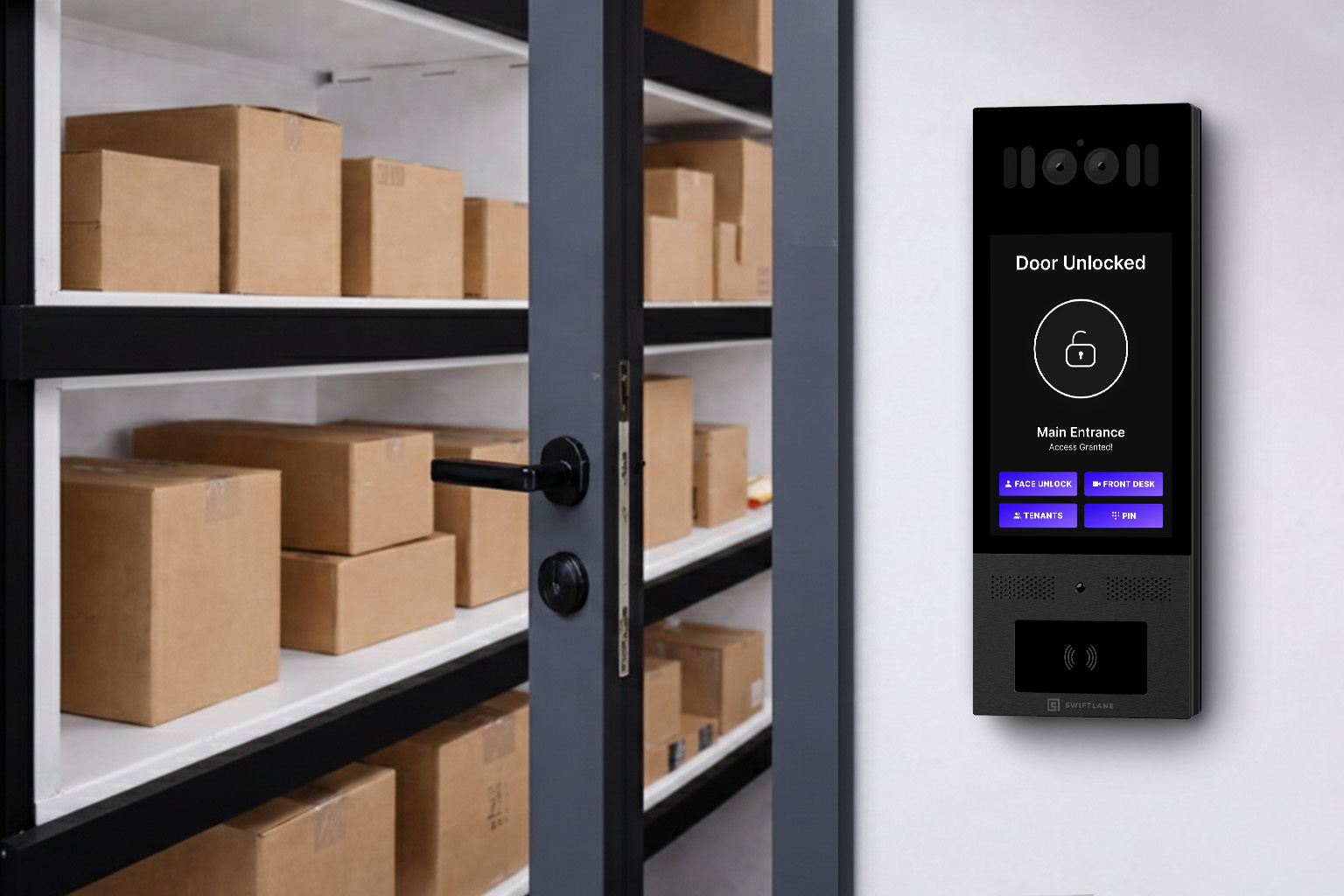
A package room door is one more entry point to manage, and it works best when it runs on the same system as the rest of the building. Swiftlane connects package room access to building-wide access control, so residents use the same credentials for the front door and the package room, and property teams manage both from one cloud-based dashboard.
For carriers, Swiftlane video intercoms support two-way video calling and remote unlock, and PIN access lets property teams issue temporary codes for delivery drivers. Residents can enter with mobile access, key cards, or PINs, and every entry is recorded in one place.
To see how this works for a specific property, book a demo or get a quote.
Frequently Asked Questions
What is a package room?
A package room is a secured space in an apartment or office building where carriers drop off deliveries, and residents pick them up. It is also called a parcel room or package center. A smart package room adds credential-based entry and access logs that record who entered and when.
How big should a package room be?
There is no code-based standard. Architect guidance published in 2017 allocated one to three square feet of shelving wall area per unit, with newer buildings at the higher end. Add floor space for oversized deliveries and a courier drop area, and size for peak delivery weeks.
What is the difference between a package room and package lockers?
A package room is a shared secured space that accepts deliveries of any size, while lockers place each package in its own compartment. Rooms are more flexible on capacity and oversized items, and lockers offer stronger per-package accountability. Many larger properties use both.
How do delivery carriers get into the package room?
Carriers typically enter with a time-limited PIN code, a video intercom call answered remotely, or a carrier-specific credential. Property teams set up the credential type, drop area, signage, and PIN expiration policy before the room opens, so carriers can deliver without staff on site.


