

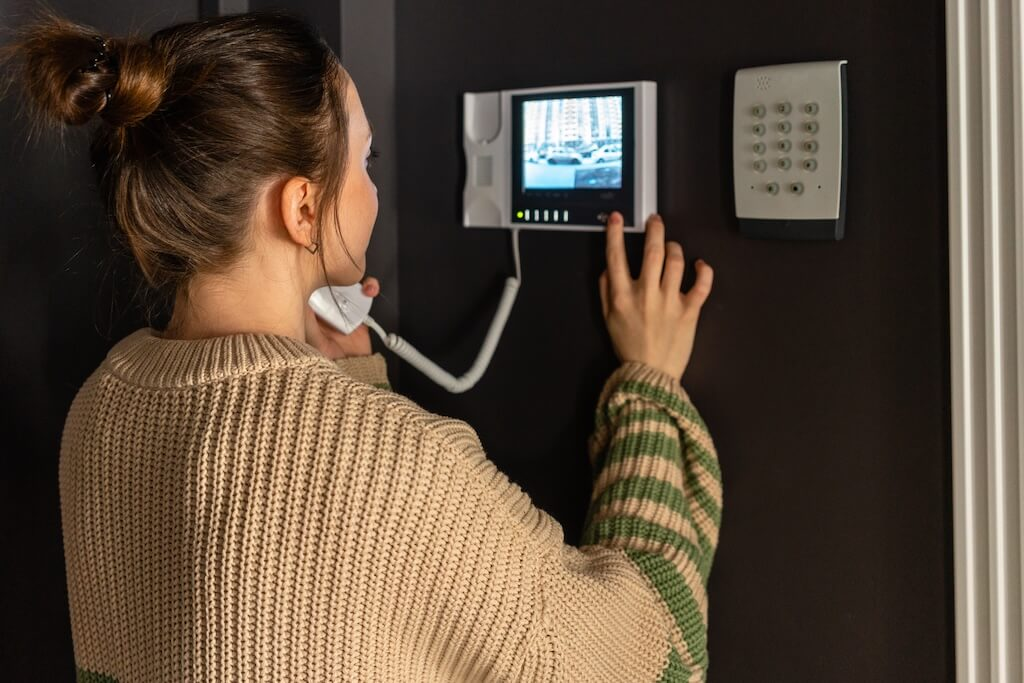
A telephone entry system is an access control device that lets visitors call a resident or staff member from a building entrance to request entry. The resident verifies the caller and releases the door remotely, without leaving their unit.
If you manage a multifamily property, gated community, or office building, the front entrance is where security either holds or breaks down. Telephone entry systems have been the standard solution for decades: a call box at the entry, a two-way conversation, a button press to unlock the door.
But the market has changed. Traditional landline call boxes are getting harder to justify as phone companies retire copper infrastructure and tenants expect more than a scratchy audio call. Cellular, IP, and video intercom systems have expanded what “telephone entry” means, and choosing the wrong one for your property can lead to expensive retrofits later.
According to ASIS International’s 2023 Access Control Research Report, adoption of cloud-based and IP-connected entry systems has grown significantly among multifamily and commercial property managers, driven by the need for remote management and the retirement of legacy POTS infrastructure.
This guide covers how telephone entry systems work, the differences among POTS, cellular, VoIP, and video options, how to compare vendors, and whether a traditional call box still fits your building or it’s time to upgrade.
How We Researched This Guide
This guide is based on a review of vendor documentation from Doorking, Linear, Kantech, Mircom, Security Brands, and Swiftlane, combined with FCC regulatory filings on copper network retirement and industry pricing data from Honor Security and Northbridge Services. Cost ranges reflect hardware-only estimates and should be verified with local installers before budgeting. Feature claims were verified against publicly available vendor documentation as of May 2026.
Key Takeaways
- “Telephone entry systems” now includes POTS call boxes, cellular call boxes, IP/VoIP systems, and video-enabled intercoms.
- The biggest decision is connectivity (POTS vs cellular vs IP), since it drives reliability, ongoing cost, and feature set.
- If you manage multiple entrances or want audit logs and remote admin, IP/VoIP or video intercom platforms are usually the best fit.
- If you’re replacing an older POTS system, cellular or IP upgrades are typically more future-proof than installing new copper lines.
Table of Contents
- What Is a Telephone Entry System?
- How It Works
- Types of Systems
- Pros, Cons, and When Telephone Entry Still Makes Sense
- Top Options to Consider
- How to Choose the Right One for Your Building
- Telephone Entry vs Video Intercom vs Virtual Doorman
- Conclusion
- FAQs
What Is a Telephone Entry System?
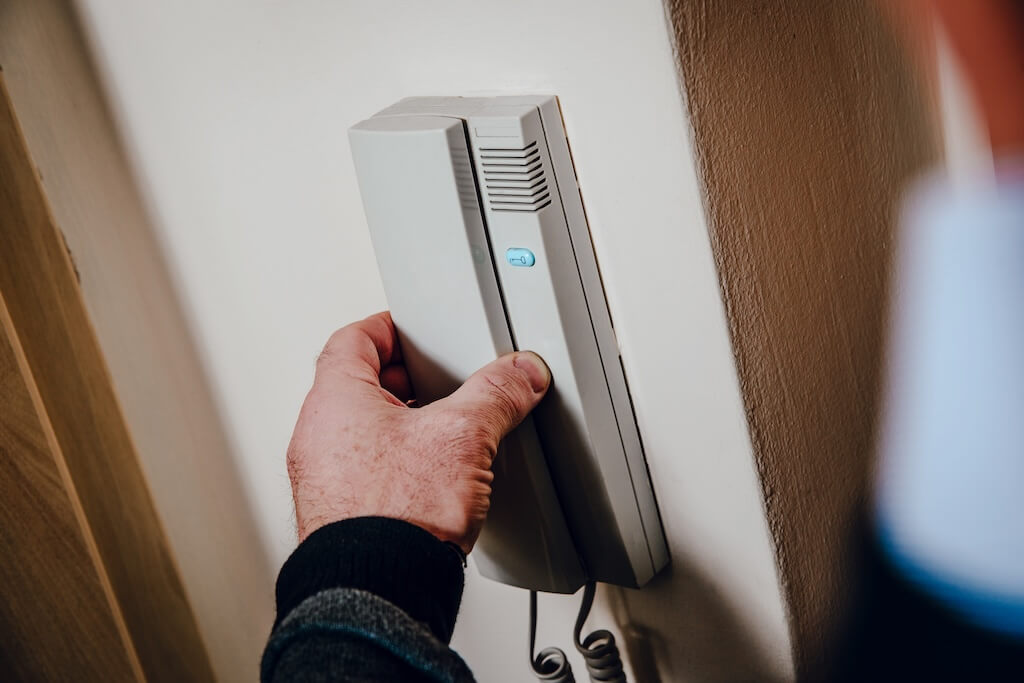
A telephone entry system is an access control solution that lets visitors communicate with a resident or staff member before being granted entry. It is the modern replacement for older buzzers and wired-in-unit intercoms, commonly found in apartment buildings, condos, gated communities, HOAs, and office complexes.
The term covers a wide range of hardware today, from a basic audio call box on a landline to a cloud-managed video intercom running over LTE or Ethernet. What they share is the same core function: a visitor initiates contact at the door, someone inside decides whether to let them in, and the system releases the door or gate.
Key Components
- Entry Panel: The weatherproof unit at the entrance with a microphone, speaker, and keypad or touchscreen. Higher-end panels add a camera for video calling.
- Directory: How visitors find and call the right tenant. Older systems use a static printed list. Modern systems use a digital, remotely managed directory.
- Communications Path: The connection between the panel and the person receiving the call. This is where POTS, cellular, VoIP, and IP systems differ most, and it has the biggest impact on long-term cost and reliability.
- Door Release Hardware: The electric strike, maglock, or gate operator that physically unlocks the entry when the resident triggers it.
- Power Supply: Most panels run on low-voltage AC. Some IP systems support PoE. Battery backup availability varies by manufacturer.
How It Works
Here is how a typical telephone entry system handles a visitor from arrival to entry.
- Visitor arrives at the entry panel and uses the keypad or touchscreen to find the resident or department they need.
- A call is placed through the system’s communications path, whether via a landline, cellular network, or VoIP connection, to the resident’s phone or in-unit device.
- Two-way communication allows the resident to verify the visitor before making an access decision.
- Remote unlock is triggered when the resident presses a key on their phone (typically “9” on POTS systems or a button in a mobile app on modern systems), which sends a signal to the door release hardware.
- Entry is logged on cloud-connected systems, recording the time, unit called, and whether access was granted.
- A 2025 report by Parks Associates found that 59% of renters prefer properties with mobile access control systems, up from a much smaller share just a few years prior.
Door Release Basics
The telephone entry system handles communication. The door release hardware handles the physical unlock. The two most common types are electric strikes, which allow the door to open when power is applied, and maglocks, which hold the door shut with an electromagnetic force and release when power is cut.
For gate and door applications, the distinction between fail-safe and fail-secure matters. Fail-safe locks release when power is lost, as required for fire egress doors in most jurisdictions. Fail-secure locks stay locked during a power outage, which is more common at perimeter gates and non-egress entries.
Confirm requirements with your installer and local AHJ before specifying hardware.
Types of Systems
The biggest decision in any telephone entry project is the communications path. It determines installation complexity, ongoing costs, reliability, and the extent to which the system can go beyond a basic audio call. There are four main types in use today.
POTS/Landline Call Boxes (Legacy)
Plain Old Telephone Service (POTS) call boxes connect the entry panel to a dedicated copper phone line, which dials out to tenant phones when a visitor calls. They are simple, widely understood, and still found in many existing multifamily and gated community installations.
In March 2026, the FCC voted to eliminate key federal approval requirements that carriers previously needed before retiring copper service, leaving a 90-day customer notice as the sole remaining regulatory step before disconnection.
POTS call boxes are not a sound long-term investment. If your property still runs one, the question is no longer whether to upgrade but when.
Cellular (LTE/5G) Call Boxes
Cellular systems use a built-in SIM card to connect the entry panel directly to carrier networks, bypassing building wiring or internet infrastructure entirely. They are the most common upgrade path from POTS, particularly at gates and perimeter entries where running Ethernet is impractical.
Key considerations: signal strength at the entry point, monthly carrier plan costs, and backup power, since a panel outage will take the system offline without a battery backup.
Cellular works well for gated communities, HOAs, and parking structures. It is less ideal where video calling, audit logs, and cloud management are priorities.
Across Swiftlane deployments at gated communities and HOA properties, cellular entry systems are the most common upgrade path from legacy POTS, primarily because they eliminate the need to trench or run new Ethernet to remote gate locations.
IP/VoIP (Wi-Fi/Ethernet) Systems
IP-based systems connect over a building’s network via Ethernet or Wi-Fi and use Voice over Internet Protocol (VoIP) to route calls. They are the most feature-rich option and the right fit for properties with modern network infrastructure.
Before specifying, confirm there is a network drop or reliable Wi-Fi at the entry point, that the panel can sit on a dedicated VLAN, and that QoS settings prioritize audio and video traffic. PoE-capable panels simplify installation by eliminating the need for a separate power run.
Best fit for mid-to-large multifamily, office, and mixed-use properties where cloud management and access control integration are requirements.
Telephone Entry with Video (Bridge to Modern Video Intercom)
Video-capable systems add a camera to the entry panel so residents can see the visitor during the call, not just hear them. The security case is straightforward: audio-only systems rely on the visitor accurately identifying themselves, whereas video allows the resident to make an independent visual check before pressing unlock.
If video is required, it is worth evaluating full video-intercom platforms alongside traditional call-box vendors. Purpose-built video intercoms typically offer a better camera, a more capable mobile app, and tighter access-control integration than a call box with a camera added.
Pros, Cons, and When Telephone Entry Still Makes Sense
Here is an honest look at where telephone entry systems hold up and where they fall short.
Pros
Familiar to tenants and staff. The visitor-calls-tenant flow is something most people understand without training. That lowers friction at move-in and reduces support calls for property managers.
Retrofit-friendly. Most telephone entry systems can be installed without major structural work. Cellular and IP panels in particular can replace an aging call box with minimal disruption to existing door hardware and wiring.
Works with any phone. POTS and cellular systems ring tenant mobile numbers directly, so residents do not need to download an app or change any behavior to receive visitor calls.
Lower upfront cost. Audio-only call boxes are among the most affordable entry access options, particularly for smaller properties with a single entry point.
Cons
Audio-only limits security. Without video, residents are making access decisions based entirely on what a visitor says. That is a meaningful gap for properties dealing with package theft, tailgating, or unauthorized access attempts.
In Swiftlane’s experience supporting multifamily properties, audio-only intercoms are among the most common factors cited by property managers in reports of unauthorized access incidents; visual verification at the door eliminates an entire category of social engineering attempts.
Directory friction. Printed or static directories create ongoing maintenance work and frustrate visitors at properties with high turnover. A visitor who cannot find the right name simply leaves or waits for someone to tailgate in.
Weak auditability. Traditional POTS and basic cellular systems log little to nothing. If an incident occurs, there is no record of who called which unit or whether access was granted.
POTS deprecation risk. Properties still on copper landlines face rising line costs, shrinking repair support, and in some markets, an eventual forced migration with little notice.
The POTS Sunset Decision Point
If your property has a landline call box, there are a few clear signals that it is time to stop repairs and start planning a replacement. Line costs have increased significantly over the past two to three years, with no sign of reversing. Your carrier has notified you of service changes or the retirement of copper in your area.
AT&T announced plans to retire copper-based services across most of its footprint by the end of 2029 and stopped accepting new copper line orders in October 2025.
The panel itself is aging, and replacement parts are difficult to source. Or your tenants are asking for features, like mobile app access or video calling, that the current system simply cannot support.
Waiting for a complete failure before replacing a POTS system often results in an emergency installation at a higher cost under time pressure. A planned upgrade on your own timeline is almost always the better outcome.
What This Looks Like in Practice
A 96-unit multifamily property on the East Coast had been running a legacy POTS call box since 2009. By 2024, the monthly landline cost had nearly doubled, the panel manufacturer had discontinued the model, and replacement parts were sourced from a specialty vendor. When the panel finally failed midwinter, the property manager had 72 hours to source and install a replacement at emergency pricing, with no time to compare options.
After the forced upgrade, they moved to a cellular-capable system with cloud directory management. Move-in and move-out updates that previously required an on-site technician now take under two minutes from any browser.
The property manager’s observation: “We should have done this three years ago when we had time to plan it.
Top Options to Consider
The vendors below are widely specified across multifamily, gated communities, and commercial properties. Each entry uses the same format, so you can compare quickly.
Doorking 1837 – Best for Large Multi-Tenant Properties
Best for: Doorking 1837 is recommended for high user counts, multiple entry points, gated communities, large multifamily, and commercial facilities.
Overview: A long-standing call box standard with strong capacity and expansion options.
Pros:
- Up to ~3,000 phone numbers and ~8,000 access codes (model dependent)
- Expandable to multiple entry points with add-on boards
- Built-in directory display
- Supports POTS, cellular, and VoIP configurations
Cons:
- Audio-first (video requires add-ons/third-party)
- UI feels dated versus modern touchscreen platforms
Install notes: Surface- or flush-mount. POTS requires a dedicated line; modern installs typically use cellular/VoIP adapters.
Admin/management: Remote programming via DoorKing software (varies by setup).
Pricing: Typically ~$1,500–$3,000 for hardware, plus ongoing telecom/cellular costs.
Integrations: Card readers/RFID, keypads, access control add-ons.
Read more: Doorking intercom review
Linear EntryPro 736 – Best for Straightforward Landline Installations
Best for: Smaller properties already committed to landlines
Overview: Linear EntryPro 736 is a reliable option when the site already has POTS infrastructure, and you want a simple directory-and-audio workflow.
Pros:
- Touchscreen directory (model dependent)
- Supports multi-door setups (expandable)
- Clear two-way audio
- Manufacturer warranty
Cons:
- Landline-dependent for core calling
- VoIP usually requires third-party adapters
- Limited cloud management compared to IP-first systems
Install notes: Low-voltage install with a dedicated phone line at the entry.
Admin/management: Local or software-based management, limited remote capabilities.
Pricing: Often ~$1,000–$2,500 for hardware, plus monthly phone line costs.
Integrations: Limited beyond standard telephone entry add-ons.
Kantech KTES – Best for Small to Mid-Size Commercial Properties
Best for: Small to mid-size commercial sites using Kantech access control
Overview: Kantech KTES is designed to fit into the Kantech ecosystem more than compete as a standalone call box.
Pros:
- Remote management via EntraPass
- Directory capacity suitable for many SMB sites
- Multiple connection options (varies by model/setup)
Cons:
- Best value only if you already run Kantech
- No modern video experience on this model
Install notes: Compact keypad and small display; supports multiple units on one line (setup-dependent).
Admin/management: EntraPass-based.
Pricing: Often ~$800–$1,500 hardware + software/licensing (as applicable).
Integrations: Kantech/EntraPass.
Mircom TX3 – Best for Properties That Want a Large Touchscreen
Best for: Multifamily/mixed-use where directory search UX matters
Overview: Mircom is known for oversized touchscreens and a more modern directory experience; select models support video.
Pros:
- Large touchscreen options (15” / 22”)
- Onscreen search (QWERTY)
- Video-capable models available
- SIP calling support (model dependent)
Cons:
- Mobile features depend on specific TX3 models/app support
- App ecosystem can be narrower than video-intercom-first platforms
Install notes: Larger footprint, plan mounting and power/network at the entry.
Admin/management: Platform-based management (varies by configuration).
Pricing: Often ~$2,500–$5,000 hardware, depending on model.
Integrations: SIP-compatible, fits within Mircom building systems.
Ascent M3 – Best Cellular-Only Call Box
Best for: Gates/perimeter entries where wiring is hard (HOAs, gated communities, parking)
Overview: Security Brands Ascent M3 is a cellular-first approach that avoids running phone lines or Ethernet cables and relies on cloud-based updates.
Pros:
- Built-in cellular connectivity
- Touchscreen UI
- Large user/code capacity (model dependent)
- Cloud-based management
- Supports Wiegand inputs for fobs/cards
Cons:
- Depends heavily on the carrier signal strength at the entry
- Ongoing monthly cellular plan costs
- Camera may be capture-only (not full two-way video, model dependent)
Install notes: Verify signal before install; battery backup recommended for gates.
Admin/management: Cloud portal.
Pricing: Often ~$1,500–$2,500 hardware + cellular plan.
Integrations: Wiegand-compatible readers.
Swiftlane – Best for Video, Mobile Access, and Cloud Management
Best for: Multifamily, mixed-use, and offices moving beyond audio-only call boxes
Overview: A video-intercom-first platform that covers “telephone entry” use cases (call + remote unlock) and adds video, mobile, and cloud admin.
Pros:
- Two-way video calling
- Mobile unlock workflows
- Cloud directory + audit logs
- Ethernet or cellular connectivity options
- Built for multi-entrance/multi-property management
Cons:
- Typically higher cost than audio-only call boxes
- Requires network planning (Ethernet/PoE or cellular)
Install notes: Surface/flush mount. PoE or low-voltage power (deployment dependent).
Admin/management: Cloud dashboard for permissions, logs, directory, and multi-site.
Pricing: Contact Swiftlane for a property-specific quote. Schedule a demo to see the platform in action.
Integrations: Doors, elevators, gates, readers, PINs, and access control integrations (as applicable).
How to Choose the Right One for Your Building
The right system depends on your property type, existing infrastructure, and what you need the system to do beyond letting visitors in. Use the table and checklist below to narrow your options before talking to vendors or installers.
Quick Selection Guide
| Property Type | Best Fit | Why |
| Large apartment complex | IP/VoIP or video intercom | Cloud admin, audit logs, scales across doors |
| Gated community / HOA | Cellular call box | No Ethernet required at perimeter |
| Small multifamily (under 20 units) | POTS or cellular | Lower install complexity |
| Office / mixed-use | IP/VoIP or video intercom | Flexible directory + integration options |
| Replacing a POTS system | Cellular or IP, depending on infrastructure | Avoid new copper, match wiring/network reality |
| Highest security priority | Video intercom | Visual verification + stronger audit trail |
Checklist Before You Buy
Door/gate hardware
- Confirm the panel can trigger your strike, maglock, or gate operator
- Identify fail-safe vs fail-secure needs per entry
- Confirm whether existing hardware can be reused
Cabling and power
- Identify power at each entry (or choose PoE-capable panels)
- Confirm Ethernet/Wi‑Fi availability if using IP systems
Network readiness (IP systems)
- Confirm reliable Ethernet or Wi‑Fi at the entry
- Plan VLAN (recommended) and QoS for voice/video
Cellular readiness (cellular systems)
- Test carrier signal strength at the entry before purchase
- Confirm supported carriers + monthly plan costs
Backup power
- Decide what must work during outages (calls, unlock, logs)
- Confirm battery/UPS options and expected runtime
Compliance
- Confirm egress + fail-safe requirements with AHJ and installer
- Check ADA height/UX requirements for the panel
- Confirm any fire alarm tie-in requirements (where applicable)
Questions to Ask Vendors and Installers
Before committing to a system, get clear answers to the following.
On reliability and outages: What happens to door access if the system loses power or connectivity? Is there a mechanical key override? How quickly does the system restore after an outage?
On support and SLA: What are the support hours? What is the average response time for hardware failures? Is there an on-site service option, or is support remote only?
On audit logs: Does the system log every call and access event? How long is data retained? Can logs be exported for incident reporting?
On integrations: Does the system integrate with your existing access control platform? Can it connect to a property management system to automatically update the directory?
On future-proofing: Is the firmware updated remotely? How long does the manufacturer support this hardware model? What is the upgrade path if your needs change?
On warranty and total cost: What does the hardware warranty cover and for how long? What are the ongoing costs, including carrier plans, cloud subscriptions, and support contracts?
Telephone Entry vs Video Intercom vs Virtual Doorman
| Telephone Entry | Video Intercom | Virtual Doorman | |
| Visitor verification | Audio only | Audio and video | Audio, video, and live staff |
| Upfront cost | Low to mid | Mid to high | Low hardware, high service fees |
| Ongoing cost | Line or cellular fees | Cloud subscription | Monthly staffing contract |
| Best for | Budget-conscious properties, simple access needs | Properties prioritizing security and tenant experience | High-end residential, limited on-site staff |
| Audit logs | Limited | Full | Full |
| Remote management | Limited | Yes | Yes |
The core tradeoff is cost vs capability. Telephone entry is the most affordable starting point, but it has real limits in terms of security and auditability. Video intercoms close most of those gaps at a higher upfront cost. Virtual doorman services add a human layer for properties that need live oversight but do not want on-site staff.
Conclusion
Today, telephone entry systems span a wide range of technologies, from aging POTS call boxes to cloud-managed video intercoms. The right choice depends on your property type, existing infrastructure, and the weight you place on security, auditability, and tenant experience.
If your property is still running a landline call box, now is a good time to plan the transition rather than wait for a forced upgrade. If you are evaluating options for a new installation or a replacement, the selection guide and vendor comparisons above should give you a clear starting point.
For properties ready to move beyond traditional telephone entry, Swiftlane’s video intercom platform offers a modern upgrade path with two-way video, mobile access, and full cloud management. Schedule a demo to see how it fits your building.
FAQs
What is a telephone entry system?
A telephone entry system allows visitors to contact a resident or staff member from an entry panel and to unlock a door or gate remotely. It’s common in apartments, gated communities, offices, and mixed-use buildings.
How much does a telephone entry system cost?
Audio-only call boxes run $1,000–$4,000 in hardware; video-capable systems run $2,000–$6,000. Total cost depends on entry count, wiring, and door hardware. Figures are planning estimates; verify with local installers. (Honor Security; Northbridge Services)
Do I need a landline to use a telephone entry system?
No. Most modern systems use cellular or IP/VoIP. In 2026, avoiding new POTS installs is usually the better long-term move.
What happens if the internet goes down?
Cellular systems are unaffected. IP/VoIP systems typically lose cloud/app features and may or may not retain basic calling/unlocking, depending on local configuration. Plan for mechanical key override and confirm outage behavior before buying.
Can a telephone entry system integrate with my existing access control?
Often, but it varies. Many IP/cloud systems support relay-to-panel wiring and, in some cases, APIs for log and directory workflows. Confirm which protocols and integrations are supported before you commit.
How long does installation take?
A simple single-entry swap can take 1–2 days. Multi-entry retrofits take longer if you need new cabling, power, or door hardware work. Cellular is often faster when cabling is the constraint.
Can I reuse my existing door hardware?
Often yes (strikes, maglocks, gate operators), but compatibility depends on wiring, power, and required fail-safe/fail-secure behavior. Have your installer verify it during the site walk.
Get a Swiftlane Quote
Tell us about your building and we'll help you find the best solution.


