

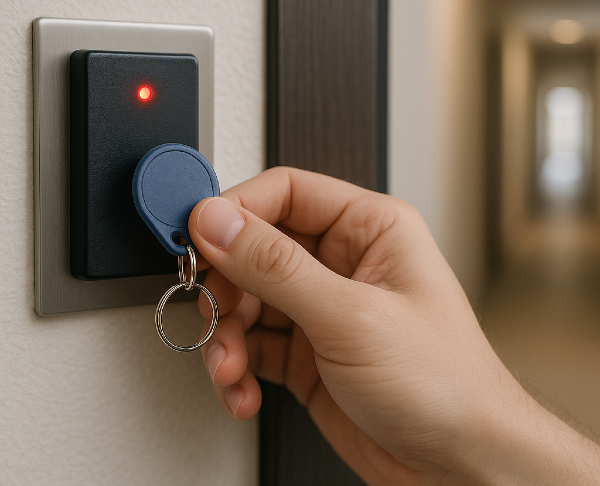
You try your key fob, and nothing happens. Frustrating, especially when you do not know if the problem is the fob, the door, or the building system.
One quick note before we troubleshoot: “key fob” can mean two very different things.
10-second check (pick the right path first):
1) Does your fob have buttons and/or an LED light?
- No buttons/LED (most apartment/building fobs): you likely have a passive RFID/NFC credential. It has no battery and does not “pair” like a car remote. Jump to Building/Apartment fob (no buttons, usually no battery).
- Yes (buttons/LED): you likely have a remote (car key fob or gate/garage clicker). Battery and re-sync steps apply. Jump to Remote/clicker fob (buttons, battery-powered).
2) Does it fail at one door/reader or everywhere?
- One door/reader only: likely a reader, door, or system issue.
- Every door/reader: more likely your credential is damaged or deactivated (building), or your remote needs battery/re-sync (car/gate).
This guide covers both building/apartment access fobs and button-based remotes, with fixes for each. At Swiftlane, we’ve worked with access control deployments across 3,000-plus apartment properties nationwide. One of the most common support issues across multifamily buildings, garages, gates, and commercial properties is a “non-working” key fob, but the root cause may not always be the fob itself.
TL;DR
- First, identify your fob type:
- No buttons/LED: building RFID/NFC credential (usually no battery). Most fixes are admin/system-side: credential status, reader health, or physical damage.
- Buttons/LED: remote/clicker (battery-powered). Most fixes are battery, re-sync/reprogram, or vehicle/gate receiver issues.
- Fastest isolation test:
- Building: try a different door/reader, or try another resident’s credential on the same reader.
- Remote: check LED response, replace battery, and follow your make/model reprogram steps if needed.
Table of Contents
- Building/Apartment Key Fob (No Buttons, Usually No Battery): Most Common Causes & Fixes
- Remote/Clicker Key Fob (Buttons/LED, Battery-Powered): Most Common Causes & Fixes
- Quick Troubleshooting Checklist (Building vs Remote)
- When to Repair vs. Replace: Quick Reference
- A Smarter Alternative: Ditch the Fob Entirely
- Frequently Asked Questions
Related Posts
- Key Fob Entry Systems – A Complete Guide
- What Is a Fob System and How to Choose One
- Key Card Entry Systems
Building/Apartment Key Fob (No Buttons, Usually No Battery): Most Common Causes & Fixes
1. Credential Deactivated
Why It Happens
The credential is often inactive in the access control system, or the reader/door is having a system-side issue. Building fobs typically do not “pair” like a car remote, and battery removal is not relevant for most RFID/NFC credentials.
Symptoms
- The fob worked recently, then suddenly stopped (often overnight)
- It fails at multiple doors/readers (or, conversely, only fails at one specific door)
Fix
- Test your fob on a second reader/door in the building.
- Ask building management to check:
- whether your credential is active (not disabled due to lease changes, a security action, or an accidental admin change)
- whether the reader/door is online and healthy (power/network/firmware)
- If the credential is active and the building systems are healthy but it still fails, request a replacement credential (internal damage is common and not always visible).
Building access fobs are paired to an access control system, not reprogrammed by the tenant. If your fob has lost its pairing, contact your building manager or IT administrator. They’ll need to re-enroll the credential in the access control dashboard. It’s a process that takes seconds with modern cloud-based systems.
Swiftlane administrators can re-activate a credential instantly from the cloud dashboard without dispatching a locksmith or issuing a new physical fob. See key fob systems for more detail.
2. Physical Damage to the Fob
Why It Happens
Key fobs are built to survive everyday carry, but they’re not indestructible. A hard drop onto concrete can crack the circuit board. Water exposure (from rain, a spilled drink, or even a pocket washing machine cycle) causes corrosion on the internal components. Buttons wear out over time and eventually fail to make proper electrical contact.
Assessment Checklist
- Is the casing cracked or warped?
- If your fob has buttons, do they feel mushy/stuck?
- Is there visible corrosion (greenish or white deposits) on the circuit board?
- Did the fob recently get wet or dropped from height?
If you answered yes to any of the above, the fob likely has internal damage. Open it up and inspect the circuit board under good lighting. Minor corrosion can sometimes be cleaned with a cotton swab dipped in 90%+ isopropyl alcohol. Let it dry completely before reassembling.
When Replacement Makes More Sense Than Repair
If the circuit board is visibly cracked, buttons are physically broken, or corrosion is widespread, repair is rarely cost-effective. A replacement fob from the manufacturer or a licensed locksmith will be more reliable long-term. For building fobs specifically, see our guide on building key fob replacement for cost and process details.
3. Reader/Environment Issues (Metal, Placement, Hardware)
Why It Happens
This issue depends on what kind of “fob” you have.
- Building/apartment fobs (RFID/NFC, usually no buttons): the credential is typically passive. Problems that feel like “interference” are more often caused by reader placement, metal shielding, door/reader hardware health, or environmental conditions near the reader.
- Remote/clicker fobs (buttons/LED): these transmit an active RF signal. In certain environments, the receiver can be harder to reach (distance, obstructions, or competing RF noise), especially for systems that operate around common remote frequencies (for example, many remotes in the ~315–433 MHz range).
Common Causes (Building/Apartment)
- Reader mounted in/near heavy metal (metal frames, steel plates) that affects read reliability
- Worn or failing reader hardware (intermittent reads, slow response)
- Power/network/firmware issues on the reader or controller
- Physical positioning: credential needs to be tapped/held closer to the reader’s active area
- Thick wallet/key stack or metal key organizer partially shielding the credential
Common Causes (Remote/Clicker)
- Obstructions and distance (receiver is inside a vehicle or behind walls/structures)
- Dense RF environments or competing devices in the area
- Receiver-side issues (vehicle/gate receiver problems)
Note: For remotes: metal door frames, thick walls, and competing RF devices can act as reflectors and shields — a challenge that RF component manufacturers like Qorvo have specifically engineered solutions to address in access control applications. ¹
Symptoms
- Works at some doors/readers but not others (more common for building readers)
- Works only when held very close to the reader (building) or very close to the receiver (remote)
- Intermittent behavior that’s strongly location-dependent
How to Confirm and Fix
Building/apartment:
- Try a different reader/door in the building.
- If possible, try another resident’s credential on the same reader.
- Remove the credential from bulky metal key stacks/wallet shielding and try again.
- If multiple people are affected at the same door, report it as a reader/door issue (management/IT fix).
Remote/clicker:
- Move closer to the vehicle/gate receiver and retry.
- Replace the battery if LED response is weak.
- If the remote suddenly stopped working after power loss or battery changes, follow the re-sync/reprogram steps for that system.
4. Fob Was Deactivated by Building Management
Why It Happens
This cause is unique to building and apartment access fobs. It’s more common than most tenants realize. Building administrators can deactivate individual credentials in the access control system for a variety of reasons:
- The fob was reported as lost or stolen (even if found later)
- Non-payment of rent or fees
- Lease expiration or early move-out
- Accidental deactivation during a system update
- A security audit flagged an inactive or unrecognized credential
Symptoms
The telltale sign: the fob worked fine yesterday and suddenly stopped overnight. There’s no physical damage, the battery is fine, but the door simply won’t respond.
How to Confirm and Fix
Contact your building manager or concierge and ask them to check the access logs for your credential. A good access control system will show exactly when the fob was last used and whether it’s currently active. If it was deactivated by accident, the admin can re-enable it in seconds.
Swiftlane logs every credential change (activation, deactivation, and modification) with a timestamp and the administrator’s name. There’s no ambiguity about what happened or when. Tenants and managers can resolve these disputes quickly without back-and-forth, and instant cloud reactivation means no new fob needs to be issued.
5. Building System or Reader Issue
Why It Happens
Sometimes the fob isn’t the problem at all. Access control readers can fail due to firmware bugs, network connectivity issues, power interruptions, or hardware failure. When the reader itself is down, every fob (even perfectly functioning ones) will appear not to work.
Symptoms
- Multiple tenants report their fobs stopped working at the same time
- Fob fails at one reader but works at another in the building
- Reader display is blank, unresponsive, or showing an error code
How to Confirm
Try your fob on a second reader in the building. If multiple readers are failing and other tenants are affected, you’re almost certainly dealing with a system-side issue rather than a problem with your individual fob. This isn’t a tenant-side fix. Report it to building management or IT immediately.
Swiftlane’s cloud-based platform monitors reader health in real time. Administrators receive automated alerts when a reader goes offline or starts generating errors, often before any tenant notices. This proactive monitoring significantly reduces downtime.
Remote/Clicker Key Fob (Buttons/LED, Battery-Powered): Most Common Causes & Fixes
1. Remote/Clicker Fob: Dead or Weak Battery (Buttons/LED)
Applies to: car key fobs, gate remotes, garage clickers, any fob with buttons and usually an LED indicator.
Does not apply to: most apartment/building RFID/NFC fobs (those are typically passive and have no battery).
Why It Happens
Button-based remotes transmit an active radio signal, which requires a battery. As the battery weakens, the transmission range drops first, then the remote stops working entirely.
Remote/clicker fob battery life varies by usage and conditions, but many people replace the coin cell every 1 to 3 years.
As the battery depletes, the fob’s transmission range shrinks dramatically before it stops working altogether. Many people don’t realize the battery is failing because the fob still “works” (just only when held inches from the reader).
Symptoms
- LED is dim or does not light up when you press a button
- Remote works only at very close range
- Intermittent response, especially in cold weather
How to Replace a Key Fob Battery
Tools needed: small flathead screwdriver or a coin
Battery type: varies by model (check the label inside the remote or the owner’s manual)
Step 1: Locate the seam/notch on the remote casing.
Step 2: Use a coin or flathead screwdriver to gently pry it open.
Step 3: Note the battery orientation, then replace with the same type.
Step 4: Snap the casing back together and test.
Pro tip: Replace proactively every 2 to 3 years. Before discarding the old battery, test it with a multimeter. A CR2032 should read ~3V when fresh; anything below 2.5V means it’s time to replace.
2. Remote Needs Re-Sync (Car/Gate)
Why It Happens
Some remotes can lose synchronization after certain events (battery changes, vehicle electrical issues, receiver resets). Exact behavior varies by manufacturer and system type.
Symptoms
- The remote LED responds, but the car/gate does not
- A new battery didn’t fix it
Fix
- Follow the manufacturer’s re-sync/reprogram steps for your make/model (often in the owner’s manual or manufacturer support site).
- If the vehicle/gate system recently lost power or had electrical work, reprogramming may be required.
3. Car-Specific Issues: Low Vehicle Battery or Blown Fuse
Why It Happens
This cause applies only to car key fobs. When your vehicle’s 12V battery drops below approximately 12V, the keyless entry receiver may not have enough power to process the fob’s signal. A blown fuse in the keyless entry circuit produces the same result: your fob transmits normally, but the car can’t hear it.
Symptoms
- The fob LED flashes (confirming it’s transmitting) but the car doesn’t respond
- Other electrical systems in the car are sluggish or dim
- The car starts with difficulty or not at all
Fix
- Jump-start the car or replace the 12V battery
- Check the fuse box (consult your owner’s manual for the keyless entry fuse location)
- If a fuse is blown, replace it with one of the same amperage
Note: If you replace the battery, you may also need to reprogram the fob (see Cause 2 above), as some vehicles reset the keyless entry pairing when the battery is disconnected.
Quick Troubleshooting Checklist (Building vs Remote)
Use the checklist that matches your fob type.
A) Building/apartment fob (no buttons/LED, RFID/NFC)
- Test your credential at another door/reader in the building.
- If possible, test another credential (neighbor/spare) on the same reader to isolate a reader issue.
- Inspect the fob for cracks, warping, water damage, or heavy wear (especially around the keyring hole).
- Remove the fob from bulky metal key stacks, wallets with metal shielding, or thick cases, then try again.
- Ask building management to confirm:
- your credential is active (not deactivated by mistake, lease changes, or a security action)
- the reader/door is online and healthy (power/network/firmware)
- If it fails everywhere and the credential is active, request a replacement credential (damage is common and not always visible).


B) Remote/clicker fob (buttons/LED, battery-powered)
- Check whether the fob LED lights up when you press a button.
- Replace the battery (common coin-cell types vary by model).
- If the battery is new but it still fails, follow the manufacturer re-sync/reprogram steps for your vehicle or gate/garage system.
- If the remote suddenly stopped working and the vehicle/gate is also acting oddly, check for system-side issues (vehicle 12V battery, fuse, or receiver problems).
- If it still fails, contact the manufacturer/dealer/installer (some systems require specialized programming tools).
When to Repair vs. Replace: Quick Reference


| Situation | Recommended Action | Estimated Cost |
| Battery dead | Replace battery (CR2032) | ~$3 to $5 |
| Lost programming / pairing | Reprogram or re-activate | Free (DIY) |
| Cracked casing or water damage | Replace the fob | $30 to $400 |
| Deactivated by building management | Contact building management | Free |
| Building reader hardware fault | Building management’s responsibility | N/A (tenant) |
| Fob 3+ years old with repeated issues | Replace the fob proactively | $30 to $150 |
| Car battery low / fuse blown | Replace battery or fuse | $5 to $200 |
A Smarter Alternative: Ditch the Fob Entirely
If your building keeps running into key fob problems (lost fobs, dead batteries, deactivated credentials, or reader failures), the underlying issue may be the technology itself. Physical fobs are inherently limited: they can be lost, damaged, cloned, or simply forgotten at home.
Credential loss is more common than many property teams expect. According to Tapkey, a smart access control provider, the true cost of physical keys extends well beyond the hardware — lost or unreturned credentials create security vulnerabilities that can compromise an entire facility, often requiring full lock replacements rather than just new keys. ³
Replacing missing credentials also adds ongoing operational costs, especially across larger multifamily or commercial portfolios. Research cited by Gatewise suggests properties can save an average of $80,000 annually per building by switching from physical credentials to smartphone-based access — savings driven by eliminating replacement costs, reprogramming fees, administrative overhead, and emergency lockout response. ⁴
That’s one reason mobile credentials have become the fastest-growing segment in access control. Industry leaders including LenelS2 and analysts tracking the sector now point to 2025 as the tipping point where NFC wallet-based credentials are beginning to replace traditional physical badges at enterprise scale, driven by demand for better security, easier credential management, and improved user convenience. ⁵


Modern mobile access systems replace the physical fob with a smartphone credential. Your phone becomes the key, using Bluetooth or NFC to communicate with the reader. No battery to replace. No fob to lose.
Why building managers are making the switch:
- No battery dependency: smartphone credentials don’t expire or die
- Instant access management: admins grant or revoke access remotely in seconds
- Full audit trail: every entry and access event is logged with timestamp and user
Ready to move beyond the fob? See how Swiftlane replaces key fobs with smarter, cloud-managed mobile credentials.


Frequently Asked Questions
How do I know if my key fob battery is dead?
First, confirm whether your “fob” actually uses a battery.
- If it has buttons and/or an LED: it’s likely a remote/clicker, and a weak battery often shows up as reduced range, intermittent response, or a dim/no LED when you press a button.
- If it has no buttons/LED (typical building RFID/NFC): it often has no battery, so battery replacement will not apply. In that case, focus on credential status (active vs deactivated), physical damage, and reader/door health.
Can I reprogram a building or apartment key fob myself?
For building or apartment access fobs, self-reprogramming isn’t possible. The credential must be re-enrolled by an authorized administrator through the building’s access control system.
Why did my apartment fob suddenly stop working overnight?
If there was no physical incident (drop, water exposure) and the battery is fine, the most likely explanation is that the credential was deactivated in the building’s access control system. This can happen due to a reported lost/stolen status, lease changes, a system update, or an accidental deactivation. Contact your building management office and ask them to check the access log for your credential. This is the fastest path to a resolution.
How long do key fob batteries last?
It depends on the type of fob.
- Building/apartment RFID/NFC fobs (no buttons/LED): many are passive credentials with no battery, so “battery lifespan” does not apply. If one of these stops working, the most common causes are credential deactivation, physical damage, or a reader/system issue.
- Remote/clicker fobs (buttons/LED): battery life commonly ranges from 1 to 3 years, depending on usage and temperature. If range is shrinking or the LED is dim, start with a battery replacement.
Is it worth repairing a damaged key fob?
It depends on the nature of the damage. Minor corrosion on the contacts can sometimes be cleaned with isopropyl alcohol, and a cracked casing can occasionally be super-glued back together if the internals are intact. However, a cracked circuit board, broken button contacts, or deep water damage is rarely worth the effort to repair. Replacement fobs typically run $30 to $150 for building access credentials and $50 to $400 for car fobs (depending on the vehicle). In most cases where the fob has sustained physical damage, replacement is the more reliable long-term choice.
References:
¹ RF interference in automotive and access control RF environments; Qorvo BAW filter engineering for signal coexistence — Qorvo: Travel Without Interference — Clear Wireless Capabilities in the Car.
² Hidden costs and security risks of physical key credentials — Tapkey: Exposing the Hidden Costs of Physical Keys.
³ $80,000 average annual savings per building from switching to mobile credentials, based on Parks Associates research — Gatewise: Key Fob Operational Efficiency.⁴ 2025 as the NFC mobile credential tipping point in access control — LenelS2 / SCI Marketing: Why Now Is a Tipping Point for NFC Adoption.


