

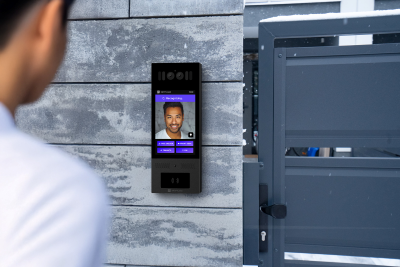
A gate intercom system lets residents, staff, or security teams speak with visitors at a vehicle or pedestrian gate and remotely open the gate via a relay connected to the gate operator. The best systems for apartments, HOAs, and commercial sites combine reliable outdoor hardware, stable connectivity (wired, Wi-Fi, or LTE), and workflows that support guests, deliveries, and vendors with audit logs and easy credential management.
How We Researched This Guide
This guide draws on Swiftlane’s experience deploying access control and video intercom systems across 3,000+ multifamily and commercial buildings. Product specifications and feature comparisons were verified against publicly available manufacturer documentation for each system included.
Connectivity and durability ratings refer to the IEC 60529 (IP Code) and IEC 62262 (IK impact resistance) standards. Gate operator compatibility requirements are based on dry-contact relay specifications published by LiftMaster, FAAC, and other major operators.
Product recommendations reflect a combination of deployment experience, installer feedback, and publicly available user reviews. This guide focuses on systems available and supported in the US market.
TL;DR
- If your gate is far from the building, prioritize LTE/cellular or proven long-range connectivity.
- Operator integration (dry contact relay) matters more than a long feature list.
- For HOAs, resident experience (directory and mobile app) reduces complaints and management overhead.
- For apartments, guest passes via PIN or QR code reduce staff load and missed deliveries.
- Confirm IP and IK ratings before purchasing any outdoor hardware.
Table of Contents
- Gate Intercom vs Gate Access Control vs Gate Operator
- Our Top Picks at a Glance
- How Automatic Gate Intercom Systems Work
- What Makes a Gate Intercom System “The Best?”
- Key Factors to Consider Before Choosing a Gate Intercom System
- Gate Intercom Connectivity and System Architecture Explained
- Choosing the Right Gate Intercom by Property Type
- Common Mistakes When Choosing a Gate Intercom System
- Quick Comparison: Which Gate Intercom Type Is Best for Your Setup
- Where Swiftlane Fits
- Gate Intercom Evaluation Checklist for Property Managers
- FAQs
Related Articles
- Gate Intercom Systems: How to Choose the Right One for Your Property (2026 Checklist Included)
- Intercom for Gated Communities: What to Install at Your Gate Entrance
- Smart Intercom for HOA Communities: What to Install and How to Improve Security
Gate Intercom vs Gate Access Control vs Gate Operator
These three terms often appear together, but they refer to different components. Understanding the difference helps you evaluate vendors more accurately and avoid buying more (or less) than you need.
What Each Term Means
A gate intercom system handles communication and visitor verification at the gate. It lets a visitor announce themselves, allows a resident or staff member to see and speak with them, and triggers the gate to open remotely.
A gate access control system manages who is authorized to enter and under what conditions. It handles credentials (key fobs, mobile apps, PIN codes, key cards), user permissions, and access logs. Some systems combine intercom and access control on a single platform. Others keep them separate.
A gate operator is the physical mechanism that opens and closes the gate. It is the motor, the arm, or the sliding mechanism itself. The intercom and access control system connect to the gate operator via a dry-contact relay output, which opens the gate when access is granted.
How They Work Together
| Component | What it does | Examples |
| Gate intercom | Visitor communication and remote unlock | Swiftlane SwiftReader X, Aiphone IX, DoorBird |
| Gate access control | Credential management and access permissions | Swiftlane, Brivo, Genetec |
| Gate operator | Physical gate mechanism | LiftMaster, FAAC, BFT, Viking |
Most properties need all three, but they do not have to come from the same vendor. The key compatibility requirement is that the intercom or access control system supports a dry-contact relay output compatible with your gate operator’s input terminals.
Which one does this guide cover?
This guide focuses on gate intercom systems, specifically hardware and platforms used at vehicle and pedestrian gates for apartments, HOAs, and commercial properties in the US. For a broader look at access control platforms, see our Gate Access Control Systems guide.
Our Top Picks at a Glance
Below are our top picks after researching and comparing the leading gate intercom systems. We evaluated each based on features, reliability, ease of installation, and user experience across different property types.
Best Overall — Swiftlane SwiftReader X


Swiftlane SwiftReader X combines cutting-edge technology with ease of use. It supports video calling, mobile app access, PIN codes, key fobs, and facial recognition from a single sleek panel. It works well at apartment gates, HOA entry points, and commercial facilities, earning our top overall spot.
Key Specs:
- Full HD (1080p) wide-angle camera with night vision
- Cloud-based management dashboard
- Supports unlimited users and multiple credential types
- Two-way audio and video calling to smartphones
- IP65 weather-resistant housing
- Integration with popular access control and property management platforms
Ideal For: Property managers and building owners who want a single, future-proof platform that can scale across apartments, HOAs, and commercial sites.
Best for Apartments — Aiphone IX Series


Aiphone has been a trusted name in intercom technology for decades. The IX Series is their flagship IP-based system for multi-tenant residential buildings. It handles large directories easily and offers tenants several ways to grant visitor access.
Key Specs:
- SIP-compatible IP video intercom
- Hands-free and handset tenant stations available
- Wide-angle camera with auto-focus
- Built-in relay outputs for gate/door control
- PoE (Power over Ethernet) for simplified wiring
Ideal For: Large apartment complexes (50+ units) that value proven reliability and need a system that can handle a massive tenant directory without performance issues..
Best for HOAs — LiftMaster CAPXLV


HOA communities need vehicle gate access, visitor management for many homeowners, and minimal maintenance. The LiftMaster CAPXLV was built for gated communities and integrates with LiftMaster’s gate operators, already installed in thousands of HOA communities nationwide.
Key Specs:
- Built-in camera with live video feed to smartphones via their app
- Supports CAP2D 4-door access controller
- Virtual directory with search-by-name functionality
- Works with LiftMaster gate operators out of the box
- RFID, PIN, and mobile credential support
Ideal For: HOA-managed gated communities, especially those already using LiftMaster gate operators, who want a plug-and-play solution with a resident-friendly app.
Best Budget — DoorKing 1834

Not every property needs facial recognition or cloud dashboards. The DoorKing 1834 is a dependable, no-nonsense telephone entry system that has been a staple at gated properties for years. It delivers core intercom functions—directory, call-to-phone, and gate release—at a price that fits most budgets.
Key Specs:
- Built-in directory with backlit LCD display
- Calls residents via landline or cell phone
- Built-in postal lock for mail carrier access
- RS-485 networking for multi-entry setups
- Heavy-duty aluminum housing
Ideal For: Budget-conscious apartment complexes, smaller HOAs, and commercial properties that need basic but reliable gate entry without recurring cloud fees.
Best Video Quality — DoorBird D2101V


If crystal-clear video is your priority, the DoorBird D2101V gate intercom with camera delivers the best image quality of any system in this roundup. It also records and stores video of every interaction, giving you a searchable visual log.
One important limitation: the D2101V is a single-button unit designed for single-tenant or small-scale use. It is not the right fit for apartment complexes or HOAs with multiple units and a shared directory. For those properties, consider the SwiftReader X or Aiphone IX Series instead.
Key Specs:
- Full HD 1080p camera with 180-degree wide-angle lens
- Infrared night vision
- Live video streaming, automatic snapshot, and video recording
- PoE (Power over Ethernet)
- Open API for integration with smart home and automation systems
- Available in multiple finishes (stainless steel, titanium, custom RAL colors)
- IP65-rated for outdoor installation
Ideal For: Luxury single-family homes, small boutique commercial properties, and upscale HOA guardhouses where video quality and aesthetics are the top priority and a single call button is sufficient.
How Automatic Gate Intercom Systems Work
An automatic gate intercom system combines visitor communication with automated gate control. When a visitor calls from the gate panel, a resident or property manager answers remotely, verifies the visitor, and opens the gate without any manual intervention.
Understanding the core components helps you evaluate whether a system will work reliably at your specific gate.
The Relay Connection
The intercom connects to the gate operator via a dry-contact relay output. When access is granted, the intercom sends a brief electrical signal through the relay to the gate operator’s input terminals, triggering the gate to open. Most modern intercoms allow you to adjust the relay hold time, which controls how long the gate stays open before closing again.
Before purchasing, confirm that your gate operator has dry contact input terminals and that the intercom’s relay output is compatible with your operator’s voltage and input specifications.
The most common onboarding questions in gate installations are about operator integration, specifically dry contact wiring, relay timing, and egress requirements, not the intercom hardware itself.
Power and Wiring at the Gate
Gate intercoms are typically powered in one of three ways: Power over Ethernet (PoE), low-voltage wiring, or a dedicated power supply. PoE is the cleanest option where conduit already runs to the gate, as it carries both data and power over a single cable. For gates without existing conduit, low-voltage wiring or a local power supply paired with cellular connectivity is a common alternative.
In Swiftlane gate deployments, the most common connectivity challenge is not hardware failure. It is Wi-Fi signal instability caused by distance and dead zones at perimeter entries, which is why LTE is often the more reliable default for gates without existing conduit.
Call Routing
When a visitor presses the call button, the system routes the call to a resident’s smartphone, a front desk station, or a property manager’s device, depending on how the system is configured. Cloud-based systems handle this over the internet. Some older systems route calls through a telephone line (POTS), though POTS-based infrastructure is being phased out across the US.
Connectivity and Distance
The distance between the gate and the main building is one of the most common sources of installation problems. For gates close to the building, wired Ethernet with PoE is the most reliable option. For perimeter gates or long driveways without existing conduit, LTE/cellular is the more practical choice and avoids trenching costs, which run $15 to $40 per linear foot all-in.
Most properties budget $2,500 to $8,500 installed per gate, with LTE adding a monthly service plan of $20 to $150, depending on the vendor.
Safety and Egress
Most jurisdictions require that gates allow free egress, meaning occupants can exit without needing to call or authenticate. This is typically handled by a separate exit loop sensor buried in the pavement, a push-to-exit button, or a motion detector on the exit side. Confirm egress requirements with your local authority before finalizing your installation plan.
What Makes a Gate Intercom System “The Best?”
The best gate intercom system is the one that works reliably at your gate, every day.
Because video gate intercom systems operate outdoors, manage vehicle traffic, and often sit far from building infrastructure, durability and connectivity matter more than feature lists. A system that works in a lobby may not perform the same way at a long driveway or high-traffic entry point.
When evaluating options, focus on four core factors:
- Durability – Can the hardware withstand exposure to weather, frequent vehicle use, and outdoor conditions?
- Connectivity – Does the gate reliably support wired, Wi-Fi, or cellular connectivity?
- Operator Integration – Can property managers monitor, grant access, and manage credentials remotely without friction?
- Workflow Fit – Does the system align with how residents, visitors, vendors, or staff actually enter the property?
The right solution fits the property’s layout, supports remote and mobile access, and scales as needs change.
In short, the best gate intercom system is the one built for real-world conditions and the way your property actually operates.
Key Factors to Consider Before Choosing a Gate Intercom System


Focusing on real-world operational factors helps narrow down the best gate intercom system option without overcomplicating the decision.
Gate Entry and Workflow
Start by considering what kind of gate you’re managing. Vehicle gates, pedestrian gates, and dual-entry setups all have different access needs. For example, a vehicle gate typically requires faster verification and remote unlock capability, while pedestrian gates may prioritize ease of use and clear communication.
Property Size, Layout, and Gate Connectivity
The distance between the gate and the main building is more important than many expect. Gates far from a property’s core infrastructure often face connectivity limitations that affect audio quality, video performance, and remote access reliability.
Not all gate entrances have wired internet or strong Wi-Fi, especially those at the property’s edge. Connectivity becomes a primary planning consideration rather than a technical afterthought.
Larger properties, gated communities, and campuses with multiple entry points typically require systems designed for long-range communication and centralized management. Understanding whether your gate supports wired, wireless, or cellular connectivity helps ensure consistent performance, even during peak usage times.
Traffic Volume and Daily Usage
A low-traffic residential gate can function well with simpler systems, but high-traffic properties need solutions that can handle frequent calls, multiple visitors, and continuous access requests without slowing down.
If the gate has regular visitor flow, staff access, and delivery traffic, prioritize systems that support efficient call handling and remote management to keep entry moving smoothly.
Security and Verification Needs
Some properties require only audio intercom communication, while others need video verification to support stronger access control. Higher-security environments, such as gated communities or commercial facilities, benefit from systems that allow visual confirmation before granting access.
A layer of verification can improve both safety and operational control without making the entry process overly complicated.
Management Style and Remote Access Expectations
Finally, consider how the gate is managed day to day. Properties with on-site staff may prefer centralized control systems, while remotely managed properties often benefit from mobile-based access and cloud-enabled features.
Modern gate intercom systems that support remote unlocking, user management, and real-time monitoring can significantly reduce manual workload while maintaining consistent, efficient entry management.
Gate Intercom Connectivity and System Architecture Explained
When selecting a gate intercom, it’s important to distinguish between how the device connects and how the system is managed. Connectivity affects installation and reliability at the gate, while architecture determines how credentials, users, and events are controlled.
Understanding both reduces confusion and leads to better long-term decisions.
Connectivity Options at the Gate
Connectivity determines how the gate intercom communicates with the rest of the system.
| Connectivity Type | How It Works | Best For | Key Considerations |
| Wired (Ethernet / PoE) | Physical cabling connects the gate intercom to the network or control system. | Properties with existing conduit or stable infrastructure. | Highly reliable and low latency, but may require trenching and higher installation costs. |
| Wi-Fi | Connects to a nearby wireless access point or radio receiver. | Gates located near the main building with strong signal coverage. | Signal strength and interference can affect performance over distance. |
| Cellular (LTE / 5G) | Uses a built-in cellular modem to transmit data over mobile networks. | Remote gates, long driveways, or properties without network access at the entrance. | Reduces trenching needs but requires a data plan and reliable carrier coverage. |
System Architecture: On-Premise vs Cloud-Managed
Architecture defines where access permissions and system logic are managed.
| Architecture Type | How It Works | Best For | Key Considerations |
| On-Premise System | Managed through a local control panel or server installed on-site. | Properties with existing legacy infrastructure. | Greater hardware dependency; updates and management occur locally. |
| Cloud-Managed System | Managed through a secure cloud platform accessible remotely. | Multifamily, HOAs, and properties requiring remote administration. | Depends on internet connectivity but enables centralized updates, audit logs, and remote credential control. |
Choosing the Right Gate Intercom by Property Type
The best gate intercom system can look very different depending on the type of property you’re managing. A setup that works well for a small residential gate may not be suitable for a large multifamily entrance or a commercial facility with a constant vehicle flow.
Instead of looking for a one-size-fits-all solution, it’s more useful to match the system to how the property operates day to day.
Apartment Complexes and Multifamily Properties
Multifamily properties typically manage steady visitor traffic, deliveries, and resident vehicle access throughout the day. Remote management and scalability are critical, especially for communities without staffed gatehouses.
Key features to look for:
- Mobile-based resident access
- Tenant directory with remote unlock capability
- Cloud-based management dashboard
- Integration with building-wide access control
- Scalable user management as occupancy grows
Best fit:
Cloud-based gate intercom systems with mobile-first access and centralized management are typically the strongest fit for modern multifamily communities.
Gated Communities and HOAs
HOAs and gated communities often manage a mix of residents, guests, vendors, and service providers across multiple entry points. Entry should feel secure but seamless.
Key features to look for:
- Video-enabled calling for visitor verification
- Remote access management for board members or property managers
- Multi-gate centralized control
- Guest access scheduling or temporary credentials
- Reliable connectivity (wired or cellular)
Best fit:
Video-capable gate intercom systems with centralized cloud management are well-suited for communities managing shared access policies across multiple entrances.
Commercial and Industrial Properties
Commercial and industrial sites often operate on structured schedules with vendor deliveries, employee access windows, and higher daily vehicle volume.
Key features to look for:
- High-durability hardware rated for outdoor exposure
- Low-latency audio/video communication
- Role-based access permissions
- Integration with existing access control or credential systems
- Cellular backup for uptime protection
Best fit:
Enterprise-grade gate intercom systems designed for high traffic and structured access workflows perform best in commercial and industrial environments.
Common Mistakes When Choosing a Gate Intercom System


Even well-planned properties sometimes run into issues with the gate intercom systems. Not because the system is low-quality, but because it wasn’t designed with the gate environment in mind. Gates operate very differently from indoor entry points, so small oversights during selection can lead to daily frustrations later on.
Being aware of these common mistakes can help you choose a system that performs reliably over time rather than one that only looks good on paper.
Choosing a System Designed for Indoor Use
One of the most frequent missteps is selecting an intercom that works well indoors but isn’t built for outdoor gate conditions. Gate entrances are exposed to weather, temperature changes, dust, and constant use, which requires IP-rated outdoor hardware.
Systems specifically designed for outdoor installation tend to offer better longevity and more consistent performance in real-world gate environments.
Overlooking Connectivity at the Gate
It’s easy to assume the gate will have the same connectivity as the main building, but that’s not always the case. Gates located at long driveways, perimeter entrances, or separate access points may have weaker Wi-Fi or limited wired infrastructure.
If connectivity isn’t considered early, this can lead to delays, call latency, or packet loss, or inconsistent remote access. Evaluating internet availability at the gate helps prevent reliability issues after installation.
Focusing Only on Features Instead of Daily Workflow
A system with many features may seem like the best option, but if it doesn’t match how the gate is used, those features may not add much value. For example, a property with high vehicle traffic benefits more from fast response times and easy remote unlock capability than from overly complex settings.
Looking at the daily entry patterns, such as resident access, deliveries, and visitor flow, often leads to a more practical and effective choice.
Ignoring Long-Term Scalability
Some properties choose systems that meet current needs but don’t account for future growth. As traffic increases or access policies evolve, a limited system may require upgrades or full replacement sooner than expected.
Selecting a gate intercom that can scale with additional users, entry points, or integrations can help maintain consistency as the property expands.
Underestimating Remote Management Needs
Modern properties are increasingly managed remotely, whether partially or fully. Choosing a system that requires constant on-site handling can add unnecessary operational strain over time.
Gate intercom systems that support remote monitoring, mobile access, and centralized control can make day-to-day management more efficient, especially for properties without dedicated gate staff.
Quick Comparison: Which Gate Intercom Type is Best for Your Setup
To simplify the decision process, it helps to map your property’s setup directly to the type of gate intercom system that will perform best. This keeps the focus on real usage and infrastructure rather than just features.
| Property Factor | Recommended Gate Intercom Type | Why It Works Well |
| Gate close to the building | Wired or wireless intercom | Easier connectivity and stable communication due to shorter distance |
| Long driveway or perimeter gate | Cloud-managed IP intercom with LTE backup | More reliable for remote locations with limited wiring access |
| Moderate traffic (apartments, small communities) | Video intercom with mobile access | Balances convenience, verification, and remote entry management |
| High-traffic entrances (large communities, commercial sites) | Cloud-based gate intercom systems | Enables remote monitoring, mobile access, and centralized control |
| On-site staffed properties | Wired or centrally managed systems | Allows direct control from a security desk or management office |
| Remotely managed properties | Cloud-based gate intercom systems | Enables remote monitoring, mobile access, and centralized control |
| Higher security environments | Video intercom with event logging and access audit trail | Supports visual verification and better access tracking |
| Multi-entry properties (multiple gates) | Cloud-based or integrated smart systems | Easier to manage multiple entry points from a single platform |
Where Swiftlane Fits
Swiftlane is built for multifamily and commercial properties that need a single platform covering video intercom, mobile credentials, face recognition, and access control across multiple entry points, including gates. The platform is deployed across thousands of buildings nationwide.
Gate Deployments
For gate installations, the SwiftReader X connects to gate operators via a dry-contact relay output and supports wired Ethernet or PoE at the gate. For properties without conduit running to the gate, Swiftlane’s team can advise on connectivity options during the pre-installation assessment.
The platform supports mobile credentials, remote unlocking from a smartphone, video verification before granting access, and a cloud dashboard where property managers can add or remove users, review access logs, and manage multiple entry points in one place.
Where It Works Best
Swiftlane is a strong fit for:
- Apartment communities with 50 or more units that want to consolidate intercom, gate access, and building access under one platform
- HOAs managing multiple entry points that need centralized credential management and guest access scheduling
- Commercial properties requiring role-based access permissions and detailed audit trails
How It Compares to Standalone Gate Intercom Systems
Unlike single-purpose gate intercoms such as DoorKing or DoorBird, Swiftlane is a full access control platform. That means a higher upfront investment and a more involved installation, but it also means you are not managing separate systems for the gate, the lobby, and individual floors. For properties that need that level of integration, the consolidation tends to reduce long-term operational overhead.
For properties that need only a gate intercom and no broader access-control requirements, a standalone system like DoorKing or Aiphone may be a more practical fit.


Gate Intercom Evaluation Checklist for Property Managers
Use this framework when comparing vendors or preparing for demos.
Infrastructure & Connectivity
- Supports PoE or low-voltage power requirements
- Offers LTE/cellular backup for perimeter gates
- Functions reliably over long driveway distances
- Compatible with existing network infrastructure
Gate Operator Integration
- Provides dry contact relay output
- Compatible with current gate operator brand/model
- Adjustable relay timing
- Supports integration with existing access control panels
Durability & Environmental Protection
- Rated IP65 or higher for outdoor use
- IK-rated for vandal resistance
- Designed for high-traffic vehicle environments
Access Control & Credential Management
- Supports mobile credentials (smartphone-based access)
- Allows remote credential provisioning
- Enables role-based access control (RBAC)
- Provides entry event logging and audit trails
Operational Fit
- Supports remote unlock capability
- Multi-site management from one dashboard
- Scales to additional gates or entry points
- Integrates with property management workflows
FAQs
What is a gate intercom system?
A gate intercom system lets visitors announce themselves at a vehicle or pedestrian gate, allowing a resident, staff member, or property manager to speak with them and open the gate remotely. Modern systems route calls to smartphones and support video verification, PIN codes, QR codes, and mobile credentials.
What is the difference between a gate intercom and a gate access control system?
A gate intercom handles visitor communication and remote unlock at the gate. A gate access control system manages who is authorized to enter, under what conditions, and logs access events. Some platforms combine both functions. Others keep them separate. See the “Gate Intercom vs Gate Access Control” section above for a full breakdown.
How does a gate intercom connect to an automatic gate operator?
Most gate intercoms connect to a gate operator via a dry-contact relay output. When access is granted, the intercom sends a brief signal through the relay to the operator’s input terminals, triggering the gate to open. Before purchasing, confirm that your gate operator has compatible input terminals and that the intercom’s relay output matches the operator’s voltage and input specifications.
Can a gate intercom work over LTE without a wired internet connection?
Yes. Many modern gate intercoms include built-in LTE/cellular connectivity, allowing them to operate without wired Ethernet at the gate. This is especially useful for gates at long driveways or perimeter entrances where running conduit would require trenching. Some systems use LTE as the primary connection and wired as a failover, or vice versa.
Confirm with the vendor which connectivity modes are supported and whether a separate data plan is required.
How reliable are gate intercoms at long driveways?
Reliability depends on the connectivity method. Wired Ethernet and PoE are the most stable options, but require conduit to run the length of the driveway. Wi-Fi performance degrades with distance and is not recommended for gates more than a few hundred feet from the nearest access point.
LTE/cellular is generally the most practical option for long driveways, provided the site has adequate carrier coverage. Before finalizing a system, test signal strength at the gate location.
What visitor access options do gate intercoms support?
Most modern gate intercoms support a combination of the following: two-way video or audio calling to a smartphone, PIN codes for temporary or recurring visitor access, QR codes for delivery and guest access, key fobs or RFID cards, and mobile app credentials. The right combination depends on your property type and how much access management you want to handle remotely.
Do gate intercoms work with all gate operators?
Most gate intercoms are compatible with major gate operator brands via a standard dry-contact relay connection. However, compatibility is not universal. Some operators require specific voltage or input configurations.
Before purchasing, confirm compatibility with your existing operator brand and model, or consult with your installer. If you are replacing an older POTS-based system, verify that the new intercom supports the existing relay wiring.
What IP and IK ratings should a gate intercom have?
For outdoor gate installations, look for a minimum IP65 rating, which means the unit is fully dust-tight and protected against water jets. For high-traffic or higher-risk environments, an IK08 or higher impact resistance rating adds protection against physical damage.
Both ratings should be verified in the product specifications, not just the marketing materials.


