

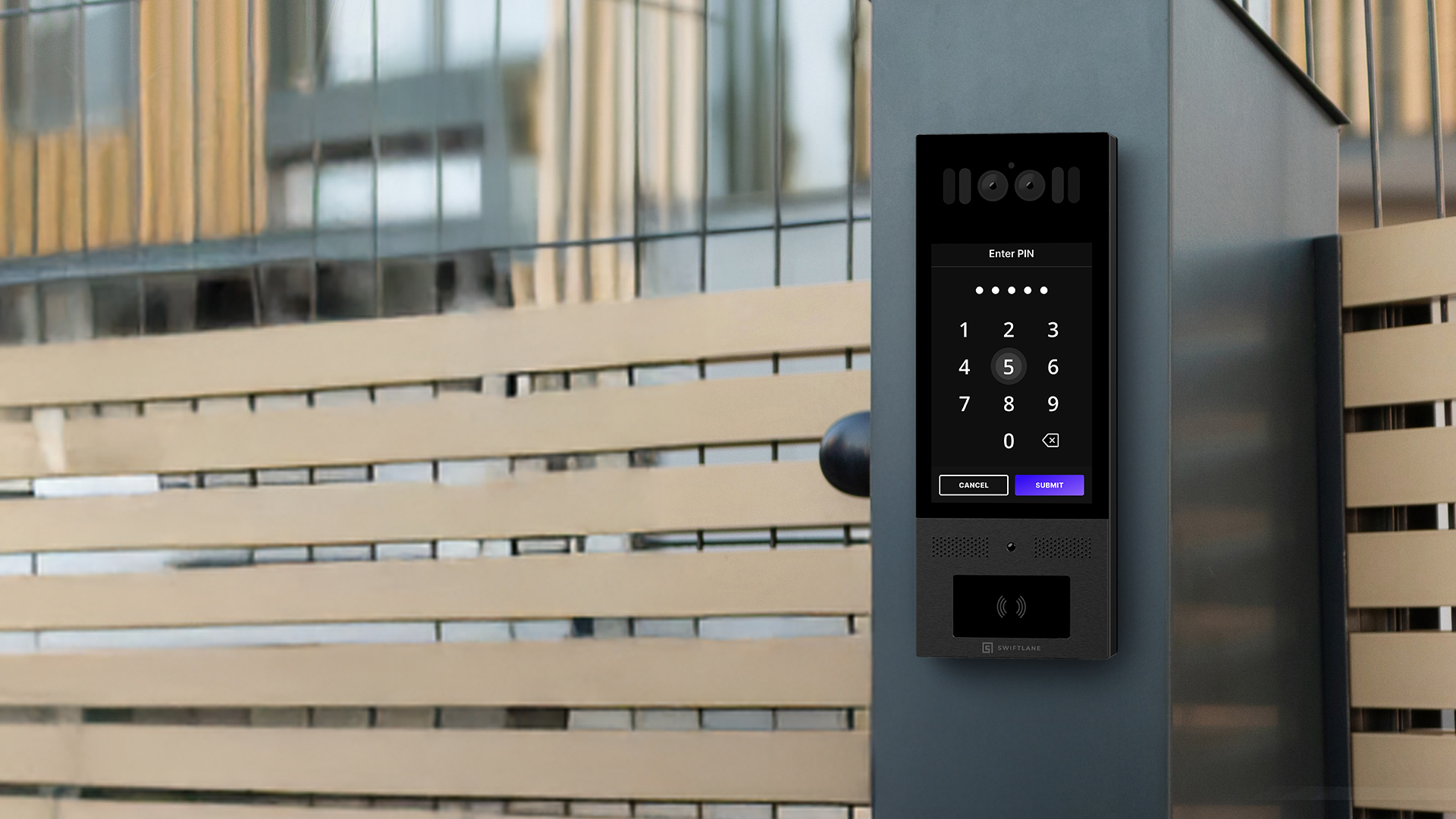
Commercial properties do not have a single type of gate user. Employees, contractors, vendors, delivery drivers, and visitors all need access at different times, under different rules, and with different levels of authorization. A commercial gate access control system solves this by pairing a gate operator with an access reader, a controller, and cloud or on-site management software, so every entry is credentialed, logged, and adjustable without a technician visit.
This guide is for facility managers and property teams evaluating or upgrading gate access at commercial properties. It covers entry method types, installation planning, security features, cost drivers, and how to match a system to your property type.
At its core, a commercial gate access control system combines hardware and software to manage who can enter a gated commercial property, whether by vehicle, on foot, or both. It replaces manual methods such as security guards, shared remotes, and intercom buzzers with automated entry that records every access event.
The core components are:
- Gate operator: the motor mechanism that opens and closes the gate, in swing, slide, or barrier arm configurations
- Access reader: the device that reads a credential, whether an RFID fob, mobile app, keypad PIN, license plate, or video intercom
- Access controller: the unit that validates credentials against a permission database and signals the gate to open or deny entry
- Management platform: the cloud-hosted or on-premises software where administrators manage users, permissions, schedules, and access logs
For commercial properties, the management platform is usually where the real operational value shows up. Real-time credential management and audit logs give facility managers visibility that manual or legacy systems can’t match.
How We Researched This
This guide draws on deployment data and field feedback from more than 3,000 commercial and multifamily properties managed through Swiftlane’s access control platform, along with feedback from installers and property managers on system fit, installation planning, and credential management practices.
Credential security standards referenced throughout, including ISO/IEC 14443 for smart card and fob encryption, are sourced from the International Organization for Standardization. OSDP specifications are sourced from the Security Industry Association. Gate operator safety requirements reference ANSI/CAN/UL 325.
Where we could not tie a cost or capability claim to a verifiable source, we used comparative or quote-driver language instead of a flat figure.
Key Takeaways
- The right commercial gate system depends first on your user mix, not your budget. A system built for employees creates friction for contractors, vendors, and delivery drivers.
- Single-credential systems tend to break down once a property has more than one distinct user type. Properties with employees, vendors, and visitors typically need more than one entry method to cover everyone without gaps.
- Installation cost and complexity depend heavily on trenching, power and network access, and gate operator compatibility, not just which reader you choose.
- Instant remote revocation and searchable audit logs are baseline requirements, not premium add-ons. Delayed offboarding is one of the most common commercial gate security failures.
- Visitor, contractor, and delivery access is where single-credential systems break down. A video intercom or temporary PIN handles everyone; your primary credential doesn’t.
Table of Contents
- Commercial Gate Entry System Types
- Guard or Visitor Workflow
- Commercial Gate Access Control System Installation: What to Plan For
- Which System Fits Your Property Type?
- Commercial Gate Security Features to Prioritize
- Commercial Gate Access Control Cost Drivers
- When Swiftlane Is a Fit for Commercial Gate Access Control
- Commercial Gate Access Control vs. Door Access Control
- Frequently Asked Questions
Commercial Gate Entry System Types
Once you know what a commercial gate access control system is made of, the next decision is which entry method fits your property. Most commercial gates use one of six approaches, often in combination.
Keypad and PIN systems
Entry via a shared or individual code. Low cost, no physical credential required. The tradeoff is security: shared codes circulate beyond authorized users and are difficult to revoke individually. Best suited as a secondary access method for visitors and vendors with expiring, non-shared codes, rather than the primary system for a commercial property.
A common risk in gate access control is defaulting to permanent credentials for vendors and delivery drivers who only need temporary, time-limited access.
Card and Fob Readers
RFID fobs and cards remain the most widely deployed credential type in commercial gate applications. Low-frequency 125 kHz proximity credentials are common in legacy systems but transmit a static ID without encryption, making them easier to clone. High-frequency 13.56 MHz credentials operate under the ISO/IEC 14443 standard, which governs the RF interface, not encryption.
Security depends on the chip itself: MIFARE Classic uses a cipher that’s been broken for years, while newer chips like MIFARE DESFire EV3 use AES-128. Two 13.56 MHz fobs can look identical while offering very different security.
For a deeper look at credential tiers, security levels, and management practices, see our guide to key fob systems for commercial properties.
Mobile App Access
A smartphone app replaces the physical credential, typically over Bluetooth or NFC. For properties with frequent employee or tenant turnover, mobile credentials reduce physical inventory management while enabling instant remote issuance and revocation.
Video Intercom with Remote Unlock
Essential for properties with regular visitor, delivery, or contractor traffic. Where fobs and mobile credentials serve known users, video intercoms manage everyone else, letting staff or property managers verify and admit visitors remotely from a smartphone.
For a closer look at this option, see our dedicated guide to gate intercom systems.
License Plate Recognition
Cameras read vehicle plates and match them against an authorized list. Common in parking facilities and campuses with high vehicle throughput. LPR removes the need for a physical credential for vehicle entry but requires initial enrollment and doesn’t address pedestrian access on its own.
Guard or Visitor Workflow
Human verification at the gate, common at high-security industrial or logistics sites. Effective for exception handling, but it adds labor costs and throughput bottlenecks that software-based methods don’t have.
The table below compares these methods directly.
| Gate Entry Method | Best Fit | Pros | Limitations | Implementation Note |
| Keypad/PIN | Visitors, vendors, low-frequency users | Easy to issue, no credential needed | Shareable, needs expiration rules | Use temporary PINs, not shared permanent codes |
| Card/Fob Reader | Employees, tenants, recurring users | Fast, familiar, reliable | Lost/shared credentials, replacement workflow | Pair with remote revocation and audit logs |
| Mobile App Access | Modern commercial, multifamily gates | Remote issuance and revocation | Requires phone adoption connectivity | Best default for properties with turnover |
| Video Intercom + Remote Unlock | Front gate visitor entry | Identity check, remote approval | Doesn’t replace recurring user credentials | Combines entry and visitor management |
| License Plate Recognition | Parking lots, fleets, high-volume sites | Hands-free vehicle entry | Read accuracy, privacy, fallback workflow | Complementary, not a confirmed Swiftlane capability |
| Guard/Visitor Workflow | High-security, logistics, industrial | Human verification, exception handling | Labor cost, bottlenecks | Software logs and visitor PINs cut manual handoffs |
Commercial Gate Access Control System Installation: What to Plan For
Choosing a system is only half the decision. Installation determines whether it works reliably from day one or becomes a source of ongoing service calls. Gate installations involve more than a single door reader, combining electrical, network, and outdoor mechanical work.
Power and Network
Gates sit farther from a building’s electrical panel than interior doors, so confirm whether power runs already exist or new conduit is needed. Network connectivity, hardwired or cellular, determines how reliably the system reports events and receives updates.
Gate Operator Compatibility
Most commercial gate operators support Wiegand or OSDP interfaces. OSDP, standardized by the Security Industry Association, is the newer, more secure option with encrypted communication.
Automated vehicular gate operators should also be listed to ANSI/CAN/UL 325, the safety standard for door, gate, and similar operators. UL 325 requires at least two entrapment protection devices for each entrapment area, typically one device built into the operator plus external devices such as photo-electric sensors or contact edges added at installation. UL 325 covers the operator itself. Gate construction is addressed separately under ASTM F2200, which UL 325 references directly.
A gate operator that’s UL 325-listed doesn’t guarantee the gate it’s installed on meets F2200. Confirm specific installation requirements with your gate operator manufacturer, installer, and local authority having jurisdiction.
Trenching
Running power and data to a gate away from the main building usually means trenching, one of the higher cost and timeline variables. Scope it early with your installer.
Reader and Intercom Placement
Vehicle readers need mounting that works across sedans to box trucks without requiring a driver to exit. Video intercoms need lighting and sightlines that support clear identification day and night.
Vehicle Detection
Loop detectors use electromagnetic sensing to detect a vehicle’s metal mass, preventing a gate from closing on a car or truck mid-entry. Loops are effective for vehicles but are not designed to reliably detect a pedestrian, cyclist, stroller, or animal, since these don’t carry enough metal mass to trigger the sensor.
Entrapment Protection
Protecting people at the gate is a separate requirement from vehicle detection, and it’s covered under UL 325 rather than by loop detectors. UL 325 entrapment protection relies on inherent reversing (built into the gate operator), plus external devices such as photoelectric sensors (photo eyes) and contact edge sensors, positioned to detect a person or object in the gate’s path.
A property can have vehicle loop detection installed and still be missing the entrapment protection required to protect people at the gate.
Emergency and Fire Access
Plan for emergency vehicle access through a Knox Box, a UL-listed rapid-entry system used by fire departments and first responders, radio-controlled entry, or a fail-safe release tied to a fire alarm.
Software and User Setup
Configure permission groups, schedules, and visitor workflows before go-live, so the gate isn’t operational before anyone can manage credentials.
Which System Fits Your Property Type?
The right entry method changes depending on your user mix and how vehicles or people move through the property. A few common configurations:
- Commercial office lots: employee and after-hours visitor access. Mobile credentials or fobs for staff, visitor PINs, and audit logs for guests.
- Warehouse/industrial sites: vendor, truck, and shift-based access. Time-based permissions, gate intercoms, vehicle flow planning, and clear emergency procedures.
- Parking garages and lots: vehicle throughput and monthly parker turnover—mobile access and visitor validation, with LPR as a complementary option where supported.
- Gated multifamily/community entrances: frequent guest and resident turnover. Mobile access, video intercom, and temporary PINs, with fob backup for residents. See our guide to the best apartment intercom systems.
- Mixed-use properties: different permissions by user group across zones and schedules. Role-based access with multi-entry management keeps groups separate.
Commercial Gate Property Fit
| Property Type | Primary Problem | Recommended Features |
| Commercial office lot | Employee and after-hours visitor access | Mobile credentials, fobs, visitor PINs, audit logs |
| Warehouse / industrial | Vendor, truck, and shift-based staff access | Time-based access, gate intercom, vehicle flow planning |
| Parking garage/lot | Vehicle access, monthly parker turnover | Mobile access, LPR where supported, visitor validation |
| Gated multifamily / community | Resident and guest turnover | Mobile access, video intercom, temporary PINs, fob backup |
| Mixed-use property | Different permissions by user group | Role-based access, schedules, multi-entry management |
Commercial Gate Security Features to Prioritize
Choosing the right entry method is only part of the security picture. These features determine how well a system holds up in practice, whether it’s framed as commercial security gate systems, gated access control, or general gate security planning.
Commercial gate deployments commonly run into access problems stemming from shared PINs, delayed credential revocation, and mishandled visitor entry.
- Audit logs. Every access event should be timestamped and searchable by user, time range, or entry point. If a security incident occurs and you can’t identify who entered and when, the system is a liability rather than a safeguard.
- Instant remote revocation. Delayed offboarding is one of the most common commercial gate security failures. A former employee or contractor should lose access the moment permissions change, not whenever someone gets around to collecting a fob.
- Role and time-based access. Permissions should match actual schedules and job functions, not a single blanket credential for every user type. This keeps a delivery driver’s access limited to delivery hours and a contractor’s access limited to the job site and duration of the work.
- Visitor PIN expiry. Temporary codes for guests, vendors, and delivery drivers should expire automatically rather than requiring manual deactivation.
- Video verification. For gates with regular visitor traffic, a video intercom adds identity confirmation before granting entry, rather than relying on a code or credential alone. See our comparison of the best video intercom systems for how leading options stack up.
- Mobile credential management. Issuance and revocation from a central dashboard reduces the operational overhead of physical credential tracking, particularly for properties with frequent turnover.
- Fail-safe and fail-secure planning. Gate operators need to be configured correctly for both security and emergency egress. This is a life-safety consideration, so confirm fail-safe or fail-secure settings with your installer and local authority having jurisdiction rather than assuming a manufacturer default.
Commercial Gate Access Control Cost Drivers


Cost varies enough by property, gate type, and system tier that a single flat number isn’t useful. What matters more is understanding which factors move the quote so that you can evaluate proposals with the right context.
Gate operator type. Swing, slide, and barrier arm operators have different equipment and installation costs, and an existing operator that’s compatible with your chosen reader avoids a full replacement.
Access reader or intercom. Basic keypad or fob readers cost less than a video intercom with remote unlock, and license plate recognition systems typically cost more than either because of the camera hardware involved.
Network and power. Whether the gate already has power and network access, or needs new conduit run from the building, is one of the larger swing factors in an installation quote.
Trenching. As covered in the installation section above, trenching to a gate that sits away from the main building is often the single largest line item in a commercial gate installation.
Vehicle detection. Loop detectors and other presence sensors protect vehicles from being struck by a closing gate and add to installation cost. They don’t substitute for the entrapment protection required to protect people, which is a separate cost and requirement.
Software and management platform. Cloud-managed platforms typically involve a recurring subscription, while legacy on-site systems may carry a one-time license cost instead, with different long-term maintenance implications for each.
Multi-gate management. Properties with more than one entry point should confirm whether the platform charges per gate, per property, or per credential, since this affects total cost differently depending on how the property is laid out.
Visitor workflow. Temporary PIN and QR-based access typically add less to a quote than a full video intercom station, so weigh that against how much visitor traffic the property actually sees.
The most reliable way to get an accurate number is a property-specific quote that accounts for your gate operator, entry point count, and user mix, since generic per-door pricing rarely reflects real installation conditions.
What drives cost into each tier:
- Low complexity: Existing gate operator and wiring in place, reader swap only. Typically the fastest and least expensive tier.
- Medium complexity: New reader or video intercom installation, plus network work to connect the gate to the management platform.
- High complexity: Trenching for new power or data lines, new gate operator installation, or a multi-gate deployment across a larger property.
Basic keypad or fob installations sit at the lower end of the cost range. Video intercom and multi-credential readers cost more due to added hardware and connectivity requirements. License plate recognition systems are typically the highest-cost option, driven by camera hardware and enrollment work.
On the credential side, basic proximity fobs cost less than encrypted smart fobs. The credential’s encryption, not the ISO/IEC 14443 proximity standard itself, is what determines security: MIFARE Classic uses a proprietary cipher that’s been broken for years, while newer chips like MIFARE DESFire EV3 use AES-128 encryption at the application layer. Two fobs can both run on 13.56 MHz under ISO/IEC 14443 and have very different real-world security. Mobile credentials carry no per-unit hardware cost since they run through an app rather than a physical device.
For software, legacy on-site systems often involve a one-time license fee, while cloud-managed platforms run as a recurring subscription. Multi-site or enterprise deployments typically move to custom pricing given the added integration and scale involved.
Ongoing costs include periodic fob replacement, administrative time for credential management, and maintenance contracts. These vary significantly by property size, user turnover, and system type, which is why the drivers above matter more than a flat number.
Illustrative example: A commercial office property with two gated entrances, roughly 180 employees, recurring vendor deliveries, and after-hours visitor traffic. A single fob-only system would require issuing and tracking physical credentials for every vendor and guest, with no easy way to time-limit access.
A more workable setup combines mobile credentials for the 180 employees, temporary visitor PINs for vendors and guests that expire automatically, a video intercom at each gate for identity verification, and centralized audit logs across both entrances. This covers the full user mix without defaulting every access type to the same credential. This setup reduces permanent credential sprawl, gives managers a searchable record of gate activity, and lets vendor and guest access expire automatically instead of relying on manual offboarding.
(This is a composite scenario for illustration, not a specific named customer.)
When Swiftlane Is a Fit for Commercial Gate Access Control


Swiftlane’s platform is built around a few core capabilities that map directly onto the challenges covered in this guide:
- Cloud-based credential management: issue and revoke access remotely, with changes taking effect immediately rather than waiting for a fob to be physically collected
- Mobile access: smartphone-based credentials for employees and tenants, reducing physical credential inventory
- Visitor PINs: temporary, auto-expiring codes for vendors, delivery drivers, and guests
- Video intercom: remote visitor verification and unlock from a smartphone
- Audit logs: searchable, timestamped access records across every entry point
- Multi-entry management: gates and interior doors managed from a single dashboard, avoiding the permission fragmentation that comes from running separate systems
This fit is strongest for properties with a mixed user base (employees plus recurring vendors or visitors) and for properties managing both gates and doors that want one system rather than two.
Commercial Gate Access Control vs. Door Access Control
Gate and door access control solve the same underlying problem, controlling who enters a property, but the hardware and planning differ enough that they’re rarely interchangeable.
- Vehicles versus foot traffic. Gate systems need to account for vehicle dimensions, approach speed, and stopping distance. Door systems don’t.
- Weatherproof hardware. Gate readers, controllers, and intercoms sit outdoors and need housing rated for weather exposure and temperature swings, unlike most interior door hardware.
- Gate operators. Swing, slide, and barrier arm operators are mechanical systems with their own maintenance needs, a layer of complexity a door reader doesn’t have.
- Vehicle detection. Loop detectors and presence sensors prevent a gate from closing on a vehicle mid-entry, a safety consideration with no real door equivalent. Doors instead rely on other means, such as fire and life-safety egress requirements, which serve a similar protective purpose for people.
- Emergency access. Gates typically need a Knox box, radio entry, or fail-safe release for emergency vehicles, in addition to standard fire egress planning for doors.
- Visitor queueing. A vehicle gate creates a queueing dynamic at peak hours that a door entry point usually doesn’t, which affects how many credential types or lanes a property needs.
Facility teams often need to plan for permission drift when gate and door systems are managed separately rather than from one platform.
For properties with both gates and interior doors, a single platform that manages both from one dashboard prevents the permissions fragmentation that comes from running separate systems with separate credential databases. For a closer look at how door-level access control works, see our guide to door access control systems.
Frequently Asked Questions
What is a commercial gate access control system?
A commercial gate access control system combines a gate operator, an access reader, a controller, and management software to manage who can enter a gated commercial property, replacing manual methods like security guards and shared remotes with credentialed, logged entry.
What is the best gate entry system for a commercial property?
It depends on your user mix. Properties with a stable employee base do well with fobs or mobile credentials. Properties with significant visitor, vendor, or delivery traffic benefit from adding a video intercom. Properties with several user types at once are usually better served by a platform that combines multiple credential types rather than a single-method system.
How does commercial gate access control system installation work?
Installation covers power and network access to the gate, gate operator compatibility with Wiegand or OSDP interfaces, trenching where needed, reader or intercom placement, vehicle detection, emergency access planning, and software configuration for your actual user mix. Trenching and gate operator compatibility are usually the two biggest planning variables.
What is the difference between commercial gate entry systems and commercial access control gates?
The terms describe the same category of system from two different angles. “Gate entry system” typically emphasizes the credential and entry method, while “access control gate” emphasizes the gate hardware itself. In practice, both refer to the combination of gate operator, reader, controller, and management software covered in this guide.
Can commercial gate access control systems support mobile access?
Yes. Mobile credentials let a smartphone app replace a physical fob or card, typically over Bluetooth or NFC, with issuance and revocation managed remotely from a central dashboard.
Can a commercial gate system handle visitor and vendor access?
Yes, through temporary PIN codes, QR-based access, or a video intercom with remote unlock. These methods avoid issuing and collecting physical credentials for short-term or one-time users.
What security features matter most in commercial security gate systems?
Audit logs, instant remote revocation, role and time-based permissions, visitor PIN expiry, and correctly configured fail-safe or fail-secure settings for emergency egress are the features that matter most for day-to-day security and incident response.
How do commercial gate access control systems work with existing gate operators?
Most gate operators support Wiegand or OSDP interfaces for connecting a reader, so the operator itself typically stays in place during an access control upgrade. Legacy Wiegand systems usually need an interface module to work with newer readers. Confirming interface compatibility with your installer before purchasing is the key step.
Get a Quote for a Gated Entry System
Reach out to Swiftlane for a free consultation or quote for upgrading your gated entry system.


