

Last updated: May 7, 2026
A proximity card access system is still one of the most common ways to secure commercial buildings, apartments, schools, and warehouses because it’s inexpensive, familiar, and easy to deploy. But many legacy 125 kHz systems now carry meaningful security and operational tradeoffs, including credential cloning risk, limited remote management, and growing administrative overhead from lost cards and staff turnover.
This guide explains:
- How a proximity card access system works (hardware components, data flow, and protocols)
- How prox cards compare to modern encrypted credentials and mobile access in 2026
- The real security risks (and practical mitigations)
- What systems cost, including often-overlooked ongoing admin expenses
- A clear framework for deciding whether to keep your prox system or upgrade
We researched this guide using manufacturer documentation, access control industry standards, and deployment patterns across multifamily and commercial properties. The analysis also draws from operational insights across buildings in all 50 states, including environments managing 3,000+ apartment and condo units and large-scale retrofit projects involving legacy prox systems, cloud-managed access control, and mobile credential migrations. We additionally reviewed practical field considerations such as Wiegand vs. OSDP communication, retrofit wiring constraints, fire code compliance, credential lifecycle management, and the ongoing operational costs tied to lost cards, tenant turnover, and remote administration.
What is a proximity card access system?
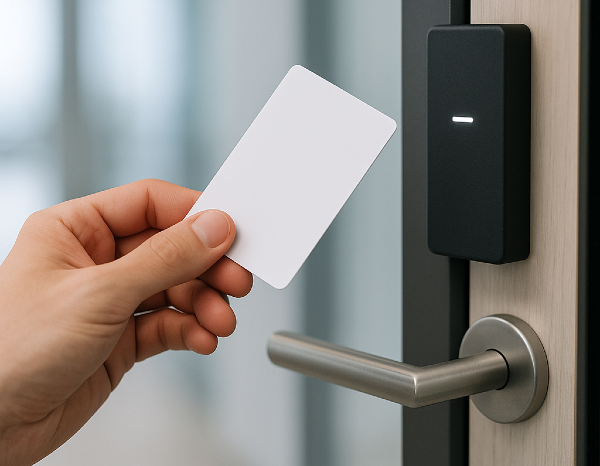
A proximity card access system is an electronic access control setup that unlocks doors using short-range RFID cards or fobs. A reader scans the credential and sends it to a controller, which checks permissions and schedules before releasing the lock. These systems are popular for low-cost, fast entry, but many legacy 125 kHz/Wiegand installs have security and admin limits.
Key Takeaways
- Legacy 125 kHz proximity card access systems are still everywhere because they’re inexpensive, reliable, and easy to use. But they were designed decades ago, long before modern expectations around encryption, remote management, and auditability.
- The most common security weaknesses are credential cloning and unencrypted Wiegand communication between the reader and controller (when used). In many buildings, the risk is less about the door hardware and more about legacy credentials and wiring.
- Upgrading does not always require a full rip-and-replace project. Many organizations reduce risk gradually by deploying multi-technology readers first, then transitioning users to encrypted cards or mobile credentials over time.
- The long-term cost of an access control system is not just hardware. Lost cards, staff turnover, manual provisioning, after-hours changes, and limited audit visibility often create more operational friction than buyers expect.
Table of Contents
- What Is a Proximity Card Access System?
- How a Prox Card System Works (Components + Data Flow)
- Proximity Cards vs Modern Credentials: What to Choose in 2026
- Benefits of Proximity Access Systems
- Limitations and Security Risks: What Buyers Need to Know
- Standalone vs Networked vs Cloud-Managed Access Control
- Cost Ranges: Hardware, Installation, and Total Admin Cost
- Upgrade Decision Framework: Keep Prox vs Upgrade
- What to Look for in a Modern Access Control System
- Frequently Asked Questions
- Ready to Assess Your Access Control?
Related Posts
- Complete Guide to Key Card Entry Systems
- Key Fob Entry Systems – A Comprehensive Guide
- Guide to Touchless Access Control Systems
What Is a Proximity Card Access System?
A proximity card access system is an integrated hardware and software platform that uses RFID-enabled cards or fobs as credentials to control who can open which doors, when.
Unlike traditional key systems, every entry event is logged, credentials can be issued or revoked digitally, and schedules can be set so a key card only works during business hours or specific date ranges.
Proximity Card vs “Key Card Access System”
The terms are often used interchangeably, but there is a subtle distinction.
“Key card” is a generic phrase covering many card-based access credentials, including magnetic stripe, smart card, and proximity.
“Proximity card” specifically refers to credentials that communicate wirelessly over short distances using RFID, without physical contact.
In practice, most modern key card entry systems are proximity-based.
Where Prox Card Systems Are Most Common
Legacy 125 kHz proximity card systems are most common in:
- Multi-tenant office buildings and commercial real estate: controlling elevator access, stairwells, and tenant suites
- Multifamily residential properties: building entry, mailrooms, amenity spaces, and garage gates
- K-12 schools and university campuses: staff-only areas, IT rooms, and after-hours entry
- Warehouses and light industrial: loading docks, break rooms, and secure inventory areas
- Healthcare: secondary staff corridors and administrative areas (higher-security zones typically use encrypted credentials)
What “Proximity” Means
“Proximity” refers to read range: the user holds or waves their card within roughly 1 to 4 inches (2.5 to 10 cm) of a reader, which energizes the card and reads its stored ID number. No button, swipe, or physical contact is required.
The short read range is intentional. It prevents doors from unlocking when a user simply walks past a reader.
How a Prox Card System Works (Components + Data Flow)


Understanding the components and data flow helps both with initial procurement decisions and with evaluating security or upgrade options later.
The 4 Core Components
- Credential: The plastic card or key fob the user carries. Most legacy proximity credentials operate at 125 kHz and store a simple fixed facility code and card number. They contain no battery; the reader’s electromagnetic field provides power momentarily during a read.
- Reader: Wall-mounted hardware, typically near the door handle. It emits a low-power RF field, receives the transmitted ID, and forwards that data to the controller. Readers range from simple single-technology units to multi-tech readers that can handle legacy prox, encrypted cards, and mobile credentials simultaneously.
- Controller / Panel: The “brain” of the system. The controller receives credential data from the reader, checks it against a stored access list, evaluates scheduled permissions, and sends an unlock signal if access is granted. It also logs every entry event. Controllers can manage a single door or dozens, depending on the platform.
- Locking Hardware + Power Supply: The electric strike or electromagnetic lock (maglock) physically secures the door. Electric strikes replace the door frame strike plate and release when triggered. Maglocks use an electromagnet to hold a steel plate; they release when power is cut (fail-safe). Both require a dedicated power supply and must be coordinated with fire alarm systems for emergency egress compliance.
Step-by-Step Data Flow
- User presents credential to reader (tap or wave within range).
- Reader’s RF field energizes card; card transmits its stored ID.
- Reader receives ID and converts it to a Wiegand data stream. While Wiegand is a common legacy reader-to-controller protocol, some modern systems use OSDP (and, when configured with Secure Channel, can support encrypted reader-to-controller communication).
- Wiegand signal travels via two-wire connection to the controller.
- Controller checks ID against access rules: user exist? Door permitted? Time allowed?
- If allowed: controller sends an unlock signal to the door hardware.
- Lock releases, door opens, and the event (credential, door, timestamp) is written to the access log.
125 kHz Proximity Cards: Why They’re Everywhere
The 125 kHz frequency band became the dominant standard for proximity access cards in the 1990s and has remained in widespread use because of entrenched infrastructure, commodity pricing, and broad reader compatibility.
Cards are passive (no battery), durable, and simple to produce at scale.
The trade-off is significant: 125 kHz prox cards transmit a fixed, unencrypted ID number every time they’re energized. There is no mutual authentication between card and reader, and no cryptographic protection of the credential data.
Among legacy credential types, many 125 kHz prox cards are relatively easy to clone compared with modern encrypted credentials.
For a technical overview of 125 kHz credential behavior, see: Keri Systems 125 kHz Access Credentials.
Wiegand: The Legacy Protocol Behind the Scenes
Even if a system uses modern encrypted cards at the credential level, the wire between the reader and controller is frequently still running the Wiegand protocol, a 1980s-era serial data standard using two unidirectional signal wires (Data0 and Data1).
Wiegand became the industry default because it was simple, reliable, and baked into virtually every reader and controller manufactured over the past 40 years.
The problem: Wiegand transmits data in cleartext with no encryption and no replay-attack protection. An attacker with physical access to the wiring run (behind a reader mounted on the unsecured side of a door, for example) can intercept or inject credential data.
This vulnerability is well-documented and is a key reason modern installs are moving to OSDP (Open Supervised Device Protocol), which adds encrypted, bidirectional communication between reader and controller. (Source: SIA OSDP standard)
Figure 1: Core system data flow (Credential to Reader to Controller to Lock)
| CREDENTIAL(125 kHz Card / Badge) | → | READER(Wall-mounted) | → | CONTROLLER(Allow / Deny) | → | LOCK(Strike / Maglock) |
Proximity Cards vs Modern Credentials: What to Choose in 2026

The credential landscape has fragmented significantly. Buyers in 2026 are choosing among three main categories, and often mixing them within a single building.
125 kHz Proximity (Legacy Baseline)
It’s inexpensive, universally compatible, and operationally simple. But it offers no defense against cloning. It’s best suited to low-risk zones where the cost of a potential breach is low and the administrative overhead of upgrading is not yet justified.
13.56 MHz Encrypted Cards (MIFARE / iCLASS / Seos)
These cards operate at the same “tap” user experience as prox but add cryptographic mutual authentication between card and reader. Common formats include MIFARE Classic (older, some known vulnerabilities), MIFARE DESFire EV2/EV3, HID iCLASS SE, and HID Seos. (Source: NXP)
Seos is widely regarded as a top enterprise credential option, especially in environments that prioritize stronger cryptography and credential management. It uses a layered security model with application-level encryption and is resistant to known attack methods. Credential cost is higher than 125 kHz, but the security gap is substantial. (Source: HID Global)
Mobile Credentials (BLE / NFC)
Smartphone-based credentials delivered via app and read via Bluetooth Low Energy (BLE) or NFC. Advantages include instant remote provisioning and revocation, no card stock to manage, and the option to add biometric confirmation (device Face ID or fingerprint) as a second factor.
The trade-off in a mobile access control system is reader hardware cost and the assumption that users carry charged smartphones. Increasingly common in corporate offices, coworking spaces, and upscale multifamily properties.
Hybrid Readers: The Practical Transition Path
Multi-technology readers that simultaneously support 125 kHz prox, 13.56 MHz encrypted cards, and BLE/NFC mobile credentials are now widely available.
They allow organizations to migrate credential types gradually, issuing new encrypted or mobile credentials to new hires while legacy prox cards remain active for existing employees (without replacing readers twice).
For a practical example, see the ProdataKey Touch io multi-technology reader overview: ProdataKey Touch io Reader Overview.
Table 1: Proximity vs Encrypted Card vs Mobile Credential Comparison
| Factor | 125 kHz Prox | Encrypted Card(MIFARE / Seos) | Mobile Credential |
| Cloning Risk | High – easily cloned with ~$50 hardware | Low – mutual auth, encrypted data | Very low – device-bound, biometric option |
| Issue / Revoke | Physical card required | Physical or cloud-issued | Instant remote provisioning |
| User Experience | Tap and go, no battery | Same as prox | Smartphone or watch; hands-free option |
| Relative Cost | Lowest – mature commodity | Low-medium | Medium (reader cost offset by no card stock) |
| Best For | Low-risk, legacy installs | Mid-security offices, multifamily | High-turnover or multi-site orgs |
Benefits of Proximity Card Access Systems
Despite their well-documented limitations, proximity card systems remain the right choice for a meaningful segment of the market. Understanding why helps inform realistic upgrade timing.
Reliable and Fast Entry
Proximity cards are passive, have no battery to fail, and read in under a second. In high-traffic environments (such as a warehouse shift change or a school entry rush), the speed and reliability of a tap-to-open experience matters.
There are no app updates to prompt, no Bluetooth pairing issues, no dead smartphone battery excuses.
Low Upfront Cost
125 kHz credentials are a commodity. Cards cost less than a dollar in bulk. Readers are widely available and competitively priced.
For a small office with one or two doors and stable staff, the total system cost is easily under $2,000 installed. That’s a fraction of a full cloud-managed platform with encrypted credentials.
Easy Adoption
There is no training curve. The vast majority of employees and residents have used a proximity card at some point and know exactly what to do.
Unlike mobile access control, there are no app downloads, no Bluetooth permissions to grant, and no dependency on the user’s smartphone model or operating system version.
Works Well for Simple Buildings and Single Doors
A single-door standalone prox reader controlling a server room or a supply closet doesn’t always need cloud connectivity, audit logs, or a visitor management system. For low-complexity, low-risk applications, the simplest system that works reliably is often the right system.
Limitations and Security Risks: What Buyer Need to Know
Understanding these risks in plain terms, along with practical mitigations, is essential for any organization deciding whether to extend a prox system or replace it.
Credential Cloning
Many 125 kHz proximity cards can be cloned using handheld devices widely available online for $20 to $80.
An attacker can duplicate a credential by briefly holding a cloner near a target’s card (through a pocket, wallet, or bag) without the target noticing. The copied credential is functionally identical to the original.
- Mitigation: Transition to 13.56 MHz encrypted cards (MIFARE DESFire or Seos) or mobile credentials, which use cryptographic authentication that won’t be easy to replicate.
- Mitigation: Use anti-passback rules (a credential can’t re-enter a zone it hasn’t exited) to limit the utility of cloned cards even if cloning occurs.
Wiegand Wiring Exposure
In many installations, the reader is mounted on the unsecured (public) side of a door, and the Wiegand cable runs through the wall to the controller.
If Wiegand wiring is physically accessible, it can create additional exposure; risk depends on enclosure quality, routing, and site layout.
- Mitigation: Use OSDP-capable readers and controllers to encrypt the reader-to-controller communication channel.
- Mitigation: Perform physical security surveys to identify readers where wiring is accessible from unsecured areas, and prioritize those for upgrade or enclosure hardening.
Limited Auditability
Standalone prox systems often log events only locally, with limited retention and no remote access to logs. If a door-forcing incident or tailgating event occurs, retrieving log data may require physical access to the controller. Some entry-level systems don’t log events at all.
- Mitigation: Choose networked or cloud-connected controllers that push logs to a centralized, timestamped repository accessible remotely.
- Mitigation: Layer your access control system with video surveillance on high-value doors; camera timestamps provide independent verification.
Administrative Burden
Lost cards must be reported, deactivated, and replaced. It’s a process that requires staff time and a physical card to hand over.
High-turnover environments (hospitality, construction, retail) can see significant ongoing card management overhead. After-hours access changes (adding a contractor temporarily, removing a terminated employee immediately) require someone with system access to be available.
- Mitigation: Move to a cloud-managed platform with a mobile-friendly admin interface so access changes can be made from any device at any time.
- Mitigation: Set card expiration dates proactively. Contractor cards expire automatically on their last day, reducing the risk of forgotten active credentials.
Visitor and Guest Workflows
Most legacy proximity systems have no native visitor management.
Granting temporary access to a vendor, contractor, or delivery service typically means issuing a physical card, tracking it manually, and recovering it afterward. Or you could simply prop a door, which defeats the purpose of the system.
- Mitigation: When upgrading readers, prioritize front-door and loading dock readers first to address the highest-friction visitor touchpoints.
- Mitigation: Add a visitor management platform or intercom with QR code or PIN-based temporary access that integrates with the access control system.
Standalone vs Networked vs Cloud-Managed Access Control
The architecture of the access control system has as much impact on long-term cost and usability as the credential type.
Standalone Systems (Single-Door)
Standalone systems consist of a reader/controller combination that manages a single door without network connectivity. All user programming is done via a locally connected device or keypad sequence. They’re the lowest-cost option and require no IT infrastructure.
When it fits: server rooms, utility closets, single-door retail or small office installs with stable staff and no remote management requirement.
Typical limits: most standalone units cap at 100 to 2,000 users, support limited scheduling rules, and offer no remote administration or real-time alerting.
Networked / On-Premises Controller Systems
Multi-door systems with a central controller panel connected to the local network. Administration software runs on a server (on-premises or in a local VM). Suitable for campuses and multi-door commercial buildings where a dedicated IT or facilities team manages the system.
When it fits: large offices, universities, healthcare facilities, and multi-building campuses where IT staff are available and data sovereignty is a priority.
Cloud-Managed Systems
The access controller connects to the vendor’s cloud platform, enabling web-based or mobile administration from anywhere. Changes propagate in real time. Audit logs are stored remotely. Multi-site management is straightforward.
Why buyers upgrade: remote provisioning, instant revocation, multi-site visibility, integration with directory systems (Active Directory, Google Workspace), visitor management, and video correlation.
Key questions to ask vendors:
- What role-based permission tiers exist for multi-admin environments?
- How does the system behave during an internet outage? (Cached credentials locally? Full lockout?)
- What are the service-level agreements (SLAs) for uptime?
Cost Ranges: Hardware, Installation, and Total Admin Cost
Most published cost guides focus on hardware. The more honest picture includes installation complexity, ongoing software fees, and the hidden administrative cost of managing the system over time.
Hardware and Installation Cost Ranges
Table 2: Card-Based Access Control System: Typical Cost Ranges
| Item | Typical Range | Notes |
| Single-door reader (prox) | $80 – $250 | Multi-tech readers that also read encrypted cards cost $150 to $400 |
| Controller / panel | $300 – $1,500+ | Cloud-hosted panels may have a monthly SaaS fee instead |
| Electric strike or maglock | $100 – $500 | Varies by door weight, fail-safe vs fail-secure |
| Professional install (per door) | $500 – $1,500 | Higher for concrete, conduit-required, or retrofit on wood fire doors |
| Credential cards (per card) | $0.50 – $5 | 125 kHz cards are cheapest; Seos/iCLASS range $3 to $8 |
| Annual software / cloud fee | $0 – $2,400+ per year | Standalone systems have $0 SaaS; cloud platforms vary by doors and users |
What Drives Cost Variation?
- Retrofit complexity: Costs rise quickly when installers need to work around finished walls, concrete, historical construction, elevator integrations, or existing legacy infrastructure that was not designed for modern access control.
- Door hardware, wiring, and code compliance: Fire-rated doors, long cable runs, conduit requirements, request-to-exit devices, and life-safety / fire code compliance can significantly increase both material and labor costs beyond the reader itself.
Ongoing Costs
Annual credential replacement (lost cards, staff turnover) adds up quickly in high-turnover environments.
A 200-person organization with 20% annual turnover replacing 40 cards per year at $3 each is a rounding error. But if 10% of users also lose a card annually, that’s 20 additional reprints, plus staff time to process each request.
Cloud software fees range from $0 for open-source or perpetual-license platforms to $1,200 to $5,000+ per year for enterprise SaaS platforms, depending on door count and feature tier.
Weigh software cost against the admin labor savings: if cloud management eliminates one hour per week of facilities staff time, the math often favors the subscription.
Simple TCO Illustration
Consider a 50-user organization with 10% annual turnover (5 leavers per year) and an average of 2 lost cards per month:
- Annual card replacement: 5 turnover + 24 lost = 29 cards x $2 = $58 in card stock
- Staff time to process each card event (deactivate, reprint, hand over): ~15 min x 29 = ~7 hours per year
- If a cloud platform eliminates that admin time and adds remote access: payback is quick even at $600 per year SaaS fee
- Add compliance or insurance requirements for audit logs, and the non-hardware ROI of upgrading becomes clearer
Actual costs vary significantly by building type, door count, and vendor selection. Always obtain itemized quotes that include wiring, power supplies, door hardware, and software, not just the reader and controller.
Upgrade Decision Framework: Keep Prox vs Upgrade
Quick decision summary
• Keep prox if you have low turnover, few doors, low-risk areas, and limited need for remote admin.
• Upgrade if you have frequent credential changes, audit/compliance needs, multiple entrances/sites, or you’re concerned about legacy 125 kHz/Wiegand exposure.
• Risk tolerance: If the door protects people, regulated areas, or sensitive assets, default toward upgrade; if it protects low-risk internal spaces, prox may still be sufficient.
This is the question most buyers are actually trying to answer. Here is a clear-eyed framework.
Keep Proximity Cards If:
- The facility has fewer than 3 to 5 doors in a low-security zone (storage, break room, secondary stairwell)
- Staff turnover is low (under 10% per year) and lost cards are rare
- No compliance requirement mandates encrypted credentials or audit log retention
- Budget is severely constrained and the existing system functions reliably
- The building is owner-occupied with no tenants or third-party vendors requiring managed access
Upgrade If:
- Frequent lost cards or high turnover are creating meaningful administrative overhead
- Remote access management is needed (multi-site organization, no on-site IT)
- Compliance, insurance, or security audits are flagging access control gaps
- Visitor and contractor management workflows are broken or nonexistent
- Physical penetration test or security review has identified cloning or Wiegand exposure risk
- The organization is scaling (adding doors, buildings, or users)
- Integrations with video surveillance, HR systems, or building automation are required
Best “Bridge” Upgrade Path
Full rip-and-replace is rarely necessary. The most cost-effective migration path for most organizations:
- Replace readers with multi-technology units that read both legacy 125 kHz prox and 13.56 MHz encrypted credentials (and optionally BLE). This preserves existing card stock during transition.
- Issue encrypted credentials (MIFARE DESFire or Seos) to new hires from day one. Existing employees keep their prox cards for now.
- Gradually re-issue encrypted credentials to existing staff during natural card replacement events (lost card, renewal cycle).
- For power users or high-security zones, enable mobile credentials via BLE as a premium option or second factor.
- Replace the controller or add a cloud gateway if remote management or better audit logging is the primary driver.
Not sure if you should upgrade your proximity card system?
Answer these 3 questions:
- Do you replace lost cards often or deal with high turnover?
- Do you need remote access changes (without going on-site)?
- Do you need stronger audit logs, visitor workflows, or better security than legacy 125 kHz/Wiegand?
If you answered “yes” to any of these, it’s worth doing a quick assessment to map the lowest-disruption upgrade path (multi-tech readers → encrypted cards → mobile credentials).
Request a site assessment to compare keep-vs-upgrade paths, reader compatibility, and estimated per-door costs.
What to Look for in a Modern Access Control System
Whether you are building new or replacing legacy infrastructure, evaluate vendors against this checklist:
- Encrypted credential support (13.56 MHz: MIFARE DESFire EV2/EV3, iCLASS Seos, or equivalent)
- Mobile credential support via BLE and NFC with a production-grade mobile SDK
- Role-based admin access (not all admins should have global access); support for property manager vs. building owner vs. tenant admin tiers
- Comprehensive, tamper-evident audit logs stored remotely with configurable retention
- Remote provisioning and instant revocation reachable from mobile without needing a VPN
- Visitor management integration: QR codes, PIN-based guest access, or video intercom with access grant workflow
- Video surveillance integration: correlate access events with camera footage
- Directory integration: Active Directory, Google Workspace, or SCIM for automatic user lifecycle management
- Documented offline behavior: what happens during internet outage? Who can still get in?
- OSDP reader support for encrypted reader-to-controller communication
- Clear SLAs for uptime, support response times, and data backup
Sources:
- SIA: OSDP standard
- NIST CSRC
- HID Global
- NXP (MIFARE DESFire)
Frequently Asked Questions
What is a proximity card access system?
A proximity card access system is an electronic door security system that uses short-range RFID credentials, such as cards or fobs, to unlock doors when presented to a reader. The reader sends credential data to a controller, which checks permissions and triggers the lock if access is allowed.
How does a proximity card access system work?
A user presents a proximity card to a reader, the reader captures the credential ID and forwards it to an access controller, and the controller checks schedules and permissions before sending an unlock signal to the door’s locking hardware. Access events are typically logged for auditing.
Are 125 kHz proximity cards secure?
By modern standards, many 125 kHz proximity cards are not considered highly secure because they often transmit a fixed ID that can be copied or intercepted. For higher-security environments, encrypted 13.56 MHz credentials or mobile credentials are generally preferred.
Can proximity cards be cloned?
Many legacy proximity cards can be cloned with available tools, depending on the card format and system configuration. Organizations that need stronger protection typically move to encrypted cards, mobile credentials, and modern reader-to-controller communication standards.
What is Wiegand, and why does it matter?
Wiegand is a legacy wiring protocol used to send data from an access reader to a controller, often over Data0 and Data1 signal wires. It matters because Wiegand traffic is typically unencrypted, so security depends heavily on how well the wiring is physically protected and whether newer standards like OSDP Secure Channel are used.
What’s the difference between Wiegand and OSDP?
Wiegand is a legacy, usually unencrypted reader-to-controller protocol. OSDP is a newer standard that supports bidirectional communication and can support encrypted communication when configured with Secure Channel.
Do I need to replace my entire system to upgrade from proximity cards?
Often no. Many organizations upgrade by installing multi-technology readers that support legacy prox cards and newer encrypted or mobile credentials, allowing a phased migration rather than a full rip-and-replace project.
How much does a proximity card access system cost?
Costs vary by door count, wiring and retrofit complexity, locking hardware, controller type, and whether cloud software or integrations are included. Single-door systems can cost under a few thousand dollars installed, while multi-door commercial systems cost more depending on scope.
When should you upgrade a proximity card access system?
Consider upgrading if you frequently replace lost cards, have high turnover, need remote administration, want stronger audit logs, need better visitor workflows, or want to reduce risk from legacy credentials and wiring.
What should you look for in a modern access control replacement?
Look for encrypted credentials, mobile access options, strong audit logging, role-based administration, remote provisioning and revocation, reliable offline behavior, and support for modern standards and integrations such as visitor workflows and video intercom.
Ready to Assess Your Access Control?
Whether you are evaluating a first-time installation, troubleshooting an aging proximity card system, or planning a multi-site upgrade, talking to a specialist before committing to hardware saves time and money.
- Reduce lost-card headaches with instant remote provisioning and revocation
- Improve auditability with centralized, tamper-evident access logs
- Simplify admin with role-based cloud management accessible from any device
If you are considering a system refresh, here are two ways to explore your options and next steps.
- Request a Quote: We can give you a door-by-door recommendation on the lowest-disruption path: keep prox where it fits, add hybrid readers where you need flexibility, and migrate critical doors to encrypted or mobile credentials.
- Book a Demo: See how modern cloud-based access control works in practice, including mobile credentials, remote management, audit logs, and credential migration workflows.


