

If you manage an HOA, your access control system must handle gates, doors, guests, and vendors without creating daily admin work. This guide explains the options, what to choose, and the cost.
While this guide applies nationally, we include practical notes for Southern California HOAs (common retrofit constraints, outdoor gate conditions, and installer quote expectations) since these factors often drive real-world costs and reliability.
Key Takeaways
- The best HOA access control systems manage gates, doors, and amenities on a single platform, with fast onboarding and instant offboarding.
- Avoid permanent shared PIN codes. Use time-limited guest access, expiring vendor schedules, and audit logs to reduce unauthorized entry.
- Gates have different requirements than doors. Prioritize outdoor-rated hardware, reliable connectivity (ideally with cellular backup), and a clear plan for offline behavior.
- Mobile credentials reduce administrative overhead compared with fobs and keypads, especially in communities with frequent resident turnover.
- The budget is driven mainly by the number of entry points and the retrofit complexity. Always compare installers using a door/gate schedule and request a 3-year total cost of ownership.
- For moderate to high visitor volume, pairing access control with a video intercom improves visitor verification and reduces management involvement in daily access requests.
Table of Contents
- What Is an HOA Access Control System?
- The 7 Requirements HOAs Should Insist On
- HOA Access Control Options (by Method)
- Gate Access Control for HOAs: What’s Different from Doors
- HOA vs Corporate Office Access Control: What’s Different (and Why It Matters)
- Costs: What to Budget for an HOA Access Control System
- Installer Quote Checklist: 12 Questions to Ask Before You Sign
- Common Mistakes to Avoid
- Frequently Asked Questions
What Is an HOA Access Control System?


An HOA access control system is a combination of hardware and software that controls who can enter a community’s gates, doors, amenity spaces, and other entry points, and when they can do so.
It covers more ground than a single lock or keypad. A complete system typically includes:
- Vehicle gates at the community perimeter
- Pedestrian doors at building entrances, clubhouses, pools, and fitness centers
- Amenity access points like package rooms or parking garages
- Elevators, in mid-rise and high-rise condo buildings
The core job is straightforward: let residents in reliably, give guests and vendors controlled access, and make it easy to remove access when someone moves out.
Quick Recommendation
Not sure where to start? Use this as your decision shortcut.
If your HOA has vehicle gates, prioritize:
- Outdoor-rated hardware (heat/rain exposure) and a clean gate-operator integration
- Cellular backup (or dedicated connectivity) so the gate still works if WiFi/internet is down
- Offline behavior you control (fail-safe vs fail-secure) plus backup power options
If your HOA has multiple doors/buildings, prioritize:
- One cloud dashboard for all entry points (gates, doors, amenities)
- Role-based admin access (HOA board vs property manager vs onsite staff)
- Fast onboarding/offboarding (revoke access in under a minute)
If your community has high visitor volume (deliveries, vendors, guests, short-term rentals), prioritize:
- Temporary, time-limited guest access (codes/links that expire automatically)
- Vendor schedules (recurring access windows with audit logs)
- Video verification at primary entry points (optional but high impact)
The 7 Requirements HOAs Should Insist On

Not every access control system is built for HOA workflows. Before you evaluate vendors or request installer quotes, use this checklist to filter out systems that will create more problems than they solve.
1. Reliable Gate and Door Release
This is table stakes, but it is worth stating clearly. A system that fails to release a gate during a power outage, cellular dropout, or software update is a liability, and not a security upgrade.
Look for offline failsafe modes, backup power compatibility, and a clear uptime SLA from the vendor.
2. Guest Access Without Sharing Permanent Codes
Sharing a community-wide PIN with every visitor, contractor, and house cleaner is not access control. It is a liability. Your system should support temporary codes, time-limited access links, and single-use credentials so residents can let guests in without compromising the community as a whole.
3. Vendor and Service Access Controls
Landscapers, pest control, pool maintenance, utility workers, and HOA properties have a steady flow of recurring vendors who need access on a schedule, not a permanent credential. Look for scheduled access windows that expire automatically.
4. Resident Turnover and Offboarding Speed
In a rental-heavy HOA, residents turn over constantly. If revoking access requires a service ticket, a physical key collection, or a call to your installer, that is a gap in your security posture.
You need a system that lets a property manager revoke credentials in under a minute from any device.
5. Audit Logs and Permission Records
When something goes wrong- a break-in, a dispute, an unauthorized entry- you need a timestamped record of who accessed what and when. Audit logs are also useful for routine management: confirming a vendor showed up, verifying a resident’s access complaint, or reviewing after a security incident.
6. Multi-Entry-Point Management
Most HOAs have more than one entry point. A system that handles your front gate but not your pool door or clubhouse forces you to manage multiple platforms, multiple credential sets, and multiple vendor relationships. Unified management across all entry points is not a luxury. It is a basic operational requirement.
7. Support and Uptime Plan
Access control is infrastructure. When a gate arm gets stuck at 7 am or a door reader goes offline on a holiday weekend, you need a vendor with a real support response, not a ticketing system with a 48-hour SLA.
Before you sign a contract, ask specifically: what is the after-hours support process, and what is the guaranteed response time for a complete entry point failure?
HOA Access Control Options (by Method)
Keypads and PIN Codes
Low cost, easy to understand, and no hardware to distribute. The problem is code sharing. There is no reliable way to know who actually entered, only that someone entered the correct code. Revoking access means changing the code for everyone.
Best for: Low-traffic secondary entry points or as a backup method alongside a primary credential system.
Key Fobs and Access Cards
The system logs individual credentials with unique IDs, which solves the shared-code accountability problem. The operational downside is physical management. Fobs get lost, forgotten, and copied, and in practice, you rarely get them back when a resident moves out.
Best for: Communities with a management office or on-site staff to handle credential distribution and collection.
Mobile Access (NFC and Bluetooth)
A resident’s smartphone becomes their key. Onboarding means sending an invite link. Offboarding means revoking access to the dashboard—no hardware to mail, collect, or replace. Residents also get remote unlock so they can let in a delivery driver or guest from their phone.
Best for: Communities that want minimal admin overhead and a clean audit trail. This is the direction most HOAs are moving.
License Plate Recognition (LPR)
Cameras read plates and automatically trigger gate releases, reducing queue times at high-volume vehicle gates. The tradeoff is complexity: good camera placement, consistent lighting, regular calibration, and a clean plate database are all required. Boards should also establish a data retention policy before installation.
Best for: High-volume gates where queue times are a priority. Less practical for rental communities with frequent plate changes.
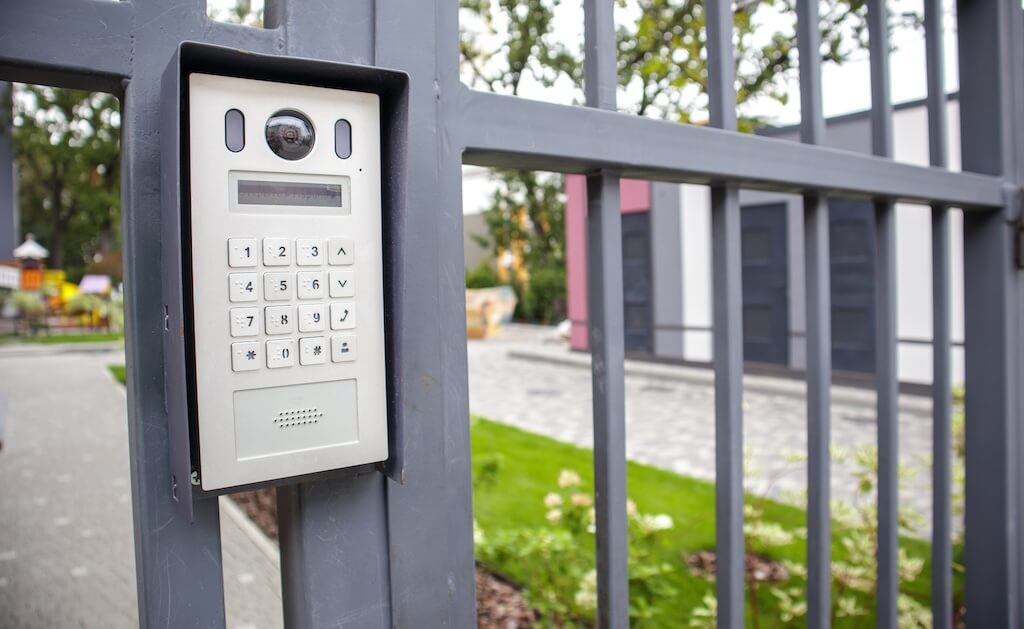
Video Intercom and Visitor Verification
A video intercom is not a replacement for access control. It is a complement to it. It handles the visitor side: a guest arrives, calls the resident, and the resident verifies and remotely unlocks the door.
Access control handles everything else. For a deeper look at how both work together, see our guide to intercom vs access control systems.
Gate Access Control for HOAs: What’s Different from Doors


A residential HOA gate handles residents, delivery drivers, recurring vendors, guests, and emergency vehicles, each with different access requirements. A resident needs a persistent credential. A vendor needs a scheduled window. A delivery driver may need a carrier-specific code. Emergency access needs to work regardless of system status.
Three operational problems show up repeatedly at HOA gates:
Tailgating is nearly impossible to prevent with hardware alone, but camera integrations and audit logs help identify patterns and support enforcement conversations with residents.
Code sharing compounds quietly. A community PIN shared with 50 people can become known to hundreds over time, with no practical way to revoke it selectively.
Delivery surges are a growing pressure. Systems that support carrier-specific access codes or scheduled delivery windows help manage volume without leaving the gate propped open.
Outdoor Hardware and Connectivity
Gate hardware lives in conditions that building door readers do not: direct sun, rain, temperature swings, and often a weak network connection 200 feet from the nearest infrastructure. Before approving any gate system, confirm these with your installer:
- Does the system have a local offline mode for network or cellular outages?
- What is the power backup plan?
- Is the reader hardware rated for outdoor installation in your climate?
- Where does the network connection come from, and what is the fallback?
Southern California Considerations
Southern California HOAs face two compliance requirements that are easy to overlook until an inspection, a claim, or an incident forces the issue: gate operator safety classification and fire department emergency access.
UL 325 / ASTM F2200 Compliance
Most single-family gate installations fall under UL 325 Class I. HOA-managed community gates serving five or more units are classified as Class II, which carries stricter entrapment-protection requirements: a minimum of two independent entrapment-protection devices (photo eyes, edge sensors, or both) per entrapment zone, in each direction of travel (DASMA installer’s guide to ASTM F2200).
ASTM F2200 governs the gate construction itself (rollers covered, no protrusions over ½ inch, fall-over protection if the gate detaches from its hardware).
Both standards are technically voluntary, but they are the standards courts and insurers use to determine liability after a gate-related injury (DASMA; Engineering Express). If your HOA’s gate predates a system upgrade or hasn’t been reassessed since a change in unit count, this is worth confirming with your installer before, not after, a claim.
LAFD Emergency Access Requirements
Any gate restricting Los Angeles Fire Department vehicle access needs an approved key-operated override switch, commonly a Knox switch (LAFD Requirement #75), and a Click2Enter or comparable radio-activated system is common at primary entrances in gated communities. Two requirements matter most for HOA boards (LAFD Security Gate Access Requirements):
- On override, the gate must fully open within 10 seconds.
- In the event of a power failure, the gate must open automatically (by spring tension or similar) or be push-open without additional steps.
Local fire departments outside LA proper (Cal Fire jurisdictions and county fire) enforce similar override-and-fail-open requirements, so confirm the specific standard with your local Fire Prevention Bureau rather than assuming LAFD’s rules apply directly.
What This Means for Your System Choice
When you’re evaluating an access control or gate integration for a SoCal HOA, ask your installer to confirm in writing your gate’s Class I/II status, the current entrapment-protection device count, Knox/Click2Enter compatibility with your chosen access platform, and the override open time. A system that manages guest codes well but wasn’t installed with these in mind is a liability gap, not a convenience upgrade.
Guest, Delivery, and Vendor Workflows
This is where most HOA access control systems either earn their keep or create daily frustration. Getting residents in reliably is a solved problem. Managing the constant flow of guests, delivery drivers, and vendors is where system design actually matters.
Temporary Codes and Time-Limited Access Links
No guest or vendor should ever receive a permanent credential. Permanent codes shared with non-residents are the most common source of unauthorized access in HOA communities, and they accumulate quietly over time.
A well-designed system gives two tools for non-resident access.
- Temporary codes work only during a defined window, like a weekend visit, a single afternoon, or a recurring Tuesday between 8 am and 5 pm. When the window closes, the code stops working automatically.
- Access links allow a resident to generate a link on their phone, send it to a guest, and approve or deny entry remotely via a video intercom or mobile interface. The link expires after use or after a set time period.
Both tools shift responsibility for guest access back to the resident and keep the property manager out of routine visitor coordination.
Vendor Schedules
Recurring vendors do not need a property manager to let them in each visit, but they should not have an open-ended permanent credential either.
Scheduled access solves this: the credential works only on the days and times the vendor is expected, expires automatically if the relationship ends, and creates an audit trail confirming when they arrived and left.
Directory Management
In communities with a video intercom, an outdated resident directory creates a support burden. Cloud-based systems that sync with your property management software update directory listings and credentials automatically when a resident is added or removed.
If your prospective system requires manual directory updates, ask who owns that task and how long it takes.
Package Delivery
A community receiving dozens of deliveries daily cannot handle each one as a manual intercom call. The practical options are carrier-specific PIN codes active only during delivery hours, a dedicated package room integrated with your access control platform, or a time-restricted gate code covering standard delivery windows.
Whatever approach you choose, document it for residents, so they know what to tell carriers when setting up deliveries.
HOA vs Corporate Office Access Control: What’s Different (and Why It Matters)
Access control vendors often come from the commercial office market. Their hardware is reliable, and their software is mature, but the workflow assumptions baked into a corporate system do not map cleanly onto a residential community. Here is where the two diverge, affecting your daily operations.
| Corporate Office | HOA | |
| Identity | Employees with HR records and work emails | Residents, family members, guests, housekeepers, vendors |
| Offboarding | Predictable, tied to HR process | Unpredictable, must be fast and self-service |
| Visitor profile | Scheduled business hours, escorted | Unscheduled, any hour, multiple access areas |
| Key integrations | Active Directory, HR platforms, SSO | Property management software (AppFolio, Buildium, Yardi) |
| After-hours activity | Low, exception-based | High, residents and guests come and go around the clock |
The gaps tend to show up in visitor management, offboarding speed, and after-hours support. If a vendor leads with their Active Directory integration as a key selling point, it signals they are optimized for a different buyer.
Ask directly how their platform handles residential workflows before assuming the feature set translates.
Costs: What to Budget for an HOA Access Control System
Access control pricing varies based on property size, hardware choices, and whether your community is a new build or a retrofit. The ranges below are meant to help you frame a realistic budget before you invite installer quotes.
What Drives the Cost
The number of entry points is the primary driver. Each door, gate, or amenity access point requires its own reader, door controller, and installation labor.
New construction vs. retrofit matters significantly. Retrofit installations often require wall penetrations, conduit work, and masonry repairs, which increase the labor component of a project.
Credential type affects both upfront and ongoing costs. Fob systems carry physical inventory and replacement costs. Mobile access systems typically carry a software subscription fee but reduce credential management overhead over time.
Gate operators are a separate line item. If your vehicle gate does not already have an operator compatible with your chosen system, budget for a new one or an integration interface.
Professional installation labor typically accounts for 30 to 40 percent of total project cost, with experienced installers charging $75 to $150 per hour.
Budget Ranges by HOA Size
| HOA Size | Units | Entry Points | Typical Installed Range |
| Small | Up to 50 | 1 to 3 | $2,500 to $7,000 |
| Mid-size | 50 to 200 | 3 to 8 | $5,000 to $15,000 |
| Large | 200+ | 8+ | $15,000 and above |
Ranges reflect hardware, labor, and basic software setup. They do not include LPR cameras, surveillance integration, or ongoing software subscription fees.
Ongoing Costs to Factor In
- Software subscriptions for cloud-based systems are typically billed monthly per door or per unit.
- Hardware maintenance and repair, particularly for outdoor gate hardware exposed to the weather
- Credential replacement costs if using fobs or cards
- A 3-year total cost of ownership estimate is worth requesting from any installer before you sign
How We Researched This
Cost ranges in this section are informed by published installer pricing data from Safe and Sound Security, Network N Security, Swiftlane, and MetroCom Security, cross-referenced against installation complexity factors common to HOA deployments.
Installer Quote Checklist: 13 Questions to Ask Before You Sign
Before you compare quotes, make sure every installer answers all of these.
- What happens to access if the system goes offline? Does the gate or door lock or unlock by default?
- Is the system cloud-managed or on-premises, and what does that mean for day-to-day administration?
- How long does it take to add a new resident and revoke access for a departing one?
- Can a property manager handle guest and vendor access without calling the installer?
- Does the system integrate with our property management software (AppFolio, Buildium, Yardi)?
- What is the after-hours support process, and what is the guaranteed response time for a complete entry point failure?
- What does the warranty cover, and does it include labor or hardware only?
- Who owns the access and audit log data, and what is the retention policy?
- Have you installed this system in an HOA or residential community before? Can you provide references?
- What is the maintenance plan for outdoor gate hardware?
- What network and power infrastructure is required at each entry point, and what is the plan in the event of connectivity loss?
- Can you provide a 3-year total cost of ownership estimate, including hardware, software subscriptions, and maintenance?
- What is our gate’s UL 325 classification (Class I or II), and is the entrapment protection and emergency override (Knox switch, Click2Enter, or equivalent) compliant with current fire department requirements?
What to Include in Your Door and Gate Schedule
When requesting quotes, provide each installer with a complete entry-point schedule so proposals are based on the same scope. Include each entry point by name, type (vehicle gate, pedestrian door, amenity), current hardware, whether wiring exists, and your preferred credential method.
If you want a cloud-managed system that supports gates and doors, mobile credentials, temporary guest access, vendor schedules, and audit logs on a single platform, Swiftlane is built for HOA and multifamily workflows.
Common Mistakes to Avoid
- Using permanent shared codes. A community PIN that is shared with former residents, vendors, and guests is not access control. Use temporary, time-limited credentials for anyone who is not a current resident.
- Never reviewing audit logs. Logs are only useful if someone actually checks them. Set a routine, monthly at a minimum.
- No scheduled access for vendors. Giving recurring vendors a permanent credential is the same problem as shared codes. Schedule their access windows and let them expire automatically.
- Underpowered network or cellular at the gate. A system that works in a showroom can fail at an outdoor gate with poor connectivity. Confirm infrastructure before installation, not after.
- No offboarding plan for resident turnover. If revoking access requires a support ticket or a call to your installer, you have a gap. Your system should allow a property manager to revoke credentials in under a minute.
- Assuming gate compliance without confirming it. A gate installed before a unit count increase or system upgrade may no longer meet Class II or fire department override standards. Confirm both with your installer.
Frequently Asked Questions
What is the best access control system for an HOA?
The best system depends on your property type, but HOAs with multiple entry points and regular resident turnover are best served by a cloud-based mobile access platform like Swiftlane. It covers gates and doors, supports temporary guest access, and allows instant remote onboarding and offboarding without calling an installer.
How much does an HOA access control system cost?
Installed costs typically range from $2,500 to $7,000 for small HOAs with 1 to 3 entry points, $5,000 to $15,000 for mid-size communities, and $15,000 and above for large HOAs with 8 or more entry points. Ongoing software subscription fees vary by vendor and platform.
What is better for HOAs, key fobs or keypads?
Fobs offer individual credential tracking that keypads do not, but both require more ongoing management than mobile access. For HOAs with frequent turnover, mobile credentials are the more operationally efficient choice.
How do HOAs securely handle guest access?
The most reliable approach is temporary codes or time-limited access links that expire automatically. These give residents control over their own guests without involving the property manager or issuing permanent credentials.
What access control works best for gated communities?
Gated communities need a system built for outdoor hardware with offline failsafe capability, cellular backup, and support for carrier-specific delivery codes. Mobile access with a video intercom at the gate cleanly covers both resident and visitor workflows.
Can an HOA use mobile credentials instead of fobs?
Yes, and most HOAs moving through a system upgrade are making this switch. Mobile credentials eliminate the need for physical distribution and collection, enable instant remote revocation, and create a cleaner audit trail per resident. An alternative credential option for residents without compatible smartphones is worth confirming with your vendor.
What should we ask installers before choosing a system?
The most important questions cover offline behavior, onboarding and offboarding speed, guest and vendor access workflows, property management software integration, after-hours support, and 3-year total cost of ownership. See the Installer Quote Checklist above.
Do we need a video intercom in addition to access control?
Not always, but for communities with moderate to high visitor volume, a video intercom at the gate or building entrance provides visitor verification that access control alone does not. It also allows residents to remotely unlock for guests without involving the property manager. For a deeper comparison, see our guide to intercom vs access control systems.


