

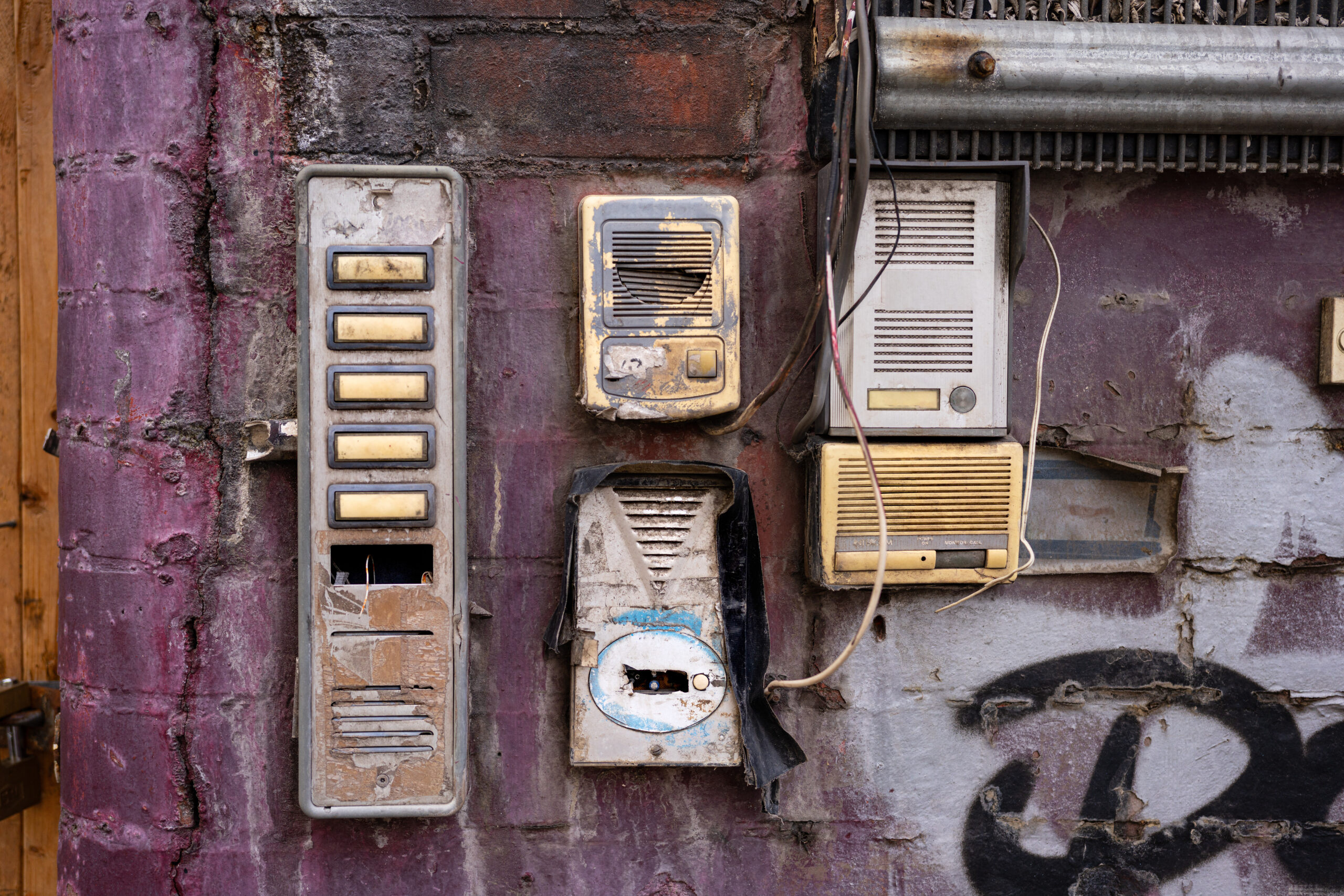
Replacing an apartment intercom system rarely gets planned years in advance. It comes up when the current one starts causing problems. Calls that don’t connect, a front desk buried in delivery management, visitors who can’t reach residents after hours, or access hardware still tied to landlines and wiring that no longer fit how the building runs.
Intercoms are used every day. When they stop working reliably, resident experience, delivery flow, and front-door security all suffer.
What This Guide Covers
Apartment intercom replacement is the process of removing an outdated entry system and installing a modern alternative that supports video, mobile access, and cloud management.
This guide helps property managers and building owners decide whether to repair or replace, understand what modern systems include, follow a step-by-step replacement process, and choose the right system for their building size and budget.
Where this guide fits in our intercom series
- Full cost breakdown: Apartment Intercom Replacement Cost in 2026: Typical Ranges + What Impacts
- Wired vs Wireless Tradeoffs: Wired vs Wireless Intercom Systems for Apartments: Cost, Reliability, and Best Use Cases
- Installation cost + labor: Apartment Intercom Installation Cost: Full Price Breakdown for Multifamily Buildings
Key Takeaways
- Most replacements happen because systems become unreliable, not because they’re old
- Start with a repair vs replace decision before evaluating any product
- Modern systems support mobile access, video, remote unlock, and cloud management
- Building size, wiring infrastructure, and delivery volume all shape which system fits
- This guide walks you through the decision, the checklist, and the selection criteria
Table of Contents
- Repair or Replace: How to Decide
- Signs Your Intercom Needs Replacing
- What to Look For In An Apartment Intercom Replacement (2026)
- Which System Fits Your Building?
- Wiring and Connectivity: What to Assess Before Choosing A System
- Replacement Costs: A Quick Overview
- How to Replace Your Intercom: A 10-Step Checklist
- SwiftReader X for Apartment Intercom Replacement
- Final Thoughts
- Frequently Asked Questions
- How We Researched This Guide
Repair or Replace: How to Decide
Before evaluating any new system, it’s worth clarifying whether this is a repair or a replacement problem. The distinction matters for budget, timeline, and the scope of work involved.
| Situation | Repair | Replace | Notes |
| Calls fail regularly, or audio is unclear | ✗ | ✓ | Wiring or hardware degradation; usually not worth patching |
| Doors don’t unlock consistently | ✗ | ✓ | Security risk; unreliable entry hardware needs full replacement |
| Replacement parts are discontinued or hard to source | ✗ | ✓ | Repair is a short-term fix on a platform with no future |
| System relies on landlines or analog wiring | ✗ | ✓ | Infrastructure is being phased out; rebuild on IP/cloud |
| You need video, mobile access, or remote unlock | — | ✓ | Repair cannot add capabilities; only replacement can |
| One component failed, but the system is modern and supported | ✓ | — | Component swap is appropriate if the rest of the system is sound |
| Frequent service calls, but system is under 3 years old | ✓ | — | Escalate to vendor support before committing to a full replacement |
Rule of thumb: if multiple rows in the ‘Replace’ column apply to your building, the case for replacement is clear. Continued repairs on an aging system increase total cost over time and delay a transition that is likely inevitable.
Signs Your Intercom Needs Replacing
Here are the clearest signals that replacement — not repair — is the right move.
| Warning Sign | What It Means in Practice |
| Calls fail, or audio is unclear | Residents miss guests and deliveries; staff field repeated complaints |
| Doors don’t unlock consistently | Creates security gaps and forces manual entry workarounds |
| System relies on landlines or analog wiring | Infrastructure is being phased out and is harder to maintain each year |
| Replacement parts are discontinued | Repairs become slower, more expensive, and less reliable over time |
| No mobile or remote access support | Staff and residents must be physically on-site to manage entry |
| Frequent service calls or emergency repairs | Maintenance costs compound quickly, often exceeding replacement cost within 2–3 years |
| Residents regularly complain about usability | The intercom is actively hurting tenant retention and renewal rates |
| The system can’t handle the current visitor volume | Packages, vendors, and guests overwhelm outdated entry workflows |
| No audit trail or access logs | You can’t review who entered or when; a liability in security incidents |
| The system can’t integrate with access control | Entry management is siloed, requiring separate credentials and workflows |
| No video verification capability | Staff and residents must admit visitors without visual confirmation |
| Outdoor hardware shows physical wear or vandalism damage | Weather exposure and physical wear accelerate failure; replacement is more reliable than surface repair |
Even systems that appear dependable should be reviewed annually. Technology expectations change, and a system that was adequate two years ago may no longer meet resident expectations for mobile access, delivery management, or video verification.
What to Look For In An Apartment Intercom Replacement (2026)
The eight features below are the ones that matter most for multifamily buildings in 2026.
1. Remote Unlock
Remote unlock allows residents or staff to open doors from their phone or computer, regardless of where they are. This is critical for after-hours guest access, delivery verification, and buildings without full-time front desk coverage.
What to ask vendors: Does remote unlock work through the mobile app, web dashboard, and SMS? What happens when the internet connection drops? Does the system fail open or fail closed?
2. Built-In Digital Directory
A digital directory lets visitors find the right resident without having to scroll through paper lists or call the front desk. For mid-rise and high-rise buildings, a well-implemented directory is critical for keeping entry fast and frustration-free.
What to ask vendors: How are directory updates managed, in real time via a web dashboard? Can residents update their own listing? Does it support search by name and unit number?
3. Durability for Outdoor Installation
Outdoor intercoms face constant wear from weather, temperature swings, direct sunlight, and physical use. When replacing an outdoor unit, verify the hardware is rated for those conditions using the two internationally recognized standards for enclosure protection, both maintained by the International Electrotechnical Commission:
- IP65 rating: protection against dust ingress and sustained water jets, defined under IEC 60529
- IK10 rating: resistance to vandalism and physical impact, defined under IEC 62262
What to ask vendors: What is the rated operating temperature range? What is the warranty on the outdoor enclosure? Can it be installed in direct sunlight without overheating?
4. Video Capability
Video intercoms let residents and staff visually verify visitors before granting access. This is particularly valuable for delivery drivers, service providers, and after-hours access. In 2026, video is not a premium add-on. It is a standard expectation for multifamily buildings.
What to ask vendors: What is the camera resolution and field of view? Is the video available for review after the fact? How long is footage retained?
5. Flexible Credential Types
Different people access your building in different ways. A replacement system should support multiple credential options without requiring separate hardware for each.
- Mobile credentials (smartphone app)
- Key fobs and access cards
- PIN codes for guests and service providers
- QR codes for temporary access
- Facial recognition for frequent residents
What to ask vendors: Can credentials be issued and revoked remotely through the cloud dashboard? Do guest credentials expire automatically?
6. Mobile Integration
Residents expect to manage building access from their phones. Mobile integration enables answering calls from anywhere, remotely unlocking doors, sharing guest access, and receiving push notifications for entry activity. A system that doesn’t work well on mobile will generate immediate resident complaints.
What to ask vendors: Is the mobile app available on both iOS and Android? Does it support background notifications? What happens if a resident loses their phone? How is access revoked?
7. Reliable Connectivity with Offline Failover
Most modern intercom systems rely on internet connectivity for mobile answering, remote unlock, cloud management, and software updates. The connectivity model affects both daily reliability and failure behavior.
- Wired Ethernet: most stable, recommended where infrastructure allows
- Wi-Fi: simpler to install, but subject to interference and dropout
- Cellular LTE backup: critical for buildings where wired connectivity is unreliable
- Offline failover: the system should define what happens when connectivity is lost — fail open (always allow entry) or fail closed (lock until connectivity is restored)
What to ask vendors: What is the system’s offline behavior? How quickly does it reconnect and sync after an outage?
8. Security and Data Protection
Modern intercom systems are connected access platforms that handle sensitive credential data and entry permissions. According to the 2025 Verizon DBIR, 88% of Basic Web Application attacks — one of the most common attack patterns — involved stolen credentials, underscoring the importance of strong access controls and encrypted entry systems.
What to ask vendors: Is communication between the device and cloud encrypted end-to-end? How are access logs stored and for how long? What is the vendor’s policy on data access and third-party sharing?
Which System Fits Your Building?
The right replacement system depends on the scale of your building, the number of entry points, and how residents and visitors actually move through the property.
Small Buildings: 10–30 Units, Single Entrance
A single-entry video intercom with mobile answering and remote unlock is typically sufficient. These buildings benefit most from eliminating call-box failures and enabling remote access for residents who aren’t always home to receive deliveries.
- Hardware cost: typically $1,000–$3,000 for a single video entry panel
- Installation: generally completed in one day if existing wiring is reusable
- Priority features: remote unlock, mobile app, basic digital directory
Mid-Size Buildings: 30–100 Units, Multiple Entrances
Mid-size buildings typically require multiple entry panels, such as the lobby, garage, package room, and secondary access points, networked through a shared cloud dashboard. Resident-facing self-management (managing guest access in the app) significantly reduces staff workload at this scale.
- Hardware cost: typically $2,000–$8,000+, depending on panel count and system type
- Installation: 1–3 days; may require new network cabling to secondary entry points.
- Priority features: multi-door management, cloud dashboard, package room integration, delivery PIN support
At this scale, the most common gap we see during assessments is that secondary entry points like the garage, package room, and side entrances were never on the original intercom system, leaving them on separate key-only access with no audit trail.
Large Buildings: 100+ Units or Multi-Entrance Campuses
Large buildings require distributed hardware, centralized management, and integration with access control and property management systems. Infrastructure assessment, including wiring, network, and power, is essential before specifying any system at this scale.
- Hardware cost: typically $8,000–$30,000+, depending on configuration and integration scope
- Installation: multi-week project; often involves conduit work and network infrastructure upgrades
- Priority features: face recognition access, vehicle gate integration, elevator access control, full audit logging, PMS integration
What Replacement Looks Like in Practice
The following examples are based on buildings Swiftlane has worked with. Details have been generalized.
Small building, analog-to-mobile upgrade
A 24-unit walk-up in Denver had been running the same intercom audio since 2007, and it was still barely functional. Roughly half the residents had canceled their landline service, leaving deliveries unmanaged and the building manager fielding 4–5 buzzer calls a day. Wiring inventory revealed standard 2-wire analog throughout: reusable for door release, but not for IP video.
A single SwiftReader X panel was installed at the main entrance, with Wi-Fi and LTE backup, retaining the existing electric strike. Installation took one day. Within the first month, front-desk call volume dropped to near zero, and the building had an entry log for the first time in 17 years.
Mid-size building, multi-entrance with package problem
A 78-unit mid-rise in Austin had a working lobby intercom but no coverage in the package room or the garage, both of which were operated via key fobs with no audit trail. Package theft had become a recurring complaint with no way to investigate it.
The site assessment found Cat5 already run to the lobby and garage; the package room needed a 40-foot cable extension. Three SwiftReader X panels were installed across all three points and networked through a shared cloud dashboard.
Front-desk involvement in delivery access dropped significantly, and the management team gained a full timestamped entry log across all entry points for the first time.
Wiring and Connectivity: What to Assess Before Choosing A System
One of the most common sources of cost surprises in intercom replacement is wiring. What’s already in the walls doesn’t just shape which system you can install. It determines whether you’re looking at a retrofit or a full rewire, which is the single biggest driver of both cost and timeline.
| Existing Infrastructure | What It Supports | Retrofit or Rewire? |
| Legacy 2-wire or 4-wire analog | Basic audio intercoms; some retrofit video systems | Usually retrofit-compatible for audio; test signal quality before committing to video over analog wiring |
| Cat5/Cat6 Ethernet | Full IP/cloud intercom systems, high-res video, PoE power | Retrofit — this is the best-case scenario, since existing cabling supports the new system with minimal added cost |
| No structured wiring (older buildings) | Wireless/LTE systems or full rewire required | Full rewire if you need wired reliability; wireless/LTE retrofit avoids rewiring but depends on signal strength |
| Wi-Fi coverage at entry points | Wi-Fi-based IP intercoms | Retrofit — but verify signal strength at outdoor locations before ruling out a rewire |
As a general rule: if the riser and conduit are intact, you’re almost always looking at a retrofit, new panel, new controller, same wiring path. A full rewire is only necessary when the existing cabling can’t meet the new system’s needs, whether that’s due to insufficient PoE power, insufficient video bandwidth, or the wiring having degraded beyond reuse.
For the full breakdown of when each path applies, see our retrofit intercom guide.
For a full breakdown of wired vs. wireless trade-offs, including PoE vs. Wi-Fi vs. LTE, see our dedicated wiring guide
Replacement Costs: A Quick Overview
Costs vary based on system type, building size, infrastructure condition, and installation complexity. The table below provides a realistic starting point for budgeting; the installation ranges align with HomeAdvisor’s national cost data for intercom installation, which puts the national average at around $2,500, with a typical range of $1,500–$7,000+.
For a detailed breakdown of what drives price, including per-unit costs, wiring upgrade scenarios, and labor variables, see the full cost guide.
| System Type | Typical Hardware | Typical Installation | Best For |
| Audio-only | $1,000–$3,000 | $1,500–$7,000 | Small buildings with minimal visitor traffic |
| Video intercom | $2,000–$5,000+ | $1,500–$10,000+ | Buildings with deliveries, guests, and after-hours access |
| IP/cloud with mobile access | $4,000–$8,000+ | $2,000–$12,000+ | Mid-to-large buildings; limited staff; remote management |
Installation cost ranges based on 2026 multifamily installer data. For a full breakdown by system type, building size, and wiring scenario, see: Apartment Intercom Replacement Cost in 2026: Typical Ranges + What Impacts Price. Always confirm final numbers through a site-specific installer quote.
How to Replace Your Intercom: A 10-Step Checklist


The steps below apply to most mid-size and large residential buildings. Smaller buildings may be able to skip or combine steps, but the sequence is the same.
Step 1: Map all entry points and door hardware.
Identify every access point that needs intercom coverage: lobby, garage, secondary entrances, package room, and gates. Document what door hardware is already installed at each point (electric strikes, mag locks, door release controllers).
Step 2: Inventory existing wiring — and decide: retrofit or full rewire
For each entry point, identify what cabling is in place: 2-wire analog, Cat5/6 Ethernet, coax, or none. This is the step that determines your entire project scope, so it’s worth treating as a decision point rather than just a checklist item.
- Retrofit path: If the existing riser and conduit are intact and only need a new panel, controller, and software at the door, you can usually reuse the existing infrastructure and avoid opening walls. This is the faster, lower-cost path and the right call for most buildings with a functioning (if outdated) intercom.
- Full rewire path: If the wiring is damaged, undersized for IP/PoE requirements, or the building has no existing intercom infrastructure, plan for new cable runs, conduit work, and wall patching. This adds cost and timeline, but is unavoidable when the riser can’t meet the new system’s needs.
This step surprises most buildings. Across the 3,000+ buildings Swiftlane deploys annually, the wiring inventory consistently reveals a mix of legacy 2-wire analog at main entries and a lack of structured cabling at secondary points. A combination that often means a retrofit at the main entrance and a small rewire scope at secondary points, rather than an all-or-nothing choice.
For a deeper walkthrough of when a retrofit works versus when a full rewire is unavoidable, see our retrofit intercom guide.
Step 3: Define building workflows.
Document how the building actually handles deliveries, vendors, after-hours visitors, and building staff access. The right system is the one that supports these workflows.
Step 4: Define required credential types
Decide which access methods to support: mobile app, key fob, PIN code, QR code, facial recognition, or a combination of these. Different resident types (staff, residents, guests, service providers) may need different credential classes.
Step 5: Choose the connectivity model
Decide between wired Ethernet, Wi-Fi, cellular LTE backup, or a combination. Confirm signal coverage at outdoor entry points, and define the offline behavior (fail-open or fail-closed) before selecting a vendor. If you’re weighing the tradeoffs between wired and wireless for your specific building, see our wired vs. wireless intercom guide for a full cost and reliability comparison.
Step 6: Verify durability requirements:
For outdoor intercoms, confirm the hardware meets IP65 (dust and water) and IK10 (vandalism and impact) ratings. Check the rated temperature range for your climate.
Step 7: Get installation quotes and define the full scope:
Request quotes from at least two installers. Ask each to scope the following: conduit and cable runs, patching and painting, network configuration, integration with existing access control, and resident communication during cutover.
Step 8: Plan the resident communication and cutover
Notify residents of installation dates, expected downtime, and any temporary access procedures. For large buildings, plan a phased cutover by entry point if possible to minimize disruption.
Step 9: Install and test thoroughly
Test every entry point at multiple times of day, including peak delivery hours and after hours. Confirm mobile app performance, remote unlock response times, and offline failover behavior before declaring the installation complete.
Step 10: Train staff and set log and retention policies
Ensure building staff understands how to issue credentials, revoke access, review entry logs, and handle common issues. Set access log retention policies in line with your local requirements.
SwiftReader X for Apartment Intercom Replacement
The SwiftReader X is designed for multi-tenant residential buildings that need a modern, scalable replacement for aging entry hardware. It covers the core requirements that appear most often in replacement projects: outdoor durability, mobile access, video verification, and the ability to scale from a single entrance to a multi-door campus.
Key specifications:
- 8-inch high-resolution video screen with two-way audio and video
- Facial recognition access control for residents; no phone required
- Supports mobile credentials, PIN codes, key fobs, and QR codes
- IP65 weatherproofing and IK10 anti-vandalism rating
- Scales to 10,000 users and units
- Cloud-managed: all entry activity, credential management, and updates handled remotely
- 24-hour telephone support
For buildings replacing an audio-only or aging video system, SwiftReader X is designed as a direct retrofit in most standard entry configurations. For complex multi-entrance deployments or buildings with existing access control infrastructure, contact us for a site-specific assessment.
Final Thoughts
Replacing an apartment intercom system is less about chasing new features and more about choosing a setup that matches how your building actually runs day-to-day. Entry point count, visitor traffic, delivery volume, staffing coverage, and resident expectations all shape what the right system looks like.
The best replacement reduces missed deliveries, eliminates broken call boxes and shared codes, and gives residents a simpler way to manage visitors — without adding more work for property staff.
Start with the repair vs replace decision. Then define your workflows. Then evaluate systems against your building’s specific requirements. A well-matched system may cost more upfront, but it typically saves time, support effort, and resident frustration over the long term.
Ready to evaluate a replacement system?
Get in touch with a Swiftlane specialist for a building assessment and product recommendation. We’ll assess your wiring, entry points, and building size to recommend a system that fits your operation.
Frequently Asked Questions
How do I know if I should replace my intercom system?
If your system is generating repeated service calls, residents are missing deliveries because calls fail, or you can no longer source replacement parts, replacement is typically more cost-effective than continued repair. Use the repair vs replace table at the top of this guide to assess your situation.
How long does an apartment intercom replacement take?
Most replacements take one to two weeks, depending on building size, the number of entry points, and whether new cabling or network infrastructure is required. A single-entry retrofit on an existing wiring infrastructure can often be completed in a single day. Multi-entrance buildings with new cabling requirements typically take one to two weeks, including patching and configuration.
Can I reuse existing wiring?
In many cases, yes. Modern intercom platforms are designed to work with existing electric strikes, mag locks, and access controllers. Whether existing wiring is reusable depends on the cable type, condition, and the requirements of the new system.
For systems requiring Ethernet or PoE, older 2-wire or 4-wire analog wiring is typically not reusable, and new cabling is required. A site assessment before purchasing is strongly recommended.
Is a video intercom worth upgrading from an audio-only system?
For buildings with frequent visitors, deliveries, and service traffic, yes. Visual verification allows residents and staff to make better access decisions, reduces unauthorized entry, and improves overall security compared to audio-only call boxes. In 2026, video is expected to be a feature in multifamily buildings.
What is the typical cost to replace an apartment intercom?
Costs vary widely by system type, building size, and infrastructure. As a starting point, audio-only systems typically range from $1,000–$3,000 for hardware plus $1,500–$7,000 for installation. Cloud-based video systems with mobile access typically range from $4,000 to $8,000+ for hardware and $2,000 to $12,000+ for installation.
For a full breakdown with per-unit estimates and cost drivers, see our dedicated cost guide: Apartment Intercom Replacement Cost in 2026: Typical Ranges + What Impacts Price
Wired or wireless: which is better for a retrofit?
Wired systems (Ethernet/PoE) are more stable and reliable, but require infrastructure investment in buildings where Cat5/6 cabling isn’t already in place. Wireless systems (Wi-Fi or LTE) offer faster installation but depend on signal quality at outdoor entry points and may require LTE backup to ensure reliability. The right choice depends on your building’s existing infrastructure and budget.
See our wired vs wireless guide for a full comparison: Wired vs Wireless Intercom Systems for Apartments: Cost, Reliability, and Best Use Cases
Can the new system integrate with my existing access control?
In most cases, yes. Modern intercom platforms are designed to integrate with existing access controllers, electric strikes, and mag locks. The integration scope depends on the age and type of your existing hardware. Request a site assessment from your vendor before assuming compatibility.
What happens to access if the internet goes down?
This depends on the system. Some platforms operate in fail-open mode (residents can still enter using locally cached credentials), while others fail closed (locking until connectivity is restored). For most multifamily buildings, fail-open with local credential caching is the right default. It prevents resident lockouts while maintaining basic security. Confirm offline behavior with your vendor before selecting a system.
How We Researched This Guide
This guide was developed through the following process:
- Structured comparison of vendor documentation and hardware specifications across major multifamily intercom platforms
- Review of installer feedback and real-world deployment patterns collected through Swiftlane’s installation network
- Review of the 2025 Verizon Data Breach Investigations Report for the security context
- Review of 2026 multifamily installer cost data, corroborated with Swiftlane’s dedicated cost guide
- Editorial review by the Swiftlane executive team (50+ combined years in intercom and building entry systems)
- Review of IEC 60529 and IEC 62262 for enclosure durability standards, and HomeAdvisor’s national installation cost data for pricing benchmarks.
Cost ranges reflect industry installer benchmarks and publicly available 2026 pricing guides. Actual costs vary by market, building conditions, and installation scope. Specific cost data is corroborated with our dedicated cost article, which carries its own methodology section. Always confirm final numbers through a site-specific vendor or installer quote.
Upgrade Your Building Security
Get in touch with a Swiftlane specialist for more information on the best access control and video intercom solution for your building.


