

If you’re searching for the best key fob door entry system, you’re likely evaluating options for multifamily apartments, offices, gated communities, mixed-use buildings, or small businesses.
While many systems promise “top-tier security,” the reality is that the best solution depends on your property type and operational needs.
Today’s key fob entry systems are no longer just electronic locks with plastic credentials. The strongest platforms are cloud-based, remotely managed, mobile-compatible, and built to scale across multiple buildings.
Curated based on the Swiftlane team’s experience from over 3,000 real-world deployments yearly, this guide breaks down what makes a system truly best-in-class and how to choose one that fits your property today and in the future.
How We Researched This
This guide is based on real-world access control deployments across multifamily, office, and mixed-use properties. We evaluated system performance based on installation requirements, credential security standards, scalability across portfolios, integration capabilities, and day-to-day operational overhead for property managers and onsite staff.
Key Takeaways
- The best key fob door entry system today can balance security, convenience, and room to grow.
- For smaller properties, simplicity is key. For larger buildings, the priorities are centralized control and scalability.
- Don’t focus solely on upfront costs. Look into your long-term efficiency and flexibility.
Table of Contents
- What is a Key Fob Door Entry System?
- What Makes a Key Fob Door Entry System the Best?
- Top Key Fob Door Entry System Options to Consider
- Common Mistakes to Avoid When Choosing a Key Fob Entry System
- Who Should Use a Key Fob Door Entry System?
- Key Fob vs Mobile Access: Which Is Better?
- How Much Does a Key Fob Door Entry System Cost?
- Choosing the Best Key Fob Door Entry System for Your Property
- FAQs
What is a Key Fob Door Entry System?
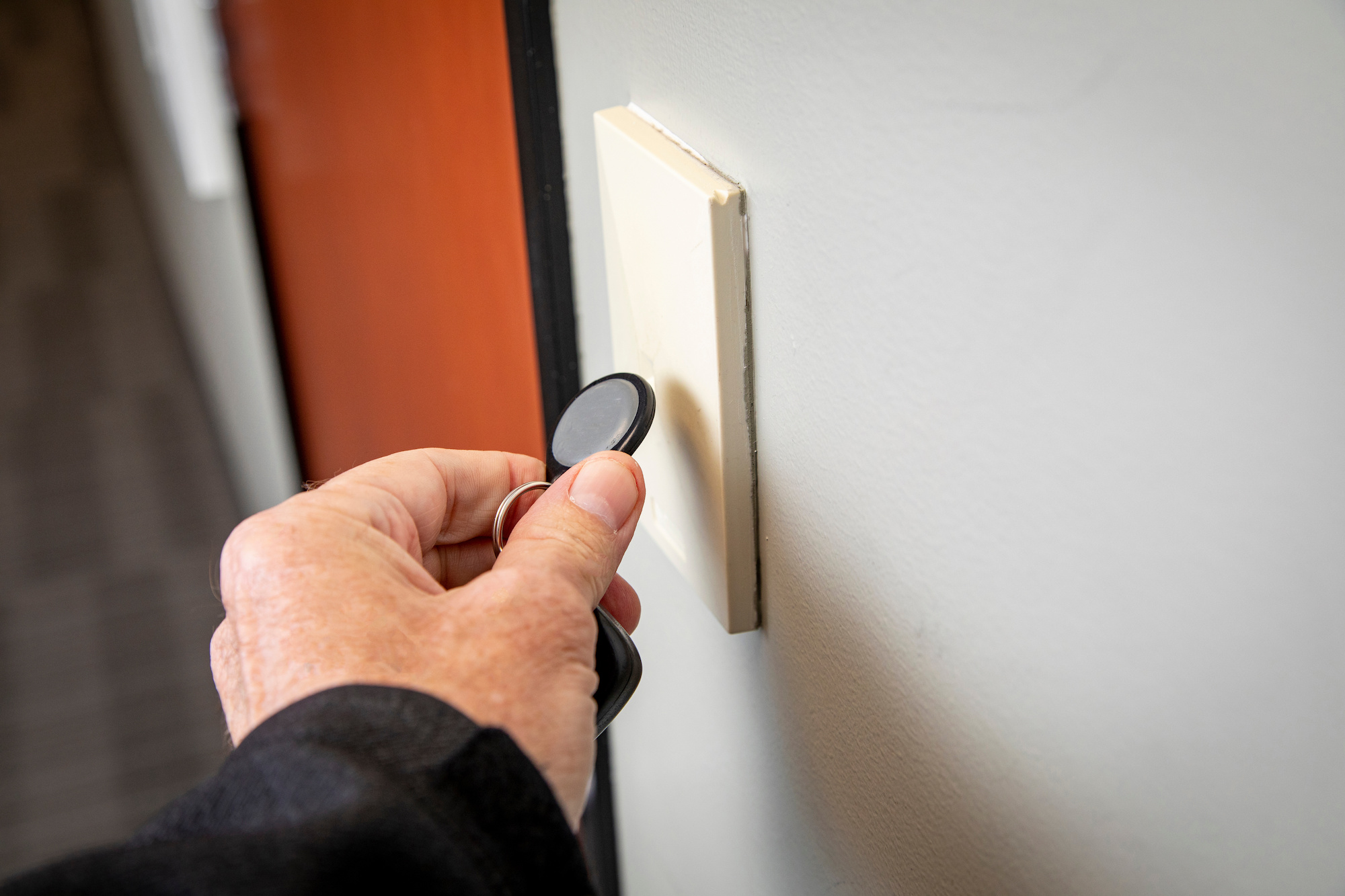
A key fob door entry system is an electronic access control solution that uses radio frequency identification (RFID) credentials, commonly called fobs, to grant users entry into a building.


Instead of using traditional metal keys, residents, employees, or tenants tap or hold their key fob near a reader installed at a door, gate, or elevator. If the credential is authorized, the system unlocks the entry point.
Most systems include:
- RFID readers at entry points
- Electrified locks or strikes
- A control panel or cloud-based management system
- Software for credential and permission management


Key fob systems are widely used in:
- Multifamily apartment buildings
- Office buildings
- Gated communities
- Mixed-use developments
- Commercial facilities
What Makes a Key Fob Door Entry System the Best?
The word “best” gets used loosely in marketing. In reality, the best key fob door entry system is one that balances security, manageability, scalability, and tenant experience.
Here’s what to evaluate.
Secure Credential Encryption
Security is the foundation of any access control system. Legacy fob systems often use outdated RFID technologies that can be cloned using inexpensive hardware. That creates serious liability risks.
A best-in-class system should include:
- Encrypted credentials (not just an ID number)
- Protection against credential cloning
- End-to-end security between readers and management software
- Detailed audit logs for every access event
What to look for in plain terms:
- Avoid systems that only support legacy low-frequency (LF) proximity credentials (commonly 125 kHz), which transmit a static ID.
- Prefer modern high-frequency (HF) encrypted credential families (commonly 13.56 MHz) designed for secure authentication and secure messaging.
Note: Some encrypted credential families (for example, DESFire EV2) support AES-based mutual authentication and secure messaging as part of their security model, which is one reason they’re commonly recommended for higher-security deployments.
Audit trails are also especially important. In multifamily or office environments, property managers should be able to see:
- Who accessed a door
- At what time
- From which credential
- Whether access was granted or denied
Strong encryption and logging are far from being “nice-to-haves.” They’re essential for security compliance and risk mitigation.
Cloud-Based Management
How do traditional on-premise systems compare to cloud-based key fob systems?
Traditional on-premise systems require:
- Physical servers installed on-site
- Manual software updates
- Local IT involvement
- On-site credential programming
By contrast, cloud-based key fob systems let you:
- Add or deactivate credentials remotely
- Adjust access permissions in real time
- Monitor entry events from anywhere
- Manage multiple buildings from one dashboard
- Eliminate server hardware and manual updates, thereby reducing maintenance costs
Mobile and Multi-Credential Support
The best solutions today don’t limit users to fobs alone. Modern tenants and employees increasingly expect mobile access. That means:
- Unlocking doors via smartphone
- Receiving mobile-based credentials
- Using Bluetooth or NFC technology
A future-proof system should support:
- Key fobs
- Mobile credentials
- PIN codes (if needed)
- Temporary digital passes for visitors
Why does this matter? Because buildings evolve and tenant expectations change. If your system only supports physical fobs, you may face expensive upgrades in just a few years.
Scalability Across Properties
Many property owners start with a single building and then later expand. A best-in-class key fob door entry system should scale from:
- One small office
to
- Multi-building residential complexes
to
- Regional portfolios with centralized oversight
Scalability features to look for:
- Multi-property dashboards
- Role-based access permissions
- Bulk credential management
- Building-level or portfolio-level reporting
Without scalable infrastructure, growth becomes operationally complex and inefficient.
Integration Capabilities
Access control doesn’t need to operate in isolation. The best key fob entry systems integrate with:
- Video intercom systems
- Elevator access control
- Visitor management platforms
- Property management software (PMS)
- Surveillance systems
Integrated systems streamline operations and reduce friction for both managers and tenants:
- A new resident signs a lease in your PMS. Their access credential is automatically generated.
- A visitor is approved. Temporary credentials are issued digitally.
- Elevator access permissions align with floor-level restrictions.
Comparison of Key Fob Door Entry Systems (Cloud vs On-Prem vs Hybrid)
Use this as a fast way to match the “best” category to your building.
| System Type | Best For | Remote Management | Mobile Credentials | Scalability | Typical Tradeoff |
| Cloud Managed Platform | Multifamily, mixed-use, and commercial portfolios | Strong | Yes | Strong | Recurring subscription fees and reliance on reliable network connectivity |
| Traditional On Premise | Single-site properties and smaller buildings with simple access needs | Limited | Often limited or requires add-ons | Weak to moderate | More on-site administration, maintenance, and software updates |
| Hybrid | Retrofits and phased modernization projects | Moderate | Sometimes yes (depends on system architecture) | Moderate | Mixed hardware and software components can create integration constraints |
Which Category Is Best?
- If you manage multiple buildings and need centralized control, cloud-managed platforms tend to offer the most flexibility.
- If you operate a small, standalone property with minimal access points, a traditional on-premise system can be enough.
- If you’re upgrading from legacy infrastructure and want to phase improvements over time, a hybrid approach can make sense.
Top Key Fob Door Entry System Options to Consider
Today’s market offers three main categories of key fob door entry systems: fully cloud-based platforms, traditional on-premise systems, and hybrid models.
The examples below illustrate common players in each category. They’re not ranked and don’t represent an exhaustive list. Still, they demonstrate how different systems can target different markets.
1. Cloud-Based Smart Access Platforms
Best for: Multifamily, mixed-use, and commercial properties
Strengths: Remote management, mobile credentials, centralized dashboards, scalability
Cloud-based platforms store data securely in the cloud rather than on an on-site server, letting you control access from anywhere.
Common features include:
- Encrypted RFID key fobs
- Mobile credential compatibility
- Real-time credential activation and deactivation
- Portfolio-level dashboards
- Integration with intercom, video, and property management software
Examples in this category include:
Avigilon
Avigilon offers enterprise-grade access control systems primarily used in commercial and high-security environments. It’s part of a broader security ecosystem that includes surveillance and video management.


Its strength is in large-scale security infrastructure, particularly for organizations that want tightly integrated video surveillance and access control under one ecosystem. But it can be more complex to deploy and is often better suited for enterprise security teams than for property managers looking for lightweight, cloud-first management.
Swiftlane
Swiftlane is a cloud-based access control and video intercom platform designed for multifamily, office, and mixed-use properties.
Its key differentiator is the SwiftReader X, a multi-credential reader that combines MIFARE DESFire EV2 encrypted key fob support, mobile access via BLE/NFC, and facial recognition in a single device. This lets you support multiple access methods without replacing hardware as your tenants’ preferences evolve.
Because all credential types run through the same reader and cloud platform, administrators can manage fobs, mobile users, and biometric access from one system without juggling separate infrastructure layers or add-on modules.
The platform is designed as a cloud-managed platform, so it might not be the best fit for organizations that require a fully on-premise deployment. For a small property with only one door and basic access needs, Swiftlane’s feature set may be more than necessary.
2. Traditional On-Premise Fob Systems
Best for: Small commercial or single-location buildings
Strengths: Lower upfront cost and simple credential management
Limitations: Limited remote access, reduced scalability, and manual updates
With traditional on-premise systems, all access data is stored on local hardware set up within the building. They’ve been used for decades and are still common in smaller commercial properties.
Characteristics and components:
- Local control panels
- Physical servers or software installed on-site
- Manual credential programming
- Limited integration with cloud platforms
Examples:
HID Global
HID Global is one of the most widely used providers of RFID credentials and access control hardware in the industry.
Rather than being a standalone “system,” HID powers the underlying credential and reader infrastructure used by other access control platforms.
Its strength is reliability and broad compatibility across legacy and modern systems. But it requires integration with third-party software platforms for full cloud-based management and modern user experiences.
Honeywell
Honeywell provides enterprise building management and access control systems commonly deployed in commercial buildings and institutional facilities.
Its solutions are part of larger building automation setups, which makes them strong for organizations managing HVAC, security, and access control in a unified system.
That said, Honeywell systems are often more hardware-centric and can require more on-premise configuration compared to newer cloud-native platforms.
3. Hybrid Access Control Systems
Best for: Properties transitioning from legacy infrastructure
Strengths: Phased upgrades, compatibility with some existing hardware
Limitations: Mixed system architecture, potential integration constraints
Hybrid systems combine elements of traditional hardware with cloud-based management features. They’re often used when a property wants to modernize gradually without fully replacing its existing equipment.
Common scenarios include:
- Retrofitting older buildings
- Integrating new readers with legacy control panels
- Adding cloud dashboards to partially upgraded systems
Examples in this space include:
Brivo
Brivo is a cloud-based access control platform designed for commercial and multifamily properties.
It offers centralized cloud management for doors, users, and credentials, making it easier to manage access across multiple sites without on-premise servers.
Brivo is widely adopted in the property management space, particularly for operators transitioning from legacy systems to cloud-based infrastructure.
Kisi
Kisi is a cloud-first access control platform with a strong focus on mobile credentials and a modern user experience.
It’s designed for flexible deployments, including offices, co-working spaces, and retrofit-friendly installations where existing door hardware may be reused.
Its strength is ease of deployment and mobile-centric access control, though complex legacy environments may require additional hardware upgrades for full functionality.
Comparison of Key Fob Door Entry Systems
| System | Category | Key Strengths | Consideration |
| Swiftlane | Cloud-Based | • Integrated video intercom + access control• Encrypted fobs + mobile credentials | Feature-rich platform best suited for mid-to-large properties: may exceed needs of small single-door setups |
| Avigilon | Cloud / Enterprise | • Strong commercial security ecosystem• Scalable for large facilities | May be more enterprise-focused than small properties need |
| HID Global | Traditional / Hardware | • Widely adopted credential standards• Strong hardware reputation | May require third-party management platform |
| Honeywell | Traditional / On-Premise | • Established building automation integrations• Reliable enterprise systems | Limited remote flexibility in non-cloud setups |
| Brivo | Hybrid / Cloud | • Cloud-based management• Broad building compatibility | May require hardware alignment for full feature access |
| Kisi | Hybrid / Cloud | • Mobile-first experience• Flexible integrations | Some legacy retrofits may require upgrades |
Want to see how Swiftlane performs in a live environment? Book a demo to walk through a real multifamily or commercial deployment.
Common Mistakes to Avoid When Choosing a Key Fob Entry System
Choosing a key fob entry system often looks straightforward on paper, but most of the long-term issues come from decisions made early in the selection process. The problems don’t show up at purchase. Instead, they show up when the system is already in daily use.
Choosing Based Only on Hardware Cost
A low upfront price is the first thing that catches attention, but it rarely tells the full story. Once you account for manual administration, on-site updates, reprogramming labor, and limited scalability, the total cost picture changes quickly.
The cheapest system to install is often not the cheapest system to operate. Across Swiftlane’s deployments, ongoing administration and maintenance frequently have a greater impact on long-term costs than the initial hardware purchase. That’s why total cost of ownership matters more than the purchase price alone.
Ignoring Credential Cloning Risks
Not all RFID systems offer the same level of protection. Older low-frequency fobs are easier to clone, and that creates avoidable security exposure. The key detail to confirm is the encryption standard before deployment, not after issues appear in the field.
Not Planning for Mobile Access
Even if a property is fully fob-based today, tenant expectations are shifting toward mobile credentials. Buildings that delay mobile support often face more expensive upgrades later because supporting new credential types may require replacing hardware rather than extending existing infrastructure.
Planning for multi-credential support early helps avoid that cycle. For more context, see our guide to mobile access credentials.
Overlooking Future Expansion
Access control systems are rarely static. Buildings expand, units get added, and new entry points come online over time. If the system isn’t designed for that growth, scaling may require partial or full replacement rather than simple expansion.
Failing to Consider Tenant Experience
Access control is part of the daily routine, not just infrastructure. Ease of use, unlock speed, reliability, and visitor access all affect how the system is perceived. Security matters, but so does friction. The best systems balance both without forcing tradeoffs that users feel every day.
Who Should Use a Key Fob Door Entry System?
Multifamily Apartment Buildings
Multifamily properties have a constant flow of residents, guests, vendors, and maintenance staff, making access management an ongoing operational task for your team rather than a one-time setup.
Key fob systems are commonly used at main entrances, garages, amenity spaces, and package rooms to give residents convenient access while keeping shared areas secure.
For example, if you’re managing a 60-unit apartment building with regular move-ins and move-outs, your staff may need to issue new credentials and deactivate old ones every month. A cloud-managed system makes those updates immediate, without requiring someone from your team to visit the building to reprogram readers on-site.
Office Buildings
Office buildings often need more than simple front-door access. Different employees may require different permissions based on department or working hours. A key fob system makes it easy to issue credentials to new hires and restrict access to sensitive areas.
For instance, an accounting team might have access to finance offices, while contractors can only enter designated workspaces and only during business hours. Role-based permissions help enforce those boundaries without creating unnecessary administrative work.
For a focused breakdown of commercial applications, see our commercial key fob entry systems guide.
Mixed-Use Developments
Mixed-use properties combine residential and office spaces under one roof, which creates overlapping access requirements. Residents, retail employees, office workers, delivery drivers, and building staff all need different levels of access throughout the day.
A well-designed key fob system can assign permissions based on user type. Residents may access elevators, amenities, and parking garages, while retail tenants can enter storefronts and back-of-house areas without gaining access to residential spaces. Managing those permissions from one platform simplifies your day-to-day operations.
Gated Communities
Gated communities focus on perimeter security rather than interior access. Key fobs are commonly used for vehicle gates, pedestrian entrances, clubhouses, fitness centers, and other shared amenities.
A resident can enter the community and access common facilities using the same credential, while vendors or contractors receive temporary credentials that expire automatically when work is complete. This helps maintain security without relying on physical keys or gate attendants for routine access.
Small Businesses
Small businesses often replace traditional keys with key fobs because they’re easier to manage as staffing changes. Even companies with a single office benefit from being able to issue or revoke credentials without changing locks.
For example, if an employee leaves unexpectedly, their credential can be deactivated immediately while everyone else’s access remains unchanged. Managers also gain a basic audit trail showing who entered the office and when, providing accountability that physical keys simply can’t offer.
Key Fob vs Mobile Access: Which Is Better?
This is one of the most common questions in access control today, and the answer is rarely a clean key fob vs mobile access decision. In practice, most properties end up using a mix of both because they serve different operational needs.
Advantages of Key Fobs
Key fobs are still popular because they’re simple and predictable. They don’t rely on a smartphone, don’t depend on battery life, and don’t require users to download or manage an app.
That makes them especially useful in environments with mixed tech adoption, including older residents or tenants who prefer something tangible. They also serve well as a backup credential when mobile access isn’t available.
Advantages of Mobile Access
Mobile access control for buildings, on the other hand, shifts the experience toward software. Credentials can be issued instantly, revoked remotely, and updated without any physical handoff.
There’s no device to replace if someone loses access, and security can be stronger through modern encryption methods. It also improves visitor management since temporary digital passes can be issued without coordinating physical keys or fobs.
Why the Best Systems Support Both
Where things really converge is in systems that support both. Most modern properties are moving toward multi-credential setups where fobs, smartphones, and sometimes PIN-based access coexist under one platform.
That flexibility matters because tenant expectations aren’t uniform, and building usage isn’t static. Supporting multiple methods isn’t just a convenience feature. It’s also what keeps the system usable as the property and its users evolve over time.
How Much Does a Key Fob Door Entry System Cost?
Costs vary depending on building size, number of entry points, and system complexity. Here’s a breakdown by cost category.
Hardware
Most systems require:
- RFID readers
- Control panels
- Electrified locks or strikes
- Key fobs or credentials
Hardware + installation typically ranges from $500 to $4,000 per door, depending on system type and whether it’s new construction or a retrofit.
For a small property (e.g., 10 to 20 units), hardware costs are concentrated at the main entry, plus perhaps one secondary door. Because there are fewer access points, upfront costs are more predictable.
For a larger multifamily or mixed-use property, hardware expenses can scale quickly based on:
- Garage gates
- Amenity rooms
- Elevator controls
- Package rooms
- Multiple building entrances
In larger properties, per-door efficiency and centralized system design become critical to controlling total spend.
Installation
Installation is typically included in the $500 to $4,000 per door range and depends on:
- Wiring requirements
- Door frame or strike modifications
- Network connectivity setup
- Integration with existing infrastructure
- Regional labor rates
New construction projects have lower installation friction because access control can be planned during the build.
Meanwhile, retrofits in older buildings may mean additional wiring runs, panel replacements, or door reinforcement. These factors can meaningfully increase project costs for retrofits.
For small property managers, a retrofit can represent the majority of the project budget.
For large operators, installation logistics across multiple buildings become a scheduling and coordination challenge.
Software and Subscription Fees
Cloud-based key fob systems typically operate on a recurring subscription model. This covers:
- Ongoing software updates
- Secure data storage
- Remote access management
- Technical support
- Feature upgrades
Cloud subscription fees range from $7.50 to $200 per month, depending on the provider, number of doors, and feature tier.
At first glance, subscription fees may appear more expensive than a one-time on-premise system purchase.
But small properties can benefit from reduced IT involvement and no server maintenance. As for large properties, they can benefit from centralized dashboards and multi-building oversight.
Ongoing Management Costs
Long-term operational costs can matter just as much. Consider:
- Replacing lost fobs
- Administrative time spent issuing and deactivating credentials
- System upgrades or expansions
- Support or maintenance calls
Key fobs themselves typically cost $5 to $25 per fob, depending on encryption standard and purchase volume. While this seems minor per unit, costs add up quickly in properties with high tenant turnover or frequent credential replacements.
For small properties, the highest hidden cost is often time. If you must physically program each fob or visit the building to update permissions, those hours add up.
For large properties or portfolios, administrative inefficiency multiplies. Manually managing hundreds or thousands of credentials without centralized control can increase overhead.
Total Cost of Ownership Matters More Than Upfront Price
Look beyond initial hardware pricing. Ask yourself:
- How much time will this system require to manage?
- Can it scale if I add buildings?
- Will I need to replace it after five years to support mobile access?
- Does it reduce friction for tenants and my staff?
For small properties, the right system simplifies management without requiring in-house IT expertise. For larger operators, the right system centralizes oversight and scales efficiently across multiple buildings.
In both cases, the most cost-effective system is the one that balances upfront investment with long-term efficiency.
Choosing the Best Key Fob Door Entry System for Your Property
It’s not just about the features. The best key fob door entry system is the one that aligns with your property type, operational needs, and long-term goals.
The strongest systems include:
- Encrypted RFID credentials
- Cloud-based remote management
- Mobile access compatibility
- Portfolio-level scalability
- Integration with intercom and property management tools
Swiftlane offers a fully integrated access control system that supports encrypted key fobs, mobile credentials, video intercom, and centralized management. It’s designed to scale as your property portfolio grows.
If you’re comparing options, schedule a demo now to see how a modern key fob entry system performs in a real-world environment.
FAQs
What is the best key fob door entry system for apartments?
For multifamily properties, the best systems are cloud-based and support remote credential management, fast move-in/move-out provisioning, and amenity access control. Platforms like Swiftlane are purpose-built for this use case, combining encrypted fob access with video intercom and mobile credentials in one system.
What is the difference between 125 kHz and 13.56 MHz key fobs?
125 kHz fobs (like HID Proximity) transmit a static, unencrypted ID that can be cloned with inexpensive hardware. 13.56 MHz fobs (like MIFARE DESFire) use encrypted credentials and mutual authentication, making them more secure. Any modern system should use 13.56 MHz.
How much does a key fob door entry system cost?
Hardware and installation typically run $500 to $4,000 per door. Cloud subscription fees range from $7.50 to $200 per month. Individual fobs cost $5 to $25 each.
Can key fob systems work with mobile credentials?
Yes, the best modern systems support both fobs and smartphone-based credentials via Bluetooth or NFC. Supporting both protects your investment and accommodates all tenant preferences.
How long does a key fob door entry system last?
Quality hardware can last 7 to 10 years. Cloud-based systems extend their effective lifespan because software updates are automatic, so you don’t need to replace hardware just to stay current on features.
Are key fob systems secure?
Security depends on the credential type and system architecture. Modern systems using encrypted 13.56 MHz credentials (like MIFARE DESFire) with cloud-based access control are highly secure and include audit logs, role-based permissions, and real-time deactivation. Older 125 kHz systems are easier to clone and are considered outdated for most multifamily and commercial use cases.
Can I upgrade an existing key fob system without replacing all hardware?
In many cases, yes. Hybrid and retrofit-friendly platforms allow you to reuse existing door hardware while upgrading readers and software. But full feature access, such as mobile credentials or advanced encryption, may require replacing legacy readers and control panels, depending on system compatibility.
What happens if a resident loses their key fob?
The lost fob can be deactivated immediately through the system dashboard if it’s cloud-managed. A new credential can then be issued without changing locks or affecting other users. This is one of the key operational advantages over physical key replacement.
Do key fob systems require internet access to work?
Not always. Many systems support offline functionality where doors continue to operate even if the internet goes down. But cloud-based features like remote credential updates and centralized management require a stable internet connection.
What is the difference between on-premise and cloud-based key fob systems?
On-premise systems store access data on local servers and require manual updates and on-site management. Cloud-based systems allow administrators to manage access remotely and oversee multiple properties from a single dashboard, making them more scalable and operationally efficient.


