Mobile access control is changing how buildings manage entry. Instead of key cards, fobs, or PINs, people use their smartphones as secure credentials.
For property managers, that shift solves real problems like lost fobs, constant re-issuing, manual access updates, and security gaps.
With mobile access control, credentials are issued instantly. Permissions can be updated in real time, and access can be managed from anywhere.
How We Researched This
This guide is built from Swiftlane’s deployment experience across 3,000+ U.S. properties yearly, along with research into modern access control technologies and best rollout practices.
It also draws on conversations with property managers, building operators, and security professionals about the operational challenges of managing credentials, onboarding users, and securing building access at scale.
But it’s not just about convenience. It’s about control and visibility. We created this guide based on our experience with mobile access. It breaks down how it works, where it fits best, and how to evaluate the right system for your property.
Key Takeaways
- Mobile access control replaces physical cards and fobs with smartphones. It simplifies access while reducing loss, duplication, and replacement issues.
- It gives property managers real-time control. Access can be issued, updated, or revoked instantly from a centralized system.
- It improves daily operations and user experience. Fewer lockouts, less admin work, and faster entry for residents and staff.
- It delivers the most value when integrated. Combining mobile access with intercom and visitor management creates a complete, scalable solution.
Table of Contents
- What Is Mobile Access Control?
- How Mobile Access Control Works
- Why Property Managers Are Switching to Mobile Access Control
- Mobile Access Control vs. Key Cards and Fobs
- Best Use Cases of Mobile Access Control
- Security Considerations in Mobile Access Control
- What Features to Look For in Mobile Access Control Systems
- How to Roll Out Mobile Access Control Successfully
- Mobile Access Control ROI
- Where Swiftlane Fits In
- Frequently Asked Questions
Related Posts
- Mobile Phone Intercom System: How It Works and How to Choose the Right One
- Apartment Intercom Systems With Mobile Access for Multifamily Buildings
- Door Phone Intercom System: Buyer’s Guide
What Is Mobile Access Control?
Mobile access control is a system that allows people to unlock doors, gates, and secured areas using their smartphones instead of physical credentials.
At its core, it replaces something you carry (a key card or key fob) with something you already have: your smartphone.
Mobile Credentials vs. Key Cards and Fobs
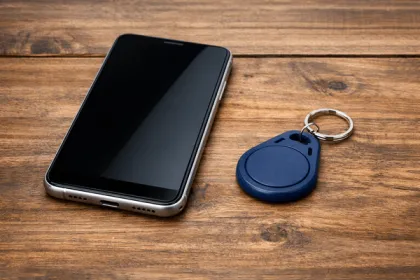
Traditional systems rely on physical items. Key cards and fobs are easy to lose and easy to forget. Plus, they’re expensive to replace at scale.
Mobile credentials are digital. Because they live on a user’s phone, they can’t be misplaced in the same way. And they don’t need to be printed or distributed in person.
More importantly, they can be updated instantly. No need to collect old cards. No need to reprogram locks manually.
How a Phone Becomes a Secure Credential
A smartphone becomes a credential through software. The user is issued access via an app or a digital wallet. That credential is tied to their identity and permissions. At a high level, strong access systems separate identity proofing and authentication assurance (Source: NIST Digital Identity Guidelines, SP 800-63).
When they approach a door, the system verifies:
- Who they are
- What they’re allowed to access
- When they’re allowed to access it
If everything checks out, the door unlocks.
Types of Mobile Credentials
There are two main approaches:
- App-based credentials. Users open an app to unlock doors or trigger access automatically in the background.
- Wallet-based credentials. Credentials are stored in Apple Wallet or Google Wallet. Users can tap their phone like a card. No app required. For background on how wallet credentials work on each platform, see Apple’s Add to Apple Wallet guidance and Google Wallet support documentation.
Both approaches work. The best systems support both.
How Mobile Access Control Works
Mobile access control systems are built around three core components: Credential management, unlock methods, and cloud-based control.
Credential Enrollment and User Setup
Everything starts with issuing access. You can:
- Add a user (resident, employee, vendor)
- Assign access permissions
- Send an invite
The user receives a link. They can either download the app or add the credential to their wallet.
The setup may take just a few minutes. From there, access is live.
Unlock Methods
Different properties need different ways to unlock doors. Modern systems can support more than one method.
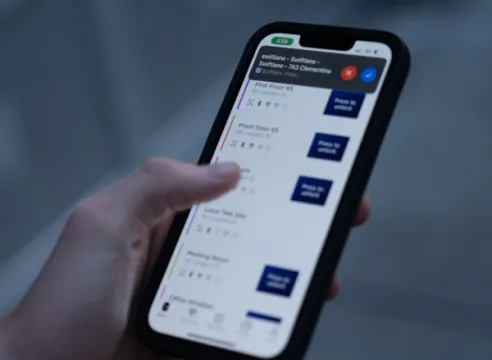
- Mobile App. Users tap a button in the app or trigger hands-free unlock when near a door.
- Bluetooth (BLE). The phone communicates with the reader over a short range. BLE is a short-range wireless standard commonly used for proximity-based device communication. No internet required at the door.
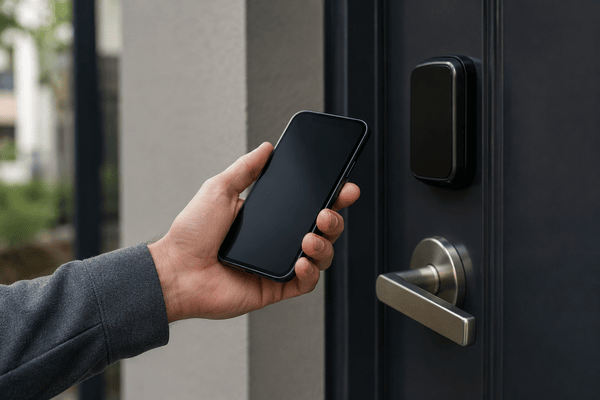
- NFC (Near Field Communications) / Tap-to-Unlock. Users tap their phone on a reader, similar to contactless payment. NFC enables very short-range tap interactions between a phone and reader.
- QR Codes. Temporary QR codes for visitors or deliveries. Often time-limited.
- Apple Wallet / Google Wallet. Tap-to-access without opening an app. Fast and familiar.
The key is flexibility. Not every user interacts with access in the same way.
Cloud-Based Management and Permissions
This is where mobile systems stand out. All access control decisions are managed in the cloud. For your team, that means:
- Permissions get updated in real time
- Changes don’t require on-site visits from your staff
- You can manage multiple buildings from one dashboard
If someone moves out or leaves a job, their access can be revoked instantly. No need to wait, no need to collect any physical key.
See mobile access in action today.
Why Property Managers Are Switching to Mobile Access Control
The shift to mobile isn’t driven by trends. It’s driven by operational pain that shows up every day in property workflows.
Less Credential Management
Printing, tracking, and replacing cards adds up quickly, especially in larger properties or portfolios. Your staff may end up managing spreadsheets, inventory, and reprints more than they expect.
Mobile credentials remove most of that overhead. There’s no physical inventory to track, no reprogramming, and no waiting on replacements. Everything is issued digitally and updated in real time.
Faster Onboarding and Offboarding
New resident moving in? Access can be granted in minutes.
A vendor needs entry for a single job? You can schedule time-bound access without meeting them onsite.
And when someone leaves, access can be revoked instantly. No collecting cards. No door changes. Just a clean digital update.
We’ve seen properties that were able to make onboarding much faster, often turning it into a quick self-serve setup instead of a same-day coordination task.
Remote Access Management
You don’t need to be on-site to manage doors anymore. Your team can handle access from a browser or mobile dashboard, whether you’re managing one building or a full portfolio.
We’ve observed that property managers managing multiple sites can reduce the number of on-site trips needed for access changes and lockout issues.
Better User Experience
Residents expect access to match how they already live: on their phones. Carrying separate cards for different entry points feels outdated.
With mobile access, friction drops. Fewer forgotten credentials. Fewer lockouts. Entry becomes faster, and more predictable, for both your tenants and your staff.
Real-World Example: Switching to Mobile Access Across 26 Properties
Senior Property Manager Nelly Litovskaya of 2B Living replaced legacy intercom systems across 26 San Francisco properties. Before the upgrade to mobile access control, her team regularly traveled to buildings to let in vendors, maintenance crews, and emergency personnel.
With mobile access and remote management, access can now be granted from anywhere, while tenant records are updated automatically through property management software integrations.
According to Litovskaya, the change reduced site visits, lowered operating costs, and gave residents more control over guest access.
Mobile Access Control vs. Key Cards and Fobs


Mobile systems aren’t just different. In many cases, they’re better. But it’s worth comparing directly.
Security Comparison
| Factor | Mobile Access Control | Key Cards / Fobs |
| Credential Type | Encrypted, dynamic | Static |
| Risk of Duplication | Low | Higher |
| Revocation Speed | Instant | Manual / delayed |
| Identity Verification | Device-based | Weak |
Mobile credentials are tied to a user’s device. They’re encrypted. And they can be revoked immediately.
Cards and fobs are static. If someone loses one, it can be used until it’s deactivated.
Convenience Comparison
- Smartphones are always with the user. Key cards aren’t.
- Mobile access can also support touchless entry. That matters more than it used to, especially after a pandemic. Users don’t need to dig through pockets or swipe something to a reader.
Administrative Overhead
Administrative work looks very different depending on the system. With cards and fobs, the process is ongoing. You have to print them, distribute them, track who has what, and replace them when they’re lost or damaged. That cycle never really stops.
With mobile access control, it’s much simpler. You issue credentials digitally and update permissions as needed. Then you revoke access when necessary.
Everything happens in one place. There’s no physical handling and definitely no inventory to manage.
When Cards and Fobs Still Make Sense
Mobile access control doesn’t have to replace everything. There are still situations where cards and fobs are useful. Some users may not have smartphones or may prefer a physical option. Cards can also serve as a backup during outages or system transitions.
Most modern systems support a hybrid approach. That flexibility makes it easier to roll out mobile access without disrupting existing workflows or leaving anyone behind.
Best Use Cases of Mobile Access Control
Mobile access control works across property types. But the value shows up in specific workflows.
Multifamily Apartments and HOAs
Residents can use their phones to enter main entrances, parking lots, elevators, and shared areas or amenities in multifamily properties.
Temporary access for guests can be handled remotely, with no need for physical keys.
As for move-ins and move-outs, handoffs are no longer required.
Office Buildings and Mixed-Use
Employees and tenants in commercial properties can be assigned role-based access. You can set permissions by floor level or time of day (aligning with their business hours).
Visitor and Contractor Access
This is where mobile systems stand out. You can:
- Schedule access in advance
- Limit access to specific doors
- Set expiration times
Mobile credentials can eliminate the need for physical passes (which need to be issued and collected after use). Plus, your staff won’t need to meet the visitor or contract in order to grant access.
Amenities and Common Areas
For gyms, lounges, or conference rooms, access can be either time-based or reservation-based. They can also be user-specific – for example, tenants with special membership privileges can gain entry to select amenities.
Security Considerations in Mobile Access Control
Mobile access control improves security in ways that go beyond replacing physical credentials. Most of the gains come from faster control and better visibility in day-to-day operations.
Lost or Stolen Phones
If a phone is lost, access can be revoked immediately. As a matter of fact, this is often faster than deactivating a physical card or fob across multiple readers.
Phones also have built-in protections like passcodes, biometrics, and remote wipe capabilities. That adds a second layer of defense even before access is disabled at the system level.
Credential Revocation
Mobile systems are designed for immediate response. Access can be disabled within seconds from a single dashboard, whether it’s a resident move-out or a terminated vendor.
There’s no need to collect physical credentials or worry about lingering access. We’ve found that properties can shrink credential deactivation from hours or days to near real time once access is centralized and revocation is handled digitally.
Encryption and Authentication
Most modern systems use encrypted communication between the mobile device and the reader. Credentials aren’t stored in plain text and are tokenized, which reduces duplication risk.
This matters in multi-site environments where consistent security enforcement is harder to maintain manually.
Protection Against Spoofing
Advanced platforms use device-level validation in addition to credential checks. That means access is tied to both the authorized user and a verified device, reducing the likelihood of cloning or spoofing attacks.
Offline Access and Failover
Not every door has constant connectivity. But a good system can support:
- Offline credential validation
- Local caching
- Backup entry methods
Audit Trails and Visibility
Every access event is logged automatically. Property teams can see who entered, where, and when.
We’ve observed that this level of visibility can significantly improve incident response time, especially in properties that previously relied on fragmented or legacy logging systems.
What Features to Look For in Mobile Access Control Systems
Not all mobile access control systems are equal. Some create new problems instead of solving old ones. Use this features guide when evaluating your options.
| Category | Feature | Why It Matters |
| Core Mobile Capabilities | Apple Wallet & Google Wallet support | Enables fast, app-free access |
| Multiple unlock methods (BLE, NFC, QR, app) | Gives flexibility across users and entry points | |
| Fast and reliable door response | Prevents delays and user frustration | |
| Access Control Management | Cloud-based dashboard | Centralized control across buildings |
| Real-time permission updates | Instantly grant or revoke access | |
| Role-based access control | Simplifies management at scale | |
| Integrations That Matter | Video intercom systems | Connects access with entry communication |
| Visitor management tools | Streamlines guest and vendor access | |
| Directory and call routing | Improves entry flow in larger properties | |
| Advanced Features | Facial recognition options | Adds another layer of authentication |
| Touchless entry modes | Enables seamless, hands-free access | |
| Remote unlock capabilities | Allows admins or users to grant access from anywhere | |
| Reporting and Visibility | Audit logs | Tracks who accessed what and when |
| Real-time activity tracking | Improves security monitoring | |
| Exportable reports | Supports compliance and reporting needs |
Once you understand the full range of features a modern system can offer, it helps to have a condensed checklist of the essentials to quickly evaluate any solution.
Quick Buyer Checklist
- Supports BLE + NFC + Wallet credentials (not just app-only)
- Multi-building, role-based permissions (time schedules, door groups)
- Instant revoke + automated offboarding
- Audit logs (exportable) + alerts for failed attempts
- Offline/failover options (cached creds, backup method)
- Hybrid support (fobs/cards/PIN as fallback)
- OSDP/Wiegand reader compatibility (and upgrade path)
- Visitor + intercom integration (if you want a single front-door workflow)
- Admin UX (bulk invites, templates, self-serve onboarding)
- Privacy controls (data retention, consent workflows if needed)
- Supports modern secure reader-to-controller communication (OSDP preferred)
- Can align with common access control safety/security standards (UL 294)
If a system is missing these, expect limitations later.
How to Roll Out Mobile Access Control Successfully
Rolling out mobile access control works best when it’s treated as an operational transition, not just a hardware upgrade. The goal is to reduce friction while building confidence among users and your staff, especially in the first few weeks of deployment.
Start with a Phased Approach
Don’t switch everything at once. Start small with a single building, entry point, or user group. This creates a controlled environment where issues can be identified early without disrupting the entire property.
Once performance is stable and workflows are clear, expand gradually across additional buildings or access points. We’ve seen that properties using phased rollouts can reduce early-stage support tickets during rollout by avoiding a ‘big bang’ switch and giving users a hybrid transition period.
Run Hybrid Access During Transition
Keep cards or fobs active while introducing mobile credentials. This gives residents and staff time to adjust without pressure, and it reduces friction for users who are less comfortable with smartphones.
Hybrid setups can also act as a safety net during the transition period. In our observations across multifamily deployments, maintaining hybrid access during the first month or two can lower front-desk intervention requests.
Drive User Adoption
Adoption comes down to clarity and simplicity. Explain the benefits in plain language: fewer lost keys, faster entry, and access from anywhere.
Keep onboarding steps short, and make setup as frictionless as possible. Step-by-step guides and responsive support matter more than feature lists. The faster users complete their first successful entry, the higher long-term adoption tends to be.
Train Staff and Stakeholders
Your team needs to be fully fluent in the system before your residents can start relying on it.
Leasing staff, property managers, and building operators should know how to issue credentials, update permissions, and handle common troubleshooting scenarios. This can prevent bottlenecks and keep daily operations stable during rollout.
Plan for Edge Cases
Not every user will adopt mobile access immediately. Have fallback options like cards or shared credentials ready.
Also plan for scenarios like device loss or mixed user preferences. Thinking through these cases upfront can prevent gaps once the system goes live and keep access consistent across all user types.
Mobile Access Control ROI
The ROI is both direct and indirect. It shows up in cost and time savings, and in smoother operations.
Reduced Credential Costs
Physical credentials come with ongoing expenses. You have to order them in bulk, replace lost ones, and keep extras on hand. With mobile access control, those costs largely disappear. If you’re managing a larger property, that difference in credential costs is much more noticeable.
Lower Administrative Workload
Managing physical access takes time. Your staff will spend hours issuing cards, tracking inventory, and handling replacements.
With mobile systems, that process is simplified. Credentials are issued digitally, updated instantly, and revoked without any physical effort.
Fewer Lockouts and Support Requests
People forget cards all the time. Phones, not as much. Fewer lockouts mean fewer interruptions for staff and a better experience for residents and tenants.
Operational Efficiency and Scalability
Because everything is managed from one place, you can reduce errors while speeding up your workflows.
And as your property grows, mobile systems can scale easily with your expanding needs without adding the same level of complexity.
Where Swiftlane Fits In
Mobile access control works best as part of a larger system. That includes access control, video intercom, and visitor management working together.
Swiftlane brings all of this into one platform. Instead of managing separate tools, everything is centralized in one system.
That means fewer gaps and less manual work. You get real-time control and visibility, while your residents and staff experience simple, touchless entry.
Request a demo now to see how Swiftlane works in practice.
Frequently Asked Questions
Is mobile access control more secure than key cards or fobs?
Yes. Mobile credentials are encrypted, tied to a specific device, and can be revoked instantly. Cards and fobs are static and easier to lose, share, or duplicate.
What happens if a user loses their phone?
Access can be revoked immediately from the admin dashboard. Most phones also have passcodes, biometrics, and remote wipe features, which add another layer of protection.
Does mobile access control require an internet connection to work?
Not always. Many systems use Bluetooth or NFC for door communication, which works without the internet at the door. The cloud is mainly used for managing permissions and syncing updates.
Can mobile access control work alongside key cards or fobs?
Yes. Most systems support hybrid setups, especially during rollout. This allows properties to support users without smartphones or provide backup credentials.
How long does it take to set up mobile access for a new user?
Just a few minutes. Admins send an invite, the user downloads an app or adds a wallet credential, and access is live almost immediately.
Is mobile access control difficult for residents or tenants to use?
No. Most users are already familiar with mobile apps and tap-to-access features. Once set up, using a phone is often faster and easier than carrying a separate card or fob.
What happens if a user’s phone battery dies?
Most systems provide fallback options such as temporary PINs, backup credentials, or alternative entry methods depending on how the property is configured. Many properties also maintain hybrid access (like cards or fobs) for edge cases like this.
Is mobile access control compatible with all smartphones?
Yes. Most modern systems support both iOS and Android devices. Some also offer Apple Wallet and Google Wallet integration, allowing users to access doors without opening an app.
How is user data stored and protected in mobile access systems?
Access credentials are encrypted and stored securely in the cloud and/or on the user’s device using tokenization. Systems are designed to avoid storing sensitive data in plain text, and access events are logged for auditability.
Can mobile access control scale across multiple buildings or sites?
Yes. Cloud-based mobile access systems are designed for multi-property management. Administrators can manage users, permissions, and access rules across multiple buildings from a single dashboard, which is especially useful for portfolios and property management companies.