

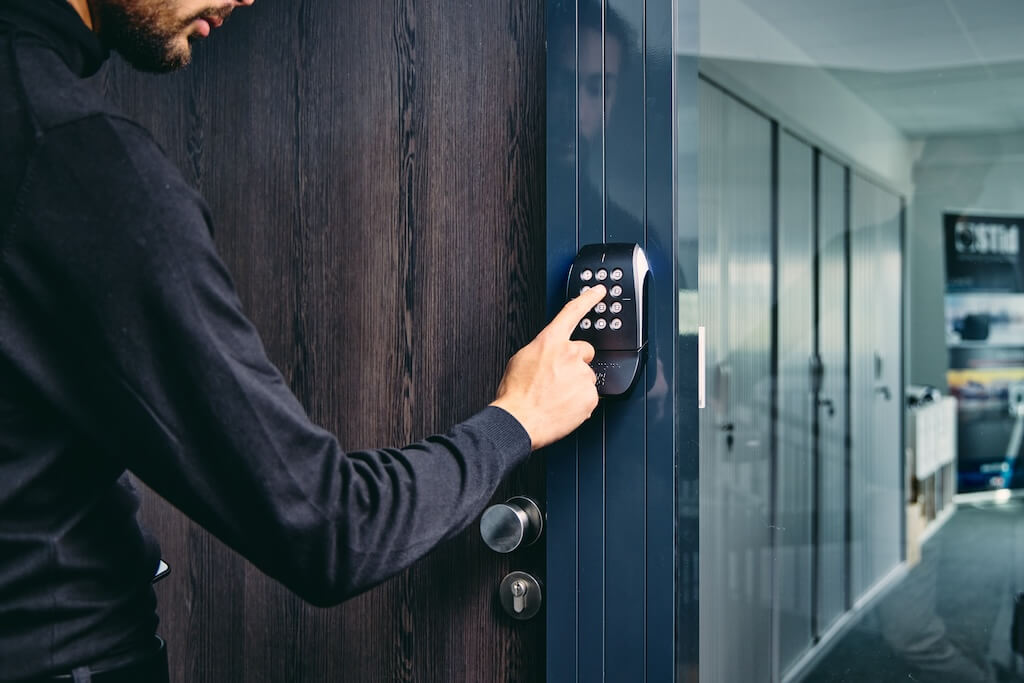
The best commercial access control systems with keypad go beyond a PIN pad on a door. They pair keypad entry with cloud management, access schedules, and audit logs so your team can control who gets in, when, and where across every door in your building.
Swiftlane leads this category by supporting keypad or PIN entry alongside mobile and face recognition credentials, all managed from a single centralized platform.
This guide breaks down which features actually matter, the real security risks to plan for, how to compare vendors, and what to budget for, so you can make a confident buying decision without getting oversold on hardware you don’t need.
How We Researched This Guide
We wrote this guide to match how commercial buyers actually evaluate keypad access control systems (and where deployments fail in the real world), not just to list features.
- Reviewed common buying questions and demo criteria: PIN policies, user-level audit logs, access schedules, multi-door management, and remote provisioning/revocation.
- Compared keypad-first setups vs cloud-managed access control platforms that support keypad/PIN plus secondary credentials (mobile, fob, and biometric) for higher-security doors.
- Cross-checked security best practices around PIN sharing, expiring vendor codes, and accountability (who entered, when, and where) using current vendor documentation and industry guidance.
- Sanity-checked pricing as indicative ranges and highlighted the biggest cost drivers: door count, retrofit/wiring needs, controller architecture, installation labor, and ongoing software fees.
If you’re evaluating vendors, use the decision matrix and demo questions in this guide to pressure-test whether a system will reduce admin workload and improve accountability after go-live.
Key Takeaways
- Keypad access control works best as part of a layered system, paired with access schedules, audit logs, and a second credential type for high-security doors.
- The most important security measure is assigning a unique PIN to each user and never sharing codes.
- Cloud-managed platforms let you issue, revoke, and schedule access remotely without being on-site.
- Keypad entry is practical for vendor access, after-hours entry, and secondary doors, but slower and less secure than mobile or face recognition at high-traffic entrances.
Table of Contents
- What Is a Commercial Access Control System With Keypad?
- When Keypad Access Is the Right Choice
- Must-Have Features to Consider
- Decision Matrix: When to Use Keypad-Only vs Keypad + Mobile vs Keypad + Secondary Factor
- Security Realities and How to Reduce Risk
- Best Commercial Access Control System With Keypad
- Other Reputable Brands to Consider
- Pricing: What to Expect
- FAQs
What Is a Commercial Access Control System With Keypad?


A commercial access control system with a keypad is a door security solution that grants entry when a user enters a valid PIN code at a reader mounted at the entrance.
Unlike residential keypad locks, commercial systems connect multiple door controllers to a centralized management platform, allowing administrators to set access rules, revoke credentials, and monitor activity across an entire building or portfolio from a single dashboard.
The keypad is one credential type within a broader system. Modern platforms support keypad or PIN alongside mobile access and face recognition, so businesses aren’t locked into a single method and can layer credentials for higher-security doors.
When Keypad Access Is the Right Choice
Keypad access works best when you need flexible, credential-free entry. No cards to issue, no app to download, no hardware to carry. For the right use cases, it’s one of the most practical credential types for commercial buildings.
When Keypad Access Makes Sense
- After-hours front door access — Staff who work irregular hours can enter without a physical key or fob, and their PIN can be restricted to specific time windows.
- Vendor and contractor access — Temporary PINs with an expiration date allow service providers to access specific doors without you having to issue or retrieve a physical credential.
- Secondary and interior entrances — Server rooms, storage areas, and back-of-house doors that require basic access control without the cost of a full reader setup.
- Properties without reliable mobile coverage — Keypad entry doesn’t depend on a phone signal or Bluetooth, making it a practical fallback in basements, parking structures, or older buildings.
When Keypad Access Alone is Not Enough
- High-traffic main entrances — PIN entry is slower than tapping or waving, creating bottlenecks during peak hours.
- High-security areas — A PIN can be shared or shoulder-surfed. Doors protecting sensitive data, assets, or infrastructure should require a second credential (e.g., a mobile, fob, or face recognition).
- Large rotating workforces — Managing hundreds of individual PINs without a cloud platform creates serious administrative overhead and security gaps.
- Anywhere tailgating is a real risk — A keypad only verifies the code, not the person. If someone follows an authorized user through the door, the system has no way to flag it without video integration.
The practical rule: Keypad entry is part of a layered system, not your only line of defense. Pair it with access schedules, audit logs, and, where needed, a second credential type.
Must-Have Features to Consider


Most buyers compare keypad access control systems on hardware specs and upfront price. The features that actually determine day-to-day value and long-term security are almost always in the software. Here’s what to look for, and what’s commonly overlooked.
Role-Based Admin Access
Not everyone managing your building should have the same level of system access. Look for platforms that let you assign granular admin roles, so a property manager can add tenants, a security lead can pull audit reports, and a front desk employee can grant one-time visitor access, without any of them being able to change system-wide settings.
Access Schedules
A credential without a schedule is a security gap. Every user, role, or door should support time-based rules that restrict access to business hours, specific days, or defined windows for vendors and contractors. If a system doesn’t offer per-user scheduling, move on.
Audit Trails and Entry Reporting
You need a timestamped log of every access attempt, successful or denied, at every door. This isn’t just a compliance requirement; it’s the first thing you’ll need after an incident. Look for systems that offer real-time alerts for failed attempts, after-hours entries, and door-held-open events.
Multi-Door and Multi-Site Management
A system that works for one door but requires separate logins or platforms for additional doors or buildings will create administrative chaos as you scale. Confirm that the platform manages all doors from a single dashboard and supports multiple locations under one account.
Visitor and Vendor Access Flows
Day-to-day access management isn’t just about employees. Look for systems that support temporary PINs, expiring codes, and scheduled visitor access, so you don’t have to manually revoke credentials after every contractor visit.
Integrations
Your access control system shouldn’t operate in isolation. Key integrations to look for include video surveillance (to visually verify entry events), property management software, HR or identity platforms (for automated onboarding/offboarding), and building management systems.
Offline and Outage Resilience
This is the question most buyers forget to ask: what happens when the internet goes down? Confirm whether the system stores credentials locally on the controller so doors continue to function during an outage, and what, if anything, falls back to fail-safe (unlocked) or fail-secure (locked) mode.
Decision Matrix: When to Use Keypad-Only vs Keypad + Mobile vs Keypad + Secondary Factor
Use keypad-only when…
- The door is lower-risk (side doors, staff-only areas with supervision, secondary entrances).
- You need a simple fallback for occasional access (vendors, cleaning crews, after-hours entry), and you can enforce unique, expiring PINs.
- You have limited on-site IT support and want the lowest-friction credential for mixed user groups.
- You’re comfortable with the tradeoff: PINs can be shared, so auditability and PIN policy matter more.
Use keypad + mobile when…
- You want better accountability and faster revocation than PINs alone can provide, without adding more hardware.
- You have frequent user changes (new hires, contractors, rotating vendor crews) and want remote provisioning.
- You need different credential types for different doors (mobile for primary entrances, PIN for vendors).
- You want a practical step-up path: keep PIN as a backup, but make mobile the primary credential for daily staff.
Use keypad + a secondary factor (mobile and/or biometric) when…
- The door is high-risk (server rooms, HR/finance areas, controlled inventory, labs, executive suites).
- You need strong identity assurance, not just “someone knows the code.”
- You want to reduce the risk of tailgating and credential sharing at busy entrances.
- You need stricter compliance and incident-response readiness (clear user-level audit trails, tighter access policies, and faster investigations).
Security Realities and How to Reduce Risk
Keypad access control has one unavoidable vulnerability: a PIN can be shared, watched, or guessed. Here’s what to watch for and how to address each risk.
- PIN Sharing: A PIN has no inherent link to an individual, making it easy to share. Assign unique PINs per user so every entry is tied to a named person, and use expiring codes for vendors and contractors so credentials automatically become invalid when access is no longer needed.
- Tailgating: A keypad verifies a code, not a headcount. Pair entry points with video surveillance or physical barriers at high-risk doors so that a single credential event doesn’t let multiple people through.
- Shoulder Surfing: PINs can be observed and memorized in busy lobbies. Restrict keypad-only access to lower-risk doors, and require a second credential, mobile, fob, or face recognition, for high-security areas where a compromised PIN would be a serious risk.
A Note on Tailgating
No access control system, keypad, or otherwise, fully solves tailgating through software alone. If tailgating is a serious risk at your property, consider pairing your access control platform with a video analytics solution that flags multiple people passing through a single credential event, or installing a physical barrier (turnstile, mantrap) at high-risk entrances.
Best Commercial Access Control System With Keypad
Most access control platforms treat the keypad as an afterthought; a legacy credential type bolted onto a system designed around fobs or cards. Swiftlane is built differently.
Keypad and PIN access are two of the three native credential types on the platform, alongside mobile access and face recognition, all of which are managed from the same centralized dashboard.
For property and security teams, that distinction matters operationally. You’re not toggling between systems or managing separate credential databases. Every door, every user, and every credential type lives in one place.
Limitations to consider:
- Pricing is not self-serve. Swiftlane doesn’t publish per-door or per-user pricing publicly. You’ll need to contact sales for a quote, which adds a step compared to platforms with transparent pricing online.
- Cloud-first architecture. Swiftlane is designed for cloud-managed deployments. If your building has strict requirements for on-premises data storage or operates in a network-restricted environment, confirm compatibility before committing.
How Swiftlane Handles Everyday Access Management
- Issue access: Add a new user, assign a PIN, set their door permissions and schedule, and send credentials. Done before the person reaches the front door.
- Revoke access: Remove a user or expire a PIN instantly, across every door they had access to, from any device.
- Set an access schedule: Restrict a contractor’s PIN to Tuesday and Wednesday, 9 AM–5 PM only, with no manual follow-up required when the window closes.
- Pull an audit log: See every entry and exit event, filtered by user, door, time, or credential type, in real time.
- Grant visitor access: Issue a temporary PIN with an expiration time so a vendor can access a specific door without you being on-site to let them in.
Swiftlane’s Credential Flexibility
| Credential Type | Best For |
| Keypad / PIN | After-hours access, vendor entry, secondary doors, PIN-only zones |
| Mobile Access | Daily staff use, high-traffic entrances, touchless entry |
| Face Recognition | Hands-free entry, high-security areas, eliminating credential sharing |
Credentials can be combined at the door level. A server room might require both a PIN and face recognition. A back entrance might use PIN-only during business hours and require mobile access after hours. Swiftlane’s access rules engine handles this without custom programming.
Built for Multi-Door and Multi-Site Operations
Swiftlane manages unlimited doors and multiple properties from a single account. Admins can set different access rules for each building, floor, or door without needing separate logins or platform instances.
For property managers running mixed-use buildings or portfolios, this eliminates the fragmented access management that comes with deploying multiple single-door systems.
Audit Logs That Actually Tell You Something
Swiftlane’s audit trail captures every credential event, successful entries, failed attempts, door-held-open alerts, and after-hours activity, with timestamps, user identity, and door location. Logs are searchable and exportable, making them useful for incident response, compliance reporting, and lease disputes.
Other Reputable Brands to Consider
Swiftlane is our top recommendation for commercial keypad access control, but it’s worth knowing the broader market. The platforms below are reputable, widely deployed, and worth evaluating depending on your building type, existing infrastructure, and IT requirements.
| Platform | Best Known For |
| Brivo | Cloud-based access control for multi-site commercial and residential portfolios |
| Kisi | Modern cloud platform with strong mobile-first experience and API integrations |
| Verkada | Integrated security platform combining access control with cloud-managed video |
| Genetec | Enterprise-grade unified security platform for large and complex deployments |
| LenelS2 | On-premise and hybrid systems for enterprise and high-security environments |
| HID Global | Industry-standard credential technology is widely used across commercial readers |
A few things to keep in mind when evaluating these platforms alongside Swiftlane:
- Cloud vs. on-premises: Some platforms skew toward on-premises or hybrid deployments, which entail higher IT overhead and maintenance costs.
- Hardware lock-in: Confirm whether a platform requires proprietary readers and controllers, or supports third-party hardware. Lock-in affects your long-term flexibility and total cost.
- Credential flexibility: Not all platforms natively support keypad, mobile, and face recognition in a single system. Confirm which credential types are supported without add-on modules.
- Admin experience: Enterprise platforms built for large security teams can be overkill for property managers or mid-sized commercial buildings. Ease of day-to-day administration matters as much as feature depth.
Pricing: What to Expect
Commercial keypad access control pricing varies significantly depending on the size of your deployment, the hardware you need, and whether you’re replacing an existing system or starting from scratch. Here’s how to think about costs and what a typical rollout looks like.
What Drives the Cost
Number of Doors and Readers
Hardware is typically the highest upfront cost. Each door requires a reader, a controller, and installation labor. A single-door deployment looks very different from a 20-door, multi-floor rollout. Plan your budget around door count first.
Reader and Controller Type
Basic keypad readers cost less than multi-credential readers that support PIN, mobile, and face recognition. If you’re planning to expand credential types later, investing in capable hardware upfront is almost always cheaper than retrofitting.
Software and Licensing
Most modern cloud-based platforms charge a per-door or per-user monthly or annual subscription on top of hardware costs. Confirm what’s included: audit logs, integrations, multi-site management, and visitor access workflows are sometimes gated behind higher tiers.
Installation Complexity
New construction is straightforward. Retrofitting an older building with existing wiring, non-standard door frames, or legacy controllers adds labor costs and may require additional hardware. Budget for a site assessment before finalizing quotes.
Ongoing Maintenance and Support
Cloud-managed systems typically include software updates and remote support as part of the subscription. On-premise systems may require separate maintenance contracts and periodic hardware refresh cycles.
Typical Pricing Ranges
| Deployment Size | Estimated Upfront Hardware Cost | Monthly Software Cost |
| Small (1–5 doors) | $1,500 – $5,000 | $50 – $150/mo |
| Mid-size (6–20 doors) | $5,000 – $20,000 | $150 – $500/mo |
| Large (20+ doors) | $20,000+ | Custom pricing |
Figures are indicative ranges based on market averages. Contact vendors directly for site-specific quotes.
Ready to Modernize Your Access Control?
Swiftlane brings keypad/PIN, mobile access, and face recognition together in one platform, so you’re not locked into a single credential type and can scale as your building grows. Book a demo to see it in action.
FAQs
What is a commercial keypad access control system?
A door security solution that grants entry via PIN code, connected to a centralized platform where admins manage schedules, credentials, and access activity across multiple doors or buildings.
Are keypad access control systems secure for businesses?
Yes, when configured correctly. Unique PINs per user, time-limited codes for visitors, and real-time audit logs address the primary risks. High-security doors should require a second credential in addition to the PIN.
What happens if the internet goes down?
Most cloud-managed systems store credentials locally on the door controller, so access continues during an outage. Confirm this with your vendor, and ask how the system behaves during a power failure.
Keypad vs. key fob vs. mobile access — which is best?
Keypads work well for vendor and after-hours access, where carrying a device isn’t practical. Fobs are fast but can be lost, copied, or shared without accountability. Mobile access ties the credential to a specific device, making it harder to share and easier to revoke.
For most commercial buildings, the right answer is a platform that supports all three, so you can match the credential to the door.
How do I prevent PIN sharing?
Assign unique PINs per user, never shared codes. Use expiring codes for vendors. Enable audit logs so entries are tied to named users, and set alerts for after-hours activity. Require a second credential on high-risk doors.
Can you create temporary keypad codes for vendors or contractors?
Yes, in modern systems, you can issue time-bound PINs that auto-expire and are limited to specific doors and schedules, with every use logged.
Do keypad systems support access schedules and audit logs?
The better ones do. Look for per-door schedules, user-level logs (who/when/where), and simple exports for incident review and compliance.


