


A gym key fob system is more than a door access tool. It’s the control layer for how members actually use shared amenities.
In this article, you’ll learn how these systems work in real building environments, where they create operational efficiency, and where they typically break down when workflows aren’t designed properly.
We’ll also break down the fastest wins (like automated move-in and move-out provisioning), the most common failure modes tied to poor PMS integration, and what to look for if you’re evaluating platforms for your property. From more than 3,000 deployments annually across multifamily properties in the U.S., we’ve seen that outcomes depend far more on credential lifecycle management and system integration than on the fob itself.
TL;DR
- A gym key fob system isn’t just “a door lock upgrade”, it’s an operating system for amenity access. Your outcomes depend more on workflow (credential lifecycle + policies) than on the fob itself.
- The fastest wins come from (1) automated move-in provisioning, (2) instant move-out deactivation, and (3) audit logs you can actually use after an incident.
- The biggest failure mode is running gym access as a standalone system that’s not connected to your resident records or property management software (PMS).
- Mobile credentials are becoming baseline, but most buildings still run hybrid (mobile + physical) during transitions. HID reports 84% of end users maintain physical credentials alongside mobile in their deployment.
- If you want fewer headaches, keep rules simple, pick an integration-friendly platform, and define a clear incident and access-log review process.
Quick Answer: What Is a Gym Key Fob System?
A gym key fob system is an electronic access control setup that uses a credential (key fob, key card, or mobile ID) to grant or deny entry to a fitness center. The system checks the credential against a database of authorized users and logs entry events for accountability.
How We Researched This
This guide reflects common patterns we see in multifamily access control operations (move-ins, move-outs, credential issues, incident response), plus third-party research on amenity usage expectations and security and identity trends.
Table of Contents
- Why Gym Access Control Became a Property Management Priority
- How a Gym Key Fob System Works (Without the Buzzwords)
- What to Look For When Choosing a Gym Key Fob System (Decision Checklist)
- Gym Key Fob Implementation Plan: 30, 60, 90 Days (Multifamily-Ready)
- Operational Benefits from a Gym Key Fob System
- Common Mistakes When Using Key Fobs for Gyms (and How to Avoid Them)
- Cost, ROI, and Long-term Value
- Gym Access Policy Template (Copy and Adapt)
- Gym Key Fobs: Security Considerations (Credential Tech and Best Practices)
- Where Swiftlane Fits (and What to Evaluate)
- Frequently Asked Questions
Related Posts
- Best Facial Recognition Access Control Systems
- Guide to Keyless Entry Systems
- Salon Suite Security, Access Control, and Video Intercoms
Why Gym Access Control Became a Property Management Priority
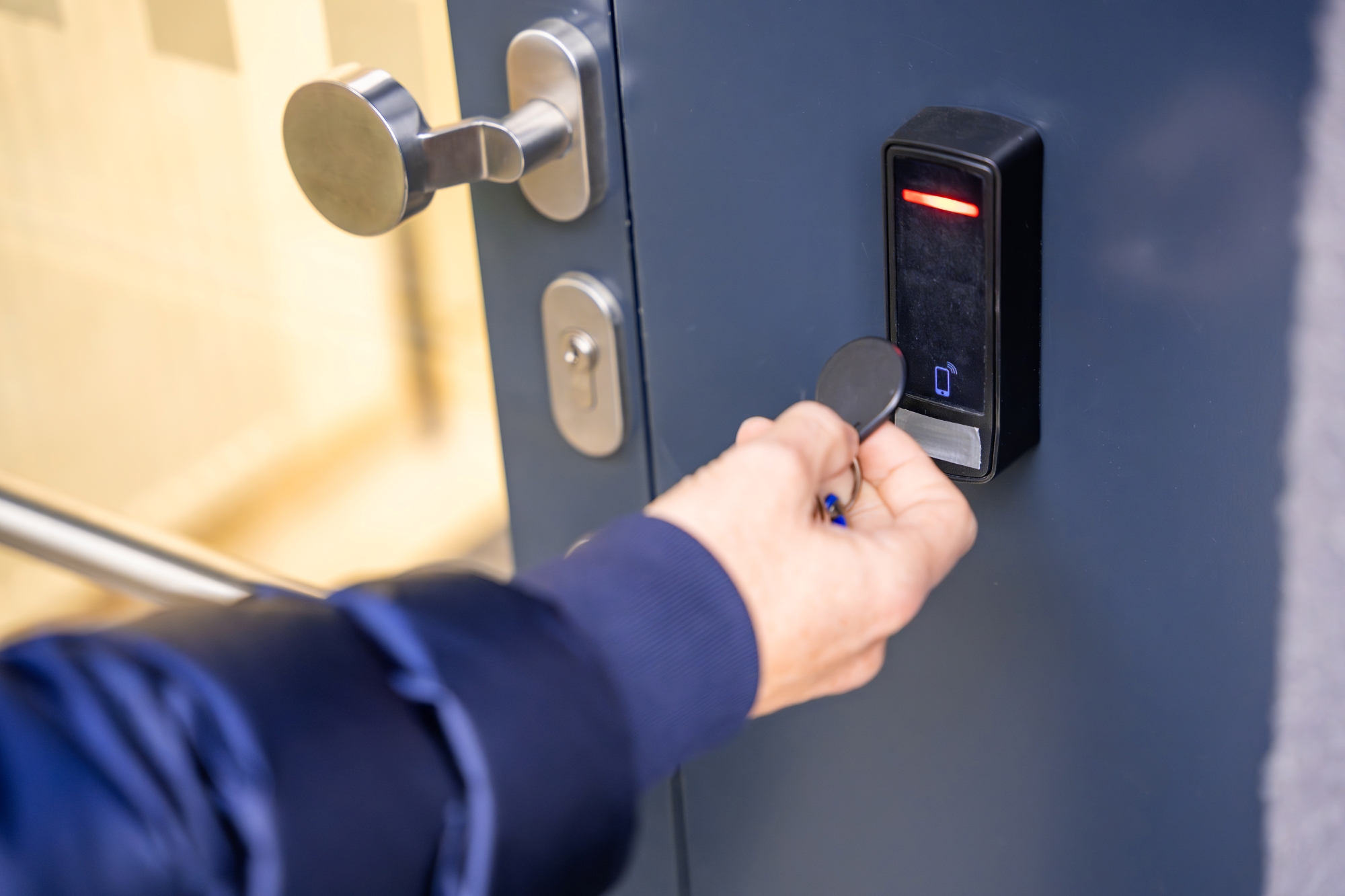
1) The Gym Is a High-Usage, High-Expectation Amenity
In many multifamily markets, residents treat a fitness center as baseline infrastructure, not a “nice-to-have”. Industry analysis highlights gyms among the most frequently used shared amenities.
NAIOP’s summary of Corgan’s ‘Residency Reshaped’ research notes the study surveyed nearly 1,500 renters and included in-depth interviews with renters, building managers, and developers. In that research, more than 70% of surveyed renters said they would be willing to pay higher rent for better neighborhood assets, in-unit amenities, and shared amenities. NAIOP also reports that more than 70% of surveyed renters were willing to pay $100 to $199 more per month for amenities across those categories, while less than 5% said they would not be willing to pay more for amenities.
When the gym is heavily used, small frictions turn into constant interrupts for staff:
- doors held open
- “my fob stopped working” tickets
- shared codes (if you have a keypad) spreading quickly
- complaints about non-residents using the space
2) Gyms Carry Higher-Than-Obvious Risk
Even with strong safety practices, gyms create more incident vectors than many other amenities. When something goes wrong, you need to answer basic questions fast:
- who entered
- when they entered
- whether they were authorized
A credentialed system doesn’t eliminate risk, but it gives you an audit trail that improves incident response, internal review, and documentation.
3) Manual Access Methods Don’t Scale
Physical keys, shared keypad codes, and paper sign-in sheets fail for the same reason: consistency depends on human behavior.
- keys get lost
- codes get shared
- sign-ins don’t reflect reality
At scale, assumptions break. Credential-based access replaces assumptions with verifiable enforcement.
How a Gym Key Fob System Works (Without the Buzzwords)

At its core, gym key fob access is a standard electronic access control flow:
- A resident presents a credential (fob, card, or mobile ID) at the reader.
- The reader sends the credential data to a controller or cloud service.
- The system checks whether the credential is allowed at that door at that time.
- The lock is released (or stays locked).
- The system records an event in an audit log (granted or denied).
Core Components
- Credential: key fob, key card, or mobile access
- Reader: mounted at the gym entrance
- Controller + software: the system that decides access
- Door hardware: lock, strike, door position sensor (varies by door type)
- Admin interface: where your team manages users, rules, and logs
What It Replaces (and Why That Matters)
- Physical keys: hard to track, easy to copy, slow to revoke
- Shared keypad codes: fast to share, hard to enforce, no identity
- Desk sign-ins: inconsistent, time-consuming, not a control system
The Operational Backbone: Credential Lifecycle Management
Most “gym access problems” are lifecycle problems. A gym key fob system is only as strong as your ability to:
- provision access fast at move-in
- keep access accurate during the lease
- revoke access immediately at move-out
- replace lost credentials cleanly
Below is how this looks in real operations.
Move-in: provisioning should be automatic
The best resident experience is: no extra steps. In a well-run multifamily workflow, gym access is tied to the lease lifecycle:
- lease starts, access turns on
- lease ends, access turns off
If your access control system is integrated with your resident records or PMS, this can happen automatically.
If it’s not integrated, your staff becomes the integration, and errors creep in:
- someone forgets to add a resident
- someone forgets to remove a resident
- permissions drift over time
Move-out: deactivation is where you actually reduce risk
Move-out is the proof test. Legacy methods rely on:
- key return compliance
- periodic code rotation
Both are unreliable at scale. A credentialed system can revoke access immediately when a lease ends, which reduces lingering access risk.
Operational impact: If your team handles even 30 move-ins/move-outs per month and automation saves ~5 to 10 minutes per event (creating users, assigning groups, fixing misses), that’s ~2.5 to 10 staff hours back per month, and fewer access errors during peak turnover.
Lost credential replacement: decide your policy upfront
This is where many teams get stuck in reactive mode. Define:
- replacement fee and process
- how quickly lost credentials are deactivated
- whether you issue temporary credentials
- how you verify identity for replacement
Cost benchmark (typical range): Many properties price replacement at roughly $10 to $50 per lost fob/card, depending on credential type and admin handling. The bigger cost is usually staff time and repeated exceptions, not the plastic itself.
Pro tip: If you allow mobile credentials, you can often reduce replacement volume because residents lose phones less often than plastic fobs, and mobile credentials are easier to revoke and reissue.
Gym Access Rules That Scale (and Rules That Backfire)
Good rule design is simple and predictable. Recommended baseline rules for multifamily gyms:
- Residents: consistent access aligned with your amenity policy (many buildings choose broad hours or 24/7)
- Staff: access based on role (leasing, maintenance, security) with least-privilege
- Vendors or trainers: time-bound access with an expiration date
Rules that create more work:
- overly restrictive hours that don’t match real usage (drives complaints and manual overrides)
- too many exceptions handled “case by case”
- separate systems or separate credentials for different doors (creates duplicated admin)
If a rule requires a person to manually override it multiple times per week, it’s a bad rule.
Key Fob vs Key Card vs Mobile Credentials (What to Pick)
Most properties don’t make a single “forever” choice. They run hybrid during transitions.
Comparison table (high-level)
| Credential Type | What Residents Like | What Ops Teams Like | Common Downside | Best Fit |
| Key fob | Familiar, quick tap | Easy to issue in bulk | Can be shared or lost, replacement workload | Properties needing a simple physical credential |
| Key card | Wallet-friendly | Easier inventory management than physical keys | Same sharing and loss issues as fobs | Properties already issuing cards for other doors |
| Mobile credential | No extra item to carry | Remote issuance and revocation with fewer replacements | Requires device compatibility and resident adoption | Properties looking to reduce physical credential management |
Mobile Credentials Are Moving Mainstream
HID’s “State of Security and Identity” coverage highlights mobile credentials reaching critical mass and shifting from “emerging” to “baseline”, while also noting most deployments remain hybrid. In reported survey results, security is cited as a leading driver for mobile credential adoption, ahead of convenience, and most environments still keep physical credentials alongside mobile during rollout. HID notes the 2026 report is based on insights from more than 1,500 security and IT professionals, end users, and industry partners.

Practical recommendation
- If you are modernizing, plan for hybrid: keep physical credentials as backup while enabling mobile for most residents.
- If you are replacing a keypad code system, any credentialed identity (fob, card, or mobile) will be a step-function improvement.
What to Look For When Choosing a Gym Key Fob System (Decision Checklist)

This is the section that prevents expensive mistakes.
1) Online vs Offline Operation (Outage Behavior)
Ask:
- What happens if the network is down?
- Does the door fail open or fail locked?
- Do readers cache permissions locally?
- How are updates synced back after the outage?
2) Audit Logs and Log Retention
Ask:
- Can you export logs easily (without calling support)?
- How long are logs retained?
- Do logs capture denied attempts, door forced, and door held open?
Retention guideline (common policy benchmark): Many security programs retain audit logs for at least 12 months, with the most recent 3 months readily available for analysis (a common standard in security compliance frameworks).
3) Admin Roles and Permissioning
Your access control admin experience must match real staffing.
- Can you grant “front desk” or “leasing” a limited admin role?
- Can you separate “view logs” from “change access rules” permissions?
4) Credential Lifecycle Automation
This is the ROI engine. Ask:
- Can the system automate add/remove based on resident lifecycle events?
- If integrated, what exactly is automated (create user, assign access groups, deactivate, schedule)?
5) PMS Integration Reality Check
Integrations vary by platform and plan. Ask:
- which PMS platforms are supported natively
- what the mapping looks like (unit, lease start/end, occupants)
- what the fallback workflow is if your PMS isn’t supported
6) Tailgating and Anti-Passback (Set Realistic Expectations)
In multifamily gyms, tailgating is mostly a policy and design issue.
- credentialed access can deter and document
- it can’t physically prevent a resident from holding a door
If tailgating is a major issue, consider layering:
- signage and policy enforcement
- door closer tuning
- camera coverage
- occasional staff walkthroughs
7) Accessibility and Door Hardware Compatibility
A “reader” isn’t the whole system. Confirm:
- door type, lock type, and fire code requirements
- ADA access requirements and reader placement
- whether the door needs a door position sensor
Gym Key Fob Implementation Plan: 30, 60, 90 Days (Multifamily-Ready)
Day 0 to 14: Define Policies and Success Metrics
- Define your gym access policy: hours, guest rules, staff roles
- Decide your enforcement posture (what you actually plan to enforce)
- Set success metrics: fewer unauthorized users, fewer access tickets, fewer lockouts
Day 15 to 30: Install, Test, and Baseline
- Install reader + hardware at the gym entrance
- Test for:
- fast unlock response
- denied behavior (does it clearly deny?)
- door held open alarms (if used)
- admin access to logs
- Establish baseline reporting:
- top reasons for access tickets
- peak access hours
Day 31 to 60: Integrate and Automate Lifecycle
- Map resident lifecycle events (move-in, move-out, renewals)
- Implement automation where possible
- Define a weekly audit:
- stale users
- duplicate users
- failed unlock patterns
Day 61 to 90: Operationalize Incident Response
- Train the team on:
- replacing credentials
- revoking access
- pulling logs for an incident
- Document an incident checklist:
- who exports access logs
- who pulls camera footage (if applicable)
- retention and evidence handling
Operational Benefits from a Gym Key Fob System
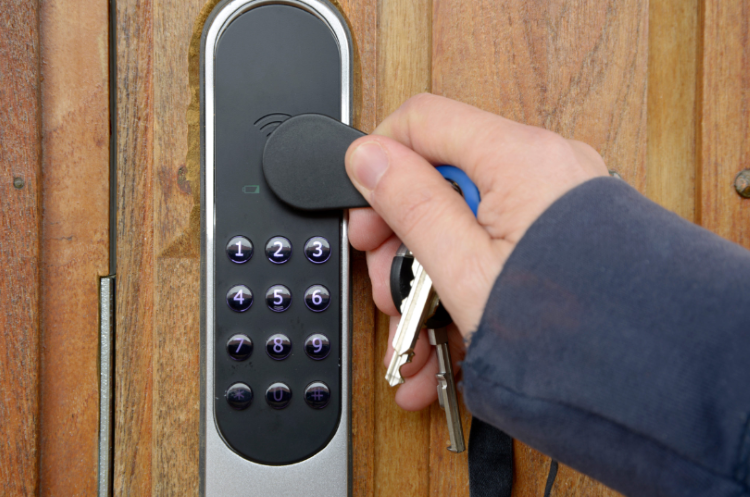
Gym key fob systems remove a lot of friction from daily operations. Instead of relying on staff to manually verify access, entry becomes automated and consistent.
In our deployments, we’ve seen this immediately reduce interruptions at the front desk and eliminate most “can you let me in?” situations that eat up staff time.
1) Less Day-To-Day Enforcement Work
Credentialed access replaces manual gatekeeping with a clear rule: valid fob, access granted; no fob, no entry. That consistency matters.
Staff no longer spend time letting people in, handling disputes, or resetting shared codes. We’ve seen properties cut daily access-related interactions significantly within the first few weeks of rollout. The system enforces itself, which is the real operational win.
2) Faster Move-Ins and Move-Outs
When access credentials are tied to leasing workflows, move-ins become much smoother. Fobs are issued once, activated immediately, and deactivated at move-out without coordination gaps.
During peak turnover periods, this reduces bottlenecks at the leasing office. It also removes the lag between “lease signed” and “access granted,” which is where most friction typically shows up.
3) Better Security Posture Without Adding Staff
Key fobs don’t replace security personnel, but they standardize enforcement. Every entry attempt is either valid or denied, and that data is logged.
We’ve seen this reduce unauthorized access attempts because there’s no ambiguity in enforcement. It also gives management a clearer audit trail when issues come up.
4) Better Data for Operational Decisions
Access logs show real behavior patterns, not assumptions. You can see peak gym usage, identify underused hours, and adjust cleaning or maintenance windows accordingly.
The key is ownership. Someone needs to actually review the data, even monthly. In practice, we’ve observed that this can help teams schedule smarter without overstaffing or disrupting peak user times.
Common Mistakes When Using Key Fobs for Gyms (and How to Avoid Them)
Key fob systems usually fail operationally long before they fail technically. The hardware works. The breakdown happens in how it’s set up, managed, and owned.
In our deployments, the same patterns show up across properties that struggle with access control.
Mistake 1: Treating Gym Access as a Standalone System
When gym access is managed separately from the rest of the building, you create duplicate data entry and mismatched permissions. That leads to residents who are active in one system but inactive in another, which creates confusion and staff workload.
Fix: Unify all amenity and building access under a single source of truth tied to resident records.
Mistake 2: Overcomplicating Rules
Too many edge-case rules almost always backfire. You end up with exceptions, manual overrides, and inconsistent enforcement at the door. Staff then stop trusting the system and start bypassing it.
Fix: Keep access logic simple. Mirror how residents actually use the space, not every hypothetical scenario.
Mistake 3: Weak Credential Lifecycle Management
Most issues aren’t “system failures.” They’re lifecycle failures: fobs aren’t deactivated after move-out, or replacements are issued without proper tracking.
Fix: Tie provisioning and revocation directly to lease events, and make it a non-negotiable workflow.
Mistake 4: Choosing a System That Doesn’t Integrate With Resident Records
Manual syncing between systems is slow, error-prone, and easy to ignore when things get busy. That’s where access drift starts.
Fix: Validate integration depth early. If resident data isn’t syncing automatically, you’re signing up for ongoing cleanup work.
Mistake 5: Ignoring Incident Workflows
Access logs are useless if no one knows how to retrieve or interpret them during an incident.
Fix: Assign clear ownership and run at least one real drill so log access, escalation, and response are actually tested, not just documented.
Cost, ROI, and Long-term Value

Typical cost components:
- hardware (readers, controllers, locks)
- installation and door hardware work (this varies widely based on existing door condition and wiring)
- software subscription, if cloud-managed
- credential issuance (fobs/cards) and ongoing replacement
- staff training and process setup (often overlooked)
- ongoing admin time (credential changes, exceptions, reporting)
A practical way to estimate “true cost” is to include the human workload you are trying to eliminate:
- how many access-related tickets you get per week
- how many minutes each ticket takes
- how many move-ins and move-outs you process per month
Where ROI Actually Comes From
Most properties don’t see ROI as a single line item. The value compounds from:
- fewer staff interrupts (“can you let me in?” moments)
- fewer unauthorized users and fewer complaints about them
- faster move-in and move-out workflows (less manual coordination)
- fewer emergency responses like rapid code changes or rekeying
- better incident response because you can pull logs quickly
Hidden ROI: Resident Perception
Residents rarely praise access when it works. They do complain when it fails.
When gym access is consistent and frictionless, it becomes part of the “this property is well-run” signal that influences retention and reviews.
Gym Access Policy Template (Copy and Adapt)
If you want fewer edge cases, write this down once and train to it.
- Hours: (for example) 5 AM to 11 PM or 24/7
- Guests: allowed or not allowed, and how many per resident
- Accountability: residents are responsible for their guests
- Prohibited behaviors: door propping, tailgating, lending credentials
- Credential replacement: fee, timeline, verification steps
- Incident response: who to notify, and how logs and footage are preserved
Incident Response Checklist (What to Do When Something Happens)
When an incident occurs in the gym, the operational goal is to reconstruct the timeline quickly and preserve evidence.
Minimum steps:
- Document the incident (time, location, summary, witnesses).
- Export access logs for the relevant door(s) and time window.
- Pull camera footage for the same time window (if available).
- Record follow-up actions (cleaning, repairs, signage, staff response).
- Store everything in a consistent location with clear naming so it’s easy to retrieve later.
Gym Key Fobs: Security Considerations (Credential Tech and Best Practices)
Security with gym key fobs isn’t just about the door hardware. It’s about how credentials are issued, protected, and managed over time. Most vulnerabilities show up in configuration and process, not the reader itself.
1) Avoid Weak Legacy Credentials Where Possible
Older proximity systems can be easier to clone or replicate, especially if they rely on outdated formats. That doesn’t mean they’re immediately unsafe, but they don’t hold up well in higher-traffic, higher-turnover environments like multifamily gyms.
If you’re upgrading, ask your vendor:
- what credential technologies they support
- whether credentials use modern cryptography
If the answer is vague, that’s usually a red flag in practice. The difference between legacy and encrypted credentials often determines how resilient your access system is under real-world misuse.
2) Treat Physical Access Like Identity, Not Like “a Key”
Access control works best when it’s treated as identity management, not just door unlocking. That aligns with broader identity and access principles outlined in frameworks like NIST, which emphasize role-based access control, least privilege, and lifecycle management for credentials.
In practical terms, that means every fob should map to a verified user, with clear rules for issuance, expiration, and revocation. When you stop thinking of fobs as “objects” and start treating them as identities, enforcement becomes much more consistent.
3) Secure Admin Access and Logs
Administrative control is where most systems quietly weaken over time. If too many people can change access rules, you lose accountability fast.
Best practice is straightforward: restrict admin permissions to a small set of roles, log every change, and make audit trails accessible. Logs only matter if they’re both complete and reviewable when something goes wrong.
Where Swiftlane Fits (and What to Evaluate)
Many “gym key fob systems” solve the door, but not the workflow.
Swiftlane focuses on access as an operational workflow:
- unified access control across entrances and amenities
- mobile credentials as an option (reduce physical credential overhead)
- audit logs and centralized administration
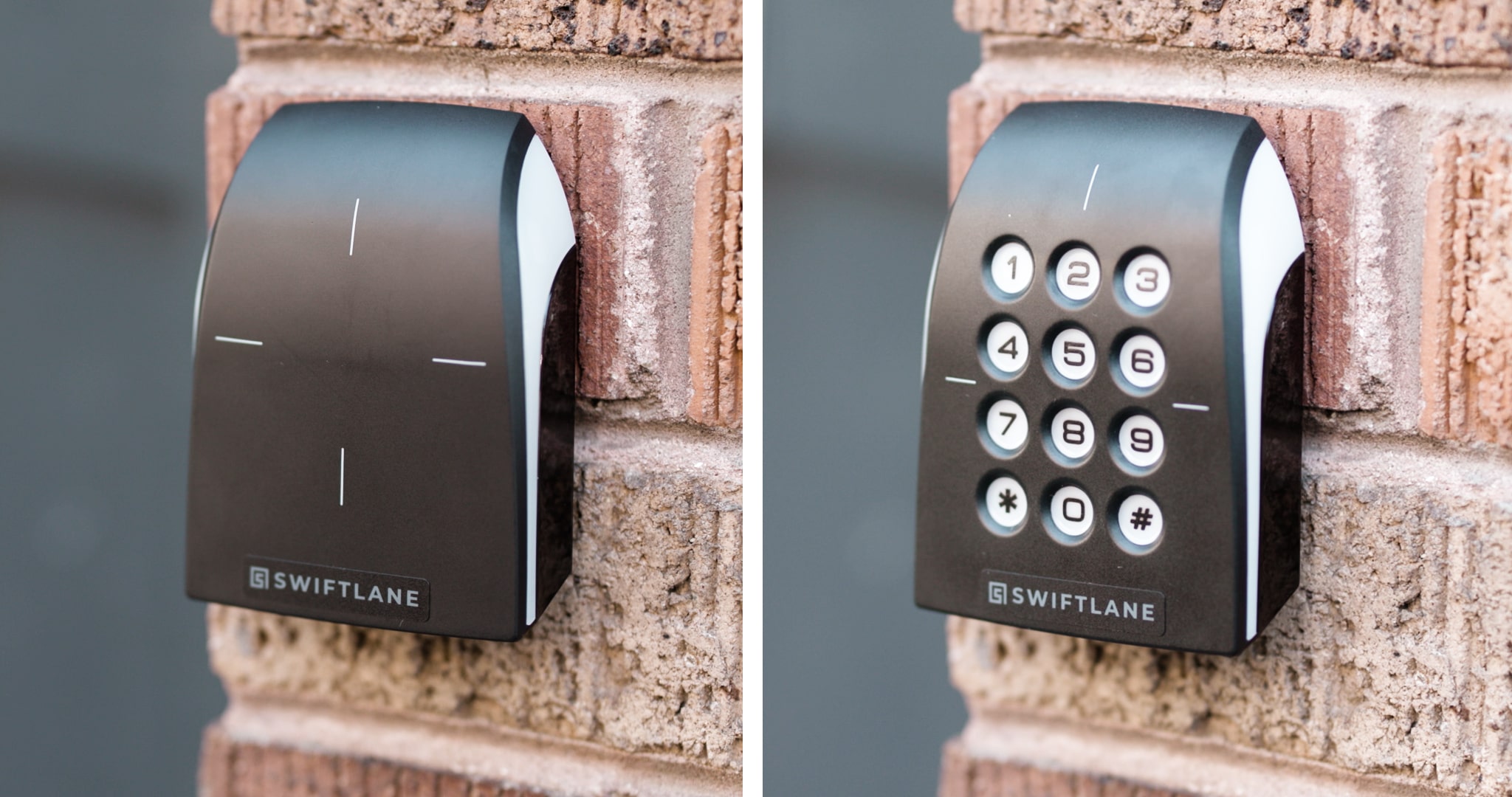
If you are evaluating platforms, look for:
- real integration depth with resident lifecycle data
- admin workflows that match staffing
- clear logging and incident support
Note: Integration availability varies by PMS and plan tier. Confirm which PMS platforms are supported and what actions are actually automated during evaluation.
Real-World Scenario: Achieving Gym Access Workflow Efficiency
In one 436-unit multifamily community we worked with, staff were spending hours every week managing lost fobs, shared access codes, vendor access, and resident turnover. After replacing its legacy gym and building access setup with a centralized cloud-based system tied to resident workflows, move-ins and offboarding became significantly faster, manual rekeying work was largely eliminated, and residents increasingly shifted to mobile-based access. The biggest operational improvement came from reducing day-to-day credential administration across the property, not simply installing new readers.
If you’re comparing options, prioritize systems that reduce operational overhead, not just ones that unlock doors.
Book a demo or get a quote to see how it fits your property workflow in practice.
Vendor Questions (Fast Checklist)
- What happens during an internet outage, and does the door keep working?
- Can you automate move-in provisioning and move-out deactivation from resident records?
- How do you handle role-based admin permissions for leasing vs maintenance vs security?
- How long are audit logs retained, and how easy is export?
- What’s the recommended setup for hybrid mobile + physical credentials?
Frequently Asked Questions
Do gyms need key fobs?
Not strictly, but gyms need controlled access. A credentialed system (fob, card, or mobile) is the most reliable way to manage amenity access at scale without constant staff involvement.
Can residents share their gym key fob?
Yes, a physical fob can be shared. The purpose of credentialed access is accountability and auditability. If fob sharing is a major issue, consider mobile credentials tied to individual identities and pair access with policy and camera coverage.
Is a gym key fob system safe enough for 24/7 access?
It can be, if you configure it correctly. Security comes from controlling credentials, revoking access quickly, and having audit logs, not only from restricting hours.
What happens when a resident moves out?
In a well-configured system, access is revoked immediately when the lease ends. This is one of the main advantages over keys or keypad codes.
Can a gym key fob system integrate with my property management software?
Many modern systems can, but integration depth varies. Confirm which PMS platforms are supported and what’s automated (provisioning, deactivation, access group assignment).
How do I reduce unauthorized guests in the gym?
Use credentialed access, define a guest policy, keep rules simple, and use audit logs (and cameras where appropriate) to investigate repeated issues. Tailgating is mostly a policy and design issue, not a reader issue.
How often do gym key fobs need to be replaced?
There’s no fixed timeline. Most fobs fail due to loss, damage, or turnover events rather than hardware lifespan. In practice, replacement is driven by lifecycle events (move-ins, move-outs, and resident churn), not routine degradation.
What’s the difference between a gym key fob system and a mobile access system?
A key fob system relies on a physical credential, while mobile access ties identity to a smartphone. Mobile systems reduce physical handling and make revocation instant, but most properties still run hybrid setups during transition periods to support different resident preferences and edge cases.
How do gyms handle lost or stolen key fobs?
The standard response is immediate deactivation in the access control system and reissuance of a new credential. The real control point is speed—systems that don’t allow fast revocation increase security risk regardless of hardware quality.
Do gym key fob systems create maintenance overhead for staff?
They can, but only if workflows are poorly designed. Most overhead comes from manual credential management, not the system itself. When integrated with PMS and tied to automated lifecycle rules, day-to-day maintenance drops significantly.
Have Questions?
Get in touch with our team to learn more about what Swiftlane can do for you.


