

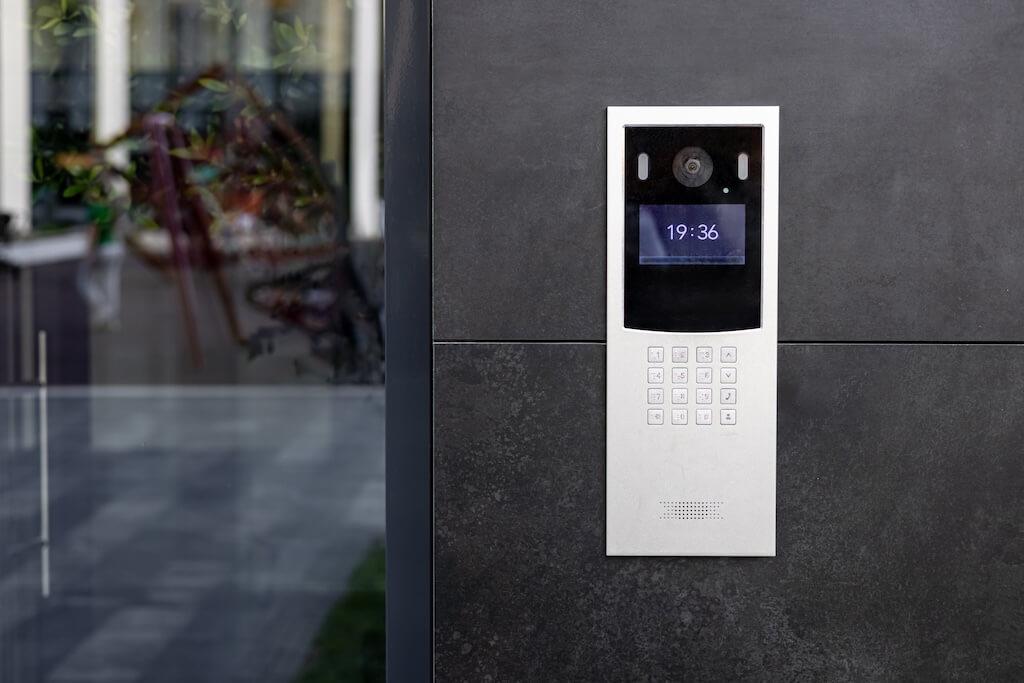
An intercom system lets a visitor call a specific unit or desk from a building entrance, so someone inside can verify them and remotely release the door. Modern systems add video, mobile answering, and cloud management for multiple doors.
For apartment and commercial buildings, the best intercom systems in 2026 are cloud-based video intercom systems that combine mobile access, remote door entry, and visitor access management on one platform.
Property managers and building operators are prioritizing systems that combine facial recognition, delivery PIN codes, and audit logging over standalone audio panels. Commercial buildings weigh two-way video and IK10-rated hardware most heavily for high-traffic entrances, while small multifamily and single-entry properties can often use simpler wireless systems.
This guide compares the top intercom systems for apartment buildings, commercial buildings, offices, mixed-use properties, along with wired, wireless, and budget options for smaller buildings, so buyers can match a system to property type, tenant volume, and budget.
How We Researched This Guide
Our picks are based on a structured evaluation of products across every major intercom category. Here is what went into our assessments:
- Sources reviewed: Vendor documentation, technical datasheets, and installation manuals for each product category. Where available, we reviewed A&E specifications and installer guides.
- App store analysis: Google Play and Apple App Store ratings and review content for each system’s tenant-facing app, weighted heavily given how much app quality affects day-to-day usability.
- Durability and weatherproofing: IP and IK ratings verified against manufacturer specs. IK10 and IP65 are considered the benchmarks for outdoor urban installations.
- Access control breadth: Each system was evaluated for the range of credential types it supported, including mobile credentials, facial recognition, PINs, RFID, and QR codes.
- Cloud and remote management: Assessed on whether directors, permissions, and access logs can be managed remotely without an on-site visit.
- Total cost of ownership: Where pricing is publicly available, we factor in hardware cost, installation complexity, and ongoing subscription requirements.
For further reading on specific product categories, see our video intercom buyer’s guide, wired intercom overview, and wireless intercom guide.
Best Intercom System by Building Type
| Building Type | Best-Fit System Type | Must-Have Features | Common Mistake to Avoid |
| Apartment buildings / multifamily | Cloud video intercom | Mobile access, resident directory, delivery PINs | Choosing audio-only for a high-traffic entrance |
| Commercial office buildings | IK-rated video intercom | Two-way video, visitor access, access control integration | Underrating vandalism/weather ratings for exterior doors |
| Mixed-use buildings | Touchscreen or app-based video intercom | Support for both app users and in-unit substations | Assuming all tenants are equally comfortable with app-only access |
| Small multifamily / single-entry | Wireless video intercom | Wi-Fi/Ethernet connectivity, no in-unit wiring | Buying an enterprise system sized for large multifamily |
| Gated or controlled-entry properties | QR/PIN-based visitor access intercom | Temporary credential issuance, cloud management | Relying on a shared code with no expiration |
| Single-family homes | Battery-powered smart intercom | Biometric or PIN entry, mobile app | Buying a subscription-dependent commercial system |
Key Takeaways
- Video is the new baseline. Entry-level video intercoms now cost a fraction of a full access-control retrofit, making audio-only hard to justify on cost alone.
- The app matters as much as the hardware. Check Google Play and Apple Store ratings before committing to any system.
- Cloud management is non-negotiable for multifamily and commercial buildings.
- Plan for POTS retirement. Major carriers are actively retiring legacy copper landline networks. Buildings relying on POTS-based telephone entry should plan for eventual replacement rather than assuming indefinite support.
- Match the system to the environment. IK10 and IP65 are the benchmarks for outdoor urban installations.
- Cybersecurity is a procurement criterion. Look for SOC 2 compliance and end-to-end encryption.
- QR code intercoms are a practical tool for secondary access points.
Table of Contents
- What Is an Intercom System?
- How to Choose the Best Intercom System for Your Building
- Best Video IP Intercom (Commercial & Multifamily): Swiftlane SwiftReader X
- Best Intercom System for Apartment Buildings: Swiftvision Pro
- Best Wired Intercom: Aiphone GT Series
- Best Wireless Intercom for Small Buildings: DoorBird D2101V
- Best Budget Audio Intercom: Comelit Ciao Kit
- Best Intercom for Mixed Tenant Populations: Aiphone IXG Series
- Best QR Code Intercom: Verkada TD63
- Best Single-Family Intercom: Eufy FamiLock S3 Max
- 2026 Trends to Watch
- Is This the Right Intercom System for Your Building?
- How Much Does an Intercom System Cost?
- FAQs
What Is an Intercom System?
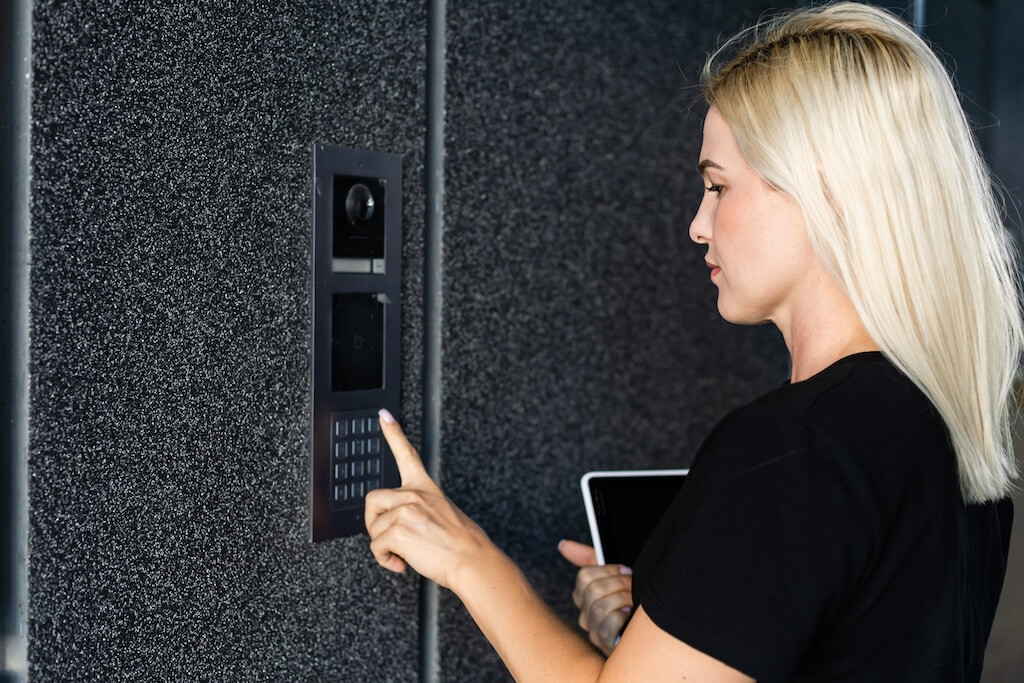
An intercom system controls building entry: it lets an occupant see and/or speak with a visitor at the door and grant or deny access, remotely or in person. Modern systems go beyond audio and video calling to include mobile credentials, PINs, or QR visitor access, key fob/card support, delivery workflows, and audit logs, often as part of a broader access control platform rather than a standalone device.
Intercom systems are used across a wide range of property types, each with different requirements:
- Multifamily and apartment buildings: Managing access for dozens to hundreds of tenants, guests, and deliveries across one or more entry points.
- Commercial offices and mixed-use buildings: Controlling visitor access, managing staff entry, and integrating with front desk or security workflows.
- Gated communities and HOAs: Controlling vehicle and pedestrian access across multiple entry points.
- Single-family homes: Smart doorbell and entry management, typically battery-powered and app-connected with no professional installation required.
Property type is the first factor in choosing the right system, alongside door count, tenant or visitor volume, and how much of the process needs to run remotely.
How to Choose the Best Intercom System for Your Building
The right intercom depends first on the property type, then on how the building operates day to day. Work through these factors in order:
1. Building Type
Apartment and multifamily buildings need directory-scale features: searchable tenant lookup, delivery PIN management, and multi-unit calling. Commercial and office buildings prioritize structured visitor sign-in and integration with front-desk or security workflows.
Mixed-use properties need a system flexible enough to serve both residential and commercial tenants. Small multifamily or single-entry properties can often use a simpler wireless system without dedicated in-unit hardware.
2. Entry Environment
For outdoor, high-traffic, or urban installations, IP65 weatherproofing and IK08-IK10 vandalism resistance are the benchmarks. Indoor or low-traffic entries can use lighter-duty hardware.
3. Visitor and Delivery Flow
Look for temporary or one-time PIN issuance for couriers, cleaning services, and guests. Buildings with high visitor volume benefit from QR-based credentials that don’t require an app download.
4. Feature Needs
Two-way video and mobile app access are now the baseline expectation for most buildings. Audio-only is best reserved for secondary access points or tight budgets. Multiple credential types (mobile, key fob, PIN, QR, facial recognition*) give tenants and staff flexibility.
Cloud-based management, remote directory updates, and access logs are must-haves for multifamily and commercial buildings, not nice-to-haves. End-to-end encryption and SOC 2 compliance matter for any cloud-connected system.
5. Installation and Integration Complexity
Confirm whether the system works with existing building wiring or requires a new install. Power over Ethernet (PoE) simplifies installation by removing the need for a separate electrical run. Consider whether the system can scale to additional doors or units without a full hardware replacement.
*Facial recognition is subject to the Illinois Biometric Information Privacy Act (BIPA), Texas Capture or Use of Biometric Identifier Act (CUBI), and Washington RCW 19.375 in those states.
Best Video IP Intercom (Commercial & Multifamily): Swiftlane SwiftReader X
The SwiftReader X is Swiftlane’s flagship intercom, built for apartment buildings, commercial offices, and other high-traffic entrances that need two-way video, strong access control, and remote management in one device. It combines two-way HD video, IK10 vandalism resistance, facial recognition,* and a best-in-class app rating. For a deeper look at video intercom technology and buying considerations, see our video intercom buyer’s guide.
Key Features:
- Two-way HD video, rare at any price point, enabling face-to-face communication between visitors and front desk or security staff
- Multiple entry methods: facial recognition,* mobile devices, RFID key fobs, PIN codes, and QR codes
- Delivery and guest access via temporary PINs for couriers, cleaning services, and guests
- Single-cable PoE installation, no separate power run required
- Cloud-based dashboard for managing one or multiple devices, tenant directories, access logs, and permissions remotely
- SOC 2 certified, with TLS/HTTPS encryption, encrypted storage, and a photo-based audit trail for every entry
iOS: 4.8/5 across 2K ratings · Android: 4.7/5 across ~1K reviews
| Strengths | Potential Drawbacks |
| IK10 and IP66 ratings, the highest in this guide | Ongoing subscription required for cloud features |
| Best-in-class app rating among products in this guide | Facial recognition may require resident education in privacy-sensitive buildings |
| 24/7 photo-verified entry logs and a 2-year limited warranty on electronic components |
Facial recognition is subject to the Illinois Biometric Information Privacy Act (BIPA), Texas Capture or Use of Biometric Identifier Act (CUBI), and Washington RCW 19.375 in those states.
Swiftlane reports 3,000+ buildings deployed annually across all 50 states. A structured onboarding flow at move-in, typically three steps covering download, face enrollment, and a test unlock, is the kind of process that reduces the most common post-install issue: residents who never downloaded the app.
Best for
Multifamily residential buildings, commercial offices, and high-traffic urban properties that need a single device to handle video calling, access control, and remote management.
Why it wins
Two-way HD video combined with IK10/IP66 durability and the highest app ratings in this guide. Most competitors offer one or two of these. SwiftReader X delivers all three.
What it’s weak at
Not the right fit for small buildings or single-family homes, where the subscription cost and feature depth are more than needed.
Typical cost range
Request a quote or a free consultation.
Install notes
PoE installation via a single Ethernet cable. No electrician required for power. Professional installation recommended for mounting and network configuration.
Who shouldn’t buy it?
Single-family homeowners, small buildings with one or two entry points on a tight budget, or properties where tenants are unlikely to adopt a smartphone-based app. Not sure whether SwiftReader X is the right fit? Talk to a Swiftlane specialist for a free consultation.
Best Intercom System for Apartment Buildings: Swiftvision Pro
For apartment buildings, Swiftlane’s Swiftvision Pro is built specifically for multifamily communities, offices, and mixed-use properties, pairing a mid-size touchscreen with flexible credential and unlock options for residents, staff, and visitors.
Key Features:
- Face recognition,* mobile app, Bluetooth, NFC, PIN, key card, and Apple/Google Wallet credential support
- Video calling to a resident’s mobile device via multi-tenant video intercom
- Remote and Bluetooth mobile unlock, alongside voice command unlock
- Visitor and package delivery access
- Mobile and landline intercom calling
- 7″ IPS LCD touchscreen, 1080p camera with visible/IR illumination
- IP65 and IK09 rated for outdoor durability
- 2-year limited warranty on electronic components
Source: Swiftvision Pro data sheet, Swiftlane.
*Face recognition is subject to the Illinois Biometric Information Privacy Act (BIPA), Texas Capture or Use of Biometric Identifier Act (CUBI), and Washington RCW 19.375 in those states.
Best Wired Intercom: Aiphone GT Series
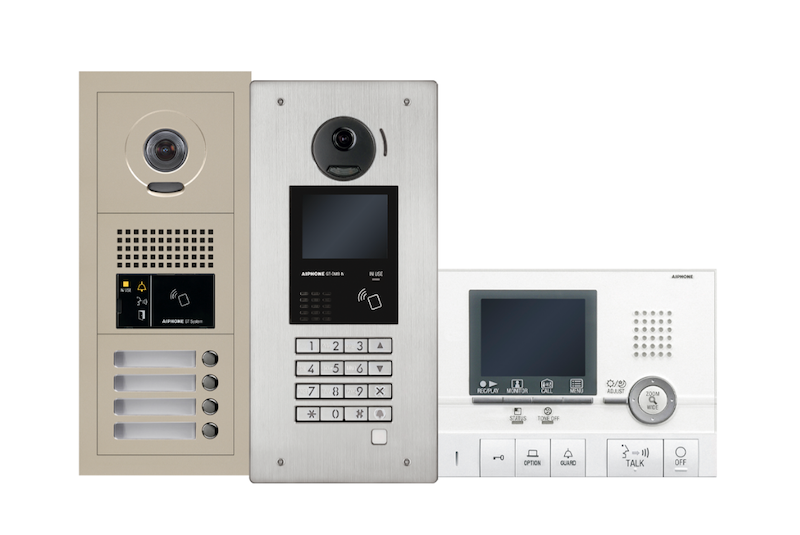
The Aiphone GT Series is purpose-built for multi-tenant buildings and works with existing 2-wire building wiring, making it one of the most practical wired options for retrofits.
Key Features:
- Works with existing 2-wire wiring; no rewiring required for most retrofits
- Modular entrance station: add displays, keypads, or up to 24 direct-select buttons
- Supports guard stations and multiple entry points
- Tenant substations available in audio-only or video configurations
- Strong U.S. installer network
App Store rating: 3.9/5 across 99 reviews
| Strengths | Potential Drawbacks |
| Ideal for retrofits, works with existing wiring | Limited mobile app experience vs. cloud-native systems |
| Highly customizable entrance configurations | Requires more on-site management than cloud alternatives |
| Proven track record in large multifamily installations | Not suited for buildings wanting an app-first experience |
Best for wired retrofit environments
The GT Series is the strongest fit when a building already has 2-wire infrastructure and tenants prefer in-unit substations over an app-first experience. It’s less ideal when the buyer wants mobile-first access control and cloud management, where a cloud-native IP system will fit better.
Why it wins
Retrofit compatibility without sacrificing customization or scalability.
What it’s weak at
Remote management and app experience lag behind modern IP systems.
Typical cost range
Varies by configuration. Request a quote from Aiphone or a certified installer.
Install notes
Works with existing wiring. Professional installation recommended.
In retrofits scoped for pre-2000 construction, discovering non-standard or degraded cabling added 20 to 40% to total install cost in many projects. A cabling survey before quoting a retrofit is worth the time and will save difficult conversations later.
Who shouldn’t buy it
Buildings prioritizing cloud management or a fully app-driven tenant experience.
Best Wireless Intercom for Small Buildings: DoorBird D2101V
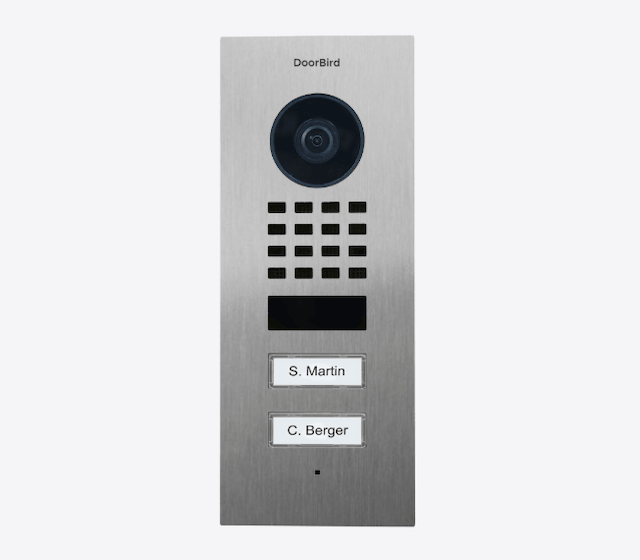
The DoorBird D2101V connects directly to tenants’ smartphones via Wi-Fi or Ethernet, with no in-unit hardware required. A strong choice for smaller multifamily and single-entry properties where running new cable to every unit is impractical.
Key Features:
- HD 180° fisheye camera with infrared night vision
- IP65 weatherproof and IK08 vandalism resistant
- Integrates with Amazon Alexa, KNX, Z-Wave, and major smart home platforms
- Supports RFID key fob access and PIN codes
- Open API for custom integrations
App Store rating: 4.5/5 across 29,167 reviews (iOS) · 4.2/5 across 2,990 reviews (Google Play)
| Strengths | Potential Drawbacks |
| Strong third-party integration ecosystem | Best suited to smaller buildings and single-entry properties |
| IK08 vandalism resistance | Less purpose-built for large multifamily than enterprise IP systems |
| No in-unit hardware required | Cloud features require an active subscription on some tiers |
Best for
Smaller multifamily buildings and single-entry properties where running cable to individual units is impractical.
Why it wins
Broad integration ecosystem and solid hardware ratings at a competitive price point.
What it’s weak at
Not designed for large-scale multifamily. App ratings are average.
Typical cost range
Request a quote from DoorBird.
Install notes
Wi-Fi or Ethernet connection only. No cable runs to tenant units required.
Who shouldn’t buy it
Large multifamily buildings or properties need enterprise-grade cloud management.
Best Budget Audio Intercom: Comelit Ciao Kit
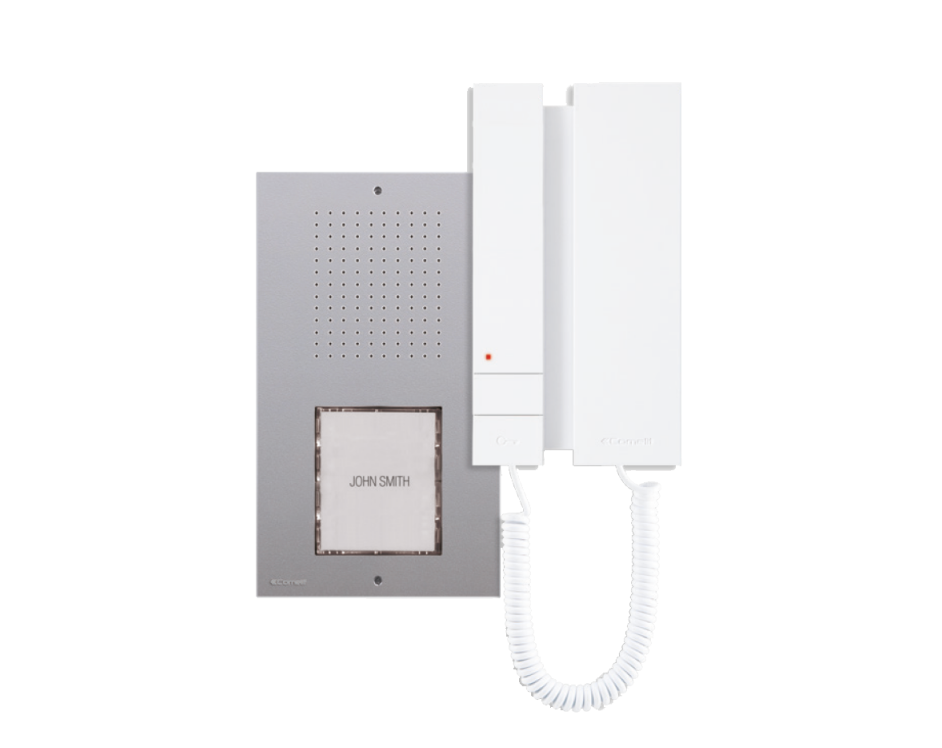
The Comelit Ciao Kit is a complete, pre-programmed audio intercom kit built for simplicity, not deep access-control features. It ships ready to use out of the box and runs on a 2-wire system, meaning it works with standard existing wiring without specialist cable.
It’s a budget/basic communication option, best suited to single- or two-family properties or as a secondary access point, not a modern access-control-forward pick for multifamily or commercial buildings.
Key Features:
- Complete kit, outdoor panel and indoor handset included, pre-programmed out of the box
- SimpleBus 2-wire system works with existing standard wiring
- Expandable with additional entrance panels and indoor stations
- No app, smartphone, or subscription fees required
Trustpilot Reviews: 4.6/5 across 5,057 reviews
| Strengths | Potential Drawbacks |
| Ships pre-programmed, straightforward installation | Audio-only, no visual verification |
| Works with existing 2-wire wiring | No mobile app or remote access capability |
| No subscription fees | Limited to single or two-family use |
Best for
Single- or two-family properties and secondary access points where simplicity and low cost are priorities.
Why it wins
The most friction-free entry-level option available. No app, no subscription, no rewiring.
What it’s weak at
Audio-only with no remote access. Not suited to anything beyond small residential use.
Typical cost range
Get a customized quote for your building.
Install notes
2-wire connection. No specialist cable required. Straightforward enough for most installers.
Who shouldn’t buy it
Any multifamily building, or any property where visual verification or remote access matters. Entry-level video intercoms are now available at comparable price points, making audio-only a harder sell as a primary entrance solution. Audio still makes sense for secondary access points, interior doors, and parking structures.
Best Intercom for Mixed Tenant Populations: Aiphone IXG Series
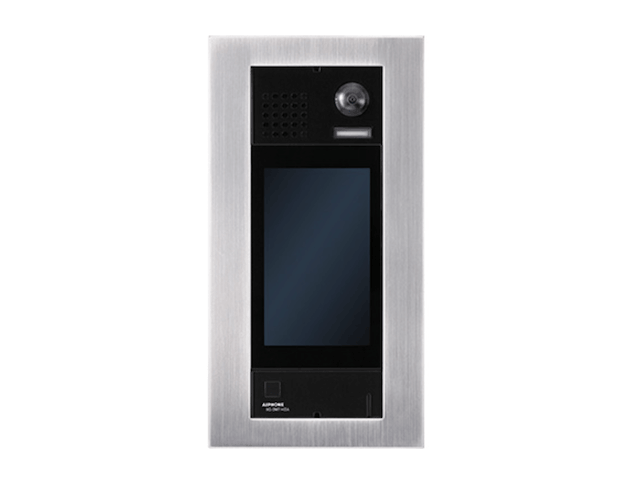
The Aiphone IXG Series is the strongest option for mixed-use and mixed-tenant buildings, where residents, office tenants, or retail occupants are split between smartphone users and those who prefer a physical in-unit device. Its ability to connect via either the IXG mobile app or a wall-mounted substation makes it uniquely suited to mixed-use properties, older buildings, or any property with diverse tenant demographics.
Key Features:
- 7″ full-color LCD touchscreen, 800×400 resolution
- 720p video camera
- Built-in HID reader for card and key fob access
- IP65 weatherproof and IK08 vandalism resistant
- PoE connectivity, no separate power supply needed
App Store rating: 4.0/5 across 1,166 reviews
| Strengths | Potential Drawbacks |
| Competitive pricing for a full-color touchscreen with HID access built in | Camera and screen resolution lag behind higher-end systems |
| Flexible tenant connection: app or physical in-unit substation | In-unit stations are an added cost if preferred over the app |
| Strong U.S. installer network | Android app reviews are average |
Best for
Mid-size multifamily buildings with mixed tenant populations, including residents who prefer a physical in-unit device over a smartphone app.
Why it wins
Touchscreen with HID access at a lower price point than most competitors, with the added flexibility of in-unit substations.
What it’s weak at
Camera and screen resolution are below average for the category.
Typical cost range
Get pricing for your property.
Install notes
PoE installation. Tenant substations require additional wiring if you select them over the app.
Who shouldn’t buy it
Buildings where tenants are fully app-comfortable and higher camera resolution is a priority.
Best QR Code Intercom: Verkada TD63
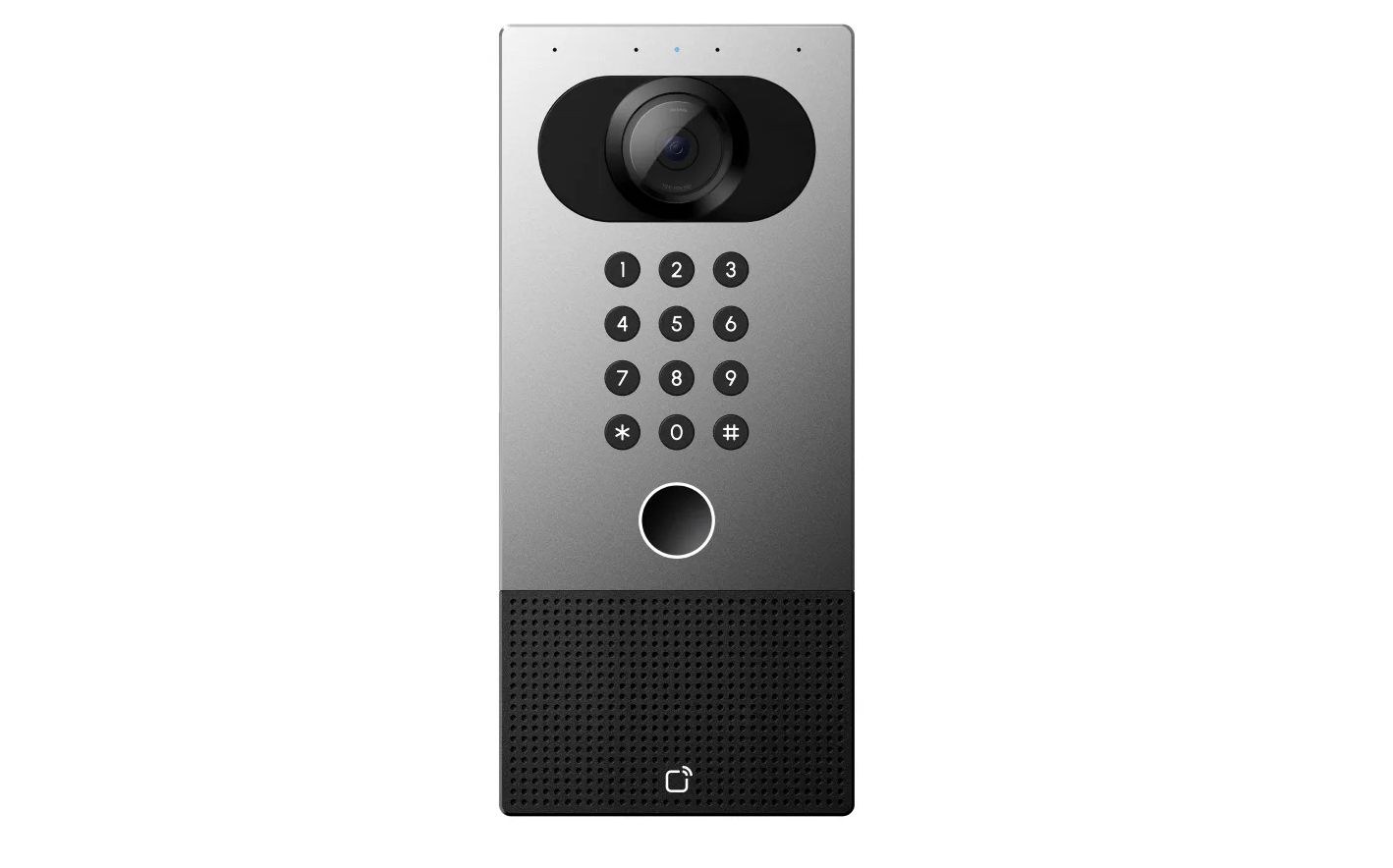
The Verkada TD63 is a cloud-based video intercom that handles QR code visitor access as part of a broader access control platform. Its Visit Key feature lets administrators issue temporary QR credentials to visitors without requiring an app download, with access restricted to specific doors, times, and days.
It’s best suited to buyers already invested in, or considering, Verkada’s broader platform, since the full feature set and pricing model are tied to that ecosystem rather than sold as a standalone device.
Key Features:
- QR code visitor access via Verkada’s Visit Key, no app download needed for visitors
- 5MP camera with AI-powered analytics and persons of interest surfacing during calls
- Live translation for two-way voice and text between visitors and call receivers
- AI-powered voice directory for call routing without a physical receptionist
- Supports NFC, Bluetooth, high- and low-frequency cards, and PIN codes
- Cloud-managed via Verkada Command dashboard
G2 reviews: 4.7/5 across 141 reviews
| Strengths | Potential Drawbacks |
| Temporary QR credentials with no visitor app download required | Enterprise pricing is not suited to small or budget-conscious properties |
| Strong AI feature set, including live translation and voice directory | Full feature set requires Verkada’s broader platform ecosystem |
| 5MP camera with a wide field of view | Overkill for secondary access points or smaller buildings |
Best for
Commercial offices, enterprise properties, and larger buildings that need structured visitor management with QR access integrated into a broader security platform.
Why it wins
QR visitor access combined with live translation, AI analytics, and cloud management in one device. Updated as recently as February 2026.
What it’s weak at
Pricing and platform depth make it a poor fit for small buildings or standalone installations.
Typical cost range
Contact Verkada for a quote.
Install notes
Cloud-managed. Reader-over-network capability removes the need for hardwired connections between the reader and the controller.
Who shouldn’t buy it
Small buildings, budget-conscious properties, or anyone not already invested in or considering the broader Verkada platform.
Best Single-Family Intercom: Eufy FamiLock S3 Max
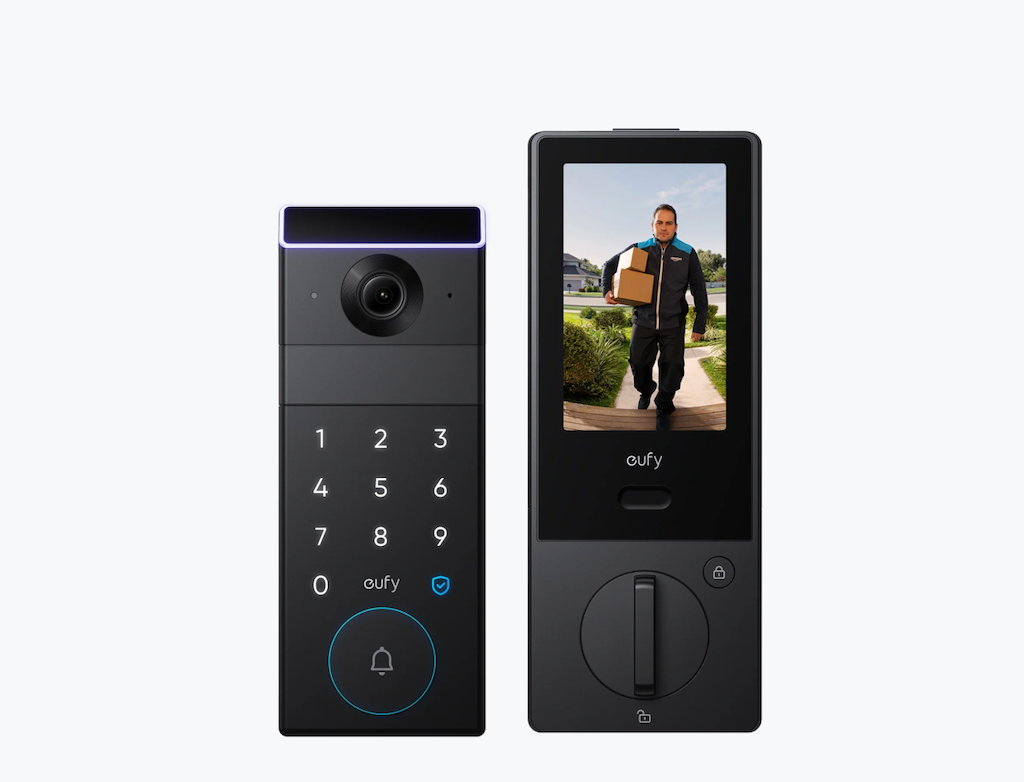
The Eufy FamiLock S3 Max is a battery-powered smart lock and video doorbell combination designed specifically for single-family homes. It won the Consumer Electronics Show 2025 Innovation Award and is the only pick in this guide to offer touchless palm-vein recognition.
Key Features:
- Touchless palm vein recognition unlocks with a wave of the hand
- 2K video doorbell with two-way audio
- Access via keypad PIN, mobile app, physical keys, or hand wave
- Rechargeable battery, no wiring required
- Apple Home and Amazon Alexa compatible
| Strengths | Potential Drawbacks |
| Touchless biometric access, no physical contact required | Only suited to single-family homes and small user groups |
| Battery-powered, easy DIY installation | Requires periodic recharging |
| Integrates with popular smart home platforms | Not suited to multifamily or commercial use |
For single-family buyers comparing options, the Ring Video Doorbell Pro 2 offers similar video quality at a lower upfront cost but lacks biometric access and has weaker smart lock integration.
Best for
Single-family homeowners who want biometric access control and video in a single device, without professional installation.
Why it wins
Palm vein recognition is unique in this guide and the consumer market. Battery-powered design makes it accessible to homeowers without any wiring or an electrician.
What it’s weak at
Limited to a small number of users. No cloud management platform for property managers.
Typical cost range
Install notes
Battery-powered. No wiring required. Suitable for DIY installation on most standard doors.
Who shouldn’t buy it
Anyone managing more than a single-family property or requiring multi-tenant directory support.
2026 Trends to Watch
Here are the key trends shaping the intercom market in 2026.
- AI-assisted entry is expanding. Facial recognition* and AI-powered analytics, once limited to enterprise systems, are now standard on mid-tier products like the Verkada TD63 and Swiftlane SwiftReader X.
- QR and virtual intercoms are gaining ground. Visit Key-style QR credentials are becoming a standard secondary access method, especially for delivery and guest access in apartment and commercial buildings.
- POTS retirement is accelerating. Telephone entry systems dependent on legacy landlines face a hard deadline as carriers phase out POTS service.
- Cybersecurity is now a procurement criterion. SOC 2 compliance and end-to-end encryption are increasingly required in RFPs for cloud-connected systems, not just nice-to-haves.
*Facial recognition is subject to the Illinois Biometric Information Privacy Act (BIPA), Texas Capture or Use of Biometric Identifier Act (CUBI), and Washington RCW 19.375 in those states.
Is This the Right Intercom System for Your Building?
The right intercom depends less on finding the most feature-rich option and more on matching the technology to property type, tenant population, and management needs. Use this as a quick guide:
- Apartment building with high daily foot traffic: A cloud-based IP video intercom with IK10/IP65 ratings, facial recognition,* and a highly rated app. SwiftReader X is the top pick.
- Commercial office or mixed-use building needing structured visitor management: Verkada TD63, with QR-based Visit Key and AI-assisted features, handles high visitor volume with minimal front-desk involvement; the Aiphone IXG Series is a strong fit where tenants split between app and in-unit device use.
- Mid-size multifamily building with existing wiring: A wired or touchscreen system with retrofit compatibility is the practical choice — Aiphone GT or IXG Series.
- Smaller multifamily or single-entry property where cable runs are impractical: A wireless IP system like DoorBird connects tenants via smartphone without in-unit hardware.
- Secondary access points, amenity spaces, or tight budgets: Audio-only, like the Comelit Ciao Kit, or a QR code plaque are both practical, low-cost options.
- Single-family home: Battery-powered with biometric access and smart home integration. Eufy FamiLock S3 Max.
Managing an apartment or commercial property? Swiftlane’s team is available for a free consultation. Get a quote here.
*Facial recognition is subject to the Illinois Biometric Information Privacy Act (BIPA), Texas Capture or Use of Biometric Identifier Act (CUBI), and Washington RCW 19.375 in those states.
How Much Does an Intercom System Cost?
Cost depends on building size, number of doors, existing infrastructure, and local installer rates. Rather than a single price, it’s more useful to think in complexity tiers:
- DIY / minimal install (Comelit Ciao Kit, Eufy FamiLock S3 Max): Self-installed, no wiring or professional install required. Lowest upfront cost, no subscription.
- Retrofit-compatible wired (Aiphone GT Series, Aiphone IXG Series): Works with existing building wiring; installation cost is the main variable, and it scales with door count and building age. No recurring subscription.
- Wireless, no in-unit hardware (DoorBird D2101V): Lower installation complexity than wired systems since there’s no per-unit cabling; hardware and optional subscription are the main cost drivers.
- Cloud-managed IP video (Swiftlane SwiftReader X): Hardware, professional installation, and an ongoing software subscription are all factors; pricing scales with door count, building size, and feature set.
- Enterprise platform (Verkada TD63): Priced as part of a broader access control platform rather than sold standalone; contact the vendor for a quote based on the property’s existing or planned Verkada deployment.
Request an itemized quote from each vendor or installer before budgeting. Actual costs vary meaningfully by region, building condition, and door count.
FAQs
What is the best intercom system for apartment buildings?
A cloud-based video intercom with mobile app access, remote management, and delivery PIN support is the best fit for most apartment buildings in 2026.
What is the best intercom system for commercial buildings?
Commercial buildings should prioritize two-way video, IK10/IP65-rated hardware for exterior entrances, structured visitor management, and cloud-based access control that integrates with existing security systems.
What is the difference between a video intercom and an access control system?
A video intercom manages entry-point communication and visitor verification at a door. An access control system manages credentials, permissions, and entry logs across some or all of a building’s doors. Many modern intercoms include access control features, but the two aren’t always the same system.
Can an intercom system unlock doors remotely?
Many cloud-based systems allow authorized users, such as property managers or front desk staff, to unlock a door remotely from a mobile app or dashboard, without being physically present at the entrance.
How much does a commercial intercom system cost?
Cost depends on door count, building size, and whether the system requires professional installation or a subscription. See the cost comparison section above for cost tiers by system type.
Are wireless intercom systems good for apartment buildings?
Wireless intercoms work well for smaller multifamily buildings and single-entry properties where running cable to each unit is impractical. Larger multifamily buildings with heavy traffic typically need the range, reliability, and admin features of a wired or cloud-based IP system.
What features should property managers look for in an intercom system?
Mobile access, a searchable resident or tenant directory, remote unlock, visitor and delivery access management, and cloud-based administration are the features property managers rely on most day to day.
Do modern intercom systems support mobile access?
Most current video intercom systems support mobile access, letting residents or staff see and speak with visitors, and often unlock doors, directly from a smartphone app rather than only from an in-unit handset.
What is the best intercom system for offices?
Office buildings typically prioritize two-way video, structured visitor sign-in, and cloud-based access management. Systems like the Verkada TD63 and Aiphone IXG Series are built for exactly this kind of visitor-heavy, multi-tenant environment.
How should buildings plan for POTS line retirement when choosing an intercom system?
Major U.S. carriers are targeting full landline retirement by 2028. Buildings still relying on a POTS-dependent telephone entry system should budget for a replacement in the next one to two years rather than waiting for a forced cutover.


