

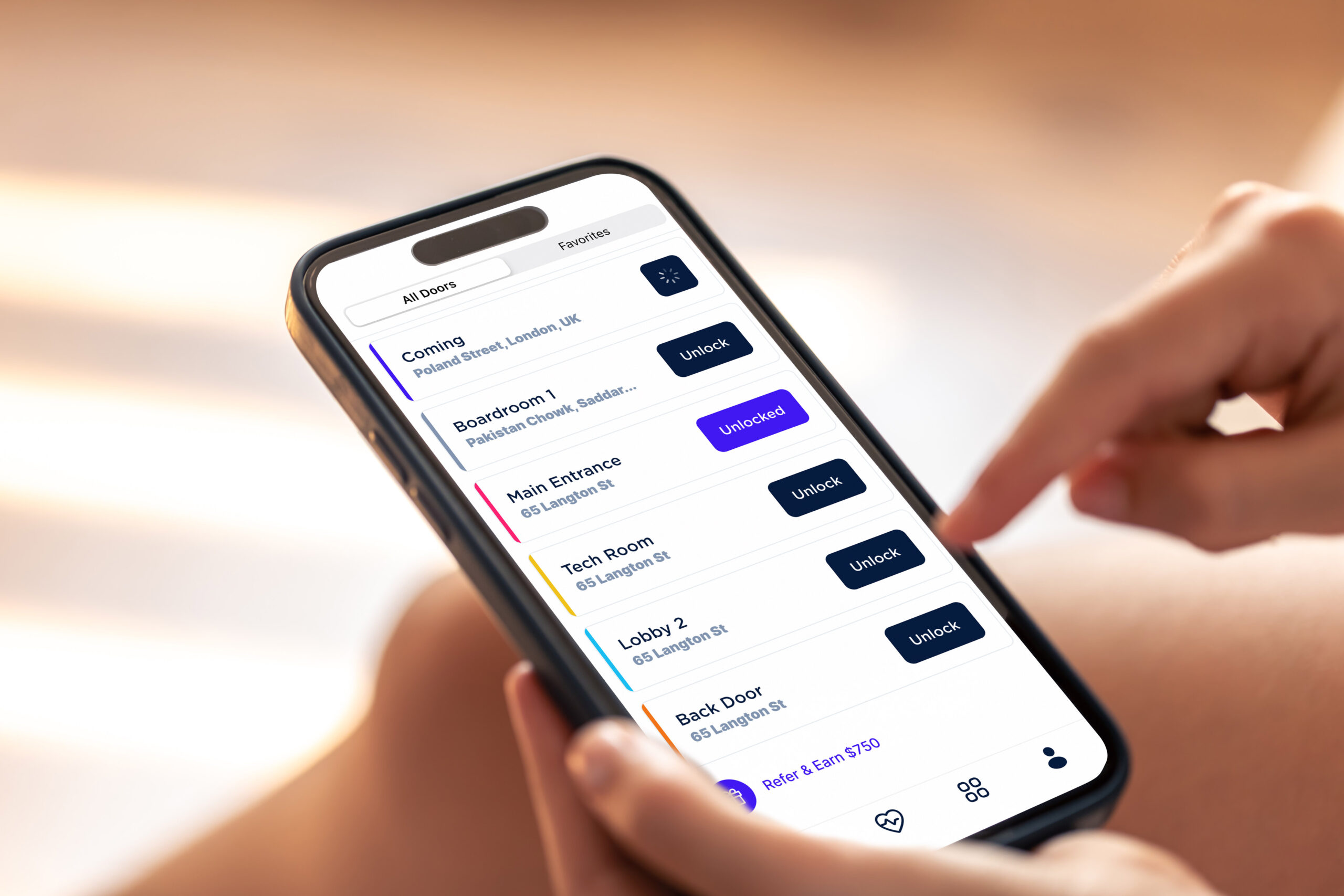
A wireless intercom system connects building entry points to residents or staff without new cabling, using WiFi, cellular, or radio frequency. It supports two-way calling and remote door release, and suits retrofits where running wire is costly. For modern buildings, the best systems combine video calling, mobile app answering, remote door unlock, cloud management, and access control integrations.
“Wireless” can mean a few different things in this category. It can refer to a cellular-connected intercom, a Wi-Fi-connected intercom, a cloud-managed IP system, or simply a wireless way for tenants and staff to answer calls from a mobile app instead of a wall-mounted unit. This guide covers all of these, along with costs, features, and guidance on choosing the right type for your property.
This guide is written for property managers, building owners, office administrators, and HOA or gate operators evaluating a wireless building intercom system for a multi-tenant or commercial property, not a single-family home.
Looking for a specific building type?
- Apartment buildings: See our apartment video intercom guide
- Offices: See our office intercom system buying guide
- Commercial buildings: See our wireless commercial intercom guide
- Gates and outdoor entry: See our gate intercom systems guide
How We Researched This
Because vendor pricing and deployment details vary by property, this guide combines live Google Search Console query data, publicly available vendor documentation, third-party cost benchmarks, and editorial analysis of wireless intercom requirements for apartments, offices, commercial buildings, and gates. We do not include Swiftlane-specific pricing or internal deployment statistics in this article.
Key Takeaways
- Wireless intercom systems use Wi-Fi or cellular data instead of building wiring, and are typically answered on a mobile app.
- Cellular, Wi-Fi, and cloud IP are the main connection types, each suited to different property sizes and needs.
- Cost depends on door count, tenant count, and whether access control is integrated, not a single flat price.
- Wireless systems are usually the stronger choice for retrofits and multi-property portfolios, while wired can still make sense for new construction.
- Facial recognition features carry biometric privacy requirements in some states, and should be reviewed before rollout.
Table of Contents
- What Is a Wireless Intercom System?
- How These Systems Work
- Types of Wireless Intercom Systems
- Features to Look For
- Wireless Systems by Property Type
- Top System Providers
- Is a Wireless Intercom Actually Better Than a Traditional Wired System?
- Wireless Intercom System Cost
- Privacy and Compliance Considerations for Facial Recognition
- How to Choose the Best Systems
- Common Mistakes When Buying Wireless Intercom Systems
- When Swiftlane Is a Good Fit
- FAQs
What Is a Wireless Intercom System?
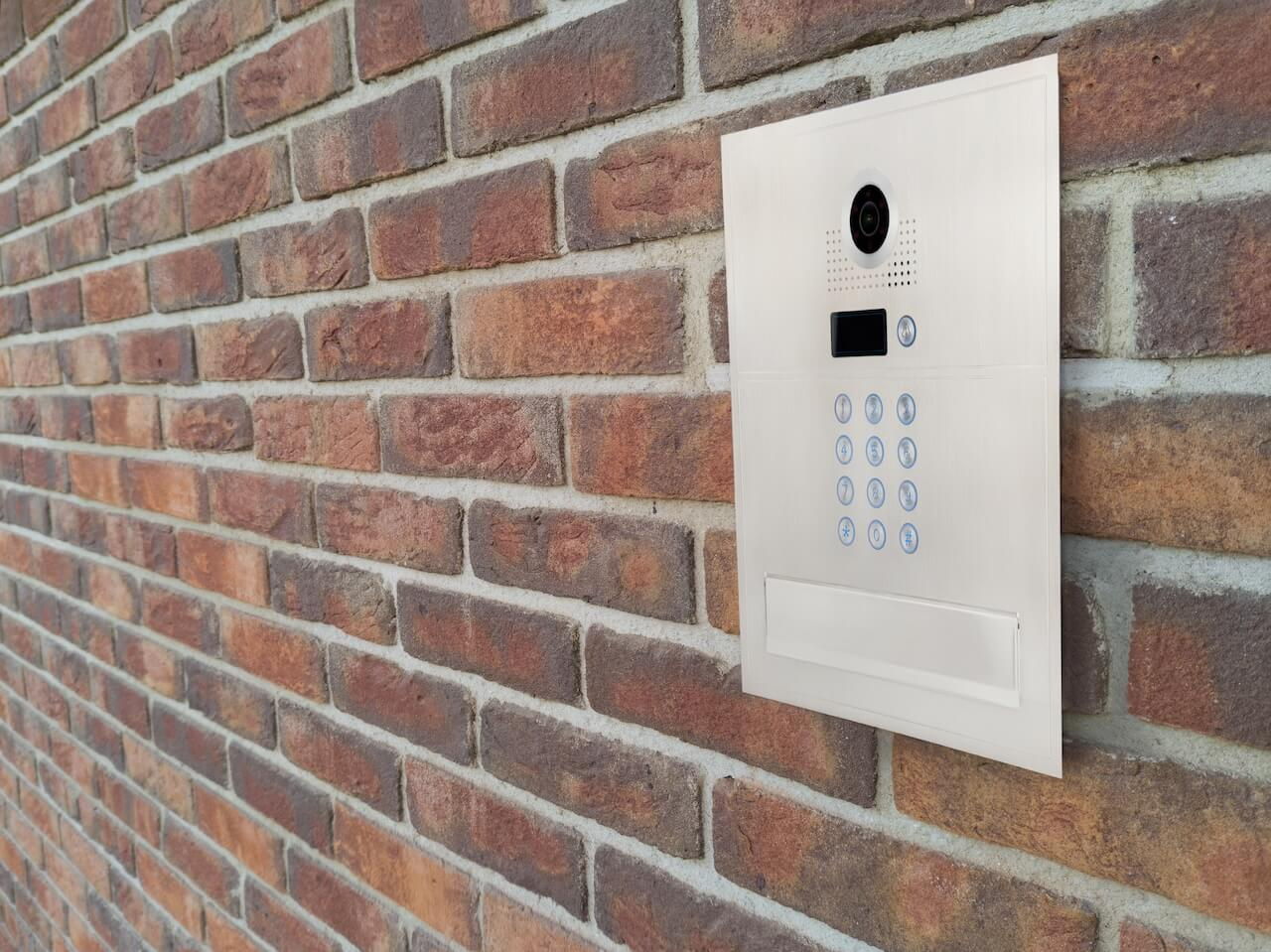
A wireless intercom system is a building-type entry device that lets a visitor contact a resident, tenant, or staff member and lets that person see, hear, and unlock the door remotely, without running new wiring to every unit or workstation. Most systems use cellular data, Wi-Fi, or both to connect the door unit to the cloud, and calls are typically answered on a smartphone app rather than a dedicated wall phone.
“Wireless” describes how the intercom connects and how it’s answered, not that it runs without any infrastructure. Most wireless intercoms still require a power source at the door and either Wi-Fi or a cellular data connection to place calls and sync with the cloud. The main difference from a traditional wired intercom is that there’s no dedicated in-unit wiring, and no on-site controller required for calls to route correctly.
You may also see this type of system called a wireless intercom system or a wireless building intercom system. These terms all refer to the same category of product.
There are a few common types, and this distinction matters when comparing systems:
- Wired intercoms connect the door station directly to individual units, with cabling running throughout the building.
- Wireless or cellular intercoms use existing internet or cellular networks instead of new wiring, so calls and video route through the cloud.
- IP or cloud-based intercoms are a broader category that includes wireless systems but also covers wired systems that use network cabling and cloud software instead of a closed analog system.
Most wireless intercom systems today support video calling, remote door release from a mobile app, and some form of access credential, whether that’s a PIN code, key fob or card, or mobile credential. Some also add facial recognition as an access method, which we cover in more detail later in this guide.
How These Systems Work
A wireless intercom system works by routing a visitor’s call over Wi-Fi or cellular data to a resident’s or staff member’s mobile app, rather than a wired in-unit handset, allowing them to see, speak with, and remotely unlock the door for that visitor from anywhere.
- A visitor arrives at the door or gate and selects a resident, tenant, or staff member from the directory on the intercom’s touchscreen or keypad.
- The system places a call over Wi-Fi or cellular data to that person’s mobile app, rather than ringing a wired handset inside the building.
- The resident or staff member answers on their phone, from anywhere, and can see and speak with the visitor through live video and audio.
- The authorized user unlocks the door or gate remotely, directly from the app, without needing to be near the entry point.
- Admins manage the whole system from a cloud dashboard, including the resident directory, access permissions, call logs, and entry history, without needing to touch on-site hardware for most changes.
Because the connection runs through the cloud rather than a closed, building-specific wiring loop, updates to the directory or access permissions typically take effect immediately, and property staff can manage multiple doors, buildings, or properties from a single dashboard.
Types of Wireless Intercom Systems
Not all wireless intercoms work the same way. The right type depends on the building, the existing infrastructure, and how much remote management you need.
| Type | Best For | Pros | Cons |
| Cellular video intercom | Apartments, gates, retrofits | No dependency on a building-wide network | Monthly data or service cost |
| Wi-Fi intercom | Small buildings or offices | Fast to install if Wi-Fi coverage is already strong | Reliability depends on Wi-Fi coverage |
| Cloud IP intercom | Multifamily and commercial properties | Remote management and app-based access | Needs some network planning |
| Audio-only wireless intercom | Small properties, homes, or light use | Lower cost | Weak fit for modern, multi-tenant buildings |
| Wireless gate intercom | Gated communities and parking areas | Handles outdoor visitor access | Needs weatherproof hardware and a power source |
Cellular and Wi-Fi intercoms are the two most common connection types, and some systems support both, switching automatically if one connection drops. Cloud IP intercoms are typically the strongest fit for multifamily or commercial buildings that want centralized management across units or properties, since they’re built around a dashboard rather than a single door unit.
Audio-only and basic wireless intercoms still exist, but they generally fit smaller or lighter-use properties rather than buildings that need video verification, mobile answering, or access control integration.
Features to Look For
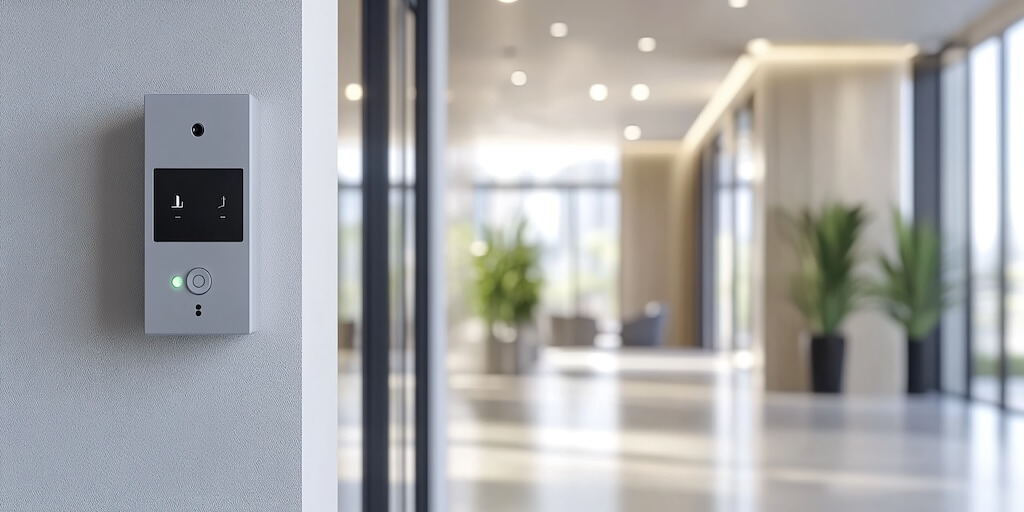
The right feature set depends on the property, but most modern buildings benefit from the same core capabilities. Here’s what to look for:
- Video calling, so residents, tenants, or staff can see who’s at the door before granting access.
- Mobile app answering, so calls can be answered from anywhere, not just from a wall-mounted unit.
- Remote door unlock, letting an authorized user open the door or gate directly from their phone.
- Cloud directory management, so property staff can update the resident or tenant directory without touching on-site hardware.
- PIN codes and temporary access, useful for guests, contractors, or short-term visitors.
- Access control integration, so the intercom works alongside key fobs, cards, or mobile credentials rather than as a standalone system.
- Audit logs, giving property staff a record of who entered and when.
- Package and delivery access support, for buildings that need to grant limited access to couriers without a full credential.
- Elevator or gate integration, where relevant, to extend access beyond the front door.
- Cellular backup or reliable network design, so the system stays functional if one connection type drops.
- Admin roles and permissions allow different staff members to have different levels of control over the system.
- Visitor experience and directory search, so guests can quickly find and reach the right person, especially in larger buildings.
Some systems also support facial recognition as an access method. This can add convenience, but it comes with privacy and compliance considerations that property teams should review before enabling it. We cover this in detail in the Privacy and Compliance section below.
Wireless Systems by Property Type
Different properties have different priorities. Here’s how wireless intercom systems apply across the most common building types.
Apartment Buildings and Condos
Multifamily properties typically get the most value from a cloud-based wireless intercom, since it centralizes resident management across many units.
- A searchable resident directory, so visitors can quickly find and call the right unit.
- Mobile unlock, so residents can grant access remotely without walking to the door.
- Delivery and vendor access, so packages and service visits don’t require a resident to be home.
For a closer look at apartment-specific options and pricing, see our apartment video intercom guide.
Offices and Commercial Tenants
Office environments tend to prioritize workflow and visitor management over resident directories.
- Employee access, so staff can enter using mobile credentials, PINs, or cards instead of a physical key.
- Visitor check-in, so guests and clients can be verified and let in without a front desk staff member present at all times.
- Vendor access, so contractors and service providers can be granted limited, time-bound entry.
- After-hours access, so authorized staff can enter outside standard business hours while keeping a record of who came and went.
For office-specific features and comparisons, see our office intercom system buying guide.
Commercial Buildings and Mixed-Use Properties
Larger commercial and mixed-use properties usually need more administrative structure than a single apartment building or office. This typically means multi-tenant support, multiple doors or entry points managed from a single system, admin roles that separate what different staff members can see or change, and access logs that track entry across the entire property, not just one door.
For a closer look at commercial-specific systems, see our wireless commercial intercom guide.
Gated Communities and Outdoor Entries
Gated communities and outdoor entry points have different requirements than indoor building entrances. These systems need weatherproof, durable hardware, cellular connectivity (since running a wired network to a gate is often impractical), and remote unlock, so property staff or residents can grant access without driving to the gate.
For more on gate-specific systems, see our guide to gate intercom systems.
Top System Providers
Every wireless intercom provider fits different buildings and budgets differently. Here’s a comparison across the criteria that matter most for a building decision.
| Provider | Best-Fit Use Case | Connectivity Model | Video/Mobile Support | Access Control Fit | Ideal Property Type | Key Limitation |
| DoorBird | Buildings wanting an IP video intercom from an established hardware brand | IP-based, wired or Wi-Fi depending on model | Video calling with mobile app support | Integrates with access control systems on select models | Small to mid-size multi-tenant buildings, offices | Feature availability and integration options vary by model, worth confirming against the current spec sheet for a given property |
| Akuvox SmartPlus | Buildings wanting a hardware lineup paired with a mobile app | Wi-Fi and IP-based, cloud-connected | Video calling through the SmartPlus app | Access control features available on select models | Multifamily and commercial buildings | Feature availability varies by hardware model, worth confirming against the current spec sheet for a given property |
| Aiphone IXG Series | Buildings wanting a modular IP intercom platform with cloud management options | IP network based | Video calling with mobile app support, AiphoneCloud available | Access control integration available, including through Aiphone’s own AC Nio line | Mid-size to large multi-tenant and commercial buildings | Access control is often a separate product line rather than fully built into the intercom itself |
| Comelit IP Video Intercom | Buildings wanting an established video door entry brand with multiple product lines | IP network-based, with wireless/LTE options available | Video calling, with app support varying by product line | Access control available through Comelit’s PAC line | Multifamily, gated communities, and commercial buildings | Access control is a separate product line from the intercom itself so that integration needs may vary by setup |
| Swiftlane | Multifamily, commercial, and mixed-use properties that want cloud video intercom and access control together in one platform | Cellular or Wi-Fi, cloud-managed | Video calling with mobile app answering, remote unlock | Built-in access control, including mobile credentials, PINs, fobs and cards, and facial recognition | Multifamily, commercial, and mixed-use properties | May be more system than needed for a small home, a basic audio-only use case, or a property looking for the lowest-cost standalone device |
| 2N IP Verso | Buildings wanting a modular IP intercom platform | IP network-based | Video calling, mobile app support | Access control integration available | Commercial and enterprise buildings | Product lineup includes multiple models and modules, worth confirming which configuration fits a given property |
Is a Wireless Intercom Actually Better Than a Traditional Wired System?
There’s no single right answer. Wired and wireless systems fit different situations, depending on the building’s existing infrastructure and how it needs to be managed.
| Factor | Wireless / Cloud | Wired |
| Installation | Lower complexity, no new cabling | Higher complexity, requires cabling |
| Retrofit fit | Strong | Difficult without existing wiring |
| Reliability | Depends on network connection | Depends on building wiring |
| Cost profile | Lower upfront, ongoing subscription | Higher upfront, lower ongoing |
| Scalability | Easier across doors and properties | Harder, especially multi-building |
| Remote management | Cloud dashboard, from anywhere | Often needs on-site access |
| Visitor experience | Mobile app, from anywhere | Fixed in-unit handset |
| Best fit | Retrofits, multifamily, portfolios | New construction, closed systems |
Wireless and cloud-based intercoms are usually the stronger choice for retrofits and multi-property portfolios, since they skip new cabling and centralize management in one dashboard. Wired or IP systems can still make sense when cabling already exists, or when new construction wants hardwired infrastructure from the start.
Wireless Intercom System Cost
Wireless intercom system pricing varies by entry point, building size, installation complexity, connectivity type, and whether the system includes access control integration or cloud and mobile app features. Rather than one flat number, it’s more useful to budget by hardware, installation, subscriptions, and integrations.
Market benchmarks, not Swiftlane-specific pricing:
- General intercom installation: HomeAdvisor lists a normal range of $1,200 to $8,500, with professional installation commonly running $1,500 to $15,000 depending on whether the system is wireless or hardwired and how advanced it is.
- NYC apartment-building installation benchmark: Impera Security lists video intercom installation ranging from $1,500 to $3,500 for small 2- to 6-unit buildings, $3,000 to $6,000 for 7- to 20-unit buildings, and $5,500 to $12,000 or more for buildings over 20 units.
What changes the price:
| Cost Factor | Why It Changes Price |
| Number of doors or gates | More entry points mean more hardware and installation labor |
| Number of units or users | Larger directories can affect software and admin scope |
| Existing wiring condition | Retrofits without existing wiring need more labor and planning |
| Wi-Fi vs. cellular connectivity | Cellular connections may add data or service fees |
| Door hardware | Strikes, relays, locks, and access control add cost |
| Access control integration | Adding access control beyond the base intercom increases scope |
| Gate or elevator integration | Extending access beyond the front door adds equipment and labor |
| Cloud or mobile app subscription | Ongoing software and app access is typically billed monthly |
| Installer labor and permitting | Local permitting requirements and labor rates vary by market |
These are third-party market benchmarks, not Swiftlane-specific pricing. Actual quotes depend on the property’s door count, tenant count, connectivity, door hardware, and access control scope.
Privacy and Compliance Considerations for Facial Recognition
If a wireless intercom or access control system includes facial recognition, it’s worth understanding the compliance landscape before rolling it out.
Facial recognition and other biometric access features can trigger biometric privacy requirements in some states. Before collecting or using biometric identifiers like a resident’s or employee’s face, property teams should review the laws that apply in their state, including:
- Illinois Biometric Information Privacy Act (BIPA)
- Texas Capture or Use of Biometric Identifier Act (CUBI)
- Washington Biometric Privacy Law (RCW 19.375)
Requirements vary by state, but can include written notice before collecting biometric data, individual consent, a retention and deletion policy, and clear communication to residents or employees about how their data is used and stored. Depending on the property and the vendor, this may also involve a vendor review and legal review before rollout.
One related but separate point worth clarifying: SOC 2 is a compliance and security controls framework, not a form of encryption. It reflects how a company manages security controls and processes, but it doesn’t describe how data is encrypted. If a wireless intercom vendor mentions SOC 2 compliance, that’s a statement about their controls and processes.
How to Choose the Best Systems
Once you know what features you need, use this checklist to evaluate specific vendors and offers.
- What property type is this for: apartment, office, commercial building, or gate?
- Does the budget align with the cost factors covered above?
- Can the vendor support your specific door count, unit count, and building layout, or will it require custom scoping?
- What implementation and support model is offered: self-install, professional install, or a fully managed rollout?
- What are the contract terms, including subscription length and cancellation policy?
- Does the system have a fallback plan if Wi-Fi or cellular service drops?
- Does the vendor’s data handling meet your property’s privacy and compliance needs?
- What’s the warranty and hardware replacement policy?
Common Mistakes When Buying Wireless Intercom Systems
A few mistakes come up often enough that they’re worth calling out before you buy.
- Treating “wireless” as no power, no infrastructure. Most wireless intercoms still need a power source at the door and a reliable Wi-Fi or cellular connection. Skipping that planning step is one of the most common surprises during install.
- Ignoring network or cellular reliability. A wireless intercom is only as good as the connection behind it. Weak cellular coverage or an unreliable Wi-Fi network at the property can undermine an otherwise good system.
- Buying home-grade intercoms for commercial buildings. A system built for a single-family home usually can’t handle a multi-tenant directory, multiple doors, or the access logs a commercial property needs.
- Not planning for door hardware and access control integration. Intercoms don’t operate in isolation. If the door strike, lock, or access control system isn’t compatible, the intercom’s remote unlock feature won’t work as expected.
- Skipping resident or staff directory management. A directory that isn’t kept current leads to missed calls and frustrated visitors, regardless of how good the hardware is.
- Forgetting package and vendor workflows. Deliveries and service visits are a daily reality for most properties. A system that can’t grant limited, temporary access in these cases creates a gap in day-to-day operations.
- Choosing a system that can’t scale across properties. A system that works for one building can become a management headache if a property portfolio grows and the system can’t extend to additional buildings or doors.
When Swiftlane Is a Good Fit
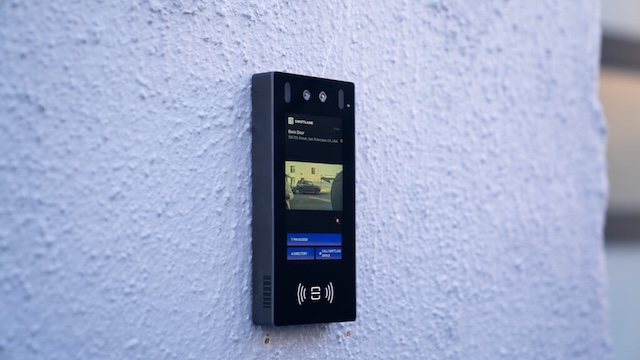
Swiftlane is a good fit when:
- The building needs cloud-managed video intercom and access control in one platform.
- Residents or tenants should be able to answer visitor calls from mobile devices.
- The property team needs remote administration across doors, buildings, or properties.
- The property wants a mix of access methods, such as mobile access, PINs, fobs or cards, and optional facial recognition.
- The property needs access logs and modern visitor access workflows.
Swiftlane may not be the best fit when:
- The buyer needs only a small home intercom
- The property wants a basic, audio-only device
- The buying priority is the lowest-cost standalone wireless unit rather than integrated building access.
- The organization isn’t prepared to evaluate privacy and compliance requirements for biometric access features.
FAQs
What is a wireless intercom system?
A device that lets visitors call residents, tenants, or staff over Wi-Fi or cellular data, without wired connections to each unit.
Do wireless intercom systems need Wi-Fi?
Many do, though some use cellular data instead, and some support both as a backup for each other.
Are wireless intercom systems reliable for apartment buildings?
Yes, as long as the property has adequate Wi-Fi or cellular coverage at the entry point.
What’s the difference between a wireless intercom and a video intercom?
“Wireless” describes the connection type. “Video” describes a feature. Most modern wireless intercoms include video.
Can wireless intercom systems unlock doors remotely?
Yes, most support remote door unlock from a mobile app.
How much does a wireless intercom system cost?
Cost depends on door count, tenant count, and features like access control integration. See the cost section above for what drives pricing.
What features should I look for in a wireless intercom for a building?
Video calling, mobile app answering, remote unlock, cloud directory management, and access control integration are the essentials. See the full feature list above.
What’s the best wireless intercom system for apartment buildings?
It depends on building size and the features you need. See our apartment video intercom guide for a detailed comparison.
What’s the best wireless intercom system for offices?
It depends on your workflow needs. See our office intercom system buying guide for a detailed comparison.
Can a wireless intercom work with access control?
Yes, most modern systems integrate with or include access control features like PINs, fobs, or mobile credentials.
Are wireless intercom systems better than wired intercom systems?
Not universally. Wireless is usually better for retrofits and multi-property portfolios. Wired can make sense when cabling already exists.
Do facial recognition intercoms have biometric privacy requirements?
Yes, in some states. Review applicable biometric privacy laws before enabling facial recognition.
What’s the difference between SOC 2 compliance and encryption?
SOC 2 is a compliance and security controls framework. Encryption is a separate technical control.
Can wireless intercom systems work for gates or outdoor entrances?
Yes, with weatherproof hardware and cellular connectivity. See our gate intercom systems guide.


