

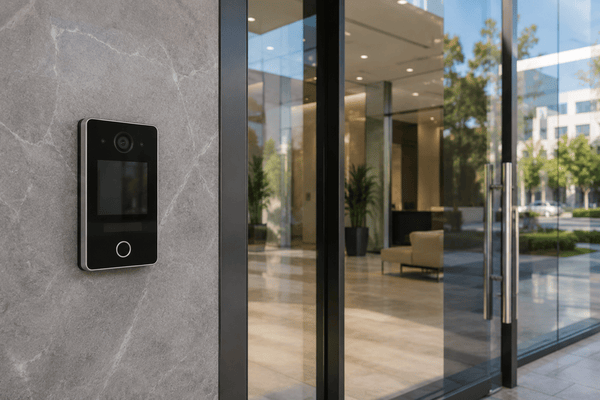
Office and commercial building teams deal with access all day, which is why choosing the best wireless intercom system has become a priority. When an entry break occurs, it becomes an operations and security problem, not just an inconvenience.
In offices and mixed-use commercial buildings, the pressure points differ from those in multifamily. You’re managing visitor flows, employee access, deliveries, contractors, and after-hours entry, often without a staffed front desk. If the system can’t support remote answering and consistent policies across doors, your team ends up handling exceptions manually.
This guide draws on industry guidance and first-hand deployment experience across 3,000+ building rollouts per year to break down what actually matters: reliability at the entry point, audit trails, integration with access control, and a rollout process that gets adoption without creating more work.
If you’re evaluating wireless intercoms for apartments/multifamily, see our dedicated guide.
How We Researched This
This guide is based on ongoing conversations with property managers, building operators, and on-site staff managing mixed-use and commercial properties.
We looked at how intercom systems perform after installation, not just what they promise during demos. That includes day-to-day workflows such as granting vendor access, handling tenant requests, managing delivery traffic, and managing credentials across multiple units or buildings.
We also factored in common rollout issues we’ve seen in real deployments: WiFi limitations, tenant adoption challenges, and integration gaps between access control tools. The focus is simple: what actually holds up in live environments where access can’t fail.
Key Takeaways
- Features don’t define the best wireless intercom system for office and commercial buildings. Instead, it’s defined by how much operational work it removes from property teams. Simplicity and scalability matter more than hardware specs.
- Most legacy and basic wireless systems break down under real-world conditions like high traffic, multi-user access, and vendor coordination. They create more manual work over time, not less.
- Cloud-based, mobile-first platforms consistently outperform standalone systems because they centralize access control, improve visibility, and reduce dependency on on-site staff.
- Implementation success depends as much on WiFi reliability, integration planning, and user adoption as it does on the system itself. Poor rollout decisions are the most common failure point.
Table of Contents
- What “Wireless” Actually Means Today
- The Real Problems Commercial Building Teams Are Trying to Solve
- Features That Define the Best Wireless Intercom System for Business
- Types of Wireless Intercom Systems and When They Make Sense
- Wired vs. Wireless: Which One Makes More Sense?
- Top Wireless Intercom Systems for Business: 2026 Comparison
- Cost Breakdown: What Property Managers Actually Pay
- What Installation Looks Like for Business Properties
- Implementation Realities: What Vendors Don’t Tell You
- How to Choose the Best Wireless Intercom System for Business
- The Future of Wireless Intercom Systems
- Where Swiftlane Fits In: From Intercom Hardware to Operational Simplicity
- FAQs
Related Posts
- Wireless Intercom Systems: What to Know and Top Picks
- Best Wireless Intercom Systems for Apartments
- Wired vs Wireless Intercom Systems
What “Wireless” Actually Means Today
The term “wireless intercom” is doing a lot of heavy lifting. And in many cases, it’s misleading.
The Old Definition vs. the Modern One
Historically, wireless meant short-range communication: radio-based systems or walkie-talkie-style devices. Limited range. Limited functionality. No real integration with access control.
Today, “wireless” refers to WiFi- or cloud-connected systems. These are IP-based, app-enabled, and often tied into a broader access control platform. The intercom is just one piece of a larger system.
That shift matters. Most property managers searching for a wireless intercom aren’t just looking for a way to talk to visitors. They’re trying to fix broken access workflows.
The Three Categories You’ll See
To make sense of the landscape, it helps to separate systems into three broad types:
| System Type | What It Does | Where It Falls Short |
| Standalone wireless intercom | Basic audio communication | No access control, no logs, no scalability |
| WiFi video intercom | Video calls + app-based unlock | Limited admin tools, fragmented systems |
| Cloud-based intercom platforms | Intercom + access control + remote management | Higher upfront and subscription cost |
Most confusion happens when these are lumped together under the same “wireless” label. They solve very different problems.
And for most property managers, only one of them actually scales.
If you’re still getting familiar with the category, see our guide to wireless intercom systems for a broader overview of how these systems work, common deployment types, and considerations to keep in mind before evaluating vendors.
If you’re specifically evaluating Wi-Fi-based options, see our guide to the best Wi-Fi intercom systems for a deeper comparison of leading solutions and deployment considerations.
The Real Problems Commercial Building Teams Are Trying to Solve
Most properties don’t have an intercom problem. They have an access management problem. If the system doesn’t reduce workload and improve visibility, it fails, no matter how secure it looks on paper.
Access Chaos
Modern buildings run on constant movement. Tenants, guests, delivery drivers, vendors, and maintenance teams all need entry at different times, for different reasons.
Without a centralized system, access turns fragmented fast. Your team will end up dealing with multiple credentials and inconsistent processes, with no single source of truth. In practice, this leads to missed deliveries, propped doors, and ad hoc workarounds that undermine your building’s security.
Operational Drag
Manual access control doesn’t scale. Your staff spends time:
- Letting people in
- Managing key fobs
- Updating directories
- Handling lockouts
Each task is small. But together, they consume hours every week. Across a portfolio, that can add up to hundreds of hours annually. Most teams underestimate this until they try to standardize their workflows.
Security Gaps
If you can’t see who entered and when, you don’t have real control. Legacy systems rarely provide reliable audit trails, and shared credentials are common. That creates exposure, especially in mixed-use environments where turnover is high.
In more structured security frameworks, identity and access control practices are often aligned with standards such as the NIST SP 800-63 Digital Identity Guidelines, which define how digital identities should be verified, authenticated, and managed across systems.
Rising Tenant Expectations
Tenants expect the same convenience they get from everything else:
- Mobile apps
- Instant access
- No waiting at the door
If your system can’t deliver that, they find workarounds: tailgating, sharing codes, or worse, bypassing the system entirely.
The pattern is consistent: Systems that don’t reduce workload and align with user behavior fail in real-world use.
Features That Define the Best Wireless Intercom System for Business


The best wireless intercom system for business isn’t the one with the longest feature list. It’s the one that supports your daily operations while reducing manual work over time.
As you compare vendors, focus on the capabilities that improve administration, visibility, and long-term usability rather than individual hardware specifications.
Mobile Access
Mobile access has become a baseline expectation. Employees, visitors, contractors, and building managers should be able to receive calls, unlock doors, and manage credentials directly from their smartphones.
Among many other benefits, mobile-first systems reduce reliance on keys, cards, and dedicated indoor stations. They also make it easier to issue temporary credentials without needing someone to be on-site. The biggest consideration is user adoption, so look for an intuitive app that requires little training.
Cloud-Based Administration
A wireless intercom should be as easy to manage as it is to install. Cloud-based administration allows your team to add users, revoke credentials, review activity, and update permissions from a centralized dashboard.
This becomes especially valuable for organizations managing multiple locations or several building entrances. Without centralized administration, every site quickly becomes its own management task.
Video and Two-Way Communication
Video verification provides an additional layer of confidence before granting access. Being able to see who’s requesting entry helps reduce unauthorized access while improving the experience for visitors, deliveries, and contractors.
Look for systems that offer clear video quality, responsive mobile notifications, and reliable two-way communication. Even the best cameras provide limited value if calls are delayed or difficult to answer.
Automation and Remote Access
Remote unlock is now expected, but automation often delivers the greater operational benefit.
Features such as scheduled access windows, temporary visitor credentials, recurring vendor permissions, and automatically expiring guest passes can eliminate many repetitive administrative tasks.
When evaluating systems, consider how much manual coordination these workflows will actually replace.
Integration with Access Control
Wireless intercoms are most effective when they operate as part of a broader access control platform. Look for systems that integrate with mobile credentials, keycards, directories, visitor management, and other building technologies rather than functioning as a standalone device.
For organizations with stricter security requirements, it’s also worth asking how the platform approaches authentication and device communication.
Many enterprise deployments align with identity guidance such as the NIST Digital Identity Guidelines (SP 800-63B) and secure communication practices outlined in the SIA OSDP implementation checklist, helping strengthen both credential management and reader-to-controller security.
Types of Wireless Intercom Systems and When They Make Sense
Most properties outgrow basic systems faster than expected. The right choice depends on traffic volume, the number of user groups accessing the building, and how much manual work you’re trying to eliminate.
In our experience, many buyers focus on hardware features first, only to discover later that the bigger challenge is managing access workflows as the property grows.
Basic Wireless Audio Intercoms
These are low-cost and easy to install, but they only solve a narrow problem: communication. Unfortunately, there are no access logs, no remote management, and little to no integration with other systems.
They can work well in small offices or warehouses. These are low-traffic environments where access control is relatively simple, and visitors are infrequent. The challenge appears when the number of access requests starts increasing.
A common failure scenario is a growing office that begins receiving frequent deliveries and contractors. Because there’s no centralized visibility into who entered and when, your team often ends up managing access manually through phone calls or shared codes.
What starts as a simple communication tool gradually becomes an administrative burden. The initial savings rarely hold once staff time is factored in.
Wireless Video Intercom Systems
Video adds a meaningful upgrade. You gain visual verification, app-based communication, and basic remote unlock capabilities. For smaller properties with one entrance, that may be enough.
The limitation shows up in day-to-day operations. Many wireless video intercoms offer limited automation and weak administrative controls.
As usage grows, these systems create partial visibility. You can see what’s happening at the door, but not necessarily across the broader access environment.
We’ve seen this become a problem when businesses expand to multiple entrances or multiple locations. Security teams can verify visitors at the front door, but managing credentials and activity logs across several entry points quickly becomes fragmented.
The result is often a patchwork of manual processes that offsets many of the benefits the system initially provided.
Cloud-Based Intercom Platforms
This is the current standard for organizations that need to scale. These systems can unify:
- Intercom functionality
- Access control
- Mobile credentials
- Cloud management
They can reduce manual work while providing centralized visibility across users and entry points. The tradeoff is higher cost and a more structured implementation process.
We’ve observed in real deployments that cloud-based platforms tend to perform best when multiple user groups need different types of access. For example, employees, visitors, vendors, cleaners, and contractors can all be managed via a single system with defined permissions and audit trails.
This is where the operational value becomes most apparent. Instead of spending time coordinating access manually, teams can standardize workflows and manage them from a single dashboard, even across multiple locations.
Wired vs. Wireless: Which One Makes More Sense?
Not every property should choose wireless. While wireless systems work well in most commercial environments, there are situations where a wired system may still be the better fit.
Use the guidance below as a practical decision framework.
Choose Wireless If…
- You are retrofitting an existing building and want to avoid extensive cabling or trenching.
- You need remote management across multiple properties.
- Mobile credentials, app-based access, and cloud management are priorities.
- Your property experiences frequent tenant turnover, deliveries, or requests for vendor access.
- Reducing administrative workload is a primary goal.
Reality Check
Network conditions matter more than most teams expect. In our experience, Wi-Fi performance at building entry points is often weaker than internal coverage. Before choosing a wireless system, validate signal strength at every access point and confirm whether cellular fallback or redundant connectivity will be needed. Without this step, even well-designed systems can underperform under real traffic conditions.
Consider Wired If…
- You are building a new property from the ground up and can incorporate cabling during construction.
- Internet connectivity is unreliable, and cellular backup isn’t practical.
- Your access requirements are relatively simple and unlikely to change.
- Long-term infrastructure standardization is more important than deployment flexibility.
- You prefer an on-premise system with minimal reliance on cloud services.
A Practical Rule of Thumb
In our experience, most existing commercial properties benefit more from wireless systems because they reduce installation complexity and support modern access workflows.
Wired systems tend to make the most sense in new construction projects, where cabling can be planned from the start.
The better question is often not “wired or wireless,” but whether the system reduces operational work while supporting how your property actually manages access.
If you’re evaluating entry systems more broadly and aren’t committed to a wireless deployment, see our guide to business intercom systems for a wider comparison of available options and use cases.
For a deeper comparison, see our guide to wired vs wireless intercom systems.
Top Wireless Intercom Systems for Business: 2026 Comparison
Below is a practical comparison of widely used wireless and cloud-based intercom and access control systems. Rather than focusing on feature lists, this breakdown examines how each system performs in real operational environments, especially in terms of administration, scalability, and the ongoing workload for property teams.
Comparison Overview
| System | Wireless Method | Admin Tooling | Integrations | Best For | Cost Range | Key Limitation |
| Swiftlane (SwiftReader X) | Cloud + mobile + IP-based | Centralized cloud dashboard | Access control, mobile credentials, third-party integrations | Commercial portfolios, multi-site operators | Custom pricing; contact Swiftlane for a quote | Requires workflow standardization during rollout |
| Brivo | Cloud access control platform | Strong enterprise-grade admin system | Wide access control + third-party integrations | Commercial properties, enterprise portfolios | Varies by edition, door count, and add-ons; per publicly available third-party estimates, per-door costs are in the low teens, while multifamily pricing can start at $4.50 per unit/month (contact the vendor for an accurate quote) | Intercom experience depends on hardware pairing |
| Verkada | Cloud-managed security ecosystem | Unified security dashboard | Video, access control, analytics ecosystem | Security-heavy commercial environments | $1,000 to $2,200 (additional license required | Expensive and security-first (less intercom-focused UX) |
| DoorBird | IP-based video intercom | Basic app + local admin tools | Limited integrations | Small buildings, single-entry properties | $700 to $6,000 | Weak scalability and limited portfolio management |
| Aiphone (IP systems) | Wired/IP hybrid systems | On-prem or hybrid admin tools | Limited cloud integration depending on model | Traditional commercial installations | Varies by model and configuration; multi-tenant door stations may exceed $1,500 per component or station (contact the vendor for an accurate quote) | Less flexible remote management |
| Avigilon Alta | Cloud-based access control | Strong mobile-first admin system | Brivo ecosystem integrations | Modern office buildings and flexible access environments | Pricing is quote-based; hardware and recurring licensing costs vary by model, contract term, and integrator (contact the vendor for an accurate quote) | Not a dedicated intercom system |
Why These Systems Made the List
Each system represents a different approach to wireless intercoms and access management, giving you a practical view of the current market rather than multiple versions of the same product.
- Swiftlane was included for its unified approach to intercoms, access control, and mobile credentials, making it well-suited for organizations managing multiple buildings or complex access workflows.
- Brivo is a long-established cloud access control platform with strong enterprise administration tools and a broad integration ecosystem.
- Verkada stands out for organizations that prioritize security operations by combining access control, video surveillance, and analytics in a single cloud-managed platform.
- DoorBird remains a popular option for smaller deployments that need a straightforward IP-based video intercom without enterprise-level management requirements.
- Aiphone continues to be widely used in commercial environments where traditional IP or hybrid intercom infrastructure is preferred over fully cloud-native systems.
- Avigilon Alta offers a modern, cloud-first access control platform with strong mobile credential capabilities, making it a good fit for office buildings and organizations modernizing employee access.
No single system is the right fit for every building. In our experience, the best choice depends less on individual hardware features and more on how well the platform fits your operational workflows, administrative requirements, and long-term growth plans.
Which Type of Buyer Is Each System Best For?
If you’re still narrowing down your options, here’s a practical way to think about the shortlist:
- Managing multiple buildings or commercial portfolios? Prioritize platforms like Swiftlane or Brivo, which offer centralized administration, remote management, and tools designed to standardize access across locations.
- Security is your primary concern? Verkada is a strong choice if you’re looking for an integrated ecosystem that combines access control, video surveillance, and security analytics.
- Modernizing employee access for an office building? Avigilon Alta is well-suited for organizations adopting mobile credentials and cloud-based access management.
- Need a straightforward video intercom for a single building? DoorBird can be a practical fit for smaller deployments that don’t require advanced administrative capabilities.
- Upgrading an existing commercial intercom infrastructure? Aiphone is often preferred where traditional IP or hybrid installations are already in place, and a full cloud migration isn’t a priority.
In our experience, buyers are happier with the system that best matches their operational model than the one with the longest feature list.
The right choice depends on how your organization manages access today and how you expect those workflows to evolve over the next several years.
Cost Breakdown: What Property Managers Actually Pay
The real cost isn’t the intercom. It’s everything around it: installation, management, and the time your team spends keeping access under control.
Upfront Costs
Most wireless intercom systems fall in the $1,500 to $7,000 per entry-point range, depending on the hardware and features.
Installation can add another $500 to $3,000 per door, but it’s typically lower than wired systems since there’s no trenching or extensive cabling.
In retrofits, that difference is significant. Avoiding wiring alone can save thousands per building. The tradeoff is network dependency: you’ll need solid WiFi or cellular coverage from Day 1.
Ongoing Costs
Modern systems involve:
- Software subscriptions
- Cloud hosting fees
- Maintenance
This shifts costs into monthly operating expenses. So, you can expect $3 to $10 per unit per month for software, plus potential fees for cloud hosting or support. For a 100-unit property, that’s roughly $300 to $1,000 per month.
This is where some teams hesitate. But these fees can replace manual processes, such as directory updates, access changes, and on-site coordination.
The Hidden Costs
This is where most budgets fall apart. Staff time is the biggest driver. If your team spends even 5 to 10 hours per week managing access, that’s easily $10,000 to $25,000 in labor annually.
In this context, this aligns with broader labor benchmarks, such as the BLS median pay for property, real estate, and community association managers, which helps clarify how quickly operational hours translate into meaningful annual costs.
Add to that:
- Key fob replacements: $10 to $50 each, often recurring
- Rekeying locks: $100 to $500 per door
- Security incidents or unauthorized access
Systems that don’t reduce these costs end up more expensive over time.
Example Cost Comparison
| Cost Category | Legacy System | Modern Cloud-Based System |
| Hardware | Lower ($1,000 to $3,000) | Moderate ($2,000 to $7,000) |
| Installation | Higher ($2,000 to $10,000 or more) | Lower ($500 to $3,000) |
| Monthly Fees | Minimal | $300 to $1,000 or more |
| Staff Time | High (manual) | Reduced (automated) |
| Long-Term Cost | Unpredictable | More predictable |
Real-world deployments show how quickly these costs add up in practice.
Case Study: 2B Living (San Francisco Portfolio)
2B Living, a property management company overseeing 4,700+ units across the Bay Area, replaced legacy Door King intercom systems across 26 properties with Swiftlane.
Before the switch, property managers were making frequent on-site visits just to grant access for vendors, tenants, and maintenance. Legacy systems also required manual updates and relied on copper phone lines that regularly failed, leading to downtime and repair costs.
After moving to a cloud-based system, the team centralized access management and eliminated most on-site unlock visits. Monthly telecom and system fees were reduced, and recurring break-in-related repair costs dropped. Property managers can now grant access remotely and monitor entry activity in real time from a single dashboard.
As one property manager noted, “I no longer need to drive across properties just to let someone in. Everything can be managed remotely.”
Result: Lower operating costs, fewer site visits, and centralized access control across a multi-property portfolio.
The takeaway is straightforward: ROI doesn’t come from saving on hardware. It comes from eliminating ongoing labor and reducing operational friction.
What Installation Looks Like for Business Properties
Installing a wireless intercom system in a business or multi-site environment is less about physical setup and more about coordination across infrastructure, network readiness, and operational workflows.
In most deployments, the process involves:
Site assessment and planning
Teams evaluate entry points, network coverage, and existing access systems to determine how the new intercom will integrate with current infrastructure.
Network and infrastructure readiness
Wi-Fi strength or cellular coverage is validated at all access points. In some cases, upgrades or adjustments are made to ensure reliable connectivity, especially for video-enabled systems.
Hardware installation at entry points
Devices are mounted and connected to power. Wireless systems reduce cabling requirements, but installation still requires proper positioning and environmental considerations.
System configuration and access setup
Property teams configure users, permissions, and access rules through a centralized dashboard. This is also where integrations with existing access control systems are established.
Testing and rollout
Before full deployment, systems are tested for call reliability, unlock speed, and connectivity stability. Rollouts are often phased across multiple buildings or entry points in larger portfolios.
In our experience, the technical installation itself is rarely the challenging part. The real complexity comes from ensuring network readiness and aligning internal workflows so the system can be adopted consistently across staff and tenants.
Implementation Realities: What Vendors Don’t Tell You
Most intercom projects don’t fail because of the hardware. They fail during implementation. This is where gaps show up and where costs creep in.
WiFi Limitations
Wireless systems live and die by network quality. In older buildings, coverage is rarely consistent. Dead zones, weak signals near entry points, and bandwidth congestion are common. Video intercoms are especially sensitive to latency.
In practice, these challenges mirror well-documented network design principles found in Cisco Meraki wireless VoIP best practices, which emphasize consistent coverage, low-latency performance, and proper access point placement for real-time voice and video traffic.
A proper site assessment isn’t optional. It’s the difference between a system that works and one that frustrates your tenants daily.
Best practice: Test signal strength at every entry point before installation and plan for cellular fallback where needed.
Retrofit Challenges
Wireless reduces wiring, but it doesn’t remove constraints. Older buildings often have limited power access near doors, awkward mounting surfaces, or legacy panels that complicate installation. You can expect some level of customization, too. Remember that projects can stall when teams assume “wireless” means plug-and-play.
Adoption Friction
Even good systems fail if people don’t use them. Your tenants may resist downloading apps. Your staff may default to old habits.
This is why training and proper rollout matter. Properties that invest a few hours upfront in onboarding can see faster adoption and fewer support issues.
Integration Headaches
Keeping parts of your existing system sounds efficient. In practice, it often creates complexity. Not all systems integrate cleanly. Many deployments slow down by trying to bridge incompatible technologies instead of standardizing.
How to Choose the Best Wireless Intercom System for Business
The best choice is the system that fits your operations today and scales without adding work tomorrow. Most mistakes occur when teams evaluate features rather than workflows.
Start with Your Property Type
Your property type sets the baseline. Office environments prioritize controlled, time-based access.
Mixed-use properties may be the hardest. That’s because they can combine both and add edge cases like shared entrances.
A system that works for a small office will break quickly in a 200-unit building.
Best practice: Choose for your most complex use case, not your simplest.
For Offices and Commercial Buildings
Office and commercial environments tend to operate differently from multifamily properties. Instead of continuous access requests from tenants, access is often structured around employees, scheduled visitors, and controlled entry during business hours.
In these environments, the priority is less about high-frequency access and more about managing permissions, visitor flows, and integration with existing identity or access systems. For example, reception workflows, contractor access windows, and employee credential management often matter more than delivery access or resident self-service.
As a result, commercial buyers place more weight on system integration, audit trails, and centralized admin control, while still expecting the same remote management capabilities found in modern wireless systems.
Map Your Access Flows
Before looking at vendors, map how access actually works. Who needs entry? When? How often?
Deliveries, vendors, tenants, and your staff all have different patterns. This exercise exposes inefficiencies fast. In many cases, teams realize they’re managing exceptions manually.
The right system should standardize your access flows, not just digitize them.
Prioritize Operational Efficiency
If it doesn’t reduce your workload, it’s the wrong system for you. Ask direct questions: Does this eliminate front desk interruptions? Does it reduce credential management? Can it automate recurring access? Systems that only “improve visibility” without reducing tasks tend to fail adoption.
In our deployments across 3,000+ buildings, we’ve observed that systems with strong feature sets but weak operational design often get underused after installation because teams revert to manual workarounds when workflows aren’t simplified end-to-end.
Evaluate Scalability
Think portfolio-wide. Can you manage multiple properties from one dashboard? Can your workflows be replicated across buildings?
Systems that require per-property setup can create long-term friction. In our experience, this only becomes obvious after teams begin expanding beyond their initial pilot property. Sadly, this is when operational complexity starts compounding.
Vet Reliability and Support
Failures are immediate and visible. If the system goes down, tenants feel it first. That’s why you should look for uptime guarantees, cellular fallback, and responsive support. A feature-rich system with poor reliability can create more problems than it solves.
In addition to operational reliability, some access control systems are also evaluated against established safety standards such as UL 294 (Access Control System Units), which defines performance and security requirements for electronic access control equipment.
We’ve seen that reliability issues rarely show up in demos. They only surface under real tenant traffic, especially in buildings with high delivery volume or peak-hour congestion.
The Future of Wireless Intercom Systems
Wireless intercoms are no longer standalone tools. They’re becoming part of broader access platforms that reshape how properties are managed day-to-day.
From Intercom to Access Platform
The intercom is merging with unified systems that manage doors, elevators, and credentials through a single interface.
This consolidation reduces the need for multiple tools and cuts down on administrative overhead. In practice, it also reduces errors. Fewer systems mean fewer mismatched permissions and less manual syncing between platforms.
AI and Automation
AI-driven features are starting to show up in real deployments. Facial recognition, rule-based access, and predictive alerts are being tested in higher-end systems.
Most are still early, but the direction is clear: Less manual approval, more automated decision-making. The tradeoff is accuracy and oversight. So, you’ll still need fallback control.
Fully Keyless Buildings
Physical credentials are steadily disappearing. Mobile access is becoming the default, especially in commercial properties. That shift reduces lost fobs, replacement costs, and ongoing admin work tied to credential management.
Remote Property Management at Scale
With cloud-based systems, more access tasks can be handled off-site.
That reduces reliance on on-site staff and changes how properties are staffed. The operational model is shifting from presence-based management to remote control.
Where Swiftlane Fits In: From Intercom Hardware to Operational Simplicity
Most teams searching for the best wireless intercom system for business start by comparing hardware. That misses the real point. The decision isn’t about the device. It’s about how much operational work the system removes.
This is where Swiftlane fits in. The goal isn’t just to replace an intercom, but to reduce the manual work involved in managing access across properties.
Swiftlane’s SwiftReader X is built around that shift. It combines video intercom functionality with mobile credentials and cloud-based access control, allowing your team to manage entry without relying on on-site staff or fragmented tools.
Instead of acting as a standalone device, it functions as part of a broader access system that connects tenants, vendors, and property managers within a single workflow.
The tradeoff is an upfront process change. You’ll need to standardize your workflows instead of layering new tools on top of old habits. But once implemented, your operational load will start to drop noticeably.
If you’re evaluating wireless intercom systems, the next step is to assess how they align with your property workflows. You can book a demo and explore how Swiftlane’s platform can handle access, scaling, and your day-to-day operations in practice.
FAQs
What is the best wireless intercom system for business use?
There isn’t a single “best” system for every property. The right choice depends on access volume and how much manual work you want to eliminate. For most commercial properties, cloud-based systems tend to perform better than standalone or basic wireless options.
How is a wireless intercom different from a traditional intercom?
A traditional intercom is wired and limited to on-site communication. Wireless systems use WiFi, IP, or cellular connectivity and often include mobile apps, video, and remote access control. The biggest difference is flexibility and remote management capability.
Do wireless intercom systems work without WiFi?
Yes, some systems do. They can operate using cellular backup or offline modes, but most rely on stable internet connectivity. If your WiFi signal is weak or inconsistent, you may experience performance issues such as lag or missed calls.
Can a wireless intercom system support multiple buildings or locations?
Yes. Many modern cloud-based systems allow administrators to manage users, permissions, and access events across multiple properties from a single dashboard. This can help standardize workflows and reduce the complexity of managing access at scale.
How much does a wireless intercom system cost?
Costs typically range from a few thousand dollars per entry point, plus monthly software fees of $3 to $10 per unit. The bigger cost driver is often operational savings or losses, not just hardware pricing.
Can wireless intercom systems integrate with access control systems?
Yes, they can. Integration with mobile credentials or keycards can help reduce fragmented workflows. Without integration, you could end up managing multiple systems separately, which can increase manual work.
What causes most wireless intercom failures in real deployments?
It’s not the hardware. It’s actually the environment around it. Weak WiFi at entry points, poor installation planning, and lack of tenant onboarding are the most common issues. Systems that look good in demos often break down when deployed across real traffic patterns.
Do tenants actually adopt wireless intercom apps?
Adoption depends heavily on simplicity. If the app experience is clean and replaces multiple steps (buzzing in, calling, waiting), adoption is high. If it adds friction, tenants revert to workarounds like sharing codes or bypassing the system entirely.
Is installation of wireless intercom systems really “easy”?
“Easy” is relative. While wireless reduces wiring, most issues arise with power access, WiFi coverage, and retrofitting older entry points. Projects often require more site planning than vendors initially suggest.
Should wireless intercoms be used for single buildings only or portfolios?
They can work for both, but the value becomes clearer at the portfolio level. Centralized cloud management reduces duplicate admin work across properties. Standalone setups tend to recreate the same inefficiencies at each site.


