

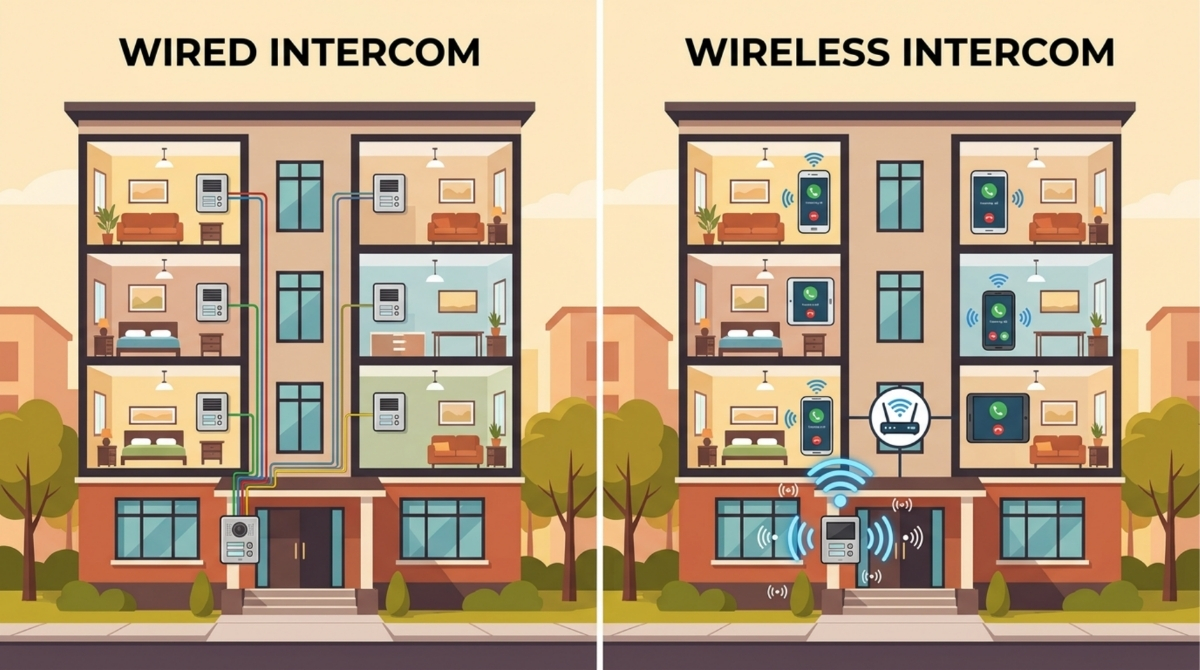
Choosing between a wired and wireless intercom system is not just a hardware decision, it is an operations decision.
TL;DR (Best Choice in 30 Seconds)
- New construction or buildings with structured cabling: wired PoE/IP is often a strong fit (plan power backup and network closet capacity).
- Retrofits: 2‑wire retrofits can reduce disruption, but only if existing wiring is in good condition.
- Wireless (Wi‑Fi): reliable only when Wi‑Fi coverage is verified at each entrance (not just “the building has Wi‑Fi”).
- Wireless (LTE/cellular): avoids local Wi‑Fi issues, but you must validate indoor carrier coverage (especially garages/basements) and account for a plan cost.
- Smart/hybrid platforms: often the best fit for many multifamily operators because they add the admin layer (roles, audit logs, turnover, vendor access) and clearer outage behavior. “Hybrid” can mean dual‑path connectivity (for example wired primary with LTE failover), but varies by vendor.
Methodology: This comparison is based on multifamily buying criteria (installation constraints, outage behavior, admin workflows, and total cost of ownership) and should be validated with an entrance-by-entrance site survey and vendor-documented outage behavior. Where possible, confirm claims using vendor documentation and relevant standards.
For multifamily properties, the questions that matter most are:
- What happens during internet and power outages?
- How much time does your team spend on resident turnover, vendor access, and deliveries?
- How easily can you audit who accessed what, and when?
This guide compares wired, wireless, and smart/hybrid apartment intercom systems, with practical guidance on installation, costs, outage planning, security, and how to choose the best fit. The recommendations draw from multifamily deployments across 3,000+ apartment and condo units nationwide.
Table of Contents
- Quick Comparison: Wired vs Wireless vs Smart/Hybrid
- What Is a Wired Intercom System?
- What Is a Wireless Intercom System?
- Wired vs Wireless: Key Differences That Actually Matter
- Best Choice by Property Type (Decision Framework)
- Cost and Total Cost of Ownership (TCO)
- Reliability and Outage Planning (Non-Negotiable)
- Security Considerations
- How to Choose the Best Intercom System for Apartments (Vendor Demo Checklist)
- Frequently Asked Questions
- Ready to Find the Right System for Your Property?
Related Posts:
- Wireless Apartment Intercom System: 14 Vendor Questions to Ask & How to Choose
- Smart Intercom vs Traditional Intercom: Key Differences and Buying Considerations
- Wired Intercom Systems: Features, Types, and Applications
Quick Comparison: Wired vs Wireless vs Smart/Hybrid
Key idea: “Wireless” describes connectivity. “Smart/hybrid” describes an operating model (cloud administration and defined outage behavior), and it may use wired, cellular, or both.
At a glance:
• Wireless (Wi-Fi) is only as reliable as your Wi-Fi coverage at each entrance (a site survey is the safest way to verify this).¹
• Wireless (LTE/cellular) can avoid local Wi-Fi issues, but depends on carrier coverage, and signal can drop indoors in basements and garages.²
• Smart/hybrid usually adds the admin layer (roles, audit logs, workflows) plus clearer outage behavior, and often supports dual-path connectivity.
Decision Table
| Building Type | Recommended Approach | Why | Watch-Outs |
| New construction | Wired PoE/IP or smart/hybrid on structured cabling | Best opportunity to design power, conduit, and connectivity correctly from the start | Confirm UPS backup, network closet capacity, and outage behavior |
| Retrofit with usable low-voltage wiring | 2-wire retrofit or smart/hybrid | Minimizes disruption while modernizing access workflows | Test existing wiring condition and topology before committing |
| High-rise | Wired or smart/hybrid | Central risers and network closets support stable deployments | Include secondary entrances, loading docks, elevator lobbies, and parking access in planning |
| Garden-style or distributed buildings | Smart/hybrid with entrance-by-entrance connectivity planning | Coverage consistency is harder across spread-out properties | Do not assume clubhouse Wi-Fi reaches gates or remote entrances |
| Gated communities / HOAs | Gate-ready smart/hybrid platform | Visitor and vendor access requires predictable gate reliability | Test cellular and Wi-Fi signal strength directly at gate locations |
Want a recommendation for your property?
Book a demo or request a quote to review entrances, connectivity, outage scenarios, and daily workflows like turnover, vendor access, and deliveries.
What Is a Wired Intercom System?
A wired intercom system connects door stations and panels via physical cabling (Ethernet/PoE, dedicated 2-wire runs, or legacy coax/analog wiring, depending on the generation).
PoE/IP Systems
PoE (Power over Ethernet) delivers power and data over one Ethernet cable. In buildings with structured cabling and a managed network closet, PoE/IP systems can be stable and easier to manage.³
2-Wire Retrofit Systems
2-wire retrofit systems reuse existing low-voltage wiring. This can reduce disruption in older buildings, but performance depends on the condition and topology of existing wiring.
Legacy Analog Systems
Legacy analog “buzzer” systems can be stable in a narrow sense, but they typically lack modern security and admin features (audit logs, remote management, strong credential controls).
Operational Reality
- Pros: Predictable latency, less dependence on Wi-Fi performance.
- Cons: More rigid infrastructure, retrofits can be disruptive, changes can be expensive.
What Is a Wireless Intercom System?
A wireless intercom system removes the need for a dedicated data cable to the door panel, but it still requires power and a network connection (typically Wi-Fi or cellular/LTE).
Wireless (Wi-Fi-Based) Systems
Wi-Fi can work well in compact properties with verified coverage at entrances. In garden-style properties, garages, or concrete-heavy construction, maintaining reliable Wi-Fi at every intercom location can become an ongoing operational task. A wireless site survey helps reduce the risk of dead zones and rework.¹
Wireless (Cellular/LTE-Based) Systems
Cellular intercoms connect via carrier networks. This can reduce dependency on the building’s Wi-Fi, but you must validate carrier coverage at each entrance location (including basements and garages) and account for a cellular plan cost.²
RF-Based Systems
Dedicated RF systems are generally niche/legacy and typically not relevant for modern wireless apartment intercom system deployments.
Wired vs Wireless: Key Differences That Actually Matter
Installation Complexity
- Wired: Plan conduit and wire runs, network closet capacity, and contractor coordination.
- Wireless: Plan coverage and connectivity (Wi-Fi survey or LTE coverage check), and define outage behavior.
Uptime and Failure Modes
Ask vendors to document behavior for:
- Internet outage (ISP down)
- Wi-Fi outage (local network down)
- Cellular outage (carrier down or weak coverage)
- Power outage (at door and in network closet)
Security (Avoid the “Wired = Secure” Misconception)
Security is less about “wired vs wireless” and more about:
- Encryption and authentication
- Role-based access (least privilege)⁴
- Audit logs⁶
- Network segmentation (when applicable)
Scalability
Wireless and smart/hybrid approaches often scale more easily across entrances and across portfolios, as long as connectivity planning is done upfront.
Admin Workflows
Evaluate:
- Resident turnover (move-ins/move-outs)
- Vendor access (time windows, expiring codes)
- Deliveries (one-time entry, call routing)
- Remote unlock
- Auditability (who granted access, who entered)
Best Choice by Property Type (Decision Framework)
New Construction
Often best fit: PoE/IP (wired) or smart/hybrid with structured cabling. You can build connectivity and power correctly from day one.
Retrofit Properties
Often best fit: 2-wire retrofit (if wiring is suitable) or smart/hybrid with minimal disruption. Validate entrances one by one.
High-Rise Buildings
Often best fit: wired infrastructure can be strong (network closet, vertical risers). Ensure elevator lobbies, side doors, and loading dock entrances are included in connectivity planning.
Garden-Style Properties
Often best fit: smart/hybrid with careful entrance-by-entrance connectivity planning. Do not assume Wi-Fi will be consistent across distributed buildings.
Gated Communities and HOAs
Often best fit: systems designed for gates plus resident/guest workflows. Validate coverage at the gate (often the hardest location).
Cost and Total Cost of Ownership (TCO)
Avoid comparing only install quotes. Compare ownership cost over 3 to 5 years.
One-Time Costs
- Hardware (panel, camera, reader)
- Install labor (wiring/conduit vs mounting)
- Network equipment (switches, routers, Wi-Fi gear)
Ongoing Costs
- Software subscription (if applicable)
- Cellular plan (if LTE is used)
- Support/maintenance
Hidden Costs
- Staff time spent on access administration
- Outage incidents and resident impact
- Rework when entrance connectivity was not validated upfront
Reliability and Outage Planning (Non-Negotiable)
Before selecting any system, confirm:
- Offline rules: Who can enter when internet is down?
- Fallback paths: Is there LTE failover, and is it tested on site?
- Power backup: Is there battery/UPS at the door and, if needed, in the network closet?⁵,⁷
- Emergency access: What is the procedure for fire/EMS and lock override?
Security Considerations
Encryption and Authentication
Require modern encryption in transit, secure authentication, and documented credential handling.
Role-Based Access
Make sure the system supports least-privilege roles (leasing, maintenance, vendor, security) and fast revocation.
Audit Logs
Audit logs should be easy to access and export, and cover both admin actions (who granted access) and entry events.
Visitor and Delivery Workflows
Workflows should reduce credential sprawl (fewer shared codes), and support expiring access.
How to Choose the Best Intercom System for Apartments (Vendor Demo Checklist)
Bring these questions to every demo:
- What happens during an ISP outage? During a Wi-Fi outage? During an LTE outage? During a power outage?
- What is the documented offline entry path (keys, codes, fallback credentials)?
- Can we run a site survey (Wi-Fi survey or LTE coverage test) at each entrance before signing?
- How do resident turnover and vendor access work in practice (time windows, expiring credentials, bulk changes)?
- What audit logs exist, and can we export them?
- What integrations exist (access control, property management, SSO), and what is required to set them up?
- What support Service Level Agreement (SLA) do you offer, and how do you handle outages?
- What is the 3 to 5 year TCO estimate (install + subscription + cellular + maintenance + staff time)?
Frequently Asked Questions
What’s the difference between a wired and wireless intercom system?
A wired intercom system connects the entry panel using physical cabling (often Ethernet/PoE or existing low-voltage wiring). A wireless intercom system connects primarily over Wi-Fi or cellular/LTE (it still needs power and network availability). In multifamily, the practical difference is usually the reliability plan and ongoing maintenance burden, not just whether a cable is used.
Are wireless intercom systems reliable for apartments?
They can be reliable if they are engineered for the site, which typically means a real Wi-Fi survey at the entrance or strong LTE coverage, plus clear outage behavior. Wireless becomes unreliable when it is treated as plug-and-play and the building’s network conditions change over time.
Do wireless intercoms work if the internet goes out?
It depends on the system’s design. Some wireless intercoms lose key functionality during an ISP outage unless they have cellular failover or a defined offline mode. The safest approach is to require vendors to document what happens during internet, Wi-Fi, LTE, and power outages, including who can still enter and how access is logged.
Is PoE considered wired, and is it better for multifamily?
Yes. PoE (Power over Ethernet) is a wired approach that delivers power and data over one Ethernet cable. For multifamily, PoE can be a strong option because it is stable and easier to manage with standard network gear, especially in new construction or major renovations. It is still important to plan for outages, backups, and admin workflows.
What does smart intercom or hybrid mean?
A smart or hybrid intercom typically refers to a modern platform that adds cloud-managed administration (resident turnover, roles and permissions, audit logs, visitor and delivery workflows) and may support more than one connectivity method (for example wired primary with LTE backup). For many properties, this operational layer matters more than the wired vs wireless label.
Which is more secure, wired or wireless video intercom?
Either can be secure when built and managed correctly. Security depends on encryption, authentication, role-based access, audit logging, and good network practices (like segmentation). In multifamily, the most important outcomes are controlled access, clear accountability through logs, and workflows that reduce credential sprawl and misuse.
What’s the typical install complexity for retrofits?
Retrofit complexity depends on what infrastructure is already available at each entrance: power, wiring pathways, existing low-voltage cabling, network access, and mounting constraints. Wireless or hybrid approaches can reduce disruption, but they still require a coverage or connectivity plan and defined outage behavior.
What should we check before choosing a wireless intercom for our building?
Check entrance connectivity (Wi-Fi strength or LTE coverage), power and backup options, the system’s offline rules (who can enter during outages), support and escalation SLAs, and how admin workflows work in practice (resident turnover, vendor access, deliveries, and audit logs). A wireless system is only as good as the site conditions and the outage plan.
Ready to Find the Right System for Your Property?


If you want a recommendation, start with a site assessment that reviews entrances, connectivity options, outage scenarios, and admin workflows.
Or book a demo to see how a smart intercom platform handles the day-to-day: turnover, vendor access, deliveries, remote unlock, and audit logs, all from a single dashboard.
References
¹ Nortech Services. “Why do I need a wireless site survey?” https://nortechservices.co.uk/why-do-i-need-a-wireless-site-survey/
² OnSignal. “In-building cellular coverage: Why does the signal disappear?” https://onsignal.org/en/in-building-cellular-coverage-why-does-the-signal-disappear/
³ IEEE Standards Association. IEEE 802.3 (Ethernet) standard listing (includes PoE-related amendments such as 802.3af/at/bt). https://standards.ieee.org/ieee/802.3/7071/
⁴ NIST. Identity & Access Management. https://www.nist.gov/identity-access-management
⁵ APC (Schneider Electric). UPS basics (FAQ). https://www.apc.com/us/en/faqs/FA158852/
⁶ NIST. Special Publication 800-53 Rev. 5 (Update 1): Security and Privacy Controls for Information Systems and Organizations.https://csrc.nist.gov/pubs/sp/800/53/r5/upd1/final
⁷ NIST. SP 800-34 Rev. 1: Contingency Planning Guide for Federal Information Systems. https://nvlpubs.nist.gov/nistpubs/Legacy/SP/nistspecialpublication800-34r1.pdf


