

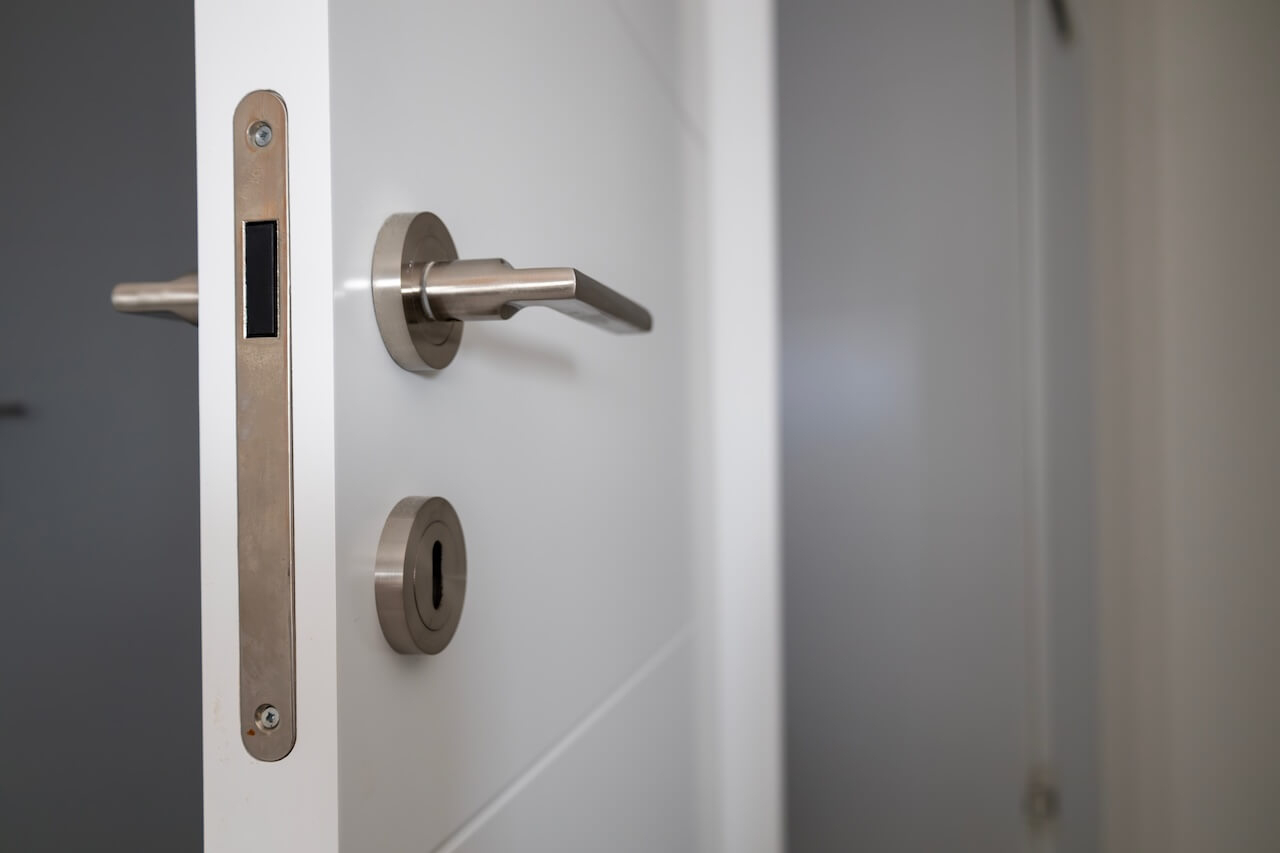
A commercial intercom system with door release is only effective if it matches your building’s layout, door hardware, and access patterns. This guide provides a clear framework to help you evaluate your options and choose a system that works reliably in day-to-day operations.
We’ll cover how these systems function, the main types available, and the factors that impact performance across commercial properties. By the end, you will know what to prioritize and how to avoid common implementation gaps.
Key Takeaways
- A commercial intercom system with door release allows staff or tenants to verify visitors and unlock doors remotely
- Electric strikes and magnetic locks are the most common door release mechanisms, each suited to different door types
- Cloud-based systems enable door release from mobile devices or computers, replacing fixed desk stations
- The biggest factor in performance isn’t features but whether the system is properly matched to your building’s hardware and infrastructure
Table of Contents
- What Is a Commercial Intercom System With Door Release?
- How These Systems Work
- Door Release Mechanisms
- Key Features in Commercial Intercom Systems
- Infrastructure and Installation Considerations
- Security and Access Control Considerations
- How Swiftlane Supports Commercial Buildings
- Let’s Wrap Up
- FAQs
What Is a Commercial Intercom System With Door Release?
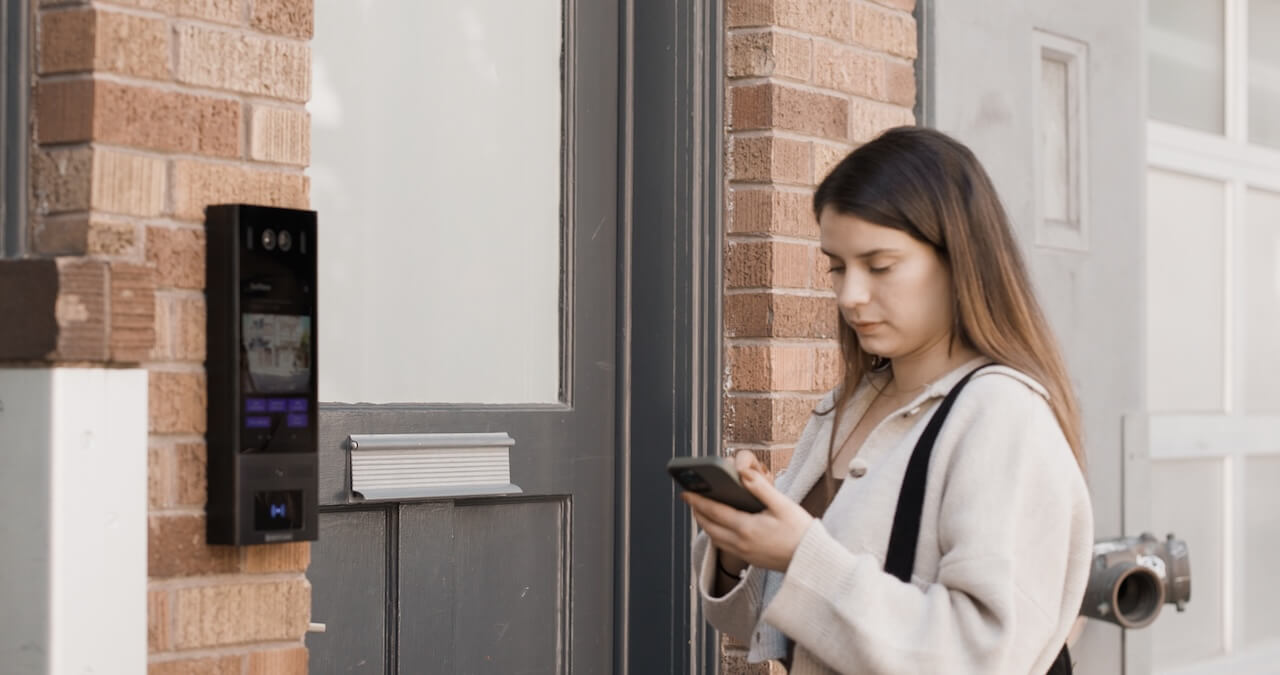
A commercial intercom system with door release allows building staff or tenants to communicate with visitors at the entrance and unlock the door remotely once access is approved.
Today, many modern systems also integrate with broader access control platforms, enabling property managers to manage entry across multiple doors and users from a single interface. These integrations can include smart locks, mobile credentials, and centralized dashboards that unify intercom and access control workflows.
For example, platforms like Brivo and Swiftlane support cloud-based management, remote access permissions, and real-time activity logs, making it easier to monitor entry, adjust access, and maintain visibility across the building.
How These Systems Work
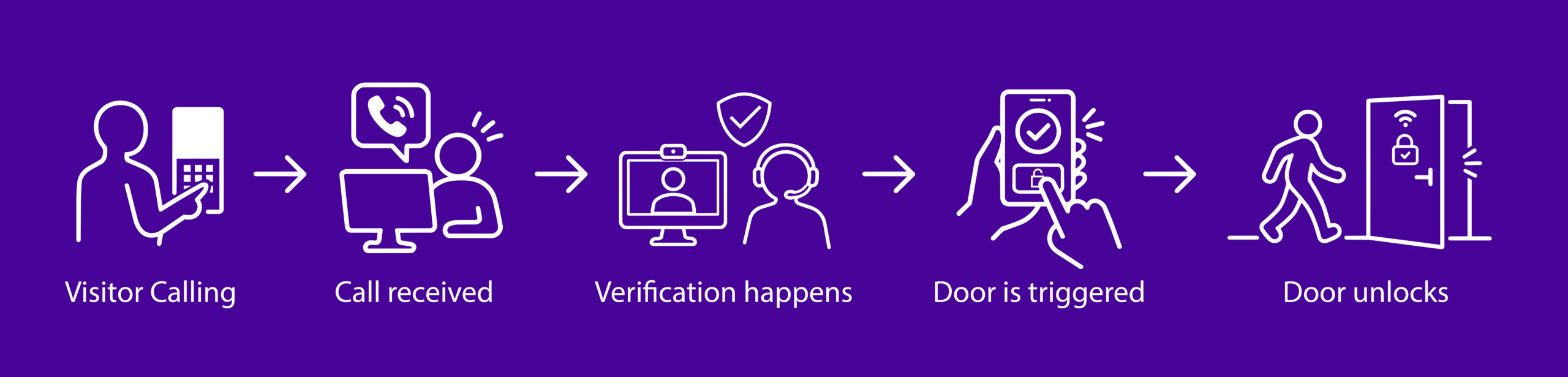
Here’s how the process typically works in a commercial building:
1. Visitor initiates a call: A visitor arrives at the building entrance and uses the panel to select a tenant, office, or reception desk from the directory.
2. The call is received: The tenant or staff member receives the call on a desk station, smartphone, computer, or mobile app, depending on the system.
3. Verification happens: Staff can speak with the visitor through the intercom. With video intercom systems, visitors can also be seen on camera for added security.
4. Door release is triggered: If access is approved, the authorized user presses the unlock button on their device. This signals the electronic locking mechanism connected to the door.
5. The door unlocks temporarily: The door release mechanism disengages the lock for a few seconds, allowing the visitor to enter, then automatically relocks.
In modern commercial buildings, this process can be entirely handled through mobile devices or cloud-based systems, allowing staff to grant access remotely. Many systems also log entry activity for visibility and security.
How the door actually unlocks, however, depends on the type of release mechanism behind the system.
Door Release Mechanisms
For an intercom system to unlock a door remotely, it must connect to an electronic locking mechanism installed at the entrance. The type of lock used can affect how the door release works, how secure the entry point is, and how easy the system is to install.
In commercial buildings, two types of electronic locks are most commonly used with intercom systems.
Electric Strike
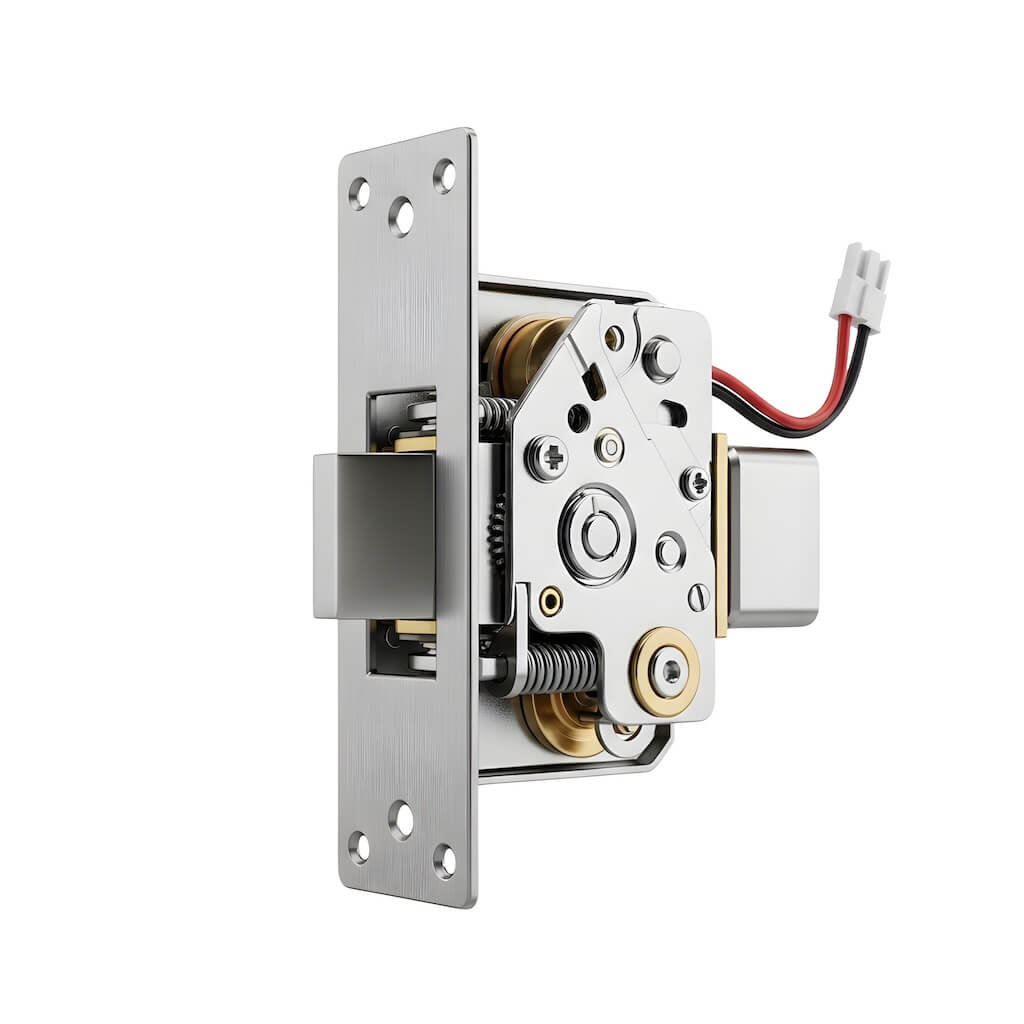
An electric strike replaces the fixed strike plate on the door frame. When the intercom system sends the unlock signal, the strike plate temporarily releases the latch, allowing the door to be opened.
Electric strikes are widely used in office buildings and commercial properties because they work well with many existing door setups.
They are often preferred for:
- Metal or wood doors
- Retrofit installations
- Buildings with traditional tech hardware
Electric strikes are typically fail-secure, meaning the door remains locked during a power outage unless backup power is installed.
Magnetic Lock (Maglock)
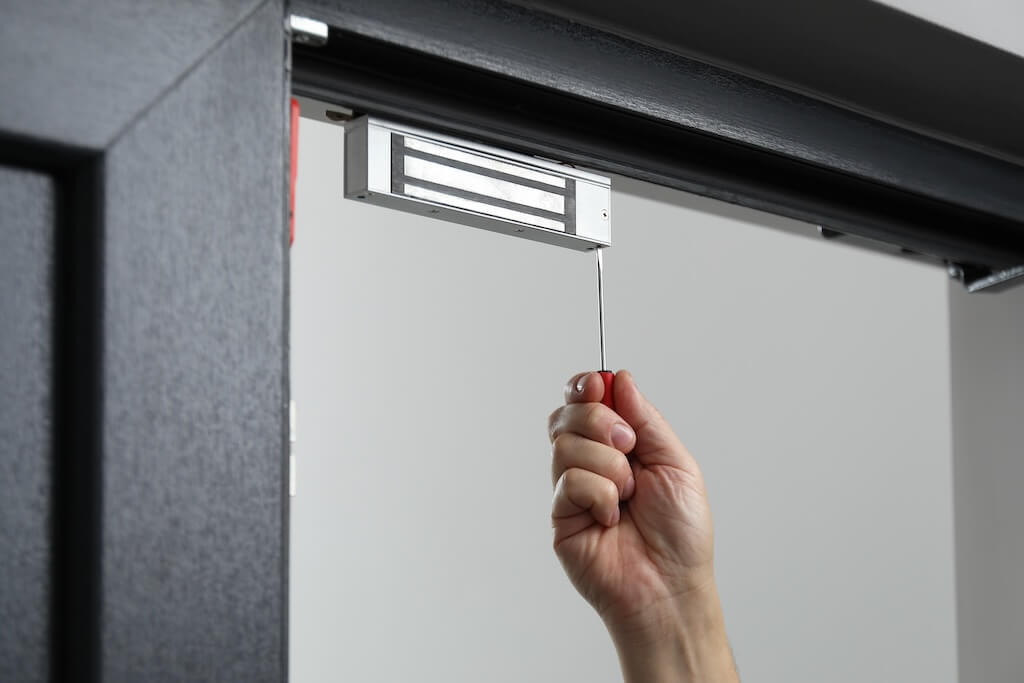
A magnetic lock, often called a maglock, uses a strong electromagnet installed at the top of the door frame. When power is applied, the magnet holds the door closed. When the intercom triggers the door release, power to the magnet is temporarily cut so the door can open.
Maglocks are often used in:
- Glass door entrances
- High-traffic commercial buildings
- Modern office spaces
These locks are usually fail-safe, meaning the door unlocks automatically during a power outage to comply with safety regulations.
Electric Strike vs Magnetic Lock
| Feature | Electric Strike | Magnetic Lock (Maglock) |
| How it works | Releases latch when triggered | Cuts power to the magnet to release the door |
| Installation | Replaces strike plate (minimal door changes) | Mounted on door frame (surface installation) |
| Best for | Retrofit projects, traditional doors (wood/metal) | Glass doors, high-traffic entry points |
| Power behavior | Fail-secure (stays locked during outage) | Fail-safe (unlocks door during outage) |
| Security use case | Controlled access with a secure lock during outages | Life-safety compliance and emergency egress |
| Aesthetics | More discreet, integrated into the door frame | Visible hardware on door/frame |
Both options are widely used in commercial buildings, but the right choice depends on your door type, safety requirements, and how the space is used day to day.
Why Smart Locks Are Gaining Traction
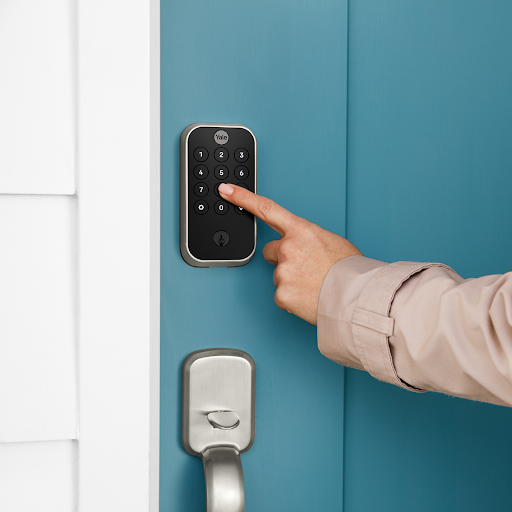
While electric strikes and maglocks remain common, many modern buildings are shifting toward smart lock integrations. These systems reduce reliance on door-specific hardware decisions and enable digital management of access via mobile credentials, PINs, or cloud-based platforms.
Key Features in Commercial Intercom Systems
Not all commercial intercom systems offer the same capabilities.
When evaluating options, property managers and building operators should consider how the system will perform in real-world building operations, from visitor management to long-term scalability.
The table below highlights the most important features to consider when choosing a commercial intercom system with door release.
| Feature | Why It Matters | Ask Your Vendor |
| Video Capability | Allows staff to visually verify visitors before unlocking the door | What is the video quality in low-light conditions, and is the video stored or live-only? |
| Remote Door Release | Lets authorized users unlock the door from inside the building | Can users unlock doors remotely via mobile or desktop, and are there role-based permission controls? |
| Mobile Access | Enables tenants to receive calls and unlock doors from their phones | Does the system support both iOS and Android, and can multiple users manage access per unit or office? |
| Directory Management | Helps visitors quickly find the right tenant or office | How is the directory updated, and can tenants manage their own listings? |
| Access Logs and Activity Tracking | Records entry activity for monitoring and security | Can logs be exported to external systems (e.g., SIEM) and how long is data retained? |
| Access Control Integrations | Allows the intercom to work with keycards or mobile credentials | Which access control systems does it integrate with, and is it native or via API? |
| Scalability | Supports additional entrances or tenants as the building grows | Can the same dashboard manage 10+ entry points across multiple buildings? |
| Installation Flexibility | Helps systems adapt to different building layouts | Does it support PoE (Power over Ethernet) for installation without running separate power lines? |
Infrastructure and Installation Considerations
Before installing a commercial intercom system, evaluating your building’s existing doors, wiring, and network connectivity helps avoid compatibility issues and unnecessary upgrades.
Door Hardware Compatibility
The first consideration is whether the building’s doors can support an electronic locking mechanism such as an electric strike or magnetic lock, which helps determine which door release mechanism will work best.
Wiring and Power Requirements
Traditional intercom systems often require extensive wiring between the entry panel, indoor stations, and door hardware. This can make installation more complex in older buildings.
Many modern systems use IP-based or cloud-connected technology, which can reduce wiring requirements and make retrofits easier. However, reliable power and network connectivity are still essential.
Network Connectivity
Cloud-based intercom systems rely on internet connectivity to route calls, support mobile access, and store activity logs.
Before installing the system, building managers should confirm that the entrance location has:
- Stable internet connectivity
- Sufficient network bandwidth
- Secure network configuration
This helps ensure consistent system performance.
Retrofitting an Existing Building
Many commercial projects involve replacing legacy intercom or access systems rather than installing from scratch. In these cases, assessing existing infrastructure upfront can prevent delays and added costs.
Key things to check include:
- Wiring type and gauge: Can existing cabling support IP or PoE systems, or will new runs be required?
- Panel voltage and power supply: Does the current setup meet the requirements of modern intercom hardware?
- Existing door hardware: Are the current locks compatible with electric strikes or maglocks, or will door modifications be needed?
Clarifying these early helps determine whether the upgrade can reuse existing infrastructure or requires partial reconfiguration.
Multi-Entrance Planning
Many commercial properties have multiple access points, including:
- Main lobby entrances
- Side entrances
- Parking garage doors
- Service entrances
When planning the installation, it’s helpful to determine whether the intercom system will manage one entrance or multiple entry points across the building.
A scalable system makes it easier to expand access control later as building needs evolve.
Security and Access Control Considerations
A commercial intercom system with door release directly controls access at your building’s entry points.
In practice, the most secure setups combine intercom functionality with structured access control, clear permission levels, and reliable audit trails, so every entry event is both intentional and traceable.
Below are several security considerations property managers should keep in mind.
Visitor Verification
Video-enabled intercom systems allow staff to both speak with and visually confirm visitors before unlocking the door, an approach the Security Industry Association highlights as an important component of modern access control strategies.
Controlled Door Release Permissions
Not every user in a building should be able to unlock entrance doors. Many modern intercom systems allow administrators to assign door release permissions only to authorized staff or tenants.
This helps prevent accidental door releases and ensures that access decisions remain consistent with the building’s security policies.
Access Activity Logs
Many commercial intercom and access control systems record door release activity, including when the door was unlocked and which user triggered the release.
Maintaining access logs helps property managers monitor entry activity and investigate potential security concerns if they arise. The National Institute of Standards and Technology recommends maintaining physical access audit logs at entry and exit points to monitor facility access and review activity during security incidents.
How Swiftlane Supports Commercial Buildings
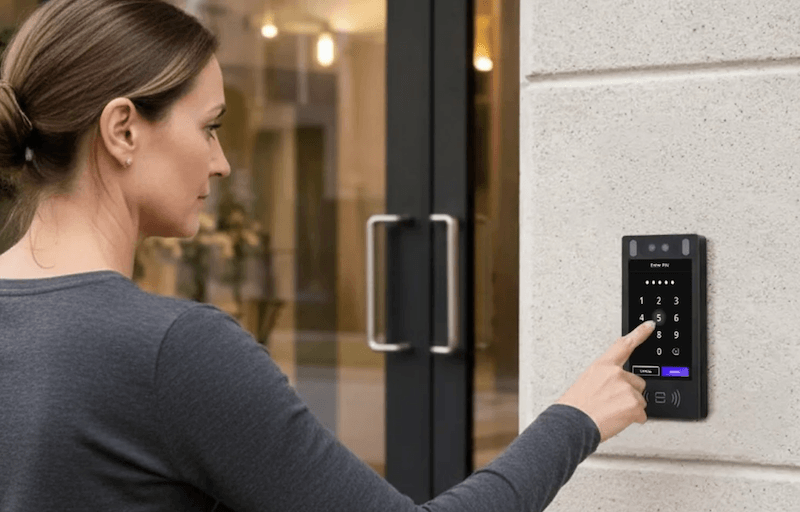
Swiftlane is a cloud-based intercom and access control platform that goes beyond basic visitor entry. Instead of relying on traditional desk phones or indoor stations, tenants and staff receive intercom calls and release doors directly from their smartphones.
From a centralized dashboard, property managers can manage access permissions, monitor entry activity, and update tenant directories across multiple entrances, making it easier to scale as the building grows.
The platform is commonly used in commercial office buildings, mixed-use properties, and other environments where secure visitor verification and flexible remote access are both priorities.

Let’s Wrap Up
Commercial intercom systems with door release have become an essential tool for managing building entry, allowing staff and tenants to verify visitors, unlock doors remotely, and maintain better control over who enters the building.
Selecting the right system means understanding how the technology fits your building’s daily operations, from door hardware and installation to security best practices. Evaluating your infrastructure, visitor traffic, and access control needs will help you find a solution that works for your tenants, staff, and guests.
FAQs
How much does a commercial intercom system with door release cost?
Costs vary depending on building size, system, type, and installation complexity, but most commercial intercom systems fall into these general ranges:
- Small setups (single or few doors): $1,000 to $5,000+
- Mid-size commercial buildings: $5,000 to $20,000+
- Large or multi-entrance properties: $20,000 to $50,000+
Key cost drivers include the number of entry points, type of door hardware (electric strike vs maglock), wiring or retrofit requirements, and whether the system is cloud-based with ongoing software fees.
For most buyers, the biggest cost variable isn’t the intercom itself, but the installation and infrastructure needed to support it.
Can a commercial intercom system unlock the door remotely?
Yes. Most modern commercial intercom systems allow authorized users to unlock doors remotely using a desk station, mobile app, or computer. Once the visitor is verified via an intercom call, the user can trigger the door release, temporarily disengaging the electronic lock so the visitor can enter.
What happens if the power goes out — does the door stay locked or unlocked?
It depends on the type of electronic lock installed. Fail-secure locks remain locked during a power outage, keeping the building secured but requiring manual access in an emergency. Fail-safe locks release and allow the door to open freely when power is lost, a common occurrence in buildings where emergency egress is a priority.
Most commercial installations also include a backup power source, such as a battery or UPS, to keep the intercom and door release system running during short outages. The right configuration depends on your building’s security requirements and local fire and safety codes.
Do commercial intercom systems work with existing door hardware?
In many cases, yes. Most commercial intercom systems are designed to integrate with common door hardware, including electric strikes, magnetic locks, and electrified exit devices. However, compatibility depends on the age and condition of your existing hardware, the wiring available at the door, and whether the lock mechanism supports remote release.
If your building already has electronic door hardware, a new intercom system can often be connected without major upgrades. Older mechanical locks must be replaced with an electronic alternative before an intercom door release can be added.


