


A multi-tenant intercom system is a centralized building communication and access-control solution that lets visitors call specific residential units, commercial suites, or office staff from an entrance panel. Modern systems use cloud-connected IP video and mobile connectivity to grant remote door release without requiring dedicated in-unit hardwired monitors.
How We Researched This
Cost benchmarks in this guide are cross-referenced against Vertex Security’s published 2026 intercom pricing guide, a New York City commercial security and intercom integrator. Vertex notes its published figures reflect general industry estimates rather than its own specific job quotes, and we’ve carried that distinction through this guide rather than presenting the ranges as fixed pricing.
Monthly software fees are benchmarked against Vertex’s cloud access-control pricing data as a closely related proxy, since Vertex doesn’t publish an intercom-specific subscription figure. Legacy landline costs are benchmarked against Ooma AirDial’s 2026 POTS line cost analysis. Multi-family and commercial deployment examples referenced later in this guide are anonymized composites, not individual customer case studies.
Key Takeaways:
- Wireless and cloud IP video intercoms eliminate the single biggest legacy cost driver: in-unit copper wiring and physical drywall monitors.
- Multi-tenant systems serve two distinct environments: residential multifamily (resident video calls, courier PINs) and commercial office (suite directories, receptionist call-forwarding).
- Entry hardware typically ranges from $500 to $1,500 per entrance for basic audio buzzer hardware, up to $1,500 to $5,000 per entrance for cloud IP video terminals, with turnkey installation commonly totaling $2,500 to $7,000 per door.
- Modern digital touchscreen directories replace engraved physical nameplates, letting property managers update rosters remotely from any web browser.
Table of Contents
- Comparison Matrix: The 4 Main Types of Multi-Tenant Intercoms
- Why Properties Upgrade: Core Operational Benefits
- Core Architecture: How Multi-Tenant Intercoms Function
- Essential Features Checklist for Multi-Tenant Buildings
- Multi-Tenant Intercom System Cost & TCO Guide (2026 Benchmarks)
- Property-Specific Evaluation: Residential vs. Commercial vs. HOA
- Retrofit Guide: Upgrading an Existing Multi-Tenant System
- FAQs
Comparison Matrix: The 4 Main Types of Multi-Tenant Intercoms
Multi-tenant intercoms fall into four architectural families, and the right fit depends on existing wiring, building size, and how much in-unit hardware a property is willing to maintain. For property teams researching the best IP intercom for multi-tenant buildings, cloud-based IP video (top row below) is typically the starting point. The table below compares all four side by side.
| Intercom Type | Wiring Architecture | In-Unit Hardware | Best For | Typical Equipment Cost Band |
| Cloud-Based IP Video Intercom | Ethernet (Cat6)/ PoE to entry panel only; cloud/cellular WAN | None required (resident smartphone, tablet, or web browser) | Modern apartments, condos, co-ops, and multi-tenant commercial offices | $1,500–$5,000 per entrance terminal (turnkey installed: $2,500–$7,000 per door) |
| Telephone Entry System (PSTN/Cellular) | Power + landline (POTS) or 4G/5G cellular modem | None (calls tenant cell phone or landline telephone) | Budget retrofits, vehicle entry gates, and garden–style communities | $1,000–$3,000 per panel (plus ongoing telecom line fees) |
| Hardwired Video Intercom | Dedicated multi-conductor/coaxial home-run cabling to every unit | Dedicated physical interior monitor mounted in every unit | Properties where dedicated physical wall screens are required | $1,000–$3,000 per entrance plus $200–$600 per in-unit monitor |
| Legacy Multi-Wire Audio Buzzer | 3-wire, 4-wire, or 5-wire analog copper risers running between units | Push-button wall substations with listen/talk/door release | Historic walk-ups with intact legacy risers (parts becoming scarce) | $500–$1,500 per audio panel installed |
For properties evaluating modern replacement, cloud-based IP video has become the default recommendation for multi-tenant buildings of any size since it avoids in-unit wiring costs that drive up every other category. A closer look at cloud-based video intercom systems covers what that architecture looks like in practice.
If your building still runs on a legacy buzzer system, our guide to apartment buzzer systems covers wiring types and modernization paths in more depth.
Why Properties Upgrade: Core Operational Benefits
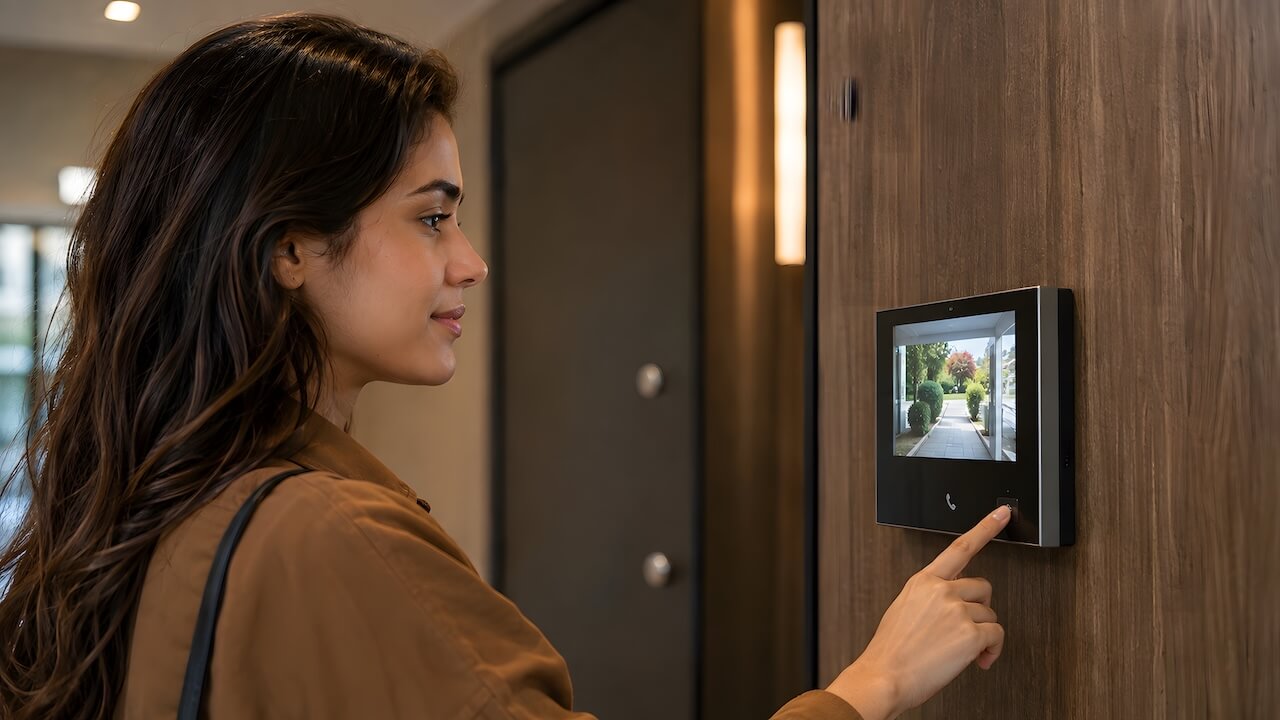
Property managers and building owners replacing a legacy system usually solve more than one problem at once. Four benefits consistently drive the upgrade decision.
Building Security and Auditability
Video verification lets residents and staff visually confirm a visitor’s identity before granting entry, reducing tailgating and unauthorized access at the front door. Modern systems also generate a date- and time-stamped digital log of every entry attempt, giving property managers an audit trail they can review after an incident instead of relying on resident memory or a paper sign-in sheet.
Delivery and Service Provider Automation
Package theft and missed deliveries are a daily friction point in any building with heavy foot traffic. Multi-tenant intercoms with temporary PIN or QR access let residents grant one-time entry to a courier, dog walker, or cleaner without being present or routing every delivery through front-desk staff. That shifts visitor management from a full-time concierge task to something residents largely handle themselves.
Operational Scalability and Cloud Directory Control
Tenant turnover, sublets, and new suite buildouts used to mean re-engraving a physical directory plaque or reprogramming an on-site panel. A cloud-managed directory lets property managers add, remove, or update tenants from a web browser in real time, which matters most for buildings with frequent turnover or multiple properties managed from one office.
Tenant Retention and Asset Value
A modern video intercom has become an expected amenity rather than a luxury upgrade, and its absence can be a sticking point for prospective tenants comparing buildings. Properties that upgrade often use it as a leasing differentiator, and the improved communication between residents and management, faster response to maintenance requests, and clearer delivery coordination contribute to resident satisfaction that supports retention and reduces vacancy costs over time.
Core Architecture: How Multi-Tenant Intercoms Function
Call Routing & Telemetry
Telephone entry systems route calls over a landline or cellular connection straight to the tenant’s phone. Cloud-based IP systems send the call over the internet to a smartphone app, a wall-mounted receiver, or both. The connection method determines reliability during an internet or cellular outage.
Multi-Tenant Resident Routing Logic
For units with multiple occupants, roommates, family, or a shared office suite, most systems offer simultaneous ringing (every device rings at once) or sequential cascades (the call moves down a list if unanswered).
Commercial buildings often add receptionist call-forwarding during business hours, switching to individual suite directories after hours.
Door Release and Relay Interface
When someone presses “unlock,” the intercom sends a signal through a low-voltage dry contact relay to the door’s locking hardware, an electric strike or maglock, which releases the latch briefly.
The intercom triggers the release. It doesn’t power the lock itself. For wiring diagrams, fail-safe versus fail-secure mechanics, and strike selection, see our guide to apartment intercom systems with door release.
Commercial vs. Residential Directory Management
Residential directories list units by number or resident name, with optional privacy controls to hide a tenant’s name from public search. Commercial directories are typically organized by suite or company and often route through a shared reception line first. Both are managed the same way on modern platforms: updated from a browser dashboard rather than reprogrammed at the panel.
Essential Features Checklist for Multi-Tenant Buildings
Buyers evaluating a multi-tenant system should look for the following core capabilities.
- Touchscreen Digital Directory: Searchable by name or suite, with remote roster updates from any web browser, no re-engraving physical nameplates.
- Video Verification: Live HD video lets occupants see who’s at the door before granting access.
- Flexible Multi-Modal Access Credentials:
- Mobile app (Bluetooth, NFC, or cloud unlock)
- PIN codes (dedicated tenant PINs plus expiring single-use delivery codes)
- Key fobs / RFID cards
- Facial recognition or digital mobile guest passes (Illinois BIPA, Texas CUBI, and Washington RCW 19.375 govern biometric data collection and should be reviewed before deployment)
- Package & Courier Delivery Management: Scheduled delivery PINs for couriers prevent theft without requiring a resident to be present.
- Commercial Integration: Elevator dispatch/floor lockout relays, property management software sync (Yardi, RealPage, Entrata), and security camera integration.
- Durability & Weather Resistance: IP65 exterior rating, IK07/IK08 vandal impact rating, and an operating range from -20°F to 140°F for outdoor units.
Intercoms are one piece of a building’s larger entry ecosystem. For a broader look at key fobs, keypad locks, and vehicle gate access, see our guide to apartment building entry systems.
Multi-Tenant Intercom System Cost & TCO Guide (2026 Benchmarks)
The cost estimates below are based on Vertex Security’s published 2026 intercom pricing guide, a New York City installer, and reflect general industry ranges rather than guaranteed quotes for any specific building.
1. Upfront Equipment Tiers
- Basic Audio Buzzers: $500–$1,500 per unit/entrance installed.
- Standard Video Intercom Terminals: $1,000–$3,000 per unit/entrance.
- Cloud-Connected IP Video Intercoms: $1,500–$5,000 per unit/entrance.
- Electric Strikes & Locking Hardware: $250–$800 for standard strike hardware and low-voltage labor; $2,500–$5,000 per door where complex commercial maglocks and access controllers are involved.
- In-Unit Hardware: $0 for cloud mobile-first systems; $200–$600 per unit where a physical interior wall monitor is required.
2. Installation & Labor Costs
- Retrofit Installation (existing wiring, wireless backhaul): Typically $1,500–$3,500 per door.
- Turnkey Commercial IP Install (hardware, labor, and network cabling): Typically $2,500–$7,000 per door.
- Full Building Rewiring: Running new copper risers to a building with 50 or more units is the most expensive path available, often reaching well into five figures for the full project, and is the primary reason cloud and wireless systems have become the default recommendation for retrofits.
For a detailed, line-item breakdown of full building retrofit budgets, see our dedicated guide to apartment intercom replacement cost.
3. Ongoing Operational Costs
- Cloud Subscription / Platform Fee: Typically $5–$15 per door per month, covering remote management, mobile credentials, and automatic firmware updates.
- Legacy Copper POTS Line Fees: Typically $60–$150 or more per month per line, and rising as carriers retire copper infrastructure under ongoing FCC deregulation.
4. Total Cost of Ownership (TCO) Comparison
A legacy analog system’s ongoing costs, $200–$500 per service call plus a monthly POTS line fee, compound over a 5-year period in a way that often exceeds a modern cloud platform’s combined installation and subscription cost, even though the cloud system carries a higher line-item monthly fee.
Property-Specific Evaluation (Residential vs. Commercial vs. HOA)
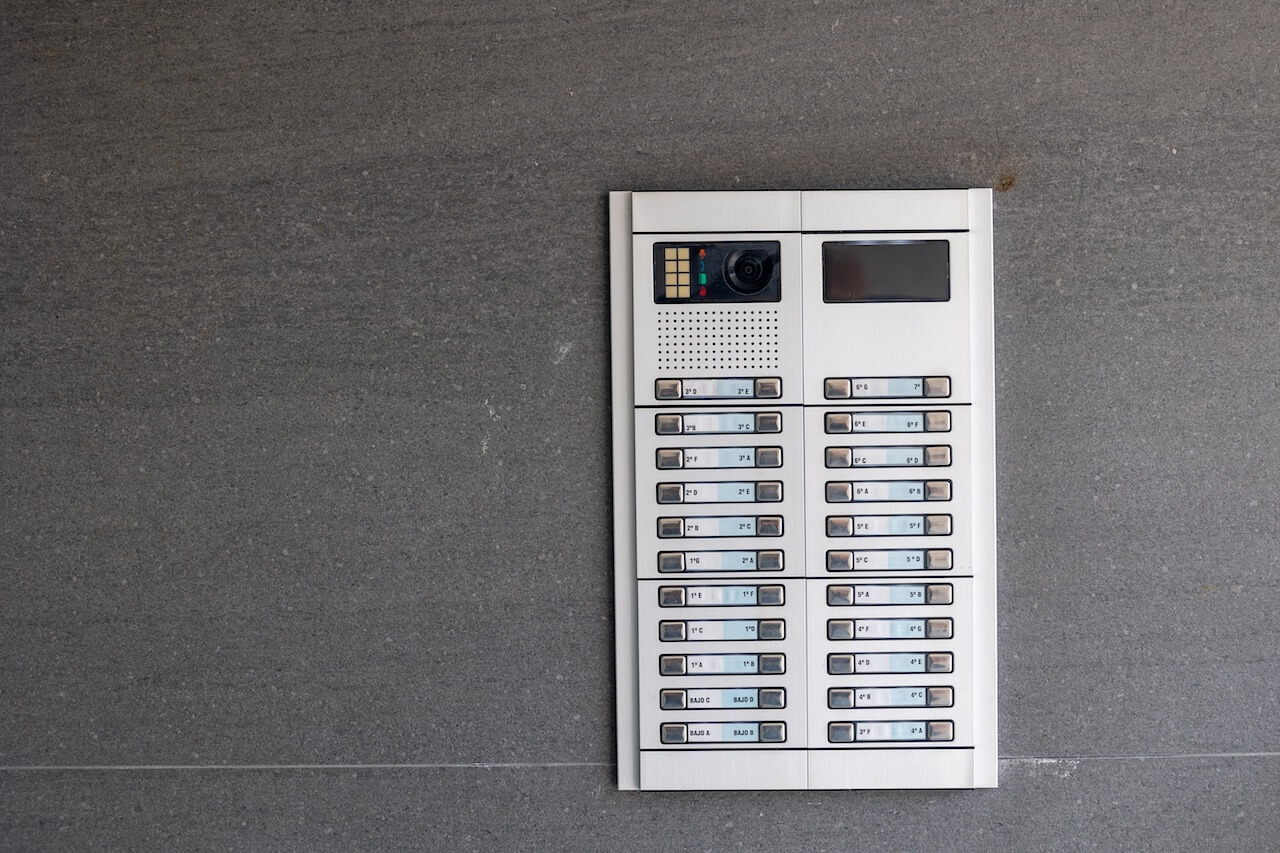
Apartment Complexes and Multifamily Communities
Package theft prevention and resident turnover automation tend to drive the decision here. High-turnover buildings benefit most from a cloud-managed directory that can be updated remotely as leases turn over, rather than reprogramming a panel on-site every time a unit changes hands. Mobile app access is now a common resident expectation, not a premium add-on.
For a full overview of Swiftlane’s multifamily offerings, see our residential access control solutions page.
HOAs, Condos, and Co-ops
Board governance adds a layer that apartment rentals don’t have: any system change typically requires board approval, and in older buildings, preserving the lobby’s historic aesthetic can rule out certain hardware. Co-op and condo boards often weigh capital planning and consensus timelines as heavily as the technology itself, so a phased retrofit that reuses existing wiring is often more practical than a full replacement.
Commercial Office Buildings
Multi-tenant office buildings need suite-level directories rather than unit-level ones, along with visitor sign-in for after-hours access and, in larger buildings, integration with turnstiles or elevator dispatch. Receptionist call-forwarding during business hours, switching to individual suite lines after hours, is a common configuration for buildings without 24/7 front-desk staff.
For a full overview of Swiftlane’s commercial offerings, see our commercial building intercom systems page.
Retrofit Guide: Upgrading an Existing Multi-Tenant System
Replacing an obsolete system is a sequence of decisions, not a single purchase. Here’s the practical order of operations.
Step 1: Audit Existing Door Hardware
Check the electric strike or maglock voltage (12V or 24V, DC or AC) and confirm the door controller’s power source. This determines whether new hardware can reuse the existing locking mechanism or needs a compatible replacement.
Step 2: Assess Network Connectivity
Determine whether Ethernet (PoE) can be run from the building’s IT closet to the front door, or whether a 4G/5G cellular gateway is the more practical path. This decision affects both installation cost and which system types are viable.
Step 3: Decommission Old In-Unit Substations
Old in-wall apartment stations need to come out safely, with cover plates or drywall patching, without disrupting door-latch functionality during the transition.
If your current system is failing rather than simply outdated, our intercom troubleshooting and repair guide can help diagnose the issue before committing to a full retrofit.
Step 4: Resident Onboarding & Directory Rollout
Import the tenant roster via CSV or a property management system sync, then focus on driving resident app adoption so the new system actually gets used instead of falling back to buzzing people in blind.
A Real-World Example
A 32-unit multifamily property upgraded from a failing 1980s 4-wire intercom to a cloud video intercom, eliminating lost delivery packages and saving significantly on what a full rewiring project would have cost. (Illustrative example of a typical multi-tenant retrofit; not a specific customer case study.)
FAQs
How does a multi-tenant intercom work without in-unit wiring?
Cloud-based systems transmit video and audio over the internet or a cellular network directly to a tenant’s smartphone or telephone number. Cabling is needed only at the entrance panel, not in every unit, which is why cloud systems have become the standard retrofit choice for buildings that want to avoid opening walls.
What is the difference between a multi-tenant intercom and a single-family video doorbell?
A multi-tenant system scales to a directory of dozens or hundreds of distinct units or suites, something a single-family doorbell isn’t built to do. It also pairs with commercial-grade door strike relays, vandal-resistant casing rated for public lobby use, and, in some jurisdictions, specific compliance requirements that don’t apply to a residential doorbell.
Can a multi-tenant intercom unlock gates as well as pedestrian doors?
Yes. Most systems support dual-relay configurations, meaning a single panel can trigger both a vehicle gate operator and a separate pedestrian door release, either from the same entry point or from two different panels tied to one account.
How are deliveries handled if a resident isn’t home?
Residents can unlock the door remotely from the mobile app regardless of location, or generate a scheduled delivery PIN in advance so a courier can access the building without the resident being present. One-time visitor passes work the same way for guests.
What happens if the building internet goes down?
Most cloud systems cache credentials locally, so PIN codes and RFID fobs continue to unlock doors even without an active internet connection. Video calling and remote app unlock typically require connectivity, so confirm with any vendor before relying on them as the sole access method.
Why are telephone entry systems being replaced in multi-tenant buildings?
Major carriers are retiring copper landline infrastructure, which is pushing POTS line costs higher and making service less reliable over time. Telephone entry systems also lack the visual verification that video intercoms provide, which residents and tenants increasingly expect.
Ready to see how a modern multi-tenant intercom fits your building? Schedule a consultation or request a quote


