

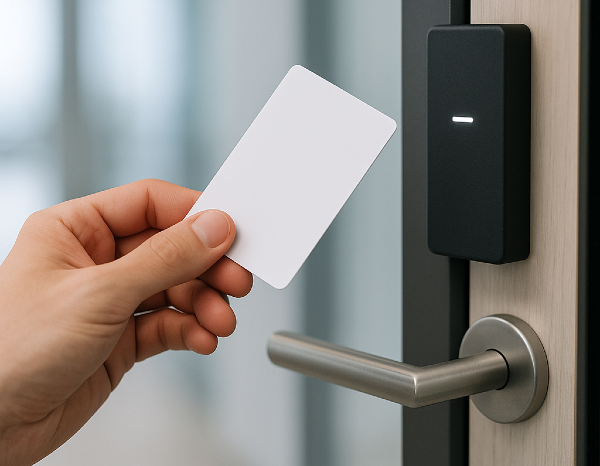
Proximity card access systems are deeply embedded in day-to-day property operations. What’s changed isn’t the credential itself. It’s the way properties are managed.
Portfolios are growing and access must work seamlessly across doors, buildings, and amenities. However, many legacy proximity card systems are showing their limits. According to EC Mag, as high as 80% of access control systems today are legacy systems that were originally designed for single-building use and may be in need of an upgrade.
When you’re thinking about upgrading, the question isn’t whether proximity cards are familiar or reliable. It’s whether the underlying system can support centralized access control, while also reducing administrative burden. And of course, it should allow you to scale without more complexity.
Swiftlane works with property managers overseeing offices, residential buildings, and mixed-use portfolios who are modernizing access across multiple sites. Based on our experience, we can say that proximity cards can still serve a purpose. But they can be put to better use when they’re part of a centralized, software-driven access control platform.
This guide breaks down how proximity card access systems work, where they perform well, where they fall short, and what to consider when upgrading access across multiple doors or properties.
Key Takeaways
- Treat proximity cards as one credential option within a centralized access control strategy, not as a standalone system.
- Review your current system and check if it can scale across multiple doors or properties without increasing administrative workload.
- Legacy access control systems remain widespread, with an estimated 80% are legacy deployments.
- Modernize management, but not necessarily replacing cards, by layering cloud-based software on top of compatible hardware.
- Prioritize systems that support multiple credential types and remote management to reduce costly future rip-and-replace upgrades.
Table of Contents
- What Is a Proximity Card Access System?
- Components of a Proximity Card Access System
- Types of Proximity Cards
- What’s the Difference Between Proximity Cards and Key Fobs?
- Different Types of Proximity Card Readers
- Benefits of Proximity Card Access Systems
- Proximity Card Security Risks: What You Should Know
- How to Implement Proximity Card Access Systems
- Cost Considerations in Proximity Card Access Systems
- Questions to Ask Yourself to Evaluate Your Proximity Card Access System
- How Swiftlane Supports Proximity Card Access in a Centralized System
Related Posts
- Complete Guide to Key Card Entry Systems
- Key Fob Entry Systems – A Comprehensive Guide
- Guide to Touchless Access Control Systems
What Is a Proximity Card Access System?
A proximity card access system is an electronic access control system that uses contactless cards or key fobs to grant entry to secured areas.
Instead of inserting a key or swiping a card, users simply hold their credential to a proximity reader that verifies authorization and unlocks the door if access is approved.
Proximity cards rely on RFID (Radio Frequency Identification) technology. Each card contains a small antenna and a chip that transmits credential data wirelessly when it enters the reader’s electromagnetic field.
The reader sends this data to an access control system, which determines whether the credential has permission to unlock the door.
You can use a proximity card access system to control access to:
- Office buildings and commercial spaces
- Apartment and condominium properties
- Shared amenities and common areas
- Parking garages and controlled vehicle entry points
While proximity cards are familiar and easy to use, they’re only one component of a broader access control ecosystem.
What a Proximity Card Access System Is Not
A proximity card access system is not:
- A complete security strategy on its own
- Automatically cloud-based or centralized
- Inherently secure if paired with outdated hardware or software
- Designed by default for multi-property or portfolio-level management
Traditional proximity card systems were often built as standalone or locally managed solutions.
Modern access control platforms, like those provided by established vendors, treat proximity cards as just one of many possible credentials within a centralized, software-driven access control system.
Components of a Proximity Card Access System


To evaluate proximity card access systems effectively, you need to understand the basic components involved.
Proximity Cards
These are the physical cards issued to tenants, employees, or authorized visitors. Proximity cards store encrypted identification data and communicate wirelessly with readers.
Proximity Card Readers
Readers are installed at doors, gates, or turnstiles. They detect nearby cards, read credential data, and relay that information to the access control system.
Controllers or Access Control Panels
Controllers act as the decision-making hardware. They verify credentials and command doors to unlock.
Access Control Software
This is the layer where modern systems differentiate themselves. Software defines who has access, when, and where. It also determines whether access is managed locally or centrally across multiple properties.
In cloud-based systems like Swiftlane, software plays a critical role in scalability, security, and day-to-day operational efficiency.
Types of Proximity Cards

Proximity cards come in several physical formats. Yes, form factor matters. But if your priority is long-term scalability, form is not the most important decision.
PVC Cards
PVC cards are thin, flexible plastic cards commonly used in offices and commercial buildings. They’re lightweight and cost-effective for large deployments with thousands of users.
Composite Cards
Composite cards are more durable than standard PVC cards and better suited for environments where credentials are exposed to heat, moisture, or wear.
Printable Cards
Printable proximity cards allow organizations to add branding, photos, or visual identification. These are often used in corporate offices or facilities with visitor management needs.
Clamshell Cards
Clamshell cards are thicker and more rigid. While durable, they’re bulkier and less popular in modern deployments.
Magnetic Stripe Cards
Magnetic stripe cards combine legacy swipe technology with proximity functionality. While still in use, magnetic stripes are increasingly viewed as outdated and less secure.
Bottom line: The bigger question isn’t which card looks best. It’s whether the system can support multiple credential types, including mobile access, without forcing a full hardware replacement later.
What’s the Difference Between Proximity Cards and Key Fobs?
Proximity cards and key fobs often serve a similar function. You can even use both within the same access control system. The primary difference between the two lies in the physical form. For the other differences, here’s a quick comparison table:
| Feature | Proximity Cards | Key Fobs |
| Form Factor | Flat, wallet-sized card | Small, handheld fob |
| Typical Carry Method | Wallet, badge holder | Keyring |
| Technology | RFID (low or high frequency) | RFID (low or high frequency) |
| Ease of Issuance | Easy to print and distribute | Easy to issue, harder to visually identify |
| Durability | Can bend or wear over time | Generally more durable |
| User Preference | Common in office and corporate settings | Common in residential and parking use cases |
| Branding Options | Supports printing and photo ID | Limited branding options |
| Replacement Cost | Typically lower | Slightly higher |
Choosing between proximity cards and key fobs may come down to user convenience, durability, and how you are managing credentials at scale. But why choose when you can use both? After all, many modern access control systems today can seamlessly integrate both.
Different Types of Proximity Card Readers
Proximity card readers vary according to how they connect and function. Here are the most popular types:
Wired Proximity Card Readers
Wired readers are the most common type found in commercial buildings. They connect directly to a controller via physical wiring and are often compatible with legacy protocols.
Wired readers are reliable and widely supported, but because they are an older technology, they present security concerns. Modern environments increasingly require:
- End-to-end encryption
- Tamper detection
- Compatibility with multiple credential formats (RFID, Bluetooth Low Energy, Near Field Communications)
These are things that wired readers typically lack. They can still be effective, but only when paired with modern access control platforms.
Wireless Proximity Card Readers
Wireless proximity card readers communicate with a centralized system without being directly wired to a door controller.
While they are not hardwired to the receiving unit, they typically still require a power source. Depending on the manufacturer and deployment scenario, power may come from batteries, low-voltage wiring, or Power over Ethernet (PoE).
These readers are commonly used in large residential properties, hotels, or retrofit projects where running new control wiring would be costly or disruptive.
Pros:
- Faster deployment
- Reduced wiring costs
- Easy installation
Cons:
- Battery replacement and monitoring
- Network dependency might mean being exposed to connection problems, delayed updates, or credential sync gaps
- Power and device issues such as battery failure or the reader going offline
Wireless readers require careful planning to avoid long-term maintenance issues.
Freestanding Proximity Card Readers
Freestanding readers operate independently without a centralized controller. They sometimes come with a PIN pad and can store access data locally.
These readers are best for:
- Low-risk interior doors
- Supply closets
- Restricted rooms
Because they store data locally and lack centralized oversight, freestanding readers are generally not recommended for perimeter access or high-traffic areas.
IP-Connected Proximity Card Readers
IP-connected readers use Ethernet connections to communicate directly with access control systems. They offer greater flexibility and integrate well with IT infrastructure.
However, they also pose cybersecurity risks. Because of this, IP-connected readers must be protected with:
- Network security
- Encryption standards
- Centralized credential management
Without proper software oversight, IP-connected readers can become security liabilities rather than assets.
Benefits of Proximity Card Access Systems
Proximity card access systems remain widely used despite the increasing popularity of mobile credentials and biometric authentication. There are several reasons for that.
Ease of Use
Proximity cards are intuitive. Users don’t need training, apps, or configuration to gain access.
Contactless Convenience
They don’t need to be swiped or inserted. In other words, they can support touchless entry. That’s a plus for hygiene and accessibility. In a world that has experienced first-hand the risks and inconveniences of the COVID pandemic not too long ago, contactless cards are a huge advantage.
Familiar Credential Formats
Cards, fobs, and stickers are easy to distribute and replace. This makes them practical for large properties with frequent tenant turnover.
Operational Visibility
When paired with modern software, proximity card systems can provide access logs, usage patterns, and audit trails.
Compatibility With Hybrid Access Strategies
Proximity cards integrate well into hybrid environments where mobile credentials, PINs, or biometrics are also used.
Proximity Card Security Risks: What You Should Know
Convenience notwithstanding, proximity card systems can also introduce risks, especially when they are built on outdated infrastructure.
Reader Range Limitations
Read ranges that are not properly configured can invite tailgating risks. Doors must be programmed with short read ranges, unlike parking lot entrances that need longer ranges.
Backend Hardware Vulnerabilities
Legacy systems often have outdated controllers that utilize unencrypted communication. And because old hardware can’t always be fully upgraded, there’s still bound to be some security gaps.
Locally Stored Data
Readers that store credential data locally are vulnerable to physical tampering. Modern systems don’t have this disadvantage because they can limit data exposure. They can validate credentials against a protected database or cloud system and then use encryption to prevent exposure, even if the hardware is compromised.
Lack of Fail-Safes
Power outages or internet disruptions can cause lockouts, or worse, unlocked doors. Systems should prepare for outages and disruptions with offline functionality or backup power options.
Credential Duplication
Low-frequency proximity cards can easily be cloned using cheap equipment. But with strong encryption standards, this risk can be significantly reduced.You can read our guide if you want to dive deeper into the drawbacks of key card systems.
How to Implement Proximity Card Access Systems
Successful implementation depends on more than hardware selection.
Choose the Right Platform, Not Just Hardware
Modern properties benefit from centralized access control platforms that unify credentials, permissions, and reporting across locations.
Check the Door and Lock Compatibility
Electric locking mechanisms must align with chosen readers and controllers, particularly in retrofit projects.
Plan the Placement of Readers
The size and placement of proximity card readers can affect tenant experience, especially in high-visibility areas.
Re-Evaluate Your Wiring Requirements
You can reduce costs by reusing wiring. But ensure that any existing wiring is still compatible with modern security systems.
Select the Right Proximity Card Types
Different environments benefit from different credential formats. Offices, residential buildings, and mixed-use properties often require different approaches.
Cost Considerations in Proximity Card Access Systems
| Consideration | What You Should Evaluate |
| Hardware costs | Readers, controllers, and door hardware based on: • Price • Security capabilities • Upgrade flexibility |
| Credential costs | Physical cards and fobs based on: • Ongoing replacement • Re-issuance • Inventory management |
| Maintenance and administration | Manual credential updates and on-site changes can increase operational overhead over time |
| Scalability | You may have to replace systems that don’t scale across multiple doors or properties sooner than expected |
| Future proofing | Support for mobile credentials and cloud-based keyless access control systems can help minimize long-term costs, while also simplifying both tenant experience and property management |
Questions to Ask Yourself to Evaluate Your Proximity Card Access System
Before installing or upgrading a proximity card system, it’s important to audit how well your current setup or planned system meets your property’s needs. Ask yourself these questions to review scalability, security, and efficiency:
- Do you manage access control across multiple doors or properties? Systems that are built for single-site use often struggle to scale across expanding portfolios.
- How often do access permissions change? High employee or resident turnover can increase the burden of issuing and replacing physical cards.
- Do you need centralized visibility and control? It can be difficult to enforce consistent policies and track access activity when you’re managing access locally at each building.
- Will you need to support multiple credential types? Proximity cards can work best with mobile credentials, key fobs, or PINs. But as the only option? Probably not.
- Can the system support remote management and future upgrades? Cloud-based access control platforms allow off-site management and compatibility with mobile access without replacing existing hardware.
Bottom line: Proximity cards are more secure and efficient when integrated into a centralized access control strategy that supports multiple credentials and remote administration.
How Swiftlane Supports Proximity Card Access in a Centralized System
Upgrading access control doesn’t have to mean replacing existing proximity cards or rebuilding infrastructure. It’s about improving how access is managed across doors and properties.
Swiftlane supports proximity card access by enabling property teams to:
- Continue using existing proximity cards. Maintain backward compatibility with legacy credentials while improving how access is administered.
- Support multiple credential types. Manage proximity cards alongside mobile credentials, wearables, face recognition, PINs, and voice-enabled access in a single system.
- Centralize access across your properties. Control permissions and access rules for multiple buildings from one centralized dashboard.
- Reduce your administrative burden. Issue and revoke access remotely without on-site visits or manual system changes.
- Integrate access with other building systems. Connect access control with video surveillance, visitor management, and analytics tools for visibility.
- Prepare your properties for future upgrades. Adopt mobile credentials and new access technologies without replacing existing hardware prematurely.
Swiftlane helps turn proximity card systems into part of a broader access strategy that supports centralized management, multiple credentials, and long-term scalability. Explore how Swiftlane’s platform works in real-world environments today.


