

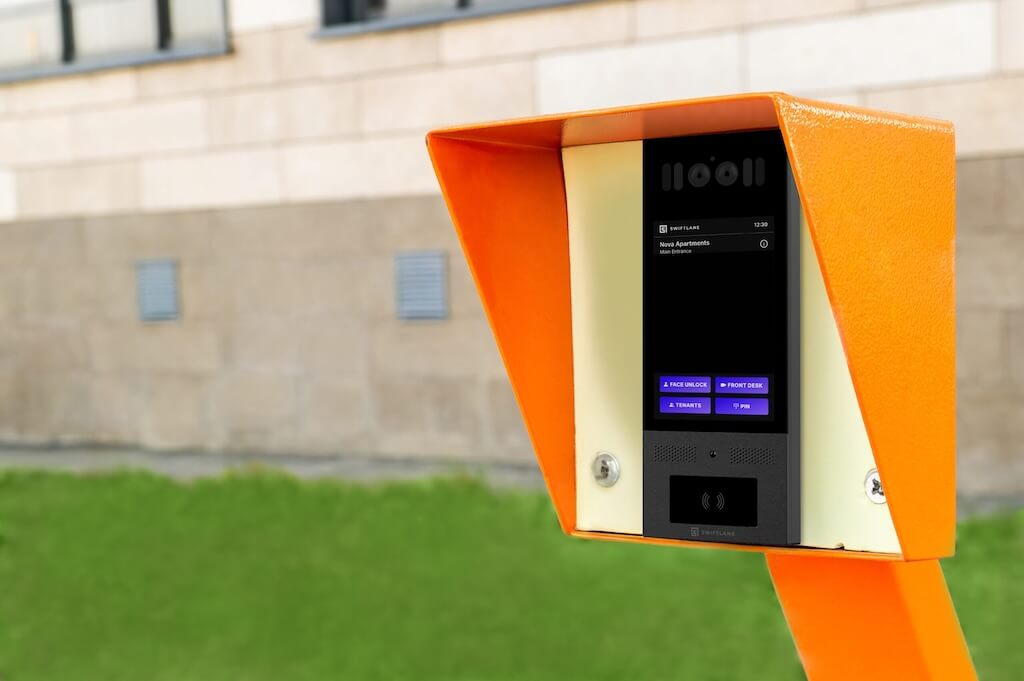
Managing access at gates, parking entrances, and perimeter doors is a specific operational challenge for commercial and multifamily properties. This guide covers wireless outdoor intercom systems for business use across three connectivity types, including IP (PoE and Wi-Fi), cellular (LTE/5G), and hybrid setups, so you can match the right solution to your property before ordering hardware.
Recommendations are based on vendor documentation, industry installation standards, and deployment scenarios across commercial and multifamily properties.
Quick Answer: What Is a Wireless Outdoor Intercom System for Business?
A wireless outdoor intercom system for business is an entry communication device installed at an exterior access point, such as a gate, parking entrance, loading dock, or perimeter door, that connects visitors to staff or tenants without relying on hardwired network infrastructure. Instead of running Ethernet or low-voltage cabling back to a building, these systems use IP (PoE or Wi-Fi), cellular (LTE/5G), or hybrid connectivity to handle visitor calls, remote unlock, and access logging.
They suit commercial buildings, multifamily properties, gated communities, and industrial sites where running cable to the entry point is expensive, disruptive, or impractical.
How We Researched This
This guide was built from live IEC standards documentation (IEC 60529 for IP ratings, IEC 62262 for IK ratings), publicly available vendor datasheets and product pages for the comparison table, cost-estimation sources including HomeAdvisor, and a review of the People Also Ask questions surfacing on current search results for wireless outdoor intercom queries.
Cost ranges reflect hedged, sourced estimates rather than fixed pricing, since actual costs vary by region, site conditions, and vendor. Where a figure could not be sourced or confirmed, it was reframed as a range or omitted rather than invented.
Key Takeaways
- “Wireless” removes the network cabling requirement, not the electrical one. A power source is still needed at the entry point.
- Four connectivity types matter for business use: IP (PoE or Wi-Fi) for covered, infrastructure-accessible locations; cellular (LTE/5G) for remote gates and perimeter access points; long-range RF for sites where both power and network access are limited; and hybrid setups for properties that need redundancy across any of these.
- Minimum IP65 for weather resistance; IK10 for high-traffic or public-facing locations. Match the rating to the mounting scenario, not just the property type.
- Most deployment problems are planning failures. Confirm the signal, power, and mounting conditions on-site before ordering hardware.
- Map out the total cost over 3 years, not just the upfront price. Software and cellular fees can add $15 to $80 per unit per month.
- Commercial buyers should confirm audit logs, role-based admin, and video retention policy before committing to a platform.
Table of Contents
- Choosing the Right System: A Buyer’s Comparison
- What “Wireless” Actually Means: Connectivity Types Explained
- IP and Weatherproofing Ratings: What You Need
- Power Options for Outdoor Intercoms
- Buyer Checklist for Wireless Outdoor Intercom Systems (Business)
- Cost of a Wireless Outdoor Intercom System for Business (Hardware, Install, and Ongoing)
- Who It’s For: Wireless Outdoor Intercoms by Property Type
- Common Failure Modes (and How to Avoid Them)
- Next Step
- Frequently Asked Questions
Choosing the Right System: A Buyer’s Comparison
The table below compares four widely available systems on key specs, based on public vendor documentation. Cost ranges reflect hardware only and exclude installation, software subscriptions, and ongoing fees.
| System | Best For | Connectivity | Power | Video | IP / IK Rating | Typical Hardware Cost | Notable Limitation |
| Aiphone IXG-DM7-HIDA | Multifamily and commercial, large tenant directories | PoE | PoE | Yes, 720p | IP65 / IK08 | ~$2,500 | No cellular option; requires existing network infrastructure; lower IK rating than IK10 competitors |
| DoorBird D2101V | Single-family and small commercial, smart home integration | PoE, Wi-Fi, LAN | PoE or 12V DC | Yes, 1080p | IP65 / Not published | ~$1,000 | No cellular option |
| Swiftlane SwiftReader X | Multifamily and commercial main entries, gated communities, offices | PoE, cellular | PoE | Yes, HD, touchscreen | IP65 / IK10 | Contact for pricing | Not a fit for single-family homes |
| Viking E-20-IP-EWP | Warehouses, loading docks, industrial, audio-only environments | PoE, VoIP/SIP | PoE | No, audio only | Designed to meet IP66 (not independently certified) / Not published | ~$430 | Audio-only; no visual verification |
| DoorKing 1837 | Gated communities, remote perimeter gates, large apartment complexes | Cellular (AT&T 4G LTE), also VoIP, Internet, or POTS | AC power (confirm exact spec with vendor) | Optional, internally-mounted color camera | Not published | Contact for pricing | No published IP/IK certification |
Specs sourced from publicly available vendor datasheets and product pages. Costs are hardware-only estimates and do not include installation, licensing, or ongoing software fees. Verify current pricing and specs directly with each vendor before purchase.
Operating temperature: Aiphone rates -30°C to 60°C and Viking -40°C to 60°C. DoorBird, Swiftlane, and DoorKing don’t publish a numeric range on their product pages; DoorKing recommends an optional heater kit below 35°F (1.6°C). Confirm the operating range against your climate before ordering, especially for unheated outdoor installs.
What “Wireless” Actually Means: Connectivity Types Explained
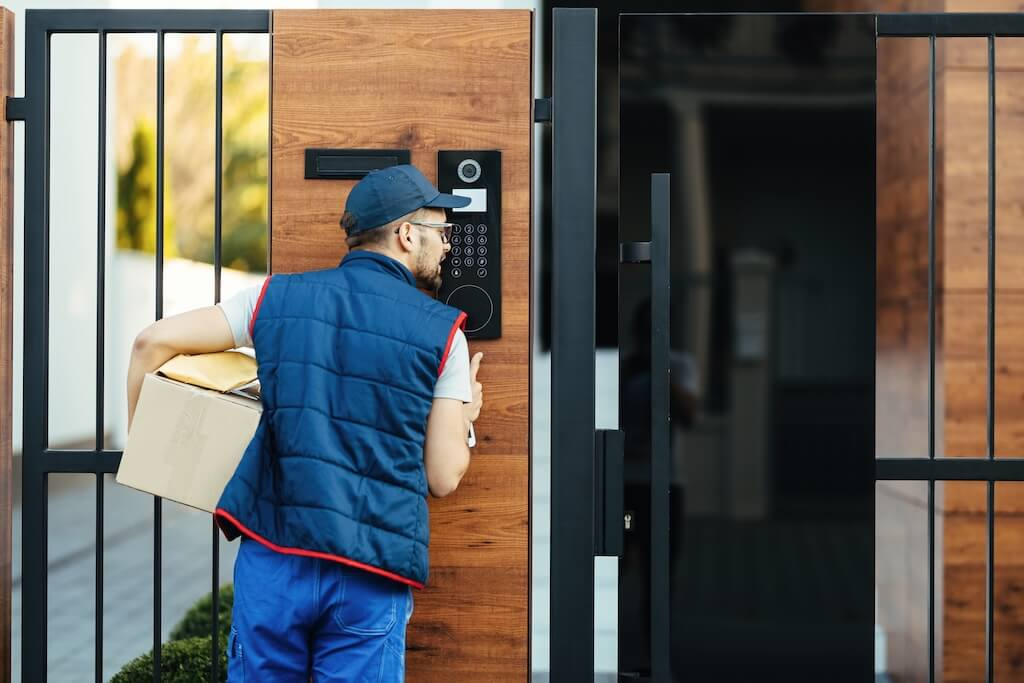
The word “wireless” gets used loosely in intercom marketing. For a business buyer, it helps to know exactly what type of connectivity a system uses, because that determines where it can be installed, how reliable it will be, and what ongoing costs to expect.
Four connectivity types matter for commercial and multifamily properties today.
IP Intercoms (PoE and Wi-Fi)
IP intercoms connect over a local network, either through a wired Ethernet connection powered by PoE (Power over Ethernet) or through a Wi-Fi connection to an existing router or access point.
PoE is the more reliable option for business use. It delivers both data and power through a single Ethernet cable, removing the need for a separate power source at the entry point. It suits main building entries, lobby doors, and covered exterior locations within a reasonable cable distance of a network switch.
Wi-Fi works well for secondary doors and lower-traffic entries where a strong, stable signal is available near the mounting location. The outdoor range is a real limitation. Walls, metal structures, and distance from the router all degrade performance, and dense construction materials like reinforced concrete or metal siding can create dead zones just a few feet from a working access point.
Both PoE and Wi-Fi intercoms are typically cloud-managed, meaning a web dashboard or mobile app handles remote access, activity logs, and directory updates. If the local internet connection drops, IP intercoms generally lose cloud connectivity until it’s restored. Some platforms cache credentials locally so a door can still open on stored access methods during an outage, while others do not. Confirm this behavior for any platform under consideration before deployment.
Cellular Intercoms (LTE/5G)
Cellular intercoms connect directly to the cloud over a mobile data network, with no dependency on the building’s local infrastructure. This makes them the practical choice for remote gates, parking entrances, and perimeter access points where running cable is not feasible.
The trade-off is ongoing cost. Cellular systems require a data plan, and most also carry a software subscription fee. Combined, these can add $15 to $80 per unit per month, which should be factored into any cost comparison with wired alternatives.
Signal reliability depends on carrier coverage at the specific installation site. A quick LTE signal check at the mounting location, using a smartphone on the intended carrier’s network, is a reliable way to confirm coverage before committing to a cellular system.
Long-Range RF
Some outdoor intercoms use long-range radio frequency links instead of Wi-Fi, cellular, or a wired network connection. This is less common than IP or cellular for commercial deployments, but it can be an option at properties where a gate or perimeter door has no practical network access and cellular coverage is also weak or unreliable.
RF-based systems vary by manufacturer in range, line-of-sight requirements, and video capability. Because specifications differ across vendors, confirm range, interference sensitivity, and whether the system supports video directly with the manufacturer before selecting it for a video-dependent entry point.
Hybrid Setups
Some platforms support multiple connectivity types, using local network access as the primary connection with cellular as a fallback. This is most relevant for properties with multiple entry points, or sites where uptime at the entry point is operationally critical. Setup is more complex, and the upfront cost is higher, but the redundancy can justify the investment for the right property.
IP and Weatherproofing Ratings: What You Need
Outdoor intercoms are rated for weather and dust resistance under IEC 60529, the international standard for ingress protection. The rating appears as “IP” followed by two digits: the first for protection against solid particles like dust, the second for protection against water. Higher numbers mean stronger protection, and the right rating depends on where the unit is mounted, not just that it’s outdoors.
| IP Rating | What It Withstands | Best Mounting Scenario |
| IP54 | Limited dust protection, splashing water from any direction | Covered or recessed entries with overhead protection from rain |
| IP65 | Dust-tight, low-pressure water jets from any direction | Standard exterior mounting: main entries, lobby doors, covered gates |
| IP66 | Dust-tight, powerful water jets from any direction | Exposed locations with heavy rain, wind-driven water, or pressure washing nearby |
| IP67 | Dust-tight, temporary immersion up to 1 meter | Low-lying mounts at risk of temporary flooding or standing water |
For any outdoor installation, IP65 is the practical minimum. IP66 or higher is worth the upgrade for units exposed to direct water jets, coastal weather, or heavy seasonal rain.
IK Rating (Vandal Resistance)
Alongside IP, unsupervised or public-facing units should carry an IK rating under IEC 62262, which measures resistance to physical impact on a scale from IK00 to IK10. IK10 is the highest rating and indicates the housing can withstand a substantial impact without damage to internal components. For multifamily entries, parking gates, and commercial sidewalk entrances where the unit isn’t supervised, IK10 is the standard to look for.
Power Options for Outdoor Intercoms
“Wireless” refers to network connectivity, not power. Every outdoor intercom still needs a power source at the entry point, and the mounting location often determines what’s realistic.
PoE (Power over Ethernet)
The most common choice for outdoor intercoms. A single Ethernet cable delivers both data and power, which removes the need for a separate electrical run to the entry point. Standard PoE has a 100-meter cable limit from the switch; longer runs need a PoE extender or a local switch closer to the door or gate.
Hardwired (AC Power)
A dedicated electrical connection, typically 110V AC, run to the mounting location. This is a common option for gates and perimeter points where a network drop isn’t available but electrical service already reaches the area, or can be added during installation. It requires an electrician and, in some cases, conduit work.
Battery and Solar
Battery-powered units, often paired with a small solar panel, are an option for remote gates or perimeter locations where running any wired power is impractical. Battery life depends heavily on usage, video features, and climate, so confirm the manufacturer’s rated battery life and any solar-charging requirements for the specific site’s sun exposure before relying on this option for a primary entry point.
For any entry point, confirm what power source is actually available on-site before selecting a system. Gates and perimeter locations, in particular, should never be assumed to have nearby power access.
Buyer Checklist for Wireless Outdoor Intercom Systems (Business)
Use this checklist before finalizing any system. Most common deployment problems stem from decisions made too early, especially ordering hardware before confirming signal, power, and mounting conditions on site.
Durability and Environmental Ratings
- IP rating: Minimum IP65 for any outdoor installation. See the IP and Weatherproofing Ratings table above for how to match the rating to your specific mounting scenario.
- IK rating: IK10 recommended for high-traffic or public-facing locations, including multifamily entries, parking gates, and commercial sidewalk entrances.
- Temperature range: Confirm the unit’s rated operating range against local climate conditions, including both summer highs and winter lows.
- Vandal resistance: For unsupervised perimeter locations, look for reinforced housing, tamper-resistant mounting hardware, and an IK rating.
Power and Mounting
- Power source confirmed: Identify whether PoE, AC, or battery/solar power is available at the entry point before selecting a system. See the Power Options section above for the trade-offs of each. Do not assume power is accessible at a gate or perimeter location.
- PoE considerations: Confirm cable run distance from the nearest switch. Standard PoE has a 100-meter limit. Longer runs require a PoE extender or a local switch closer to the entry point.
- Retrofit constraints: For properties that avoid wall openings or conduit work, confirm the system can be surface- or pedestal-mounted without structural modifications.
- Gate operator integration: If the intercom needs to trigger a gate operator, confirm relay output compatibility between the intercom and the gate controller before purchase.
- Gate safety compliance: For any intercom paired with an automated vehicle gate, confirm the gate operator itself is evaluated against UL 325 for gate operator safety and ASTM F2200 for automated gate construction requirements, including the correct gate class rating (I through IV) for the site’s access pattern. Confirm emergency responder access, such as a Knox Box override or a fire department-compatible bypass, with the local authority having jurisdiction (AHJ) before installation, since requirements vary by municipality.
Connectivity and Signal
- Wi-Fi site check: Test signal strength at the intended mounting location using a smartphone or Wi-Fi analyzer before ordering. Confirm the signal is stable, not just present.
- LTE site check: Test cellular signal at the mounting location using a smartphone on the intended carrier’s network. Weak signal at a metal gate or in a concrete structure is common and should be identified early.
- Interference sources: Metal gates, reinforced concrete, and nearby electrical equipment can all degrade both Wi-Fi and cellular signals. Walk the site with signal testing in mind.
- Fallback plan: For critical entry points, confirm whether the platform supports a secondary connectivity option if the primary connection fails.
Directory and Visitor Flow
- Tenant or employee directory: Confirm how the directory is managed, whether by admin dashboard, mobile app, or manual update, and who owns that process day to day.
- Call routing: Confirm where calls go when a visitor presses the call button, including what happens after hours or when the primary recipient does not answer.
- Delivery access: Confirm whether the system supports temporary PINs, QR codes, or one-time access credentials for delivery personnel and contractors.
- Visitor logs: Confirm that entry activity is logged with timestamps and credential type, and that logs are accessible to authorized admins.
Operations and Remote Management
- Remote unlock: Confirm the system supports remote door or gate release from a mobile app or web dashboard without requiring on-site staff.
- Mobile credentials: Confirm whether tenants or employees can use a mobile app for access, and what the enrollment and offboarding processes entail.
- Health monitoring: For multi-entry properties, confirm whether the platform provides device-status alerts so offline or malfunctioning units are caught before they become an access problem.
- Fail-safe vs. fail-secure compliance. Lock behavior during a power loss is a code question, not a vendor setting. Under the 2021 IBC, Sections 1010.2.11–1010.2.13 govern fail-safe (unlocks on power loss) vs. fail-secure release for electrically locked egress doors. Section numbers shift by edition, so confirm against the jurisdiction’s adopted code. Confirm with the local AHJ or fire marshal before deployment. See I Dig Hardware for a practical breakdown.
- Offline credential caching: Separately, confirm whether the platform caches credentials locally so authorized users retain access during an outage.
Security and Privacy (Commercial Buyers)
- Audit logs: Confirm the system maintains a tamper-evident log of all access events, including who granted access, when, and how. This is a baseline requirement for most commercial liability and compliance purposes.
- Role-based admin: Confirm that the platform supports multiple admin roles with different permission levels, so building staff, property managers, and IT teams can each access only what they need.
- Video retention policy: Confirm how long video footage is stored, where it is stored (cloud vs. on-premises), and whether retention duration is configurable to meet local privacy regulations or internal policy requirements.
- Visitor logs and credential governance: Confirm that temporary credentials (PINs, QR codes, guest passes) have expiry controls and that issued credentials are auditable.
- Signage and notice requirements: In many jurisdictions, properties that use video at entry points must post a notice. Confirm local requirements before installation.
- Vendor data handling: Review the vendor’s data processing agreement to confirm how the vendor stores, retains, and protects video footage, access logs, and directory data.
Cost of a Wireless Outdoor Intercom System for Business (Hardware, Install, and Ongoing)
Installed costs for wireless outdoor intercom systems typically range from $1,500 to $15,000, depending on system type, number of entry points, and site conditions. The scenarios below break that range down so you can estimate more accurately for your property type.
What Drives Cost
- Number of entry points: Each additional gate or door adds hardware, licensing, and setup cost.
- Power availability: Sites without existing power at the entry point need electrical work, typically adding $500 to $2,000 or more per location depending on distance and conduit requirements.
- Trenching: Running conduit underground to reach a gate or perimeter point can add $1,000 to $5,000, depending on distance and surface type. Wireless connectivity reduces this cost but doesn’t eliminate it, since power still has to reach the unit.
- Gate operator integration: Connecting the intercom to an existing gate operator typically adds $200 to $600 in labor and parts for compatibility testing, wiring, and a relay module if needed.
- Mounting conditions: Pedestal mounts, custom enclosures, and non-standard surfaces all add installation time and material cost.
- Cellular plan and software subscription: Cellular plans typically run $10 to $30 per door per month; software subscriptions add $5 to $50 per door per month depending on feature tier. These compound across entry points, so map them over a 3-year horizon for an accurate total cost comparison.
- Video features and resolution: Higher-resolution cameras, night vision, and wide-angle lenses add hardware cost. Budget an additional $200 to $500 per unit for premium camera specs.
Install Scenarios
The following are illustrative ranges based on typical project configurations. Actual costs vary by region, contractor rates, and site conditions.
- Scenario 1: Single door, small commercial office. A Wi-Fi or PoE video intercom at one exterior door, surface-mounted, with power already available nearby. Minimal directory setup, one admin. Typical installed cost: $1,500 to $3,000. Monthly ongoing: $5 to $20.
- Scenario 2: Multifamily main entry, single building. A cloud-managed PoE video intercom at the main lobby entry, with a tenant directory of 20 to 50 units, mobile app access, and integration to an existing electric strike or mag-lock. Typical installed cost: $3,000 to $6,000. Monthly ongoing: $20 to $60.
- Scenario 3: Gated community or parking entrance, cellular. A cellular call box or video intercom at a vehicle gate, pedestal-mounted, with solar or AC power, gate operator relay integration, and a resident directory. Typical installed cost: $3,500 to $7,000, including gate operator integration and any electrical work. Monthly ongoing: $25 to $70, including cellular plan and software.
- Scenario 4: Multi-entry commercial building. Three to five entry points across a single commercial property, a mix of PoE and cellular depending on location, centrally managed through one platform dashboard. Typical installed cost: $8,000 to $15,000 across all entries. Monthly ongoing: $75 to $200, depending on platform and number of doors licensed.
- Scenario 5: Retrofit property, avoiding conduit work. A wireless-first installation where opening walls or running new conduit isn’t feasible. Units are surface- or pedestal-mounted, using existing power outlets where available and solar or cellular where not. Typical installed cost: $2,500 to $6,000 per entry, depending on power and mounting complexity. Monthly ongoing: $20 to $60 per unit.
Upfront vs. Total Cost of Ownership
Systems with lower hardware costs often carry higher monthly subscription fees or restrict key features to premium tiers. Mapping the full 3-year cost, hardware, installation, and recurring software and cellular fees, gives a more accurate comparison than the upfront price alone.
As a general guide, a system priced at $2,000 installed with an $80 monthly fee runs $4,880 over three years. One priced at $4,000 installed with a $15 monthly fee runs $4,540 over three years. Here, the higher upfront system is actually the lower total cost. The cheaper upfront option isn’t always the lower total cost.
Who It’s For: Wireless Outdoor Intercoms by Property Type
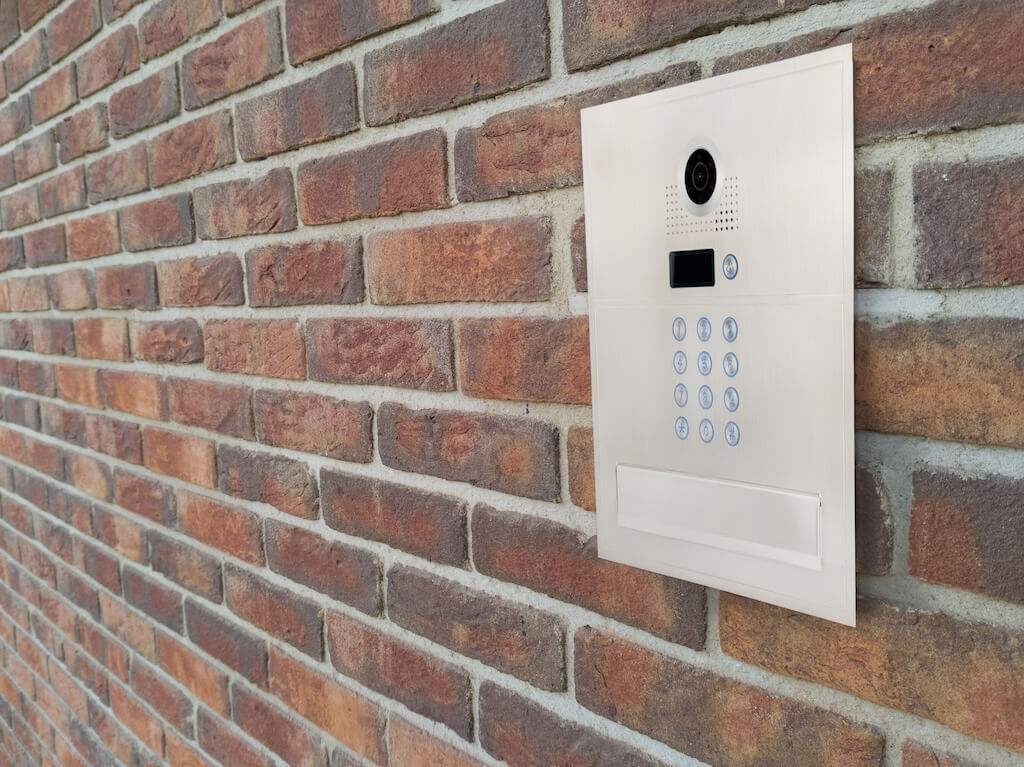
Commercial Office Buildings
Commercial office buildings typically need a primary entry intercom at the front door, with secondary coverage at parking entrances, side doors, or loading areas. PoE is the preferred connectivity for main entries with existing network infrastructure. Cellular is the practical fallback for parking entrances or rear doors too far from the building’s network.
The Swiftlane SwiftReader X suits commercial main entries well, combining HD video intercom, face recognition, mobile credentials, PIN access, and cloud-based access control in a single IP65, IK10-rated unit. Confirm audit logs, role-based admin, and access control integration before selecting any platform, as these are baseline requirements for most commercial compliance and insurance purposes.
Multifamily and Apartment Buildings
Multifamily properties need a main entry system that handles a full tenant directory, mobile app call routing, remote unlock, and temporary PIN or QR access for deliveries.
The SwiftReader X covers all of these use cases from a single platform. For properties with outdoor parking or gate access, pairing it with a cellular call box at the vehicle entrance covers the full perimeter without requiring separate management platforms.
Gated Communities and HOAs
Vehicle entrances are typically far from the main building, making cellular the practical connectivity choice. The primary requirements are a confirmed LTE signal at the gate, gate operator relay compatibility, a resident directory, and a reliable power source at the gate post.
A site survey confirming signal strength at the gate is the most important step before selecting hardware. A weak signal at a metal gate is a common failure point that a pre-installation check can easily prevent.
Warehouses and Industrial Properties
Warehouses prioritize durability and reliable audio over video. Entry points are typically unsupervised, exposed to dust, vibration, and temperature extremes. Audio-only intercoms with IP66 or higher weatherproofing are a practical choice for loading docks and yard gates.
For industrial installations, check the temperature range carefully. Extreme-temperature failures in outdoor intercoms most commonly occur in sun-exposed installations rather than cold climates, since direct sun on a metal enclosure can push internal temperatures well above the surrounding air temperature. A unit on a south-facing metal surface in direct sun can exceed its rated operating temperature even in moderate climates.
Small Buildings and Secondary Entries
Secondary doors and small single-tenant buildings often need a simpler, lower-cost solution. Wi-Fi video doorbell-style units and basic PoE audio intercoms work well here, provided a strong, stable signal is available at the mounting location.
For any secondary entry, confirm whether it can be managed under the same dashboard as the primary entry. Managing secondary entries as standalone systems creates operational friction over time.
If You’re Evaluating Systems for Your Property
Choosing the right connectivity type and hardware for one entry point is different from planning access across an entire property. If you’re weighing outdoor intercoms alongside your broader access strategy, these guides go deeper on the related decisions:
- Door access control for building-wide access management, not just entry communication
- Best video intercom systems for a full product comparison focused on video and tenant experience
- Gate intercom systems for vehicle-entrance-specific connectivity and integration guidance
Common Failure Modes (and How to Avoid Them)
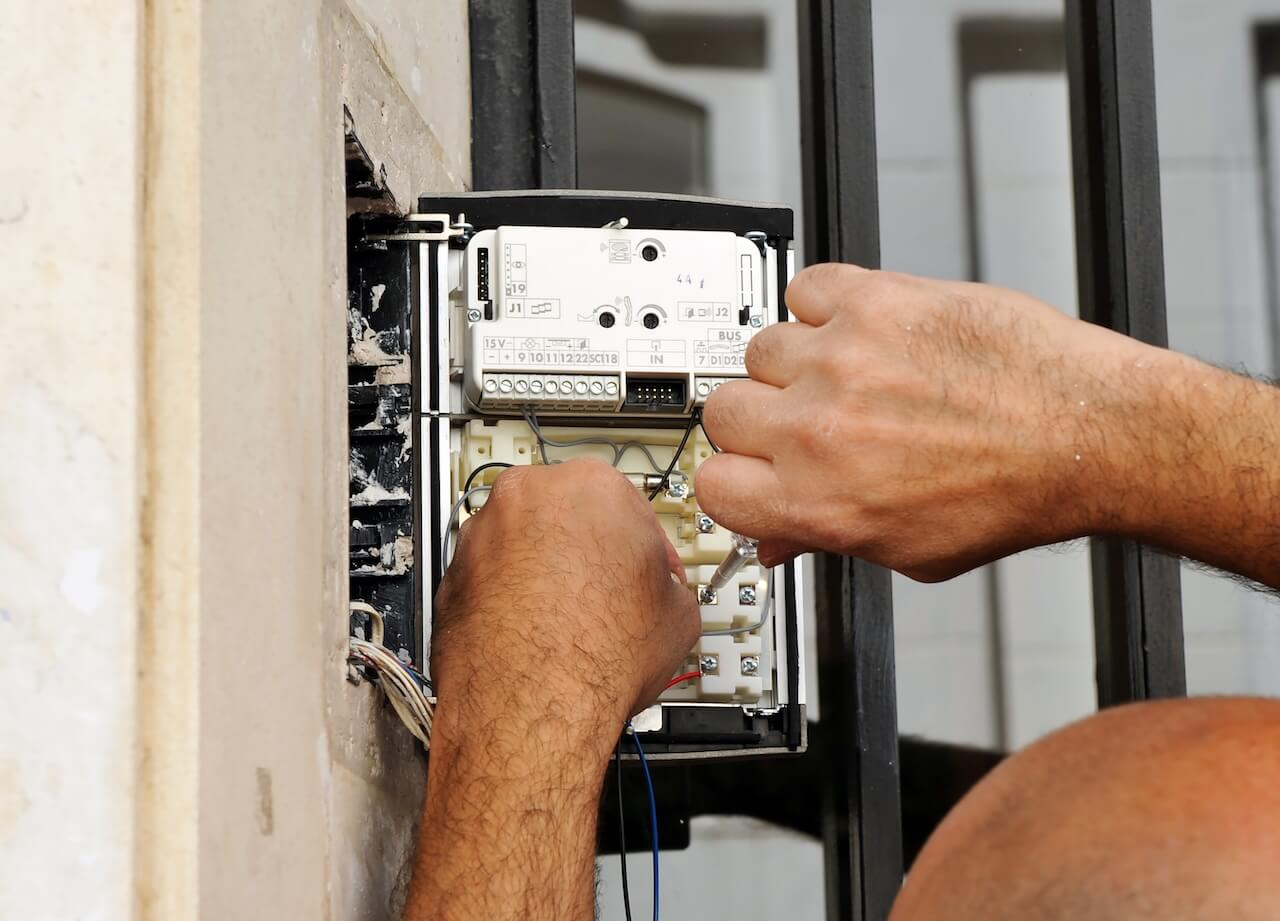
The most common problems with wireless outdoor intercom deployments are not hardware failures. They are planning failures. Most are avoidable with a site assessment and a few questions asked before ordering hardware.
Weak Wi-Fi or LTE Signal at the Mounting Location
Signal quality at the building entrance is not the same as signal quality at a gate 50 meters away or behind a metal enclosure. Test Wi-Fi signal strength at the exact mounting location using a smartphone or Wi-Fi analyzer before ordering. For cellular systems, test the LTE signal on the intended carrier’s network at the same spot.
If the signal is marginal, test a second carrier or confirm whether an external antenna option is available for the hardware you are evaluating.
Poor Camera Angle and Lighting
Check your hardware’s documented mounting height and local accessibility reach requirements (e.g., ADA) before installation. Walk the site after dark to assess whether you need supplemental lighting, and avoid mounting positions where the camera faces direct sunlight for extended periods.
Resident and Employee Adoption
In Swiftlane’s deployments, properties that run structured move-in onboarding see meaningfully higher resident app adoption than those that skip it. That gap directly affects day-to-day performance.
Outdated directories, shared PINs, and staff who do not know how to issue temporary access are the most common adoption failures. Plan onboarding before go-live, not after. Confirm the platform supports multiple access methods so users who resist one option have an alternative, and confirm that credentials can be expired and audited.
Directory Management
For properties with regular tenant or employee turnover, an unmaintained directory creates missed calls, frustrated visitors, and active credentials for people who no longer have access. Assign directory ownership before launch. Confirm the platform supports bulk imports and that deactivating a user revokes all associated credentials in a single action.
No Delivery Access Plan
Without a clear delivery method, staff end up propping doors or issuing permanent PINs to couriers. Confirm the platform supports temporary or one-time PINs that expire after use, and set a delivery access policy before go-live.
Next Step
Choosing the right wireless outdoor intercom system for your business comes down to three things to confirm before ordering hardware: the right connectivity type for the entry point, a power source at the mounting location, and a platform that handles directory management, remote access, and audit logging from a single dashboard.
Swiftlane supports outdoor access across commercial and multifamily properties with IP-rated, IK10-rated video intercom hardware, flexible connectivity options including PoE and cellular, and a cloud-based management platform that scales across multiple entry points and properties.
If you are evaluating options for your property, a site assessment is the best starting point. It confirms signal, power, and mounting conditions before you decide on hardware.
Speak with a Swiftlane specialist or book a live product demo to see how the system works across different property types and entry configurations.
Frequently Asked Questions
What does “wireless” mean for an outdoor intercom system?
In intercom marketing, “wireless” typically means the system does not require a dedicated low-voltage cable run back to a central panel or indoor station. In practice, it refers to one of three connectivity types: IP (Wi-Fi or PoE over Ethernet), cellular (LTE/5G), or long-range RF. All three still require a power source at the entry point. “Wireless” removes the network cabling requirement, not the electrical one.
Is Wi-Fi reliable outdoors for business use, or should I use PoE or cellular?
It depends on distance and environment. Wi-Fi works well for secondary doors and low-traffic entries where a strong, stable signal is available close to the mounting location. For main entries, gates, or any location more than 30-40 meters from the nearest access point, PoE or cellular is the more reliable choice.
Metal structures, concrete walls, and distance degrade outdoor Wi-Fi performance in ways that are difficult to recover from without additional infrastructure.
Do wireless outdoor intercom systems work at gates?
Yes, but connectivity type matters. Gates are typically far from the building’s network infrastructure, so cellular is usually the more practical option. Wi-Fi can work if you install a dedicated outdoor access point near the gate, but this adds cost and introduces a point of failure. Cellular systems are purpose-built for this use case.
Is cellular better than Wi-Fi for a business intercom?
Not universally. Cellular is better for remote or infrastructure-limited locations where Wi-Fi coverage is unavailable or unreliable. Wi-Fi is better for locations with strong, stable network coverage nearby and avoids the ongoing cost of a cellular data plan. The right choice depends on the specific entry point, not the property type.
How weatherproof does an outdoor intercom need to be?
At a minimum, IP65 for any outdoor installation. IP65 protection against rain and dust suits most commercial environments. For locations exposed to direct water jets, heavy weather, or potential flooding, we recommend IP66 or IP67. For high-traffic or public-facing locations, pair the IP rating with an IK10 impact resistance rating to protect against physical contact and vandalism.
What ongoing fees should I expect?
Most cloud-managed systems carry two types of recurring costs. Software subscriptions typically run $5 to $50 per door per month, depending on platform and feature tier. Cellular systems add a $10-$30 per-door-per-month data plan cost on top of that.
Mapping out these fees over a 3-year horizon, alongside upfront hardware and installation costs, provides a more accurate comparison between systems than the upfront price alone.
Where can I buy a wireless outdoor intercom system for business?
Businesses typically buy wireless outdoor intercom systems through security integrators, access control vendors, or directly from manufacturers. Buying through an integrator is generally recommended for commercial and multifamily properties, since proper site assessment, installation, and configuration matter as much as the hardware itself.
When evaluating vendors, ask for references from similar property types, confirm post-installation support terms, and request a full breakdown of hardware, installation, and ongoing software costs before committing.
What is the best wireless outdoor intercom system for a business?
There isn’t a single best system across every property. The right choice depends on the entry point’s connectivity options, power access, video needs, and durability requirements. For a main entry with existing network infrastructure, a PoE video intercom is typically the strongest fit. For a remote gate or perimeter point, a cellular system is usually more practical.
Evaluate any system against connectivity type, IP and IK ratings, and total cost of ownership rather than choosing based on brand alone.
Do wireless intercoms exist?
Yes. Wireless outdoor intercoms are widely available and commonly use Wi-Fi, cellular (LTE/5G), or long-range RF connectivity instead of a dedicated low-voltage cable run. They still require a power source at the entry point, so “wireless” refers to the network connection, not the power supply.
What’s the difference between a doorphone and an intercom?
A doorphone is typically a simple audio or basic video device installed at a single entry point, often for a single-family home or small business, with limited or no directory, remote access, or admin features. An intercom, particularly in a commercial or multifamily context, usually refers to a more complete system that supports a tenant or employee directory, call routing, mobile app access, and centralized management across multiple entry points.
The terms overlap in casual use, but “intercom” generally implies more infrastructure behind it.
Do people still use intercoms?
Yes, and commercial and multifamily use has shifted toward cloud-managed systems rather than legacy wall-mounted units. Modern intercoms connect to a mobile app, support remote unlock and visitor management, and integrate with broader access control platforms, unlike the analog, panel-based intercoms many people associate with the term.
References
- Petzl. “What Is an IK Rating?” — https://www.petzl.com/INT/en/Professional/What-Is-an-IK-Rating-
- IEC. “IP Ratings (IEC 60529).” https://www.iec.ch/ip-ratings
- IEC 62262. “Degrees of protection provided by enclosures for electrical equipment against external mechanical impacts (IK code).”
- HomeAdvisor. “How Much Does It Cost to Install an Intercom System?” https://www.homeadvisor.com/cost/safety-and-security/install-intercom-system/
- Swiftlane. “SwiftReader X Product Overview.” https://swiftlane.com/swiftreader-x/
- DoorBird. “D2101V IP Video Door Station.” https://www.doorbird.com/en/shop/?ean=4260423870482
- Aiphone. “IXG-DM7-HIDA IP Video Entrance Station.” https://www.aiphone.com/products/ixg-dm7-hida/
- Viking Electronics. “E-20-IP-EWP VoIP Entry Phone.” https://www.vikingelectronics.com/entry-phones/e-20-ip-ewp
- DoorKing. “1837 – 90 Series Entry System.” https://www.doorking.com/products/1837-90-series
- I Dig Hardware (Lori Greene). “Fail Safe vs. Fail Secure: When and Where?” https://idighardware.com/2012/07/fail-safe-vs-fail-secure-when-and-where/
- UL. “UL 325, Standard for Door, Drapery, Gate, Louver, and Window Operators and Systems.” https://www.shopulstandards.com/ProductDetail.aspx?UniqueKey=32852
- ASTM. “ASTM F2200, Standard Specification for Automated Vehicular Gate Construction.” https://store.astm.org/f2200-24.html


