

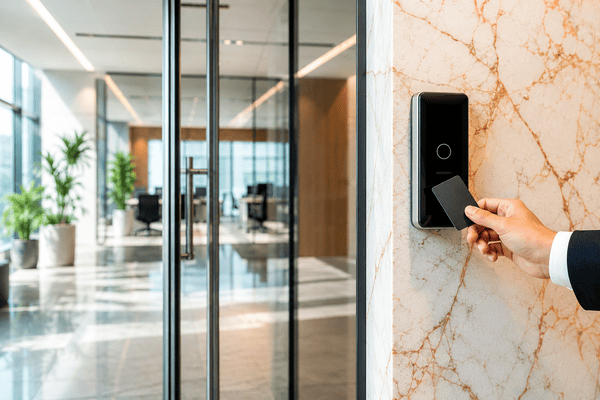
Choosing an access control company is a decision you’ll live with for years. It shapes your building’s security, your team’s daily workload, and how residents or tenants experience every door.
It’s also a significant line item. One California-based security integrator puts a standard commercial card or mobile system at $1,500 to $3,500 per door fully installed, with cloud software adding roughly $3.50 to $15 per door per month. Those are installer figures from one market, so treat them as a starting benchmark rather than a quote.
With dozens of vendors bundling hardware, software, and integrations differently, list-style comparisons only go so far. This guide gives you a framework for evaluating any access control company, then applies it to seven well-known vendors. It also covers how to compare proposals side by side, what you’ll actually pay, and how to switch without replacing everything.
How We Built This Guide
This guide draws on Swiftlane’s experience supporting over 3,000 multifamily and commercial buildings, combined with a review of each vendor’s published product information and independent installer pricing data. Company descriptions reflect information publicly available as of October 2026 and are intended to help property teams compare vendors using consistent criteria.
TL;DR
- An access control company supplies the hardware, software, or both that control who enters your building and when. It’s different from a local installer, which deploys and services that equipment.
- Evaluate any vendor on seven points: entry-point coverage, hardware flexibility, cloud architecture, credential breadth, integration depth, multi-site administration, and support.
- Budget roughly $1,500 to $3,500 per door installed for a standard commercial system, plus monthly software fees, and compare quotes per door rather than by total contract.
- Swiftlane is built for multifamily, HOA, commercial, and mixed-use properties, with video intercom, face recognition, mobile, fob, PIN, and visitor management on one platform. It’s designed for retrofits and can often reuse existing door hardware and wiring.
Table of Contents
- What is an Access Control Security Company?
- What Separates a Good Access Control Company From a Bad One
- 7 Access Control Companies Compared
- How to Compare Vendors Side by Side
- Which Company Is Right for Your Building Type?
- What Access Control Companies Cost in 2026
- How to Switch Companies Without Replacing Everything
- Why Property Managers Choose Swiftlane
- FAQs
Related Posts
- Best Commercial Security Companies in Austin, TX
- Best Office Security Companies in San Diego, CA
- Best Home Security Companies in San Francisco, CA
What is an Access Control Security Company?
An access control company makes or sells the systems that decide who can enter a building, room, or gate, and when. It’s a distinct category from its neighbors. An alarm company detects intrusions and dispatches a response. An IT security firm protects networks and logins. A locksmith services mechanical hardware.
The term “access control company” covers three different kinds of businesses, and knowing which one you’re talking to changes how you evaluate them:
- Hardware manufacturers build readers, controllers, locks, and credentials. Most sell through dealers and integrators rather than directly to property owners.
- Platform companies supply the software, and often their own hardware, as a managed system. Most modern platforms are cloud-based and sold by subscription. This guide focuses on these vendors.
- Security integrators and local installers design, install, and service systems built from one or more manufacturers’ products. They’re the ones who show up on site.
Most projects involve at least two of these: a platform you choose and an installer who deploys it. If you’re looking for a company to do the installation in your area, see our regional guides, starting with access control installers in the Bay Area, Fort Worth, Atlanta, Florida, and Grand Rapids. This guide helps you choose the platform first, which is the decision that’s hardest to reverse.
What Separates a Good Access Control Company From a Bad One
Most vendors look alike on a features page. The differences show up in seven areas, and they’re the same seven questions whether you manage one apartment building or a regional commercial portfolio.
1. Coverage: Does It Handle Every Entry Point?
The lobby door is the easy part. A typical property also has parking gates, garage doors, side and service entrances, package rooms, elevator banks, amenity spaces, rooftops, and sometimes unit doors.
A system that secures only the front door leaves gaps, and a patchwork of products (one for the lobby, one for the garage, one for amenities) means separate logins, separate credentials, and separate audit trails. Before you talk to vendors, map every opening and ask each one to show how its platform covers all of them, including how visitors and delivery drivers get through.
2. Hardware Flexibility: Can It Reuse What You Already Have?
Some vendors design for retrofits; others expect a rip-and-replace. The difference can be a large share of your project cost. One integrator estimates that compatible existing locks and wiring can cut installation costs by 25% to 40%.
Ask which of your existing components can stay: door hardware (strikes, maglocks, exit devices), cabling, controllers, readers, and credentials. Then ask how they’ll confirm it. A credible answer involves a site survey, not a yes over the phone. Open standards help here. Readers and controllers that use OSDP, the Security Industry Association’s open device protocol, are easier to mix and reuse than proprietary ones.
3. Cloud Architecture: True Cloud or On-Prem With a New Label?
“Cloud-based” gets used loosely. A genuinely cloud-managed system lets you add or revoke access from any browser in real time, without a local server or VPN. Some “cloud” products are on-premise servers with a remote-access portal bolted on.
Ask two questions. Where does the software run, and who patches it? And what happens when the internet goes down? A well-designed system stores credentials locally on the door hardware, so authorized users can keep entering during an outage and events sync back once the connection returns. Confirm which credential types work offline, since some mobile and cloud-verified methods depend on connectivity.
4. Credential Breadth: One Reader or Several?
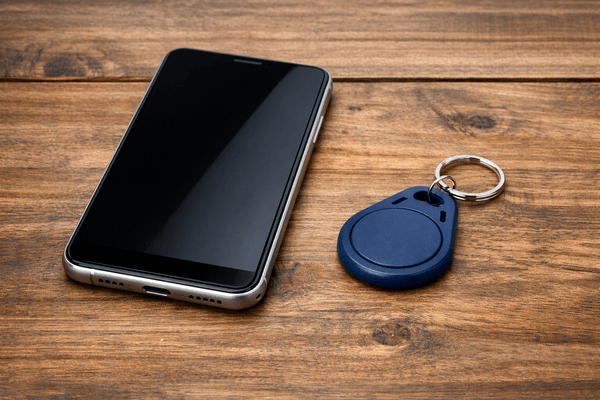
Residents, staff, and vendors use different credentials: mobile, key fobs, PIN codes, and facial recognition. Some platforms support all of them on a single reader. Others need separate hardware for each, which adds cost, wall space, and maintenance.
Ask which credential types each reader supports natively, and which require add-on hardware or a third-party integration.
5. Integration Depth: Does It Connect to the Rest of Your Building?
The integrations that matter most depend on your property type. For multifamily, it’s property management software (PMS) such as Yardi, RealPage, and Entrata, so move-ins and move-outs update access automatically (see how PMS integration works). For commercial buildings, it’s often identity providers, video, and alarm panels.
Life safety deserves its own question. Electrified locks on egress doors typically must release when the fire alarm activates, and how that’s wired is governed by local code and the authority having jurisdiction (AHJ). Ask how the vendor’s hardware interfaces with your fire alarm system and who on the project is responsible for that design. Access control doesn’t replace a licensed fire alarm or life-safety contractor.
Finally, ask whether each integration is officially supported or depends on custom work.
6. Multi-Site Administration: One Dashboard or Many Logins?
If you manage more than one property, ask to see the portfolio view. Can a regional manager see every site from one login? Can you set permissions by role, by property, and by door group? Can you pull audit reports across sites at once? Per-property logins work for a single building and become a real burden at ten.
7. Support Model: Who Answers at 2 AM?
Doors fail at inconvenient times. Ask who you call when the lobby door won’t unlock on a Saturday night: the vendor, the installer, or both? Ask for support hours, response-time commitments in writing, and whether onboarding includes a named contact or just a help center. If the platform is sold through dealers, find out what happens to your support if that dealer exits the business.
7 Access Control Companies Compared
Here’s how seven well-known vendors look through that framework. These are examples, not a ranking: the right choice depends on your property type, your existing hardware, and who’ll run the system day to day. For a deeper comparison of cloud platforms specifically, see our guide to the best cloud access systems.
| Company | Best for | Hardware model | Cloud architecture | Watch out for |
| Brivo | Large commercial and multifamily portfolios | Own panels, readers, and Door Station; sold through dealers | Cloud-native | Support quality depends on your local dealer |
| Verkada | Enterprises standardizing on one security platform | Proprietary controllers, readers, and intercoms | Cloud-managed (Verkada Command) | Built around its own hardware ecosystem |
| Swiftlane | Multifamily, HOA, commercial, and mixed-use | Own reader (SwiftReader X); retrofit-friendly | Cloud-native | Not for single-family homes or fully on-premise needs |
| Kisi | Offices and coworking spaces | Own readers and controllers; can reuse existing readers | Cloud-native | Workplace-focused feature set |
| Salto | Properties prioritizing wireless locks, including unit doors | Battery-powered wireless locks and data-on-card | Cloud (Homelok, KS) or on-premise (Space) | Lock-centric; confirm intercom and visitor entry |
| Avigilon Alta | Workplaces wanting access plus cloud video | Own readers, controllers, and intercom reader | Cloud-native (on-prem Unity line is separate) | Workplace-focused resident workflows |
| Genetec | Enterprise, government, and high-security campuses | Open architecture; supports third-party controllers | On-premise, hybrid, or SaaS | Needs a certified integrator and IT support |
Brivo
Best for: Large commercial real estate, multifamily, and multi-site enterprise portfolios.
Hardware model: Brivo makes its own control panels and readers, plus the Brivo Door Station, which combines video intercom and facial authentication in one device. Products are sold and installed through authorized dealers.
Cloud architecture: Cloud-native. Brivo was one of the earliest cloud access control providers.
Watch out for: Your day-to-day experience depends heavily on the dealer who installs and services the system. The Door Station is also offered as hardware-as-a-service with a monthly subscription, so compare the total cost over the contract term.
Verkada
Best for: Organizations that want access control, cameras, intercoms, alarms, and visitor management on one platform.
Hardware model: Verkada builds its own controllers, readers, and intercoms. Its AF64 Access Station Pro combines face unlock, a multi-technology reader, and a built-in door controller in one unit (Verkada).
Cloud architecture: Cloud-managed through Verkada Command.
Watch out for: The platform is designed around Verkada’s own devices. If you plan to keep existing readers or controllers, ask exactly which ones it can work with. Its breadth is a strength for enterprise security teams but may exceed what a smaller residential property needs.
Swiftlane
Best for: Multifamily, HOA, commercial, and mixed-use properties that want access control, video intercom, and visitor management on one platform.
Hardware model: Swiftlane’s SwiftReader X supports face recognition, mobile credentials, key fobs, PIN codes, and video intercom from one device. Swiftlane is designed for retrofit deployments and can often reuse existing door hardware and wiring. Existing fobs may also keep working if their credential format is supported, which Swiftlane confirms through a site survey.
Cloud architecture: Cloud-native, with one dashboard across a portfolio and integrations with PMS including Yardi, RealPage, and Entrata.
Watch out for: Swiftlane isn’t designed for single-family homes or organizations that require a fully on-premise system. Compatibility with specific HID, MIFARE, and third-party readers has to be confirmed for your site.
Kisi
Best for: Offices, coworking spaces, and flexible workplaces.
Hardware model: Kisi makes its own readers and controllers. Its Controller Pro 2 is designed to let you keep existing wiring, readers, and even credentials while migrating to Kisi.
Cloud architecture: Cloud-native, with mobile credentials and visitor access links.
Watch out for: Kisi’s feature set centers on workplaces. Residential operators should confirm how it handles resident turnover, unit access, and package delivery.
Salto
Best for: Properties that want wireless electronic locks across many doors, including individual unit doors.
Hardware model: Battery-powered wireless locks, plus Salto’s SVN data-on-card technology, which stores access rights on the credential so offline locks don’t need wiring to every door.
Cloud architecture: Salto offers Homelok, a cloud platform built for multifamily, alongside Salto KS (cloud) and Salto Space (on-premise).
Watch out for: Salto’s strength is the lock. Ask how video intercom and visitor entry at the main entrance are handled, and whether that requires a partner product.
Avigilon Alta
Best for: Workplaces and commercial facilities that want cloud access control paired with cloud video.
Hardware model: Avigilon Alta (formerly Openpath, owned by Motorola Solutions) makes its own readers and controllers, including a Video Intercom Reader. Credentials include encrypted keycards, mobile, and license plate recognition (Avigilon).
Cloud architecture: Cloud-native. Avigilon says local storage keeps configurations and events for up to 60 days during an internet outage. Its separate Unity line covers on-premise deployments.
Watch out for: The platform is oriented toward workplace security. Multifamily teams should compare its resident, visitor, and PMS workflows with residential-focused platforms.
Genetec
Best for: Enterprise, government, transportation, campus, and high-security deployments.
Hardware model: Open architecture. Genetec Security Center unifies access control, video, license plate recognition, and intrusion, and supports third-party hardware such as HID Mercury controllers through its Synergis Cloud Link gateway.
Cloud architecture: On-premise, hybrid, or Security Center SaaS.
Watch out for: Genetec is sold and deployed through certified integrators. Expect a professional design process, ongoing IT involvement, and a budget sized for enterprise scale.
How to Compare Vendors Side by Side
The fastest way to compare access control companies is to get quotes for the same building, then normalize them per door. Total contract value hides too much.
Compare Like for Like, Per Door
Give every vendor the same scope: your entry-point map, door hardware inventory, credential types, and integrations you need. Then divide each quote’s hardware, installation, and first-year software by the number of controlled doors. A bid that looks cheaper overall can turn out more expensive per door once you account for doors it left out.
Strip Out What Hides the Real Cost
Before comparing, pull these items out of each proposal and line them up separately:
- Licensing tiers: Which features sit in a higher tier (visitor management, reporting, integrations), and what does that tier cost per door or per month?
- Cellular data and connectivity: Is cellular backup or a data plan billed separately?
- Service minimums and contract terms: Minimum contract length, annual escalators, and trip charges for service calls.
- Door hardware: Electrified locks, strikes, and power supplies are among the items most often omitted from initial quotes.
- Hardware-as-a-service fees: Some devices are leased rather than sold, so the monthly fee includes hardware.
Comparing Different Architectures
You’ll often be comparing companies that work in fundamentally different ways. Axis, for example, is primarily a hardware manufacturer: its network door controllers are sold through partners and can run under other platforms, such as Genetec’s Security Center. ProdataKey (PDK) is a cloud platform sold through dealers, with multi-site management added in its PDK.io 2.0 release. Brivo and Avigilon Alta are cloud-native platforms with their own hardware. When architectures differ, compare who owns the software, who supports it, and what you’d have to replace if you left.
A 10-Question RFP You Can Send
- Which of our entry points can your platform cover, and which would need a separate product?
- Which of our existing readers, controllers, locks, wiring, and credentials can stay, and how will you confirm that?
- Where does your software run, and what happens to each credential type during an internet outage?
- Which credential types does each reader support natively?
- Which of our systems do you integrate with officially (PMS, video, identity provider, alarm), and which require custom work?
- How does your hardware interface with our fire alarm system, and who’s responsible for that design?
- Can we manage all our properties from one login, with role-based permissions?
- What are your support hours and response-time commitments, in writing?
- What’s the per-door cost for hardware, installation, and software, with every tier and fee itemized?
- What are the contract length, renewal terms, and cost to exit?
Which Company Is Right for Your Building Type?
The right access control company depends less on brand than on how your building operates. Use this matrix as a starting point, then pressure-test it with the key question for your property type.
| Building type | Illustrative door count | Recommended architecture | Primary evaluation concern |
| Apartments and multifamily | 5 to 40 common-area doors, plus gates and elevators | Cloud platform with native video intercom and PMS integration | Resident turnover, visitors, and deliveries |
| Commercial offices | 2 to 50+ doors | Cloud platform with identity-provider integration | After-hours policies by tenant |
| HOAs and gated communities | 2 to 10 gates and amenity doors | Cloud platform with remote unlock and visitor management | Access without on-site staff |
| Mixed-use | 10 to 60+ doors | Cloud platform with multi-tenant access segmentation | Separate rules for residential and commercial tenants |
| Enterprise and high-security campuses | 100+ doors | Open-architecture or unified enterprise platform | Integration with a security operations center |
Door counts are illustrative ranges for planning, not industry benchmarks.
Apartments and Multifamily Properties
Multifamily buildings have some of the most demanding access needs: frequent move-ins and move-outs, deliveries, maintenance vendors, and residents who expect entry to be effortless.
Prioritize a platform that combines video intercom, access control, visitor management, and multiple credential types, and that syncs with your PMS.
Case Study
One 522-unit apartment community replaced separate access systems with a unified cloud-managed platform to simplify resident access across entrances and shared amenities.
Key question to ask vendors: Can your platform handle unit-level and amenity access, not just the lobby?
Commercial Offices
The right fit depends on scale. Kisi and Avigilon Alta are built around workplace use cases. Brivo is strong at multi-site administration. Verkada and Genetec suit organizations with dedicated security teams. Swiftlane fits commercial and mixed-use buildings that want one platform for access and visitor entry.
Key question to ask vendors: How does your system handle after-hours access policies across different tenant groups?
HOAs and Gated Communities
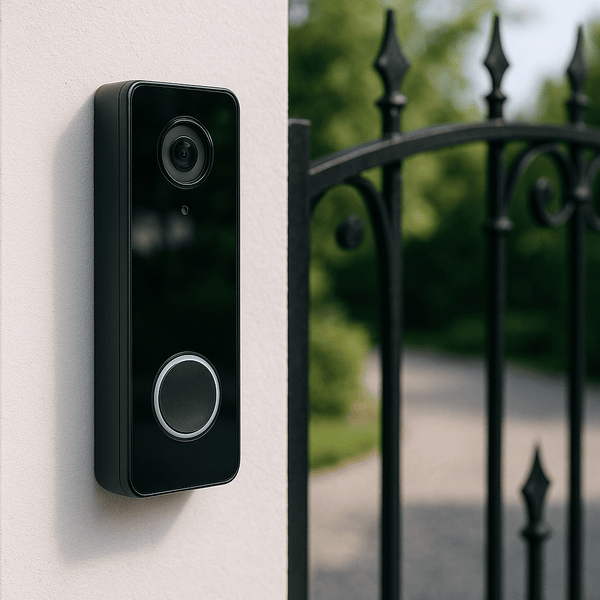
HOAs manage residents, guests, vendors, and delivery drivers across gates, clubhouses, and pools, often with no staff on site. Remote unlock and visitor management are essential. Look for platforms that cover gates and amenity doors from one dashboard. Communities focused mainly on wireless locks for shared spaces may also consider Salto.
Key question to ask vendors: How does the system handle one-time visitor access without requiring a resident to be present?
Mixed-Use Properties
When residential floors sit above retail or offices, you need different access rules for different populations in the same building. Swiftlane and Brivo both support multi-tenant configurations. Genetec and Avigilon Alta may appeal to projects with a heavier enterprise security focus.
Key question to ask vendors: Can you configure access rules independently for residential and commercial tenants on the same platform?
What Access Control Companies Cost in 2026
A standard commercial card or mobile-credential system costs about $1,500 to $3,500 per door, fully installed, according to Safe and Sound Security’s August 2026 pricing guide. Adding first-year software licensing, integrations, and higher-grade hardware brings a complete deployment to roughly $3,000 to $5,000 per door.
That per-door figure breaks down into three parts:
| Cost component | Typical range | Billed |
| Locking hardware (maglocks, strikes) | $50 to $900 | One-time, per door |
| Readers | $80 to $1,200 | One-time, per door |
| Door controllers (2 to 32 doors each) | $180 to $3,500 | One-time, per controller |
| Installation labor | $500 to $2,500 | One-time, per door |
| Cloud software (standard tiers) | $3.50 to $15 | Monthly, per door |
Source: Safe and Sound Security, updated August 2026. Enterprise software tiers can run higher.
What a 10-door building might pay in year one: At $1,500 to $3,500 per door installed, plus $3.50 to $15 per door per month in software, a 10-door project lands at about $15,400 to $36,800 for the first year. That’s our calculation from the ranges above, not a quote.
A few factors move these numbers significantly:
- Region: The same source notes that installation costs can differ 20% to 30% between major metro areas and mid-sized markets. It’s a California-based installer, so treat its figures as a benchmark, not a national average.
- Existing hardware: Compatible locks and wiring can reduce installation costs by 25% to 40%, per the same guide.
- Controller capacity: Adding a door past a controller’s limit can mean buying a whole new panel, so size controllers for expected growth.
- Contingency: Plan for an extra 10% to 15% to cover electrical, network, or compatibility surprises found during installation.
Swiftlane pricing is custom and depends on your building’s size and configuration.
How to Switch Companies Without Replacing Everything
Switching access control companies rarely means starting from bare walls. Door hardware, cabling, and sometimes readers and credentials can stay, but only if they’re compatible with the new platform. A site survey is what turns “maybe” into a plan.
What Usually Stays, and What Usually Goes
| Component | Can it stay? | What determines it |
| Door hardware (strikes, maglocks, exit devices) | Often | Condition, voltage, and fit with the new controller |
| Cabling | Often | Cable type, condition, and the reader protocol the new system uses |
| Readers | Sometimes | Whether the new controller accepts the reader’s output (Wiegand or OSDP) |
| Credentials (fobs, key cards) | Sometimes | Whether the new readers support the credential’s frequency and format |
| Controllers and panels | Less often | Usually tied to the old platform, though some vendors support third-party controllers |
Reusing Readers: Protocols and Formats
Two separate compatibility questions decide whether readers and key fobs carry over.
The first is the reader-to-controller protocol. Older readers typically use Wiegand, a legacy one-way protocol. Newer ones often use OSDP, the Security Industry Association’s open standard, published internationally as IEC 60839-11-5. OSDP runs over an RS-485 connection, so existing reader cable may or may not be suitable. Have the installer test it rather than assume.
The second is the credential format. A 125 kHz proximity fob won’t work on a reader that only reads 13.56 MHz smart cards such as MIFARE DESFire, and encrypted formats may need specific keys. If formats match, residents may be able to keep the fobs they already have.
Swiftlane, for example, is designed for retrofit deployments and can often reuse existing door hardware and wiring. Existing fobs may also continue to work if their credential format is supported. Compatibility with specific HID, MIFARE, and third-party readers is confirmed through a site survey with Swiftlane.
Cutting Over Without Downtime
Where you can, run the old and new systems in parallel. Install new readers and controllers door by door, enroll users, and keep the old system live until each door is verified. Even a 48-hour overlap reduces the risk of lockouts. Schedule cutovers for weekdays when your vendor’s support team is available, and confirm who’s on call during the switch.
Resident Communication for a Mid-Lease Switch
Residents don’t choose the change, so clear communication matters more than usual:
- Two to three weeks out: Announce the change, the date, and what residents need to do (download an app, enroll a face, or keep their fob).
- One week out: Send step-by-step enrollment instructions and open a help channel. Offer in-person help in the leasing office.
- Cutover day: Post signs at every entrance and keep staff available. Confirm that guests and delivery drivers have a working way in.
- First 30 days: Track enrollment, follow up with residents who haven’t set up access, and collect feedback.
Why Property Managers Choose Swiftlane
- Built for residential and mixed-use operations: deployed in more than 3,000 buildings across multifamily, HOA, commercial, and mixed-use properties.
- One platform: access control, video intercom, and visitor management in a single cloud dashboard.
- One reader, many credentials: SwiftReader X supports face recognition, mobile, fob, PIN, and video intercom from one device.
- Retrofit-friendly: designed to reuse existing door hardware and wiring where possible, confirmed through a site survey.
- PMS integrations: connects with PMS including Yardi, RealPage, and Entrata.
- Dedicated onboarding: a named contact guiding your deployment through go-live.
FAQs
How do I choose an access control company for a multifamily building?
Start by mapping every entry point, including gates, garages, amenities, and elevators. Then evaluate vendors on coverage, hardware reuse, true cloud management, credential options, PMS integration, multi-site administration, and support. For multifamily, prioritize native video intercom and visitor management, since deliveries and guests drive much of your daily access traffic.
What should an access control company proposal include?
A complete proposal itemizes hardware, installation labor, and software per door. It should list every software tier and fee, contract length and renewal terms, support commitments, and exactly which existing components will be reused. Confirm that electrified door hardware and power supplies are included, since they’re commonly left off initial quotes.
Can I switch access control companies without replacing all my hardware?
Often, yes. Door hardware and wiring frequently stay. Readers can stay if the new controller supports their protocol (Wiegand or OSDP), and fobs can stay if the new readers support their credential format. Controllers are the component most often replaced. A site survey is the only reliable way to confirm what carries over.
How much do access control companies charge per door in 2026?
One California-based integrator puts a standard card or mobile system at $1,500 to $3,500 per door installed, with cloud software at roughly $3.50 to $15 per door per month. Costs vary by region, credential type, and how much existing hardware you can reuse.
What’s the difference between an access control company and a security integrator?
An access control company makes the platform: the software and often the hardware. A security integrator designs, installs, and services systems, often from several manufacturers. Many projects involve both: you choose the platform, and an integrator or the vendor’s installation team deploys it.
Which access control companies work with Yardi, RealPage, and Entrata?
Several platforms integrate with these PMS, including Swiftlane, which connects with Yardi, RealPage, and Entrata. Integration depth varies, so ask each vendor whether the integration is officially supported and what it automates, such as creating and revoking resident access at move-in and move-out. Learn more about PMS integration.
How do access control companies handle multi-building portfolios?
Cloud platforms typically offer a single dashboard across sites, with role-based permissions by property and door group and portfolio-wide reporting. On-premise systems may need a server or separate login per site. Ask to see the portfolio view in a demo before you commit.
Do I need a separate company for the intercom and the door readers?
Not necessarily. Some platforms, including Swiftlane, Verkada, Brivo, and Avigilon Alta, offer video intercom hardware alongside their access control. Others focus on locks or readers and rely on partner products for intercom. One vendor means one dashboard, one support contact, and video tied directly to access events.
Can access control systems work during an internet outage?
Most cloud-managed systems store credentials locally on the door hardware, so authorized users can keep entering during an outage, and events sync once the connection returns. Some credential types, such as cloud-verified mobile unlocks, may depend on connectivity, so ask each vendor which ones work offline.


