

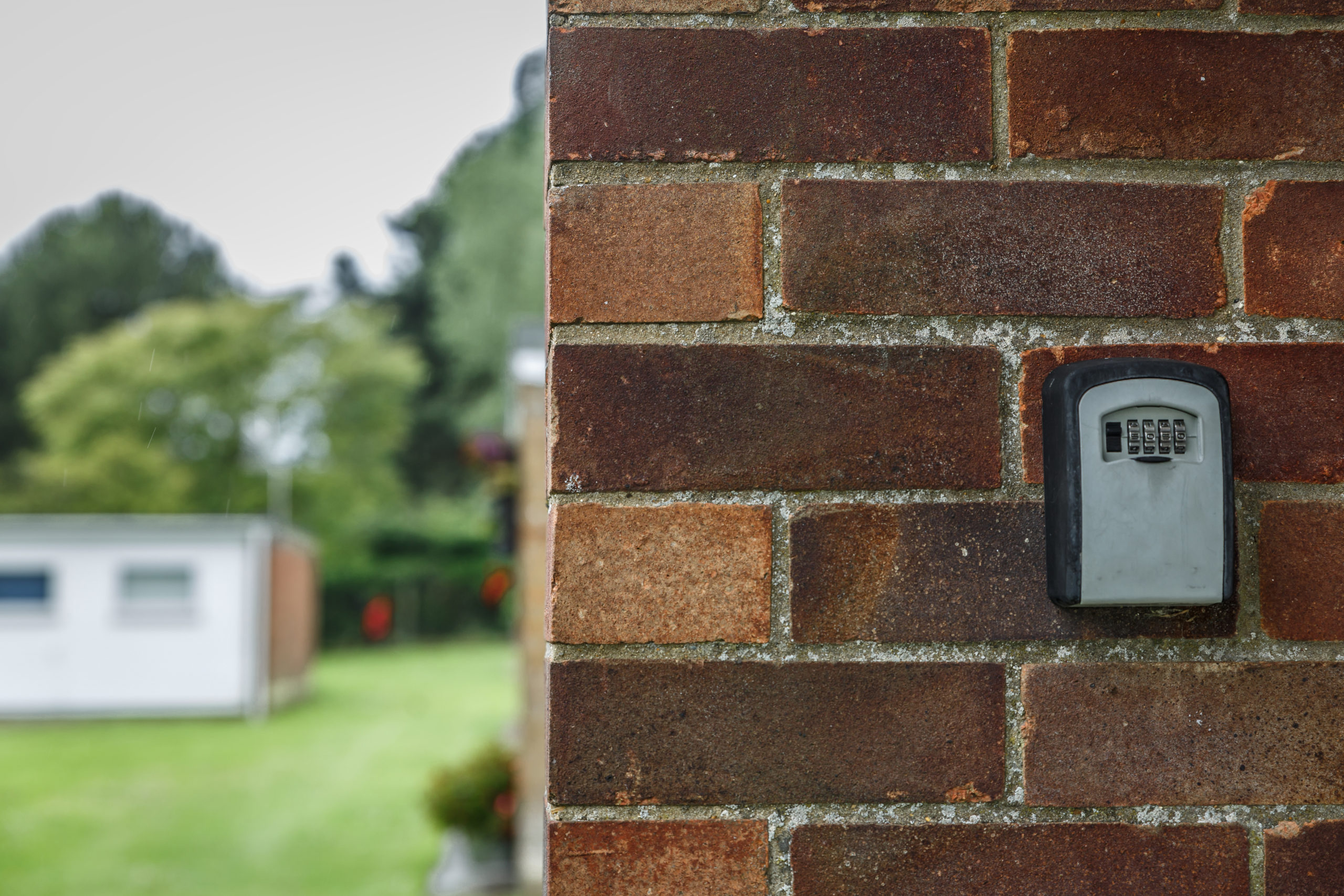
A key lock box is a lockable container that holds a spare key for one unit, door, or gate. Property managers use one as a lockbox for keys they need to hand off to vendors, cleaners, or maintenance staff without giving out a copy in person. This guide compares the best key lock boxes for property managers in 2026 across mechanical, weatherproof, smart, and high-capacity formats, with picks organized by workflow. It covers what key lock boxes cost, how they work, what to look for in security and capacity, and when upgrading to access control makes more sense than another lockbox.
At Swiftlane, we work with property teams managing access across multifamily and mixed-use buildings. We’ve seen how key lock boxes perform in real operations: where they hold up, and where they quietly introduce risk.
Because here’s the reality: lock boxes don’t scale cleanly. Codes get shared. Keys get copied. And there’s no clear record of who accessed what, or when.
This guide covers the best options, how to choose, and the policies you need to make them work, plus when it’s time to move beyond them.
How We Researched This
To build this guide, we evaluated 12 key lock boxes commonly used in property management workflows. Each product was assessed across key criteria, including durability, code reset workflows, capacity, weather resistance, auditability, pricing, customer feedback, and operational fit for property management teams.
We also drew on Swiftlane’s experience working with property managers and building operators across 3,000+ deployments in multifamily and mixed-use portfolios in the U.S. The recommendations and operational guidance in this article reflect both product-level research and real-world access management challenges, including vendor access, unit turnovers, self-guided tours, and key accountability.
Key Takeaways
- The best key lock boxes depend on your workflow, not specs. Vendor volume, turnover frequency, and need for accountability should drive the decision.
- Key lock boxes are fast and flexible, but they shift risk from hardware to operations. Shared codes and copied keys are the real problem.
- Most failures come from poor processes, not bad products. If code rotation and access policies aren’t enforced, security breaks down quickly.
- Lock boxes work on a small scale. Once you’re managing multiple units or buildings, the lack of audit trails and control becomes a real limitation.
Table of Contents
- Quick Picks: Choose Based on Your Workflow
- Key Lock Box Comparison (2026)
- How to Choose a Key Lock Box: PM Decision Criteria
- Operational Playbook: Where Most Teams Fail
- Common PM Mistakes and Fixes
- When a Lock Box Is the Wrong Tool and What to Use Instead
- Final Take
- Frequently Asked Questions
Related Posts
- Commercial Key Fob Door Entry Systems: 2026 Buyer’s Guide
- Apartment Intercom With Door Release: Buying Guide & Top Options
- Gate Intercom Systems: How to Choose
Quick Picks: Choose Based on Your Workflow
Most “best key lock box” lists focus on specs. That’s not how property managers decide. The real question is: what problem are you trying to solve, and how often does it happen?
Here’s a practical breakdown based on real workflows.
| Category | Our Pick | What It’s Best For | Why It Works | Watch-Out |
| Best overall key lock box for PM teams | Kidde AccessPoint KeySafe | Mixed use (vendors, turnovers, occasional tours) | Balanced capacity, decent durability, flexible mounting | Still no audit trail; relies on code discipline |
| Best mechanical key lock box | Supra C500 Pro | Low-frequency access, smaller properties | Simple, no batteries, low failure rate | Manual resets get skipped over time |
| Best outdoor/weatherproof key lock box | Master Lock 5400D / 5401D | Exterior installs, exposed areas | Sealed design, better durability in rain/sun | Weatherproof ≠ tamper-proof |
| Best smart / app key lock box | Igloohome Smart Keybox 3 | Vendor coordination, higher accountability | Access logs, remote code control | Battery and connectivity management |
| Best high-capacity key lock box | Kingsley KL313 Lock Box | Multifamily with fobs, remotes, multiple keys | Fits full access sets | Larger size equals more visible target |
Best Overall Key Lock Box for PM Teams
This is your default choice if you’re managing a handful of buildings or units with moderate access needs. It can hold multiple keys and a fob, mount on a door or wall, and use a push-button or dial combination.
It works because it’s flexible. You can move it. You can assign a code quickly. Vendors don’t need training. But the tradeoff is operational, not technical. Codes tend to stick around longer than they should, and over time, multiple vendors end up knowing the same code.
If you go this route, success depends on how aggressively you manage code rotation. Without that, the “best overall” option becomes a shared secret box.
Top Option: Kidde AccessPoint KeySafe
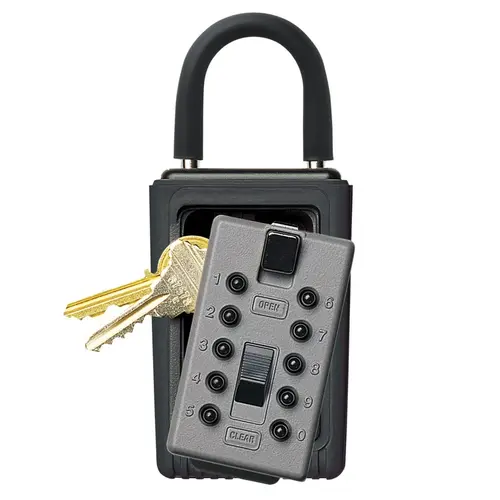
We selected the Kidde AccessPoint KeySafe as the best overall option because it offers the most balanced mix of simplicity, durability, and ease of use. This makes this particular model a practical default for property managers handling moderate, everyday access needs across multiple units or buildings.
Pros:
- Simple design (no connectivity issues, very low failure rate)
- Durable metal construction with a protective cover
- Easy to use for vendors and staff; minimal training needed
Cons:
- No audit trail or remote management (everything depends on manual code control)
- Code changes require an on-site visit, making access updates slower across multiple properties
Best Mechanical Lock Box: Simple and Reliable
Mechanical lock boxes are the lowest-maintenance option. No batteries. No apps. Nothing to sync or troubleshoot. They’re ideal for properties where access is infrequent and handled by a small, consistent team.
The upside is reliability. The downside is discipline. Code changes require someone to physically be there, open the box, and reset it. In practice, that step gets skipped more often than teams admit. The same code ends up being reused for weeks or months.
If you choose mechanical, you’re choosing process over technology. That’s fine, but only if the process is enforced.
Top Option: Supra C500 Pro
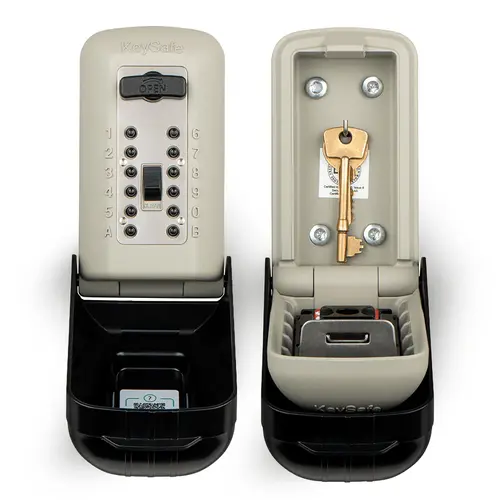
If you want a dependable choice for low-tech, high-reliability access setups, look no further than the Supra C500 Pro. It’s our top mechanical option because it offers durability, familiarity across real estate workflows, and practical capacity in one neat package.
Pros:
- Sturdy construction with a shrouded shackle for improved tamper resistance
- Widely used in real estate workflows, so many vendors are already familiar with it
Cons:
- Bulky size makes placement more noticeable and requires more deliberate mounting
- No audit trail or remote access management, making it difficult to track who used the box
Best Outdoor / Weatherproof Key Lock Box
Outdoor key lock boxes are designed to handle rain, heat, and sun exposure. Look for sealed covers over the keypad and corrosion-resistant materials. These matter more than most buyers think. Sun exposure alone can degrade cheaper units quickly, leading to sticky buttons or unreadable dials.
But don’t confuse weather resistance with security. A box that survives rain isn’t necessarily harder to pry open. Many outdoor units are installed in visible locations, which increases exposure to tampering.
Placement matters as much as build quality here. You want it easy for vendors to find, but not obvious from the street.
Top Option: Master Lock 5400D (Portable) / 5401D (Wall-Mounted)
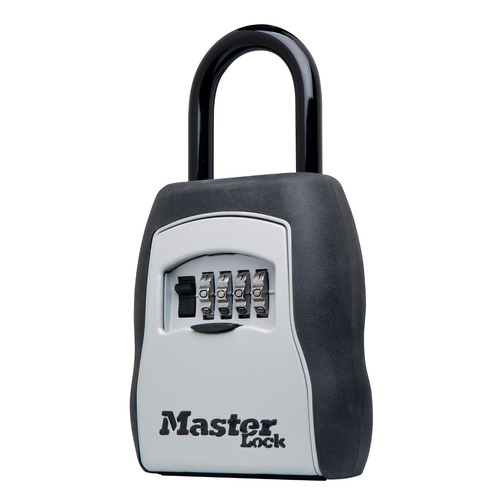
Offering a hard-to-beat combination of weather resistance, durability, and deployment flexibility, the Master Lock 5400D / 5401D is our top outdoor option and a reliable choice for exposed exterior installations across multifamily properties.
Pros:
- Proven outdoor durability with a weather-resistant cover that protects the keypad from rain and sun
- Option to choose between portable (shackle) or fixed wall-mounted install, depending on use case
- Widely available and familiar, making replacements and scaling easier
Cons:
- Basic mechanical design with no advanced tamper resistance or audit features
- Higher visibility in outdoor installs can increase tampering attention in high-traffic areas
Best Smart / App-Based Key Lock Box
Smart key lock boxes add something mechanical ones don’t: visibility. You can issue codes remotely, track access events, and revoke access without physically visiting the site.
For property managers juggling multiple vendors or properties, that’s a real upgrade. It reduces back-and-forth and gives you at least some level of audit trail.
But it introduces new friction. Batteries need to be replaced. Connectivity can fail. Someone has to manage the app and permissions. If that ownership isn’t clear, smart boxes become unreliable fast.
They’re not “set and forget.” They’re “set and manage.”
Top Option: Igloohome Smart Keybox 3
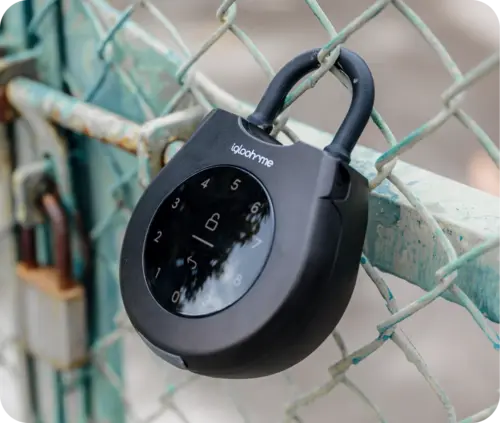
Igloohome Smart Keybox 3 is our top option because it offers the most balanced combination of remote access control, offline functionality, and basic audit visibility, making it the most practical smart lock box for property management workflows.
Pros:
- Creates time-bound PINs remotely, ideal for vendor scheduling and self-guided access
- Works offline using algorithm-based codes (no constant Wi-Fi dependency)
- Access logs provide visibility into usage, improving accountability vs mechanical boxes
Cons:
- Requires consistent battery management and app oversight to avoid access disruptions
- Access control depends on the correct setup of PIN schedules, which can create operational errors if workflows aren’t properly configured
Best High-Capacity Key Lock Box for Keys and Fobs
In multifamily environments, a single key isn’t enough. You’re often dealing with unit keys, amenity fobs, garage remotes, and sometimes mailbox keys. Standard boxes get cramped quickly.
High-capacity lock boxes solve that by giving you space. That sounds simple, but it prevents a common workaround: storing extra items somewhere else, outside the box. That’s where risk creeps in.
The tradeoff is size. Larger boxes are easier to spot and can attract attention if poorly placed. They also need more secure mounting, since weight becomes a factor.
Top Option: Kingsley KL313 Lock Box
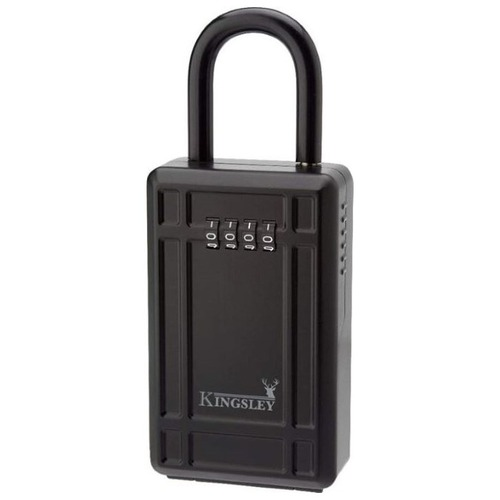
We selected the Kingsley KL313 Lock Box as the top option because it offers one of the largest practical capacities in this category, making it well-suited for multifamily workflows where multiple keys, fobs, and access devices need to be stored in a single, centralized location without workarounds.
Pros:
- High-capacity design that can handle multiple keys and other access devices without forcing workarounds
- Can fit 5 or more keys (depending on key size and model variations; can fit 5 keys with keychain or 2 key fobs)
Cons:
- Larger footprint increases visibility, making placement and security more critical
- Higher capacity can encourage storing mixed access items together, increasing operational risk
Key Lock Box Comparison (2026)
| Product | Price | Capacity | Audit Trail | Best For |
| Kidde AccessPoint KeySafe | $30 to $60 | Low to Medium (1 to 5 keys) | None | Basic mechanical reliability, low-frequency access |
| Kingsley KL313 Lock Box | $20+ | High (5 or more keys depending on size) | None | High-capacity outdoor storage, durable installs |
| Supra C500 Pro | $100+ | High (up to ~6 keys + fobs) | None | Multifamily, contractors, heavy-duty mechanical use |
| Igloohome Smart Keybox 3 | $150 to $200 | Medium to High (up to ~6 keys or key cards) | Yes (basic logs) | Smart access control, vendor scheduling, self-guided tours |
| Master Lock 5400D / 5401D | $50+ | Medium | None | Outdoor installs exposed to various weather conditions |
How to Choose a Key Lock Box: PM Decision Criteria
Choosing the right lock box isn’t about finding the “strongest” one. It’s about understanding where things actually go wrong in day-to-day operations and selecting a setup that reduces those failure points.
1. Security and Tamper Resistance
Most people think about brute force: someone trying to break the box open. That happens, but it’s not the main risk.
The bigger issue is softer. Codes get shared. Vendors pass them along. Former contractors still have access. Over time, you lose track of who knows what.
Physical security still matters. Look for reinforced bodies, anti-pry designs, and protected shackles. Covered keypads help prevent wear patterns that can reveal commonly used digits.
But the hard truth is this: most lock box failures are operational, not mechanical. You’re more likely to lose control through people than through force.
Industry benchmarks for property management maintenance set a first-time fix rate target above 80%. It’s a standard that breaks down quickly when access credentials are shared, delayed, or uncontrolled.
2. Weatherproofing and Placement
If the box is outside, the weather will affect it. Heat can warp materials. Rain can corrode components. Cheap units fail faster than expected.
Placement is a balancing act. If it’s too hidden, vendors waste time trying to find it or call your team for help. If it’s too visible, it becomes an easy target.
A good rule of thumb: a vendor should be able to find it in under 30 seconds with instructions, but it shouldn’t be visible from the street at a glance.
3. Capacity: Keys, Fobs, and Cards
This is where many teams underestimate their needs. It’s rarely just one key. Most units require multiple items, and those items change over time.
When capacity is too small, teams improvise. They leave items elsewhere or rotate what’s inside the box. Both create inconsistency and risk.
Choose a box that fits your full access set comfortably. Not tightly. Comfortably.
4. Code Type and Reset Workflow
There are three main types: mechanical dials, push-button keypads, and smart/app-based systems.
Mechanical options are reliable but require manual resets. Keypads are faster to use but still depend on shared codes. Smart boxes add remote control and logs, but require active management.
Typical Key Lock Box Price Ranges (2026)
• Mechanical lock boxes: $15 to $60
• Basic smart (Igloohome): $100 to $200
• High-capacity: $80 to $150
Prices vary based on build quality, capacity, and whether the model includes smart features like access logs or app control.
The key question isn’t which type is best. It’s who owns the reset process and how often it actually happens. If nobody owns it, it won’t happen.
5. Auditability: Do You Get Logs?
Auditability is where lock boxes show their limits. Most mechanical options provide no logs. You don’t know who accessed the box or when.
That becomes a problem during disputes or incidents. Without logs, you’re reconstructing events from memory and incomplete records.
If you don’t have logs, you need compensating controls. Cameras help. So does strict work order tracking. But those are partial solutions.
No logs means no true accountability.
6. Mounting Method and Installation Effort
Mounting is often overlooked, but it’s critical. A strong box attached poorly is still weak.
Shackle-mounted boxes are easy to deploy and move, but easier to tamper with. Wall-mounted boxes are more secure if installed properly. Recessed options offer the best protection but require more effort and planning.
The most common failure isn’t the box itself. It’s the mounting.
7. Maintenance Burden
Every lock box requires maintenance. Mechanical units wear down over time. Smart units need batteries and occasional troubleshooting.
Then there’s human maintenance. People forget codes. Keys go missing. Boxes get left open.
You need a backup plan. Always. That could be a spare key stored securely elsewhere or a secondary access method. Without it, small issues turn into urgent problems.
8. Support and Warranty
When a lock box fails, it’s rarely convenient. Vendors are waiting. Residents are impacted. Time matters.
Look for predictable replacement processes and responsive support. Cheap units often fail quietly and frequently. At scale, that becomes a constant operational drag.
Operational Playbook: Where Most Teams Fail
Lock boxes don’t fail because of bad hardware. They fail because of inconsistent processes. This section matters more than the product you choose.
Vendor Access Policy
More than 80% of property managers are involved in coordinating or performing maintenance and repairs, making vendor access management one of the most operationally intensive parts of the job.
Only approved vendors should receive codes. That sounds obvious, but it’s not always enforced.
In our work with PM teams during lease-up periods, the most common failure was a lock box code shared in a group text that never got rotated.
Codes should be assigned per vendor or, ideally, per job. Shared or permanent codes create long-term exposure. Once multiple people know the same code, you’ve lost control.
We’ve observed that properties using a single rotating code for all vendors often discover stale access during move-out audits, with codes set 6+ months prior still active.
At a minimum, rotate codes weekly. Ideally, rotate them after each job. Every work order should include the vendor name, time window, and specific unit or door.
We’ve found that properties rarely run into problems because a lock box was forced open. More often, access issues stem from shared codes that remain active long after they should’ve been changed.
If this isn’t enforced, it doesn’t exist. Policies on paper don’t reduce risk. Execution does.
Turnover Workflow
Move-outs are a critical moment. According to a Zego analysis cited by Multifamily Dive, the average apartment turnover costs property managers $3,872 per unit, with vendor maintenance, repairs, and materials accounting for roughly $1,200 to $1,600 of that total.
Codes should be reset immediately, and the contents of the lock box should be verified. Missing keys at this stage create downstream issues.
For move-ins, assign a new code and confirm the correct key set is inside. This sounds basic, but it’s a common point of failure, especially during busy leasing periods.
Old codes lingering across turnovers are one of the easiest ways access gets compromised.
Incident Response Checklist
When something goes wrong (a lost key or suspected unauthorized access), you need a clear response.
Start with an immediate code reset. Review camera footage if available. Decide whether rekeying is necessary based on the level of risk. Notify relevant stakeholders.
Rekeying everything is expensive, so define thresholds in advance. Not every incident requires it, but some do.
Self-Guided Tours in Multifamily Properties
Lock boxes are often used for self-guided tours, but they weren’t designed for it. They’re a workaround.
If your box supports time-limited codes, use them. Define whether tours are escorted or unescorted. Log who accessed the unit and when.
We’ve seen that self-guided tour programs become much harder to manage once multiple leasing agents, vendors, and prospects are relying on the same access process. Clear ownership and documentation become critical.
Without structure, self-guided tours can quickly become uncontrolled access.
Common PM Mistakes and Fixes
These aren’t edge cases. They happen all the time.
| Mistake | Why It Happens | Fix |
| One code used indefinitely | Convenience, lack of ownership | Assign per vendor/job and rotate consistently |
| “Hidden” box placement | Assumption that obscurity equals security | Use smarter placement + camera coverage |
| Storing master keys inside | Shortcut during busy periods | Never store master keys; limit exposure |
| No tracking or logs | Relying on memory and informal processes | Use logs where possible or enforce strict work orders |
The pattern is consistent. Convenience wins in the short term, and risk builds quietly over time.
When a Lock Box Is the Wrong Tool and What to Use Instead
Lock boxes are a good starting point. They’re not a long-term solution for every property.
They start to break down when access becomes frequent, distributed, and hard to track. That’s when operational overhead and risk begin to outweigh the convenience. Upgrading is a bigger budget line, though: lock boxes cost anywhere from $15 to $200, while fob and keyless systems are priced per door. Our breakdown of key fob entry system cost covers what that typically involves, including the recurring costs that rarely show up in a vendor quote.
| Scenario | Why Lock Boxes Struggle | Better Option |
| Multiple vendors accessing the same doors | Code sharing and reuse | Access control with unique credentials |
| Need for audit trails | No logs or visibility | Smart systems with access logs |
| Frequent rekeying costs | Keys get copied or lost | Mobile credentials or keyless entry |
| Portfolio-wide management | No centralized control | Access control platforms |
If you’re managing access across multiple buildings or doors, you should try evaluating access control or mobile credentials.
Not only can they reduce the need for physical keys, they can also provide audit trails and allow you to revoke access instantly. If fobs are part of that plan, our guide to choosing a fob access system provider lists the questions to ask vendors before you sign.
Where Swiftlane Fits In
Swiftlane is designed for property teams that have outgrown lock boxes. Instead of shared codes and physical keys, it uses mobile credentials, key fobs, and video intercom to manage access across doors and buildings. Access can be granted or revoked instantly, with clear audit trails for every entry event.
That means no more rekeying, fewer vendor coordination issues, and better visibility into who accessed what and when. For growing portfolios, it replaces fragmented workflows with a single, centralized system.
If you’re looking to reduce risk and streamline access across your properties, explore Swiftlane’s keyless access control system and video intercom solutions.
Final Take
Key lock boxes are simple for a reason. They solve a real problem quickly and cheaply. For many property managers, they’re the first step toward more flexible access.
But they come with tradeoffs. No audit trail. Shared codes. Physical keys that can be copied and never truly controlled again.
If you treat them as a temporary solution and back them with strong processes, they can work well. If you rely on them indefinitely without tightening operations, risk builds quietly in the background.
At some point, most growing portfolios hit the same conclusion: what worked at a small scale doesn’t hold up under complexity. That’s when it’s time to move beyond lock boxes and toward systems built for visibility and control.
Frequently Asked Questions
Are key lock boxes safe enough for multifamily properties?
Yes, they are, if you manage them properly. The biggest risks come from shared codes and copied keys, not physical break-ins.
Should I use my key lock box for self-guided tours?
Yes, you can, but you’ll need to establish and enforce strict policies. Time-limited access and logging are critical.
How often should I rotate key lock box codes?
Ideally, you should rotate lock box codes after each job. At a minimum, you should do it weekly. Anything longer can increase risk.
Where should my key lock box be mounted?
You should mount it in a location that’s easy for your vendors to find but not visible from the street. Avoid obvious or high-traffic spots.
Can keys be copied from my lock box?
Yes, they can. Once someone has physical access to a key, it can be duplicated. That’s one of the core risks.
How do I reset or change my key lock box code?
It depends on what model you’re using. Mechanical boxes require manual resets on-site. Smart boxes can often be updated remotely via an app.
Can I store master keys in a key lock box?
It’s not recommended. If the lock box is compromised, anyone with the master key may gain access to multiple units or areas. Limit lock box contents to only the keys needed for a specific task or property.
What’s the difference between a mechanical and a smart key lock box?
Mechanical lock boxes use physical combinations and require on-site code changes. Smart key lock boxes allow remote access management, time-limited codes, and activity logs, but they also require battery and app management.
When should I upgrade from a key lock box to an access control system?
Consider upgrading when you’re managing multiple buildings, coordinating frequent vendor access, or need audit trails. At that point, the operational burden and security limitations of lock boxes often outweigh their convenience.
Do smart key lock boxes provide audit trails?
Many smart models provide basic access logs that show when the box was opened and which credential was used. However, the level of detail varies by product and may be less comprehensive than a dedicated access control system.
Upgrade Your Building Security
Get in touch with a Swiftlane specialist for more information on the best access control and video intercom solution for your building.


