

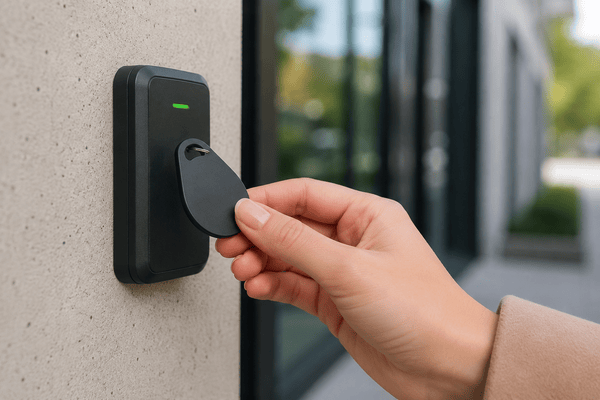
Physical keys are expensive to replace, easy to duplicate, and nearly impossible to track. Despite that, they’re still widely used. In fact, 76% of multifamily properties still rely on traditional keys. That’s why many properties now rely on fob-based access control systems.
But here’s the catch: not all fob access system providers are created equal. Some only sell hardware, while others install systems but don’t offer ongoing support. Some provide software but rely on old, on-premise servers. Then there’s a few that deliver legit cloud-based platforms designed for modern property operations.
If you choose the wrong provider, you might find yourself locked into years of hidden costs and unhappy tenants.
To help you out, the Swiftlane team created this guide based on our experience with past deployments. With this guide, you’ll know what to look for in a fob access system provider and how to make a smart, long-term decision.
How We Researched This
This guide is based on hands-on experience in access control system deployments across 3,000+ buildings annually in the U.S., along with a review of publicly available product documentation, vendor specifications, and industry standards for RFID-based access control. We focused on real-world functionality (such as credential management, system architecture, integration capability, and support models) rather than marketing claims or brand positioning. Our goal is to highlight practical differences that impact day-to-day operations, long-term costs, and system scalability.
Key Takeaways
- A good fob access system provider should do more than sell you hardware. Look for cloud management, easy credential control, and room to grow.
- Don’t just compare brands. Compare features, integrations, support, and long-term costs before you decide.
- More properties are moving toward unified systems that support fobs, mobile access, and remote management all in one place.
- Total cost of ownership matters more than upfront pricing. Hardware is only one part of the cost. Software subscriptions, support, integrations, and future expansion can impact long-term budget and operational efficiency.
Table of Contents
- What Is a Fob Access System Provider?
- How a Modern Fob Access System Works
- What Services Should a Modern Fob Access System Provider Offer?
- Cloud-Based vs. Legacy Fob Access Providers
- Industries That Rely on Fob Access Systems
- How Much Does a Fob Access System Cost?
- 10 Questions to Ask Before Choosing a Fob Access System Provider
- Top 5 Fob Access System Providers
- Common Mistakes Property Managers Make
- Security and Compliance Considerations
- Fob Access vs. Mobile Credentials: Do You Need Both?
- Evaluating Long-Term Value
- The Future of Fob Access Systems
- Final Thoughts
- Frequently Asked Questions
Related Posts
- What Is a Fob System and How to Choose One
- Commercial Key Fob Door Entry Systems: Buyer’s Guide
- Guide to Apartment Key Fob Systems
What Is a Fob Access System Provider?
A fob access system provider supplies and supports the technology that lets users enter buildings with the use of RFID key fobs rather than old-school metal keys.
That definition only scratches the surface, however. There’s a big difference between:
- A hardware manufacturer
- A local installer
- A software-only vendor
- A full-service fob access system provider
A true provider delivers:
- Door readers
- Access control panels or controllers
- RFID key fobs
- Cloud-based management software
- Installation support
- Ongoing maintenance and updates
In other words, you’re not just buying readers and plastic fobs. You’re investing in a complete access management system that affects security, operations, tenant experience, and long-term costs.
How a Modern Fob Access System Works
At its core, a key fob access system relies on RFID (radio-frequency identification) technology.
Here’s how the system functions:
- A resident or employee presents their fob to a reader.
- The reader captures the credential data. Note that in older 125 kHz systems, this is a static, unencrypted ID that can be duplicated. Modern 13.56 MHz systems use encrypted credentials that are far more resistant to cloning.
- The controller verifies the credential by referencing stored permissions.
- If authorized, the door opens.
- The system logs the entry (or exit) in the management platform.
In older systems, that verification process happens via a local server stored on-site. In modern systems, however, credentials can be managed through a cloud-based platform that lets you:
- Add or remove users remotely
- Change access schedules
- Lock down doors in case of emergencies
- Track activity in real time
The underlying technology isn’t new. What separates providers today is how the system is managed and supported.
What Services Should a Modern Fob Access System Provider Offer?
If you’re evaluating providers, don’t just compare hardware specs. Focus on capabilities and long-term support.
A modern fob access system provider should offer:
- Cloud-based management portal. Accessible from anywhere, without maintaining local servers.
- Instant credential activation and deactivation. Lost fob? Former employee? You should be able to revoke access in seconds.
- Real-time activity logs. Clear, searchable records of who entered and when.
- Multi-property management. Especially important for regional managers overseeing multiple assets.
- Elevator access and gate integration. Access shouldn’t stop at the front door.
- Visitor and vendor management tools. Temporary credentials and scheduled access.
- Emergency lockdown capability. Ability to secure areas immediately when needed.
- API and property management system integrations. Sync with leasing platforms or HR systems.
- Mobile credential compatibility. Even if you use fobs today, mobile options are increasingly expected.
If a provider can’t clearly explain how they deliver these services, that’s a red flag.
Cloud-Based vs. Legacy Fob Access Providers
One of the biggest differences between providers is where the system “lives.”
Legacy (On-Premise) Systems
Older systems rely on local servers stored in your building. That means:
- You’re responsible for server maintenance.
- Software updates must be installed manually.
- Remote access is limited or complicated.
- IT support is often required.
- Hardware upgrades can be disruptive.
If the server fails, your access system may be at risk.
Cloud-Based Systems
Modern fob access system providers offer cloud-managed platforms.
This means:
- No on-site servers to maintain.
- Automatic software updates.
- Remote management from any browser.
- Centralized dashboards for multi-property portfolios.
- Built-in cybersecurity updates.
- Scalable architecture.
Cloud-based doesn’t mean “internet-dependent.” Many modern systems include offline failover, meaning doors continue functioning even if internet connectivity is temporarily lost.
For most commercial and multifamily properties today, cloud-based systems are becoming the standard.
Industries That Rely on Fob Access Systems
While access control exists across industries, fob-based systems are particularly common in:
Multifamily Housing
Apartment communities use fobs for:
- Main entry doors
- Amenity spaces
- Parking garages
- Elevators
High resident turnover makes instant credential management critical.
Office Buildings
Commercial office properties need:
- Tiered access permissions
- Time-based scheduling
- Secure server room access
- Audit logs for compliance
Student Housing
Frequent move-ins and move-outs are common in student dorms. But with fob access systems, you can ensure quick issuance and revocation of credentials.
Mixed-Use Buildings
Buildings that combine residential and office space can benefit from fob access systems’ ability to handle different access levels across user types.
Gated Communities
Fobs provide streamlined entry for people or their vehicles at community entrances of exclusive parking lot gates.
How Much Does a Fob Access System Cost?
Cost is often computed on a per-door basis. That number, however, doesn’t always tell the full story.
In the US, access control systems are commonly quoted around ~$1,500 to $5,000 per door installed (varies by wiring, door hardware, and integrations). (Sources: BTI Group; Hilton Security)
Cost factors include:
- Door type and hardware complexity
- Reader technology
- Controller requirements
- Integration needs
- Labor costs
Beyond hardware, you’ll need to account for:
Key Fobs
- Encrypted 13.56 MHz credentials (for example, MIFARE DESFire variants) often cost roughly ~$5 to $15 each in bulk, depending on format and vendor. (Source: Avon Security Products)
Software or Cloud Subscription
- Monthly or annual fees for system management.
- Often priced per door, per user, or per property.
Installation and Configuration
- Wiring, power supply, reader mounting.
- Integration with elevators or gates may increase costs.
Ongoing Maintenance
- Replacement readers or controllers.
- Firmware updates.
- Credential reissuance.
Expansion Costs
- Adding new doors or buildings.
- Scaling across additional properties.
When comparing providers, ask for a full breakdown of total cost of ownership, not just upfront hardware pricing.
10 Questions to Ask Before Choosing a Fob Access System Provider
Your fob access system provider should be able to answer these questions clearly:
- Is the system fully cloud-based or server-dependent?
- What encryption standards do your fobs use?
- How quickly can credentials be revoked?
- What happens if internet service goes down?
- Can the system scale across multiple buildings or properties?
- Does it support both fobs and mobile credentials?
- What integrations are possible with property management software?
- How will I get software updates?
- What’s the warranty on the hardware?
- Is customer support included?
If the answers are vague or too technical without practical clarity, proceed cautiously.
Top 5 Fob Access System Providers
If you’re actively comparing vendors, it helps to see how leading providers stack up. Below are five well-known fob access system providers in the US market, along with their general strengths and limitations.
1. Swiftlane
Swiftlane provides cloud-based access control systems designed for multifamily, office, and mixed-use properties.
Its flagship reader, SwiftReader X, supports MIFARE DESFire EV2 credentials, mobile BLE/NFC access, and facial recognition in a single device, allowing properties to consolidate multiple authentication methods into one system.
The platform also supports RFID fob-based access for buildings that still rely on physical credentials.
Pros
- Cloud-based management with remote credential control
- Supports fobs, mobile credentials, and facial authentication
- Integration with video intercom systems
- Multi-property portfolio management
- Scalable infrastructure
Cons
- May offer more features than smaller properties need
- Full feature set requires a cloud plan; hardware-only deployments have limited management capabilities
2. Brivo
One of the longest-standing cloud-based access control providers in the US, Brivo supports key fobs, mobile credentials, and integrations with video surveillance systems.
Pros
- Mature cloud-based platform
- Broad integration ecosystem
- Suitable for small to large commercial properties
- Detailed audit and reporting capabilities
Cons
- Pricing can scale quickly with doors and users
- Interface may feel complex for smaller teams
3. Kisi
Kisi focuses on modern, cloud-managed access control for offices and flexible workspaces. The system supports key fobs alongside mobile credentials and offers a clean administrative interface.
Pros
- User-friendly management dashboard
- Mobile-first capabilities
- Open API for integrations
- Scalable for growing office environments
Cons
- Primarily optimized for office use cases
- May lack deeper hardware customization options for large industrial sites
4. Honeywell
Honeywell is a global security manufacturer offering enterprise-grade access control systems. Many of its deployments support fob-based credentials and are used in large commercial and institutional facilities.
Pros
- Established brand with broad security expertise
- Enterprise-level capabilities
- Suitable for complex environments
- Integration with other existing building systems
Cons
- Often requires on-premise infrastructure
- Higher upfront costs
- May require specialized integrators
5. HID Global
HID Global is best known for credential technology, including RFID key fobs and smart cards. Not exactly a full end-to-end provider, HID products are still widely used in access control systems for offices.
Pros
- Industry-standard credential technology
- Strong encryption options
- Widely compatible with many access control platforms
Cons
- Often works through third-party integrators
- Not always a standalone cloud platform
- Total system experience depends on implementation partner
Provider Comparison Table
| Provider | Best For | Cloud-Based? | Fob + Mobile? | Support Included? |
| Swiftlane | Multifamily, mixed-use, modern access systems | ✅ | ✅ | ✅ |
| Brivo | Enterprise commercial buildings, broad deployments | ✅ | ✅ | ✅ |
| Kisi | Office spaces, flexible work environments | ✅ | ✅ | ✅ |
| Honeywell | Large-scale enterprise and legacy infrastructure | ❌ | ⚠️ Not always native | ⚠️ Dependent on partner or integrator |
| HID Global | Credential technology, system integrators | ❌ | ❌ | ❌ |
Want to see how Swiftlane handles fob, mobile, and facial access in a single system? Book a demo today.
Red Flags to Watch For When Choosing a Provider
Not all fob access system providers are built for long-term reliability. Watch for these warning signs during evaluation:
- No offline failover support. If doors stop working when the internet goes down, the system lacks proper local redundancy.
- Slow or manual credential updates. If revoking or updating access takes more than a few seconds, operational efficiency will suffer in high-turnover environments.
- No published API or integration documentation. A lack of clear API access can signal limited flexibility with property management or security software.
- Hardware-only contracts with no software roadmap. Systems that sell hardware without a clear upgrade path to cloud management can become obsolete quickly.
- Support not included in base pricing. If ongoing support is treated as an add-on rather than part of the core offering, total cost of ownership can escalate unexpectedly.
Common Mistakes Property Managers Make
Even experienced operators sometimes choose the wrong provider. In most cases, the issue isn’t lack of effort. It’s focusing on the wrong evaluation criteria early in the process.
Choosing Based on Lowest Upfront Cost
The cheapest hardware often looks attractive on paper. But we’ve seen that low initial pricing can mask higher long-term operating costs.
Systems without strong cloud support may require frequent on-site service calls, manual updates, or costly retrofits when scaling. Over time, those “savings” disappear.
Ignoring Scalability
A system that works for 20 doors may struggle at 200. This is where architecture matters more than features. Planning for growth upfront avoids painful migrations later, especially in multi-building portfolios or phased developments.
Overlooking Credential Management Speed
High-turnover environments depend on fast provisioning. If adding or removing users takes too many steps, it quickly becomes an operational bottleneck.
In our experience working with property teams, we’ve observed that delays in credential updates often translate directly into front-desk workload and resident friction.
Not Planning for Resident Expectations
Even if a property relies on fobs today, expectations are shifting toward mobile access and unified entry systems. The system shouldn’t lock you into a single credential type. For more on this shift, see our guide on why mobile access is increasingly expected.
Underestimating Support Needs
Access control isn’t a “set it and forget it” system. Issues (hardware faults, credential errors, or integration gaps) will happen. What matters is response time and accountability.
We’ve seen that properties with weak support structures end up relying heavily on internal staff to bridge the gap, which increases long-term operational load.
Security and Compliance Considerations
Access control systems are part of your broader risk management strategy.
When evaluating providers, consider:
- End-to-end encryption standards.
- Secure credential storage.
- Role-based administrative permissions.
- Detailed audit trails.
- Compliance with industry best practices.
Look for providers that support OSDP v2 (the current standard for reader-to-controller communication security) and follow SOC 2-aligned security practices.
For office buildings or regulated industries, access logs may play a role in investigations or audits. Your provider should make reporting straightforward.
Fob Access vs. Mobile Credentials: Do You Need Both?
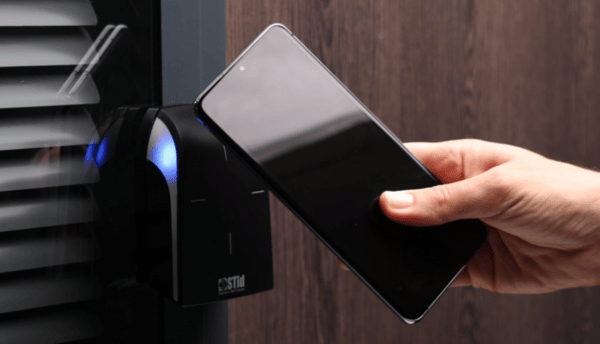
Some properties are moving entirely to smartphone-based entry. Others still rely heavily on physical fobs.
The reality? Many properties benefit from hybrid systems.
Fobs offer:
- Simplicity
- Reliability
- Familiarity for residents
Mobile credentials offer:
- Convenience
- Reduced physical inventory
- Remote provisioning
- Integration with digital wallets
A modern fob access system provider should allow both, even if you only deploy fobs initially. That flexibility protects your investment.
Evaluating Long-Term Value
Access control isn’t just about unlocking doors. It impacts:
- Security risk exposure
- Tenant satisfaction
- Staff workload
- Operational efficiency
- Property value
A well-chosen provider can:
- Reduce rekeying costs.
- Improve response time during incidents.
- Streamline move-ins and move-outs.
- Provide data insights on building usage.
- Support centralized portfolio management.
A poorly chosen provider can create ongoing friction for years.
The Future of Fob Access Systems
While fobs remain common, the broader access control landscape is evolving.
Trends shaping the industry include:
- Unified access platforms that combine video intercom, credential management, and visitor access.
- Wallet-based credentials compatible with major smartphone ecosystems.
- Data-driven dashboards for operational analytics.
- Touchless entry expectations.
- Deeper integration with building management systems.
In our experience, we’ve observed that the best providers aren’t just selling fobs. They’re also building adaptable platforms that support evolving property needs.
When evaluating a fob access system provider, look beyond today’s requirements. Consider whether the system can adapt to where the industry is headed.
Final Thoughts
A fob access system is more than a security upgrade. It’s infrastructure.
The right fob access system provider will offer:
- Secure, encrypted credentials
- Cloud-based management
- Real-time visibility
- Scalable architecture
- Strong integration capabilities
- Reliable support
The wrong provider may save you money upfront but cost you time and inefficiency down the road.
Compare systems carefully and ask detailed questions. Be sure to evaluate total long-term value, not just upfront hardware cost. Remember, the access control system you choose will serve as critical infrastructure for years to come. It’s worth getting it right.
If you’re comparing providers and want to see how a modern, cloud-based system works in practice, take a look at Swiftlane. Our team works with office, residential, and mixed-use properties to design access systems that scale with your portfolio.
Book a demo today and see whether it’s the right fit for your property.
Frequently Asked Questions
What is a fob access system provider?
A fob access system provider supplies and supports the hardware and software that lets users enter buildings using RFID key fobs. They provide the readers, controllers, management software, and ongoing support.
How much does a fob access system cost per door?
Installation costs range from $1,500 to $5,000 per door, depending on hardware and integrations. Ongoing cloud subscription fees may also apply.
Are cloud-based fob access systems secure?
Yes, they are. Providers that use encryption and secure cloud infrastructure can protect your credential data and access logs. Some also offer offline functionality to ensure your doors can still function during network outages.
Can fob access systems integrate with property management software?
Yes, they can. Today’s modern systems feature API integrations or direct sync capabilities with property management platforms.
Should properties switch from fobs to mobile access?
Buildings today can employ hybrid systems that can support both fobs and mobile access. It’s an approach that can offer flexibility while meeting modern tenant demands.
What’s the difference between 125 kHz and 13.56 MHz key fobs?
125 kHz fobs (like standard HID Proximity) transmit a static, unencrypted ID and are easy to clone. 13.56 MHz fobs (like MIFARE DESFire) use encrypted credentials and mutual authentication, making them more secure. Most modern providers recommend 13.56 MHz for any new installation.
How long does it take to install a fob access system?
A single-door installation can take a few hours. A multi-door commercial deployment can take one to several days depending on wiring, integrations, and the number of access points.
Can I keep my existing fobs if I switch providers?
It depends on the credential format. If your current fobs use a standard format like MIFARE, some providers can program new readers to accept them. Legacy 125 kHz fobs often need to be replaced when upgrading to a modern encrypted system.
Do fob access systems work during power or internet outages?
It depends on the system architecture. Well-designed systems include offline failover, meaning doors continue to function using locally cached permissions even if the internet goes down. However, cloud-based features like remote updates and real-time logs may pause until connectivity is restored.


