

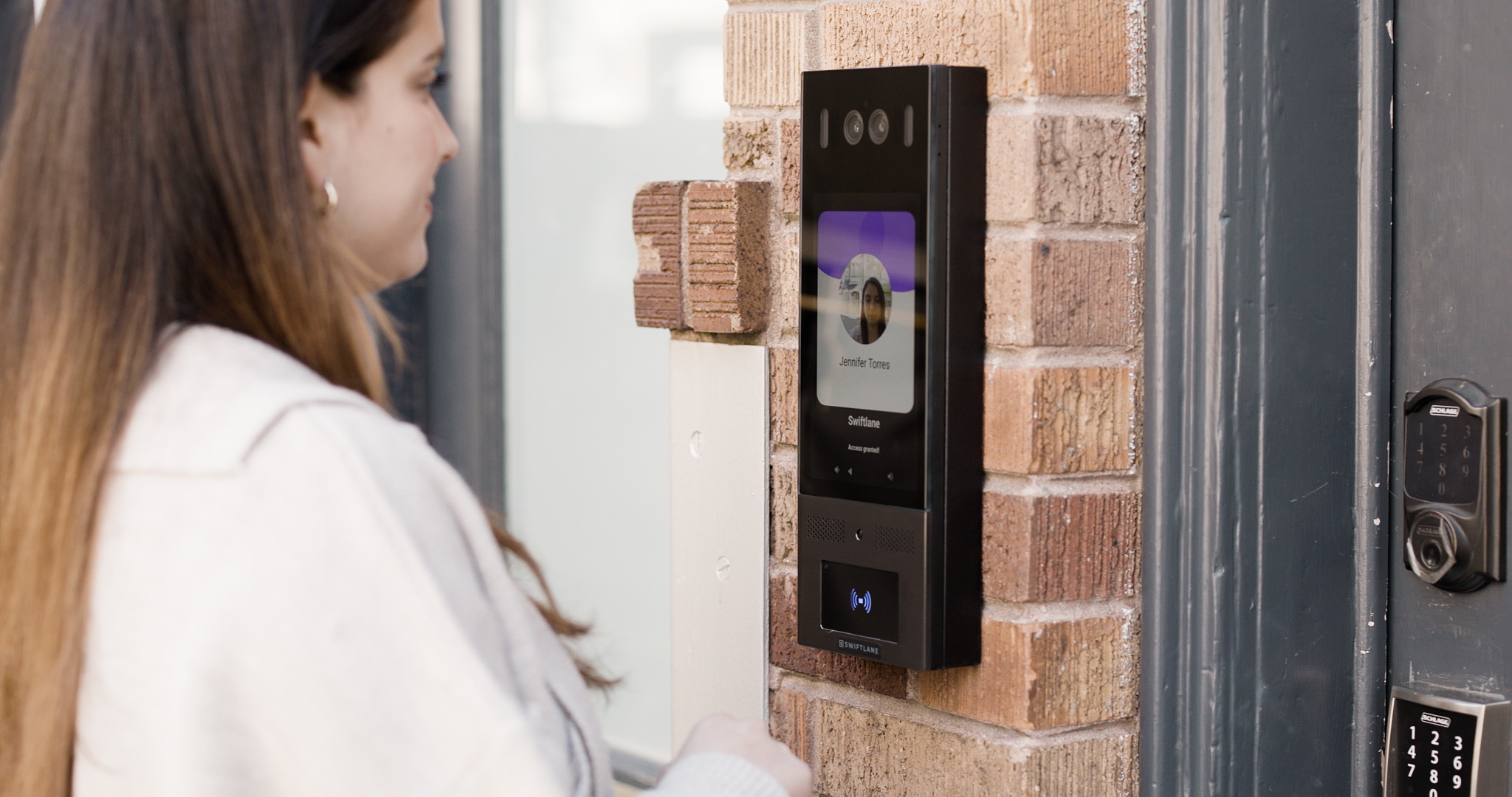
Intercoms sit at the front of the line of building security, yet they’re often chosen with limited information. As buildings handle more visitors, deliveries and remote operations, intercom systems in 2026 need to do more than connect a call.
If you’re comparing options and trying to choose the right intercom system, without overpaying or ending up with technology that doesn’t fit how your building actually operates, this blog is designed to help you. It walks through what modern intercom systems do, the main types available, which features matter most in 2026, and how to evaluate vendors with confidence.
This guide comes from hands-on review of today’s video intercom features, plus what we’re seeing in recent buyer guides and in day-to-day building operations. We also drew on Swiftlane’s experience supporting multifamily and commercial properties, where access control has to work reliably for residents, staff, and deliveries.
So what does “choosing the right intercom system” actually mean? It comes down to matching your building type, entry points, visitor volume, and existing infrastructure with a system that supports secure visitor communication and controlled access. Modern intercoms typically work alongside access control tools rather than replacing them, with buyers increasingly prioritizing usability, scalability, and ease of day-to-day management.
Key takeaways
- The right intercom system depends on your building type, entry points, and visitor volume.
- Existing wiring, network connectivity, and power affect which systems are practical
- Modern intercom systems typically work alongside access control, not as standalone security tools
- Usability and scalability matter as much as features for long-term success
- Systems that are easy to manage day to day help reduce ongoing operational effort
Table of Contents
- What is an Intercom System?
- Four Factors to Check First
- What are the Different Types of Intercoms?
- Intercom Applications: Where and How Systems Are Used
- Key Intercom Features to Consider in 2026
- A Practical Comparison Table
- Decision Criteria: How to Choose
- What to Ask Intercom Vendors During a Demo
- Common Mistakes to Avoid
- Where Swiftlane Fits in a Modern Intercom Evaluation
- Let’s Wrap Up
- FAQS
Suggested Posts:
- Biometric Access Control: What It Is and Why You Need It
- Best Intercom Systems (2025) – Top Picks for Every Type
- Salon Suite Access Control: The Ultimate Guide for Owners
What is an Intercom System?
An intercom system allows visitors to communicate with residents, staff, or security at an entry point and, in many cases, unlock doors or gates remotely.
An intercom is not a complete security system on its own. It works with access control components such as door hardware, credentials, and management software. When you understand how these pieces fit together, it will help you avoid choosing a system that creates operational gaps later.
Before comparing products, you have to understand your building’s fundamentals first.
Four Factors to Check First
1. Building type
Apartments, offices, gated communities, and mixed-use buildings have different access patterns and expectations. A system designed for an office or a single-family home doesn’t scale well for multi-family or commercial use.
2. Visitor flow
Low traffic buildings may only handle occasional guests, while high-traffic properties manage deliveries, service providers, and vendors throughout the day. Higher visitor volume usually benefits from video and remote access.
3. Entry points
One lobby door is very different from multiple entrances, parking garages, elevators, or gates. Each entry point adds complexity and should be considered upfront.
4. Infrastructure reality check
Beyond building layout and traffic, infrastructure plays a major role in determining which intercom systems are realistic options. Existing wiring, network availability, and power access all affect what can be installed and how smoothly it will work.
Some systems, especially wireless connections discussed later in this blog, can reduce the need to run wiring to individual units, which often simplifies installation. However, “wireless” still depends on stable ethernet or cellular coverage, plus reliable power at the entry point. In older buildings, retrofit constraints like limited conduit, weak signal, or aging infrastructure can still affect what’s practical.
What are the Different Types of Intercoms?


Intercom systems are often classified or grouped by how they connect, what they support, and where they’re used. Looking at these types side by side helps clarify which options are practical for your building and which features are worth prioritizing.
Here’s a list of types you can check:
Wired vs Wireless Intercoms
Wired intercom systems connect through physical cabling, such as Ethernet or existing legacy wiring, and typically require a direct connection from the main entry point to individual units. These systems are more common in older buildings or in projects where the wiring infrastructure is already in place. While wired setups can offer stable performance, installation can be time-consuming and less flexible, especially in buildings where running new cables to each unit is difficult or disruptive.
Wireless intercom systems do not require wiring from the front door to individual units, which can make them easier to install in many existing buildings. Instead, they can support multiple connectivity options, such as Wi-Fi, Ethernet, or cellular, depending on the system and building setup. While wireless options often reduce installation disruption, they are not infrastructure-free. They still rely on reliable network connectivity and power to function properly.
Audio-only vs Video Intercoms
Audio-only intercoms enable simple speech contact between visitors, residents, or staff. While they can be sufficient in low traffic situations, they provide little information when considering whether it’s safe to grant visitors access.
Video intercoms on the other hand add visual verification. It allows users to see who is requesting entrance before unlocking a door or a gate. This increased visibility can boost both security and confidence, especially in buildings that get numerous visits or deliveries.
According to Verified Market Reports, video intercom systems are gaining traction as a preferred option for residential and commercial properties. Industry forecasts project significant market growth for video intercoms, driven by rising security needs and technological adoption in building access solutions from 2026 onward.
IP/ Cloud connected vs Legacy systems
Legacy intercom systems typically rely on on-site hardware, physical directories, or landline connection. While many buildings are familiar with these technologies, they can be difficult to update, scale, or administer remotely, particularly when buildings grow or access requirements change.
IP or cloud connected intercom systems employ the internet to enable remote management, software updates, and quicker user modifications. These systems are frequently more suited for properties that require centralized control over several entries or locations, as they eliminate the need for on-site changes and human maintenance.
Intercom Applications: Where and How Systems Are Used
Beyond system types and features, it’s also important to consider where intercoms are used within a property. Different entry points come with different access needs, traffic patterns, and security considerations, and intercom systems need to be applied accordingly.
Gate Intercoms
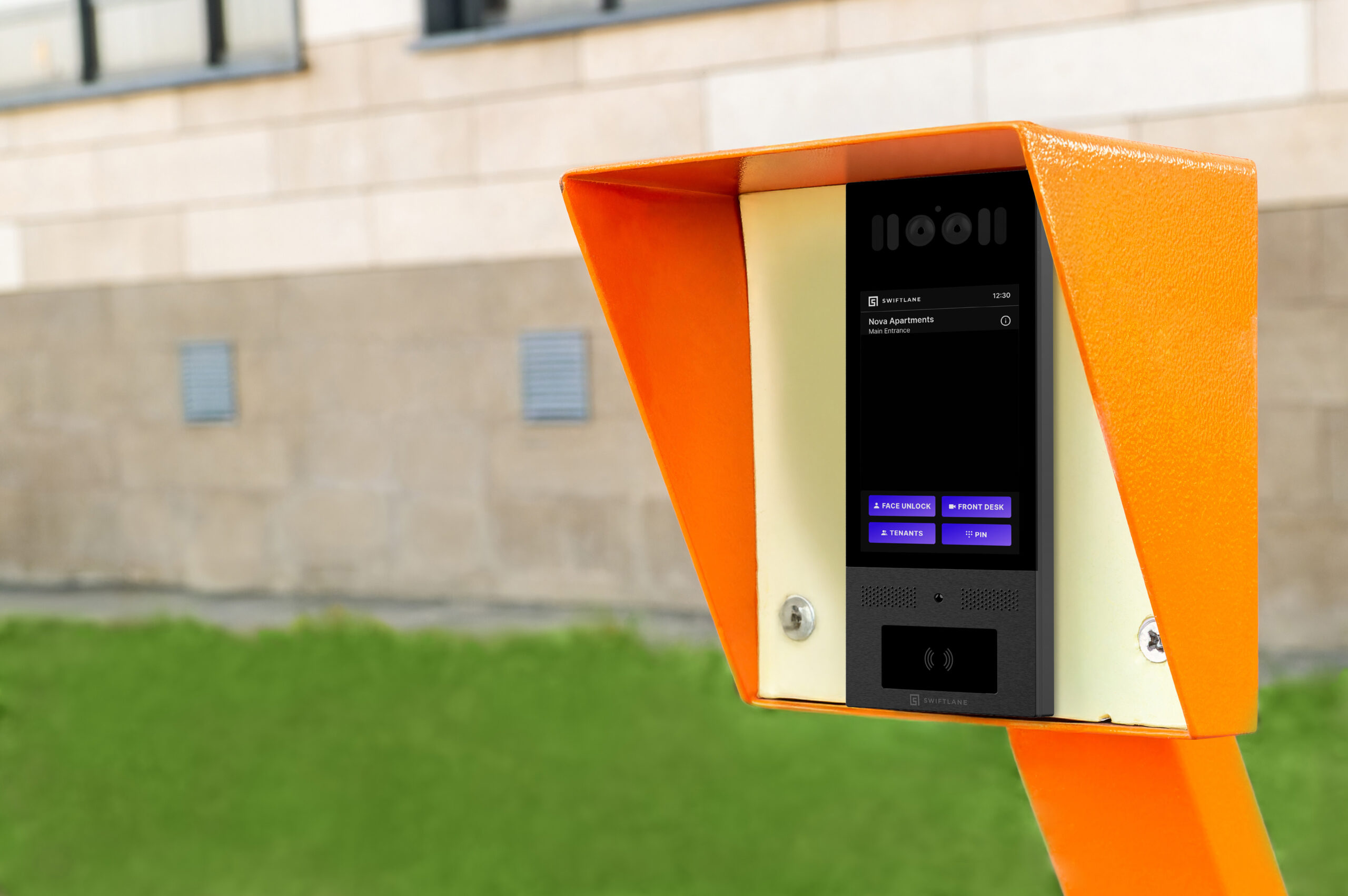
Gate intercoms are typically used for vehicle and perimeter access, such as parking garages, driveways, or secured entry roads. For example, in a gated residential community, a gate intercom allows residents or staff to verify drivers and grant access remotely.
These systems help manage vehicle flow while maintaining perimeter security. Reliability and visibility are especially important in these scenarios to avoid traffic backups or unauthorized entry.
Lobby or Front Door Intercoms


Lobby or front door intercoms manage pedestrian access at primary entry points such as the front door of an apartment building or the main lobby entrance of an office. In these settings, intercom allows visitors, delivery drivers, and service providers to request entry and be verified before access is granted.
Video capability is often valuable here, as it helps staff or residents quickly identify who is at the door, as well as eliminate the need for doormen or additional front desk staff.
Properties with Multiple Entry Points
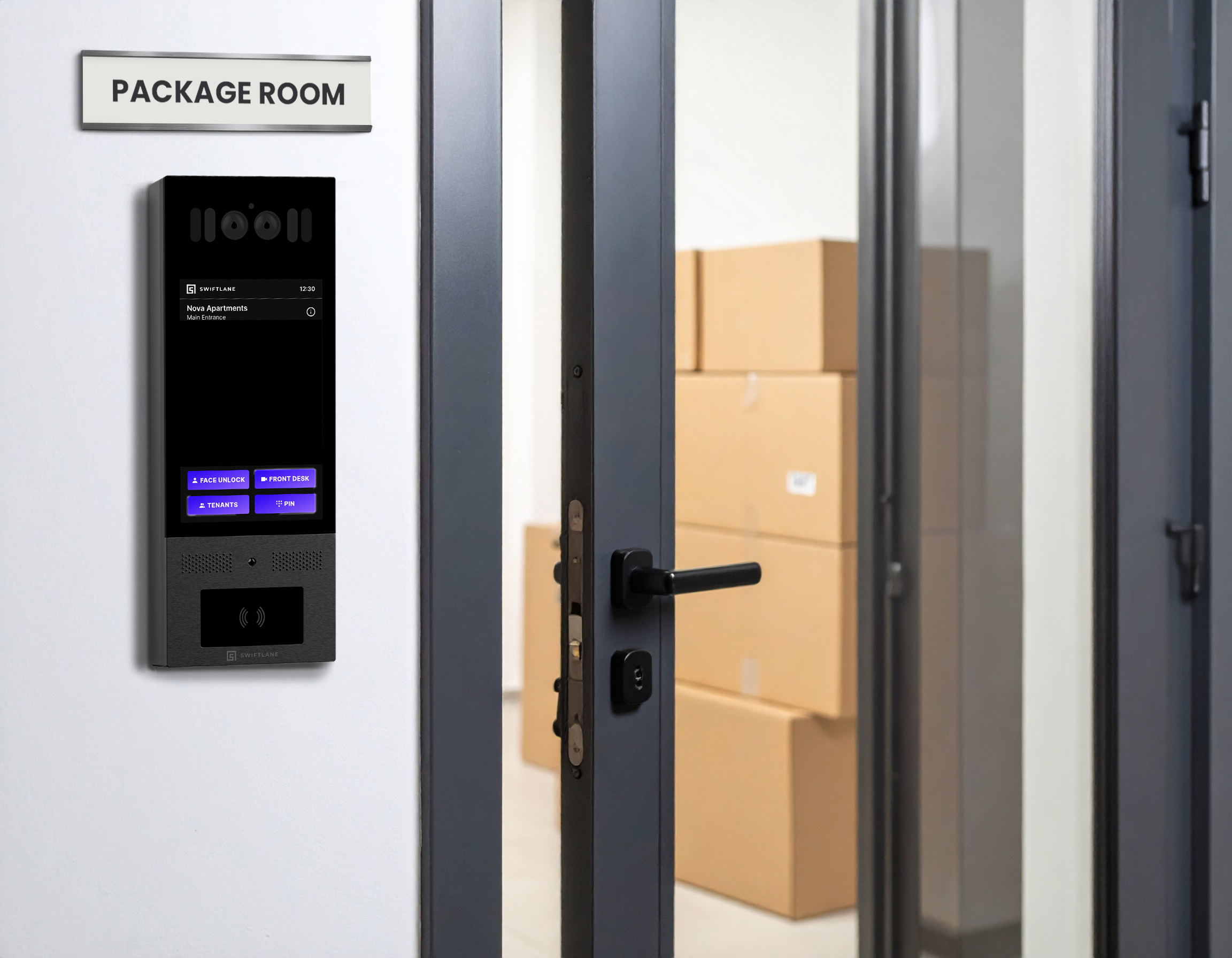
Many properties have more than one access point, including side doors, package rooms, service entrances, or secondary lobbies. For example, a mixed-use building may need to manage different access flows for residents, staff, and delivery personnel across several doors and gates. In these cases, intercom systems that support unified access management help ensure consistent rules, visibility, and control across all points, reducing gaps and administrative overhead.
Evaluating how different intercom applications work together can help prevent gaps in access control and day-to-day operations.
Key Intercom Features to Consider in 2026
Rather than a broad list of disconnected features, modern intercom buyers are focused on capabilities that make daily operations smoother, increase security, and reduce manual work. Four areas that consistently come up in discussions with decision-makers, and that industry trends support, are mobile access, remote management tools, reliability, and scalability.
Mobile access and remote entry
Mobile access and remote entry are quickly becoming standard expectations.
Intercom systems today typically feature smartphone apps or web portals that allow property teams and occupants to view visits and provide access from anywhere. This convenience not only eliminates missed guests or deliveries, but it also decreases the need for on-site interactions, which saves time and improves responsiveness for busy property teams.
According to Research and Markets, remote access features like these are the factors driving significant increase in video intercom use, with the global video intercom device market expected to expand significantly in the future years as buildings prioritize security and convenience.
Management tools
Management tools are another high-value category. Buyers increasingly value intercom systems that simplify everyday administration, such as updating directories, issuing permissions, or controlling access for new residents or staff.
As buildings become increasingly interconnected and management teams become more dispersed, systems that centralize control without requiring specialized training are seen as easier to support and more likely to provide long-term benefits.
According to market research, digital intercom systems that include mobile and cloud administration features are becoming more popular, indicating a shift toward solutions that require less manual maintenance.
Reliability and uptime planning
Intercoms are frequently located at the front line of building access, thus reliability and uptime planning are critical. Buyers want to know how a system handles outages (internet or power), and what redundancies are available. Uptime is especially important in high-traffic or safety-sensitive areas, where intercom failures might disrupt operations or access.
Evaluating how a system manages connectivity issues, backup power, and maintenance requirements allows purchasers to prevent surprises once the system is operational.
Scalability and Day-to-Day Usability
An intercom system should continue to function properly as a building evolves, not simply on day one. As tenants move in and out, staff roles change, and entry points are added or adjusted, the system must adapt without continual reconfiguration or on-site maintenance.
From a practical standpoint, usability is equally important as features. Property teams benefit from solutions that allow them to respond to missed guests, check entrance requests, and manage access without switching between tools. Scalability and usability go hand in hand; systems that are difficult to handle on a small scale sometimes become considerably more problematic as structures develop.
When evaluating intercom options, it’s worth considering how well the system supports routine tasks today and whether it can scale to handle more users, devices, or entrances over time without increasing administrative overhead.
A Practical Comparison Table


Decision criteria: how to choose
Once you understand the many types of intercom systems available, you can narrow down your selections based on how your building actually operates. This step-by-step technique keeps the evaluation focused and prevents feature overload from getting in the way of making an informed selection.
1. Define must-haves vs. nice-to-haves
Start by defining the qualities that your facility requires to work well on a daily basis. These may feature video capability, remote access, or support for numerous entry points. Nice-to-haves can still affect the ultimate decision, but separating them early allows you to avoid paying for items you won’t use.
2. Confirm infrastructure constraints
Before committing to a system, determine what your facility can really support. Certain functions can be limited or enabled based on existing wiring, network dependability, and power availability. Accounting for these limits early on helps to avoid installation delays and unforeseen expenditures later on.
3. Shortlist two or three system types
Attempting to compare all available options at once frequently results in more confusion than clarity. Narrowing the field to two or three system types that are appropriate for your building’s size, traffic, and infrastructure makes it easier to assess tradeoffs and take the process ahead. Use a checklist to compare these vendors side-by-side. We have provided a checklist at the bottom of this section.
4. Evaluate vendors using consistent questions
Using the same set of questions for each vendor makes evaluations more fair and comparable. It also helps to highlight variations in reliability, management effort, and long-term support that may not be apparent in product demos. A planned strategy decreases the likelihood of surprises after installation.
What to Ask Intercom Vendors During a Demo
Use these questions during demos or copy and paste them into vendor emails.
- What happens if the internet connection drops?
- How are directories and permissions managed?
- What access logs or audit trails are available?
- How does the system integrate with other access control?
- What ongoing maintenance and support should we expect?
- Does your team provide local support?
When evaluating vendor responses to these questions, some providers, particularly cloud-based video intercom platforms like Swiftlane, emphasized centralized management, remote entry, and integration with access control as part of their approach.
Use a structured framework when evaluating vendors. This intercom purchase considerations checklist can help you assess options beyond the demo.
Common Mistakes to Avoid
- Choosing a system based on features instead of operational fit
- Ignoring retrofit and infrastructure constraints
- Using home-focused systems in multifamily or commercial buildings
- Failing to plan for growth in doors, users, or properties
Where Swiftlane Fits in a Modern Intercom Evaluation

Outdated intercom systems can cause more than minor problems. In many buildings, they lead to missed deliveries, reduced visibility at access points, and continuing maintenance costs, particularly when legacy infrastructure such as landlines are involved.
Swiftlane is a cloud-based video intercom system designed for apartment and commercial multi-tenant buildings. Property teams often evaluate Swiftlane when replacing legacy intercoms with a system that supports video verification, remote access, and centralized management as part of a broader access control setup.
In practice, systems like Swiftlane are considered by teams looking to reduce reliance on aging infrastructure, improve visibility at building entrances, and simplify how access is managed across doors and users. This approach can help address common operational challenges, such as package handling, after-hours access, and manual directory updates, without requiring on-site involvement from property managers.
If you’re Interested in upgrading your intercom system, get a free quote today and see how Swiftlane could fit your building’s needs in 2026 and beyond.
Need Pricing Right Away? Lock in a special price here: Calculate Your Upgrade Cost Instantly
Let’s Wrap Up
Choosing the right intercom system for 2026 requires balancing building limits, visitor needs, and long-term manageability. A clear evaluation method, as well as the correct questions, can help to avoid costly mistakes and ensure that the system works as intended in your building.
Next, use the vendor demo questions above to compare your top intercom options and select the best one for your building.
Frequently Asked Questions: Choosing Your 2026 Intercom System
What are the most important features to look for in an apartment intercom system in 2026?
In 2026, apartment intercom buyers prefer to prioritize features that make access easier to monitor and more difficult to abuse. Video capabilities, mobile access, and remote entry are becoming more vital, particularly in facilities with regular visits and deliveries.
Management solutions that make it easier to update directories, adjust permissions, and monitor access are especially important since they reduce continuing administrative labor for property managers.
How much does installing a modern intercom system typically cost?
The cost of a modern intercom system varies greatly based on the building size, number of entry points, installation complexity, and system type. Smaller buildings with fewer doors may have cheaper initial expenditures, whereas larger properties or retrofits with several entries may necessitate a higher investment. Because of these complexities, most purchasers request quotations based on their exact building layout rather than using broad pricing ranges.
How long do modern intercom systems last before needing replacement?
Most modern intercom systems are built to last for several years, especially with frequent software upgrades and maintenance. Hardware longevity is determined by elements such as environmental exposure, usage volume, and installation quality. Cloud-connected systems can generally last longer since software upgrades enhance capability without requiring complete hardware replacement.
How can I ensure the security and privacy of a video intercom system?
Any intercom study should include considerations for security and privacy. It is critical to select providers who adhere to established security best practices and have third-party security certifications, such as SOC 2, which demonstrate how client data is handled and secured. Some suppliers, such as Swiftlane with products like Swiftlane Multi-Tenant Video Intercom, use these types of certifications as part of their security strategy, providing buyers with an extra layer of assurance when considering options.
Upgrade Your Building Security
Get in touch with a Swiftlane specialist for more information on the best access control and video intercom solution for your building.


