

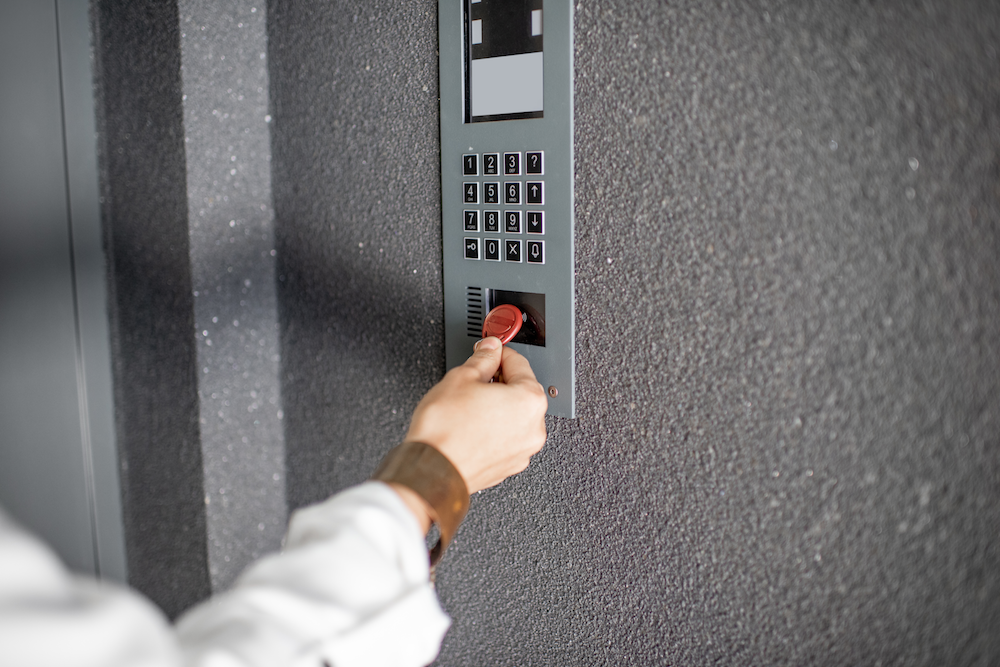
When you’re managing an apartment building, office, or mixed-use property, key fob access systems quickly become an operational issue, not just a security one.
In a 150-unit apartment building, replacing physical keys isn’t just a maintenance task. Every lost key can trigger resident complaints, staff time, and sometimes an expensive decision about whether to rekey common entrances.
Key fob access systems change that by turning access management into a software workflow instead of a lock-and-key problem.
So how do modern key fob systems actually work, and when do they still make operational sense compared to newer access technologies?
In this guide, we break down how they function, where they perform well, where they fall short, and what to consider when evaluating them for your property.
How We Researched This
This guide is based on interactions and collaborations with property managers in 3,000+ multifamily and commercial properties in the US every year.
It also incorporates field implementation feedback from access control deployments, focusing on real-world operational challenges such as credential management, system downtime, and tenant onboarding workflows.
Key Takeaways
- Key fobs replace traditional keys with digital credentials that can be easily issued, tracked, and deactivated.
- Property managers can grant, revoke, and restrict access by user, location, or time, providing enhanced security and control.
- One key fob can replace multiple physical keys for doors, gates, garages, and amenities, making access more convenient for tenants and staff.
- Every use of a key fob is logged, which simplifies monitoring and incident investigations.
- Key fobs come in passive, active, smart, multi-function, and mobile options, offering flexibility while reducing long-term maintenance and security risks.
Table of contents
- What is a Key Fob Access System?
- Why Property Managers Are Choosing Key Fob Access Systems
- How Key Fob Access Systems Work
- Pros and Cons of Key Fob Access Systems
- Common Misconceptions About Key Fob Access Systems
- Types of Key Fobs
- How to Choose Which Key Fob Is Right for Your Property
- Common Uses of Key Fob Entry Systems
- Security Features of Key Fob Access Systems
- Costs and Pricing for Key Fob Entry Systems
- How to Install a Key Fob Access System
- Common Issues Associated With Key Fob Access Systems
- Future Trends in Key Fob Access Systems
- Ready to Modernize Your Property with a Key Fob Entry System?
- FAQs
Related Posts:
- Best Apartment Security Systems
- The Best Apartment Intercom Systems
- The Evolution and Types of Apartment Entry Systems
- Key Fob Entry System for Commercial Buildings – Buyer’s Guide 2023
What is a Key Fob Access System?
A key fob access system is an electronic building entry system that allows you to manage who can access specific areas or open doors via key fobs.
These key fobs can be programmed and assigned to a resident, tenant, staff member, or even a vendor or supplier. You can revoke access at any time, either completely or with time-based limits.
Because key fob access systems can simplify operations and eliminate the long-term cost of issuing and replacing physical keys, they’ve become a popular choice for property management in the United States.
Why Property Managers Are Choosing Key Fob Access Systems
The impact of key fob access systems in property management is most felt in three areas: control, convenience, and risk reduction.
- Control. With a physical key, you can unlock a door, and that’s it. With a key fob, you have wider control of who can use it and when. And if a key fob gets lost or stolen, you can simply deactivate it.
- Convenience. A resident might need separate physical keys for the front door, garage, and gate. But with a fob, you’re giving them just one key for everything. One single key that’s easier to track than many.
- Risk Reduction. Tracking and replacing lost keys is a logistical nightmare, but lost or stolen key fobs can be deactivated quickly.
Key insight: Choosing key fobs over physical keys gives you tighter security control, fewer operational hassles, and reduced risk.
How Key Fob Access Systems Work
Here’s what you need to know about how key fob access systems work: They use Radio Frequency Identification (RFID) technology to connect a lock to its key (the fob).
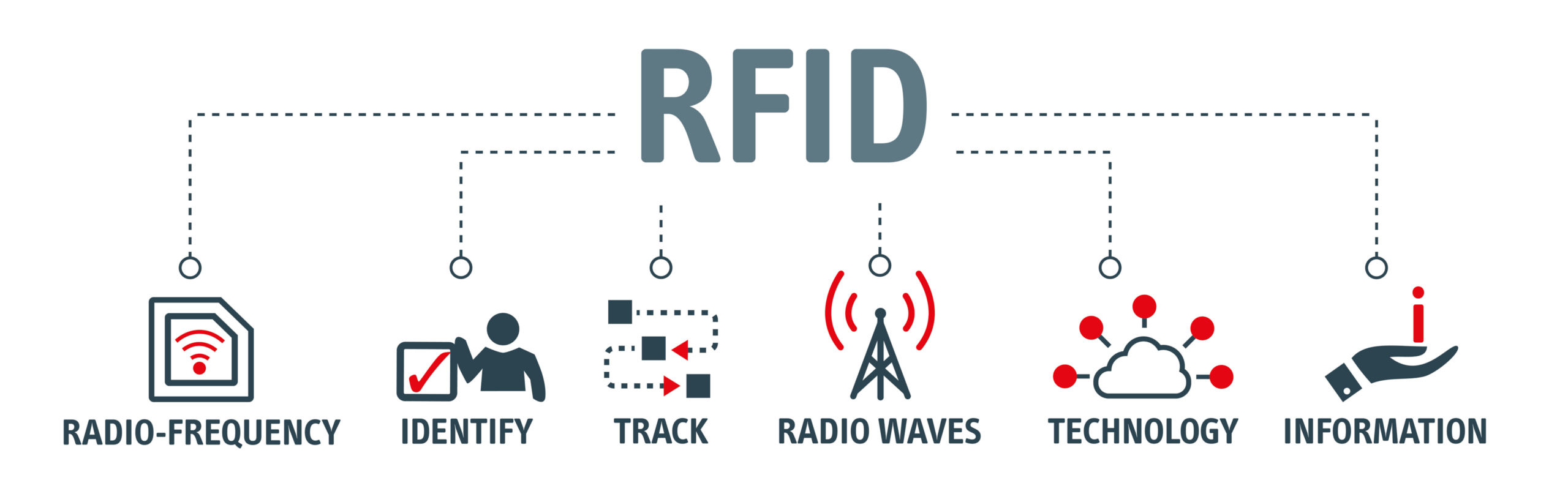
Here’s a simple breakdown of how key fobs work:
- Each key fob has a microchip that stores a unique code, an antenna to transmit the code, and a battery to power it.
- When a key fob is activated, its code is sent to a lock’s access point.
- The access point verifies the code through an authentication process that involves cross-referencing a database of authorized codes.
- If the codes match, the lock is opened, granting access.
Not All RFID Credentials Offer the Same Level of Security
While many people refer to all key fobs as “RFID fobs,” the underlying credential technology can vary.
| Credential Type | Best For | Security Considerations |
| 125 kHz proximity (Prox) | Older buildings and legacy access control systems | Widely deployed but easier to clone because credentials are unencrypted. |
| 13.56 MHz MIFARE DESFire | Modern multifamily and commercial properties | For modern deployments, encrypted smart credentials such as MIFARE DESFire EV3 support open cryptographic algorithms including AES, Common Criteria EAL5+ certification, and additional protections such as SUN message authentication. |
If you’re upgrading an existing property, it’s worth checking which credential technology your current readers support. Replacing legacy 125 kHz systems with encrypted 13.56 MHz credentials often improves security without changing how residents use the system.
Modern Credentials Beyond Standard RFID Fobs
Note that today’s key fobs sometimes use other tech to connect to access points:
- Encrypted smart credentialsNear Field Communications (NFC), which can be found in newer-generation systems
- Bluetooth, which is better for longer-range unlocking
- Encrypted smart credentials
Key Fobs vs. Mobile Credentials
Many modern access control systems support both physical key fobs and smartphone-based credentials. Rather than choosing one or the other, many multifamily properties use both.
| If your priority is… | Choose… |
| Simple resident onboarding with familiar credentials | Key fobs |
| Remote credential issuance and fewer physical devices | Mobile credentials |
| Temporary access for contractors or vendors | Mobile credentials |
| Shared maintenance staff or facilities teams | Key fobs |
| Maximum flexibility across different user groups | A hybrid deployment |
As a general rule, choose physical key fobs when you want a simple, familiar credential that works well for everyday access. Choose mobile credentials when remote credential management and temporary access are higher priorities. If your property serves multiple user groups, supporting both often provides the most flexibility.
Pros and Cons of Key Fob Access Systems
Key fob access systems come with advantages that can enhance security, increase convenience, and allow property managers to do their jobs better. But they also come with potential drawbacks that might pose additional challenges for you and your staff. Here’s a quick breakdown of the pros and cons:
| Pros | Cons |
| Enhanced Security Using strong encryption methods to protect data Employing unique codes that are hard to copy You can remotely deactivate lost or stolen key fobs Easy-To-Use Access is granted by pressing a button One key fob has credentials to open doors, gates, or garages Programmability Permissions can be programmed per user Credentials can be based on time limits Audit Trail You can check the entry activity log to monitor access Incident investigations are smoother with clear audit trails | Higher Cost More expensive than traditional lock-and-key systems Requires a significant investment in hardware, software, and installation costs Sharing of Key Fobs Residents might share key fobs with unauthorized visitors Shared key fobs can’t be tracked, unlike biometric systems System Downtime and Power Issues Vulnerable to power outages Network disruptions can cripple key fob credentials Key fob batteries need replacing |
Common Misconceptions About Key Fob Access Systems
Even experienced property managers sometimes get the wrong idea about key fob systems. Let’s clear up the most common misconceptions:
1. Key fobs are just fancy keys.
- Reality: Key fobs do more than just unlock doors. They can also provide audit trails, plus the ability to revoke credentials instantly. These are features that traditional keys can’t match.
2. Fobs are only for large buildings.
- Reality: Key fob entry systems are scalable. Small residential properties, boutique offices, or even single-gate communities can benefit from digital access control. Many cloud-based solutions are budget-friendly for small properties.
3. Key fobs can be hacked.
- Reality: Modern fobs feature encryption and anti-cloning tech, unlike older, unencrypted fobs that are more vulnerable.
4. Maintenance is hard.
- Reality: Once installed, fob systems require minimal maintenance. Active fobs occasionally need battery replacements. Meanwhile, software updates are usually automatic with cloud-based systems.
5. Tenants will share them freely.
- Reality: While fob sharing can happen, access logs allow property managers to detect unusual usage patterns. Educating tenants and staff further reduces risk.
6. They’re too expensive.
- Reality: The upfront cost is higher than traditional locks, but savings from fewer lock changes, less lost-key management, and improved security often outweigh the initial investment.
Understanding the truth about key fob access systems can go a long way in helping you make smarter decisions about which system to adopt.
Types of Key Fobs
Today, you can find various types of key fobs. They may vary according to the specific tech or power they use. Check the table below to see the ideal use cases for each type.
| Type | Technology / Power | Ideal Use Cases |
| Passive RFID Fob | Powered by the reader’s signal; no battery | Residential buildings Offices Gated communities |
| Active Fob | Actively transmits signal; with battery | Vehicle gates Long-range entry points Large campuses |
| Encrypted / Smart Fob | RFID or NFC with advanced encryption | High-security residential or commercial properties |
| Bluetooth / Mobile Credential | Powered by a battery or smartphone | Modern smart buildings Contractors Temporary access |
| Multi-Function Fob | Typically passive or smart RFID | Buildings with multiple controlled areas (doors, gates, amenities) |
Not all properties have the same requirements. Take time to study the different types of key fobs and choose the option that best fits your tenants’ needs.
How to Choose Which Key Fob Is Right for Your Property
The best choice will likely come down to how your property operates day to day, while balancing security, convenience, and manageability.
1. Match the fob type to how people enter the property.
Look at how residents, tenants, and staff typically access the building:
- If most entry points require people to tap at close range, passive RFID fobs are ideal.
- If your property includes vehicle gates, car parks, or long driveways, active fobs are often the better fit because they allow hands-free, long-range access.
- For properties with a mix of pedestrian and vehicle access, you may need a combination of fob types.
2. Consider the level of security.
A 20-unit walk-up with one front entrance doesn’t have the same security requirements as a five-building apartment community with parking garages, package rooms, and amenity spaces.
The more access points you manage, the more valuable encrypted credentials and centralized access management become.
Basic passive RFID fobs are often sufficient for standard residential buildings with relatively simple access needs.
For high-security residential or office properties, encrypted or smart credentials provide stronger protection against cloning and unauthorized duplication.
If your property includes sensitive areas such as server rooms or restricted amenities, detailed access permissions and audit trails become just as important as the credentials themselves.
3. How often does access need to change?
Some properties experience frequent turnover or short-term access needs. If you regularly deal with:
- Contractors
- Vendors
- Short-term tenants
- Temporary staff
Bluetooth or mobile credentials can be extremely useful. Instead of issuing a physical fob, you can grant time-limited access to a smartphone and revoke it remotely when it is no longer needed.
4. Look at how many areas need to be controlled.
The more shared spaces your property has, the more valuable multi-function fobs become.
Buildings with gyms, pools, lifts, car parks, co-working spaces, or multiple towers benefit from multi-function fobs that can carry multiple permissions at once. This allows you to assign access by resident type, unit, or role, all through a single credential.
It also makes life easier for tenants, who only need to carry one fob instead of several keys or cards.
5. Review your admin workload.
The system behind the fob matters just as much as the fob itself. Choose a system that lets you:
- Deactivate fobs quickly
- Change permissions without replacing hardware
- View access logs when needed
- Manage multiple doors and users from one dashboard
Even the most advanced fob can become a headache if the management software is clunky or requires on-site programming for every small change.
To summarize, align the type of key fob with your property’s access patterns, security processes, and daily operations.
Common Uses of Key Fob Entry Systems
Key Fob Entry Systems for Apartments


Key fob access systems help apartment communities balance convenience with tighter control over who can enter different parts of the property.
In a 100-unit apartment building, a single credential can give residents access to the lobby, garage, package room, gym, and pool while keeping maintenance areas restricted to staff.
If a resident moves out, those permissions can be revoked in minutes instead of collecting multiple physical keys or rekeying shared entrances.
Access can also be tailored to each resident. For example, a resident may have access to the fitness center and parking garage, while contractors or vendors receive temporary credentials that only work during approved hours.
Many modern key fob systems also integrate with mobile credentials, video intercoms, and other smart building technologies, giving residents multiple ways to enter the property while allowing property managers to control everything from a single platform.
Key Fob Access Systems for Business


Tenants with offices and workspaces have much to gain from using key fobs. Employees and even expected visitors (clients or suppliers) can use key fobs set to time-limit restrictions.
Meanwhile, property managers and business owners can keep track of the people going in and out of their premises.
Key Fob Access Systems for Gyms and Amenities

Properties that offer gym memberships and special entry to amenities can leverage key fobs to manage and monitor access.
This is especially helpful if the property you’re managing has a gym that offers 24/7 business hours to members.
Key fobs not only help you track member access, but also fitness trainers and gym maintenance personnel.
Key Fob Access Systems for Gates and Parking Lots


Key fob access systems are commonly used to control vehicle gates and resident parking garages in multifamily communities, gated neighborhoods, and commercial properties.
Instead of relying on gate attendants, shared PIN codes, or physical keys, residents can use a key fob to open vehicle gates while property managers control access through a centralized system.
If a resident moves out or a credential is lost, access can be revoked immediately without replacing gate hardware.
For larger properties with heavy vehicle traffic, long-range active RFID credentials can allow drivers to open gates without stopping to tap a reader.
This helps reduce congestion during peak hours while ensuring only authorized vehicles can enter the property.
Security Features of Key Fob Access Systems
Key fob entry systems come with built-in security features that enhance security and provide protection against outside threats.
Encryption
Encryption is standard in modern fobs to protect the code stored and transmitted by each key. This is what separates key fobs from other unencrypted entry systems.
Reader-to-controller communication also matters. The Security Industry Association’s OSDP Verified program identifies access control devices that support interoperable, higher-security communication profiles for modern access control systems.
Unique Identifier
Key fobs contain unique identifiers specific to their user, whether they’re a resident, contractor, or staff member.
These identifiers allow property managers to know exactly which credential was used to gain access to any part of the building.
Remote Deactivation
Deactivation is possible even if a key fob can’t be retrieved or located. No need to replace hardware, locks, or readers.
Access Limits
Using key fobs, you can restrict access depending on:
- Specific entry points (doors and gates)
- User types (resident, contractor, cleaner, staff)
- Time-based limits (specific days or hours, or office hours only)
Activity Logs
Each credential use is logged, with data on date, time, and the specific access point engaged. Plus, activity logs can be useful when:
- Investigating incidents
- Resolving disputes
- Detecting irregularities in access patterns
Anti-Cloning and Anti-Tamper Technology
Higher-end key fob access systems can include anti-cloning and anti-tamper protection, including alerts whenever fobs or access points are breached.
Centralized Access Management
Key fob access systems allow property managers to control permissions through a centralized dashboard.
This is what modern access control solutions from US vendors like Swiftlane can provide – smooth integration with key fobs or even keyless entry options. At the same time, they allow property managers to handle buildings with dozens of units and entry points via a centralized platform.
Costs and Pricing for Key Fob Entry Systems
Based on thousands of Swiftlane deployments in residential and commercial properties, we’ve observed that total systems vary depending on the type of key fob, the number of access points, and whether you choose on-premise or cloud-based software.
Hardware Costs
- Readers and controllers: $100 to $400 per door for standard RFID readers. But note that readers and controllers are commonly bundled with installation, so the final cost may be significantly higher than the per-unit cost.
- Key fobs: $10 to $50 each, depending on type (passive, active, smart, Bluetooth).
- Optional upgrades: Long-range readers, biometric modules, and mobile credential integration can increase costs.
Software Costs
- Cloud-based access control: Typically $5 to $15 per fob per month.
- On-premise software: One-time licenses can range from $500 to $2,000, depending on building size. Note that large buildings will almost certainly command higher pricing than this range.
Installation Costs (Ranges are for Labor)
- Small properties: $500 to $2,500
- Medium to large buildings: $2,500 to $10,000
- Large campuses or multi-building complexes may require custom pricing.
Maintenance Costs
- Battery replacements for active fobs
- Periodic software updates and subscriptions
- Occasional hardware repairs or replacements
Key insight: While it’s true that initial investment can be significant, key fob systems can reduce ongoing costs from lost keys and lock changes. Thus, the long-term ROI justifies the upfront cost.
How to Install a Key Fob Access System
Key fob access systems require professional installation to ensure proper wiring, correct device placement, and compliance with local building and fire codes.
For electrified doors, access control shouldn’t block safe egress. International Code Council (ICC) guidance notes that electrical locking systems must support code-compliant egress, including sensor release, hardware release, and unlocking behavior during certain failures or emergency conditions.
A certified security installer, either sourced directly or recommended by the manufacturer, handles the full hardware setup.
Here’s what the implementation process typically looks like:
1. Do your research before choosing which system to install.
Find out which systems are available in your market and within your budget. Ideally, you should go for the option that addresses your security and administrative needs. Check out our guide now to explore different key fob systems for commercial use.
2. Have the hardware professionally installed.
A certified nstaller mounts readers, connects controllers, integrates door hardware, and sets up the power supply and network connectivity.
For access control hardware, look for products tested to UL 294, the access control system standard used to evaluate reliability, function, and system performance for access control devices.
3. Configure the software.
Define each user role and then create permissions or access times for different areas of the property.
4. Issue and register credentials.
Key fobs may come pre-registered by your provider, especially for larger deployments. In other cases, they can be easily registered by entering the fob’s unique identifier code into the online management platform and assigning it to a user profile.
5. Test and validate your system.
Before going live, all access points should be tested for credential recognition, deactivation, time-based permissions, fail-safe processes, and correct logging.
Common Issues Associated with Key Fob Access Systems
Even the best key fob access systems can encounter challenges. Being aware of these issues can help you plan, prevent, and troubleshoot effectively.
Lost or Stolen Key Fobs
- Key fobs can be misplaced or stolen, compromising security if not quickly deactivated.
- Tip: Follow a strict SOP for deactivation and issuing replacements. The National Institute of Standards and Technology (NIST) treats lost, stolen, or duplicated authenticators as compromised and recommends prompt revocation or suspension workflows, which supports having a documented lost-fob deactivation process.
Shared Key Fobs
- Tenants or staff may share fobs, which makes access restrictions pointless.
- Tip: Educate users and train your staff to detect unusual patterns.
Battery or Power Failures
- Fobs and electronic locks rely on batteries or external power; power failures can prevent access.
- Tip: Conduct regular battery checks and maintain backup power for critical entry points.
Network or System Downtime
- Cloud-based or connected systems may be vulnerable to network outages.
- Tip: Choose suppliers that provide offline fail-safe modes or local cache authentication.
Compatibility and Integration Issues
- Not all fobs work seamlessly with existing doors, gates, or security systems.
- Tip: Check the compatibility before installation and choose scalable systems for future upgrades.
Administrative Overload
- Large properties with 200 or more units can require hundreds of key fobs, which can overwhelm property management staff.
- Tip: Use centralized dashboards and automated key fob enrollment.
Security Breaches
- Older or unencrypted fobs may be cloned or tampered with.
- Tip: Choose key fobs with anti-cloning technology and keep firmware up to date.
Key insight: Understanding these common issues allows you to maintain security, convenience, and tenant satisfaction while avoiding unexpected costs.
Future Trends in Key Fob Access Systems


Key fob access technology is rapidly evolving. You must keep up with these changes to maximize both security and convenience.
Mobile Credentials and Smartphones
HID’s 2025 State of Security and Identity Report found that 61% of security leaders identify mobile credentials as a top trend, and nearly two-thirds are already deploying or planning to deploy mobile access solutions.
- Smartphone apps and mobile credentials are now eliminating the need for physical fobs. Property managers can push, revoke, and monitor access remotely.
- In many of our deployments, properties start with a hybrid model by issuing both mobile credentials and physical fobs during move-in. Residents often adopt mobile access over time, while maintenance teams and vendors continue using physical credentials because they’re easy to issue and recover.
Biometric Integration
- Fingerprint or facial recognition tech may complement fobs for high-security areas, reducing the risk of sharing or compromised credentials.
Cloud-Based Management and Analytics
- Cloud-based management dashboards allow real-time monitoring, predictive maintenance reminders, and automated reports.
- Analytics can reveal patterns in usage.
Multi-Function Capabilities
- Key fobs are now also used to access elevators, parking, gyms, and shared amenities via a single credential.
Advanced Encryption and Anti-Cloning Tech
- Key fobs now come with improved encryption and anti-tamper alerts compared to previous-generation fobs.
Sustainability and Energy Efficiency
- Passive and low-power fobs can reduce battery waste and energy consumption in large apartment buildings.
Key insight: Modern key fob systems are becoming smarter and more integrated to make property management more efficient and safe.If you want to know more, read our guide on the impact of modern technologies on apartment safety.
Ready to Modernize Your Property with a Key Fob Access System?


If you’re planning to upgrade your property’s access control system, Swiftlane offers a modern, secure, and easy-to-manage key fob solution trusted by residential and commercial properties across the US.
Our cloud-based platform allows you to:
- Issue and revoke credentials remotely
- Monitor entry activity in real time
- Manage multiple access points from a centralized dashboard
- Get support for mobile credentials
- Conduct advanced audit trails
- Offer residents and tenants flexible, convenient entry options while maintaining strict control over building security.
Ready to see what a next-generation access control system looks like? Get a quote from Swiftlane today.
FAQs
Can key fobs be duplicated?
Standard fobs without encryption can be copied. However, modern encrypted or smart fobs now usually include anti-cloning tech to prevent unauthorized duplication.
How quickly can a lost fob be deactivated?
Key fob access systems can allow instant deactivation via the management dashboard, which means you don’t have to manually change locks.
Do key fobs work during power outages?
Passive fobs usually work because they rely on the reader’s signal. Active or smart fobs may require battery backups or offline authentication features.
Can one fob access multiple doors or amenities?
Yes, multi-function fobs can grant access to doors, gates, parking, gyms, and other controlled areas, with a single credential.
Are key fob systems cost-effective for small properties?
The upfront costs may seem high. But you can consider the long-term benefits, which include fewer lost keys, reduced lock replacements, and improved security. They can be enough to justify the investment.
How often do fob batteries need replacing?
For active key fobs, typically every 1 to 3 years, depending on usage. Passive fobs don’t require batteries.
Can I integrate key fob systems with smart building technologies?
Yes, you can. Many key fob entry systems work with smart home or building automation platforms for more centralized control of lighting, HVAC, elevators, and more.
Are key fob systems more secure compared to traditional keys?
Yes. Key fob systems are more secure than traditional keys because credentials can be uniquely assigned to each user and revoked instantly if lost or stolen. Unlike physical keys, which can be copied without detection, modern fobs often include encryption and anti-cloning protections that reduce unauthorized duplication risk.
What happens if a key fob system goes offline?
Most key fob systems continue working locally even if the cloud platform or internet connection goes down, as long as the door controllers and readers remain powered. But administrative functions like issuing or revoking credentials may be temporarily unavailable until the system reconnects.
Can tenants share key fobs with others?
Technically, yes, key fobs can be shared just like physical keys. But this reduces security and makes access tracking less reliable. Property managers discourage sharing and use access logs or usage patterns to detect unusual or repeated multi-user activity.
Have Questions?
Get in touch with our team to learn more about what Swiftlane can do for you.


