

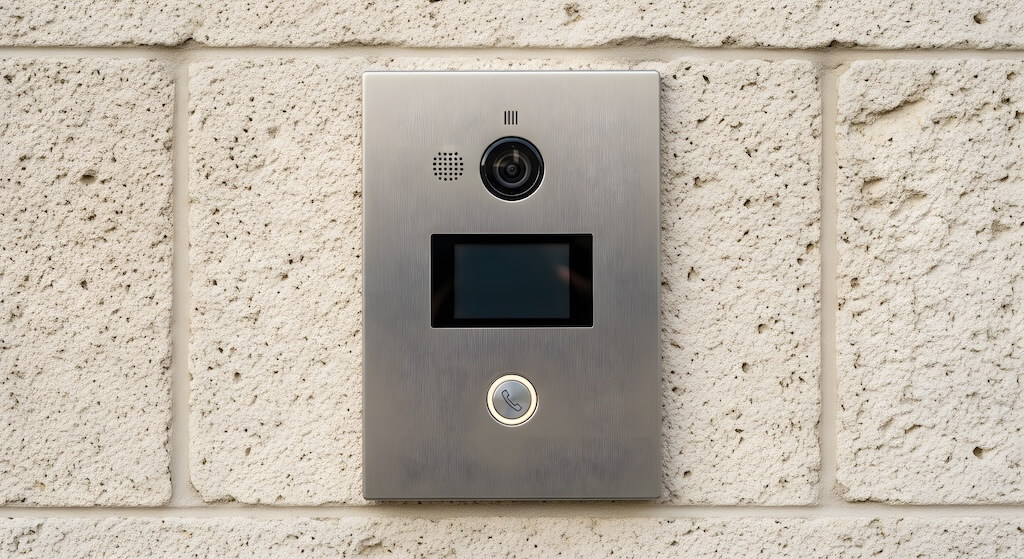
An apartment buzzer system is an entry intercom that lets a visitor ring a specific unit from the building entrance. The resident answers and releases the door remotely, giving buildings simple visitor verification without keys or a front desk.
If you live in or manage an apartment building, you’ve probably dealt with a buzzer system, the entry panel at the front door that lets visitors call up to a unit and get buzzed in. It’s a decades-old setup that works until it doesn’t.
Aging wiring, failing in-unit handsets, missed visitor calls, no video visibility, and no remote management are the pain points that prompt property managers to ask whether it’s time to upgrade.
This guide covers how apartment buzzer systems work, the four main types and their costs in 2026, the signs it’s time to replace yours, and what modern cloud-based video intercom systems offer as a replacement.
How We Researched This
This guide draws on hands-on experience with multifamily building entry systems across the US, a review of publicly available vendor documentation, and real search data on what property managers and building owners search for when evaluating buzzer systems. Cost ranges are based on installer quotes and published vendor pricing.
Key Takeaways
- An apartment buzzer system is a basic audio intercom that lets visitors request entry and allows residents to remotely unlock a door from inside their unit.
- Traditional buzzers use analog audio over building wiring. Modern systems use cellular, Wi-Fi, or cloud connectivity to route calls to smartphones instead of in-unit handsets.
- Installation costs $250–$800 for a single-entry buzzer system; $1,700–$3,900 to upgrade to a video intercom with cloud management (Year 1, including software)
- If your buzzer is more than 10 years old, requires an in-unit handset to work, or can’t connect to cell phones, it’s time to evaluate an upgrade.
- The modern alternative: cloud-based video intercom systems replace the buzzer entirely. No handset required, visitor video on the resident’s phone, remote unlock from anywhere.
Table of Contents
- What Is an Apartment Buzzer System?
- How Do Apartment Buzzers Work?
- 4 Types of Apartment Buzzer Systems
- Apartment Buzzer System Costs in 2026
- When Should You Upgrade From a Buzzer to a Video Intercom?
- Can You Retrofit Your Buzzer, or Do You Need a Full Replacement?
- Buzzer vs. Video Intercom: Side-by-Side
- How to Let Someone In on an Apartment Buzzer
- Common Apartment Buzzer Problems and Fixes
- Swiftlane: The Modern Apartment Buzzer Replacement
- FAQs
What Is an Apartment Buzzer System?
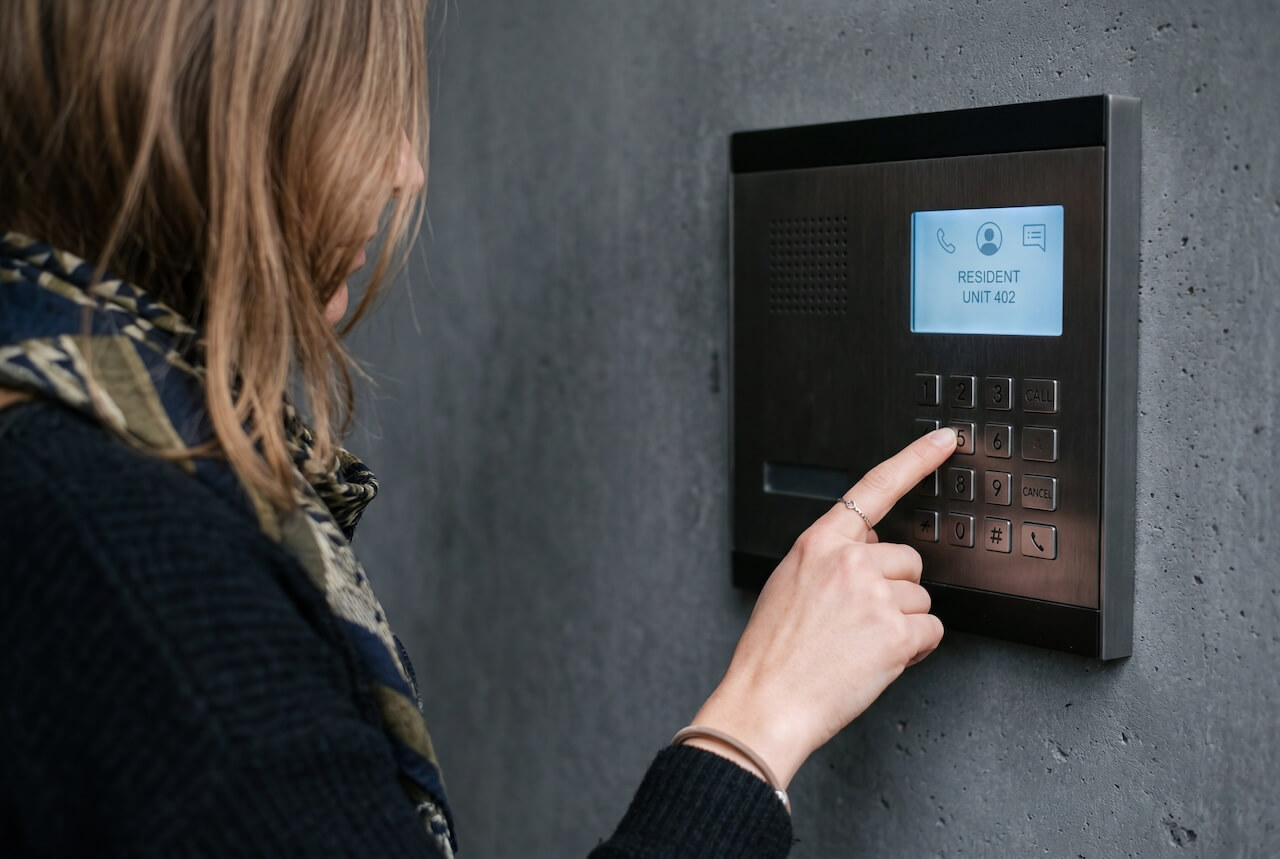
An apartment buzzer system is a building-entry communication system that lets visitors announce themselves at the front door and lets residents grant entry remotely, without going downstairs.
Here’s the basic flow:
- Visitor presses the call button at the building entrance panel — also called a call box — to reach residents by unit number.
- The call routes to the resident’s unit — traditionally via a wired in-unit handset; in modern systems, via a smartphone.
- The resident speaks with the visitor to verify who it is.
- The resident presses a button on the handset (or phone) to release the door latch.
The term “buzzer” comes from the audible buzz the door made when a latch was electronically released. A sound still common in older apartment buildings. Modern systems maintain the same flow while replacing analog wiring and in-unit handsets with cloud-connected readers and smartphone apps.
How Do Apartment Buzzers Work?
Traditional apartment buzzers use a closed circuit built into the building’s wiring infrastructure:
- Entry panel at the building entrance (with call buttons for each unit)
- In-unit handset (telephone-style device wired to the panel)
- Door release relay (electric strike or magnetic lock at the entrance door)
When a visitor presses Unit 4B’s button, the system sends a signal through the building wiring to the handset in 4B. The resident picks up, hears the visitor, and presses a button to send a signal back through the wiring to the door release relay, unlocking the door.
Modern Buzzer Systems
Modern systems follow the same logic but replace analog wiring with digital connectivity:
- No in-unit handset required — calls route to the resident’s smartphone
- Video capability — resident sees who’s at the door before answering
- Cloud management — the property manager can add or remove units, update call routing remotely
- Multiple credential types — including key fob entry, mobile access control, and facial recognition, beyond the audio-only access of legacy systems
- Offline failover — door continues to work from cached credentials if the internet is temporarily unavailable
4 Types of Apartment Buzzer Systems
Apartment buzzer systems range from basic wired audio setups to fully cloud-managed video intercom platforms. Understanding the differences helps property managers and building owners make more informed decisions when evaluating repairs, upgrades, or full replacements.
1. Wired Audio Buzzer
The wired audio buzzer is the original apartment buzzer. The entry panel connects to in-unit handsets via dedicated wiring throughout the building.
- Best for: Buildings with existing wired infrastructure where replacement would be costly.
- Pros: Simple, reliable, no internet dependency.
- Cons: No video, requires in-unit handsets, can’t route to cell phones natively, difficult to update remotely.
- Cost: $250–$800 installed (single entry, existing wiring).
2. Cellular / GSM Buzzer System
A cellular or GSM buzzer system (Global System for Mobile Communications) hybrid upgrade that replaces the in-unit handset with a cellular module. Visitor calls are routed to the resident’s cell phone. No handset needed.
- Best for: Buildings seeking a low-cost upgrade from wired audio systems without a full wiring replacement.
- Pros: No handset needed, uses existing resident cell phones, and is relatively affordable.
- Cons: Audio-only (no video), call routing requires an active cellular plan, and management is limited.
- Cost: $620–$1,460 (Year 1, including annual cellular/call-routing fee).
3. IP / Wi-Fi Audio-Video Intercom
An IP intercom system uses a building network (Wi-Fi or Ethernet) to transmit audio and video. Residents answer via a smartphone app. More feature-rich than cellular.
- Best for: Mid- to large-sized apartment buildings with modern network infrastructure.
- Pros: Video capability, app-based management, more features than audio-only.
- Cons: Wi-Fi dependent, requires network infrastructure, and management varies by vendor.
- Cost: $1,100–$2,600 (Year 1, including annual software fee).
4. Cloud-Based Video Intercom System
A cloud-based video intercom system is the modern replacement for the traditional buzzer. A cloud-managed, software-driven entry system with video, mobile unlock, visitor management, and access control on a single platform. For a full breakdown of how these systems work and what to look for, see our video intercom systems guide.
- Best for: Buildings of any size that want a fully managed, scalable entry solution.
- Pros: Video at door, remote unlock, cloud dashboard, visitor PINs, no handset, scales to multiple doors, integrates with property management software.
- Cons: Higher upfront cost than audio-only; requires reliable internet.
- Cost: $1,700–$3,900 (Year 1, including first-year cloud subscription).
Apartment Buzzer System Costs in 2026
| System Type | Hardware | Installation | Annual Software | Year 1 Total |
| Wired audio buzzer (repair/replace) | $150–$500 | $100–$300 | $0 | $250–$800 |
| Cellular/GSM buzzer upgrade | $300–$700 | $200–$400 | $120–$360/yr | $620–$1,460 |
| IP audio-video intercom | $500–$1,200 | $400–$800 | $200–$600/yr | $1,100–$2,600 |
| Cloud-based video intercom | $800–$1,500 | $500–$1,200 | $400–$1,200/yr | $1,700–$3,900 |
Multi-entry buildings: Multiply per-entry costs by the number of entry points (lobby, garage, amenity doors). Cloud platforms often include portfolio pricing for buildings with 3+ entries.
When Should You Upgrade From a Buzzer to a Video Intercom?
The following criteria can help you decide whether upgrading from a buzzer to a video intercom system is right for your building. If three or more apply, the case for upgrading is generally strong:
- Buzzer is more than 10 years old (end of typical lifecycle)
- Handsets in units are failing (residents complaining, replacements expensive)
- Can’t route calls to cell phones or manage delivery access (residents miss visitors and carriers; no way to grant one-time delivery access without being home) s)
- No video at the door (security risk; residents can’t verify visitors)
- High resident turnover (no remote management means manual wiring changes per unit)
- Building has 50+ units (management complexity of wired systems grows with scale)
- Property value or rents need a lift (video intercom is a documented amenity differentiator — the 2024 NMHC and Grace Hill Renter Preferences Survey found that 48% of renters are interested in a video intercom system at the property entrance, with 5% citing it as a leasing necessity)
- You’ve had unauthorized entry incidents (a buzzer alone provides no audit trail)
Package theft deserves particular attention for multifamily properties. People living in apartments and condos are more than three times as likely to have packages stolen as people in single-family homes, according to Security.org’s 2025 Package Theft Report.
A traditional buzzer offers no way to grant a courier one-time access without a resident being home to answer. The visitor either reaches someone or leaves the package at the door. Modern systems solve this with temporary, delivery-specific access codes: a resident or property manager issues a single-use PIN valid for a defined window, allowing the carrier to enter a lobby or package room without a phone call, and logging the access event.
This turns a soft security gap into hard security, and it’s often the single most-used feature by residents who’ve upgraded.
Can You Retrofit Your Buzzer, or Do You Need a Full Replacement?
Not every building can simply add smart features to its existing buzzer. Whether a retrofit works depends on how your current system is wired.
Retrofit works: Your buzzer already calls a phone number.
If your building’s entry panel currently dials a landline or connects through a phone line to reach residents, you can typically add a cellular or Wi-Fi upgrade module to the existing panel to route calls to residents’ cell phones instead. No new wiring, no new panel.
Retrofit doesn’t work: Your system is hardwired directly to in-unit speaker boxes.
If the entry panel connects straight to a dedicated speaker box in each unit, with no phone line involved, there’s no call to intercept or redirect. A cellular module has nothing to plug into. In this case, the existing wiring can’t be reused for a smart upgrade, and a full system replacement, typically a cloud-based video intercom, is the only path forward.
Upgrade is redundant: You already have a modern intercom.
If your building already has a video intercom system with live video, remote access, visitor logs, and multiple credential options (RFID, mobile app, etc.), a buzzer-style upgrade adds nothing. You’re already better equipped than a buzzer, retrofitted or otherwise.
No retrofit possible: Your building has no entry system.
Some older or smaller buildings use only physical keys, with no buzzer, intercom, or callbox at the main entrance. There’s nothing to retrofit. A full video intercom installation is the starting point, not an upgrade.
Buzzer vs. Video Intercom: Side-by-Side
| Feature | Traditional Buzzer | Cloud Video Intercom |
| Visitor audio | Yes | Yes |
| Visitor video | No | Yes |
| Routes to smartphone | Cellular upgrade required | Yes |
| Remote unlock | Via phone answer | Yes (one tap) |
| Visitor pre-authorization | No | Yes (temporary PINs) |
| Audit trail | No | Yes |
| Cloud management | No | Yes |
| Multi-entry support | Complex | Yes |
| Property management integration | No | Yes |
| Mobile credential for residents | No | Yes |
| Installation cost (1 entry) | $250–$800 | $1,700–$3,900 |
How to Let Someone In on an Apartment Buzzer
The process varies depending on the type of system installed in your building.
Residents Using a Traditional Buzzer
- When your unit buzzer rings, pick up the handset (or answer on your phone if you have a modern system).
- Speak with the visitor to confirm who they are.
- Press the door release button on the handset (often labeled “9” or with a door icon) to buzz them in.
- You have approximately 5–10 seconds before the door relocks.
Residents Using a Modern System (Cloud Video Intercom or Cellular Buzzer)
- Your smartphone rings. Answer the call.
- You see the visitor on your phone screen.
- Tap “Unlock” in the app to release the door.
Property Managers Granting Visitor Access
- Issue a temporary PIN valid for a specific time window via the management dashboard.
- The visitor enters the PIN at the door panel. No phone call is required.
Common Apartment Buzzer Problems and Fixes
| Problem | Likely Cause | Fix |
| No sound when visitor presses button | Handset wiring or panel failure | Check wiring connections; may need panel replacement |
| Door won’t release when button pressed | Door release relay failure | Replace relay; check door strike power supply |
| Buzzer works at some units but not others | Wiring break in the ring circuit | Trace circuit; check each unit junction box |
| Calls not reaching cell phone (cellular system) | SIM plan lapsed, or call routing is misconfigured | Check cellular plan; update call forwarding number |
| Video not showing on the app (modern system) | App permission or camera panel issue | Reset app permissions; check panel camera lens |
| The building has no buzzer directory | Panel not configured | Update directory via management dashboard (modern) or manual wiring (legacy) |
Swiftlane: The Modern Apartment Buzzer Replacement
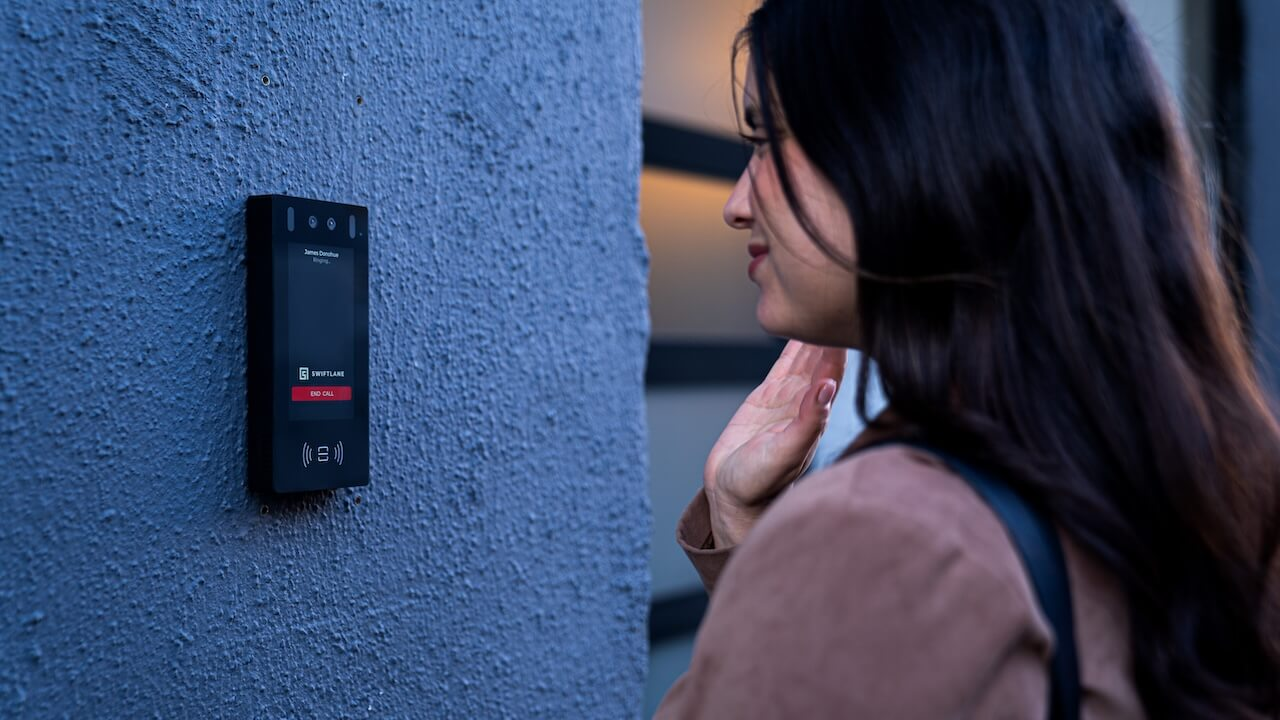
Swiftlane replaces the traditional apartment buzzer with a cloud-based video intercom system that routes visitor calls to the resident’s smartphone, with live video, remote unlock, and a cloud management dashboard for the property manager.
For residents:
- Visitor calls come to your phone, not a handset
- See who’s at the door before answering
- Unlock remotely from anywhere
For property managers:
- Manage all units from one cloud dashboard
- Issue temporary visitor PINs for deliveries, guests, and contractors, or connect to a full visitor management system for larger properties
- Access a full audit log of all entry events
- Integrate with property management software
FAQs
What is an apartment buzzer system?
An apartment buzzer system is a building entry communication system that lets visitors ring a resident’s unit from the front door. The resident answers the call (via handset or smartphone), speaks with the visitor, and presses a button to unlock the front door remotely. Traditional systems use analog wiring; modern systems route calls to smartphones via cellular or internet.
How do apartment buzzers work?
When a visitor presses a unit’s call button at the building entrance panel, a signal travels through the building wiring to the resident’s in-unit handset. The resident picks up the handset, communicates with the visitor, and presses a release button to signal the door’s electronic latch. In modern cloud-based systems, the call routes to the resident’s smartphone rather than to a physical handset.
How much does an apartment buzzer system cost?
A traditional audio buzzer system costs $250–$800 installed for a single-entry building. A cellular/GSM upgrade runs $620–$1,460 in Year 1. A cloud-based video intercom (the modern replacement) costs $1,700–$3,900 per entry point in Year 1, including hardware, installation, and software subscription.
How do I let someone in on an apartment buzzer?
When your buzzer rings, pick up the handset and speak with the visitor. Press the door-release button (usually labeled “9” or with a door icon) to unlock the entrance door. In modern smartphone-based systems, answer the call on your phone and tap “Unlock” in the app.
What is the difference between a buzzer and an intercom?
An apartment buzzer is typically a simple audio-only entry system that allows a resident to speak with a visitor and remotely unlock the door. An intercom system may include video capability, cloud management, and additional features like visitor management and audit logs. In practice, the terms are often used interchangeably for basic building entry communication systems.
Can an apartment buzzer call a cell phone instead of a handset?
Yes. Cellular/GSM buzzer upgrade systems route visitor calls directly to a resident’s cell phone, eliminating the need for a wired in-unit handset. Modern cloud-based video intercom systems also route calls to smartphones and add video capability. Both options eliminate the need for in-unit handset maintenance.
When should I replace my apartment buzzer system?
Consider replacing your buzzer when the system is over 10 years old, in-unit handsets frequently fail, residents miss visitor calls because it can’t route calls to cell phones, you want video visibility at the door, or you want a management dashboard for remote control and audit logging.
What is a buzzer system for apartments, and how does it compare to a video intercom?
A buzzer system provides audio-only communication between a visitor and a resident, as well as remote door release. A video intercom system provides a live camera feed, allowing the resident to see the visitor before answering. Modern video intercom systems also add cloud management, visitor PINs, mobile app access, and integration with property management software — capabilities that legacy buzzer systems don’t support.
References
- Security Industry Association (SIA). Physical Security and Access Control Industry Overview. https://www.securityindustry.org/industry-resources/
- Security.org, 2025 Package Theft Report. https://www.security.org/package-theft/annual-report/
- National Apartment Association. Technology Amenities in Multifamily Housing. https://www.naahq.org/research
- CISA. Physical Access Control Best Practices. https://www.cisa.gov/physical-security
- HID Global. Building Entry System Technology Overview. https://www.hidglobal.com/solutions/physical-access-control
- National Multifamily Housing Council & Grace Hill, 2024 Renter Preferences Survey Report. https://www.nmhc.org/research-insight/research-report/nmhc-grace-hill-renter-preferences-survey-report/


