Most security fob systems in use today are outdated, and in some cases, easily compromised. If your building is still running on legacy credentials, you may be dealing with hidden security risks and unnecessary operational costs.
This guide helps you understand how modern systems work, what they actually cost, and how to evaluate whether your current setup is still worth keeping.
It draws on real-world access control deployments across apartments, HOA communities, and commercial properties, along with industry documentation on RFID credential security and system design. The goal is simple: give you a clear, practical view of what works, what doesn’t, and what to do next.
How We Researched This
This guide is based on Swiftlane’s experience supporting more than 3,000 access control deployments across multifamily, HOA, office, and mixed-use properties every year. We combined operational insights from property managers and building operators with research from industry standards, manufacturer documentation, and security resources covering RFID credential technologies, access control system design, and credential security. Our goal was to focus on practical implementation realities, common operational challenges, and the factors that most impact long-term security and management costs.
Key Takeaways
- A security fob system is only as secure as its underlying technology. Modern encrypted systems offer strong protection, while older 125 kHz systems carry real cloning risks that many buildings overlook.
- The biggest operational value comes from control and visibility. Property managers can instantly manage access, track activity, and reduce time spent on manual credential updates or rekeying.
- Most inefficiencies show up in legacy or fragmented systems. Disconnected tools, manual programming, and a lack of remote management are where costs and risks quietly accumulate over time.
- The best-performing buildings use flexible, cloud-based systems. Supporting both fob and mobile credentials allows properties to adapt to resident preferences without replacing infrastructure.
Table of Contents
- What Is a Security Fob System?
- How Does a Security Fob System Work?
- Types of Security Fob Systems
- Benefits of a Security Fob System
- Security Fob System Risks and Limitations
- Security Fob System vs Keycards vs Mobile Access
- How Much Does a Security Fob System Cost?
- Best Use Cases for Property Managers, HOAs, and Building Owners
- What to Look for in a Modern Security Fob System
- How to Upgrade from Old Fob Systems
- Is a Security Fob System Right for Your Building?
- Frequently Asked Questions
Related Posts
- What Is a Fob System and How to Choose One
- Commercial Key Fob Door Entry Systems: 2026 Buyer’s Guide
- Guide to Apartment Key Fob Systems
What Is a Security Fob System?
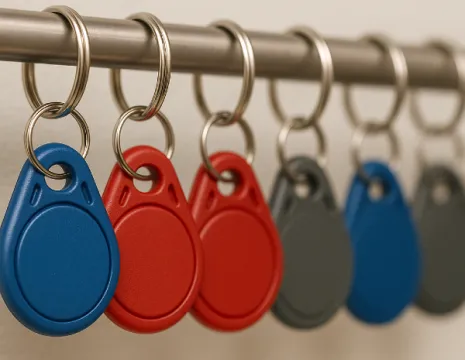
A security fob system is a building access solution that uses small electronic devices (called fobs) to unlock doors using radio signals. It’s also called a key fob access system or fob entry system.
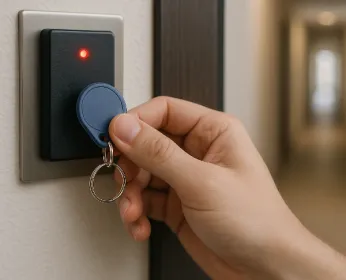
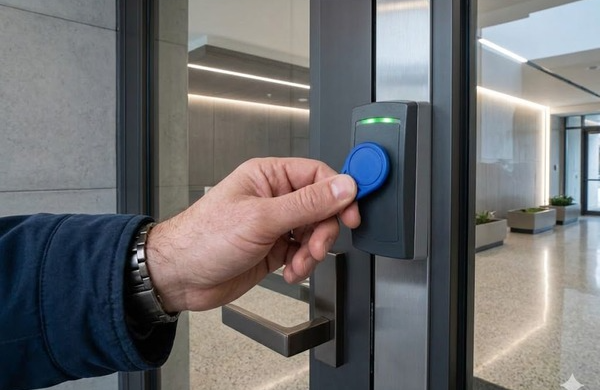
You’ve probably seen them in apartment buildings, office lobbies, and gyms. Instead of inserting a key, you tap or hold a fob near a reader to unlock the door.
How Does a Security Fob System Differ From Traditional Keys and Keycards?
The biggest difference is control. With a metal key, anyone can copy it at a hardware store. There’s no record of who used it, when, or where. If someone loses a key, your only real option is to rekey the lock.
A fob works differently. You can deactivate it instantly from a dashboard. Every use is recorded. And you decide exactly which doors it can open and when.
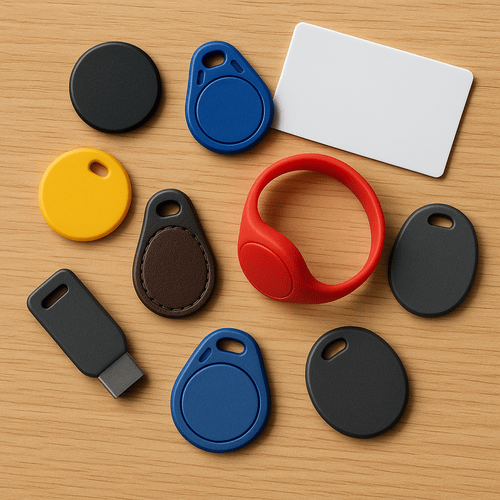
Keycards and fobs are functionally the same. The only real difference is form factor: card vs keychain. Security comes down to the underlying technology, not the shape.
Where Is a Security Fob System Commonly Used?
You’ll see fob systems across most multi-tenant environments:
- Multifamily apartment buildings
- HOA communities with gates and shared amenities
- Office buildings with controlled entry points
- Mixed-use properties with residential, retail, and office spaces
If a property has shared access points, a fob-based door access control system may be part of the setup.
How Does a Security Fob System Work?
Each fob is programmed with a unique digital credential. Think of it like a secure ID number tied to a specific user. In modern key fob entry systems, a property manager or admin issues this from a dashboard. It can take under two minutes. In older systems, this might require manual programming or even on-site hardware.
That difference matters. Fast issuance means fewer delays during move-ins, staff onboarding, or vendor access.
Reader Authentication Process
When a user holds a fob within a few inches of a reader, the fob transmits its credential using RFID (short for Radio Frequency Identification).
The reader receives that signal and checks it against an approved list. If it matches, the door unlocks. If not, access is denied.
This entire process takes a fraction of a second (less than 300 milliseconds).
Most building fobs are passive. They don’t have batteries. Instead, they draw power from the reader’s signal when they’re nearby, which is why they can last for years without maintenance.
Access Control Software and Permissions
The software is the brain of the system. In modern setups, it’s cloud-based. You log in from a browser or app and manage everything: who has access, which doors they can open, and when.
You can set rules like:
- Contractors can enter only between 9 AM and 5 PM
- Cleaning staff can access specific floors only
- Residents can use amenities during set hours
One common mistake in older systems: permissions get messy over time. People accumulate access they shouldn’t have because no one audits it.
Audit Trails and Event Logs
Every interaction is logged. That includes the time, the door, and the credential used. This isn’t just a “nice to have.” It’s critical for accountability.
If something goes missing from the package room on Tuesday, you can pull every credential that accessed it that day. Without that, you’re guessing.
Types of Security Fob Systems
RFID Fob Systems
Not all fobs are created equal. This is where most buildings get it wrong.
There are two main RFID frequencies:
| Type | Frequency | Security Level | Reality |
| Legacy | 125 kHz | Low | Easily cloned |
| Modern | 13.56 MHz | High | Encrypted |
125 kHz systems, such as HID Prox and EM4100 credentials, are still widely used across many buildings. However, they lack modern encryption and mutual authentication features, making them more vulnerable to credential cloning and unauthorized duplication than newer credential technologies.
Modern systems commonly use 13.56 MHz smart credentials such as MIFARE DESFire and HID iCLASS SE. These credentials support cryptographic security features, including AES encryption in some implementations, which makes unauthorized copying more difficult than with legacy 125 kHz credentials.
Proximity Fob Systems
“Proximity” just means you don’t need to physically insert the credential. You hold it near the reader. The confusion is that both old and new systems are called proximity systems. The difference is encryption.
- Legacy proximity = no encryption.
- Modern proximity = encrypted credentials.
Same user experience. Very different security.
Smart Credential and Mobile Credential Alternatives
Smart credentials use the same fob form factor but include secure chips like DESFire or iCLASS SE.
Mobile credentials replace the fob entirely. Users unlock doors with their smartphones using Bluetooth or NFC.
Most modern platforms (including Swiftlane) support both. That flexibility matters. Some residents want a fob. Others prefer using their phone. Forcing one option can backfire.
Cloud-Based vs On-Premise Security Fob Systems
| Feature | On-Premise System | Cloud-Based System |
| System location | Server installed in the building | Hosted remotely (cloud) |
| Management | On-site only | From any browser or mobile app |
| Updates | Manual, requires IT or vendor | Automatic, handled by provider |
| Remote access | Limited or unavailable | Full remote control (unlock doors, manage users) |
| Maintenance | Ongoing local maintenance required | Minimal on-site maintenance |
| Scalability | Harder to expand across buildings | Easy to scale across multiple properties |
| Response time to issues | Slower (requires physical access) | Faster (can troubleshoot remotely) |
For most properties, cloud-based systems are easier to manage and more cost-effective over time. More importantly, they let you respond immediately when something goes wrong, without needing to be on-site.
How to tell what type of fob system your building has
Most properties don’t know whether their fobs are legacy (easy to clone) or encrypted. Use these quick signals:
- If your fob is described as 125 kHz “Prox” or “HID Prox”, treat it as legacy.
- If your vendor mentions “MIFARE”, “DESFire”, “iCLASS SE”, or “encrypted smart credential”, you’re more likely on a modern system.
- If deactivating a lost fob requires on-site programming at a panel (not a dashboard), the system is likely older or on-premise.
Pro tip: Ask your installer or vendor for the credential type and frequency, and whether credentials are encrypted.
Benefits of a Security Fob System
Better Control Over Who Enters
A fob system gives you real control. Not theoretical, but real, enforceable access control.
With keys, you never really know who has access. Copies get made, staff turnover happens, and access drifts over time. With a fob system, you have a live list of every active credential. You can restrict access by door, time of day, and user role.
In practice, this is where most buildings see immediate value. You can tighten access to sensitive areas like package rooms or maintenance spaces without affecting residents.
One common insight: When you actually review access logs, you’ll often find that some credentials may have more access than intended. Fixing that alone can reduce risk.
Easy User Management
This is where your operational savings show up. Adding or removing access takes minutes. No locksmith. No rekeying.
Move-ins and move-outs become simple admin tasks instead of maintenance tickets. Some systems even automate activation based on lease dates, which eliminates human error.
The tradeoff is discipline. If you don’t maintain it, it’ll get messy fast (just like keys). But when you use it properly, you can save several hours per week, especially in high-turnover buildings.
Fewer Lost Keys
Lost keys are expensive and unpredictable. You’re not just replacing a key. You’re also dealing with the possibility it was copied. That’s why rekeying costs add up quickly.
Lost fob? Deactivate it in seconds. Issue a replacement. Done.
Best practice: Deactivate immediately, even if the resident “might find it later.” Delays are where risk creeps in.
Improved Resident and Tenant Convenience
Fobs remove friction. Tap and go is faster than digging for keys. Some systems offer hands-free entry or mobile unlock, which residents increasingly expect, especially in newer buildings.
But there’s a tradeoff here: not everyone wants to use their phone, and some prefer physical credentials. That’s why hybrid systems tend to perform better in real-world deployments.
Scalable for Multi-Door Buildings
Fob systems scale cleanly. One credential can control access across multiple doors (lobby, gym, garage, or package room), which you can manage from a single dashboard.
This consistency matters as buildings expand or add amenities. Without it, you end up managing separate systems that don’t talk to each other, which is where most access control setups start to break down.
Security Fob System Risks and Limitations
Lost or Stolen Fobs
Yes, fobs get lost. That’s normal in any real-world building. The key difference is how fast you can contain it.
With a modern system, you deactivate the credential immediately from the dashboard. It stops working within seconds. Cost impact is essentially zero, aside from issuing a replacement fob.
With a traditional key, the situation escalates quickly. You’re often looking at $150 to $300 per lock to rekey, plus the time to coordinate access changes across affected units or common areas. The bigger issue isn’t cost. It’s uncertainty. You don’t know if the key was duplicated before it was reported missing.
Best practice: Treat every lost fob as active until explicitly deactivated. Delaying that step is one of the most common operational mistakes in multifamily buildings.
Cloning and Credential Vulnerabilities
This is the real risk most vendors downplay. If your building uses 125 kHz credentials, assume they can be cloned. It takes inexpensive tools and minimal technical skill. In some cases, it can be done in under a minute without the original fob ever leaving the owner’s pocket.
That means a copied credential can access your building indefinitely unless it’s detected and revoked. In practice, most buildings don’t detect it at all. They only find out after an incident.
The fix is straightforward: migrate to encrypted 13.56 MHz credentials such as MIFARE DESFire or similar standards. These use modern encryption and are much more difficult to duplicate. The tradeoff is the upfront upgrade cost, which is why many properties postpone it longer than they should.
Battery, Hardware, and Maintenance Issues
Most fobs themselves are passive, meaning they don’t use batteries and can last for years without maintenance. That part is reliable.
Where issues show up is in the infrastructure. Readers, controllers, and door hardware still require periodic maintenance (firmware updates, calibration checks, and occasional replacement of worn components).
Cloud-based systems reduce this burden because updates and diagnostics can be pushed remotely. Older on-premise setups rely on manual updates, which often get delayed or skipped in real buildings. That’s where performance drift starts.
Why Older Systems May Be Easier to Compromise
Legacy systems fail quietly, not dramatically. They can lack encryption, centralized management, and real-time visibility. Even worse, many operate in isolation. If a credential is revoked in one building but not synced across all properties, it can still grant access elsewhere.
That creates gaps that don’t show up in day-to-day operations. They only surface during audits or after a security incident. By then, the exposure has already happened.
Security Fob System vs Keycards vs Mobile Access
Fobs vs Keycards
There’s no real difference in capability.
| Feature | Fobs | Keycards |
| Form factor | Keychain | Wallet |
| Security | Depends on chip | Depends on chip |
| Durability | Higher | Lower |
Choose based on user preference. The underlying system is what matters.
Fobs vs Smartphone Access
Fobs are simple and reliable. No app required. They work even if a phone dies. Mobile access removes the need for physical credentials. It also enables features like biometric unlock.
Younger tenants tend to prefer mobile. Others still want a physical option.
Which Option is Best for Property Managers?
Flexibility wins. A cloud-based system that supports both fobs and mobile access gives you the most control. One dashboard, multiple credential types.
Locking into a fob-only system limits your options later.
When Should You Use a Hybrid System?
Most buildings should run on a hybrid system. Issue fobs to residents who want them. Offer mobile access for those who don’t.
For higher-security areas, you can layer additional verification. And for visitors, temporary mobile credentials or QR codes work well.
How Much Does a Security Fob System Cost?
The real answer: It depends less on the “system” and more on how many doors you’re controlling and how modern your setup is. Most cost surprises come from underestimating installation complexity or mixing old infrastructure with new hardware.
Upfront Hardware Costs
Here’s a realistic per-door breakdown that’s based on multifamily and commercial installations:
- RFID reader: $150 to $500
- Door controller: $200 to $800
- Fob credential: $2 to $15 (basic) or $25 to $100+ (encrypted smart credentials, vendor-dependent)
- Door hardware (strike or mag lock): $100 to $400
- Installation and wiring: $300 to $800
In practice, a single fully installed door often lands somewhere between $3,000 and $5,000 per door (hardware + installation), depending on hardware quality and retrofit complexity. New builds sit at the lower end. Retrofits almost always push higher.
Installation and Wiring
New construction is straightforward because everything is planned into the build. Wiring is clean, and labor is predictable.
Retrofits are where costs spike. Walls need to be opened to determine wiring paths, and older systems may not be compatible with modern controllers.
Wireless readers can reduce labor, but they introduce their own tradeoffs, mainly reliability and battery maintenance.
For multi-building properties, the biggest operational mistake is hiring general electricians instead of access control integrators. The system might technically “work,” but you often end up with inconsistent configurations across buildings.
Software and Subscription Costs
An on-premise system means paying a one-time license fee between $2,000 and $15,000. The upside is no recurring software fee. The downside is you own the maintenance burden.
Cloud-based systems can run $5 to $10 per door per month. That includes remote management, updates, and support. The tradeoff is predictable operating expense instead of a large upfront license.
Most modern properties move toward the cloud because it reduces on-site dependency. The hidden cost in on-premise systems is downtime when updates or fixes are delayed.
Ongoing Maintenance and Credential Replacement
Fobs themselves are durable. Most last 5 to 10 years. But loss is inevitable. A realistic expectation is a 5% to 10% annual replacement rate. For a 20-unit building, that’s roughly $50 to $100 per year in direct credential cost.
The higher cost is administrative time (issuing replacements and updating permissions). That’s where inefficiency builds up over time, especially in properties without centralized management.
What Impacts Pricing Most
Four factors drive total cost more than anything else:
- Number of doors being controlled
- Credential type (legacy vs encrypted systems)
- Platform choice (cloud vs on-premise)
- Integration complexity with other systems
The key insight from real deployments is this: Most buildings don’t overspend on installation. They overspend on maintaining outdated systems longer than necessary.
Best Use Cases for Property Managers, HOAs, and Building Owners
Security fob systems work best in environments where access needs to be controlled, shared, and frequently updated. The value isn’t just convenience. It’s operational control at scale, too.
Apartment Buildings
This is the most common and most straightforward use case. A single credential can cover multiple entry points like the lobby, gym, parking garage, and package room.
The real operational benefit shows up during turnover. Move-ins and move-outs can be handled in minutes by activating or deactivating credentials in your apartment key fob system. In higher-turnover buildings, this removes a constant bottleneck for property teams.
The main tradeoff is discipline. If access isn’t regularly reviewed, former tenants can retain unnecessary permissions longer than intended.
Condominiums and HOAs
HOAs structure access at the unit level. Each household gets a fixed number of fobs, while shared amenities like residential gates, pools, and clubhouses are centrally controlled.
Where this becomes valuable is accountability. Access logs can help resolve disputes quickly, whether you’re dealing with package theft or unauthorized guests. In practice, many boards only realize the value of logs after something bad has already happened, not before.
Office Buildings
Office environments rely on role-based access. Employees are assigned permissions based on department or job function.
The strongest advantage here is integration with HR systems. When someone is hired or leaves, access updates can happen instantly instead of waiting for manual coordination. Visitor access can be handled through temporary credentials, which reduces front desk workload.
Mixed-Use and Commercial Properties
These are the most complex environments. You’re balancing multiple tenants with different access rules under one infrastructure.
A modern system lets landlords maintain centralized control while giving tenants isolated access control over their own spaces. The key risk in older setups is fragmentation: multiple disconnected systems that don’t communicate, creating gaps in oversight.
What to Look for in a Modern Security Fob System
Most “bad” access control systems don’t fail because the hardware is weak. They fail because they’re hard to manage, fragmented, and outdated. The goal today is simple: fewer manual tasks, better visibility, and the ability to respond in real time.
Cloud-Based Management
If you can’t manage access from anywhere, you’re already behind. Cloud-based systems let property managers add users, revoke credentials, and adjust permissions instantly.
The real-world difference shows up during daily operations. Instead of scheduling site visits or waiting on vendors, changes happen in minutes. That matters most in properties with frequent turnover or multiple buildings.
Remote Access Control
Unlocking doors from a phone sounds minor until you actually need it. Think about delivery exceptions, contractor access, or emergency entry.
Without remote control, someone has to physically be on-site. With it, you can handle issues immediately without disrupting operations.
The key is using it selectively, not turning every entry into a remote unlock event.
Activity Logs and Reporting
Visibility is non-negotiable. You need to know who accessed what, when, and where.
Good systems make this searchable and exportable. That matters for insurance claims, incident investigations, and internal accountability. One common gap in older systems is incomplete logs, which forces guesswork when something goes wrong.
Video Intercom Integration
Access control alone isn’t enough anymore. Being able to see who’s requesting entry changes the security equation. It reduces tailgating risk and helps staff make better decisions in real time. Systems that combine fob access with video intercom remove the need for separate tools and reduce operational friction.
Visitor Management Integration
Visitor access is often where systems break down. Modern platforms handle QR codes, temporary credentials, and delivery access in one place.
When visitor workflows sit outside the main system, mistakes happen: expired passes, duplicated access, or inconsistent rules across buildings.
Facial Recognition or Mobile Access Support
This is about flexibility, not replacement. Mobile credentials reduce dependency on physical fobs. Facial recognition adds another layer of identity verification where needed.
Most buildings don’t need these features on Day 1, but they become important as security requirements evolve.
The best systems don’t force a single method. Instead, they can support multiple layers, so you can adapt over time without replacing your infrastructure.
How to Upgrade from Old Fob Systems
Most upgrades fail for one simple reason: They wait too long and then try to fix everything at once. A better approach is structured, phased, and slightly conservative. You’re not just swapping hardware. You’re also migrating how access is managed across your property.
Signs It’s Time to Replace Your System
There’s a clear point where maintenance stops making sense, and replacement becomes the cheaper option over time.
- You’re using 125 kHz credentials.
- No remote management or visibility into access activity.
- Manual credential programming that requires on-site work.
- Multiple disconnected systems across doors or buildings.
Individually, these seem manageable. Together, they create operational drag. Your team spends more time maintaining access than actually managing the property. And the risk side compounds quietly, especially with legacy credentials that can be copied.
Steps for a Smooth Migration
The best migrations follow a predictable pattern.
- Start with a full audit of your current setup (doors, readers, credential types, and user counts). Sadly, most property teams still underestimate how fragmented their systems actually are.
- Next, decide on the scope. In some cases, replacing the readers is enough. In others, especially with legacy 125 kHz systems, a full replacement is more cost-effective long term.
- Then run both systems in parallel. This is where most successful upgrades happen. New credentials are issued while old ones still function, which avoids disruption for residents and staff.
- Set a firm cutover date. You can target 2 to 4 weeks after rollout starts. That window gives you time to catch edge cases before fully switching.
- Finally, test everything. Don’t assume it works because it “should.” Test visitor access, maintenance schedules, and edge-case permissions.
What Mistakes Should You Avoid?
The biggest failure point is rushing. Cutting over all at once without a parallel period almost always leads to lockouts and emergency support calls.
Another common issue is ignoring visitor workflows until after launch. That’s where confusion tends to show up first.
A phased rollout isn’t just safer. It’s cheaper in practice because it avoids downtime and rushed rework.
Is a Security Fob System Right for Your Building?
When Does Fob Access Make Sense?
If you manage a multi-tenant building, it probably does. Fob systems work well when you need to control shared access, reduce rekeying costs, and maintain audit logs.
When Should You Consider Newer Access Solutions?
Some buildings are moving toward mobile-first systems. Others need higher security, where identity verification matters. In those cases, combining fobs with mobile or biometric access makes more sense.
If you’re evaluating options, the best next step is to see how a modern system works in practice.
Frequently Asked Questions
What is a security fob system?
A security fob system is an electronic access control system that uses small RFID devices to unlock doors. Each fob contains a unique credential that’s verified by a reader before granting access. It’s commonly used in apartments, offices, and HOA communities.
Are key fobs secure compared to traditional keys?
Yes, but only if the system is modern. Fobs can be deactivated instantly and tracked through access logs, unlike metal keys that can be copied without detection. However, older 125 kHz fob systems can still be cloned, which is a major security gap.
What happens if a resident loses their fob?
You simply deactivate the lost fob in the system and issue a replacement. This can take just a few minutes and doesn’t require changing locks.
Can security fob systems be hacked or cloned?
Yes, older systems using 125 kHz credentials can be cloned with inexpensive tools. However, newer encrypted systems that use 13.56 MHz technology are more secure. The risk depends less on the “fob” itself and more on the underlying credential type.
How many doors can one fob access?
One fob can be programmed to access multiple doors, depending on permissions set by the administrator. This could include lobbies, gyms, garages, and package rooms. Access can also be restricted by time or user role.
Is a security fob system better than mobile access?
Neither is strictly better. But they do solve different needs. Fobs are simple and reliable with no dependency on smartphones, while mobile access offers convenience and biometric options. Most modern buildings use a hybrid system to support both.
What is the difference between 125 kHz and 13.56 MHz fobs?
The main difference is security technology. 125 kHz fobs are legacy credentials with no encryption and limited security features, while 13.56 MHz fobs support modern encryption and stronger authentication methods. Both may look similar to users, but the underlying security is different.
Can a security fob system be upgraded without replacing all hardware?
In many cases, yes. Some systems allow a phased upgrade where readers or credentials are replaced while keeping parts of the existing infrastructure. However, older legacy systems may require full replacement if they’re not compatible with modern encrypted credentials.
How long do security fobs last?
Most fobs are passive devices with no internal battery, so they can last 5 to 10 years or longer under normal use. Wear and tear or physical damage is usually what causes replacement, not electronic failure.
Do security fob systems require internet access to work?
Not always. On-premise systems can function locally without internet, but cloud-based systems require connectivity for remote management and updates. Internet access mainly affects management features, not basic door unlocking in most setups.