

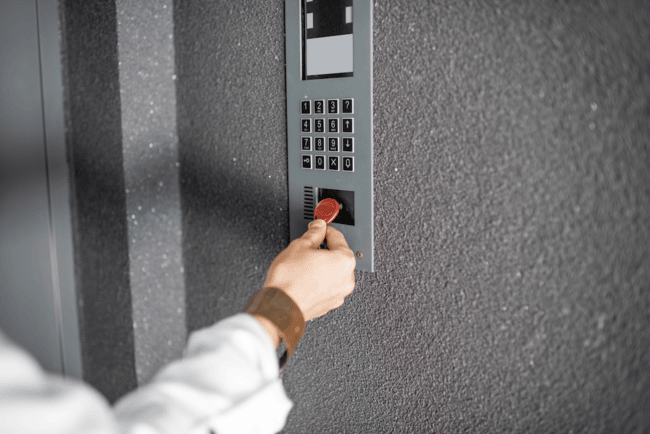
Properties across the US are upgrading their RFID key fob systems and other modern access control technologies to improve security and simplify operations.
While traditional keys still have a place, digital credentials are becoming the standard. Industry analysts project steady growth in North America’s access control market as properties modernize from traditional keys and standalone fobs to cloud-based, mobile-first access systems. One widely cited estimate values the market at $3.88 billion in 2025, growing to $5.84 billion by 2030 (8.6% CAGR).
RFID key fob systems make it easier to issue, revoke, and manage access across multiple entry points, but they’re only as secure as the technology and processes behind them.
Weak encryption, poor credential management, and outdated hardware can create unnecessary risks.
This guide explains how RFID key fob systems work, where they fit best, and how to manage them effectively.
How We Researched This
This guide combines Swiftlane’s experience working with over 3,000 properties in the U.S. that rely on RFID-based access control with research from industry publications, manufacturer documentation, and security best practices.
It also reflects common operational challenges faced by property managers, including credential management, tenant turnover, lost key fobs, and system upgrades, and provides practical guidance that goes beyond technical specifications.
Key Takeaways
- Decide upfront how actively you’re willing to manage access control. RFID key fob systems only stay secure when credentials are regularly reviewed.
- Evaluate RFID tech based on frequency and encryption, not the physical design. Security is determined by the protocol, not the casing.
- Set clear procedures for programming and issuing fobs. Prevent misuse by assigning permissions based on roles and limiting administrative access.
- Create a formal process for handling lost or stolen fobs. These should be treated as security incidents that require quick deactivation and documentation.
- Plan for periodic upgrades. Don’t let your system fall behind current security standards or become difficult to integrate with newer building tech.
Table of Contents
- What is an RFID Key Fob System?
- How RFID Key Fob Systems Work
- Types of RFID Key Fobs
- Access Control Use Cases of RFID Key Fob Systems
- Pros and Cons of RFID Key Fob Systems
- What Does an RFID Key Fob System Cost?
- Questions to Ask When Evaluating if an RFID Key Fob System Is Right for Your Property
- How to Program RFID Key Fobs
- Security Considerations When Using RFID Key Fobs
- How to Protect RFID Key Fobs from External Threats
- Dealing with Lost or Stolen RFID Key Fobs
- Upgrading Your RFID Key Fob System
- Consider Swiftlane as a Practical Extension of Your RFID Key Fob System
- Conclusion: Take a Proactive Approach to RFID Key Fob System Security
- FAQs
Related Articles
- What Is an RFID Access Control System?
- Key Fob Entry Systems – A Complete Guide
- Guide to Apartment Key Fobs
What is an RFID Key Fob System?
An RFID (Radio Frequency Identification) key fob system is an electronic access control solution that uses radio waves to identify and authenticate users.
Instead of inserting a physical key into a lock, users can just hold a small electronic fob to a reader, which detects the fob, verifies its credentials, and grants access.
At its core, an RFID key fob system replaces mechanical locks with credentials that can be managed digitally by a centralized dashboard. You can issue, update, or deactivate key fobs without having to rekey every time. That’s a massive advantage when you’re managing a property of more than 200 units with fast tenant turnover.
How RFID Key Fob Systems Work
An RFID key fob system consists of several interconnected components working together to manage access:
- When a user presents a key fob to a reader, the reader emits a radio frequency signal. Passive RFID key fobs don’t even need batteries to make the connection. Instead, they just draw power from the reader’s signal to transmit their unique identifier back to the reader.
- The reader then sends this information to a controller or access control panel, which checks the identifier against a credential database.
- If the credential is valid and permitted for that location and time, the system opens the lock.
More advanced systems can integrate with cloud-based platforms that allow remote management and real-time access to logs. This enables you to check usage patterns or investigate incidents more efficiently.
Types of RFID Key Fobs
RFID key fobs come in many shapes and materials, but the credential technology inside the fob has a much greater impact on security than the casing itself. When comparing RFID key fob systems, focus first on operating frequency, encryption, and credential technology.
| Credential Type | Typical Characteristics | Best For |
| Low-frequency (125 kHz) proximity credentials | Widely deployed legacy technology. Many older systems transmit static identifiers with limited encryption, making them more vulnerable to cloning. | Older buildings with existing Prox infrastructure that aren’t yet ready to upgrade. |
| High-frequency (13.56 MHz) smart credentials | Support stronger encryption, mutual authentication, and more advanced credential management. Better suited for modern access control platforms and future integrations. | Multifamily, commercial, and mixed-use properties prioritizing security and long-term flexibility. |
Choosing a Fob Material
Once you’ve selected the appropriate credential technology, you can choose a fob material based on durability, appearance, and user preference rather than security.
| Material | Best For |
| Silicone | Outdoor amenities, pools, gyms, and high-traffic environments |
| Metal | Premium branding and added physical durability |
| PU leather | Residential or hospitality properties where appearance matters |
| Wood | Boutique or eco-conscious properties seeking a distinctive aesthetic |
Key takeaway: A metal or leather fob isn’t inherently more secure than a plastic one. The security of an RFID key fob system comes from its credential technology, encryption, and access management policies, not the material surrounding the chip.
Access Control Use Cases of RFID Key Fob Systems


You can use RFID key fob systems across various types of properties or buildings because they’re flexible and scalable.
Multifamily Residential Complexes
In multifamily residential complexes, RFID key fobs can help you control access to main gates, individual unit doors, elevators, garages, parking lots, and amenities like lounges or gyms.
Because RFID fobs are programmable, you can tailor access credentials based on the resident’s lease terms or membership privileges.
Commercial Office Buildings
With key fob entry systems, you can manage access to specific floors and suites in commercial office buildings. You can assign fobs to function during certain times, e.g., around business hours (9 AM to 5 PM) or weekdays, depending on the tenant’s operations.
You can also assign access permissions based on role. Management is given more flexible access over employees. Maintenance personnel can have access beyond office hours, but limited access to certain sensitive entry points. Contractors, likewise, can be issued fobs that function only within the area they’ll be working.
Gated Communities
In gated communities, the primary use cases for RFID key fobs are in managing vehicle and pedestrian access at main or secondary gates.
Residents can use their fobs for multiple purposes, whether it’s for opening the gate to drive their car through or for gaining access to shared amenities like pools, fitness centers, or clubhouses.
With RFID access systems, you can manage different access levels for residents (the homeowners themselves or renters), authorized visitors, and vendors like electricians, plumbers, HVAC technicians, and cleaners.
Mixed-Use Properties
The flexibility of RFID key fobs is especially impactful in mixed-use properties, wherein property management offices often have to juggle access permissions across residential, commercial, and shared spaces within the same building.
For instance, residents can enjoy access to their units, parking garages, and amenities, while office tenants should be restricted only to business areas and parking lot floors. If the mixed-use property includes stores, retail staff should only use fobs with time limits based on business hours.
With RFID key fobs, you can maintain security without sacrificing privacy for each user group, while also allowing you to manage access points via a centralized dashboard.
Retail and Industrial Properties
RFID key fobs are most useful in controlling access to storage areas, loading docks, and restricted rooms or floors. The flexibility of fobs should allow you to assign permissions to authorized personnel only based on their role.
These use cases demonstrate why RFID systems are a practical choice for property management. They also highlight the importance of proper security controls across multiple access points.
Pros and Cons of RFID Key Fob Systems
RFID key fob systems offer several advantages over traditional mechanical locks. But they’re not without their drawbacks. Here’s a quick guide to their pros and cons:
| Pros | Cons |
| Centralized access management – You can issue, modify, or revoke access credentials across units, floors, and amenities from a single system Quick activation / deactivation – You can activate or deactivate credentials instantly during tenant turnover Reduced rekeying and lock replacement costs – No need to physically rekey locks when tenants leave or keys get lost Can handle large properties – It works seamlessly even with hundreds or thousands of users, key fobs, and access points Flexible assignment and restriction of access – You can restrict access by user role (resident, employee, contractor) and by schedule (business hours) Audit trails and accountability – Access logs help investigate incidents and support compliance requirements Integration with existing systems – RFID can integrate with elevators, parking, alarms, and property management software Convenience for users – RFID key fobs are easier to use compared to physical keys | Dependent on encryption quality – Low-frequency or legacy RFID key fob systems with weak encryption can be cloned Upfront investment – Access control readers, controllers, installation cost, and software may require a significant initial investment, especially for retrofit projects Administrative burden – You must regularly review, deactivate, and audit credentials to prevent access creep Training required – Property management staff, lessors, and security teams need to be taught how to properly program key fobs Dependent on power and network – Access can be affected by power or network outages in the absence of fail-safe measures False sense of security – RFID tech alone doesn’t guarantee security without encryption, policies, and monitoring Pressure to upgrade – Older key fob systems may struggle to integrate with modern access control platforms Key fob sharing – Users may lend fobs if policies and enforcement are lax |
What Does an RFID Key Fob System Cost?
The total cost of an RFID key fob system depends on the number of doors, existing infrastructure, installation complexity, and whether you choose an on-premises or cloud-based platform.
Typical planning ranges include:
| Cost Component | Typical Ranges (based on our guide) |
| RFID reader (per door) | $150 to 500 (hardware) |
| Door controller (per door) | $200 to $800 |
| Installation and wiring (per door) | $300 to $800 |
| RFID key fobs | $2 to $15 (basic) or $25 to $100+ (encrypted smart credentials, vendor-dependent) |
| Cloud software (if applicable) | $5 to $10 per door per month (includes remote management, updates, and support) |
For most multifamily properties, the total installed cost typically ranges from $3,000 to $5,000 per door, while more complex deployments can exceed that range.
Planning tip: Evaluate the total cost of ownership, not just hardware. Ongoing software, credential replacement, maintenance, and future upgrade costs often have a greater long-term impact than the initial equipment purchase.
RFID key fob systems are best for:
- Multifamily buildings with frequent resident turnover
- Commercial offices with clear schedules
- Mixed-use properties requiring different levels of access
RFID key fob systems aren’t ideal for:
- Small properties with few access points
- High-security properties
- Old properties that aren’t open to upgrading to newer access control systems
Bottom line: RFID is operationally efficient, not inherently high-security.
Questions to Ask When Evaluating if an RFID Key Fob System Is Right for Your Property
To determine if an RFID key fob system is appropriate for the property you’re managing, ask yourself the following questions.
For residential properties:
- Do you experience fast turnover that makes physical key management a logistical nightmare?
- Do residents need access to shared amenities like gyms, pools, parking lots, or lounges?
- Do you prefer deactivating lost or stolen credentials immediately without needing to rekey locks?
- Do different residents need different access privileges based on lease terms?
- Do you need visibility into access activity for incident reports or liability purposes?
- Do you manage a medium-to-large property with many access points?
- Do you plan to enforce strict access policies and regularly review active credentials?
If you answered “Yes” to 5 or more questions, an RFID key fob system is likely a good fit for your multifamily property. If several answers are “No,” a simpler access control solution may be enough.
For commercial:
- Do employees or tenants require access to different areas?
- Do you need to limit access based on time (e.g., business hours vs after-hours)?
- Do contractors or vendors require temporary or limited access?
- Are access audits or compliance reports important for your operations?
- Do you prefer centralized control of access across floors, suites, or amenities?
- Does your building support future expansion or tenant turnover?
- Do you have existing staff or partners who can program access and manage system updates?
If most answers are “Yes,” an RFID key fob system can help improve security and efficiency in your commercial property. If many answers are “No,” alternative or simpler access solutions may be better.
How to Program RFID Key Fobs
Programming RFID key fobs involves assigning credentials in your access control system so that specific fobs are authorized to open designated doors or gates. Here’s how to do it:
Step 1: Access the Management System
Log in to the access control management software connected to your RFID key fob system. This can be done through a desktop interface, web dashboard, or cloud-based platform provided by your vendor.
Step 2: Verify Programming Authority
Ensure that only trained staff or authorized personnel are allowed to program fobs. Limit programming access to reduce the risk of unauthorized or accidental credential creation.
Step 3: Register the RFID Key Fob
Scan the new RFID key fob to the reader to register it in the system. Each fob has a unique identifier that the system recognizes for future access decisions.
Step 4: Assign Role-Based Access Permissions
Define where and when the fob is allowed to give access. Permissions should always be role-based and follow the principle of least privilege, giving users access only to the areas and schedules required for their responsibilities (residents can access unit doors, while staff can access utility rooms or service areas).
The Security Industry Association’s Data Privacy Code of Practice for Access Control recommends role-based access control and limiting access to authorized users as foundational practices for protecting sensitive data and reducing operational risk.
Step 5: Set Time-Based Access Rules
If supported by your system, assign time restrictions to the fob. This is especially useful for commercial properties, where access may be limited to business hours. The same applies to contractors who need temporary access.
Step 6: Activate and Test the Credential
Activate the fob and test it at designated access points to confirm that permissions are working as intended. Testing helps catch configuration errors before they become security issues.
Step 7: Document the Credential Assignment
Record who the fob was issued to, their role, and the access permissions assigned. Accurate records support accountability and simplify audits.
Step 8: Audit Regularly
Review active fobs and access permissions regularly to identify inactive or outdated credentials. Removing unused access rights reduces the risk of former users retaining access longer than intended.
Common Mistakes to Avoid When Programming RFID Key Fobs
Even well-designed RFID key fob systems can become difficult to manage when programming practices aren’t consistent. Watch out for these common issues:
- Granting broader access than needed. Giving “just in case” permissions only increases risk. Follow the principle of least privilege by giving users access only to the areas and schedules required for their role.
- Allowing too many people to program fobs. Expanding administrative access may result in inconsistent permissions.
- Skipping testing after activation. Failing to test credentials can result in residents being locked out.
- Not removing access immediately after role or tenant changes. Delayed deactivation is one of the most common causes of access creep, especially in properties with frequent turnover.
- Treating audits as optional. Without regular reviews, you risk not discovering outdated or duplicate credentials.
Security Considerations When Using RFID Key Fobs


Security isn’t inherent to RFID tech. It depends on how the RFID key fob system is designed and implemented.
Cloning Risks
One common concern is cloning. Some low-frequency RFID systems transmit static identifiers that can be copied using readily available tools. Once cloned, a duplicated fob can grant unauthorized access without triggering alarms.
Weak Encryption
Encryption strength is an additional key aspect. Older systems may rely on outdated protocols that are no longer considered secure. Without encryption, data transmitted between the fob and the reader can be intercepted.
Why Credential Technology Matters
Earlier, we compared low- and high-frequency RFID technologies. The key takeaway is that credential security depends on encryption and authentication, not the physical key fob.
Legacy proximity credentials often transmit static identifiers, while modern smart credentials use stronger cryptographic protections that make unauthorized duplication significantly more difficult.
Fob Sharing
Credential sharing also poses a risk. Tenants may lend fobs to guests or former roommates. It’s a practice that might seem harmless, but totally undermines your RFID access control policies.
Thus, many properties today are seeking to avoid this risk by shifting to mobile credentials.
Physical Security
Physical security matters as well. Poor reader placement or unsecured controllers can allow tampering or bypassing of the system.
Being aware of these risks allows you to take proactive steps, which is better than reacting after something bad happens.
How to Protect RFID Key Fobs from External Threats
Protecting RFID key fob systems requires a mix of policy and user awareness.
No single safeguard is sufficient on its own. But by layering multiple controls, you can make RFID key fob usage safer for users and for the property you’re managing.
Use Encrypted RFID
This reduces the risk of cloning and eavesdropping. Confirm that your access control system supports modern encryption standards and avoid legacy or low-frequency technologies that transmit static identifiers.
If your deployment uses OSDP, enable OSDP Secure Channel to encrypt communications between readers and controllers. The Security Industry Association (SIA) recommends Secure Channel because it helps protect data exchanged between access control devices and reduces the risk of interception or tampering.
Encryption helps ensure that data can’t be easily intercepted or duplicated.
Protect Physical Components
Physical security is just as important as digital protection. Access controllers, wiring, and network connections should be properly shielded and installed in secured locations to prevent tampering.
Readers should be mounted in visible, well-lit areas to discourage interference. Proper placement also helps reduce the risk of physical bypass attempts.
Educate Users
User behavior plays a major role in RFID key fob system security. Tenants, employees, and contractors should be educated on how to handle their key fobs responsibly.
Encouraging users to report lost or stolen fobs immediately allows you to deactivate credentials quickly and minimize the window of potential misuse.
Consider Additional Protective Measures When Needed
In higher-security environments, additional protective measures may be appropriate.
RFID-blocking sleeves or cases can help reduce the risk of unauthorized scanning. Accessories like these can add an extra layer of protection to your staff or users who carry multiple credentials.
Dealing with Lost or Stolen RFID Key Fobs
Lost or stolen RFID key fobs should be treated as security incidents rather than routine administrative tasks. This should be your SOP when this happens:
- When a fob is reported missing, it should be deactivated immediately in the system. This prevents unauthorized access even if the fob is found or intentionally misused.
- Prepare and follow a clear process for issuing replacement fobs and documenting the incident. Repeated losses by the same tenant may warrant additional education or policy enforcement.
- Review access logs to determine whether a lost fob was used after being reported missing. This information is valuable for incident response and liability management.
There should be clear communication between you and your tenants about reporting procedures so that issues can be addressed quickly.
Upgrading Your RFID Key Fob System
No access control system lasts forever. As technology advances and security threats evolve, RFID key fob systems must be periodically reviewed and upgraded to remain effective.
Remember that upgrades aren’t just about new features. They’re about maintaining reliability and efficiency in operations.
Signs It May Be Time to Upgrade
Several indicators suggest that an RFID key fob system may be reaching the end of its useful life:
- Limited or outdated encryption support is one of the most critical warning signs because it can expose the property to cloning.
- A lack of regular software updates is another red flag. Systems no longer supported by vendors may fall behind on security patches and compatibility improvements.
- Difficulty integrating with modern property management platforms or building systems can also signal that an upgrade is needed.
- Frequent hardware failures and inconsistent reader performance are signs that the system may no longer be 100% reliable.
- Rising maintenance costs are an indicator that the system is no longer cost-effective to maintain.
Common Upgrade Paths
Upgrading an RFID key fob system doesn’t always require a full replacement. Here are your options:
- Replace only specific components. You can procure replacements or replacement parts for readers or controllers, but retain existing wiring or credentials.
- Shift to cloud-based access control platforms. Reputable vendors like Swiftlane can offer cloud-based access control systems that improve visibility and provide remote management capabilities. Plus, these solutions come with automatic software updates.
- Consider hybrid systems. A hybrid system setup can allow new readers or controllers to coexist with legacy components. Moreover, it lets you implement phased upgrades that not only spread costs over time but also reduce disruptions.
If you want more tips on upgrading access points, download our guide on upgrading access points, download our guide for free.
Planning for the Future
When upgrading, you should consider not only current requirements but also future needs.
The National Multifamily Housing Council (NMHC) encourages properties to avoid locking into a single credential type.
Modern key fob systems should support mobile access and integrate with other building systems, helping future-proof properties and reduce the risk of costly system overhauls.
Here are some considerations that you should factor in:
- Mobile credentials are becoming more popular. Because they allow access via smartphones, they reduce reliance on key fobs.
- Multi-factor authentication can heighten security in sensitive areas. They can combine RFID fobs with PINs or mobile verification. You can also integrate them with alarm systems and video surveillance.
- Go for systems that support open integrations. This way, you’re not locked in to one vendor.
Minimizing Disruption During Upgrades
Plan upgrades carefully to minimize disruption to tenants and daily operations. There should be communication about timelines, access changes, and temporary procedures.
Test new components before full deployment. This reduces the risk of access issues. For good measure, maintain backup credentials or temporary access methods during the transition to ensure continuity if unexpected issues are encountered.
Consider Swiftlane as a Practical Extension of Your RFID Key Fob System
RFID key fob systems continue to play an important role in access control across residential, commercial, and mixed-use properties in the US.
But as buildings and operational requirements grow more complex, you may find that managing RFID in isolation can limit your flexibility and stretch your administrative capabilities.
Swiftlane is built to work with RFID key fob systems, not against them.
- It can integrate with your existing RFID access control
- At the same time, it provides a centralized platform for managing users, permissions, and entry points across your property
With Swiftlane’s centralized approach to access control, you can:
- Maintain RFID key fobs where they’re still most useful (e.g., for long-term residents or specific entry points)
- Add new credential options, including mobile access, without disrupting operations
- Manage different types of credentials in one place – you won’t need to juggle separate platforms or processes
- Plan upgrades organically, instead of being forced to replace a full system in one go.
You can balance continuity with modernization. You just need the right hybrid model that fits your specific multifamily or commercial property needs.
Conclusion: Take a Proactive Approach to RFID Key Fob System Security
Optimizing your RFID key fob system requires more than installation. It will come down to how you manage, monitor, and update it over time.
- Treat your RFID key fob systems as an ongoing security infrastructure, not a one-time installation. Proper configuration and maintenance are what turn convenience into real-world protection.
- Review how your current RFID system is programmed, who’s got access, and whether credentials are aligned with roles, lease terms, and operating hours.
- Address lost or stolen key fobs immediately by revoking access and documenting incidents to minimize liability and unauthorized entry risks.
- Audit access logs and credentials to prevent access creep from former users.
- Plan ahead for system upgrades by prioritizing strong encryption and modern integrations. Also, consider future-ready features like mobile credentials and multi-factor authentication.
If you want to take it one step further, you can integrate your RFID key fob system into Swiftlane’s centralized access control platform. You can manage RFID key fobs alongside other credentials in one system. See how centralized management works in practice now.
FAQs
Are RFID key fobs secure enough for residential and commercial properties?
Yes, they are when paired with modern encryption, proper system configuration, and active management. Security risks arise from legacy systems or poor credential management rather than the technology itself.
Can RFID key fobs be cloned?
Some low-frequency or outdated RFID systems are vulnerable to cloning because they transmit static identifiers. Modern systems that use encrypted communication reduce this risk. You should verify the encryption standards supported by your access control systems.
What should I do if a tenant or employee loses an RFID key fob?
Lost or stolen fobs should be treated as security incidents. The credential should be deactivated immediately, and a replacement fob issued following documented procedures. Delayed action increases the risk of unauthorized access.
How often should RFID access credentials be audited?
Review access credentials regularly, especially after tenant move-outs, employee departures, or contractor engagements. Conduct audits quarterly or during major operational changes to ensure only authorized users retain access.
Is it possible to upgrade an RFID system without replacing everything?
Yes. Many RFID systems support phased or hybrid upgrades. You may replace readers or controllers, migrate to cloud-based management platforms, or add new features without fully replacing existing infrastructure.
What does an RFID key fob system cost?
The cost of an RFID key fob system varies based on the number of doors, hardware, installation requirements, and software platform. As a general planning estimate, most multifamily properties spend $3,000 to $5,000 per door for hardware and installation. RFID key fobs typically cost $2 to $15 for basic credentials, while encrypted smart credentials generally range from $25 to $100+ per credential, depending on the vendor and security technology. Cloud-based systems may also include recurring software fees depending on features and deployment size.
Can RFID key fobs work without an internet connection?
Yes. Most RFID key fob systems can continue functioning locally even if the internet goes down, provided the readers and controllers have power and can communicate with each other. But cloud-based management features such as remote administration or real-time monitoring may be temporarily unavailable until connectivity is restored.
How long do RFID key fobs last?
Passive RFID key fobs have a long lifespan because they don’t contain batteries and experience minimal wear beyond physical damage. With normal use, they can remain functional for many years, though replacements may be needed if they become cracked, damaged, or no longer compatible with upgraded systems.
Can one RFID key fob open multiple doors or amenities?
Yes. A single RFID key fob can be programmed with permissions for multiple access points, such as building entrances, elevators, parking garages, gyms, or storage rooms. The specific access granted depends on the user’s assigned role and the policies configured in the access control system.
Are RFID key fobs better than mobile credentials?
It depends on your operational needs. RFID key fobs are familiar, easy to issue, and work well for many residents and employees. Mobile credentials offer advantages such as remote provisioning, reduced replacement costs, and lower risk of credential sharing. Many properties choose to support both options to provide flexibility.
What’s the difference between low-frequency and high-frequency RFID key fobs?
The main differences are operating frequency, read range, and security capabilities. Low-frequency RFID systems often use older technologies that may be more susceptible to cloning, while many high-frequency systems support stronger encryption and modern authentication methods. When evaluating a system, focus on its security features and encryption standards rather than frequency alone.


