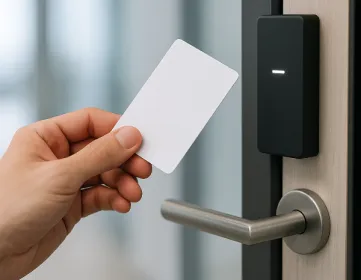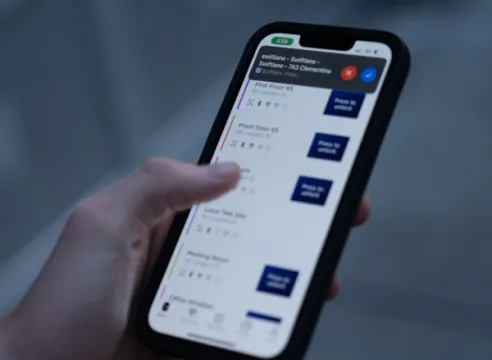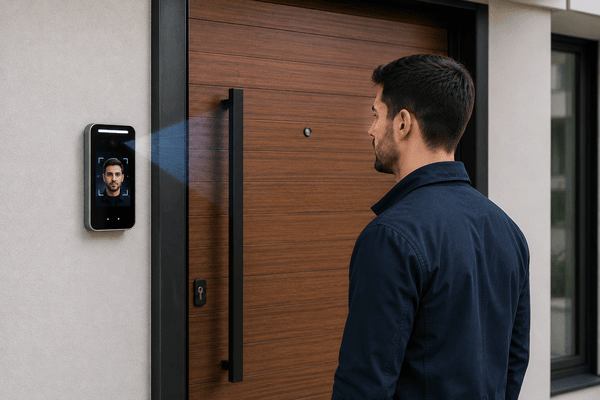
A touchless entry system for apartments lets people unlock doors without physical contact. What started as a response to hygiene concerns is now a standard.
But there’s a distinction many guides miss. Touchless doesn’t mean secure: Contact-free systems can still let the wrong people in. That’s because touchless describes how someone interacts with a door, not how access is controlled.
In this guide, “touchless entry” refers to apartment and multifamily building access at doors, gates, and amenities, not airport identity programs. We’ll cover touchless entry methods property managers actually deploy and how to evaluate them for security, operations, and resident experience.
How we researched this
We developed this guide based on our experience running over 3,000 apartment and multifamily access control deployments yearly in the U.S., including common configurations used in new installations and retrofit projects. We’ve also observed implementation patterns across different property types, especially around visitor management, mobile credentials, and video intercom with door release systems. The goal is to focus on how these systems are actually used in day-to-day building operations, not just how they’re described in product specifications.
Key Takeaways
- Touchless entry improves convenience, but it’s not security on its own. Systems need identity verification to control who can enter.
- The best solutions combine touchless access with full access control. This includes permissions, audit logs, and centralized management.
- Modern buildings use touchless entry to reduce friction and improve operations. It leads to faster entry, fewer complaints, and less manual work for staff.
- Choosing the right system comes down to long-term value. Look for solutions that integrate access control, visitor management, and multiple entry methods in one platform.
Which touchless entry system to choose (quick decision guide for apartments):
- Small multifamily (under ~50 units), budget-focused: Mobile credentials + smart reader at main door (keep existing locks if possible). Add a simple video intercom only if you get frequent guest traffic.
- Mid-size multifamily (~50 to 200 units), balanced: Video intercom at the main entrance + mobile credentials for residents + fob/card fallback. Prioritize cloud management, audit logs, and easy guest passes.
- Large multifamily (200+ units) or high-traffic lobby: Video intercom + mobile credentials + visitor management (delivery/guests) as a single platform. Add more readers at secondary entrances and amenities to reduce bottlenecks.
- Luxury / Class A, “hands-free” experience: Facial recognition at primary entrances (with clear resident consent + privacy policy) + mobile/fob backup + video intercom for visitors.
- Gated communities: Gate intercom (video if you need identity verification) + mobile credentials for residents, with temporary guest passes for vendors and deliveries.
- Office or mixed-use: Access control with mobile credentials + stronger audit trails and admin controls, plus intercom/visitor flow for shared entrances.
Rule of thumb: If you want security, buy access control + identity verification (not just a wave-to-open sensor). Use wave-to-exit only for low-risk/egress scenarios, not main entrances.
Table of Contents
- What Is a Touchless Entry System?
- How Touchless Entry Systems for Apartments Work
- Benefits of Touchless Entry
- Types of Touchless Entry Solutions
- Touchless vs. Traditional Entry Methods
- Best Use Cases
- What to Look For in a Touchless Entry System
- How Swiftlane Delivers Smarter Touchless Entry
- Touchless Entry System Cost (2026) and What Drives Price
- Long-Term Value Considerations and ROI
- Touchless Entry Upgrade Checklist for Apartments
- Ready to Upgrade Your Building Entry?
- Frequently Asked Questions
Related Posts
- Proximity Card Access System: How It Works and When to Upgrade
- Face Recognition Door Lock System for Apartment Buildings and Offices
- Mobile Phone Intercom System: How It Works and How to Choose the Right One
What Is a Touchless Entry System?
A touchless entry system lets users open doors without physically touching a device. Instead of pressing buttons or inserting keys, they can trigger access through proximity, motion, or ID-based credentials.
An example of this is when users wave their hand in front of a reader in order to unlock the door. They can also use a smartphone app or simply have their faces scanned by the reader.
You can still use a key fob or a key card, but you won’t need to make physical contact with the door reader.
Touchless vs Access Control
At a basic level, these systems remove shared touchpoints. That improves hygiene and speeds up entry. But that’s only part of the story.
Touchless is a method of interaction. It’s not a full access control system.
A wave-to-open sensor is a good example. It’s convenient and contact-free, but it doesn’t verify identity. Anyone can trigger it. That makes it useful in certain scenarios, but limited from a security standpoint.
Modern buildings go further. They now pair touchless interaction with access control systems that can verify identity and manage permissions.
That’s where touchless entry becomes more than just a contact-free method. It becomes controlled and accountable, too.
How Touchless Entry Systems for Apartments Work
Every touchless system has two key elements:
- How a user requests access
- How the system decides whether to unlock the door or not
Activation Methods
The first part is the input method, which is what the user interacts with. Some systems rely on simple motion sensors that can detect the hand wave that will trigger the door.
Others use smartphones, specifically through a cloud-based app or by leveraging Bluetooth or NFC (near field communications).
Key fob systems can still be used if the fobs are programmed for proximity-based access. This allows users to unlock doors without direct contact. They just need to be near enough to the reader to trigger the unlock mechanism.
As for more advanced systems, they can offer facial recognition technology. The user doesn’t even need to do anything at all. The system just identifies their face and goes ahead to unlock the door. This is what true hands-free entry looks like.
System Components
Behind that interaction is the access control layer. This includes the door hardware, which includes electric strikes, smart locks, readers, and even cameras.
The hardware is paired with cloud-based software that facilitates the verifications and data storage (logs of who has entered and when).
As soon as the system receives the touchless entry input, it checks whether the user has permission and then unlocks the door if they have approved access.
Entry Flow by User Type
The experience varies depending on who’s entering. Residents and tenants can use mobile credentials, fobs, or facial recognition access control for quick and user-friendly entry.
Naturally, the members of your property team should have broader access to multiple doors and schedules.
As for visitors, they can interact with a video intercom or receive temporary access that your staff or residents can remotely issue.
When these pieces work together, you can achieve fast but controlled entry.
Benefits of Touchless Entry


Hygiene and Reduced Contact
The most obvious benefit is reduced contact. You don’t have to worry about shared surfaces (keypads, door handles) that different people can interact with.
Several years ago, this became important during the pandemic. But now, it has become a baseline expectation among residents or tenants.
Convenience in Everyday Use
Convenience is where the impact becomes more noticeable.
Residents don’t need to stop and search for keys or open an app every time they arrive. They can walk up and enter. This is especially helpful when carrying groceries, managing packages, or pushing a stroller. These small moments shape the overall building experience.
Faster Entry and Less Congestion
Entry becomes faster and more efficient.
Without the need to type codes or wait for access approval, bottlenecks at the entrance are reduced. This is particularly useful during peak hours when multiple people are entering at the same time.
Security with Identity Verification
Touchless entry alone doesn’t guarantee security. However, when it’s paired with identity verification, it can be more secure than traditional shared-credential methods.
Access is tied to individual users rather than PIN codes or shared credentials. Permissions can be updated in real time, and entry activity is logged automatically. This improves both control and visibility across the property.
Security in access control depends on verified identity rather than the interaction method itself. Large-scale evaluations like the NIST Face Recognition Vendor Test (FRVT) measure how accurately facial recognition systems perform in real-world conditions, informing their role in identity-based access control.
Frameworks such as the NIST Digital Identity Guidelines highlight that assurance levels and identity strength are key factors in determining how secure an access system actually is.
Accessibility and ADA Compliance
One of the key benefits of touchless entry systems is that they reduce physical barriers at building entrances.
This is especially important for users with mobility limitations, since it removes the need to reach for a keypad, button, or physical credential reader. As a result, entry becomes more accessible and easier to use in everyday conditions.
This supports broader Americans with Disabilities Act (ADA) goals for accessible design in building access systems.
Touchless entry systems can support accessibility requirements by reducing physical interaction with door hardware, but compliance still depends on how entrances are designed, including operable parts and accessible routes under the 2010 ADA Standards for Accessible Design.
Efficiency in Operations
Because there are fewer physical credentials to deal with, you won’t have to constantly deal with lost keys or lockouts. This translates to fewer interventions on the part of your staff, freeing them to focus on more high-value tasks instead of resolving access issues.
Case Study: Gateway Park Apartments Modernizes With Touchless Entry System
Gateway Park Apartments is a 436-unit multifamily community in Denver managed by Apartment Management Consultants. Before upgrading its access system, the property relied on traditional key fobs and shared access codes across multiple buildings. Over time, this created ongoing operational strain, with frequent rekeying, lost credentials, and time-consuming move-in and vendor access workflows.
We’ve seen this pattern often in larger multifamily properties, wherein small inefficiencies in access management scale quickly across hundreds of units.
After implementing a modern touchless entry system with mobile access, facial recognition, and video intercom with door release capabilities, Gateway Park eliminated its reliance on fob management entirely. Residents gained faster, more seamless entry, while staff reduced time spent on credential administration and lock-related issues.
The property team also reported smoother move-ins and improved control over shared access points, particularly in high-traffic amenity and gate areas.
Types of Touchless Entry Solutions
Not all touchless systems are built the same. Some focus on convenience, while others combine convenience with security.
Touchless Wave Switches
The simplest option is a wave switch, wherein a user just waves their hand in front of a sensor to unlock the door.
Wave switches can improve accessibility, but unfortunately, you have no way of verifying the user’s identity. You can use them for low-security areas or exit doors, but not for main entrances.
Mobile Credential Entry
With mobile-based entry, residents can unlock doors using only their smartphones (no physical credentials needed). One other big advantage of mobile access is that it allows for remote management. Residents or your staff can grant temporary access remotely without needing to be physically present to answer the door.
Read our guide to explore other ways mobile credentials can optimize access security. You can also check out our comprehensive guide on mobile access control.
Facial Recognition Access
Facial recognition is one example of a fully hands-free entry experience. Because the system identifies the user automatically, there’s no need to wave a hand, open an app, or use a key fob.
While this improves convenience and speed at the entrance, it can also introduce additional privacy and compliance considerations. Depending on how it’s deployed, facial recognition systems may require written policies, user consent, and defined rules for data retention and deletion, as outlined under the Illinois Biometric Information Privacy Act.
Video Intercom with Remote Unlock
Guests can request access through a camera-enabled device. Meanwhile, residents or your staff can verify and unlock the door remotely. This improves both security and convenience.
Touchless Visitor Management
Visitor management systems extend touchless entry beyond residents.
Guests can receive temporary credentials or instructions before arrival, reducing friction and improving security. This is especially useful in buildings with frequent deliveries or guest traffic.
Touchless vs. Traditional Entry Methods
Traditional entry methods are still widely used, but they come with clear operational and security limitations.
Keypads, key cards, and mechanical keys each solve access in different ways, but they also introduce friction as buildings scale. The main issue is that most traditional systems rely on shared credentials or physical objects that are difficult to manage over time.
Comparison of Entry Methods
| Entry Method | How It Works | Key Limitation |
| Keypads | Shared PIN codes entered manually | Codes are often reused or exposed, reducing security and visibility |
| Key cards and fobs | Physical credential tapped or scanned | Can be lost, stolen, or require frequent reprogramming and replacement |
| Mechanical keys | Physical key inserted into lock | No access tracking and requires full lock changes when compromised |
| Touchless systems | Mobile, facial recognition, or proximity-based access | Requires proper identity verification and system integration to ensure security |
Where Touchless Entry Systems Fit In
Touchless systems improve convenience across all traditional methods by removing physical interaction at the door. But convenience alone isn’t enough.
A standalone touchless device only removes contact. It doesn’t manage identity, permissions, or access history.
The real upgrade comes from combining touchless entry with a full access control system. That’s what allows buildings to improve both user experience and security at the same time.
Best Use Cases
Multifamily Buildings
Multifamily properties should see the greatest impact. Residents in these buildings can benefit from seamless entry and easier guest access. As for property teams, a touchless access system powered by cloud-based software lets them gain better control over permissions.
Gated Communities
Touchless systems can improve entry at outdoor gates and community entrances. Residents can enter more easily, and guest access can be managed without physical interaction.
Office Buildings
Office environments benefit from faster entry and improved tracking. Employees can move through entry points efficiently, while administrators maintain visibility into access activity.
Mixed-Use and Commercial Properties
These properties involve multiple user groups. Touchless systems help manage tenants, visitors, and staff within a single framework, reducing complexity while maintaining control.
Amenity and Shared Spaces
Spaces like gyms and parking garages can benefit from controlled but frictionless access. Shared amenities like these frequently see heavy traffic, so convenience and reliability are very important.
What to Look For in a Touchless Entry System
Choosing the right system requires a clear evaluation framework.
Security and Access Control
You should look for solutions that come with support for user-level permissions and credential management. Avoid systems that focus only on convenience. It’s a big advantage, yes, but it shouldn’t sacrifice security.
Ease of Use and Adoption
Even without extensive training, your tenants and staff should be able to use the system quickly from Day 1. Also, it should support multiple access methods in order to accommodate different users.
Visitor Management Capabilities
Guest access should be simple and controlled. You should go for systems that offer remote unlock, temporary credentials, and intercom integration to streamline the process.
Hardware Reliability
Entry systems are used constantly. Reliable hardware reduces maintenance issues and ensures consistent performance over time.
Integration with Existing Systems
Integration is critical for long-term success. Your touchless system should work seamlessly with existing systems like intercoms, smart locks, and access control platforms. Fragmented solutions create unnecessary complexity.
Short-Term Fix vs Long-Term Solution
Ask a simple question: is this going to be a standalone upgrade or part of a complete system? Remember that short-term fixes are designed to solve immediate problems. Meanwhile, long-term solutions can improve your operations across your entire property for a long time.
How Swiftlane Delivers Smarter Touchless Entry
Modern buildings need more than isolated features. They need systems that work together.
The best touchless systems support multiple entry methods (mobile, fob/card, facial recognition) while keeping identity verification, permissions, and audit logs centralized in one platform.
True Hands-Free Entry with Facial Recognition
Swiftlane enables residents to walk up and enter without using a phone or fob. This creates a seamless, fully touchless experience.
Flexible Access Options
Not every user prefers the same method. Swiftlane supports mobile credentials and key fobs alongside facial recognition, allowing users to choose what works best for them.
Video Intercom for Visitor Verification
Visitors can request access through a video intercom system. Residents and staff can verify identity and grant access remotely, adding a layer of security without creating friction. This can include a video intercom with door release, allowing residents or staff to visually confirm identity before granting access.
Built-In Visitor Management
Guest access is handled within the same platform. There’s no need for separate tools or manual coordination, which simplifies operations.
Unified Platform
All components work together within a single system. This includes hardware, access control software, and visitor management. The result is a more reliable and scalable solution.
Request a Demo
See how a unified touchless entry system works in a real building environment.
Touchless Entry System Cost (2026) and What Drives Price
Touchless entry system pricing can vary depending on the building setup and the level of functionality you need.
In most apartment and multifamily projects, cost is driven by four things:
- The number of entry points
- Whether the main entrance needs a video intercom
- Whether you want mobile credentials and cloud management
- Whether existing door hardware can be reused in retrofit installs
Typical Cost Ranges
- Mobile access + readers (per door): $1,200 to $3,500 installed
- Video intercom at a main entrance: $2,000 to $5,500 installed
- Facial recognition reader (per entry point): $2,500 to $8,000+ installed (plus policy/privacy requirements)
- Cloud management software: typically $20 to $80 per month per building (varies by vendor and features)
Where Buildings Usually See ROI
We’ve observed that the biggest operational savings rarely come from hardware alone. They can come from reducing repetitive access-related issues over time.
That includes fewer resident lockouts, fewer lost fob replacement requests, and less time spent coordinating guest or delivery access. Buildings with video intercom and remote management also tend to reduce front-desk interruptions because staff can handle entry requests more efficiently.
We’ve also seen that better audit logs can reduce the time spent investigating incidents or verifying access activity. In many multifamily properties, resident satisfaction improves as well, especially in buildings where touchless entry is increasingly expected rather than viewed as a premium feature.
Long-Term Value Considerations and ROI
Cost is only part of the equation. Long-term value matters just as much.
Upfront Investment
Initial costs can include hardware and installation. These can vary depending on your building size and the number of entry points.
Touchless systems may cost more upfront, yes, but they can also deliver more savings down the road.
Operational Savings
Touchless systems reduce everyday inefficiencies. Fewer lockouts occur. The need to replace keys and fobs decreases. Front desk teams spend less time handling access-related issues.
Long-Term Value
The broader impact is often more important. Your staff can save time. Your residents will experience fewer frustrations. Your property becomes more attractive to potential tenants.
Over time, these benefits can contribute not only to better resident satisfaction but also to higher property value.
Touchless Entry Upgrade Checklist for Apartments
Before deploying a touchless entry system, property teams should evaluate how the system will actually function day to day. The right setup depends on your building layout, resident workflows, and security requirements.
Start with Entry Points and User Types
First, identify where touchless access is actually needed. In most apartment properties, that includes the main entrance, garage doors, gates, package rooms, and shared amenities like gyms or lounges.
Next, think about who needs access. Residents are only one part of the equation. Staff, vendors, delivery drivers, maintenance teams, and visitors all interact with the property differently, and each group may require different permissions or access methods.
Choose the Right Touchless Method
Not all touchless systems operate the same way. Some properties deploy mobile credentials, while others use facial recognition, proximity-based fobs, or simple wave-to-exit sensors.
We’ve seen that problems can happen when convenience is prioritized without enough attention to identity verification. For example, a motion-triggered sensor may work fine for exits, but it shouldn’t secure a primary entrance where anyone nearby can activate it.
Evaluate Operations, Hardware, and Privacy
Remote management is another major consideration. Property managers should be able to control permissions, adjust schedules, and review audit logs without needing on-site intervention.
We’ve also observed that visitor flow is often underestimated during planning. Systems should support video intercom, guest passes, and temporary credentials to reduce friction at the entrance.
Finally, confirm door hardware compatibility and review privacy requirements if biometrics are involved.
We’ve observed that resident onboarding matters just as much as system capabilities. Not every user adopts new access methods at the same pace, so flexible systems that support multiple credentials (such as mobile access, fobs, and facial recognition) tend to perform better in real deployments.
In platforms like Swiftlane, this flexibility is often designed into the system from the start, rather than added later as a workaround.


Ready to Upgrade Your Building Entry?
Touchless entry is no longer a niche feature. It’s the standard for modern buildings.
But not all systems deliver the same value. Some simply remove contact. Others improve how access is managed across the entire property.
Swiftlane fits in at that second level. It combines touchless entry with identity-based access, built-in visitor management, and centralized control in one platform.
The difference comes down to integration. Instead of piecing together separate tools, property managers get a system where everything works together. That’s what turns a simple upgrade into a long-term solution. Ready to upgrade your building entry? See touchless entry in action today.
Frequently Asked Questions
Are touchless entry systems secure?
They can be, but only when paired with identity verification and permissions. “Touchless” describes how someone interacts with the door. Security depends on whether the system verifies identity and logs access activity.
What’s the best touchless entry option for apartments?
For most multifamily buildings, mobile credentials for residents combined with a video intercom for visitors provides the best balance of convenience and control.
Do residents need an app?
Not always. Many buildings offer mobile access as the default, with fob or card credentials as a fallback for residents who prefer a non-app option.
Is facial recognition better than a touchless wave switch?
For security, yes. A wave switch can be triggered by anyone nearby, while facial recognition verifies identity before granting access. However, facial recognition also requires stronger privacy policies and user consent.
Can touchless systems work with existing doors?
Often yes. Many touchless entry systems can integrate with existing electric strikes or maglocks, making retrofits feasible in most buildings. However, compatibility depends on current door hardware, wiring conditions, and fire egress requirements. We’ve observed that retrofit projects are where most issues surface. Older buildings often have inconsistent wiring, unsupported strike types, or legacy intercom systems not designed for modern access control. These gaps can slow installation or require partial hardware upgrades. In deployments like Swiftlane, these risks can be identified during site assessment, so compatibility is confirmed before installation rather than resolved mid-project.
What is the difference between touchless entry and keyless entry?
Keyless entry removes physical keys, while touchless entry removes physical interaction altogether. A system can be keyless but still require tapping, typing, or manual app interaction.
What types of buildings benefit most from touchless entry?
Multifamily buildings see the greatest impact, but offices, HOAs, and mixed-use properties also benefit from improved flow, reduced friction, and better access control visibility.
How does visitor access work in a touchless system?
Visitor access can be handled through a video intercom or temporary credentials. Residents or staff can verify guests remotely and grant access without physical interaction at the door.
Is touchless entry only useful for hygiene reasons?
No. While hygiene was the original driver, most modern adoption is about convenience, faster entry, and improved access control management. Hygiene is now a secondary benefit.
What should property managers consider before upgrading?
Key factors include entry points, user types, identity verification methods, visitor flow, and integration with existing hardware. We’ve seen that systems fail most often when visitor workflows and onboarding aren’t planned properly.