

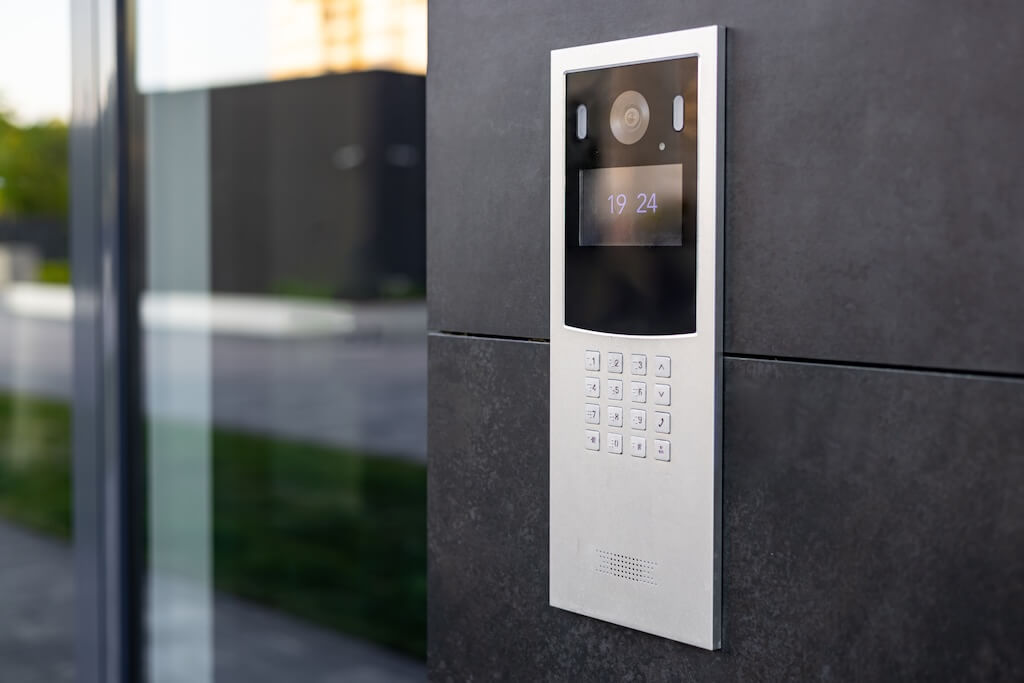
An apartment access control system is hardware and software that controls who enters a multifamily building, when, and through which doors, using mobile apps, key fobs, PIN codes, or face recognition instead of physical keys.
In 2026, more property managers are moving away from legacy key-and-fob setups toward cloud-based systems that allow remote credential management, real-time access logs, and automatic updates across every entry point in the building. The shift is driven by operational cost, resident expectations, and the growing complexity of managing access across garages, amenity spaces, elevators, and unit doors.
This guide covers everything you need to evaluate, choose, and implement the right system for your property, including a vendor checklist, demo script, and 30/60/90-day outcomes you can expect after rollout.
Key Takeaways
- Apartment access control manages who enters, when, and where across every entry point in a multifamily property, from the front lobby to the parking garage, amenity spaces, and individual units.
- Cloud-based systems outperform legacy setups with remote credential management, real-time access logs, and automatic updates across every entry point.
- Native integration between video intercom and access control is critical. Bolted-together systems create accountability gaps, mismatched logs, and slower incident response.
- The right system covers more than the front door. Garages, package rooms, amenities, elevators, and unit doors all need to be part of a unified access strategy.
- Credential lifecycle management, from issuing and scheduling to revoking access, is where most operational value is won or lost, especially during move-ins, move-outs, and staff changes.
- A unified platform means a single audit trail, a single vendor, and a single source of truth when something goes wrong.
- In 2026, the best systems go further with AI-powered features like loitering detection, PIN sharing violation reports, Face Unlock, and proactive deterrence built in as standard.
Table of Contents
- What Is an Apartment Access Control System?
- Why Multifamily Properties Need a Modern Approach
- Types of Apartment Access Control Systems
- Types of Apartment Access Control Systems
- Features That Actually Drive Operational Value
- Benefits for Property Managers, Owners, and HOAs
- Real-World Use Cases Across the Property
- How to Choose the Right System
- Vendor Evaluation Checklist and Demo Script
- How Much Does an Apartment Access Control System Cost?
- How Swiftlane Compares to Other Access Control Systems
- What to Expect in the First 90 Days
- Why Swiftlane
- FAQs
What Is an Apartment Access Control System?


An apartment access control system is hardware and software that manages who enters a residential building, when, and through which credentials, across every door, garage, amenity space, and elevator on the property.
Unlike commercial systems built for employees with predictable schedules, multifamily access control must work for residents, guests, couriers, maintenance staff, and vendors at all hours. The most effective systems integrate video intercom, mobile credentials, and visitor management into a single platform, with a single audit trail and a single permissions model.
Best for: Multifamily property managers, HOAs, and ownership groups who need centralized, remote control over building access across multiple entry points.
Not best for: Single-family rentals, small buildings where a basic intercom and key system is sufficient, or properties where IT infrastructure cannot support cloud-based software.
To understand how these systems apply beyond residential buildings, see our guide to building access control systems.
Why Multifamily Properties Need a Modern Approach
Most property managers don’t choose their access control problem. They inherit it. Keys get copied. Fobs go missing during turnover. A vendor gets a master key for one job, and nobody follows up. These aren’t edge cases. They surface weekly.
The Operational Cost Adds Up
Every lockout call, every rekey after move-out, and every “I don’t know who let them in” conversation is time and money that a modern system eliminates or significantly reduces.
According to the Entrata 2026 State of Multifamily Report and the Reputation.com 2024-25 Property Management Trends Report, access and package-related questions account for 20% to 40% of total front-desk call volume at amenitized multifamily properties. In buildings without structured visitor or delivery management, roughly one in three staff interactions involves a task that a modern system would handle automatically.
Legacy Systems Weren’t Built for This
A resident needs mobile access. Their dog walker needs a time-limited PIN. A maintenance tech needs access to three floors from 9 am to 5 pm. Most legacy systems can’t handle that. They were built for a single door, not a living, operational property.
Fragmented Tools Mean Fragmented Accountability
Separate systems mean separate logs and no single source of truth when something goes wrong. That gap shows up in resident complaints, leasing friction, and slower incident response.
Types of Apartment Access Control Systems
Not all access control systems are built the same way. Understanding the options helps property managers evaluate which options fit their building infrastructure, resident expectations, and operational requirements.
Cloud-Based vs. On-Premise Systems
Cloud-based systems store data and manage permissions remotely, enabling property managers to grant, revoke, and monitor access from anywhere. On-premises systems store everything locally, limiting remote visibility and slowing updates. For multifamily properties with multiple entry points or buildings, cloud-based systems are the standard today.
Credential Types
How residents and staff authenticate at a door varies by system. Common options include:
- Mobile credentials via smartphone app or Bluetooth
- PIN codes for guests, vendors, or temporary access
- Key fobs and access cards for residents who prefer physical credentials
- Facial recognition for hands-free, high-frequency entry
- Video intercom for visitor-initiated access requests
According to the 2024 NMHC and Grace Hill Renter Preferences Survey, 67% of renters want keyless smart locks. The same survey found that 57% of renters say building security directly impacts their lease renewal decision.
Integrated vs. Bolted-Together Systems
Some systems combine access control, video intercom, and visitor management natively on one platform. Others connect separate products through third-party integrations. A natively integrated system shares a single permissions model and audit trail across all entry points.
A bolted-together system often means mismatched logs, slower troubleshooting, and more vendor relationships to manage when something breaks. For a full breakdown of what to look for in an apartment video intercom system, see our dedicated buyer’s guide.
AI-Enabled and Smart Building Integrated Systems
The newest category goes beyond managing doors. Modern platforms use AI to flag unusual access patterns, automate credential provisioning based on lease events, and connect access data with broader building operations, such as smart locks, elevators, and package management.
In practice, this might look like a resident’s credential being used to enter the building at 3 am for the first time in six months, or the same fob being used to access three different units within a few minutes. The system flags the event and notifies the property manager, who can then review the footage or log rather than discovering a problem after the fact from a resident complaint.
When evaluating vendors for the long term, it’s worth asking whether their roadmap is moving in this direction.
What Breaks When Intercom and Access Control Aren’t Truly Integrated
Many vendors claim integration. Few deliver it in a way that holds up when something goes wrong. Here is what property managers actually experience when systems are running on separate platforms.
- Two logs that never match. The intercom records the call. The access system records the unlock. When a resident says, “I never let that person in,” you’re cross-referencing two dashboards and two support teams to find out what happened.
- Permissions that drift out of sync. A resident moves out. Access is revoked in one system, but the intercom directory still shows their name. That gap is where unauthorized access happens.
- Slower incident response. A unified system lets you pull a single event timeline in minutes. A bolted-together system means reconciling records manually across two platforms and hoping the timestamps align.
- More vendors, more cost, more finger-pointing. Separate contracts, separate support queues, and no single owner when something breaks.
How to Spot It in a Demo
Ask the vendor to show you a single timeline that includes the intercom call, the resident’s response, and the door unlock in a single view. If the answer involves logging into a second system or manually syncing records, the integration is bolted together rather than native.
Features That Actually Drive Operational Value
These are the features that separate a system worth investing in from one that creates more work than it solves.
- Full property coverage: Doors, garages, package rooms, amenity spaces, elevators, and unit doors. Gaps in coverage are gaps in accountability.
- Remote administration: Access changes should take effect immediately from anywhere, not just from the management office.
- Audit trail: Every entry event is logged to a specific credential and identity. Not just a security feature. It’s how you answer “who let them in” and “when was the maintenance tech on that floor.”
- Exception handling: Lost phone, dead battery, power outage, after-hours lockout. The best systems have documented answers for all of these. Most vendor demos only show the happy path. Ask about exceptions before you sign.
- Native video intercom integration: When intercom and access control share a single platform, the call, response, and unlock appear in a single timeline. Separate systems mean two logs that don’t always match.
- Portfolio scalability: Standardize policies across buildings while allowing per-property exceptions. Look for role-based permissions, credential templates, and portfolio-level reporting.
Benefits for Property Managers, Owners, and HOAs
A modern access control system delivers different value to different people within the organization. Here is how the benefits break down across the key stakeholders.
| Stakeholder | Pain Point Solved | Key Benefit |
| Property Manager | Manual access tasks, lockout calls, rekeying | Remote credential management, fewer after-hours calls, faster turnovers |
| Leasing Agent | Managing self-guided tours, temporary access for prospects | Time-limited access credentials, no staff needed on-site |
| Maintenance Staff | Checking out keys, coordinating access to multiple units | Role-based access with time windows, no key management overhead |
| Regional Manager | No visibility across properties, inconsistent policies | Portfolio-wide dashboard, standardized access rules per role |
| Owner / Investor | Liability exposure, incident accountability gaps | Full audit trail, faster incident response, documented access history |
| HOA Board | Amenity misuse, guest management, and resident disputes | Controlled amenity access, visitor logs, and enforceable community rules |
| Resident | Lost keys, friction with guests, and deliveries | Mobile access, remote guest unlock, and delivery courier access |
Regional Manager: if one property in a portfolio has looser after-hours policies than the rest, that inconsistency usually surfaces during an incident review, not before. A portfolio-wide dashboard lets a regional manager catch that gap during a routine policy check instead.
HOA Board: a common dispute is a resident claiming they never authorized a guest who damaged pool furniture. A visitor log tied to amenity access settles the question within minutes instead of turning into a he-said-she-said at the next board meeting.
Beyond individual roles, the operational gains compound at the portfolio level. Having all buildings run on the same platform means one set of policies, one audit trail, and one vendor relationship to manage when changes are needed.
Real-World Use Cases Across the Property
Modern access control goes well beyond the front door. Here is how integrated systems handle the real-world workflows property managers deal with every day.
| Entry Point | Use Case | How It Works |
| Front Door / Lobby | Resident entry, guest access | Mobile unlock, video intercom call to resident, one-tap remote unlock |
| Parking Garage | Resident and visitor vehicle access | Mobile or fob-based gate access, time-limited visitor credentials |
| Package Room | Courier and resident access | One-time access code for couriers, resident notification on delivery |
| Amenity Spaces | Pool, gym, rooftop, lounge | Credential-based access with time windows, usage logs per resident |
| Elevators | Floor-level access control | Credential required to access specific floors, restricting non-residents |
| Side and Secondary Doors | Staff, maintenance, vendor entry | Role-based access with scheduled windows, audit trail per entry |
| Individual Units | Resident, maintenance, emergency access | Smart lock integration, temporary codes for vendors, and remote unlock |
Visitor Management From Start to Finish
A complete visitor workflow in a well-integrated system looks like this. For a deeper look at how this works across different property types, see our guide to visitor management for apartments.
- Guest arrives and presses the intercom at the front entrance.
- Resident receives a video call on their smartphone.
- Resident verifies the visitor on video and unlocks the door remotely.
- The entry event is logged with the timestamp, the credential used, and a reference to the intercom footage.
- For recurring visitors like cleaners or dog walkers, a time-limited PIN or mobile credential is issued in advance.
- Access is automatically revoked at the end of the scheduled window.
This entire workflow happens without staff involvement, without a physical key changing hands, and with a complete record of every event.
How to Choose the Right System
With dozens of vendors in the market, the difference between a good decision and a costly one comes down to asking the right questions before you commit. Here is a practical framework for evaluating your options.
Start With Your Building
Before looking at vendors, map your property. How many entry points need coverage? Do you have a parking garage, package room, or amenity spaces that need separate control? Are you managing one building or a portfolio?
The answers determine your baseline requirements and immediately eliminate systems that cover only a front door.
Prioritize Integration Over Features
A long feature list means nothing if the systems don’t talk to each other. The most important question to ask any vendor is whether their access control and video intercom share a single platform or are two products connected via an integration.
The difference shows up in your audit trail, your support experience, and how long it takes to investigate an incident.
Ask About the Exceptions
Most vendor demos show you a resident tapping their phone and walking through a door. Ask instead what happens when the internet goes down, when a resident loses their phone, when a vendor needs emergency access after hours, or when you need to revoke credentials for an entire building at once.
How a system handles edge cases is more revealing than how it handles normal ones.
Check for Property Management System Integration
Your access control system should connect to your existing property management software so that move-ins and move-outs automatically trigger credential changes. Manual credential management at scale is where errors happen and where security gaps form.
Evaluate Total Cost
The upfront hardware cost is rarely the largest line item over time. Factor in software licensing, mobile credential fees, support contracts, hardware replacements, and integration costs. Ask vendors specifically what is included and what is billed separately.
How We Evaluated Systems
The recommendations and criteria in this guide are based on Swiftlane’s deployment experience across multifamily properties of varying sizes, a review of vendor documentation from leading platforms, and operator interviews with property managers overseeing single-asset and multi-building portfolios.
Where quantitative claims appear, they reflect typical outcomes reported by operators under normal deployment conditions.
Vendor Evaluation Checklist and Demo Script
Use this checklist when evaluating apartment access control vendors. During a demo, don’t just ask vendors to describe these capabilities. Ask them to show you each one live.
Coverage and Fit
- Which entry points does the system control: doors, gates, garage, amenities, elevators, and package rooms?
- What requires third-party hardware or additional cost?
- Does the system support multifamily-specific workflows, such as guest access, deliveries, self-guided tours, and move-in/move-out?
Identity and Permissions
- Can you set role-based access with time windows for residents, maintenance, leasing, and vendors?
- How does credential lifecycle management work, including issuing, scheduling, revoking, and bulk changes during turnovers?
Intercom and Access Integration
- Is the video intercom natively integrated, or is it connected via a third-party integration?
- Can you show a timeline of the event that includes the intercom call, the resident’s response, and the door unlock in a single view?
Reliability and Resilience
- What happens during an internet outage or power failure? Can residents still enter?
- What is the uptime SLA, and what does after-hours support look like?
Security and Compliance
- What encryption and data retention policies apply to video footage and access logs?
- How does the system prevent tailgating or credential sharing?
Operations and Reporting
- What reports are available out of the box, including door events, propped door alerts, denied attempts, and visitor volume?
- Can logs be exported for incident review or ownership reporting?
Portfolio and Scalability
- Can access policies be templated and rolled out across multiple properties?
- How are acquisitions, rebrands, and staff transitions handled?
Total Cost
- What is included in the base price, and what is billed as add-ons, such as hardware, software, mobile credentials, support, and replacements?
- Which integrations are supported by your property management system, and who is responsible for support when something breaks?
How Much Does an Apartment Access Control System Cost?
Pricing for apartment access control systems varies based on building size, number of entry points, existing wiring, and the credential types you need to support. Here is a general breakdown of what to expect in your first year.
| Building Size | Hardware | Installation | Software per year | Year 1 Total |
| Small (10 to 30 units) | $1,500 to $3,000 | $1,000 to $2,000 | $600 to $1,200 | $3,100 to $6,200 |
| Medium (31 to 100 units) | $3,000 to $8,000 | $2,000 to $4,000 | $1,200 to $2,400 | $6,200 to $14,400 |
| Large (100 to 250 units) | $8,000 to $20,000 | $4,000 to $8,000 | $2,400 to $6,000 | $14,400 to $34,000 |
These ranges are broadly consistent with industry-wide cost data: commercial and multifamily access control systems typically run $500 to $8,000+ per door installed, with most complete deployments averaging $3,000 to $5,000 per door once hardware, labor, and licensing are included (GetSafeAndSound’s access control cost guide). For a broader look at access control fundamentals and how buildings are approaching security planning, see FacilitiesNet’s coverage of access control systems.
How Swiftlane Compares to Other Access Control Systems
Not all access control platforms are built the same way. Some have assembled their feature sets through acquisitions and third-party integrations. Others were designed from the ground up as unified platforms. Here is how Swiftlane stacks up against three leading alternatives across the features that matter most for multifamily properties.
| Feature | Swiftlane | Brivo | Avigilon Alta | Verkada |
| Native video intercom | ✅ | ⚠️ Via acquisition | ⚠️ Via acquisition | ✅ |
| Face recognition | ✅ | ✅ | ✅ | ✅ |
| PMS integration | ✅ | ✅ | ✅ | ✅ |
| Mobile, fob, and PIN support | ✅ | ✅ | ✅ | ✅ |
| Single audit trail | ✅ | ⚠️ Partial | ⚠️ Partial | ✅ |
| Built specifically for multifamily | ✅ | ❌ | ❌ | ❌ |
What the Table Means in Practice
Most enterprise access control platforms were built for commercial real estate, enterprise offices, or large institutional campuses first, with multifamily added later. That history shows up in how their systems handle resident-specific workflows like move-in and move-out credential automation, guest access, amenity scheduling, and package room management.
Brivo and Avigilon Alta both offer strong platforms, and both have expanded their capabilities through recent acquisitions. Brivo now includes video through its merger with Eagle Eye Networks. Avigilon Alta combines Openpath’s access control with Ava Security’s video suite. These are capable systems, but the video and access layers were originally built as separate products and later brought together into a single platform.
Verkada comes closest to Swiftlane’s native integration story, with video, intercom, and access control built to work together from the same platform. The key difference is focus. Verkada serves a broad range of industries, including enterprise, education, healthcare, and warehousing. Swiftlane is purpose-built for multifamily residential, which means the workflows, credential models, and integrations are designed specifically around how apartment properties operate.
For property managers evaluating options, the right question is not just which platform has the most features. It is the platform designed for the way your building actually works.
What to Expect in the First 90 Days
Switching to a cloud-based apartment access control system is not a one-day transformation. Here is what property managers typically see across the first three months of deployment.
Days 1 to 30: Activation
The immediate wins are operational. Residents receive mobile credentials and stop relying on physical keys or fobs. Lockout calls begin to drop as residents gain self-serve access options. Property managers get their first view of a unified dashboard covering all entry points, and credential issuance for move-ins shifts from a manual handoff to a remote, logged process.
- Fewer after-hours lockout calls
- Move-in credential setup handled remotely
- First complete audit trail of building entry activity
- Vendor and maintenance access managed through time-limited credentials instead of physical keys
Days 31 to 60: Stabilization
By the second month, the system is part of daily operations. The audit trail starts generating operational intelligence, covering propped doors, high-traffic entry points, and peak visitor hours. Resident complaints related to access friction begin to decline. Staff spend less time on manual access tasks and more time on higher-value work.
- Propped door alerts and denied entry notifications are active
- Reduction in access-related resident complaints
- Credential revocation at move-out becomes a single remote action
- Visitor management workflow adopted by leasing and front desk teams
Days 61 to 90: Optimization
By the third month, property managers with portfolios begin applying what they have learned at one building to others. Access policies are templated and rolled out consistently. Reporting gives ownership and regional managers the visibility they have been asking for. The system shifts from a security tool to an operational asset.
- Portfolio-wide access policies standardized
- Ownership and regional reporting are in place
- Credential hygiene is maintained automatically through lease-event triggers
- Resident satisfaction signals are improving in reviews and renewal conversations
Why Swiftlane
Most access control platforms were built for commercial properties and adapted for multifamily later. Swiftlane was built specifically for how apartment properties operate, combining video intercom, facial recognition, mobile access, and visitor management natively on one platform, with a single audit trail and a single vendor relationship to manage.
Swiftlane is trusted by multifamily communities across the US, from boutique 29-unit properties to large-scale deployments of 500+ units.
At Gateway Park Apartments, a 436-unit community in Denver, the property team eliminated constant manual rekeying and regained control over vendor and visitor access after switching to Swiftlane. Advanced Property Management, a Boston-based portfolio operator, reported an increase in average rent of $50 to $100 per unit after deployment, attributing the gain to improved security and resident experience. Read more on our customer case studies page.
Where Swiftlane stands apart:
- Technology. Face unlock, loitering detection, PIN-sharing violation reports, Apple Wallet and Google Wallet credentials, cellular backup, and over-the-air updates are all included as standard features.
- Durability. IK10-rated hardware with vandal insurance, direct sunlight, and extreme temperature performance.
- Support. 24/7 phone support, white-glove onboarding, a single point of contact for hardware and installation, and a nationwide installer network.
For a closer look, visit our apartment access control solutions page.
See Swiftlane in Action
Request a demo, and we’ll walk through your property’s entry points, credential requirements, and integration needs.
FAQs
How much does an apartment access control system cost?
For most multifamily properties, Year 1 costs range from $3,100 for a small building with 10 to 30 units to $34,000 for a large building with 100 to 250 units, covering hardware, installation, and software. See the full pricing breakdown by building size in the cost section above. Actual costs vary based on the number of entry points, existing wiring, and whether PMS integration or portfolio-level reporting is required. Request a building-specific quote for the most accurate number.
What happens if the internet goes down?
Swiftlane stores access permissions locally on the hardware, so residents can still enter during an outage using their credentials. Cellular internet backup provides an additional layer of redundancy. Any changes made during an outage sync automatically when connectivity is restored.
How does the system handle resident privacy and biometric data?
Facial recognition is opt-in. Residents who prefer not to use it can access the building with mobile credentials, a PIN, a fob, or Apple Wallet or Google Wallet instead. Biometric data is encrypted and stored in compliance with applicable privacy regulations. Property managers have access only to event logs, not to raw biometric data.
Can one system manage multiple buildings in a portfolio?
Yes. Swiftlane is designed for portfolio management. Property managers can standardize access policies, manage credentials, and pull reporting across multiple properties from a single dashboard, with per-property exceptions configured without affecting the broader portfolio setup.
How long does it take to get up and running?
Most properties see full activation within the first 30 days, with residents on mobile credentials, the audit trail live, and vendor access managed through time-limited credentials. See the 90-day rollout section above for a full breakdown of what to expect month by month.


