

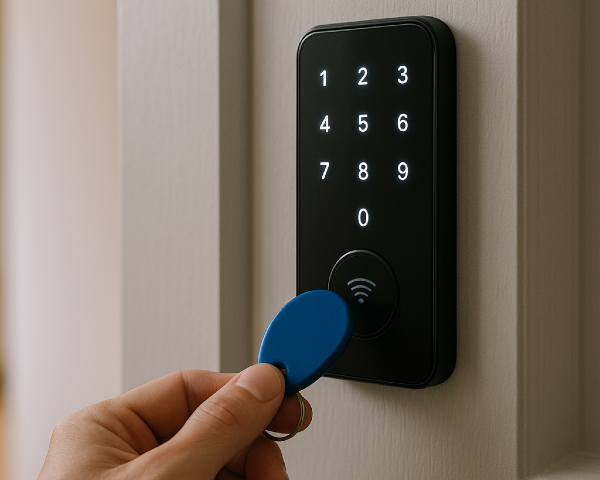
Managing access across apartments, office buildings, or commercial properties involves far more than handing out keys. A key fob door lock helps property managers simplify tenant turnover, replace lost credentials without rekeying doors, control visitor and vendor access, and maintain audit logs of building activity.
While key fob door locks are often part of a broader access control system, understanding the hardware is the first step toward choosing the right solution. This guide explains how key fob door locks work, where they make the most sense, and what to consider before installing them.
What is a key fob door lock?
A key fob door lock is an electronic door locking system that lets residents, employees, or staff unlock a door by tapping a programmed RFID or NFC fob near a reader. For apartments and commercial buildings, key fob door locks are most useful when property managers need to control shared entrances, deactivate lost credentials, track access activity, and avoid rekeying doors after tenant or employee turnover.
How we researched this
This guide draws on Swiftlane’s experience deploying access control systems across more than 3,000 buildings. It also incorporates feedback from property managers, building operators, installers, and security professionals who manage tenant turnover, visitor access, and day-to-day building operations.
Rather than focusing only on product specifications, we’ve emphasized the practical considerations that influence long-term performance, scalability, and ease of management.
Key Takeaways
- With key fob door locks, you can issue and deactivate credentials without rekeying doors.
- You can install standalone models that work for one door, or a networked system for multi-unit properties.
- When you’re managing buildings with amenity restrictions and fast tenant turnover, key fob door locks can make property management more efficient.
- The software also matters just as much when you’re planning to scale in the future.
Table of Contents
- What Is a Key Fob Door Lock?
- How Key Fob Door Locks Work
- Types of Key Fob Door Locks
- Use Cases for Key Fob Door Locks
- Benefits of Key Fob Door Locks
- Limitations of Key Fob Door Locks
- Key Fob Door Locks vs Full Access Control vs Mobile Access vs PIN vs Smart Locks
- What to Consider Before Installing Key Fob Door Locks
- Cost Considerations
- Final Thoughts: Choosing the Right Key Fob Door Lock
- FAQs
Related Posts
- What Is a Fob System and How to Choose One
- Guide to Apartment Key Fob Systems
- Commercial Key Fob Entry Systems
What is a Key Fob Door Lock?
A key fob door lock is an electronic lock that allows users to unlock a door by tapping or holding a small credential (the key fob) near a reader.
Rather than functioning as a standalone device, a key fob door lock is one component of a physical access control system: an electronic system that authenticates and authorizes people at controlled entry points. This means the lock works alongside readers, controllers, and management software to determine who can enter a secured area and when.
Instead of inserting a metal key, users can just:
- Tap their fob against a reader
- The system verifies their credentials
- The lock disengages
- The door opens
From a property manager’s perspective, the biggest difference is this:
- Traditional locks rely on physical key control
- Key fob door locks rely on digital credential management
How Key Fob Door Locks Work
A typical key fob door lock system includes:
1. The Key Fob
Most fobs use RFID (Radio Frequency Identification) or NFC (Near Field Communication) technology. Inside the fob is a small chip with a unique identifier. When tapped against a reader, it transmits that identifier wirelessly. You can assign, track, and deactivate each fob individually.
2. The Reader
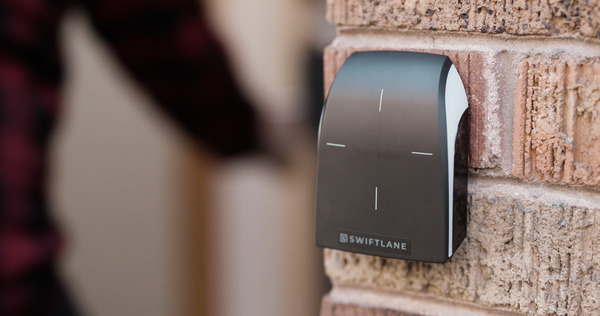
Mounted near the door, the reader:
- Detects the fob
- Sends the credential information to the control system
- Signals the lock to engage or disengage after verifying the credential
Some readers are built directly into the lock. Others are external.
3. The Electronic Locking Mechanism
This is the component that physically secures and releases the door when access is granted. Instead of relying on a traditional key and cylinder, the locking mechanism is triggered electronically after a valid credential is verified.
The actual locking hardware may be:
- An electric strike (releases the latch)
- A magnetic lock (maglock)
- An electronic cylindrical or mortise lock
- A smart lock retrofit
4. The Control Unit
This is the “brain” behind the lock. In standalone systems, the control logic may live inside the lock itself. In networked systems, however, the credentials are verified through on-premise or cloud-based software.
Types of Key Fob Door Locks
1. Standalone Key Fob Door Locks
These are designed for individual doors.
How they work:
- Credentials are programmed directly into the lock.
- Management often requires being physically present at the door.
- Limited storage capacity for users.
Best for:
- Small offices
- Storage rooms
- Low-traffic doors
- Single-location properties with minimal turnover
Limitations:
- No centralized management
- No real-time reporting
- Scaling becomes difficult
2. Networked Key Fob Door Locks
These locks connect to centralized software, which allows you to control and monitor access across multiple doors from a single system.
Instead of managing each lock individually, you can handle everything remotely. This makes it easier for property teams to deal with tenant turnover, lost fobs, and day-to-day access changes without being on-site.
Benefits:
- Add or remove users remotely
- Real-time access logs
- Multi-door management
- Scheduling by time and date
- Scalable across properties
Best for:
- Multifamily properties
- Office buildings
- Mixed-use spaces
- Properties with frequent tenant turnover
3. Smart Locks With Key Fob Capability
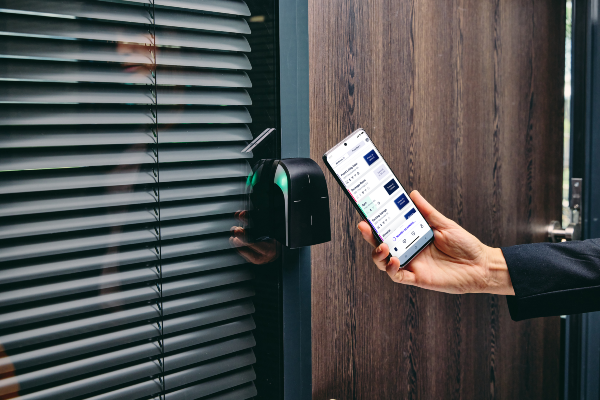
Some modern smart locks support multiple credential types:
- Key fobs
- Mobile credentials
- PIN codes
- Physical key override
This flexibility can be valuable if:
- Some tenants strictly prefer fobs
- Others prefer smartphone access
- You want future-proofing without replacing hardware
These locks tend to offer better long-term adaptability.
Use Cases for Key Fob Door Locks
Key fob door locks are used across multifamily, commercial, and mixed-use properties because they give property managers more control over who can access specific areas without relying on physical keys.
Rather than replacing locks when residents move out or keys are lost, staff can issue or revoke credentials in minutes, making day-to-day access management more efficient.
Multifamily Communities
In multifamily communities, key fob door locks are commonly installed at main entrances, package rooms, gyms, resident lounges, storage areas, and parking garages.
Instead of giving every resident unrestricted access, property managers can assign permissions based on where each person should be allowed to enter.
For example, residents may access shared amenities while maintenance staff receive credentials for utility rooms and service entrances.
Office Buildings
In office buildings, key fob door locks help organizations secure both public and restricted spaces.
Employees can access office suites, conference rooms, and shared workspaces, while sensitive areas such as IT rooms or records storage remain accessible only to authorized personnel.
Access schedules also allow businesses to automatically restrict entry outside normal operating hours without requiring staff to lock or unlock doors manually.
Mixed-Use Properties
Mixed-use properties often require even greater flexibility because residential, retail, and commercial tenants share the same building.
Access credentials can be customized so residents, business tenants, delivery personnel, and building staff each receive permissions appropriate to their roles. This helps maintain security while reducing the administrative burden of managing multiple user groups.
The most effective deployment depends on the type of space you’re securing and how your property operates.
Best Key Fob Door Lock Applications by Property Type
Not every door has the same security or operational requirements. While a standalone key fob lock may be sufficient for a single office or storage room, larger properties often benefit from a networked access control system that centralizes credential management across multiple entry points.
The table below highlights the most suitable approach for common applications.
| If you’re securing… | Recommended solution | Why |
| Single office or storage room | Standalone key fob door lock | Cost-effective when you only need one controlled door and don’t require centralized management. |
| Multifamily common entrances | Networked access control with key fob credentials | Makes it easy to manage resident turnover, lost fobs, and shared amenities from one dashboard. |
| Office buildings | Networked system with audit logs and scheduling | Supports employee access schedules, visitor management, and compliance reporting. |
| Fitness centers and resident amenities | Networked lock with scheduled access | Restrict access to residents and automatically enforce amenity hours. |
| Parking garages and vehicle gates | Gate access control with long-range credentials or mobile access | Better suited for vehicle entry than a standard pedestrian door lock. |
| Elevators | Access control integrated with elevator controls | Limits floor access based on resident, tenant, or employee permissions. |
In practice, many properties combine several of these solutions. For example, a multifamily community may use networked key fob readers at the main entrance and amenities, integrate access control with elevator permissions, and use a dedicated gate controller for vehicle access.
Choosing the right combination depends on your property’s layout, security requirements, and plans for future expansion.
Benefits of Key Fob Door Locks
1. Eliminate Rekeying
One of the biggest operational advantages of key fob door locks is eliminating the need to rekey doors after tenant turnover. With traditional locks, every unreturned key can mean replacing cylinders, distributing new keys, and scheduling a locksmith.
A key fob system simplifies this process by allowing property staff to revoke an old credential immediately and issue a replacement without replacing the lock, reducing both labor and maintenance costs.
For multifamily properties with frequent resident turnover, the real value comes less from the credential itself and more from being able to issue, revoke, and update access instantly without rekeying doors.
In Swiftlane-supported deployments, some property teams have saved 5 to 10+ hours per week by centralizing credential management and eliminating manual key tracking, lock changes, and in-person updates.
2. Quick Deactivation of Lost Fobs
Lost keys can create immediate security concerns because anyone who finds them may still have access to the property. With a networked key fob system, a lost credential can be disabled as soon as it’s reported, preventing unauthorized entry without changing the physical lock.
For example, in Swiftlane-supported systems, administrators can revoke a lost credential in seconds from the dashboard instead of scheduling a locksmith to rekey the lock and issue new keys.
Issuing a new credential is also much faster than cutting new keys or rekeying multiple doors. Replacement key fobs typically cost anywhere from $3 to $60, depending on the credential technology, with higher-security encrypted credentials costing more than basic proximity fobs, whereas rekeying a traditional lock often costs significantly more once locksmith labor, new keys, and staff coordination are factored in.
Based on Swiftlane’s multifamily deployments, we’ve seen 100-unit communities replace roughly 30 to 40 key fobs per year. While each replacement credential is relatively inexpensive, the cumulative cost and administrative effort can become meaningful over time, reinforcing the value of systems that let property teams revoke lost credentials and issue new ones remotely.
Promptly revoking lost credentials and maintaining accurate access permissions are fundamental access control practices that help reduce unauthorized access and keep tenant records up to date.
3. Access Scheduling
Many key fob systems allow managers to control not only who can enter but also when they can enter.
This makes it easy to limit fitness center access to residents, grant vendors temporary access during scheduled service windows, or automatically restrict entry to office spaces after business hours.
Automated schedules reduce the need for manual oversight while helping maintain building security.
4. Audit Trails
Networked systems can record every credential use, creating a detailed audit trail that includes the user, door, and time of entry.
These records can help property teams investigate security incidents, verify contractor access, or resolve resident disputes without relying on manual sign-in logs.
5. Reducing the Risks of Key Duplication
Unlike traditional keys, digital credentials can be individually managed throughout their lifecycle. If a credential is lost or no longer needed, it can simply be revoked without affecting other users.
Many modern systems also use encrypted credentials that provide stronger protection against unauthorized copying than older low-frequency proximity fobs. Our guide to RFID access control systems breaks down how credential frequency and encryption affect cloning risk.
6. Improve the Resident and Tenant Experience
Convenience plays an important role in resident satisfaction. Key fob door locks provide faster building access, reduce the number of physical keys residents need to carry, and simplify move-ins by allowing property staff to issue credentials before a resident’s arrival.
Many modern systems also support mobile credentials alongside key fobs, giving residents the flexibility to choose the access method that works best for them.
Real-World Example: Reducing Administrative Work at a 132-Unit Apartment Community
Paddlers Point, a 132-unit apartment community in Pennsylvania, upgraded from traditional credential management to a cloud-based access control system during lease-up. According to property manager James Maione, onboarding a new resident previously required programming credentials on-site and coordinating key exchanges, often taking several hours.
After adopting centralized access management, new residents could be added remotely in under 30 seconds, while lost credentials and move-outs could be handled without visiting individual buildings. The property also gained remote access logs, allowing staff to review entry events without traveling to the site.
Although every property’s needs are different, the experience highlights an important consideration for growing communities: as the number of residents and access points increases, the administrative time spent managing physical credentials often becomes just as important as the hardware installed on each door.
Limitations of Key Fob Door Locks
Fobs Can Still Be Lost
Although key fobs are easier to replace than traditional keys, they’re still physical credentials that residents can lose or forget. In larger multifamily communities, replacement requests are often part of normal day-to-day operations, especially during busy leasing seasons.
While each replacement is relatively inexpensive, the cumulative cost of new credentials and staff time can become noticeable in properties with frequent tenant turnover.
Establishing a clear replacement policy and deactivating lost fobs as soon as they’re reported helps minimize both cost and security risks.
Cheap Systems Create Administrative Headaches
Lower-cost systems often reduce upfront expenses, but they may require more manual administration and offer fewer management capabilities than networked platforms. In our conversations with property teams, we learned that some properties that use basic standalone systems frequently require staff members to visit each door individually whenever a credential needs to be added or removed.
Without centralized management, audit logs, or remote updates, routine tasks such as processing move-ins, replacing lost fobs, or changing staff access can quickly become time-consuming.
What appears to be a lower upfront investment may result in higher administrative costs over the life of the system.
Power Considerations
Electronic locks depend on a reliable power source. Battery-powered models require regular battery replacement, while hardwired systems depend on the building’s electrical infrastructure and should include appropriate backup power for critical entry points.
During deployments, planning for battery maintenance schedules and power redundancy is often overlooked, yet these operational details can have a significant impact on long-term system reliability.
Scalability Issues
A key fob lock that works well on a single office door may not be the right choice for a growing property. A building may begin with one or two standalone locks, only to discover later that managing dozens of doors individually creates unnecessary work for maintenance and leasing staff.
If you expect to add amenity spaces, parking areas, elevators, or additional buildings in the future, selecting a system that supports centralized management from the start can help avoid costly upgrades later.
Software Quality Matters
The hardware is only one part of an access control system. Day-to-day operations are largely shaped by the management software behind them.
If issuing credentials, updating permissions, or generating access reports requires multiple manual steps, routine administrative work quickly becomes inefficient.
In practice, property teams often spend far more time interacting with the software than with the locks themselves, making usability, reporting, and remote management just as important as the hardware installed at each door.
Key Fob Door Locks vs Full Access Control vs Mobile Access vs PIN vs Smart Locks
Property managers have more options than ever for securing apartments, offices, and commercial buildings. While key fob door locks remain a popular choice because they’re familiar and easy to manage, they’re just one way to control access.
Here’s how they compare with other common credential types.
| Access Method | Best For | Advantages | Potential Drawbacks |
| Traditional mechanical locks | Single doors, low-security or low-turnover properties | Lowest upfront cost, no power or network required | Rekeying required after turnover, no audit trail, no remote management, keys can be copied |
| Key fob door locks | Multifamily, offices, commercial buildings | Easy credential replacement, familiar for residents, supports audit logs and scheduling, no rekeying after lost credentials or tenant turnover | Lost fobs require replacement; physical credentials must still be distributed |
| Mobile access | Modern multifamily and commercial properties | No physical credential to carry, remote issuance, touchless entry, easy credential revocation | Requires a smartphone and user adoption; some residents still prefer physical credentials |
| PIN codes | Shared spaces, temporary access, vendors | Simple to issue and change, no physical credential required | Codes can be shared unless changed regularly; limited accountability when codes are shared |
| Smart locks | Individual apartments, offices, retrofit projects | Often support multiple credentials (fobs, mobile, PINs, backup keys) | Feature sets vary by manufacturer; standalone models may have limited centralized management |
| Full access control systems | Properties with multiple doors or buildings | Centralized management, audit trails, visitor management, scheduling, integrations, scalable across many doors | Higher upfront investment and requires professional installation |
Which Option Is Best for Your Property?
The right solution depends on how your building operates.
A standalone key fob door lock may be sufficient for a storage room, leasing office, or other single entry point where access rarely changes.
But as the number of doors, residents, employees, or shared amenities grows, centralized access control becomes easier to manage.
Property teams can issue and revoke credentials remotely, review audit logs, automate access schedules, and manage multiple entry points from a single dashboard rather than programming each lock individually.
Many newer properties also combine multiple credential types instead of choosing just one. For example, residents may unlock doors with either a key fob or a smartphone, while maintenance staff receive temporary mobile credentials and delivery vendors use scheduled PIN codes.
Offering multiple authentication methods gives users flexibility while allowing property managers to choose the most appropriate credential for each scenario.
What to Consider Before Installing Key Fob Door Locks
1. Door Type
Not every door is equally easy to upgrade. Metal and aluminum storefront doors are often straightforward to retrofit, while glass doors may require specialized mounting hardware and additional labor.
Fire-rated doors deserve particular attention because any modifications must preserve their certified fire rating to remain code compliant.
Before purchasing hardware, confirm that your chosen lock is compatible with each door type to avoid unexpected installation delays or change orders once work begins.
2. Power and Wiring
Electronic locks require a reliable power source, whether they’re hardwired, battery-operated, or use a hybrid approach.
During planning, consider whether running new wiring is practical, how battery-powered devices will be maintained, and whether critical entrances require backup power during outages.
Even if you’ve selected the right hardware, overlooking electrical requirements can delay installation or increase costs once work begins.
3. Number of Doors
The size of your deployment should influence the type of system you choose. A standalone key fob lock may work well for a single leasing office or storage room, but managing credentials individually becomes far less practical as additional entrances, amenities, and staff-only areas are added.
Planning for your full building, not just your first door, can prevent expensive upgrades later.
4. Internet Connectivity
Many networked systems rely on Ethernet or Wi-Fi to synchronize credentials, access logs, and software updates. Some properties also deploy cellular backup to maintain connectivity if the primary network goes offline.
Evaluating your building’s existing network infrastructure early helps avoid installation surprises and ensures reliable day-to-day operation.
5. Tenant Turnover Rate
Buildings with frequent move-ins and move-outs can see the greatest operational benefits from centralized credential management.
If your leasing team regularly issues new credentials or responds to lost fobs, remote administration can save significant staff time compared with manually programming each door or rekeying locks.
6. Compliance Requirements
Access control systems should support applicable ADA accessibility requirements, local fire codes, and life safety regulations.
Because these requirements vary by jurisdiction and door type, it’s worth confirming compliance during the design phase rather than after installation has begun.
The International Building Code also includes requirements for electrified locking systems to ensure doors continue to provide compliant means of egress when access control is installed.
When comparing hardware, it’s also worth checking whether access control components are certified to UL 294, the primary industry standard for evaluating the reliability, functionality, and safety-related performance of access control system units.
7. Future-Proofing
Think beyond your current needs. Many properties begin by securing a single entrance but later expand to package rooms, fitness centers, parking garages, elevators, or video intercoms.
Selecting a scalable platform from the outset is often more cost-effective than replacing isolated hardware as operational requirements grow.
If mobile credentials, visitor management, or additional buildings may be part of your future plans, choose a system that can support those capabilities without requiring a complete replacement.
Cost Considerations
The cost of a key fob door lock system depends on much more than the lock itself. Your total investment is influenced by the type of hardware you choose, the number of doors you’re securing, installation complexity, and whether you need centralized access control software.
Here are the primary cost factors to consider:
- Electronic lock hardware: Prices vary depending on whether you install standalone electronic locks, electric strikes, maglocks, or commercial-grade smart locks.
- Readers and credentials: Many systems require separate RFID or NFC readers, while key fobs, per our costing guide, generally range from $3 to $8 for basic proximity credentials, $10 to $20 for standard encrypted RFID credentials, and $25 to $60 for higher-security smart credentials (such as MIFARE DESFire), depending on the technology and security level.
- Controllers: Networked access control systems often require door controllers or intelligent control panels that manage credentials and communicate with the software platform.
- Installation: Labor costs depend on the existing door hardware, wiring requirements, electrical work, and whether the doors are metal, glass, aluminum storefront, or fire-rated.
- Software licensing: Cloud-based management platforms typically charge recurring subscription fees for remote credential management, audit logs, reporting, and system updates.
- Ongoing maintenance: Budget for replacement fobs, battery changes (for battery-powered locks), occasional hardware servicing, and software support.
For a single door, installation costs vary depending on the locking hardware, existing wiring, and labor required. As additional readers, controllers, networking equipment, and cloud software are added, total project costs increase accordingly.
For many mid-sized apartment communities, professionally installed access control systems commonly range from $5,000 to $13,000, although larger or more complex deployments may exceed that range.
For example, consider a 50-unit apartment building with a main entrance, package room, fitness center, parking garage, and several staff-only doors.
A networked key fob access system for these shared entry points may require multiple readers, centralized controllers, professional installation, cloud software, and several hundred resident credentials.
Depending on the scope of the project, this type of deployment may start within the typical $5,000 to $13,000 range for mid-sized apartment communities, with costs increasing as additional doors, integrations, and advanced features are added.
While the upfront investment is higher than that of installing traditional locks, centralized management can reduce ongoing operational costs by eliminating most rekeying, minimizing locksmith visits, and allowing staff to issue or deactivate credentials remotely.
When evaluating proposals, look beyond the initial hardware price. A less expensive system may require more manual administration, offer limited reporting, or make future expansion difficult.
In many cases, a scalable system with robust management software delivers a lower total cost of ownership over the life of the building by reducing administrative labor, improving security, and simplifying day-to-day operations.
Final Thoughts: Choosing the Right Key Fob Door Lock
The right key fob door lock depends on more than the hardware itself. Property managers should evaluate how the system will fit into their daily operations, from handling resident turnover and replacing lost credentials to managing shared amenities and expanding to additional buildings over time.
For a single office or storage room, a standalone lock may be all that’s needed. But for multifamily communities, office buildings, and mixed-use properties with multiple entry points, a centralized access control system often provides greater long-term value by reducing administrative work, improving visibility into building activity, and making access management more efficient.
When comparing solutions, look beyond the upfront hardware cost. Consider how easy it is to issue credentials, generate audit logs, integrate with other building systems, and scale as your property grows.
A platform that simplifies day-to-day operations can often deliver a lower total cost of ownership over its lifetime.
If you’re evaluating key fob door locks for your property, contact Swiftlane to discuss your building’s requirements or schedule a demo to see how a modern access control system can help simplify security, resident access, and property management.
FAQs
Can key fob locks be installed on any door?
Most doors can accommodate key fob locks, but glass and fire-rated doors may require special hardware or compliance checks. Always confirm compatibility before purchasing.
What happens if a key fob is lost?
Lost fobs can be deactivated instantly through the software, eliminating security risk without changing the lock. Replacement fobs are inexpensive and easy to issue.
How much do key fob door locks cost?
Key fobs themselves typically cost $3 to $8 for basic proximity credentials, $10 to $20 for standard encrypted RFID credentials, and $25 to $60 for higher-security smart credentials. Complete access control systems vary much more widely depending on the hardware, installation requirements, and number of doors. For many mid-sized apartment communities, projects commonly start around $5,000 and can exceed $13,000 as additional doors, integrations, and software are added.
Do I need networked locks for my property?
Standalone locks work for single doors, but networked locks are ideal for multi-unit buildings with high turnover or shared amenities. They allow remote management, audit trails, and scheduling.
Can tenants use both fobs and mobile credentials?
Yes, some smart locks support multiple credential types for flexibility and future-proofing. This accommodates tenant preferences without replacing hardware.
Can key fob door locks work during a power outage?
It depends on the lock type and how it’s powered. Battery-operated locks can continue operating until the batteries are depleted, while hardwired systems may rely on backup batteries or an uninterruptible power supply (UPS). Always confirm how your chosen system handles power outages and emergency egress.
Are key fobs more secure than traditional keys?
In most cases, yes. Unlike physical keys, lost or stolen key fobs can be deactivated without replacing the lock. Modern systems that use encrypted credentials also provide stronger protection against cloning than older low-frequency proximity fobs.
How long do key fob door locks last?
The lifespan varies by manufacturer and usage, but commercial-grade electronic locks often last 7 to 10 years or longer with proper maintenance. Battery-powered models require periodic battery replacement, while hardwired systems should be inspected regularly to ensure reliable operation.
Can I upgrade from a traditional lock without replacing every door?
Often, yes. Many properties retrofit existing doors with electronic locks, electric strikes, or smart lock hardware instead of replacing the entire door. Compatibility depends on the door material, frame condition, fire-rating requirements, and existing hardware.
What’s the difference between a standalone key fob lock and a full access control system?
A standalone key fob lock manages access for a single door and is programmed locally, making it suitable for smaller applications. A full access control system connects multiple doors through centralized software, allowing property teams to remotely manage credentials, monitor activity, and scale access across an entire building or portfolio.


