

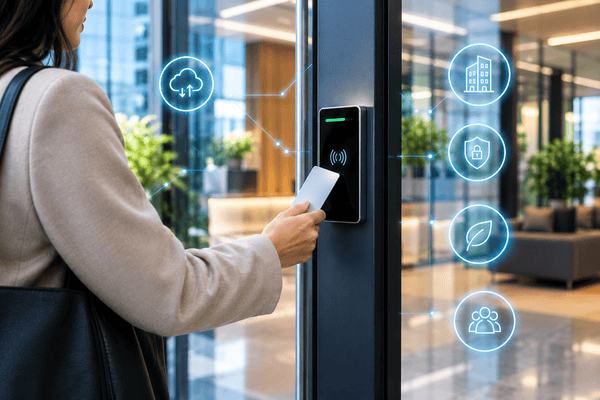
Smart building technology is an integrated network of IoT hardware, automated systems, and cloud software that monitors and controls building operations, including access control, HVAC, lighting, and maintenance, in real time to reduce operating expenses, improve security, and enhance occupant convenience.
For most of the last 30 years, a “smart” building was a collection of separate systems. The intercom, the card readers, the lighting panel, and the elevator controller each came from a different vendor. Each ran on its own wiring and software, and none of them shared data. When a resident moved out, staff updated the intercom directory by hand, deactivated a fob in a second system, and changed the lock in person.
That model is breaking down. Modern buildings run on cloud platforms that connect through open APIs and standard protocols. A move-out entered in the property management system (PMS) can now remove the resident from the intercom directory, revoke their door credentials, and cancel their amenity bookings in one step. This guide is for owners and operators. It covers what that connected stack looks like, how its layers work, what it does to net operating income (NOI), and how to retrofit it into a building that was never designed for it.
How We Researched This Guide
This guide combines field deployment data from 3,000+ commercial and multifamily buildings with low-voltage engineering specifications, ASHRAE energy standards, the International Building Code (IBC), and NFPA life safety codes. Deployment figures are based on Swiftlane’s installation experience and are identified as such wherever they appear.
Key Takeaways
- Security is the digital front door. Access control logs every entry event and manages visitor and courier flows. That makes it the system that produces a smart building’s richest operational data.
- Interoperability beats proprietary silos. Closed systems create expensive technical debt. Look for open APIs, OSDP v2.2, and BACnet/IP.
- The NOI impact is real. Smart systems cut energy waste, recover staff hours, and lower risk exposure.
- Existing buildings can modernize. PoE+, wireless sensors, and cellular backhaul let older masonry buildings upgrade without opening walls.
Table of Contents
- The 5 Pillars of Smart Building Technology
- How Smart Building Technology Works: The 4-Layer Architecture
- Real-World Property Applications: Multifamily vs. Commercial Office
- The Financial Business Case: How Smart Tech Drives NOI
- Retrofitting Existing Buildings: Solving Legacy Infrastructure Constraints
- Cybersecurity, Data Privacy and Physical Code Compliance
- Buyer’s Procurement Checklist: 8 Questions to Ask Vendors
- Swiftlane and SwiftOps: The Unified Access and Operations Platform
- FAQs
Related Posts
- Smart Intercom vs Traditional Intercom
- Apartment Intercom Systems With Mobile Access for Multifamily Buildings
- Key Fob System for Condos
The 5 Pillars of Smart Building Technology
Most smart building technologies fit into five operational pillars. Access control and physical security form the foundational gateway layer, because every occupant, visitor, courier, and vendor passes through it.
| Smart building pillar | Core hardware and sensors | Software and protocols | Primary operational benefit | Typical payback and ROI driver |
| 1. Access control and physical security (foundational gateway) | Cloud video intercoms, mobile door readers, smart locks, optical turnstiles, elevator controllers | WebRTC, OSDP v2.2, BLE/NFC, cloud APIs, biometric templates | Replaces physical keys and fobs; enables remote unlock, scheduled vendor entry, and 24/7 audit logs | Recaptures staff hours; removes rekeying costs; cuts after-hours lockout callouts |
| 2. Energy management and HVAC (BMS) | Smart thermostats, VAV controllers, chilled water sensors, smart meters | BACnet/IP, Modbus, Zigbee, MQTT | Adjusts heating and cooling to real-time occupancy schedules | Lower annual utility spend; peak demand charge avoidance |
| 3. Automated operations and tenant experience | Mobile tenant apps, digital amenity booking, automated package rooms and lockers | Two-way PMS APIs (Yardi, RealPage, Entrata) | Streamlines self-guided tours, guest passes, and move-ins/outs | Supports renewals; saves admin time per unit turn |
| 4. Environmental monitoring and predictive maintenance | Internet of Things (IoT) water leak sensors, indoor air quality (IAQ) monitors, pipe temperature probes | LoRaWAN, cellular IoT gateways, automated alert engines | Detects leaks and mechanical failures before they cause major damage | Fewer insurance claims and deductibles; avoids costly water damage incidents |
| 5. Smart lighting and shading | Daylight-harvesting sensors, PIR occupancy sensors, networked LED drivers | DALI, Bluetooth Mesh, 0–10V dimming | Dims or switches off lighting in unoccupied common areas | Lower lighting energy use; longer fixture life |
The rest of this guide focuses on pillars 1 and 3. These are the access, intercom, visitor, and operations systems that property teams interact with every day.
How Smart Building Technology Works: The 4-Layer Architecture
Every smart building system has the same four layers, whatever the vendor. Devices at the edge collect data or act on it. A communication layer moves that data, a cloud engine makes decisions, and an interface puts those decisions in front of people. Knowing where each product sits makes it easier to see which systems can share data and which will stay isolated.
Layer 1 – The Device Layer: Edge Hardware and Sensors
This is the hardware people can see and touch: video intercom door stations, facial recognition readers, mobile credential readers, motorized locksets and electric strikes, smart thermostats, vibration sensors, and water flow meters. Edge devices do two jobs. They collect data, such as a face scan, a temperature reading, or a moisture alert, and they act on commands, such as releasing a lock or closing a valve.
The key buying question at this layer is whether a device keeps working when its connection drops. An access control reader that stores credentials locally can still admit residents during an internet outage. A reader that depends on every decision coming from the cloud can’t.
Layer 2 – The Communication and Protocol Layer
This layer determines how data moves between devices and software, and whether devices from different vendors can talk to each other at all.
Wired infrastructure
- Power over Ethernet (PoE/PoE+): A single Cat6 cable carries both data and power. PoE+ (IEEE 802.3at) delivers up to 30 W per port, enough for video intercoms and many readers. A run is limited to 100 meters (328 feet).
- RS-485 with OSDP: OSDP v2.2, the Security Industry Association’s Open Supervised Device Protocol, connects readers to door controllers. Unlike legacy Wiegand wiring, OSDP supervises the line, and its Secure Channel mode encrypts credential data. That encryption only applies when Secure Channel is enabled at installation.
Wireless infrastructure
- LoRaWAN: A long-range, low-power network for utility and leak sensors spread across large properties. It carries small data packets, not video.
- BLE and NFC: The short-range radios that let a smartphone act as a door credential.
- Wi-Fi: Best kept for secondary devices on a segmented network (see Section 5).
Integration protocols
- BACnet/IP and Modbus: The standard protocols that connect HVAC equipment, meters, and other building machinery to management software.
- Open REST APIs: How cloud platforms exchange data with each other, such as an access control platform syncing resident records with a PMS.
Layer 3 – The Cloud and Analytics Engine
The cloud layer is the building’s central management system. Property managers use it to set user permissions, review access control system logs, adjust environmental thresholds, and receive real-time alerts, such as a door held open, a sensor detecting water, or an unusual pattern of failed entry attempts. Because the data sits in one place, a regional manager can oversee 40 properties from the same dashboard used for one.
Layer 4 – The User Interface
This is where people interact with the system. Residents use a smartphone app to unlock doors, answer intercom calls with live video, and reserve amenities. Staff use web portals to manage the building. Vendors and couriers receive temporary passes that expire automatically. The interface layer decides whether a building actually feels “smart” to the people in it, because residents never see layers 1 through 3.
Real-World Property Applications: Multifamily vs. Commercial Office
The same four layers do different work depending on the building. In multifamily properties, most traffic is residents, visitors, and parcels. In commercial offices, the job is controlling which tenants and contractors can reach which floors and suites.
Multifamily Residential Properties
- Frictionless resident entry. Facial recognition and mobile tap-to-unlock replace brass keys and fobs at the main entrance, the garage, and amenity doors. When a lease ends, the resident’s access ends with it. Nobody has to collect a key or reprogram a lock.
- Automated package handling. U.S. parcel volume reached 23.1 billion shipments in 2025, roughly 171 for every household, according to the Pitney Bowes Parcel Shipping Index. That count includes business shipments, so it overstates what any one household receives, but it explains why multifamily lobbies now work like loading docks. A smart intercom can issue each carrier a temporary PIN that opens only the delivery room or package locker area, so drivers don’t have to buzz random residents or wait for staff. Every entry is logged with a timestamp, and many systems also capture an image.
- Self-guided leasing tours. A prospect books a tour and receives a time-limited digital credential. That credential opens the front door and the model unit for one scheduled window, and it records exactly when the prospect entered and left. Leasing staff no longer have to escort every visit.
- Water leak mitigation. IoT sensors placed at water heaters and laundry connections send an alert as soon as they detect moisture. Paired with a motorized shutoff valve, the system can stop the water supply before staff arrives.
Commercial Office and Mixed-Use Buildings
- Multi-tenant suite isolation and destination dispatch. In the lobby, turnstiles or kiosks read an employee’s mobile credential. Through an integration with the elevator manufacturer’s destination dispatch system, the commercial building assigns a car that serves only that tenant’s authorized floors. Elevator access control covers relay-based and API-based floor control in more depth.
- Occupancy-based workplace management. Badge-in data shows which floors are actually in use each day. Facilities teams can feed that data into HVAC and lighting schedules, so a floor with 12 people on a Friday isn’t conditioned as if it were full.
- Vendor and contractor management. Cleaning crews and maintenance contractors receive digital passes limited to set hours and doors. The same pass that opens the loading dock after 7 PM stays locked out of IT closets and server rooms. When the contract ends, the pass is revoked in one step instead of tracking down a key.
The Financial Business Case: How Smart Tech Drives NOI
Smart building technology pays for itself in four ways: lower operating expenses, recaptured labor, higher asset value, and stronger rent and retention. The first two reduce expenses. The last two increase income and value, and that’s where the case for asset managers is strongest.
1. Direct Operating Expense and Utility Reduction
- HVAC scheduling. Occupancy-based setbacks and smart scheduling cut common-area HVAC runtime.
- No more rekeying. Hiring a locksmith to rekey a door typically costs $100 to $300, including the service call, according to HomeGuide. Properties that rekey in-house spend less per turn but still pay for parts and staff time. Cloud credentials are revoked in software, with no service call.
- Fewer fob replacements. Lost or unreturned key fobs stop being a recurring line item when residents use phones or face entry instead.
2. Labor Overhead Recapture
- Fewer interruptions. Staff stop buzzing in delivery drivers, escorting contractors, and programming fobs at the front desk.
- Automated directory updates. A two-way property management software integration with Yardi, RealPage, or Entrata handles move-in and move-out directory changes automatically.
- Fewer after-hours callouts. Remote unlock resolves resident lockouts without sending a locksmith or a maintenance tech.
3. The Cap Rate Multiplier: How Savings Become Equity
Property value is NOI capitalized at the market cap rate. Every dollar of recurring savings therefore adds many dollars of asset value:
Asset value created = annual NOI increase ÷ cap rate
Illustrative example: Say a 200-unit multifamily property recaptures $25,000 a year through smart access, less staff overtime, and energy savings. CBRE’s H1 2026 Cap Rate Survey puts Class A stabilized multifamily cap rates between 4% and 6.5% across U.S. markets. At those rates, $25,000 in added NOI creates roughly $385,000 to $625,000 in property value.
This is a hypothetical scenario, not a benchmark. Actual savings depend on staffing model, utility rates, and the systems being replaced, and cap rates vary widely by market and asset class.
4. Rent Premiums and Retention
Renters consistently say they’ll pay more for better access control and security. In an August 2026 survey of 800 apartment renters by Rently, 60% said they would accept a rent increase for community-wide security upgrades, including gated entry, monitored cameras, keyless entry, and better lighting. Those renters would pay an average of $74 more per month. Retention matters just as much. Each renewal avoids the vacancy loss, turn costs, and leasing effort of finding a new resident.
Retrofitting Existing Buildings: Solving Legacy Infrastructure Constraints
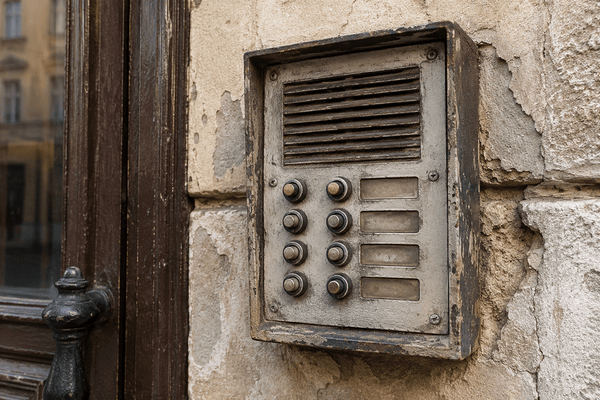
Most owners won’t build their way into smart technology. They’ll retrofit it into buildings they already own. The usual objection is cost and disruption: tearing open drywall, running conduit to every unit, and displacing residents during the work. In practice, most retrofits stay at the building perimeter and in common areas.
Modern Retrofit Strategies
- Edge-power architecture. Upgrade only the perimeter doors, the garage, and amenity spaces, using a single Cat6 PoE+ run to each device. Residents receive intercom calls and unlock doors on their phones, so nothing has to be wired into individual units. That removes the most expensive and disruptive part of a traditional intercom replacement.
- 2-wire IP retrofits. Where a building already has intercom copper running to each door station, Ethernet-over-2-wire adapters can carry Internet Protocol (IP) data over the existing pairs. How well this works depends on the cable’s length and condition, so test before you rely on it. This is a different architecture from PoE over new Cat6, and the two should be priced separately. What to do with an old intercom system covers the wiring options in detail.
- Cellular backhaul. For vehicle gates, detached buildings, and facades where trenching new cable is too expensive, a commercial 4G/5G LTE modem can provide the network connection. The device still needs power at the gate. Cellular replaces the data line, not the power line.
Historic and Aesthetic Restrictions
Landmarked buildings and historic districts add a permitting step. In New York City, exterior work on designated buildings requires review by the Landmarks Preservation Commission (LPC), and local historic boards elsewhere have similar rules. Common solutions include custom backplates sized to fit existing masonry openings, flush or surface mounts that avoid new penetrations, and wireless sensors in interior spaces where running new cable would damage original finishes. Before ordering hardware, confirm what your local review board requires.
Cybersecurity, Data Privacy and Physical Code Compliance
Every connected door, camera, and sensor is both a network endpoint and a piece of life-safety hardware. That means it needs to pass review by IT, legal, and the fire marshal.
Network Segmentation and IoT Cyber Hygiene
Smart building devices should never share a network with corporate laptops or resident Wi-Fi. If someone compromises a device on a flat network, they can reach everything else on it. The baseline controls are:
- Isolated VLANs for access control, cameras, and building systems, with firewall rules that allow only the traffic each device needs
- 802.1X port authentication so an unknown device plugged into a lobby Ethernet jack gets no network access
- OSDP v2.2 with Secure Channel enabled between readers and controllers, instead of unencrypted Wiegand
- Unique credentials and automatic firmware updates, so devices never run on factory default passwords
Biometric Privacy Compliance
Facial recognition entry is regulated at the state level. The three main laws are Illinois’s Biometric Information Privacy Act (740 ILCS 14/), Texas’s Capture or Use of Biometric Identifier Act (Tex. Bus. & Com. Code §503.001), and Washington’s biometric identifier law (RCW 19.375). Their common requirements are notice, consent before enrollment, limits on selling or disclosing biometric data, and destroying the data on a set schedule. BIPA also requires a published retention policy and lets individuals sue directly.
Good system design reduces risk, but it doesn’t remove these obligations. Storing an encrypted mathematical template instead of a raw facial image limits the damage if data is exposed. But under BIPA, a scan of face geometry is still a biometric identifier. Choose an opt-in enrollment process, keep alternative credentials available for anyone who declines, and have counsel review your consent and retention language.
Life Safety and Building Codes
Access control has to lock doors without ever trapping people. Under the 2024 IBC, electrically locked egress doors fall under specific provisions: door hardware release (§1010.2.10) and sensor release (§1010.2.11, numbered §1010.2.12 in the 2021 edition). The rules for sensor release include:
- The door unlocks when power to the lock is lost.
- A manual “PUSH TO EXIT” device is mounted 40 to 48 inches above the floor, within 5 feet of the door.
- Where a fire alarm system is installed, its activation unlocks the door until the alarm is reset. NFPA 72 governs the fire alarm system that sends that signal.
Not every access-controlled door needs fail-safe hardware. Many doors use fail-secure electric strikes or locks that stay locked from the outside when power is lost, while panic hardware still lets people exit freely from the inside. Elevators follow a separate rule: during Phase I fire service recall under ASME A17.1, floor restrictions set by access control mustn’t interfere with the recall.
For accessibility, the 2010 ADA Standards place operable parts such as intercom buttons and readers within an unobstructed reach range of 15 to 48 inches above the finished floor. Which code edition applies depends on what your jurisdiction has adopted, so confirm with the local authority having jurisdiction (AHJ).
Buyer’s Procurement Checklist: 8 Questions to Ask Vendors
Ask every vendor these questions in writing before signing. Vague or missing answers point to future technical debt.
- Does the platform use open standards such as OSDP, open REST APIs, and WebRTC, or is it locked to proprietary hardware? Open standards let you replace a reader or add a system later without starting over.
- How does the system handle door access and resident entry during internet or power outages? Ask which credentials keep working offline, how long backup power lasts, and whether cellular failover is available.
- Can the platform sync resident directories natively with our PMS (Yardi, RealPage, or Entrata)? Confirm whether the sync runs both ways and how often it updates.
- Is video and access data encrypted in transit (TLS 1.3) and at rest (AES-256)? Also ask where the data is hosted and who can access it.
- Are there mandatory monthly software fees per door or per user, and what do they include? Get the full five-year cost, not just the hardware quote.
- Can the hardware run over existing wiring, or does it require pulling new Cat6 to every unit? This answer often decides whether a retrofit pencils out.
- Is the exterior entry hardware weather-rated (IP65 or higher) and vandal-resistant (IK07/IK08)? Ask for the manufacturer’s datasheet, not a dealer listing.
- Does the system issue temporary, time-limited passes for guests, couriers, and contractors? Passes should expire on their own and appear in the audit log.
For help choosing an installer, see our guide to choosing an access control security company. For an apartment-specific comparison, see the apartment intercom buyer’s guide.
Swiftlane and SwiftOps: The Unified Access and Operations Platform
Swiftlane and SwiftOps cover the two pillars this guide focuses on: access control, which is the building’s front door, and the operations work that happens after people are inside.
Swiftlane puts entry on one cloud platform. That includes the video intercom system, touchless facial recognition access, mobile unlock, visitor PIN access for guests and couriers, scheduled vendor access, and elevator access control that limits both the hall call button and in-cab floor buttons to authorized users. Swiftlane integrates directly with Yardi, RealPage, and Entrata, so move-ins and move-outs update access permissions automatically and credentials don’t linger after a lease ends.
SwiftOps handles the work after entry. It runs mobile inspection checklists and sends automated vendor follow-up. Its built-in AI layer, SwiftAI, handles resident communication across chat, voice, and email around the clock, triaging each request and routing it to the right place.
Together, they give owners and operators one system of record for every door and every task across a portfolio.
FAQs
What is smart building technology?
Smart building technology is a connected network of hardware, sensors, and cloud software that monitors and controls building operations in real time. It covers access control, video intercoms, HVAC, lighting, leak detection, and tenant apps, all managed from a central dashboard instead of separate standalone systems.
What are the main benefits of smart building technology for property managers?
The three biggest benefits are lower operating costs, fewer staff hours spent on routine tasks, and stronger security. Managers can grant and revoke access remotely, track every entry in an audit log, cut energy waste, and catch problems like water leaks before they become expensive repairs.
How much does it cost to implement smart building technology in an apartment building?
Cost depends on how many doors you upgrade, whether existing wiring can be reused, and the software model, so quotes vary widely by building and region. Hardware and installation are usually one-time costs, while cloud platforms add a recurring subscription. To keep a retrofit affordable, start with perimeter doors and common areas instead of individual units, and ask vendors for the full five-year cost, not just the hardware quote.
Can smart building technology be installed in older, existing buildings?
Yes. Most retrofits upgrade only perimeter and common-area doors using PoE+ cabling, existing 2-wire intercom copper, or cellular backhaul. Residents use their phones, so units don’t need new wiring. Historic buildings may need preservation board approval before exterior hardware goes in.
How does smart building technology improve building security?
It replaces keys and fobs, which can be copied or lost, with credentials you can revoke instantly. Every entry is logged with a time and identity, and visitors and couriers get passes that expire on their own. Managers receive alerts when a door is held open or forced.
What is the difference between a BMS and smart access control?
A building management system (BMS) controls mechanical equipment such as HVAC, chillers, and lighting, over BACnet or Modbus. Smart access control decides who can enter which doors and when. The two can share data, such as badge-in occupancy feeding HVAC schedules, but they are separate systems.
How does smart building technology affect property valuation and NOI?
Recurring savings and rent premiums raise NOI, and higher NOI raises value at the market cap rate. For example, $25,000 in annual savings adds roughly $385,000 to $625,000 in asset value at today’s Class A multifamily cap rates of 4% to 6.5%.
Are smart building IoT devices vulnerable to cyber attacks?
Any networked device can be attacked, but the risk is manageable. Put building devices on isolated VLANs, require 802.1X port authentication, enable OSDP Secure Channel, replace default passwords, and keep firmware updated. Also confirm the vendor encrypts data in transit and at rest.
What happens to smart building access systems during a power or internet outage?
It depends on the system’s design. Well-designed systems store credentials locally so doors keep working offline, and they use battery backup to stay powered. Life-safety rules decide whether each door unlocks or stays locked when it loses power. Ask vendors to explain exactly how their system behaves in both scenarios.
Does smart building access technology require smartphone apps for all tenants?
No. Most platforms support several credential types side by side, including mobile apps, facial recognition, PIN codes, and key cards. Residents who don’t want to use a smartphone, or who decline biometric enrollment, can still use a PIN or card.


